What features are most important when evaluating
DICOM viewers and editors for medical imaging?
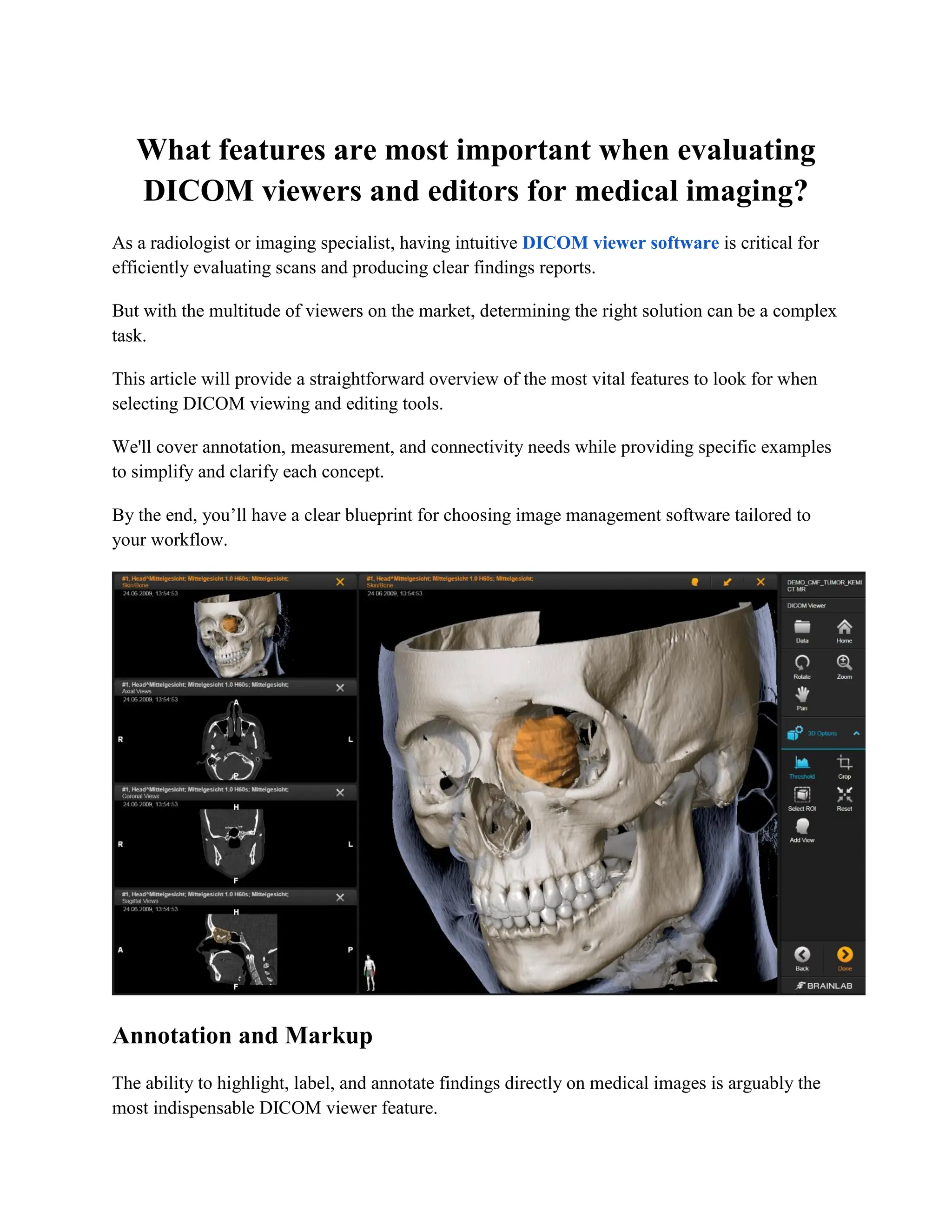
As a radiologist or imaging specialist, having intuitive DICOM viewer software is critical for
efficiently evaluating scans and producing clear findings reports.
But with the multitude of viewers on the market, determining the right solution can be a complex
task.
This article will provide a straightforward overview of the most vital features to look for when
selecting DICOM viewing and editing tools.
We'll cover annotation, measurement, and connectivity needs while providing specific examples
to simplify and clarify each concept.
By the end, you’ll have a clear blueprint for choosing image management software tailored to
your workflow.
Annotation and Markup
The ability to highlight, label, and annotate findings directly on medical images is arguably the
most indispensable DICOM viewer feature.
Look for annotation tools like:
● Drawing shapes - Denote regions of interest by circling, boxing, or tracing irregular
areas. Having both freeform shapes and geometric options is ideal.
● Adding arrows - Pinpoint specific anatomy and pathology by drawing directional
arrows.
● Typing text - Insert labels, captions, measurements, and other text directly on the
images.
● Using stamps - Quickly indicate common pathologies by placing pre-made stamp icons
on the scans.
Robust annotation simplifies recording observations and producing detailed reports. It also
assists communication between radiologists and referring physicians.
Prioritize viewers with an array of annotation types and full customization over colors, sizes,
fonts, etc.
Measurement Tools
Quantifying anatomy and lesions is another vital DICOM viewing capability. Ensure your
viewer includes advanced tools for:
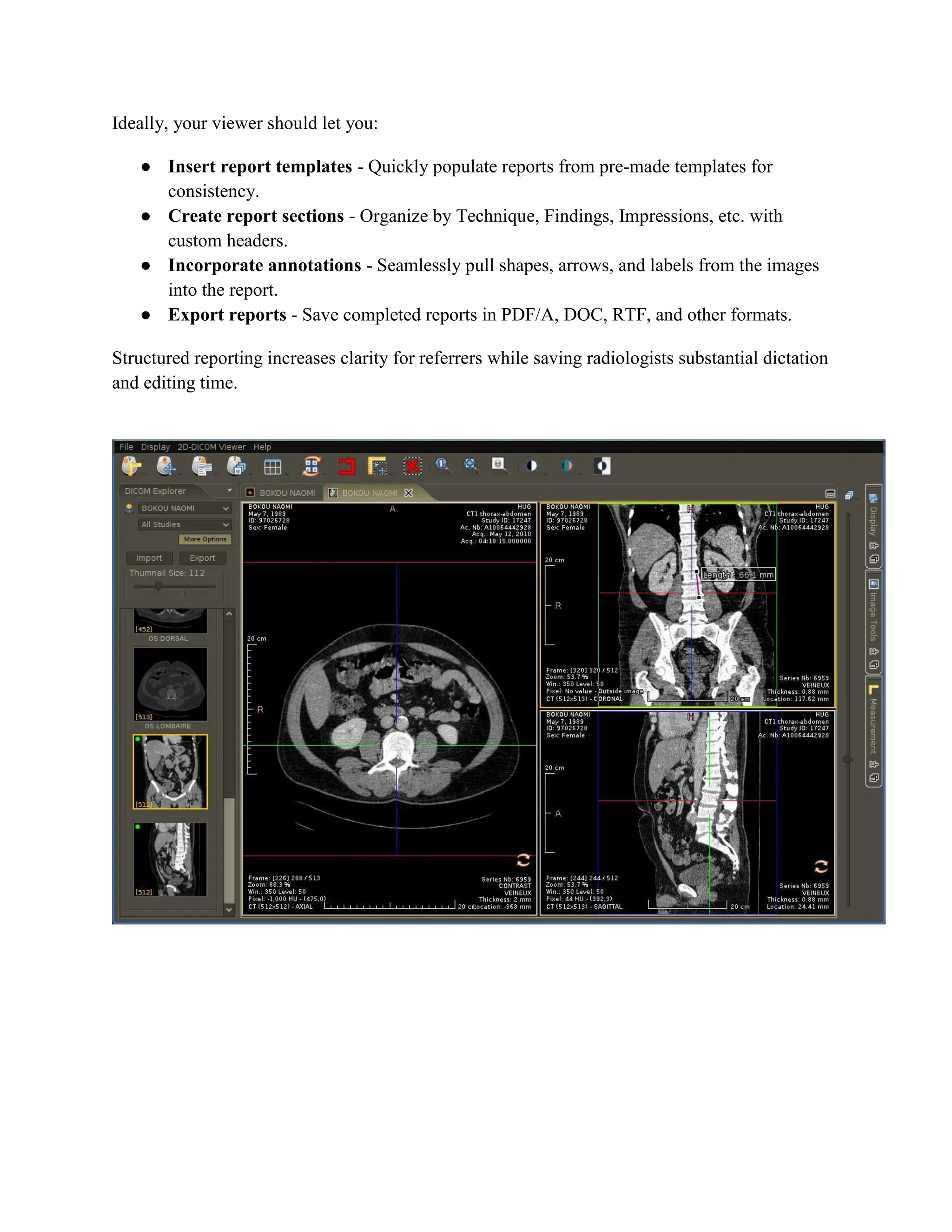
● Linear measurements - Measure organ dimensions, tumor diameters, distances, and
more.
● Area/volume measurements - Calculate cross-sectional areas and 3D volumetric
assessments.
● Angle measurements - Determine anatomical angles for surgical planning and more.
● Pixel probing - Sample the Hounsfield Unit (HU) values of structures at exact image
coordinates.
Automatic synchronization across image slices, calibrated measurements, and data export are
also useful features.
Custom Reporting
Recording observations in a structured report is central to radiology workflow. Choose DICOM
software with built-in reporting tools over basic viewers that only allow image annotation.
Ideally, your viewer should let you:
● Insert report templates - Quickly populate reports from pre-made templates for
consistency.
● Create report sections - Organize by Technique, Findings, Impressions, etc. with
custom headers.
● Incorporate annotations - Seamlessly pull shapes, arrows, and labels from the images
into the report.
● Export reports - Save completed reports in PDF/A, DOC, RTF, and other formats.
Structured reporting increases clarity for referrers while saving radiologists substantial dictation
and editing time.
Connectivity and Printing
Finally, integrating your DICOM viewer with hospital systems is vital for productivity. Key
connectivity features include:
● PACS connectivity - Query, retrieve, and store images to and from your PACS for direct
access.
● Cloud archiving - Back up studies to secure cloud storage for disaster recovery and
telemedicine.
● DICOM printing - Print color test films from compatible networked printers without
hassle.
● HL7 and EMR integration - Incorporate reports into electronic medical records; receive
imaging orders via HL7.
Choose flexible DICOM software those ties into your existing infrastructure. Syncing reviews
and documentation across the entire care team improves outcomes.
Conclusion
Investing in an intuitive DICOM viewer with robust annotation, quantification, reporting, and
connectivity ultimately translates into quicker interpretations and more accurate findings.
As you evaluate image management platforms, keep this checklist of must-have features in mind:
● ✅Advanced annotation tools - Drawing, arrows, text labels, stamps
● ✅Precise measurement capabilities - Linear, area/volume, angle, pixel probe
● ✅Custom reporting - Templates, sections, annotation import
● ✅PACS, printer, EMR connectivity - HL7, DICOM networking
Platforms meeting these standards will best support your workflow while enhancing diagnostic
clarity. Reach out if you need any assistance finding viewer solutions tailored for you!

What features are most important when evaluating DICOM viewers and editors for medical imaging.pdf

  • 1.
    What features aremost important when evaluating DICOM viewers and editors for medical imaging? As a radiologist or imaging specialist, having intuitive DICOM viewer software is critical for efficiently evaluating scans and producing clear findings reports. But with the multitude of viewers on the market, determining the right solution can be a complex task. This article will provide a straightforward overview of the most vital features to look for when selecting DICOM viewing and editing tools. We'll cover annotation, measurement, and connectivity needs while providing specific examples to simplify and clarify each concept. By the end, you’ll have a clear blueprint for choosing image management software tailored to your workflow. Annotation and Markup The ability to highlight, label, and annotate findings directly on medical images is arguably the most indispensable DICOM viewer feature.
  • 2.
    Look for annotationtools like: ● Drawing shapes - Denote regions of interest by circling, boxing, or tracing irregular areas. Having both freeform shapes and geometric options is ideal. ● Adding arrows - Pinpoint specific anatomy and pathology by drawing directional arrows. ● Typing text - Insert labels, captions, measurements, and other text directly on the images. ● Using stamps - Quickly indicate common pathologies by placing pre-made stamp icons on the scans. Robust annotation simplifies recording observations and producing detailed reports. It also assists communication between radiologists and referring physicians. Prioritize viewers with an array of annotation types and full customization over colors, sizes, fonts, etc. Measurement Tools Quantifying anatomy and lesions is another vital DICOM viewing capability. Ensure your viewer includes advanced tools for: ● Linear measurements - Measure organ dimensions, tumor diameters, distances, and more. ● Area/volume measurements - Calculate cross-sectional areas and 3D volumetric assessments. ● Angle measurements - Determine anatomical angles for surgical planning and more. ● Pixel probing - Sample the Hounsfield Unit (HU) values of structures at exact image coordinates. Automatic synchronization across image slices, calibrated measurements, and data export are also useful features. Custom Reporting Recording observations in a structured report is central to radiology workflow. Choose DICOM software with built-in reporting tools over basic viewers that only allow image annotation.
  • 3.
    Ideally, your viewershould let you: ● Insert report templates - Quickly populate reports from pre-made templates for consistency. ● Create report sections - Organize by Technique, Findings, Impressions, etc. with custom headers. ● Incorporate annotations - Seamlessly pull shapes, arrows, and labels from the images into the report. ● Export reports - Save completed reports in PDF/A, DOC, RTF, and other formats. Structured reporting increases clarity for referrers while saving radiologists substantial dictation and editing time.
  • 4.
    Connectivity and Printing Finally,integrating your DICOM viewer with hospital systems is vital for productivity. Key connectivity features include: ● PACS connectivity - Query, retrieve, and store images to and from your PACS for direct access. ● Cloud archiving - Back up studies to secure cloud storage for disaster recovery and telemedicine. ● DICOM printing - Print color test films from compatible networked printers without hassle. ● HL7 and EMR integration - Incorporate reports into electronic medical records; receive imaging orders via HL7. Choose flexible DICOM software those ties into your existing infrastructure. Syncing reviews and documentation across the entire care team improves outcomes. Conclusion Investing in an intuitive DICOM viewer with robust annotation, quantification, reporting, and connectivity ultimately translates into quicker interpretations and more accurate findings. As you evaluate image management platforms, keep this checklist of must-have features in mind: ● ✅Advanced annotation tools - Drawing, arrows, text labels, stamps ● ✅Precise measurement capabilities - Linear, area/volume, angle, pixel probe ● ✅Custom reporting - Templates, sections, annotation import ● ✅PACS, printer, EMR connectivity - HL7, DICOM networking Platforms meeting these standards will best support your workflow while enhancing diagnostic clarity. Reach out if you need any assistance finding viewer solutions tailored for you!