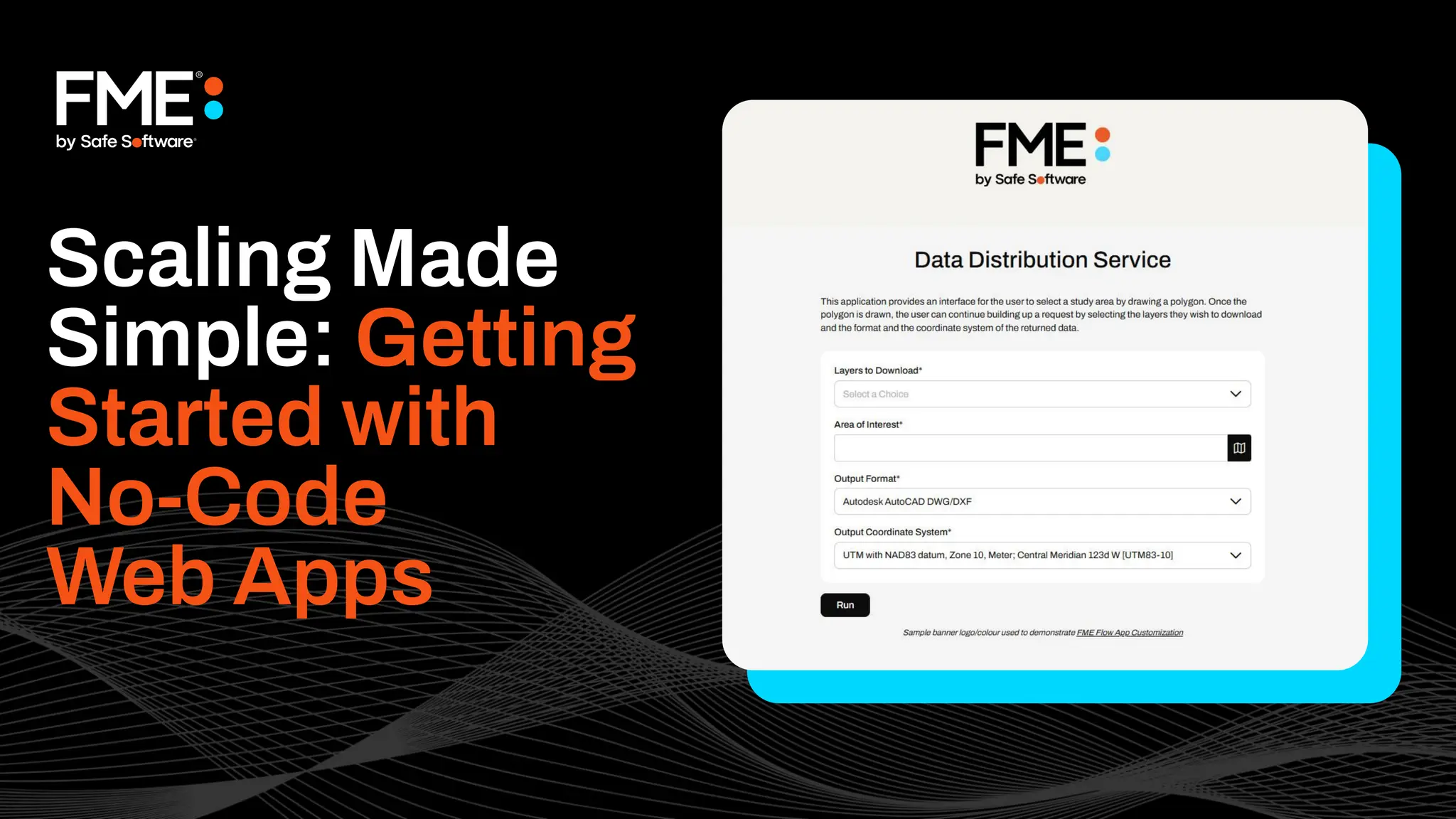
Scaling Made
Simple: Getting
Started with
No-Code
Web Apps
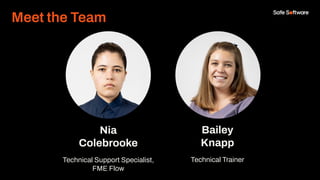
Nia
Colebrooke
Technical Support Specialist,
FME Flow
Bailey
Knapp
Technical Trainer
Meet the Team
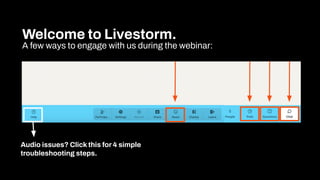
Welcome to Livestorm.
A few ways to engage with us during the webinar:
Audio issues? Click this for 4 simple
troubleshooting steps.
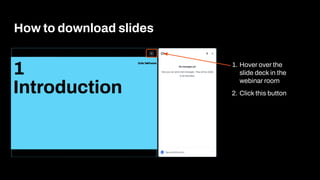
How to download slides
1. Hover over the
slide deck in the
webinar room
2. Click this button
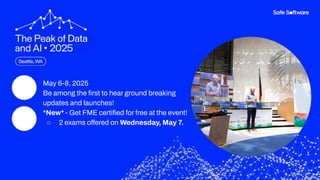
● May 6-8, 2025
● Be among the first to hear ground breaking
updates and launches!
● *New* - Get FME certified for free at the event!
○ 2 exams offered on Wednesday, May 7.
Agenda
1 FME Flow Apps Overview
2 Building Workspace Apps
3 Building Automation Apps
4 Building a Gallery App
5 Resources & Next Steps
6 Conclusion
7 Q&A
Agenda
Poll:
What’s your experience
with FME Flow Apps?
1
Introduction to
FME Flow Apps
Build and share web apps to
empower your team to do more and
eliminate manual tasks – without
writing a single line of code.
Common Challenges Without No-Code Web Apps
● Relying on technical teams for every automation or workflow change.
● Inefficient, manual processes that waste time and resources.
● Data bottlenecks where users must wait for access or approvals.
● Lack of a centralized system to organize and share workflows.
● Limited user access, only technical users can access data.
● Scaling challenges, workflows don’t easily adapt as needs grow.
There’s a better way!
With FME Flow Apps, anyone, regardless of
technical skill, can build and deploy web
apps that address these challenges.
Let’s dive in and show you how!
Demo
Try it!
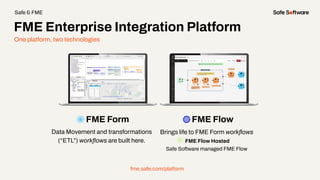
One platform, two technologies
FME Form FME Flow
Data Movement and transformations
(“ETL”) workflows are built here.
Brings life to FME Form workflows
FME Flow Hosted
Safe Software managed FME Flow
fme.safe.com/platform
FME Enterprise Integration Platform
Safe & FME
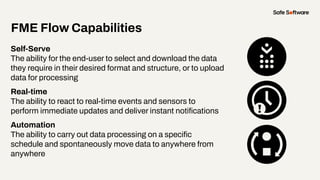
FME Flow Capabilities
Self-Serve
The ability for the end-user to select and download the data
they require in their desired format and structure, or to upload
data for processing
Real-time
The ability to react to real-time events and sensors to
perform immediate updates and deliver instant notifications
Automation
The ability to carry out data processing on a specific
schedule and spontaneously move data to anywhere from
anywhere
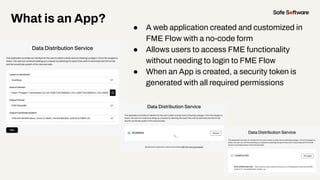
What is an App?
● A web application created and customized in
FME Flow with a no-code form
● Allows users to access FME functionality
without needing to login to FME Flow
● When an App is created, a security token is
generated with all required permissions
Poll:
Which FME Flow Apps
are you familiar with?
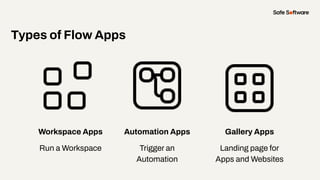
Workspace Apps
Run a Workspace
Types of Flow Apps
Automation Apps
Trigger an
Automation
Gallery Apps
Landing page for
Apps and Websites
Demo
2
Workspace
Apps
Workspace Apps
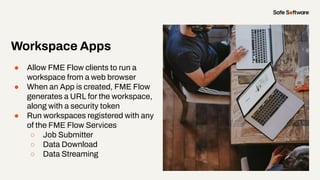
● Allow FME Flow clients to run a
workspace from a web browser
● When an App is created, FME Flow
generates a URL for the workspace,
along with a security token
● Run workspaces registered with any
of the FME Flow Services
○ Job Submitter
○ Data Download
○ Data Streaming
Slide Title
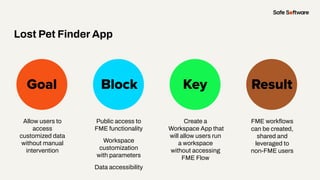
Goal Block Key
Lost Pet Finder App
Result
Allow users to
access
customized data
without manual
intervention
Public access to
FME functionality
Workspace
customization
with parameters
Data accessibility
Create a
Workspace App that
will allow users run
a workspace
without accessing
FME Flow
FME workflows
can be created,
shared and
leveraged to
non-FME users
Demo
3
Automation
Apps
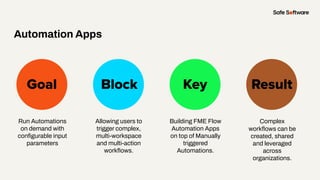
Slide Title
Goal Block Key
Automation Apps
Result
Run Automations
on demand with
configurable input
parameters
Allowing users to
trigger complex,
multi-workspace
and multi-action
workflows.
Building FME Flow
Automation Apps
on top of Manually
triggered
Automations.
Complex
workflows can be
created, shared
and leveraged
across
organizations.
Demo
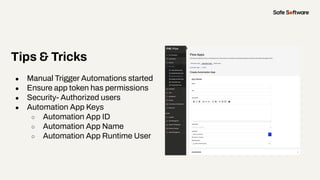
Tips & Tricks
● Manual Trigger Automations started
● Ensure app token has permissions
● Security- Authorized users
● Automation App Keys
○ Automation App ID
○ Automation App Name
○ Automation App Runtime User
4
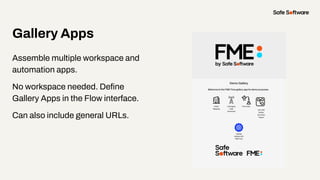
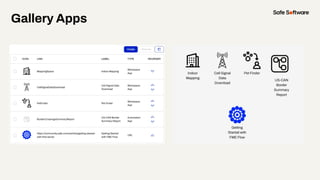
Gallery Apps
Gallery Apps
Assemble multiple workspace and
automation apps.
No workspace needed. Define
Gallery Apps in the Flow interface.
Can also include general URLs.
Gallery Apps
Demo
5
Conclusion
Summary
● Easy, no-code web apps from a single workspace
to complex multi-workspace Automations
● Organize and share with Gallery Apps
● Leverage the power of FME across organizations
and non-FME users
29+
27K+
128
190
20K+
years of solving data
challenges
FME Community
members
countries with
FME customers
organizations worldwide
global partners with
FME services
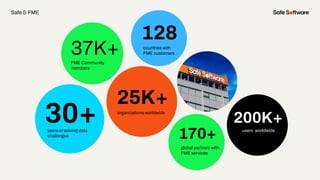
30+
37K+
128
170+
25K+
years of solving data
challenges
FME Community
members
countries with
FME customers
organizations worldwide
global partners with
FME services
200K+
users worldwide
Safe & FME
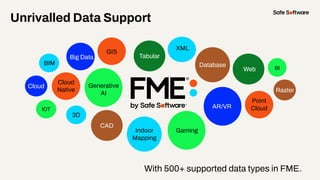
With 500+ supported data types in FME.
Unrivalled Data Support
GIS
CAD
Database
XML
Raster
3D
BIM
Web
Point
Cloud
Cloud
Big Data
IOT
Gaming
BI
Indoor
Mapping
AR/VR
Generative
AI
Cloud
Native
Tabular
6
Resources
Resources
● [Article] Getting Started with FME
Flow Apps
● [FME Academy] Create No-Code
Web Apps Module
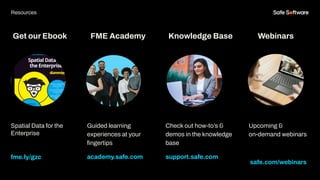
Get our Ebook
Spatial Data for the
Enterprise
fme.ly/gzc
Guided learning
experiences at your
fingertips
academy.safe.com
FME Academy
Resources
Check out how-to’s &
demos in the knowledge
base
support.safe.com
Knowledge Base Webinars
Upcoming &
on-demand webinars
safe.com/webinars
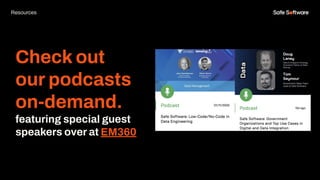
Check out
our podcasts
on-demand.
featuring special guest
speakers over at EM360
Resources
7
Next Steps
We’d love to help you get
started.
Get in touch with us at
info@safe.com
Experience the
FME Accelerator
Contact Us
A world where data is not just a
commodity but a catalyst for
real change.
fme.safe.com/accelerator
Next Steps
ClaimYour Community Badge &
Dive into the new Community!
● Get community badges for watching
webinars
● community.safe.com
● Today’s code: QQP970
Join the Community today!
Next Steps
● May 6-8, 2025
● Be among the first to hear ground breaking
updates and launches!
● *New* - Get FME certified for free at the event!
○ 2 exams offered on Wednesday, May 7.
8
Q&A
ThankYou
Recap of Next Steps
1 Follow us on LinkedIn!
2 Contact us
3 Experience the FME Accelerator
Please fill out our
webinar survey

[Webinar] Scaling Made Simple: Getting Started with No-Code Web Apps

  • 1.
  • 2.
    Nia Colebrooke Technical Support Specialist, FMEFlow Bailey Knapp Technical Trainer Meet the Team
  • 3.
    Welcome to Livestorm. Afew ways to engage with us during the webinar: Audio issues? Click this for 4 simple troubleshooting steps.
  • 4.
    How to downloadslides 1. Hover over the slide deck in the webinar room 2. Click this button
  • 5.
    ● May 6-8,2025 ● Be among the first to hear ground breaking updates and launches! ● *New* - Get FME certified for free at the event! ○ 2 exams offered on Wednesday, May 7.
  • 6.
    Agenda 1 FME FlowApps Overview 2 Building Workspace Apps 3 Building Automation Apps 4 Building a Gallery App 5 Resources & Next Steps 6 Conclusion 7 Q&A Agenda
  • 7.
  • 8.
  • 9.
    Build and shareweb apps to empower your team to do more and eliminate manual tasks – without writing a single line of code.
  • 10.
    Common Challenges WithoutNo-Code Web Apps ● Relying on technical teams for every automation or workflow change. ● Inefficient, manual processes that waste time and resources. ● Data bottlenecks where users must wait for access or approvals. ● Lack of a centralized system to organize and share workflows. ● Limited user access, only technical users can access data. ● Scaling challenges, workflows don’t easily adapt as needs grow.
  • 11.
    There’s a betterway! With FME Flow Apps, anyone, regardless of technical skill, can build and deploy web apps that address these challenges. Let’s dive in and show you how!
  • 12.
  • 13.
  • 14.
    One platform, twotechnologies FME Form FME Flow Data Movement and transformations (“ETL”) workflows are built here. Brings life to FME Form workflows FME Flow Hosted Safe Software managed FME Flow fme.safe.com/platform FME Enterprise Integration Platform Safe & FME
  • 15.
    FME Flow Capabilities Self-Serve Theability for the end-user to select and download the data they require in their desired format and structure, or to upload data for processing Real-time The ability to react to real-time events and sensors to perform immediate updates and deliver instant notifications Automation The ability to carry out data processing on a specific schedule and spontaneously move data to anywhere from anywhere
  • 16.
    What is anApp? ● A web application created and customized in FME Flow with a no-code form ● Allows users to access FME functionality without needing to login to FME Flow ● When an App is created, a security token is generated with all required permissions
  • 17.
    Poll: Which FME FlowApps are you familiar with?
  • 18.
    Workspace Apps Run aWorkspace Types of Flow Apps Automation Apps Trigger an Automation Gallery Apps Landing page for Apps and Websites
  • 19.
  • 20.
  • 21.
    Workspace Apps ● AllowFME Flow clients to run a workspace from a web browser ● When an App is created, FME Flow generates a URL for the workspace, along with a security token ● Run workspaces registered with any of the FME Flow Services ○ Job Submitter ○ Data Download ○ Data Streaming
  • 22.
    Slide Title Goal BlockKey Lost Pet Finder App Result Allow users to access customized data without manual intervention Public access to FME functionality Workspace customization with parameters Data accessibility Create a Workspace App that will allow users run a workspace without accessing FME Flow FME workflows can be created, shared and leveraged to non-FME users
  • 23.
  • 24.
  • 25.
    Slide Title Goal BlockKey Automation Apps Result Run Automations on demand with configurable input parameters Allowing users to trigger complex, multi-workspace and multi-action workflows. Building FME Flow Automation Apps on top of Manually triggered Automations. Complex workflows can be created, shared and leveraged across organizations.
  • 26.
  • 27.
    Tips & Tricks ●Manual Trigger Automations started ● Ensure app token has permissions ● Security- Authorized users ● Automation App Keys ○ Automation App ID ○ Automation App Name ○ Automation App Runtime User
  • 28.
  • 29.
    Gallery Apps Assemble multipleworkspace and automation apps. No workspace needed. Define Gallery Apps in the Flow interface. Can also include general URLs.
  • 30.
  • 31.
  • 32.
  • 33.
    Summary ● Easy, no-codeweb apps from a single workspace to complex multi-workspace Automations ● Organize and share with Gallery Apps ● Leverage the power of FME across organizations and non-FME users
  • 34.
    29+ 27K+ 128 190 20K+ years of solvingdata challenges FME Community members countries with FME customers organizations worldwide global partners with FME services 30+ 37K+ 128 170+ 25K+ years of solving data challenges FME Community members countries with FME customers organizations worldwide global partners with FME services 200K+ users worldwide Safe & FME
  • 35.
    With 500+ supporteddata types in FME. Unrivalled Data Support GIS CAD Database XML Raster 3D BIM Web Point Cloud Cloud Big Data IOT Gaming BI Indoor Mapping AR/VR Generative AI Cloud Native Tabular
  • 36.
  • 37.
    Resources ● [Article] GettingStarted with FME Flow Apps ● [FME Academy] Create No-Code Web Apps Module
  • 38.
    Get our Ebook SpatialData for the Enterprise fme.ly/gzc Guided learning experiences at your fingertips academy.safe.com FME Academy Resources Check out how-to’s & demos in the knowledge base support.safe.com Knowledge Base Webinars Upcoming & on-demand webinars safe.com/webinars
  • 39.
    Check out our podcasts on-demand. featuringspecial guest speakers over at EM360 Resources
  • 40.
  • 41.
    We’d love tohelp you get started. Get in touch with us at info@safe.com Experience the FME Accelerator Contact Us A world where data is not just a commodity but a catalyst for real change. fme.safe.com/accelerator Next Steps
  • 42.
    ClaimYour Community Badge& Dive into the new Community! ● Get community badges for watching webinars ● community.safe.com ● Today’s code: QQP970 Join the Community today! Next Steps
  • 43.
    ● May 6-8,2025 ● Be among the first to hear ground breaking updates and launches! ● *New* - Get FME certified for free at the event! ○ 2 exams offered on Wednesday, May 7.
  • 44.
  • 45.
    ThankYou Recap of NextSteps 1 Follow us on LinkedIn! 2 Contact us 3 Experience the FME Accelerator Please fill out our webinar survey