Teaching with Web 2.0
Barbara Frey
Lorna Kearns
Agenda
• Define Web 2.0
• Categorize applications
• Describe applications and present
examples of educational use
• Identify issues for consideration
• Make recommendations
Web 2.0
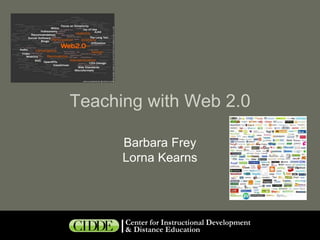
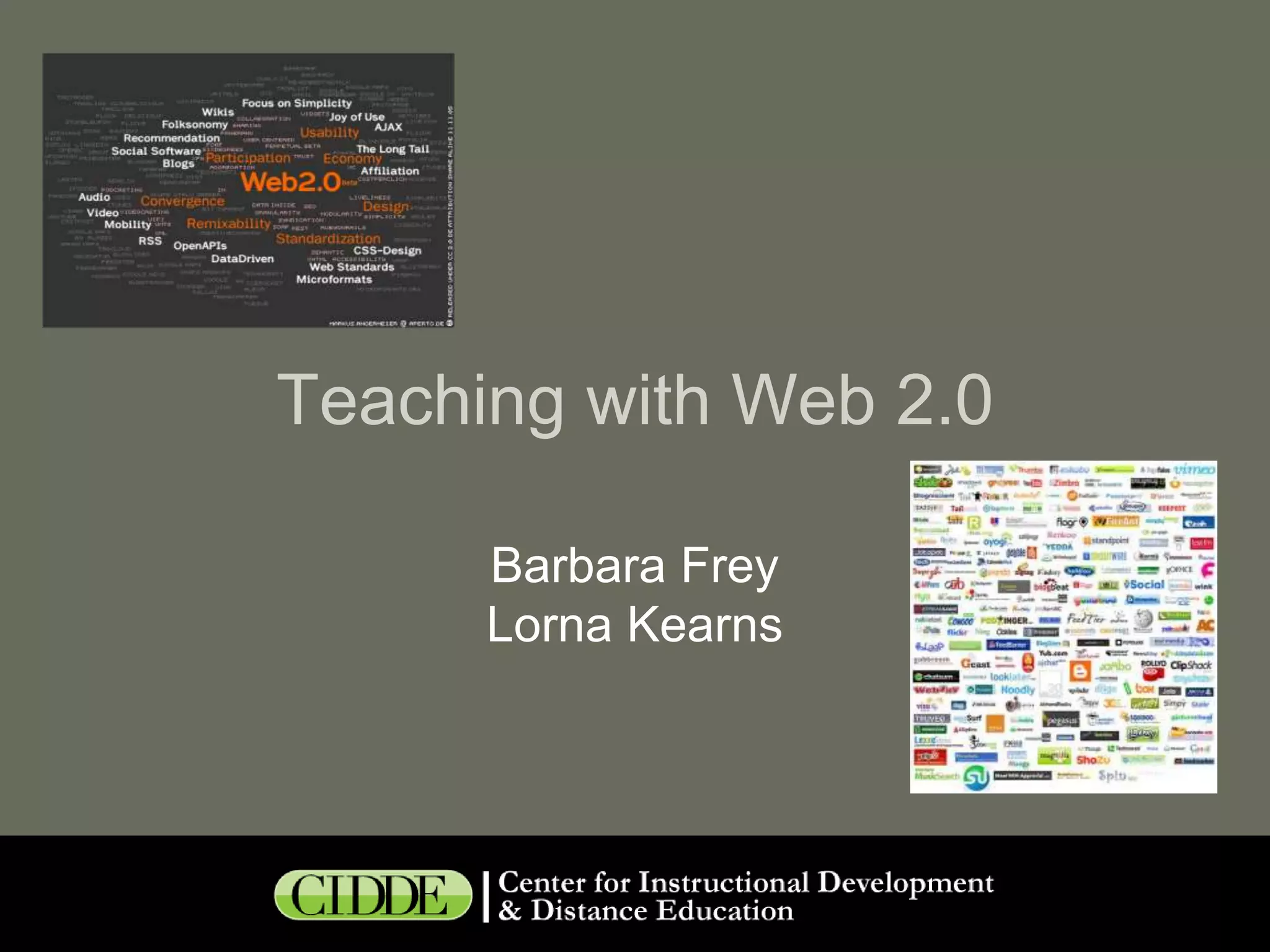
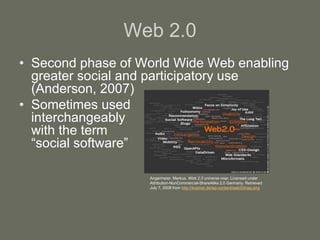
• Second phase of World Wide Web enabling
greater social and participatory use
(Anderson, 2007)
• Sometimes used
interchangeably
with the term
“social software”
Angermeier, Markus. Web 2.0 universe map. Licensed under
Attribution-NonCommercial-ShareAlike 2.0 Germany. Retrieved
July 7, 2008 from http://kosmar.de/wp-content/web20map.png
Why Use for Instruction?
• Provides abundance of applications
available to anyone with a browser
• Is easy to learn and use
• Extends your course management system
• Addresses diverse learning styles
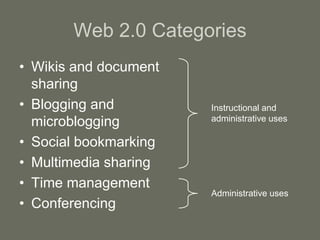
Web 2.0 Categories
• Wikis and document
sharing
• Blogging and
microblogging
• Social bookmarking
• Multimedia sharing
• Time management
• Conferencing
Instructional and
administrative uses
Administrative uses
What’s a Wiki?
• Web-based groupware application for:
• Creating, editing and hosting HTML pages
• Version tracking
• Page linking and organization
What You Can Do with a Wiki
• Collaborative glossary for human anatomy
class
• Project case library for exemplary computer
science student work, used across multiple
class sections and multiple semesters
• Repository for architecture course project
descriptions for comment by peers and
outside experts
(Guzdial, Rick, and Kehoe, 2000)
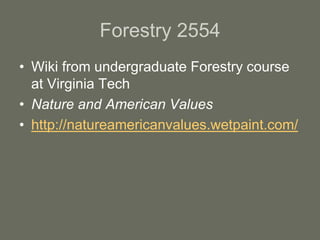
Forestry 2554
• Wiki from undergraduate Forestry course
at Virginia Tech
• Nature and American Values
• http://natureamericanvalues.wetpaint.com/
What’s Document Sharing?
• Web-based document editor
• Enables collaborative editing
• Provides version tracking
What You Can Do with
Document Sharing
• Have students collaborate on a group
writing assignment
• Encourage students to keep a portfolio of
their writing assignments across courses
and semesters
What’s a Blog?
• Web log or journal to which you (and
others) can post text, images, and
hyperlinks
What You Can Do with Blogs
• Reflective journaling in professional
education
– Medicine (Chretien, Goldman, and Faselis, 2008)
– Nursing (Epp, 2008)
Library and Information Science
2184
• Blog to support graduate level copyright
course in Library Science program at Pitt
• Legal Issues in Information Handling:
Copyright and Fair Use in the Digital Age
• http://kipcurriercopyright.blogspot.com/
What’s a Microblog?
• Small pieces of digital content posted on
the Web
• Text postings of 140 characters maximum
• Subscribers follow postings via instant
messaging and/or cell phone
What You Can Do with Microblogs
• Continue class discussion outside of class
• Follow a professional journalist’s activities
• Have one student begin a story, another continue, and
so on
• Follow news feeds on a developing public health issue
(Parry, 2009)
• For language learning:
– Have students follow news feeds in target language
– Have students tweet in target language
(Scinicariello, 2008)
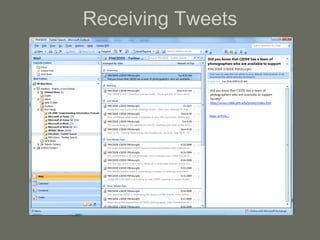
Receiving Tweets
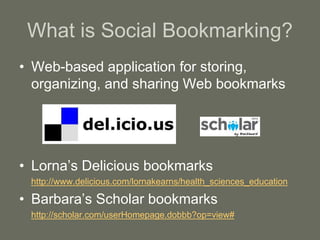
What is Social Bookmarking?
• Web-based application for storing,
organizing, and sharing Web bookmarks
• Lorna’s Delicious bookmarks
http://www.delicious.com/lornakearns/health_sciences_education
• Barbara’s Scholar bookmarks
http://scholar.com/userHomepage.dobbb?op=view#
What You Can Do with Bookmarking
• Have students bookmark and tag Web
resources that contribute to a class project
• Have students accumulate resources for
their own research projects
• Review and provide feedback on bookmarks
to help students evaluate usefulness of
resources
• Share links to current news items that relate
to classroom discussions
What is Multimedia Sharing?
• Web space to which people can post
videos, photographs, slides, and podcasts
How You Can Share Multimedia
• Podcasts
– Create short podcasts of preparatory material for lectures
– Tape lectures and deploy as podcasts
– Use as recordings of native speakers for language learning
classes
• Videos
– Create videos of lab procedures
– Create a short introduction video for an online class
• Images
– Use image sharing sites for class repository of art work to which
you and other students can add comments and critiques
– Use Flickr Commons to find images that are available for free
reuse
(Franklin and van Harmelen, 2007)
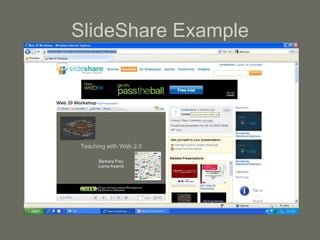
SlideShare Example
What are Time Management
Tools?
• Calendar sharing
• Group appointment scheduling
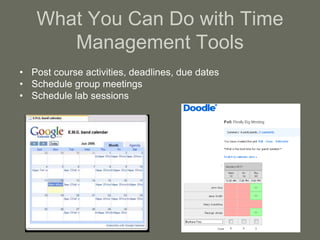
What You Can Do with Time
Management Tools
• Post course activities, deadlines, due dates
• Schedule group meetings
• Schedule lab sessions
What are Conferencing Tools?
• Applications that use Voice over Internet
Protocol
• Use as a telephone
• Use as Web conferencing tool
What You Can Do with
Conferencing Tools
• Hold virtual office hours
• Conduct virtual recitation sessions
• Have students coordinate group work
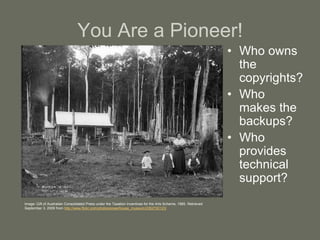
You Are a Pioneer!
• Who owns
the
copyrights?
• Who
makes the
backups?
• Who
provides
technical
support?
Image: Gift of Australian Consolidated Press under the Taxation Incentives for the Arts Scheme, 1985. Retrieved
September 3, 2009 from http://www.flickr.com/photos/powerhouse_museum/2362700123/
Recommendations
• Consider how the tool supports your learning
goals
• Learn about Web 2.0 technologies to see
what they have to offer
• Experiment with short assignments
• Encourage students to communicate outside
of class and experiment on their own
• Evaluate the effectiveness of the assignment
Questions?
Thank you!
Barbara Frey: bafrey@pitt.edu
Lorna Kearns: lrkearns@pitt.edu

Web 20 workshop

  • 1.
    Teaching with Web2.0 Barbara Frey Lorna Kearns
  • 2.
    Agenda • Define Web2.0 • Categorize applications • Describe applications and present examples of educational use • Identify issues for consideration • Make recommendations
  • 3.
    Web 2.0 • Secondphase of World Wide Web enabling greater social and participatory use (Anderson, 2007) • Sometimes used interchangeably with the term “social software” Angermeier, Markus. Web 2.0 universe map. Licensed under Attribution-NonCommercial-ShareAlike 2.0 Germany. Retrieved July 7, 2008 from http://kosmar.de/wp-content/web20map.png
  • 4.
    Why Use forInstruction? • Provides abundance of applications available to anyone with a browser • Is easy to learn and use • Extends your course management system • Addresses diverse learning styles
  • 5.
    Web 2.0 Categories •Wikis and document sharing • Blogging and microblogging • Social bookmarking • Multimedia sharing • Time management • Conferencing Instructional and administrative uses Administrative uses
  • 6.
    What’s a Wiki? •Web-based groupware application for: • Creating, editing and hosting HTML pages • Version tracking • Page linking and organization
  • 7.
    What You CanDo with a Wiki • Collaborative glossary for human anatomy class • Project case library for exemplary computer science student work, used across multiple class sections and multiple semesters • Repository for architecture course project descriptions for comment by peers and outside experts (Guzdial, Rick, and Kehoe, 2000)
  • 8.
    Forestry 2554 • Wikifrom undergraduate Forestry course at Virginia Tech • Nature and American Values • http://natureamericanvalues.wetpaint.com/
  • 9.
    What’s Document Sharing? •Web-based document editor • Enables collaborative editing • Provides version tracking
  • 10.
    What You CanDo with Document Sharing • Have students collaborate on a group writing assignment • Encourage students to keep a portfolio of their writing assignments across courses and semesters
  • 12.
    What’s a Blog? •Web log or journal to which you (and others) can post text, images, and hyperlinks
  • 13.
    What You CanDo with Blogs • Reflective journaling in professional education – Medicine (Chretien, Goldman, and Faselis, 2008) – Nursing (Epp, 2008)
  • 14.
    Library and InformationScience 2184 • Blog to support graduate level copyright course in Library Science program at Pitt • Legal Issues in Information Handling: Copyright and Fair Use in the Digital Age • http://kipcurriercopyright.blogspot.com/
  • 15.
    What’s a Microblog? •Small pieces of digital content posted on the Web • Text postings of 140 characters maximum • Subscribers follow postings via instant messaging and/or cell phone
  • 16.
    What You CanDo with Microblogs • Continue class discussion outside of class • Follow a professional journalist’s activities • Have one student begin a story, another continue, and so on • Follow news feeds on a developing public health issue (Parry, 2009) • For language learning: – Have students follow news feeds in target language – Have students tweet in target language (Scinicariello, 2008)
  • 17.
  • 18.
    What is SocialBookmarking? • Web-based application for storing, organizing, and sharing Web bookmarks • Lorna’s Delicious bookmarks http://www.delicious.com/lornakearns/health_sciences_education • Barbara’s Scholar bookmarks http://scholar.com/userHomepage.dobbb?op=view#
  • 19.
    What You CanDo with Bookmarking • Have students bookmark and tag Web resources that contribute to a class project • Have students accumulate resources for their own research projects • Review and provide feedback on bookmarks to help students evaluate usefulness of resources • Share links to current news items that relate to classroom discussions
  • 20.
    What is MultimediaSharing? • Web space to which people can post videos, photographs, slides, and podcasts
  • 21.
    How You CanShare Multimedia • Podcasts – Create short podcasts of preparatory material for lectures – Tape lectures and deploy as podcasts – Use as recordings of native speakers for language learning classes • Videos – Create videos of lab procedures – Create a short introduction video for an online class • Images – Use image sharing sites for class repository of art work to which you and other students can add comments and critiques – Use Flickr Commons to find images that are available for free reuse (Franklin and van Harmelen, 2007)
  • 22.
  • 23.
    What are TimeManagement Tools? • Calendar sharing • Group appointment scheduling
  • 24.
    What You CanDo with Time Management Tools • Post course activities, deadlines, due dates • Schedule group meetings • Schedule lab sessions
  • 25.
    What are ConferencingTools? • Applications that use Voice over Internet Protocol • Use as a telephone • Use as Web conferencing tool
  • 26.
    What You CanDo with Conferencing Tools • Hold virtual office hours • Conduct virtual recitation sessions • Have students coordinate group work
  • 28.
    You Are aPioneer! • Who owns the copyrights? • Who makes the backups? • Who provides technical support? Image: Gift of Australian Consolidated Press under the Taxation Incentives for the Arts Scheme, 1985. Retrieved September 3, 2009 from http://www.flickr.com/photos/powerhouse_museum/2362700123/
  • 29.
    Recommendations • Consider howthe tool supports your learning goals • Learn about Web 2.0 technologies to see what they have to offer • Experiment with short assignments • Encourage students to communicate outside of class and experiment on their own • Evaluate the effectiveness of the assignment
  • 30.
  • 31.
    Thank you! Barbara Frey:bafrey@pitt.edu Lorna Kearns: lrkearns@pitt.edu

Editor's Notes

  • #2 No handouts but you can see the presentation at SlideShare.net by searching on “Web 20 Workshop”
  • #8 In Melanie Popa’s Biology lab, groups of students use wiki to create lab reports.In one of the study abroad program, students are collaborating on a wiki to assess the government, including the challenges, opposing parties, political events, and a comparison to the United States.
  • #9 Looking along the left side of the screen and across the top, you can see that this professor is using the wiki almost like a course management system like Blackboard. It looks like he has been fine tuning it for some time. On his front page, the three boxes near the top of the screen are small Web-based applications called widgets which you can embed into a wiki or blog or other Web site. There are widgets that bring you news feeds, sports scores, weather reports. Of the 3 on this wiki, the one on the left is a news feed, the one in the middle allows students to post discussion remarks, and the one on the right takes you to some selected YouTube videos.One thing that is different about this example from the way you might want to use a wiki is that most of the content in this wiki was posted by the instructor as opposed to it being a student collaboration.
  • #10 These applications differ from wikis in that they are not for creating a collection of related pages. Rather, they are for creating, editing, and producing a final document.What you can do with an online word processor:Have students work in groups to write a paper together
  • #11 Lorna – 1. What do you think of showing this video about Google Docs?http://www.youtube.com/watch?v=eRqUE6IHTEA2. Is there a limit to file size?
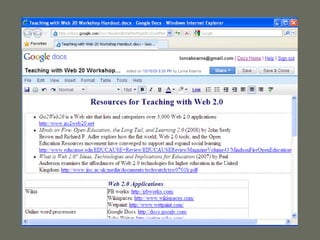
  • #12 Example of handout created for this workshop in Google Docs
  • #14 Reflective journaling can be a powerful learning activity for students to synthesize experiential learning with the conceptual and theoretical learning they do in the classroom. Another thing you can do with a blog is have students research topics and publish their summaries to a blog. Once published, comments can be added by other students and even professionals in the field.
  • #15 Kip Currier is a professor in Pitt’s Library Science program. He maintains this blog in conjunction with his teaching and research into copyright issues. It allows him to post and link to material that covers current issues in copyright. For example, when I checked it the other day, he had posted an article about the recently released iPad, Apple’s e-reader. Compared to a wiki, a blog is a more linear organization structure with the most current information always on top.
  • #16 Lorna starts here.
  • #17 Twittering offers some of the same benefits as blogging but less complex, takes less timeWhat you can do with Twitter: It’s great for language learning because the posting length limitations give students lots of opportunities for short postings (Scinicariello, 2008). An idea from a writing class is to have one student begin a story, another continue, and so on. (Parry, 2009)
  • #18 This is a picture of my inbox on Outlook mail. That’s where I receive tweets but you can also have them sent to your cell phone.
  • #20 What you can do with bookmarking: have students contribute and tag Web resources that contribute to a class project.
  • #22 How you can share multimedia:Create short podcasts of preparatory material for lecturesUse image sharing sites for class repository of art work (Franklin and van Harmelen, 2007)
  • #23 Goal: Present information on social work policy and research.Singer is a professor of Social Work at Temple University. Use the link below to get to a podcast about pediatric oncology social work:http://socialworkpodcast.blogspot.com/2010/01/pediatric-oncology-social-work.htmlAlso play Karen Courtney podcast.
  • #25 You can use Google Calendar to post course activities, deadlines, due dates. Use Doodle to schedule meetings. Suggestion from 02/24/10 session: when2meet.com
  • #26 Google Calendar functions just like the Outlook Calendar that most of us use. Calendars can be public or private. You can share your calendar with students. Students in the FastTrack program create separate calendars for each course, then blend them into one shared calendar.
  • #27 Use these to hold meetings.
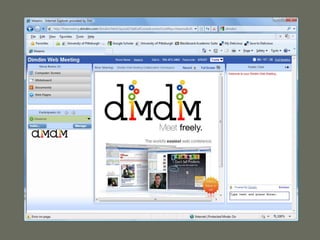
  • #29 Call attention to:There is a whiteboard for sharing docs and demoing your desktopThere is a space for chatWhen you create a conference space, you can email invitationsYou can record the conference