The Research Process
in Technical
Communication
Chapter 2
Learning Objectives
Intro
 All technical communication requires some degree of research, even if that
research merely entails checking a fact or consulting a colleague before
writing a memo, letter, or email.
 This chapter explains how to conduct more complex research for such
technical documents as long reports and proposals.
 As you read, consider how research in technical communication often
differs from research conducted in an academic setting.
Thinking Critically About Research
 Most major decisions in the workplace are based on careful research,
often with the findings recorded in a written report, in a long memo, on a
Web site, or in some combination of documents.
 The types of research you will perform as a technical communicator
depend largely on your workplace assignment.
 Not all findings will be of equal value. For instance, if you really want to
know how well the latest invention in robotic surgery works, you need to
check with sources other than the inventor (from whom you could expect
an overly optimistic or insufficiently critical assessment).
 Likewise, if you only consult books published before 2000 and don’t
consult any online sources, you are not likely to get a current and
balanced view.
 Further, if you interpret your findings inaccurately—say, by ignoring a
study that contradicts your viewpoint or claim— your research will be
invalid.
Research is a
vital part of
technical
communicatio
n
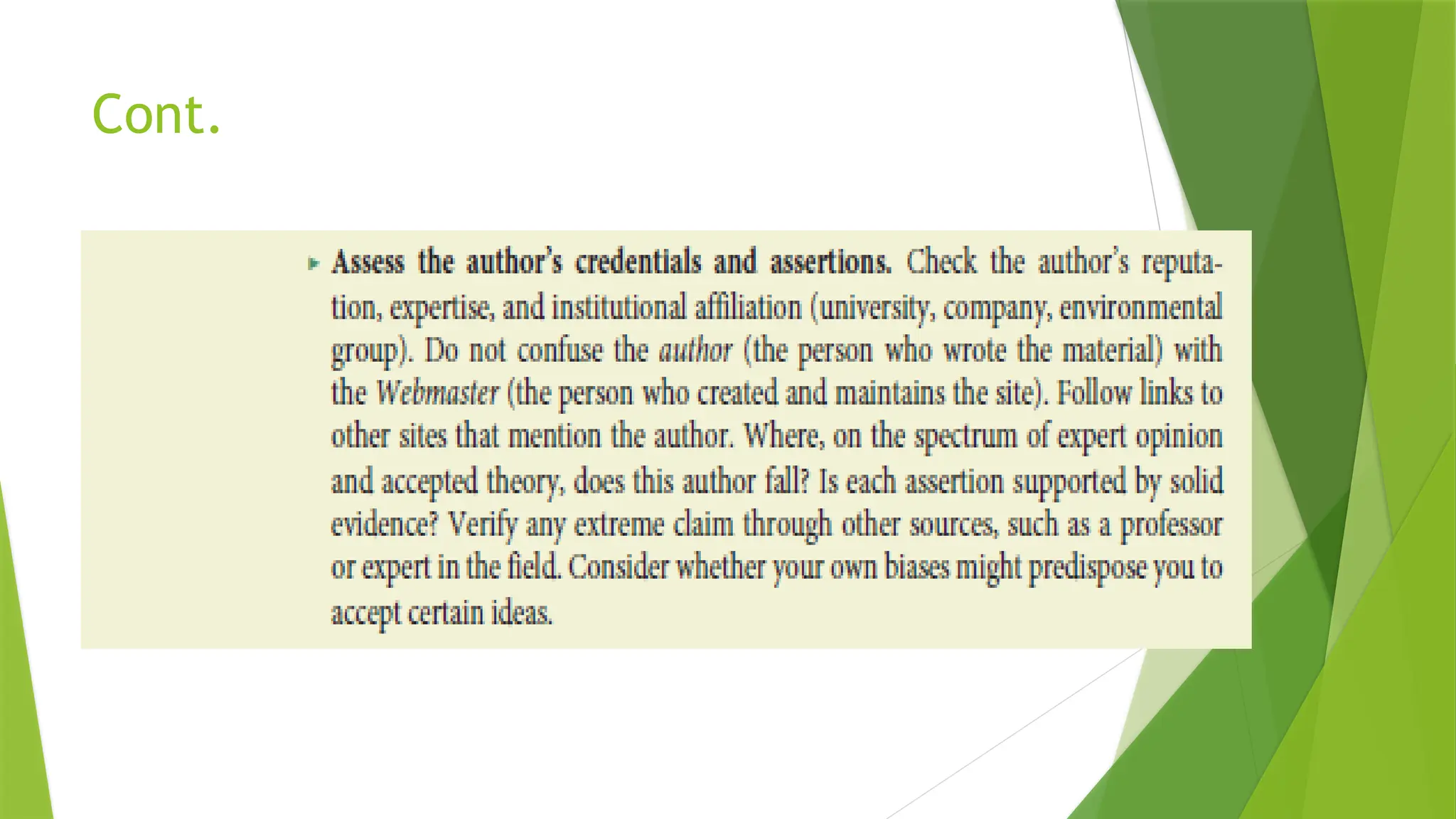
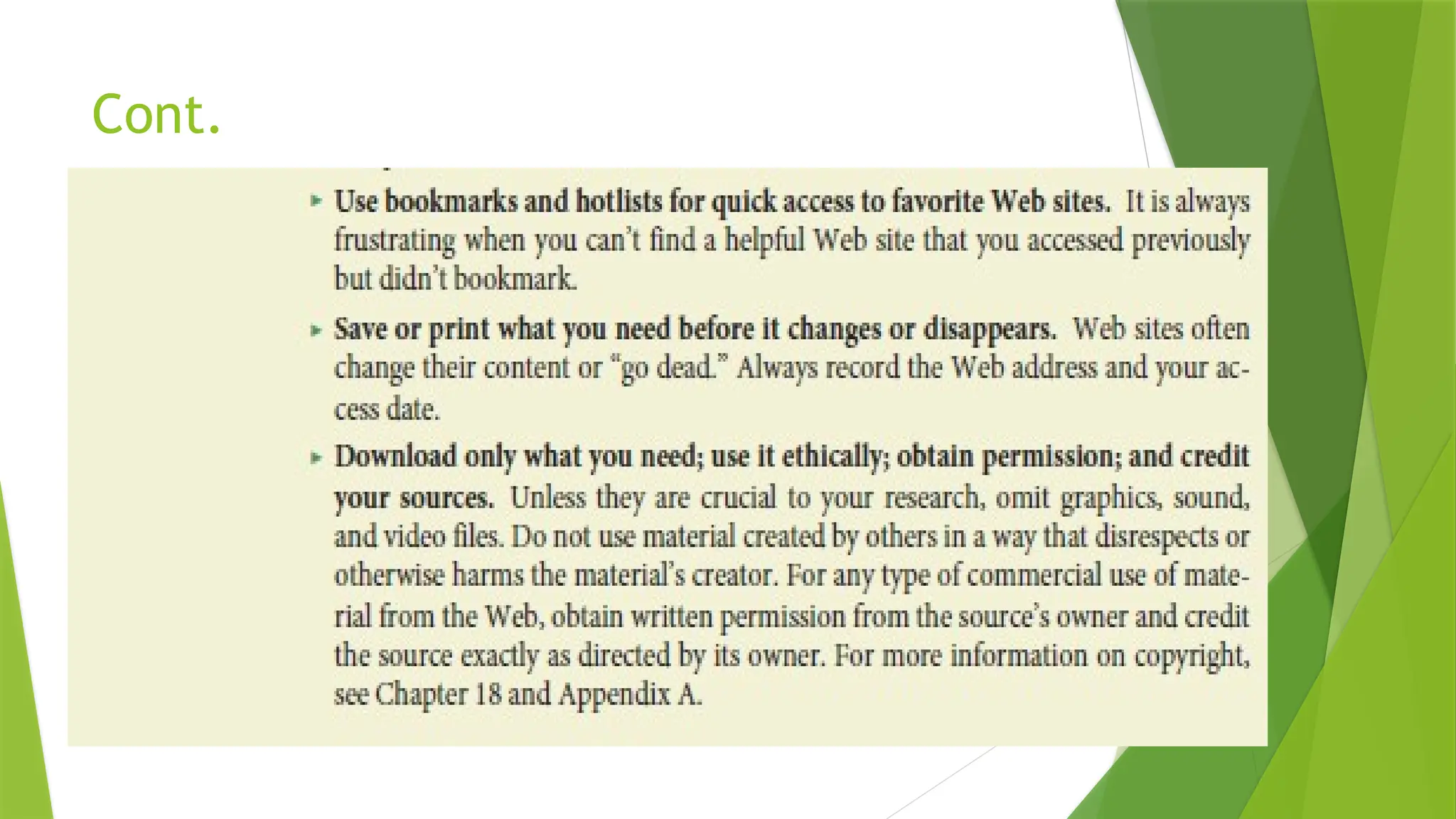
Cont.
 Whether you work with your own findings or the findings of other
researchers, you need to decide if the information is reliable.
 Then you need to decide what your information means.
 Critical thinking means that you test the quality of your information and
the accuracy of your interpretations.
 Instead of accepting information at face value, you examine, evaluate,
verify, analyze, and weigh alternatives during every stage of your
research.
 You use critical thinking to examine your evidence and your reasoning
to discover new connections and new possibilities and to test the
soundness of your conclusions.
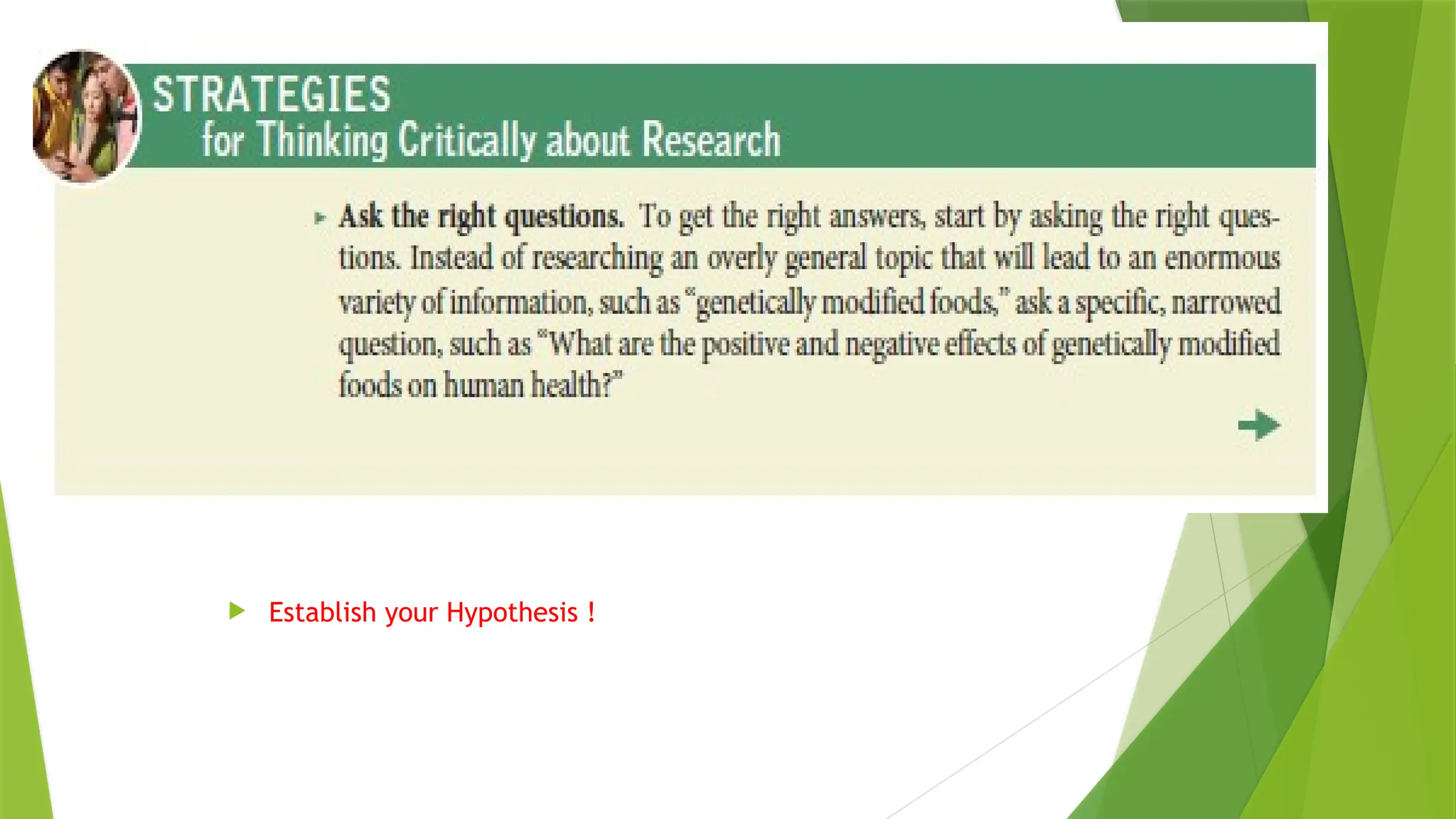
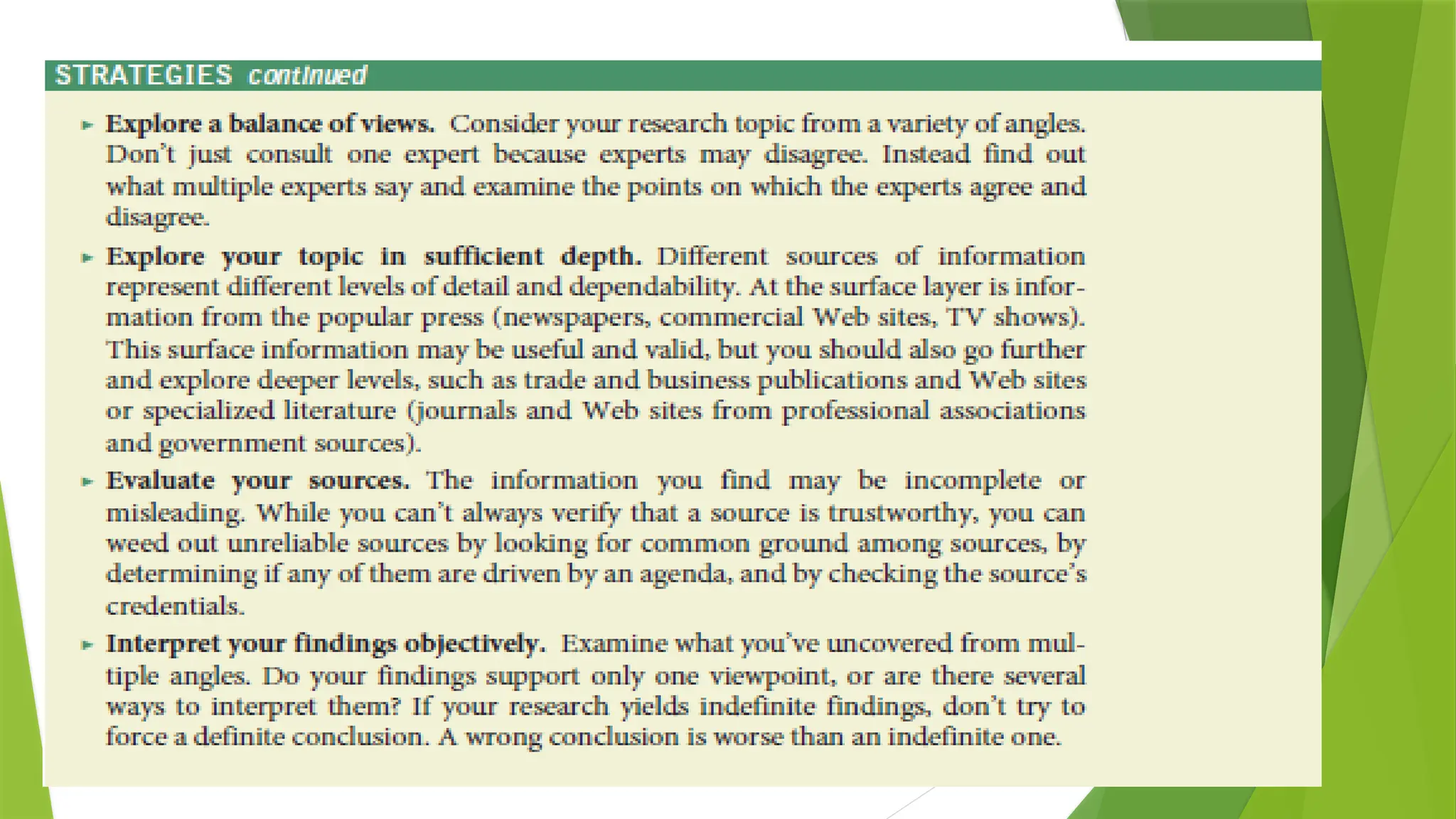
 The following Strategies provide specific guidelines.
 Why critical
thinking is
essential in
research
 Establish your Hypothesis !
Primary Versus Secondary Sources
 Primary research means getting information directly from the
source by conducting interviews and surveys and by observing
people, events, or processes in action.
 Secondary research means getting information secondhand by
reading what other researchers have compiled in books and
articles in print or online.
 Most information found online would be considered a secondary
source.
 Some Web-based information is more accurate than others; for
instance, a Web page created by a high school student might be
interesting but not overly reliable, whereas a Web site that is the
equivalent of a traditional secondary source (encyclopedia,
research index, newspaper, journal) would be more reliable for your
research.
 How primary and
secondary research differ
Cont.
 Whenever possible, combine primary and secondary research.
 Typically, you would start by using secondary sources because they are
readily available and can help you get a full background understanding of
your topic.
 However, don’t neglect to add your own findings to existing ones by doing
primary research.
 Working with primary sources can help you expand on what other people
have already learned and add considerable credibility to your work.
 For instance, assume that your boss asks you to write a report about how
successfully your company’s new product is being received in the
marketplace: you might consult sales reports and published print and
online reviews of the product (secondary research), but you might also
survey product users and interview some of them individually (primary
research).
 Why you should combine
primary and secondary
research
1. Exploring Secondary Sources
 Secondary sources include Web sites; online news outlets and
magazines; blogs and wikis; books in the library; journal, magazine,
and newspaper articles; government publications; and other public
records.
 Research assignments begin more effectively when you first
uncover and sort through what is already known about your topic
before adding to that knowledge yourself.
 Although online searches are becoming the norm, thorough
research may require careful examination of hard-copy sources as
well.
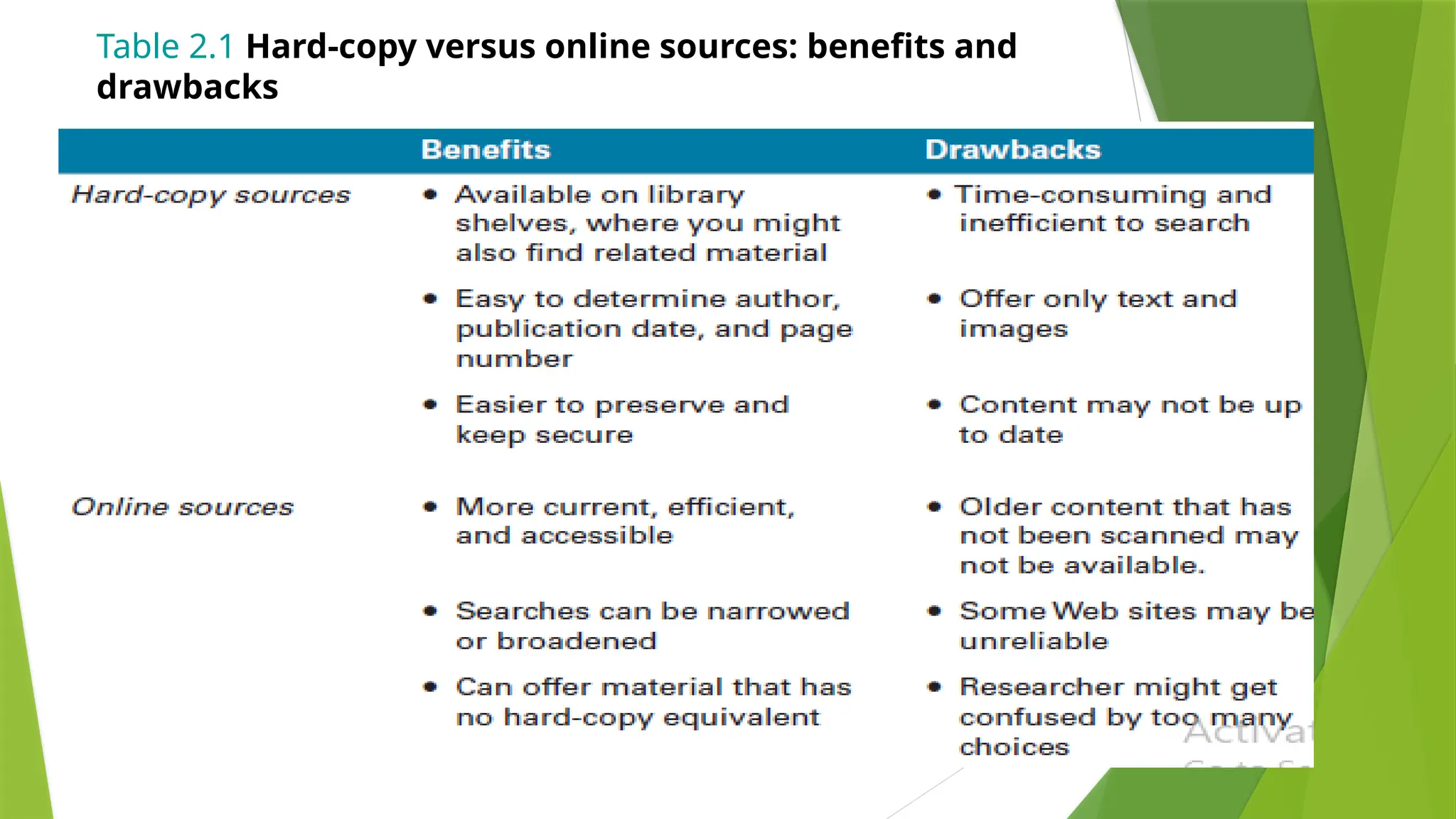
 The advantages and drawbacks of each search medium, listed in
Table 2.1, provide good reason for exploring both.
 Types of secondary sources
 Pros and cons of using hard-copy
versus online secondary sources
Table 2.1 Hard-copy versus online sources: benefits and
drawbacks
1.1 Online Secondary Sources
 Information in virtually any format—journals,
newspapers, and magazines; government documents
and research reports; corporate Web sites; library
databases— can be accessed online.
 To find various online sources, use two basic tools:
subject directories and search engines.
 Locate online secondary sources
by using subject directories and
search engines
Cont.
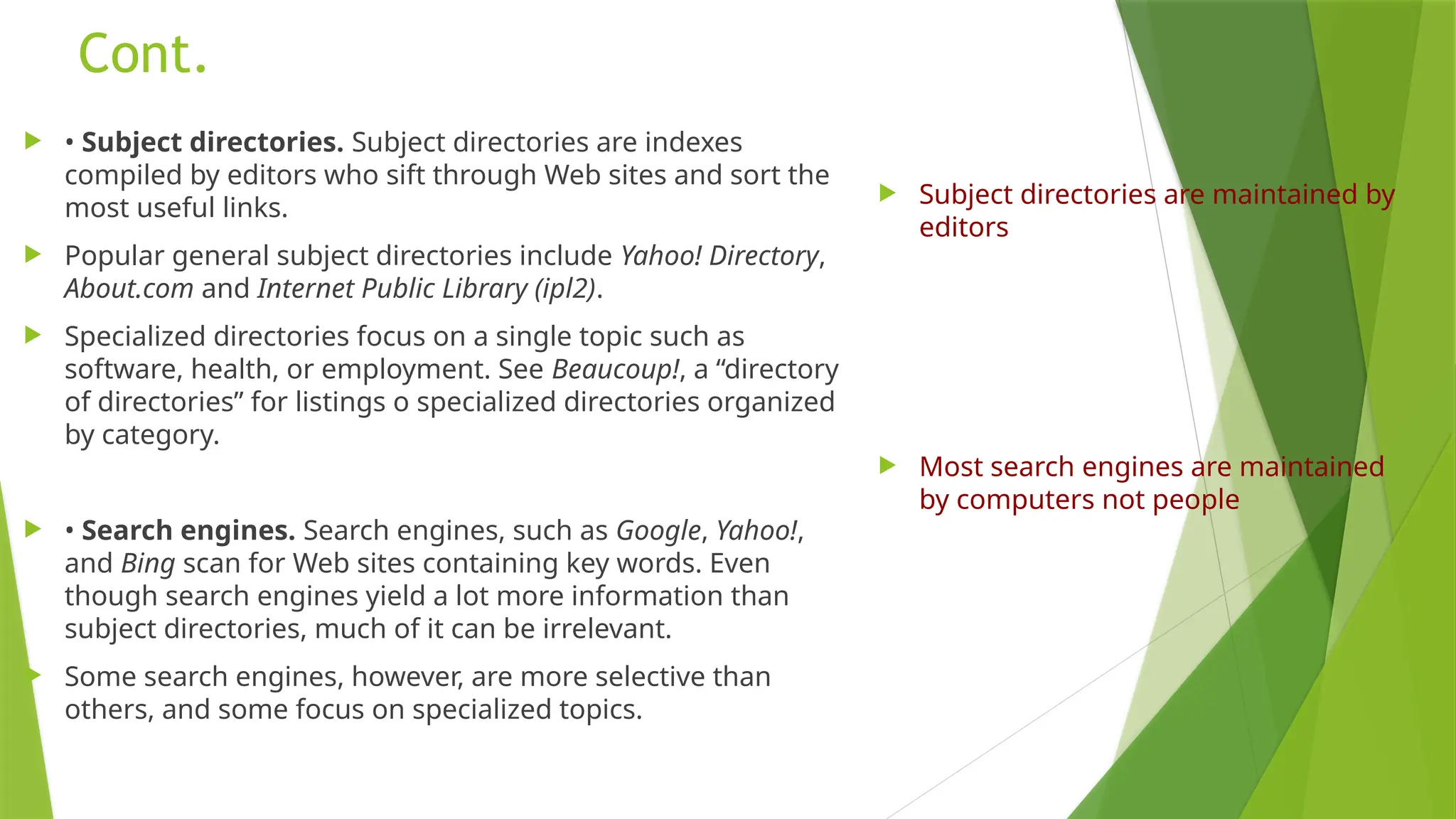
 • Subject directories. Subject directories are indexes
compiled by editors who sift through Web sites and sort the
most useful links.
 Popular general subject directories include Yahoo! Directory,
About.com and Internet Public Library (ipl2).
 Specialized directories focus on a single topic such as
software, health, or employment. See Beaucoup!, a “directory
of directories” for listings o specialized directories organized
by category.
 • Search engines. Search engines, such as Google, Yahoo!,
and Bing scan for Web sites containing key words. Even
though search engines yield a lot more information than
subject directories, much of it can be irrelevant.
 Some search engines, however, are more selective than
others, and some focus on specialized topics.
 Subject directories are maintained by
editors
 Most search engines are maintained
by computers not people
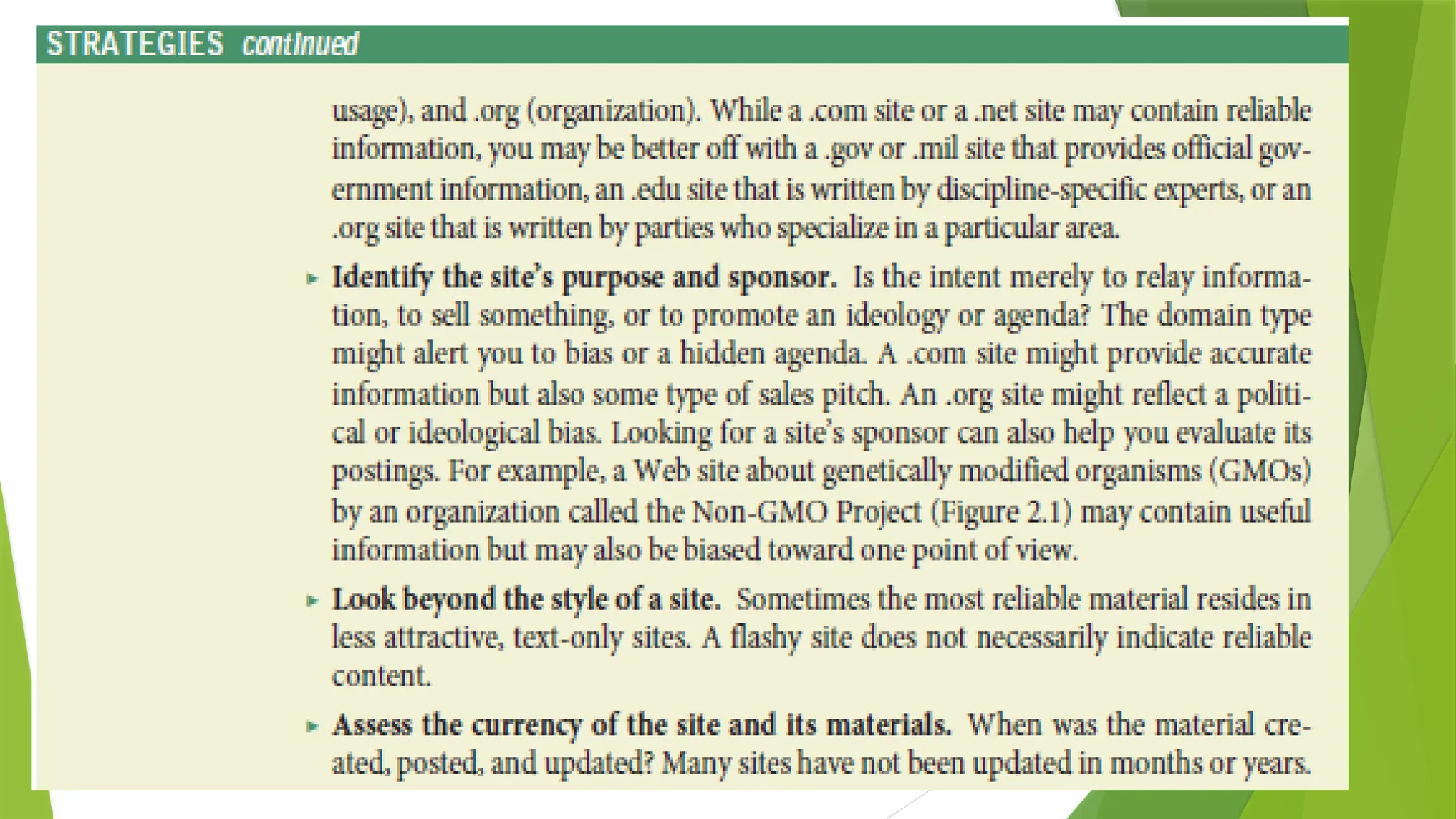
Figure 2.1 A Web site that advocates a particular viewpoint
Source: Courtesy of the Non-GMO Project.
Cont.
Cont.
1.2 Following are the principal categories of information
sources on the online
- General Commercial, Organizational, and Academic Web
Sites.
 Search engines pull up a wide variety of hits, most of which will be commercial
(.com), organizational (.org), and academic (.edu) Web sites.
 If the content within a commercial site looks directly relevant to your search, by all
means use it, as long as you think critically about the information presented.
 Does the fact that the company is likely trying to sell you something affect the
content?
 Be careful also of organizational Web sites, which are likely to be well researched
but which may have a particular social or political agenda.
 Are the opinions expressed by the organization designed to sway you to their
agenda?
 Academic Web sites tend to be credible. However, some academics may also have
biases, so never stop thinking critically about what you find on the Web.
1.3 Government Web Sites
 Search engines will also pull up government Web sites, but your best way to
access them is by going through the U.S. government’s Web portal.
 Most government organizations (local, state, and federal) have a Web site and
online access to research and reports.
 Examples include the Food and Drug Administration’s Web site, which offers
information on food recalls, clinical drug trials, and countless related items; and
the Federal Bureau of Investigation’s Web site, which provides information about
the most wanted fugitives in the United States, tips on how to avoid being the
victim of a crime…..
 State and local sites provide information on auto licenses, state tax laws, and
local property and land issues.
 From some of these sites you can link to specific government-sponsored
research projects.
 Be sure to check the dates of reports or data you locate on a government Web
site, and find out how often the site is updated.
1.4 Online News Outlets and Magazines
 Most major news organizations offer online versions of their broadcast and print
publications.
 Examples include online versions of newspapers such as The New York Times and The
Wall Street Journal, CNN, and National Public Radio.
 Major magazines, such as Time, Newsweek, Forbes, and other more specialized
magazines also offer Web versions. Some news is available online only, as in the online
magazines Slate and Salon.
 To locate these publications, do a Google or other search on the publication name.
 Make sure you understand how the publication obtains and reviews information.
 Is it a major news site, such as CNN, or is it a smaller site run by a special interest
group?
 Each can be useful, but you must evaluate the source.
 Also keep in mind that many online magazines have a particular political bias.
 Is the magazine conservative or liberal in its point of view?
Example of an Interest Group:
John Oliver- Hobby Lobby
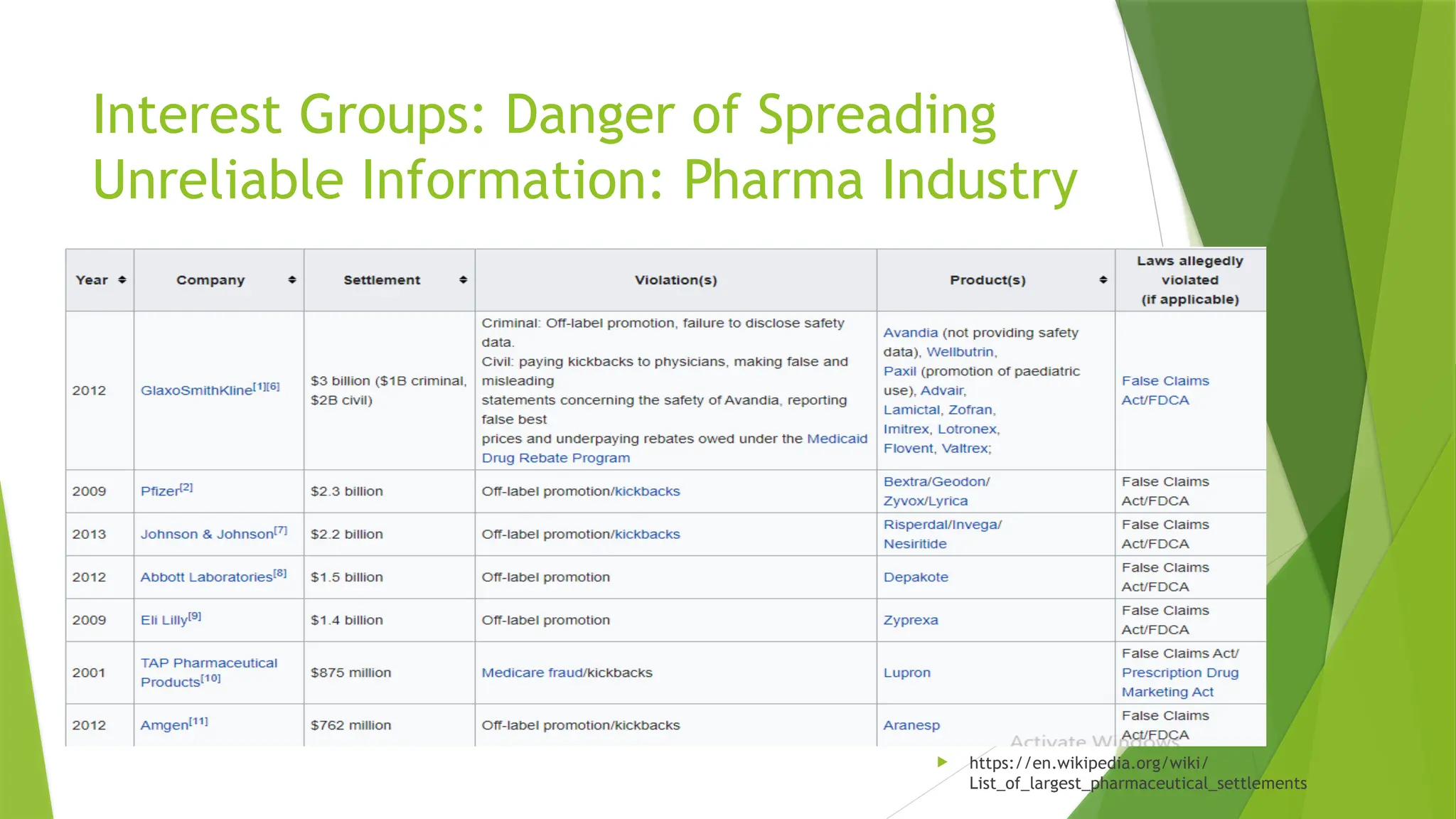
Interest Groups: Danger of Spreading
Unreliable Information: Pharma Industry
 https://en.wikipedia.org/wiki/
List_of_largest_pharmaceutical_settlements
1.5 Blogs
 Blogs are Web sites on which the blog’s author posts ideas.
 Readers are able to post comments and replies.
 Postings and replies are displayed in reverse chronological order, with the newest topic
first.
 Older posts can usually be viewed via an index or link. Links that the owner has hand
chosen also supply ways to connect to other blogs on the same or similar topics.
 Blogs are great for finding current information from individuals, companies, and nonprofit
organizations that are knowledgeable about particular topics.
 You will find more blogs than you can use, so you need to evaluate the information on
individual blogs carefully and decide which ones are most relevant and reliable.
 Keep in mind that blogs nearly always represent the particular views of the blog author
(whether an individual, company, organization, or academic institution) and of those who
reply to the blog postings. Check any information you find on a blog against a
professionally edited or peer-reviewed source.
1.6 Wikis
 Wikis are community encyclopedias that allow anyone to add to or edit the content of
a listing.
 The most popular wiki is Wikipedia.
 The theory of a wiki is that if the information from one posting is wrong, someone
else will correct it, and over time the site will reach a high level of accuracy and
reliability.
 Always keep in mind that many wikis have no oversight. Aside from a few people who
determine whether to delete articles based on requests from users, the content on a
wiki is not checked by editors for accuracy.
 Always check information you find on a wiki against several other peer-reviewed or
traditional sources !!!!!!!!
 Remember that most of what is posted on a wiki has not been evaluated objectively.
1.7 Online Forums and Electronic
Mailing Lists
 For almost any topic imaginable, you will find a Web forum, or discussion group.
 Major technology companies like Apple and Microsoft offer discussion forums to help customers solve
technical problems.
 One way to locate relevant forums is to search through one of the major online forum providers.
 For instance, if you are researching a health related issue such as stress among college students, you might
want to visit Google Groups or Yahoo! Groups and join a group related directly to that issue.
 As with blogs, you will find more online forums than you could ever possibly use, so choose them with care.
 Electronic mailing lists, or e-lists, are essentially the same as online forums.
 Most online forums offer two options: either subscribing to and visiting the forum via the Web or
subscribing to and receiving messages and responses from participants directly into your email inbox.
 Messages may be sent to the entire group, or you may reply to participants individually.
1.8 E-Libraries
 Entirely searchable online, e-libraries are excellent research tools.
 Aside from the online sites sponsored by most public libraries, the most notable e-
library is the Internet Public Library, an online-only, noncommercial, and
academically reliable virtual library founded by the University of Michigan’s School of
Information.
 Like other e-libraries, the Internet Public Library (ipl2) includes links to online books,
magazines, and newspapers, along with online ready references (almanacs,
dictionaries, encyclopedias, etc.), links to periodical databases, online exhibits, links
to special collections organized by subject area, and even “live” librarians.
 Although e-libraries can be extremely useful stand-ins for traditional, physical
libraries, they can never entirely take the place of traditional libraries.
 They are limited to resources available in electronic form, which will not include
current books under copyright or a wide range of magazine and newspaper articles
and other resources.
 Supplement what you discover at an e-library with hard-copy materials from a
traditional library.
1.9 Periodical Databases
 Virtually all libraries have their own Web site where, if you are a library cardholder or a student,
you can access a wide variety of periodical databases. Periodical databases are electronic
collections of articles from newspapers, magazines, journals, and other publications.
 You can search these databases by title, author, keyword, and so on.
 When searching a periodical database, follow the same keyword guidelines you would use when
searching online (pages 29–30); for instance, narrow your search when you get too many hits or
expand your search if you don’t find enough relevant material.
 Once you have typed in your keyword(s), you will be presented with a citation page that includes
some or all of the following information: author(s), title, source, subject area, abstract (a brief
summary of the article), ISSN (International Standard Serial Number—an identifier for the article
much like a book’s ISBN), and DOI (or Digital Object Identifier—where the article can be found on
the Web if it is available online).
 Some of the most popular general periodical databases include InfoTrac, NewsBank, ProQuest,
and EBSCOHost, but there are also many specialized periodical databases in a variety of subjects
areas to which your library may also subscribe.
 Before initiating a periodical database search, try to meet with your local reference librarian for a
tour of the various databases and the instructions for searching them effectively. Also be aware
that some databases may not be accessible from school or home—you may need to visit your
library in person.
1.20 Hard-Copy Secondary Sources
 As noted previously, traditional printed secondary research tools are still of great
value. Unlike much of what you may find on the Web, most hard-copy secondary
sources are carefully reviewed and edited before they are published.
 Although it may take more time to go to the library and look through a printed
book or other hard-copy source, it’s often a better way to get solid information.
 Also, even though the digitizing of hard-copy materials continues to grow, many of
these printed sources are not available on the Web, particularly the full texts of
books.
 To search catalogs from libraries worldwide, go to the Library of Congress Gateway
or LibrarySpot.
 The following are the principal categories of hard-copy information sources found
at libraries and one type of source material (gray literature) that you will need to
track down on your own.
1.21 Gray Literature
 Some useful printed information may not be available at any library.
 This is known as “gray literature,” or materials that are unpublished or not typically
catalogued.
 Examples include such helpful documents as pamphlets published by organizations or
companies (such as medical pamphlets or company marketing materials), unpublished
government documents (available under the Freedom of Information Act, with the exception
of classified documents), dissertations by graduate students, papers presented at
professional conferences, or self-published works.
 The only way to track down gray literature is to contact organizations, companies, or
individuals who may produce such literature and ask them if they have anything available in
your subject area.
 Keep in mind that gray literature, like much material found on the Web, is often not carefully
scrutinized for content by editors.
2. Exploring Primary Sources
 Once you have explored your research topic in depth by finding out
what others have already uncovered, supplement that knowledge
with information you uncover yourself by doing primary research.
 Primary sources include unsolicited inquiries, informational
interviews, surveys, and observations or experiments.
2.1 Unsolicited Inquiries
 The most basic form of primary research is making simple
unsolicited inquiries.
 Letters, phone calls, or email inquiries to experts listed in Web
pages or to people you find out about in other ways can yield
information that adds to, clarifies, or supplements information
you already have.
 When making an unsolicited inquiry, make sure you contact the
right individual or individuals.
 Don’t just contact a company or department. Also, ask exactly
what you need to know, rather than vague, general questions, and
be sure what you ask is not confidential or otherwise sensitive.
 Note that unsolicited inquiries, especially by phone or email, can
be intrusive or even offensive.
 Therefore, limit yourself to one or two questions that don’t require
extensive research or thought on the part of the person or
persons you contact.
 Unsolicited inquiries uncover
basic but important
information
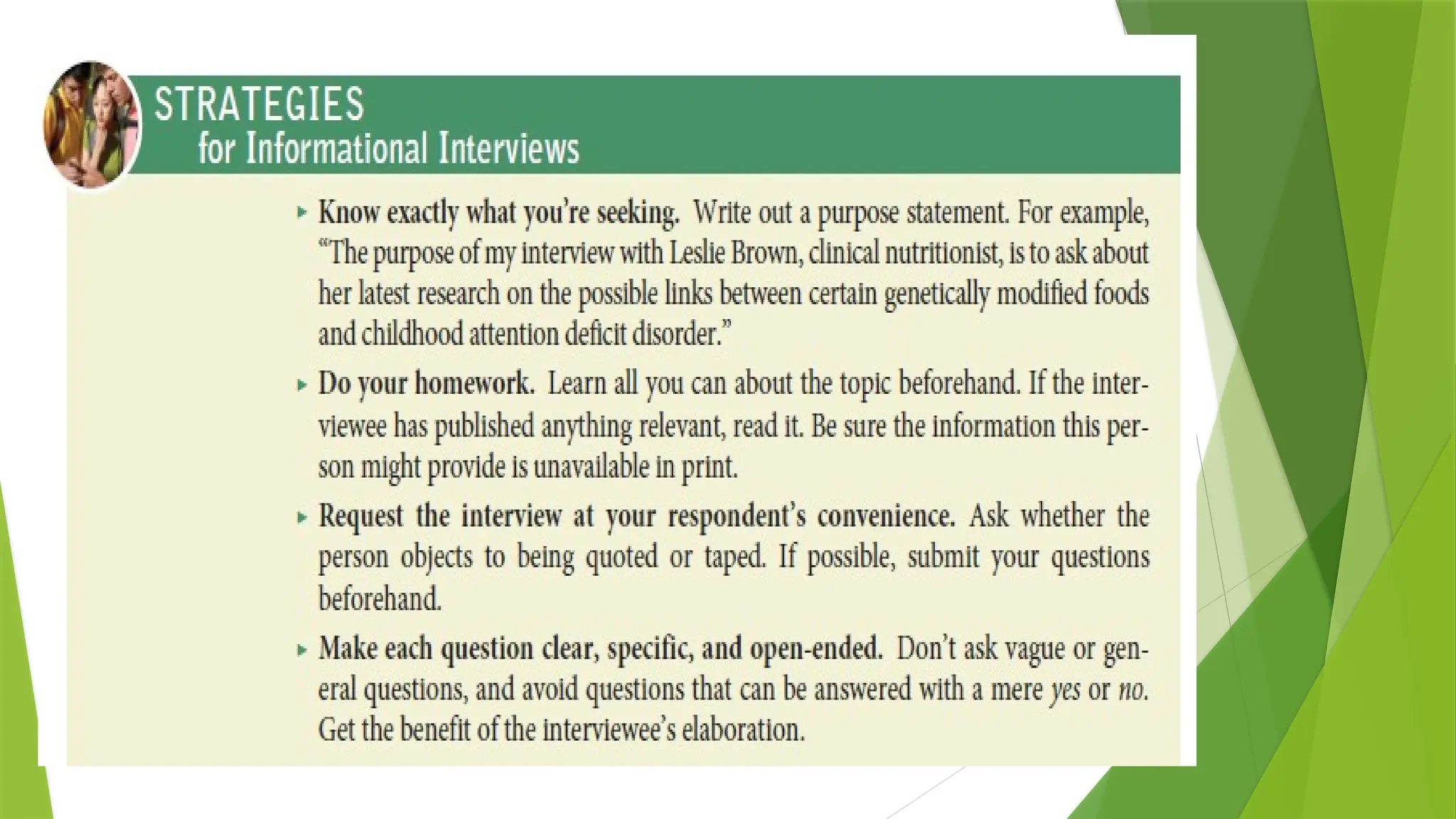
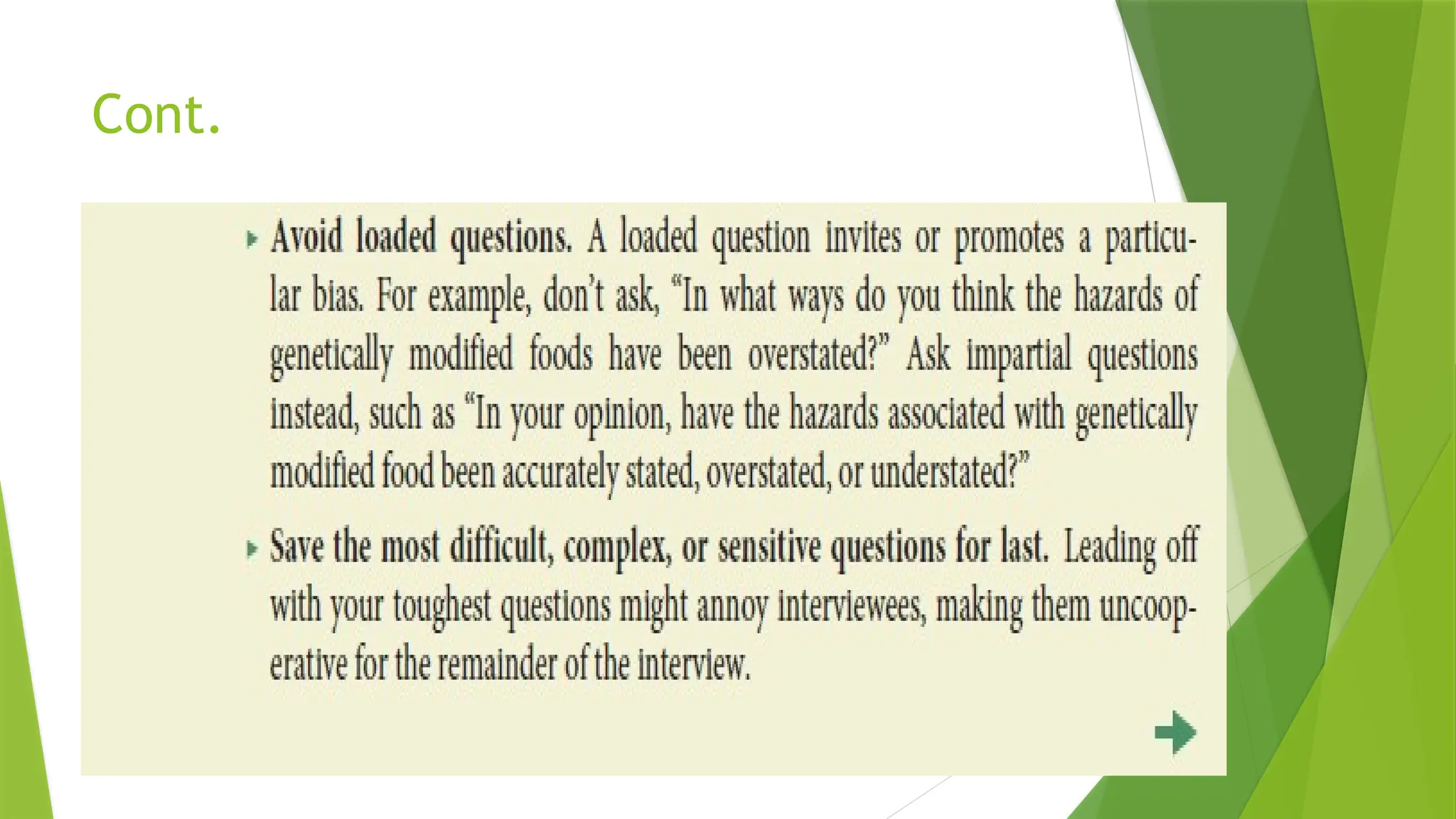
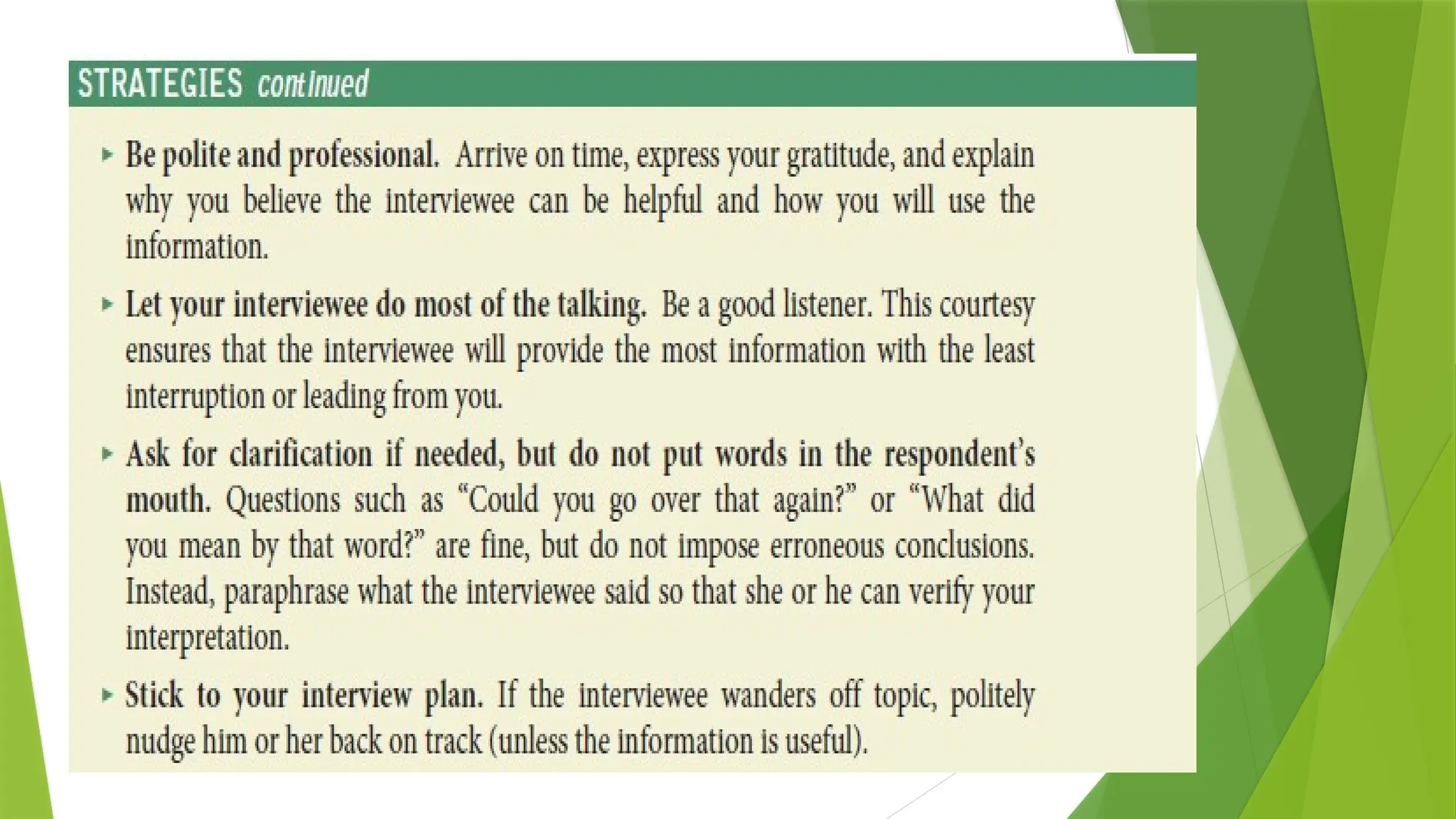
2.2 Informational Interviews
 An excellent primary source of information is the informational
interview, a solicited and extended form of inquiry.
 Much of what an expert knows may never be published.
 Therefore, you can uncover highly original information by spending
time with someone and asking pertinent questions.
 In addition, an interviewee might refer you to other experts or sources
of information.
 Of course, an expert’s opinion can be just as mistaken or biased as
anyone else’s.
 Like patients who seek second opinions about serious medical
conditions, researchers seek a balanced range of expert opinions
about complex problems or controversial issues—not only from a
company engineer and environmentalist, for example, but also from
independent and presumably more objective third parties such as a
professor or journalist who has studied the issue.
 Informational interviews
lead to original,
unpublished material
 Expert opinion is not
always reliable
Cont.
V
Cont.
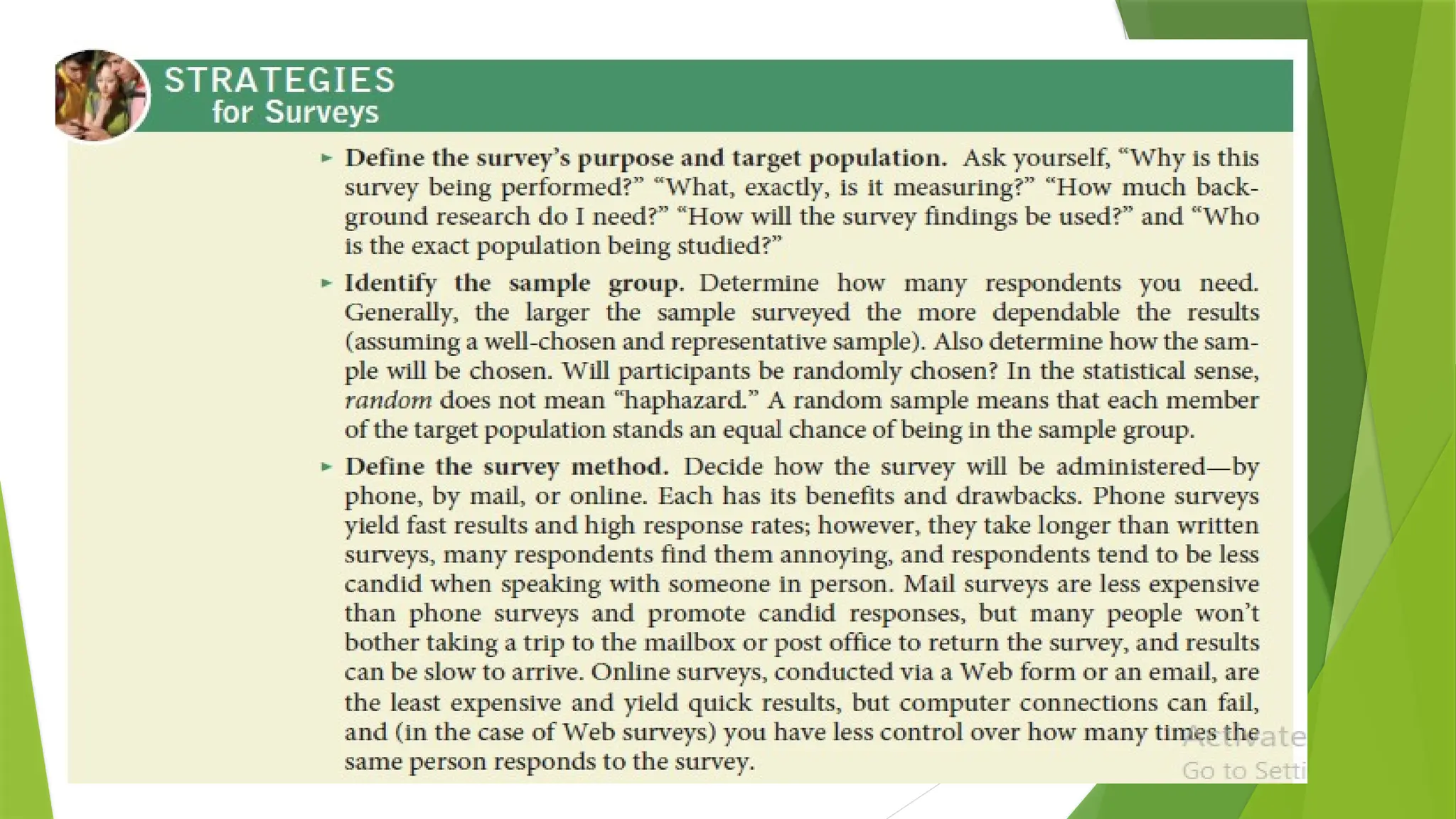
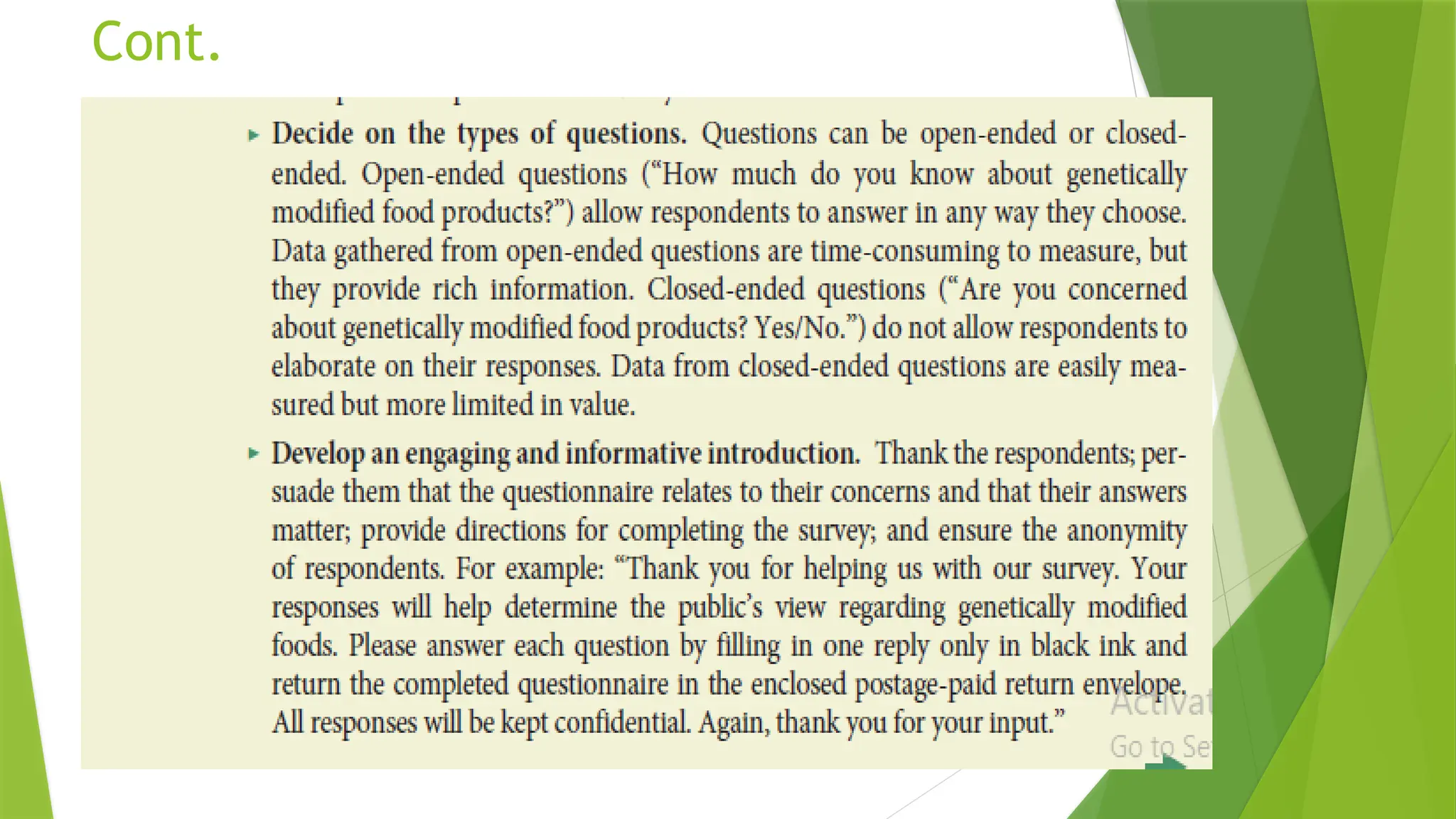
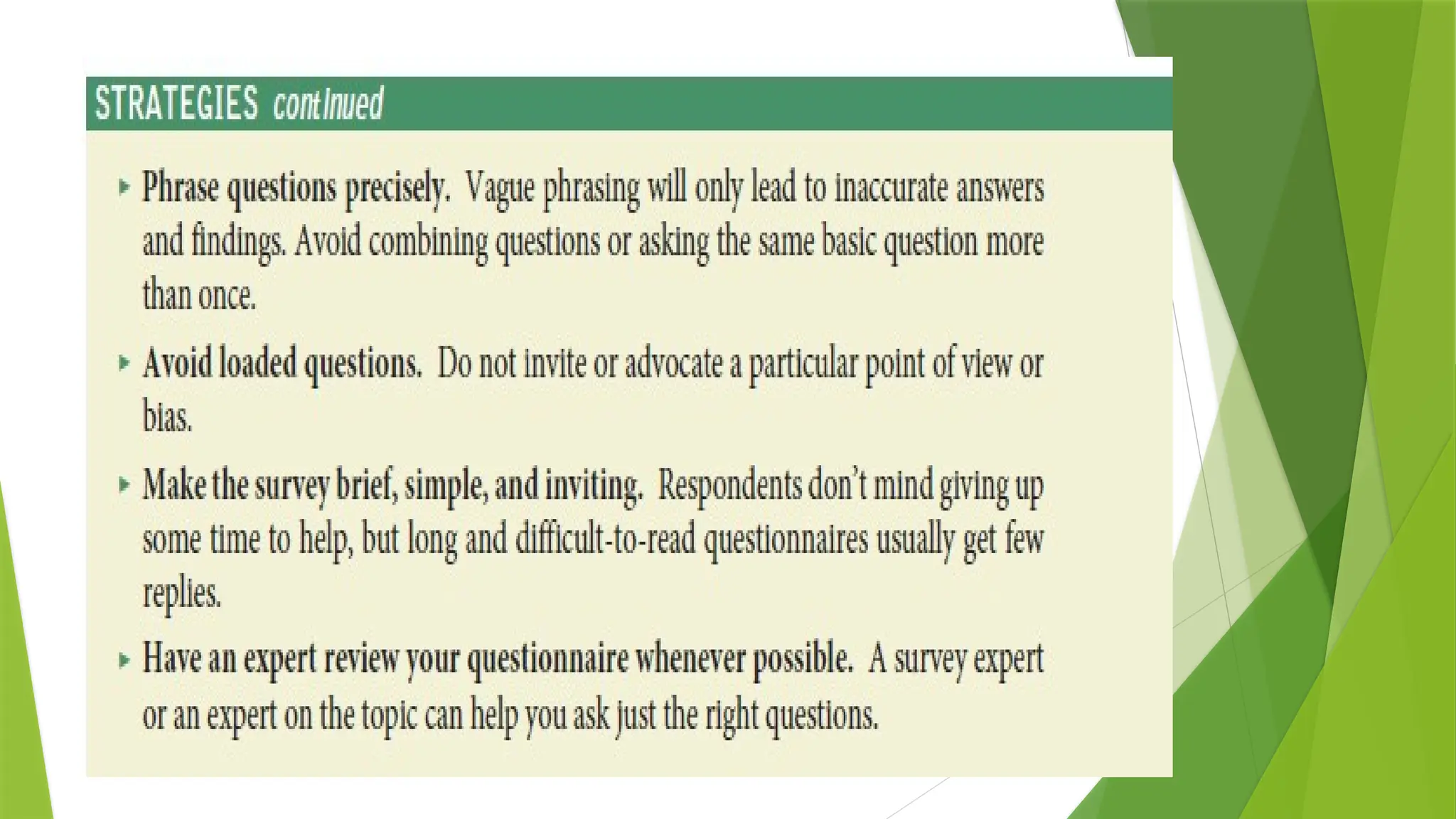
2.3 Surveys
 Surveys help you form impressions of the concerns, preferences, attitudes,
beliefs, or perceptions of a large, identifiable group (a target population) by
studying representatives of that group (a sample).
 While interviews allow for greater clarity and depth, surveys offer an inexpensive
way to get the viewpoints of a large group.
 Respondents can answer privately and anonymously—and often more candidly
than in an interview.
 The tool for conducting surveys is the questionnaire. Use the following
Strategies to plan a survey and to develop a questionnaire.
Cont.
Observations and Experiments
 Observations or experiments should be your final step because you now know
exactly what to look for.
 Observations are firsthand examinations of people, processes, places, and so
on, using only your senses. When you make observations, have a plan in place.
 Know how, where, and when to look, and jot down your observations
immediately.
 You might even take photos or draw sketches of what you observe.
 Experiments are controlled forms of observations designed to verify
assumptions (e.g., the role of fish oil in preventing heart disease) or to test
something untried (e.g., the relationship between background music and
productivity).
 Each field has its own guidelines for conducting experiments (e.g., you must use
certain equipment, scrutinize your results in a certain way), and you must follow
those guidelines to the letter when you conduct your own experiments.
 Remember that observations and experiments are not foolproof. When making
an observation or performing an experiment, you may be biased about what
you see (focusing on the wrong events, ignoring something important).
 In addition, if you are observing people or experimenting using people as
subjects, they may be conscious of being observed and may alter their normal
behaviors.
 Observations and
experiments Offer
proof to back up
assumptions
about a topic
W2 L1 The Research Process [Autosaved].pptx

W2 L1 The Research Process [Autosaved].pptx

  • 1.
    The Research Process inTechnical Communication Chapter 2
  • 3.
  • 4.
    Intro  All technicalcommunication requires some degree of research, even if that research merely entails checking a fact or consulting a colleague before writing a memo, letter, or email.  This chapter explains how to conduct more complex research for such technical documents as long reports and proposals.  As you read, consider how research in technical communication often differs from research conducted in an academic setting.
  • 5.
    Thinking Critically AboutResearch  Most major decisions in the workplace are based on careful research, often with the findings recorded in a written report, in a long memo, on a Web site, or in some combination of documents.  The types of research you will perform as a technical communicator depend largely on your workplace assignment.  Not all findings will be of equal value. For instance, if you really want to know how well the latest invention in robotic surgery works, you need to check with sources other than the inventor (from whom you could expect an overly optimistic or insufficiently critical assessment).  Likewise, if you only consult books published before 2000 and don’t consult any online sources, you are not likely to get a current and balanced view.  Further, if you interpret your findings inaccurately—say, by ignoring a study that contradicts your viewpoint or claim— your research will be invalid. Research is a vital part of technical communicatio n
  • 6.
    Cont.  Whether youwork with your own findings or the findings of other researchers, you need to decide if the information is reliable.  Then you need to decide what your information means.  Critical thinking means that you test the quality of your information and the accuracy of your interpretations.  Instead of accepting information at face value, you examine, evaluate, verify, analyze, and weigh alternatives during every stage of your research.  You use critical thinking to examine your evidence and your reasoning to discover new connections and new possibilities and to test the soundness of your conclusions.  The following Strategies provide specific guidelines.  Why critical thinking is essential in research
  • 7.
     Establish yourHypothesis !
  • 9.
    Primary Versus SecondarySources  Primary research means getting information directly from the source by conducting interviews and surveys and by observing people, events, or processes in action.  Secondary research means getting information secondhand by reading what other researchers have compiled in books and articles in print or online.  Most information found online would be considered a secondary source.  Some Web-based information is more accurate than others; for instance, a Web page created by a high school student might be interesting but not overly reliable, whereas a Web site that is the equivalent of a traditional secondary source (encyclopedia, research index, newspaper, journal) would be more reliable for your research.  How primary and secondary research differ
  • 10.
    Cont.  Whenever possible,combine primary and secondary research.  Typically, you would start by using secondary sources because they are readily available and can help you get a full background understanding of your topic.  However, don’t neglect to add your own findings to existing ones by doing primary research.  Working with primary sources can help you expand on what other people have already learned and add considerable credibility to your work.  For instance, assume that your boss asks you to write a report about how successfully your company’s new product is being received in the marketplace: you might consult sales reports and published print and online reviews of the product (secondary research), but you might also survey product users and interview some of them individually (primary research).  Why you should combine primary and secondary research
  • 11.
    1. Exploring SecondarySources  Secondary sources include Web sites; online news outlets and magazines; blogs and wikis; books in the library; journal, magazine, and newspaper articles; government publications; and other public records.  Research assignments begin more effectively when you first uncover and sort through what is already known about your topic before adding to that knowledge yourself.  Although online searches are becoming the norm, thorough research may require careful examination of hard-copy sources as well.  The advantages and drawbacks of each search medium, listed in Table 2.1, provide good reason for exploring both.  Types of secondary sources  Pros and cons of using hard-copy versus online secondary sources
  • 12.
    Table 2.1 Hard-copyversus online sources: benefits and drawbacks
  • 13.
    1.1 Online SecondarySources  Information in virtually any format—journals, newspapers, and magazines; government documents and research reports; corporate Web sites; library databases— can be accessed online.  To find various online sources, use two basic tools: subject directories and search engines.  Locate online secondary sources by using subject directories and search engines
  • 14.
    Cont.  • Subjectdirectories. Subject directories are indexes compiled by editors who sift through Web sites and sort the most useful links.  Popular general subject directories include Yahoo! Directory, About.com and Internet Public Library (ipl2).  Specialized directories focus on a single topic such as software, health, or employment. See Beaucoup!, a “directory of directories” for listings o specialized directories organized by category.  • Search engines. Search engines, such as Google, Yahoo!, and Bing scan for Web sites containing key words. Even though search engines yield a lot more information than subject directories, much of it can be irrelevant.  Some search engines, however, are more selective than others, and some focus on specialized topics.  Subject directories are maintained by editors  Most search engines are maintained by computers not people
  • 17.
    Figure 2.1 AWeb site that advocates a particular viewpoint Source: Courtesy of the Non-GMO Project.
  • 18.
  • 19.
  • 20.
    1.2 Following arethe principal categories of information sources on the online - General Commercial, Organizational, and Academic Web Sites.  Search engines pull up a wide variety of hits, most of which will be commercial (.com), organizational (.org), and academic (.edu) Web sites.  If the content within a commercial site looks directly relevant to your search, by all means use it, as long as you think critically about the information presented.  Does the fact that the company is likely trying to sell you something affect the content?  Be careful also of organizational Web sites, which are likely to be well researched but which may have a particular social or political agenda.  Are the opinions expressed by the organization designed to sway you to their agenda?  Academic Web sites tend to be credible. However, some academics may also have biases, so never stop thinking critically about what you find on the Web.
  • 21.
    1.3 Government WebSites  Search engines will also pull up government Web sites, but your best way to access them is by going through the U.S. government’s Web portal.  Most government organizations (local, state, and federal) have a Web site and online access to research and reports.  Examples include the Food and Drug Administration’s Web site, which offers information on food recalls, clinical drug trials, and countless related items; and the Federal Bureau of Investigation’s Web site, which provides information about the most wanted fugitives in the United States, tips on how to avoid being the victim of a crime…..  State and local sites provide information on auto licenses, state tax laws, and local property and land issues.  From some of these sites you can link to specific government-sponsored research projects.  Be sure to check the dates of reports or data you locate on a government Web site, and find out how often the site is updated.
  • 22.
    1.4 Online NewsOutlets and Magazines  Most major news organizations offer online versions of their broadcast and print publications.  Examples include online versions of newspapers such as The New York Times and The Wall Street Journal, CNN, and National Public Radio.  Major magazines, such as Time, Newsweek, Forbes, and other more specialized magazines also offer Web versions. Some news is available online only, as in the online magazines Slate and Salon.  To locate these publications, do a Google or other search on the publication name.  Make sure you understand how the publication obtains and reviews information.  Is it a major news site, such as CNN, or is it a smaller site run by a special interest group?  Each can be useful, but you must evaluate the source.  Also keep in mind that many online magazines have a particular political bias.  Is the magazine conservative or liberal in its point of view?
  • 23.
    Example of anInterest Group: John Oliver- Hobby Lobby
  • 24.
    Interest Groups: Dangerof Spreading Unreliable Information: Pharma Industry  https://en.wikipedia.org/wiki/ List_of_largest_pharmaceutical_settlements
  • 25.
    1.5 Blogs  Blogsare Web sites on which the blog’s author posts ideas.  Readers are able to post comments and replies.  Postings and replies are displayed in reverse chronological order, with the newest topic first.  Older posts can usually be viewed via an index or link. Links that the owner has hand chosen also supply ways to connect to other blogs on the same or similar topics.  Blogs are great for finding current information from individuals, companies, and nonprofit organizations that are knowledgeable about particular topics.  You will find more blogs than you can use, so you need to evaluate the information on individual blogs carefully and decide which ones are most relevant and reliable.  Keep in mind that blogs nearly always represent the particular views of the blog author (whether an individual, company, organization, or academic institution) and of those who reply to the blog postings. Check any information you find on a blog against a professionally edited or peer-reviewed source.
  • 26.
    1.6 Wikis  Wikisare community encyclopedias that allow anyone to add to or edit the content of a listing.  The most popular wiki is Wikipedia.  The theory of a wiki is that if the information from one posting is wrong, someone else will correct it, and over time the site will reach a high level of accuracy and reliability.  Always keep in mind that many wikis have no oversight. Aside from a few people who determine whether to delete articles based on requests from users, the content on a wiki is not checked by editors for accuracy.  Always check information you find on a wiki against several other peer-reviewed or traditional sources !!!!!!!!  Remember that most of what is posted on a wiki has not been evaluated objectively.
  • 27.
    1.7 Online Forumsand Electronic Mailing Lists  For almost any topic imaginable, you will find a Web forum, or discussion group.  Major technology companies like Apple and Microsoft offer discussion forums to help customers solve technical problems.  One way to locate relevant forums is to search through one of the major online forum providers.  For instance, if you are researching a health related issue such as stress among college students, you might want to visit Google Groups or Yahoo! Groups and join a group related directly to that issue.  As with blogs, you will find more online forums than you could ever possibly use, so choose them with care.  Electronic mailing lists, or e-lists, are essentially the same as online forums.  Most online forums offer two options: either subscribing to and visiting the forum via the Web or subscribing to and receiving messages and responses from participants directly into your email inbox.  Messages may be sent to the entire group, or you may reply to participants individually.
  • 28.
    1.8 E-Libraries  Entirelysearchable online, e-libraries are excellent research tools.  Aside from the online sites sponsored by most public libraries, the most notable e- library is the Internet Public Library, an online-only, noncommercial, and academically reliable virtual library founded by the University of Michigan’s School of Information.  Like other e-libraries, the Internet Public Library (ipl2) includes links to online books, magazines, and newspapers, along with online ready references (almanacs, dictionaries, encyclopedias, etc.), links to periodical databases, online exhibits, links to special collections organized by subject area, and even “live” librarians.  Although e-libraries can be extremely useful stand-ins for traditional, physical libraries, they can never entirely take the place of traditional libraries.  They are limited to resources available in electronic form, which will not include current books under copyright or a wide range of magazine and newspaper articles and other resources.  Supplement what you discover at an e-library with hard-copy materials from a traditional library.
  • 29.
    1.9 Periodical Databases Virtually all libraries have their own Web site where, if you are a library cardholder or a student, you can access a wide variety of periodical databases. Periodical databases are electronic collections of articles from newspapers, magazines, journals, and other publications.  You can search these databases by title, author, keyword, and so on.  When searching a periodical database, follow the same keyword guidelines you would use when searching online (pages 29–30); for instance, narrow your search when you get too many hits or expand your search if you don’t find enough relevant material.  Once you have typed in your keyword(s), you will be presented with a citation page that includes some or all of the following information: author(s), title, source, subject area, abstract (a brief summary of the article), ISSN (International Standard Serial Number—an identifier for the article much like a book’s ISBN), and DOI (or Digital Object Identifier—where the article can be found on the Web if it is available online).  Some of the most popular general periodical databases include InfoTrac, NewsBank, ProQuest, and EBSCOHost, but there are also many specialized periodical databases in a variety of subjects areas to which your library may also subscribe.  Before initiating a periodical database search, try to meet with your local reference librarian for a tour of the various databases and the instructions for searching them effectively. Also be aware that some databases may not be accessible from school or home—you may need to visit your library in person.
  • 30.
    1.20 Hard-Copy SecondarySources  As noted previously, traditional printed secondary research tools are still of great value. Unlike much of what you may find on the Web, most hard-copy secondary sources are carefully reviewed and edited before they are published.  Although it may take more time to go to the library and look through a printed book or other hard-copy source, it’s often a better way to get solid information.  Also, even though the digitizing of hard-copy materials continues to grow, many of these printed sources are not available on the Web, particularly the full texts of books.  To search catalogs from libraries worldwide, go to the Library of Congress Gateway or LibrarySpot.  The following are the principal categories of hard-copy information sources found at libraries and one type of source material (gray literature) that you will need to track down on your own.
  • 31.
    1.21 Gray Literature Some useful printed information may not be available at any library.  This is known as “gray literature,” or materials that are unpublished or not typically catalogued.  Examples include such helpful documents as pamphlets published by organizations or companies (such as medical pamphlets or company marketing materials), unpublished government documents (available under the Freedom of Information Act, with the exception of classified documents), dissertations by graduate students, papers presented at professional conferences, or self-published works.  The only way to track down gray literature is to contact organizations, companies, or individuals who may produce such literature and ask them if they have anything available in your subject area.  Keep in mind that gray literature, like much material found on the Web, is often not carefully scrutinized for content by editors.
  • 32.
    2. Exploring PrimarySources  Once you have explored your research topic in depth by finding out what others have already uncovered, supplement that knowledge with information you uncover yourself by doing primary research.  Primary sources include unsolicited inquiries, informational interviews, surveys, and observations or experiments.
  • 33.
    2.1 Unsolicited Inquiries The most basic form of primary research is making simple unsolicited inquiries.  Letters, phone calls, or email inquiries to experts listed in Web pages or to people you find out about in other ways can yield information that adds to, clarifies, or supplements information you already have.  When making an unsolicited inquiry, make sure you contact the right individual or individuals.  Don’t just contact a company or department. Also, ask exactly what you need to know, rather than vague, general questions, and be sure what you ask is not confidential or otherwise sensitive.  Note that unsolicited inquiries, especially by phone or email, can be intrusive or even offensive.  Therefore, limit yourself to one or two questions that don’t require extensive research or thought on the part of the person or persons you contact.  Unsolicited inquiries uncover basic but important information
  • 34.
    2.2 Informational Interviews An excellent primary source of information is the informational interview, a solicited and extended form of inquiry.  Much of what an expert knows may never be published.  Therefore, you can uncover highly original information by spending time with someone and asking pertinent questions.  In addition, an interviewee might refer you to other experts or sources of information.  Of course, an expert’s opinion can be just as mistaken or biased as anyone else’s.  Like patients who seek second opinions about serious medical conditions, researchers seek a balanced range of expert opinions about complex problems or controversial issues—not only from a company engineer and environmentalist, for example, but also from independent and presumably more objective third parties such as a professor or journalist who has studied the issue.  Informational interviews lead to original, unpublished material  Expert opinion is not always reliable
  • 36.
  • 37.
  • 38.
  • 39.
    2.3 Surveys  Surveyshelp you form impressions of the concerns, preferences, attitudes, beliefs, or perceptions of a large, identifiable group (a target population) by studying representatives of that group (a sample).  While interviews allow for greater clarity and depth, surveys offer an inexpensive way to get the viewpoints of a large group.  Respondents can answer privately and anonymously—and often more candidly than in an interview.  The tool for conducting surveys is the questionnaire. Use the following Strategies to plan a survey and to develop a questionnaire.
  • 41.
  • 43.
    Observations and Experiments Observations or experiments should be your final step because you now know exactly what to look for.  Observations are firsthand examinations of people, processes, places, and so on, using only your senses. When you make observations, have a plan in place.  Know how, where, and when to look, and jot down your observations immediately.  You might even take photos or draw sketches of what you observe.  Experiments are controlled forms of observations designed to verify assumptions (e.g., the role of fish oil in preventing heart disease) or to test something untried (e.g., the relationship between background music and productivity).  Each field has its own guidelines for conducting experiments (e.g., you must use certain equipment, scrutinize your results in a certain way), and you must follow those guidelines to the letter when you conduct your own experiments.  Remember that observations and experiments are not foolproof. When making an observation or performing an experiment, you may be biased about what you see (focusing on the wrong events, ignoring something important).  In addition, if you are observing people or experimenting using people as subjects, they may be conscious of being observed and may alter their normal behaviors.  Observations and experiments Offer proof to back up assumptions about a topic