Virus Komputer
  Nor Arisham Bakar
      IT Manager
Prolog
JAM 7:00 pagi

En. Yusof (bukan nama sebenar) adalah seorang akauntan sebuah syarikat perakaunan. Pagi ini
beliau memulakan tugasnya lebih awal daripada hari biasa. Ketika pekerja lain baru bangun tidur,
En Yusof telahpun duduk dimejanya. Beliau menarik nafas lega yang panjang. Setelah
mengambil cuti selama 3 hari untuk menyiapkan Laporan Tahunan syarikat, semalam beliau
telah menyiapkannya. Mujurlah, kerana pada pukul 9:30 pagi nanti beliau perlu
membentangkannya kepada lembaga pengarah. Tan Sri Ramly (bukan nama sebenar),
Pengerusi Eksekutif syarikat tersebut memang dikenali dengan sifat ketepatannya, beliau tidak
suka kakitangan yang tidak menepati waktu terutama sekali semasa membentangkan kertas
kerja atau laporan !.

En. Yusof memerhatikan jam di dinding 7:30 pagi…”awal lagi, setakat nak cetak, 5 minit je” getus
hatinya. Beliau bangun lalu menyediakan secawan kopi panas. Kemudian, beliau membuka
briefcasenya untuk mengambil disket dokumen Laporan Tahunan tersebut. Beliau on kan
computer pejabatnya, setelah menunggu sepuluh minit untuk proses boot up beliau telah
bersedia untuk mencetak dokumen tersebut. Jam telah menunjukkan pukul 8:00 pagi, dengan
berhati-hati beliau memasukkan disket tersebut ke dalam drive dan membuka perisian Word 6.0.

Setelah memberi arahan kepada Word untuk memaparkan fail tersebut, beliau terus membaca
dengan ringkas fail tersebut agar tiada kesalahan yang berlaku, beliau hanya mempunyai kira-
kira sejam sahaja lagi. “Emm..tiada masalah, semuanya tepat”. Beliau tersenyum sendirian.
Kemudian barulah beliau perasan yang ejaan Laporan Tahunan pada muka surat 49 tersilap taip
menjadi Lapran Tahunan. Beliau membawa cursor ke perkataan tersebut dan mula menekan
kekunci a. Kemudian sekali lagi beliau menyemak kesemua 60 muka surat dokumen tersebut.
Setelah selesai beliau kemudiannya cuba ‘save’ kan file tersebut. 1 minit…2 minit..3 minit, fail
nya masih belum disimpan sebaliknya mula mengeluarkan bunyi grrrr grrrr grrr seolah-olah mata
pembaca drive rosak.

En. Yusof mula panik, dengan merasakan sesuatu yang tidak kena pada komputer tersebut,
beliau terus switch off computer tersebut dan memulakannya sekali lagi. Apabila fail tersebut
dibuka, En. Yusof separuh menjerit kerana melihatkan kesemua muka suratnya telahpun
kosong!!!. Dengan tangan terketar-ketar beliau menelefon seorang kenalannya iaitu En. Nor
Arisham Bakar, seorang juruanalisa komputer dari sebuah syarikat lain, mujurlah panggilannya
berjawab dan En. Nor Arisham tiba di syarikat tersebut kira-kira 20 minit kemudian dan mula
memeriksa dokumen tersebut. “ you tak install anti-virus ke ?” Tanya En. Nor Arisham. “anti-
virus? Apa tu ??” Tanya En. Yusof semula. “ Komputer you telah diserang oleh virus, ini
mengakibatkan kesemua data-data didalam disket u telah di format dan fail tersebut akan
kosong, dalam ertikata lain, dokumen you telahpun di erase !!. Tiada jalan untuk menyelamatkan
fail you kecuali ada backup ” terang En. Nor Arisham. En. Yusof mula tersandar pada kerusinya
peluh mula mengalir, dia pasti dia tidak membuat sebarang salinan pendua atau backup.
Pandangannya mula gelap, nafasnya mula sesak, dia terbayangkan jeritan oleh Pengerusi
Eksekutifnya, dan kemungkinan besar akan kehilangan kerjanya…..

[Cerita Benar 1994]
En. Yusof tidak kehilangan kerjanya, namun dia dikenakan tindakan tiada kenaikan gaji selama 2
tahun, kerana kecuaiannya dan menyebabkan Laporan Tahunan syarikat terpaksa dicetak
lambat sebulan dari tarikh asal.

Cerita diatas, adalah cerita benar yang dialami oleh seorang rakan saya (En. Nor Arisham Hj.
Bakar, moderator Putera.com) . En. Yusof boleh mengelakkan kejadian diatas dengan
melengkapkan dirinya dengan pengetahuan tentang Virus. Sejauh manakah kita mengenali virus
?. Apakah virus? Apakah kesan jika diserang oleh Virus ??.
Pengenalan
Komputer telah berada disekeling kita semenjak lebih dari 60 tahun yang lalu, namun tidak ramai
dikalangan kita yang benar-benar mengetahui setiap fungsi atau pengetahuan yang mendalam
tentang komputer. Sebilangan besar pengguna komputer hanya tahu menggunakan komputer
tanpa mengetahui bahawa komputer juga mempunyai pelbagai sintom masalah.
Penyalahgunaan komputer telah bermula semenjak awal 70an. Namun diketika itu, ia hanyalah
bentuk pencerobohan untuk mencuri maklumat (hacking) kemudian pada awal 80an, dua
saudara iaitu Basit Alwi dan Amjad Alwi, pemilik sebuah kedai komputer di Iqbal Town, Lahore,
Pakistan (Brain Computer Services) yang kecewa dengan sikap pembeli perisian mereka yang
seringkali membuat salinan tidak sah (pirated copy) , telah mengambil langkah mencipta sebuah
program yang boleh membuat penyalinan dirinya (self replicate). Program ini akan menyerang
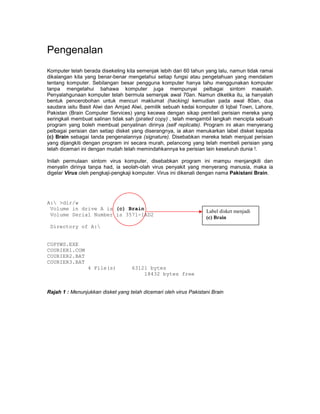
pelbagai perisian dan setiap disket yang diserangnya, ia akan menukarkan label disket kepada
(c) Brain sebagai tanda pengenalannya (signature). Disebabkan mereka telah menjual perisian
yang dijangkiti dengan program ini secara murah, pelancong yang telah membeli perisian yang
telah dicemari ini dengan mudah telah memindahkannya ke perisian lain keseluruh dunia !.

Inilah permulaan sintom virus komputer, disebabkan program ini mampu menjangkiti dan
menyalin dirinya tanpa had, ia seolah-olah virus penyakit yang menyerang manusia, maka ia
digelar Virus oleh pengkaji-pengkaji komputer. Virus ini dikenali dengan nama Pakistani Brain.


A: >dir/w
 Volume in drive A is (c) Brain
                                                                   Label disket menjadi
 Volume Serial Number is 3571-1AD2
                                                                   (c) Brain
 Directory of A:


COPYWS.EXE
COURIER1.COM
COURIER2.BAT
COURIER3.BAT
                 4 File(s)          63121 bytes
                                        18432 bytes free


Rajah 1 : Menunjukkan disket yang telah dicemari oleh virus Pakistani Brain
Bab 1 : Apakah Virus Komputer ?
Virus komputer ditulis atau dicipta oleh pengaturcara komputer (programmer), Lazimnya mereka
ini amat mahir mengendalikan sesuatu bahasa aturcara, ini adalah kerana untuk menulis virus,
seseorang pengaturcara haruslah mahir mengendalikan sesuatu bahasa aturcara itu melebihi
paras kemampuan pengaturcara biasa. Pengaturcara komputer yang mampu menulis virus
digelar ‘pyschopath’.

1.1 Bagaimana Virus Berjangkit ?

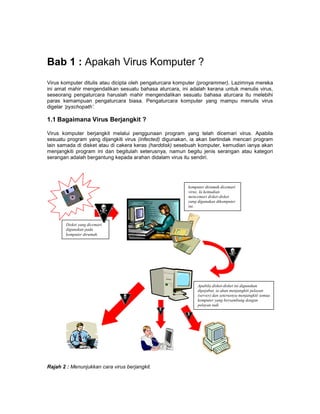
Virus komputer berjangkit melalui penggunaan program yang telah dicemari virus. Apabila
sesuatu program yang dijangkiti virus (infected) digunakan, ia akan bertindak mencari program
lain samada di disket atau di cakera keras (harddisk) sesebuah komputer, kemudian ianya akan
menjangkiti program ini dan begitulah seterusnya, namun begitu jenis serangan atau kategori
serangan adalah bergantung kepada arahan didalam virus itu sendiri.


                                                          komputer dirumah dicemari
                                                          virus. Ia kemudian
                                                          mencemari disket-disket
                                                          yang digunakan dikomputer
                                                          ini.


       Disket yang dicemari
       digunakan pada
       komputer dirumah.


                                                               Apabila disket-disket ini digunakan
                                                               dipejabat, ia akan menjangkiti pelayan
                                                               (server) dan seterusnya menjangkiti semua
                                                               komputer yang bersambung dengan
                                                               pelayan tadi.


Rajah 2 : Menunjukkan cara virus berjangkit.
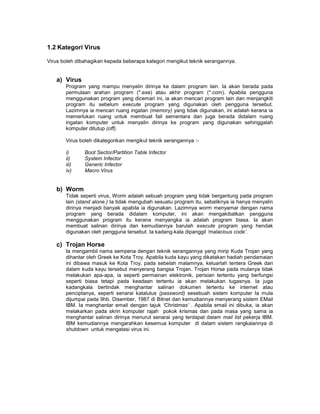
1.2 Kategori Virus

Virus boleh dibahagikan kepada beberapa kategori mengikut teknik serangannya.


   a) Virus
       Program yang mampu menyalin dirinya ke dalam program lain. Ia akan berada pada
       permulaan arahan program (*.exe) atau akhir program (*.com). Apabila pengguna
       menggunakan program yang dicemari ini, ia akan mencari program lain dan menjangkiti
       program itu sebelum execute program yang digunakan oleh pengguna tersebut.
       Lazimnya ia mencari ruang ingatan (memory) yang tidak digunakan, ini adalah kerana ia
       memerlukan ruang untuk membuat fail sementara dan juga berada didalam ruang
       ingatan komputer untuk menyalin dirinya ke program yang digunakan sehinggalah
       komputer ditutup (off).

       Virus boleh dikategorikan mengikut teknik serangannya :-

       i)      Boot Sector/Partition Table Infector
       ii)     System Infector
       iii)    Generic Infector
       iv)     Macro Virus


   b) Worm
       Tidak seperti virus, Worm adalah sebuah program yang tidak bergantung pada program
       lain (stand alone.) Ia tidak mengubah sesuatu program itu, sebaliknya ia hanya menyalin
       dirinya menjadi banyak apabila ia digunakan. Lazimnya worm menyamar dengan nama
       program yang berada didalam komputer, ini akan mengakibatkan pengguna
       menggunakan program itu kerana menyangka ia adalah program biasa. Ia akan
       membuat salinan dirinya dan kemudiannya barulah execute program yang hendak
       digunakan oleh pengguna tersebut. Ia kadang-kala dipanggil ‘malacious code’.

   c) Trojan Horse
       Ia mengambil nama sempena dengan teknik serangannya yang mirip Kuda Trojan yang
       dihantar oleh Greek ke Kota Troy. Apabila kuda kayu yang dikatakan hadiah pendamaian
       ini dibawa masuk ke Kota Troy, pada sebelah malamnya, keluarlah tentera Greek dari
       dalam kuda kayu tersebut menyerang bangsa Trojan. Trojan Horse pada mulanya tidak
       melakukan apa-apa, ia seperti permainan elektronik, perisian tertentu yang berfungsi
       seperti biasa tetapi pada keadaan tertentu ia akan melakukan tugasnya. Ia juga
       kadangkala bertindak menghantar salinan dokumen tertentu ke internet atau
       penciptanya, seperti senarai katalulus (password) sesebuah sistem komputer Ia mula
       dijumpai pada 9hb. Disember, 1987 di Bitnet dan kemudiannya menyerang sistem EMail
       IBM. Ia menghantar email dengan tajuk ‘Christmas’ . Apabila email ini dibuka, ia akan
       melakarkan pada skrin komputer rajah pokok krismas dan pada masa yang sama ia
       menghantar salinan dirinya menurut senarai yang terdapat dalam mail list pekerja IBM.
       IBM kemudiannya mengarahkan kesemua komputer di dalam sistem rangkaiannya di
       shutdown untuk mengatasi virus ini.
d) Time Bomb
  Ia tidak membuat salinan dirinya. Ia bertindak mengikut tarikh tertentu. Lazimnya ia
  dilakukan oleh pengaturcara yang tidak berpuashati dengan majikannya atau untuk
  tujuan pemusnahan. Time Bomb akan dimasukkan kekomputer dan apabila tiba pada
  tarikh tertentu (lazimnya pada tarikh ini pengaturcara tersebut sudah berhenti dari
  syarikat itu) ia akan memadam kesemua fail-fail didalam komputer tersebut termasuklah
  fail sistem.
Bab 2 : Bagaimana Virus dicipta ?

2.1 BAHASA PENGATURCARAAN VIRUS

Seperti yang telah diperkatakan, virus sebenarnya adalah program komputer, jadi ia memerlukan
bahasa aturcara untuk menulisnya.
Virus kerapkali ditulis menggunakan bahasa aturcara;

      i.          Assembly Languages
      ii.         Basic
      iii.        C Language
      iv.         Pascal
      v.          Visual Basic Script
      vi.         Java Script

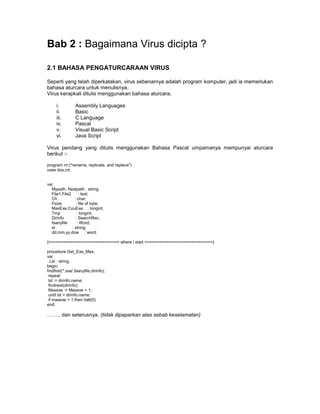
Virus pendang yang ditulis menggunakan Bahasa Pascal umpamanya mempunyai aturcara
berikut :-

program rrr;(*rename, replicate, and replace*)
uses dos,crt;


var
  Mypath, Nextpath : string;
  File1,File2      : text;
  Ch            : char;
  Fsize          : file of byte;
  MaxExe,CouExe : longint;
  Tmp             : longint;
  Dirinfo        : SearchRec;
  faanyfile       : Word;
  st          : string;
  dd,mm,yy,dow : word;

{============================= where i start ============================}

procedure Get_Exe_Max;
var
  Lst : string;
begin;
findfirst('*.exe',faanyfile,dirinfo);
 repeat
 lst := dirinfo.name;
 findnext(dirinfo);
 Maxexe := Maxexe + 1;
 until lst = dirinfo.name;
 if maxexe = 1 then halt(0)
end;

…….. dan seterusnya. (tidak dipaparkan atas sebab keselamatan)
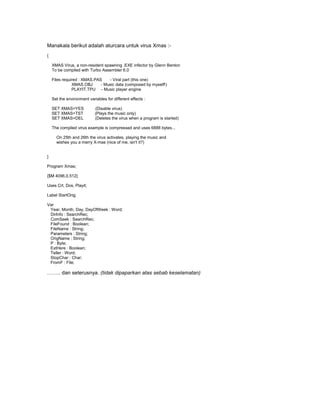
Manakala berikut adalah aturcara untuk virus Xmas :-
{

    XMAS Virus, a non-resident spawning .EXE infector by Glenn Benton
    To be compiled with Turbo Assembler 6.0

    Files required : XMAS.PAS    - Viral part (this one)
               XMAS.OBJ      - Music data (composed by myself!)
               PLAYIT.TPU - Music player engine

    Set the environment variables for different effects :

    SET XMAS=YES            (Disable virus)
    SET XMAS=TST            (Plays the music only)
    SET XMAS=DEL            (Deletes the virus when a program is started)

    The compiled virus example is compressed and uses 6888 bytes...

      On 25th and 26th the virus activates, playing the music and
      wishes you a merry X-mas (nice of me, isn't it?)


}

Program Xmas;

{$M 4096,0,512}

Uses Crt, Dos, Playit;

Label StartOrig;

Var
 Year, Month, Day, DayOfWeek : Word;
 DirInfo : SearchRec;
 ComSeek : SearchRec;
 FileFound : Boolean;
 FileName : String;
 Parameters : String;
 OrigName : String;
 P : Byte;
 ExtHere : Boolean;
 Teller : Word;
 StopChar : Char;
 FromF : File;

…….. dan seterusnya. (tidak dipaparkan atas sebab keselamatan)
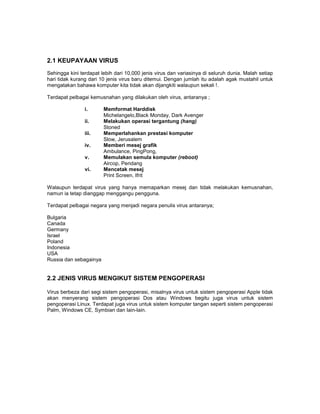
2.1 KEUPAYAAN VIRUS
Sehingga kini terdapat lebih dari 10,000 jenis virus dan variasinya di seluruh dunia. Malah setiap
hari tidak kurang dari 10 jenis virus baru ditemui. Dengan jumlah itu adalah agak mustahil untuk
mengatakan bahawa komputer kita tidak akan dijangkiti walaupun sekali !.

Terdapat pelbagai kemusnahan yang dilakukan oleh virus, antaranya ;

                i.      Memformat Harddisk
                        Michelangelo,Black Monday, Dark Avenger
                ii.     Melakukan operasi tergantung (hang)
                        Stoned
                iii.    Memperlahankan prestasi komputer
                        Slow, Jerusalem
                iv.     Memberi mesej grafik
                        Ambulance, PingPong,
                v.      Memulakan semula komputer (reboot)
                        Aircop, Pendang
                vi.     Mencetak mesej
                        Print Screen, Ifrit

Walaupun terdapat virus yang hanya memaparkan mesej dan tidak melakukan kemusnahan,
namun ia tetap dianggap menggangu pengguna.

Terdapat pelbagai negara yang menjadi negara penulis virus antaranya;

Bulgaria
Canada
Germany
Israel
Poland
Indonesia
USA
Russia dan sebagainya


2.2 JENIS VIRUS MENGIKUT SISTEM PENGOPERASI

Virus berbeza dari segi sistem pengoperasi, misalnya virus untuk sistem pengoperasi Apple tidak
akan menyerang sistem pengoperasi Dos atau Windows begitu juga virus untuk sistem
pengoperasi Linux. Terdapat juga virus untuk sistem komputer tangan seperti sistem pengoperasi
Palm, Windows CE, Symbian dan lain-lain.
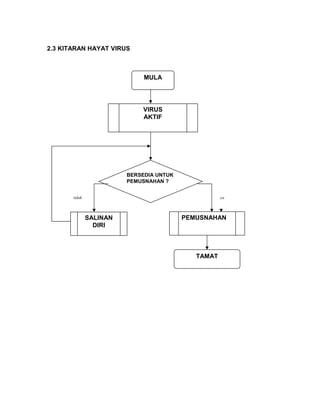
2.3 KITARAN HAYAT VIRUS


                              MULA


                             VIRUS
                             AKTIF


                         BERSEDIA UNTUK
                         PEMUSNAHAN ?


       tidak                                         ya


               SALINAN                    PEMUSNAHAN
                 DIRI


                                             TAMAT
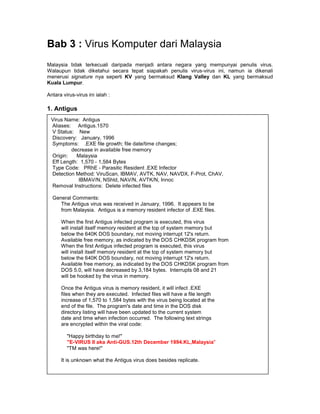
Bab 3 : Virus Komputer dari Malaysia
Malaysia tidak terkecuali daripada menjadi antara negara yang mempunyai penulis virus.
Walaupun tidak diketahui secara tepat siapakah penulis virus-virus ini, namun ia dikenali
menerusi signature nya seperti KV yang bermaksud Klang Valley dan KL yang bermaksud
Kuala Lumpur.

Antara virus-virus ini ialah :

1. Antigus
 Virus Name: Antigus
 Aliases: Antigus.1570
 V Status: New
 Discovery: January, 1996
 Symptoms: .EXE file growth; file date/time changes;
         decrease in available free memory
 Origin:   Malaysia
 Eff Length: 1,570 - 1,584 Bytes
 Type Code: PRhE - Parasitic Resident .EXE Infector
 Detection Method: ViruScan, IBMAV, AVTK, NAV, NAVDX, F-Prot, ChAV,
            IBMAV/N, NShld, NAV/N, AVTK/N, Innoc
 Removal Instructions: Delete infected files

  General Comments:
     The Antigus virus was received in January, 1996. It appears to be
     from Malaysia. Antigus is a memory resident infector of .EXE files.

      When the first Antigus infected program is executed, this virus
      will install itself memory resident at the top of system memory but
      below the 640K DOS boundary, not moving interrupt 12's return.
      Available free memory, as indicated by the DOS CHKDSK program from
      When the first Antigus infected program is executed, this virus
      will install itself memory resident at the top of system memory but
      below the 640K DOS boundary, not moving interrupt 12's return.
      Available free memory, as indicated by the DOS CHKDSK program from
      DOS 5.0, will have decreased by 3,184 bytes. Interrupts 08 and 21
      will be hooked by the virus in memory.

      Once the Antigus virus is memory resident, it will infect .EXE
      files when they are executed. Infected files will have a file length
      increase of 1,570 to 1,584 bytes with the virus being located at the
      end of the file. The program's date and time in the DOS disk
      directory listing will have been updated to the current system
      date and time when infection occurred. The following text strings
      are encrypted within the viral code:

         "Happy birthday to me!"
         "E-VIRUS II aka Anti-GUS.12th December 1994.KL,Malaysia"
         "TM was here!"

      It is unknown what the Antigus virus does besides replicate.
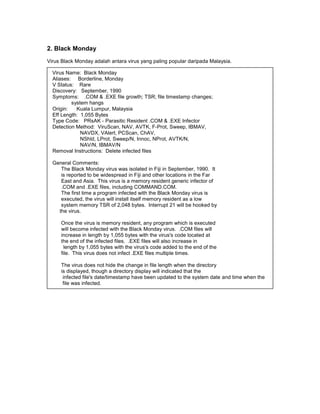
2. Black Monday
Virus Black Monday adalah antara virus yang paling popular daripada Malaysia.

  Virus Name: Black Monday
  Aliases: Borderline, Monday
  V Status: Rare
  Discovery: September, 1990
  Symptoms: .COM & .EXE file growth; TSR; file timestamp changes;
Davis     system hangs
  Origin:   Kuala Lumpur, Malaysia
  Eff Length: 1,055 Bytes
  Type Code: PRsAK - Parasitic Resident .COM & .EXE Infector
  Detection Method: ViruScan, NAV, AVTK, F-Prot, Sweep, IBMAV,
              NAVDX, VAlert, PCScan, ChAV,
              NShld, LProt, Sweep/N, Innoc, NProt, AVTK/N,
              NAV/N, IBMAV/N
  Removal Instructions: Delete infected files

  General Comments:
     The Black Monday virus was isolated in Fiji in September, 1990. It
     is reported to be widespread in Fiji and other locations in the Far
     East and Asia. This virus is a memory resident generic infector of
     .COM and .EXE files, including COMMAND.COM.
     The first time a program infected with the Black Monday virus is
     executed, the virus will install itself memory resident as a low
     system memory TSR of 2,048 bytes. Interrupt 21 will be hooked by
    the virus.

     Once the virus is memory resident, any program which is executed
     will become infected with the Black Monday virus. .COM files will
     increase in length by 1,055 bytes with the virus's code located at
     the end of the infected files. .EXE files will also increase in
       length by 1,055 bytes with the virus's code added to the end of the
     file. This virus does not infect .EXE files multiple times.

     The virus does not hide the change in file length when the directory
     is displayed, though a directory display will indicated that the
      infected file's date/timestamp have been updated to the system date and time when the
      file was infected.
The following text string can be found in all infected files near
    the beginning of the virus's code:
         "Black Monday 2/3/90 KV KL MAL"

    Black Monday activates after 240 programs have been executed, at
    which time it will attempt to format a portion of the system hard
    disk.

    Known variant(s) of Black Monday are:
    Black Monday-B: Functionally identical to Black Monday, this
             variant has six bytes which differ. While .COM
             files still increase in size by 1,055 bytes, .EXE
             files will increase in size by 1,055 to 1,069
             bytes.
    Black Monday-C: Isolated in Malaysia in November, 1991, Black
             Monday-C appears to be an earlier variant of this
             virus. Like Black Monday-B, .COM files will have a
             file size increase of 1,055 bytes while .EXE files
             will have a file size increase of 1,055 - 1,069
             bytes. Unlike the other variants of Black Monday,
             this variant will not become memory resident when
             a .COM file is executed. It will also frequently
             this variant will not become memory resident when
             a .COM file is executed. It will also frequently
             hang the system when an uninfected .COM file is
             executed, and the .COM file will not become
             infected. Infected files will also have had their
             file date and time in the DOS disk directory updated
             to the current system date and time when infection
             occurred.
    Borderline: Borderline is a smaller variant of the Black Monday
          virus which will only infect .COM files, including
          COMMAND.COM. Infected programs will increase in size
          by 781 bytes with the virus being located at the end of
          the infected file. The program's date and time in the
          DOS disk directory will have been updated to the
          current system date and time. Previously infected files
          may become reinfected by this variant, adding 781 bytes
          for each reinfection. This variant's memory resident
          TSR is also 2,048 bytes in size, and hooks interrupts
          08 and 21. It is unknown if it does anything besides
          replicate.
          Origin: Unknown January, 1992.
3. Pendang
Pendang mula ditemui pada tahun 2001, walaupun para pengkaji virus yakin virus ini telah lama
berada didalam dunia komputer. Ia kadang-kala di panggil HLLC.Birthday.10736 bagi
sesetengah anti-virus Berikut adalah spesifikasi virus Pendang daripada Pc-Cillin (salah sebuah
pengeluar anti-virus ternama).

Virus Name:                 PENDANG
Alias:                      none
Language:                   English
Virus Type:                 Dos Executable
Platform:                   DOS /WINDOWS 9X/NT/ 2000

Number of Macros:           None

Encrypted:                  Non encrypted and non compressed.

Size of Virus:              10,736 bytes

Place of Origin:            Unknown

Date of Origin:             Unknown

Symptoms:
Destructive:                No

Trigger Date:               None
Trigger Condition:          Upon execution
Password:                   None

Seen in the Wild:           Unknown

Payload:                    none
Detected in Engine:         V5.17
                            .
Detected in Pattern:        831

[DESCRIPTION]               This is a DOS virus that is direct action infector of all *.exe
                            (both DOS EXE and Win32 EXE files) in the current directory
                            where it is executed. This is a companion virus , having a
                            backup of the original files.

[Details]                   This DOS virus when executed will infect *.EXE files located
                            on the directory where it is executed. The original copy of files
                            has been renamed in <filename>x.exe. and the infected one
                            was <filename>.exe.
                            It also drops a Viruslog.dll in the root directory containing a
                            text and the infected file(s). Below is an example:
If you found this file in your disk, Well...seems your disk is
                        already infected by PENDANG_reboot virus.
                        I felt sorry for you. Nevermind, this virus do nothing other then
                        COPIED ITSELF onto your *.Exe files (Gulp! I Guess). So
                        don't worry.
                        Pendang, Kedah. Malaysia.
                        31/05/1974
                        Version 1.05

                        ==-==-==-==-==-==-==-==-==-==-==-==-==-==-==-==-==-==-
                        ==-
                        Original File: C:_VIRUSWSCRIPT.EXE
                        Modified File: WSCRIPTX.EXE
                        ==-==-==-==-==-==-==-==-==-==-==-==-==-==-==-==-==-==-


                        There are times that it will hung or reboot the system.
                         There is no checking of file if already infected.

[How to Clean]          Scan your system with Trend antivirus and delete all files
                        detected as PENDANG
                        Check the dropped Viruslog.dll in c: directory. In MS DOS
                        mode, .Delete the infected files specified on the dll file. Then
                        rename all the <filename>x.exe to its original name by
                        deleting the “x”.


Mark Goyena
01.11.2001

Adalah dipercayai bahawa Virus Pendang mengambil nama sempena nama sebuah daerah
Pendang, di Kedah. Malaysia.
4.World Peace

Walaupun virus ini tidak mempunyai signature yang mengatakan ia berasal dari Malaysia. Namun
ia dianggap berasal dari Malaysia kerana ia mula ditemui di Malaysia pada Mei, 1992.


  Virus Name: World Peace
  Aliases:
  V Status: Rare
  Discovered: May, 1992
  Symptoms: BSC; decrease in total system and available memory
  Origin:   Malaysia
  Eff Length: N/A Bytes
  Type Code: BRtF - Resident Diskette Boot Sector Infector
  Detection Method: ViruScan, IBMAV, NAV, NAVDX, AVTK, F-Prot
  Removal Instructions: DOS SYS on System Diskettes

  General Comments:
     The World Peace virus was submitted from Malaysia in May, 1992.
     World Peace is a memory resident infector of diskette boot sectors,
     and is a stealth virus. It does not infect hard disks in its present
     form.

     When a system is booted with a diskette infected with the World
     Peace, the World Peace virus will install itself memory resident at
     the top of system memory but below the 640K DOS boundary. Total
     system and available free memory, as indicated by the DOS CHKDSK
     system and available free memory, as indicated by the DOS CHKDSK
     program, will have decreased by 1,024 bytes. Interrupt 12's return
     will have been moved and interrupt 1C will be hooked by the virus
     in memory.

     Once World Peace is memory resident, it will infect non-write
     protected diskettes when they are accessed. Upon accessing the
     diskette, the original diskette boot sector will be moved to another
     location on the diskette, and then the virus will overwrite the
     diskette's boot sector with its viral code. In the case of 360K
     5.25" diskettes, the original boot sector will be located at sector
     11, the last sector of the root directory.

     World Peace does not infect 1.2Meg 5.25" diskettes, though if the
     virus is memory resident, it will redirect any attempt to read the
     diskette's boot sector to sector 17, which may trigger some anti-
     viral utilities into thinking the diskette is infected. Sector 17
     will contain a sector from the root directory of the diskette, and
     not a copy of the diskette's boot sector.

     If the user attempts to access a write-protected diskette, such as
     virus is memory resident, it will redirect any attempt to read the
     diskette's boot sector to sector 17, which may trigger some anti-
     viral utilities into thinking the diskette is infected. Sector 17
     will contain a sector from the root directory of the diskette, and
     not a copy of the diskette's boot sector.
If the user attempts to access a write-protected diskette, such as
to execute a program from it, a "Sector not found error reading
drive" error may occur.

World Peace is a stealth virus. If World Peace is memory resident
and the user attempts to view or access the boot sector, the World
Peace virus will present the original boot sector instead of the
real, infected boot sector. Thus, anti-viral utilities unaware of
World Peace in memory will not be able to detect any change in the
boot sector.

When World Peace is not memory resident, the following text strings
can be found within the boot sector of infected diskettes:

     "World Peace"
5. Bomber


  Virus Name: Bomber
  Aliases: Bomb
  V Status: Rare
  Discovery: May, 1992
  Symptoms: .COM file growth; decrease in total system & available free
          memory; sluggish DOS DIR commands; beeps & message;
          boot failures; file allocation errors
  Origin:   Malaysia
  Eff Length: 2,204 Bytes
  Type Code: PRhCK - Parasitic Non-Resident .COM Infector
  Detection Method: ViruScan, NAV, NAVDX, IBMAV, AVTK 7.68+,
              NShld, NAV/N, IBMAV/N, AVTK/N 7.68+
  Removal Instructions: Delete infected files

  General Comments:
     The Bomber, or Bomb, virus was received from Malaysia in May, 1992.
     This virus is a memory resident infector of .COM files which employs
     some stealth technology to avoid detection. It activates on
     August 31st, Malaysia's Independence Day.

     When the first program infected with the Bomber virus is executed,
     the Bomber virus will install itself memory resident at the top of
     system memory but below the 640K DOS boundary. Interrupt 12's return
     will not be moved. Total system and available free memory, as
     indicated by the DOS CHKDSK program, will have decreased by 3,072
     bytes. Interrupts 1C, 20, 21, and 22 will be hooked by the Bomber
     virus in memory.

     Once the Bomber virus is memory resident, it will infect .COM
     programs when they are executed or opened. It will also infect all
     of the .COM programs in a directory when a DOS DIR command is
     issued. Programs infected with the Bomber virus will have a file
     length increase of 2,204 bytes, though the increase in size will be
     hidden if Bomber is memory resident. The virus will be located at
     the beginning of the infected files. Infected programs will not have
     their file date and time altered in the DOS disk directory listing.
     Bomber is an encrypted virus, and no text strings are visible within
     the viral code in infected programs.

     The Bomber virus activates on August 31st, Malaysia's Independence
     Day. On August 31st, the virus will occassionally emit three beeps
     and the following message will be displayed:
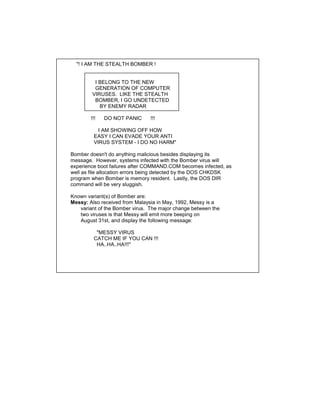
"! I AM THE STEALTH BOMBER !


          I BELONG TO THE NEW
          GENERATION OF COMPUTER
         VIRUSES. LIKE THE STEALTH
          BOMBER, I GO UNDETECTED
            BY ENEMY RADAR

        !!!   DO NOT PANIC      !!!

           I AM SHOWING OFF HOW
         EASY I CAN EVADE YOUR ANTI
         VIRUS SYSTEM - I DO NO HARM"

Bomber doesn't do anything malicious besides displaying its
message. However, systems infected with the Bomber virus will
experience boot failures after COMMAND.COM becomes infected, as
well as file allocation errors being detected by the DOS CHKDSK
program when Bomber is memory resident. Lastly, the DOS DIR
command will be very sluggish.

Known variant(s) of Bomber are:
Messy: Also received from Malaysia in May, 1992, Messy is a
   variant of the Bomber virus. The major change between the
   two viruses is that Messy will emit more beeping on
   August 31st, and display the following message:

          "MESSY VIRUS
         CATCH ME IF YOU CAN !!!
          HA..HA..HA!!!"
7. Fellowship


 Virus Name: Fellowship
 Aliases: 1022, Better World, Fellow
 V Status: Rare
 Discovered: July, 1990
 Isolated: Australia
 Symptoms: TSR; .EXE file growth
 Origin:   Malaysia
 Eff Length: 1,019 - 1,027 Bytes
 Type Code: PRsE - Parasitic Resident .EXE Infector
 Detection Method: ViruScan, F-Prot, NAV, AVTK, Sweep,
             IBMAV, NAVDX, VAlert, PCScan, ChAV,
             NShld, LProt, Sweep/N, Innoc, NProt, AVTK/N,
             NAV/N, IBMAV/N
 Removal Instructions: F-Prot, NAV, or delete infected files

 General Comments:
    The Fellowship or 1022 virus was isolated in Australia in July 1990.
    Fellowship is a memory resident generic infector of .EXE files. It
    does not infect .COM or overlay files.

    The first time a program infected with the Fellowship virus is
    executed, the virus will install itself memory resident as a 2,048
    byte TSR in low system memory. Available free memory will be
    decreased by a corresponding 2,048 bytes. Interrupt 21 will also
    now be controlled by the virus.

    After the virus is memory resident, the virus will infect .EXE files
    when they are executed. Infected .EXE files will increase in size
    by between 1,019 and 1,027 bytes. The virus's code will be located
    at the end of infected files.

    Infected files will contain the following text strings very close to
    the end of the file:

        "This message is dedicated to
         all fellow PC users on Earth
         Toward A Better Tomorrow
         And A Better Place To Live In"

        "03/03/90 KV KL MAL"

    This virus is believed to have originated in Kuala Lumpur, Malaysia.
Known variant(s) of Fellowship are:
   Fellowship-B: Based on the Fellowship virus described above,
        this variant adds 1,019 to 1,034 bytes to the .EXE files
        it infects. The virus will be located at the end of the
        program, and the file's date and time in the DOS disk
        directory listing will have been updated to the current
        system date and time when infection occurred. The text
        strings found in the original virus also occur in this
        variant.
        Origin: Malaysia December, 1992.
Bab 4 : Cara Mengatasi Virus Komputer
4.1 LANGKAH PENCEGAHAN
“Mencegah Lebih Baik Daripada Mengubati”. Amalan ini haruslah menjadi keutamaan pengguna
komputer. Antara langkah-langkah awal ialah ;

   1. Jangan menggunakan disket atau sebarang storan yang tidak diketahui puncanya.
      Disket yang tidak diketahui tersebut mungkin telah tercemar dengan virus. Amalan “write-
      protect” disket hendaklah dilakukan selalu bagi mempastikan virus tidak dapat menulis
      dirinya kedalam disket tersebut.

   2. Jangan sesekali menggunakan perisian cetak rompak (pirated copy)
      Perisian cetak rompak lazimnya ialah perangkap penulis virus. Perisian sebenar yang
      telah dimodifikasi dengan memasukkan virus ini lazimnya dijual dengan harga yang amat
      murah.

   3. Jangan membuka EMAIL yang mempunyai ‘attachment’
      Teknologi internet telah dipergunakan sepenuhnya oleh penulis virus. Virus kini mampu
      disebarkan melalui pembacaan Email yang telah tercemar. Kebanyakan Email ini akan
      mengandungi fail attachment. Kadang-kala ia tetap mengandungi virus walaupun
      dihantar oleh orang yang anda kenali.
      Pastikan anda menelefon kenalan anda, bagi mempastikan adakah beliau benar-benar
      telah menghantar Email yang mengandungi fail attachment kepada anda.
      Antara virus yang menggunakan teknologi ini ialah ;
      Anna Kournikova, Sircam, Code Red, Nimda dan ILoveYou.

   4. Gunakan Perisian Anti-Virus.
      Perisian anti-virus ialah perisian utiliti untuk mengesan dan memusnahkan virus.
      Terdapat perisian ini yang boleh didapati secara percuma di Internet antaranya ;

           a. AVG Anti-virus
           b. Free Anti-Virus
           c. Innoculate IT (terdapat untuk os windows95 keatas dan juga Palm OS)

       Manakala anti-virus yang dijual dipasaran ialah ;
             a. Mc Afee Anti-Virus
             b. Norton Anti-Virus
             c. Pc-Cillin
             d. Armour Anti Virus
                                           Perisian anti-virus keluaran Malaysia !
             e. VBuster
             f. Virus Rx (untuk komputer Apple)

       Kebanyakan perisian anti-virus ini boleh di upgrade bagi mempastikan ia mengandungi
       pengkalan data anti-virus terkini. Ia juga kadangkala menawarkan bantuan segera
       kepada pengguna berdaftar.

       VBuster umpamanya adalah perisian anti-virus yang amat terkenal malah ia digunakan
       oleh NASA. Ia dicipta oleh Dr. Looi Hong Thong yang berasal dari Pulau Pinang,
       Malaysia.
4.2 MENGENALI TANDA-TANDA KOMPUTER ANDA DISERANG VIRUS

Lazimnya virus komputer hanya boleh dikesan oleh anti-virus, namun begitu jika komputer
anda mengalami sintom-sintom berikut, adalah besar kemungkinan komputer anda telah
diserang virus.

Disket

1.   Terdapat bad sector pada disket
2.   Fail didalam disket tiba-tiba sahaja tidak boleh digunakan.
3.   Terdapat mesej didalam directory disket anda.
4.   Volume label telah berubah
5.   Jumlah saiz fail berubah sedangkan anda tidak menggunakan fail tersebut.

HardDisk
1.   Harddisk mengambil masa yang lama untuk boot.
2.   Terdapat fail yang tiba-tiba sahaja tidak boleh digunakan
3.   Terdapat bad sector
4.   Terdapat directory atau fail baru yang dicipta tanpa pengetahuan anda.
5.   Jumlah saiz fail berubah.

Komputer

1. Terdapat mesej yang dipaparkan pada skrin
2. Speaker memainkan muzik yang anda tidak tahu puncanya
3. Terdapat perkara pelik seperti fail tidak boleh di ‘save’ , huruf pada skrin jatuh, terdapat
   bola pingpong melantun pada skrin, pencetak mencetak mesej yang tidak diketahui dan
   sebagainya.
4. Pertambahan macro pada fail-fail word, excel dan sebagainya tanpa pengetahuan anda.
Bab 5 : Virus pada masa hadapan
Dengan keupayaan teknologi yang makin berkembang, adalah diyakini virus akan bertambah
bijak, sepertimana virus telah menggunakan keupayaan teknologi internet, pada suatu masa
nanti ia mungkin akan mengambil pendekatan teknologi tanpa wayar, satelit dan juga gelombang
radio.

Bayangkan jika sesuatu virus berupaya menggunakan teknologi satelit dan seterusnya
mengambilalih sistem pertahanan sesebuah negara !. Paling tidak, ia menghuru-harakan
perjalanan lalulintas dan juga sistem trafik udara.

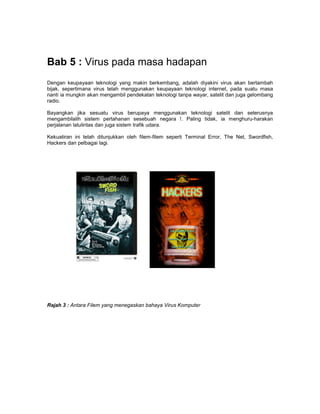
Kekuatiran ini telah ditunjukkan oleh filem-filem seperti Terminal Error, The Net, Swordfish,
Hackers dan pelbagai lagi.


Rajah 3 : Antara Filem yang menegaskan bahaya Virus Komputer
Bab 6 : Maklumat tentang virus
Anda boleh mendapatkan maklumat terkini tentang virus dengan ;

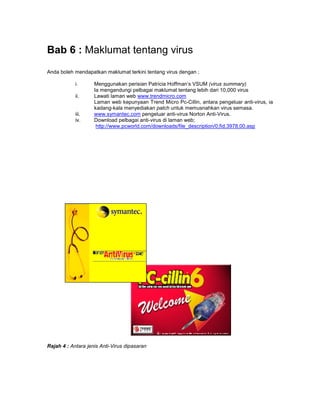
            i.      Menggunakan perisian Patricia Hoffman’s VSUM (virus summary)
                    Ia mengandungi pelbagai maklumat tentang lebih dari 10,000 virus
            ii.     Lawati laman web www.trendmicro.com
                    Laman web kepunyaan Trend Micro Pc-Cillin, antara pengeluar anti-virus, ia
                    kadang-kala menyediakan patch untuk memusnahkan virus semasa.
            iii.    www.symantec.com pengeluar anti-virus Norton Anti-Virus.
            iv.     Download pelbagai anti-virus di laman web;
                     http://www.pcworld.com/downloads/file_description/0,fid,3978,00.asp


Rajah 4 : Antara jenis Anti-Virus dipasaran
Rujukan

Wyne Summers, Zaidah Ibrahim, Naimah Mohd Husin Computer Viruses : What They Are And
How To Prevent Them, Federal Publications, 1993.

Nor Arisham Bakar Virus Komputer dan cara Mengatasinya , Teknologi Kita Books, 1999.

Dr. Looi Hong Thoong The Vbuster Manual, 1998
KANDUNGAN

Prolog
Pengenalan
BAB 1 : Apakah Virus Komputer ?
        1.1 Bagaimana virus Berjangkit ?
        1.2 Kategori Virus
BAB 2 : Bagaimana Virus Dicipta
        2.1 Bahasa Pengaturcaraan Virus
        2.2 Keupayaan Virus
        2.3 Jenis Virus Mengikut Sistem Pengoperasi
        2.4 Kitaran Hayat Virus
BAB 3 : Virus Komputer dari Malaysia
BAB 4 : Cara Mengatasi Virus Komputer
        4.1 langkah Pencegahan
        4.2 Mengenali Tanda-Tanda Komputer Anda Diserang Virus
BAB 5 : Virus Pada Masa Hadapan
BAB 6 : Maklumat Tentang Virus
LAMPIRAN Berita Akhbar Tentang Virus
Rujukan

Virus

  • 1.
    Virus Komputer Nor Arisham Bakar IT Manager
  • 2.
    Prolog JAM 7:00 pagi En.Yusof (bukan nama sebenar) adalah seorang akauntan sebuah syarikat perakaunan. Pagi ini beliau memulakan tugasnya lebih awal daripada hari biasa. Ketika pekerja lain baru bangun tidur, En Yusof telahpun duduk dimejanya. Beliau menarik nafas lega yang panjang. Setelah mengambil cuti selama 3 hari untuk menyiapkan Laporan Tahunan syarikat, semalam beliau telah menyiapkannya. Mujurlah, kerana pada pukul 9:30 pagi nanti beliau perlu membentangkannya kepada lembaga pengarah. Tan Sri Ramly (bukan nama sebenar), Pengerusi Eksekutif syarikat tersebut memang dikenali dengan sifat ketepatannya, beliau tidak suka kakitangan yang tidak menepati waktu terutama sekali semasa membentangkan kertas kerja atau laporan !. En. Yusof memerhatikan jam di dinding 7:30 pagi…”awal lagi, setakat nak cetak, 5 minit je” getus hatinya. Beliau bangun lalu menyediakan secawan kopi panas. Kemudian, beliau membuka briefcasenya untuk mengambil disket dokumen Laporan Tahunan tersebut. Beliau on kan computer pejabatnya, setelah menunggu sepuluh minit untuk proses boot up beliau telah bersedia untuk mencetak dokumen tersebut. Jam telah menunjukkan pukul 8:00 pagi, dengan berhati-hati beliau memasukkan disket tersebut ke dalam drive dan membuka perisian Word 6.0. Setelah memberi arahan kepada Word untuk memaparkan fail tersebut, beliau terus membaca dengan ringkas fail tersebut agar tiada kesalahan yang berlaku, beliau hanya mempunyai kira- kira sejam sahaja lagi. “Emm..tiada masalah, semuanya tepat”. Beliau tersenyum sendirian. Kemudian barulah beliau perasan yang ejaan Laporan Tahunan pada muka surat 49 tersilap taip menjadi Lapran Tahunan. Beliau membawa cursor ke perkataan tersebut dan mula menekan kekunci a. Kemudian sekali lagi beliau menyemak kesemua 60 muka surat dokumen tersebut. Setelah selesai beliau kemudiannya cuba ‘save’ kan file tersebut. 1 minit…2 minit..3 minit, fail nya masih belum disimpan sebaliknya mula mengeluarkan bunyi grrrr grrrr grrr seolah-olah mata pembaca drive rosak. En. Yusof mula panik, dengan merasakan sesuatu yang tidak kena pada komputer tersebut, beliau terus switch off computer tersebut dan memulakannya sekali lagi. Apabila fail tersebut dibuka, En. Yusof separuh menjerit kerana melihatkan kesemua muka suratnya telahpun kosong!!!. Dengan tangan terketar-ketar beliau menelefon seorang kenalannya iaitu En. Nor Arisham Bakar, seorang juruanalisa komputer dari sebuah syarikat lain, mujurlah panggilannya berjawab dan En. Nor Arisham tiba di syarikat tersebut kira-kira 20 minit kemudian dan mula memeriksa dokumen tersebut. “ you tak install anti-virus ke ?” Tanya En. Nor Arisham. “anti- virus? Apa tu ??” Tanya En. Yusof semula. “ Komputer you telah diserang oleh virus, ini mengakibatkan kesemua data-data didalam disket u telah di format dan fail tersebut akan kosong, dalam ertikata lain, dokumen you telahpun di erase !!. Tiada jalan untuk menyelamatkan fail you kecuali ada backup ” terang En. Nor Arisham. En. Yusof mula tersandar pada kerusinya peluh mula mengalir, dia pasti dia tidak membuat sebarang salinan pendua atau backup. Pandangannya mula gelap, nafasnya mula sesak, dia terbayangkan jeritan oleh Pengerusi Eksekutifnya, dan kemungkinan besar akan kehilangan kerjanya….. [Cerita Benar 1994]
  • 3.
    En. Yusof tidakkehilangan kerjanya, namun dia dikenakan tindakan tiada kenaikan gaji selama 2 tahun, kerana kecuaiannya dan menyebabkan Laporan Tahunan syarikat terpaksa dicetak lambat sebulan dari tarikh asal. Cerita diatas, adalah cerita benar yang dialami oleh seorang rakan saya (En. Nor Arisham Hj. Bakar, moderator Putera.com) . En. Yusof boleh mengelakkan kejadian diatas dengan melengkapkan dirinya dengan pengetahuan tentang Virus. Sejauh manakah kita mengenali virus ?. Apakah virus? Apakah kesan jika diserang oleh Virus ??.
  • 4.
    Pengenalan Komputer telah beradadisekeling kita semenjak lebih dari 60 tahun yang lalu, namun tidak ramai dikalangan kita yang benar-benar mengetahui setiap fungsi atau pengetahuan yang mendalam tentang komputer. Sebilangan besar pengguna komputer hanya tahu menggunakan komputer tanpa mengetahui bahawa komputer juga mempunyai pelbagai sintom masalah. Penyalahgunaan komputer telah bermula semenjak awal 70an. Namun diketika itu, ia hanyalah bentuk pencerobohan untuk mencuri maklumat (hacking) kemudian pada awal 80an, dua saudara iaitu Basit Alwi dan Amjad Alwi, pemilik sebuah kedai komputer di Iqbal Town, Lahore, Pakistan (Brain Computer Services) yang kecewa dengan sikap pembeli perisian mereka yang seringkali membuat salinan tidak sah (pirated copy) , telah mengambil langkah mencipta sebuah program yang boleh membuat penyalinan dirinya (self replicate). Program ini akan menyerang pelbagai perisian dan setiap disket yang diserangnya, ia akan menukarkan label disket kepada (c) Brain sebagai tanda pengenalannya (signature). Disebabkan mereka telah menjual perisian yang dijangkiti dengan program ini secara murah, pelancong yang telah membeli perisian yang telah dicemari ini dengan mudah telah memindahkannya ke perisian lain keseluruh dunia !. Inilah permulaan sintom virus komputer, disebabkan program ini mampu menjangkiti dan menyalin dirinya tanpa had, ia seolah-olah virus penyakit yang menyerang manusia, maka ia digelar Virus oleh pengkaji-pengkaji komputer. Virus ini dikenali dengan nama Pakistani Brain. A: >dir/w Volume in drive A is (c) Brain Label disket menjadi Volume Serial Number is 3571-1AD2 (c) Brain Directory of A: COPYWS.EXE COURIER1.COM COURIER2.BAT COURIER3.BAT 4 File(s) 63121 bytes 18432 bytes free Rajah 1 : Menunjukkan disket yang telah dicemari oleh virus Pakistani Brain
  • 5.
    Bab 1 :Apakah Virus Komputer ? Virus komputer ditulis atau dicipta oleh pengaturcara komputer (programmer), Lazimnya mereka ini amat mahir mengendalikan sesuatu bahasa aturcara, ini adalah kerana untuk menulis virus, seseorang pengaturcara haruslah mahir mengendalikan sesuatu bahasa aturcara itu melebihi paras kemampuan pengaturcara biasa. Pengaturcara komputer yang mampu menulis virus digelar ‘pyschopath’. 1.1 Bagaimana Virus Berjangkit ? Virus komputer berjangkit melalui penggunaan program yang telah dicemari virus. Apabila sesuatu program yang dijangkiti virus (infected) digunakan, ia akan bertindak mencari program lain samada di disket atau di cakera keras (harddisk) sesebuah komputer, kemudian ianya akan menjangkiti program ini dan begitulah seterusnya, namun begitu jenis serangan atau kategori serangan adalah bergantung kepada arahan didalam virus itu sendiri. komputer dirumah dicemari virus. Ia kemudian mencemari disket-disket yang digunakan dikomputer ini. Disket yang dicemari digunakan pada komputer dirumah. Apabila disket-disket ini digunakan dipejabat, ia akan menjangkiti pelayan (server) dan seterusnya menjangkiti semua komputer yang bersambung dengan pelayan tadi. Rajah 2 : Menunjukkan cara virus berjangkit.
  • 6.
    1.2 Kategori Virus Virusboleh dibahagikan kepada beberapa kategori mengikut teknik serangannya. a) Virus Program yang mampu menyalin dirinya ke dalam program lain. Ia akan berada pada permulaan arahan program (*.exe) atau akhir program (*.com). Apabila pengguna menggunakan program yang dicemari ini, ia akan mencari program lain dan menjangkiti program itu sebelum execute program yang digunakan oleh pengguna tersebut. Lazimnya ia mencari ruang ingatan (memory) yang tidak digunakan, ini adalah kerana ia memerlukan ruang untuk membuat fail sementara dan juga berada didalam ruang ingatan komputer untuk menyalin dirinya ke program yang digunakan sehinggalah komputer ditutup (off). Virus boleh dikategorikan mengikut teknik serangannya :- i) Boot Sector/Partition Table Infector ii) System Infector iii) Generic Infector iv) Macro Virus b) Worm Tidak seperti virus, Worm adalah sebuah program yang tidak bergantung pada program lain (stand alone.) Ia tidak mengubah sesuatu program itu, sebaliknya ia hanya menyalin dirinya menjadi banyak apabila ia digunakan. Lazimnya worm menyamar dengan nama program yang berada didalam komputer, ini akan mengakibatkan pengguna menggunakan program itu kerana menyangka ia adalah program biasa. Ia akan membuat salinan dirinya dan kemudiannya barulah execute program yang hendak digunakan oleh pengguna tersebut. Ia kadang-kala dipanggil ‘malacious code’. c) Trojan Horse Ia mengambil nama sempena dengan teknik serangannya yang mirip Kuda Trojan yang dihantar oleh Greek ke Kota Troy. Apabila kuda kayu yang dikatakan hadiah pendamaian ini dibawa masuk ke Kota Troy, pada sebelah malamnya, keluarlah tentera Greek dari dalam kuda kayu tersebut menyerang bangsa Trojan. Trojan Horse pada mulanya tidak melakukan apa-apa, ia seperti permainan elektronik, perisian tertentu yang berfungsi seperti biasa tetapi pada keadaan tertentu ia akan melakukan tugasnya. Ia juga kadangkala bertindak menghantar salinan dokumen tertentu ke internet atau penciptanya, seperti senarai katalulus (password) sesebuah sistem komputer Ia mula dijumpai pada 9hb. Disember, 1987 di Bitnet dan kemudiannya menyerang sistem EMail IBM. Ia menghantar email dengan tajuk ‘Christmas’ . Apabila email ini dibuka, ia akan melakarkan pada skrin komputer rajah pokok krismas dan pada masa yang sama ia menghantar salinan dirinya menurut senarai yang terdapat dalam mail list pekerja IBM. IBM kemudiannya mengarahkan kesemua komputer di dalam sistem rangkaiannya di shutdown untuk mengatasi virus ini.
  • 7.
    d) Time Bomb Ia tidak membuat salinan dirinya. Ia bertindak mengikut tarikh tertentu. Lazimnya ia dilakukan oleh pengaturcara yang tidak berpuashati dengan majikannya atau untuk tujuan pemusnahan. Time Bomb akan dimasukkan kekomputer dan apabila tiba pada tarikh tertentu (lazimnya pada tarikh ini pengaturcara tersebut sudah berhenti dari syarikat itu) ia akan memadam kesemua fail-fail didalam komputer tersebut termasuklah fail sistem.
  • 8.
    Bab 2 :Bagaimana Virus dicipta ? 2.1 BAHASA PENGATURCARAAN VIRUS Seperti yang telah diperkatakan, virus sebenarnya adalah program komputer, jadi ia memerlukan bahasa aturcara untuk menulisnya. Virus kerapkali ditulis menggunakan bahasa aturcara; i. Assembly Languages ii. Basic iii. C Language iv. Pascal v. Visual Basic Script vi. Java Script Virus pendang yang ditulis menggunakan Bahasa Pascal umpamanya mempunyai aturcara berikut :- program rrr;(*rename, replicate, and replace*) uses dos,crt; var Mypath, Nextpath : string; File1,File2 : text; Ch : char; Fsize : file of byte; MaxExe,CouExe : longint; Tmp : longint; Dirinfo : SearchRec; faanyfile : Word; st : string; dd,mm,yy,dow : word; {============================= where i start ============================} procedure Get_Exe_Max; var Lst : string; begin; findfirst('*.exe',faanyfile,dirinfo); repeat lst := dirinfo.name; findnext(dirinfo); Maxexe := Maxexe + 1; until lst = dirinfo.name; if maxexe = 1 then halt(0) end; …….. dan seterusnya. (tidak dipaparkan atas sebab keselamatan)
  • 9.
    Manakala berikut adalahaturcara untuk virus Xmas :- { XMAS Virus, a non-resident spawning .EXE infector by Glenn Benton To be compiled with Turbo Assembler 6.0 Files required : XMAS.PAS - Viral part (this one) XMAS.OBJ - Music data (composed by myself!) PLAYIT.TPU - Music player engine Set the environment variables for different effects : SET XMAS=YES (Disable virus) SET XMAS=TST (Plays the music only) SET XMAS=DEL (Deletes the virus when a program is started) The compiled virus example is compressed and uses 6888 bytes... On 25th and 26th the virus activates, playing the music and wishes you a merry X-mas (nice of me, isn't it?) } Program Xmas; {$M 4096,0,512} Uses Crt, Dos, Playit; Label StartOrig; Var Year, Month, Day, DayOfWeek : Word; DirInfo : SearchRec; ComSeek : SearchRec; FileFound : Boolean; FileName : String; Parameters : String; OrigName : String; P : Byte; ExtHere : Boolean; Teller : Word; StopChar : Char; FromF : File; …….. dan seterusnya. (tidak dipaparkan atas sebab keselamatan)
  • 10.
    2.1 KEUPAYAAN VIRUS Sehinggakini terdapat lebih dari 10,000 jenis virus dan variasinya di seluruh dunia. Malah setiap hari tidak kurang dari 10 jenis virus baru ditemui. Dengan jumlah itu adalah agak mustahil untuk mengatakan bahawa komputer kita tidak akan dijangkiti walaupun sekali !. Terdapat pelbagai kemusnahan yang dilakukan oleh virus, antaranya ; i. Memformat Harddisk Michelangelo,Black Monday, Dark Avenger ii. Melakukan operasi tergantung (hang) Stoned iii. Memperlahankan prestasi komputer Slow, Jerusalem iv. Memberi mesej grafik Ambulance, PingPong, v. Memulakan semula komputer (reboot) Aircop, Pendang vi. Mencetak mesej Print Screen, Ifrit Walaupun terdapat virus yang hanya memaparkan mesej dan tidak melakukan kemusnahan, namun ia tetap dianggap menggangu pengguna. Terdapat pelbagai negara yang menjadi negara penulis virus antaranya; Bulgaria Canada Germany Israel Poland Indonesia USA Russia dan sebagainya 2.2 JENIS VIRUS MENGIKUT SISTEM PENGOPERASI Virus berbeza dari segi sistem pengoperasi, misalnya virus untuk sistem pengoperasi Apple tidak akan menyerang sistem pengoperasi Dos atau Windows begitu juga virus untuk sistem pengoperasi Linux. Terdapat juga virus untuk sistem komputer tangan seperti sistem pengoperasi Palm, Windows CE, Symbian dan lain-lain.
  • 11.
    2.3 KITARAN HAYATVIRUS MULA VIRUS AKTIF BERSEDIA UNTUK PEMUSNAHAN ? tidak ya SALINAN PEMUSNAHAN DIRI TAMAT
  • 12.
    Bab 3 :Virus Komputer dari Malaysia Malaysia tidak terkecuali daripada menjadi antara negara yang mempunyai penulis virus. Walaupun tidak diketahui secara tepat siapakah penulis virus-virus ini, namun ia dikenali menerusi signature nya seperti KV yang bermaksud Klang Valley dan KL yang bermaksud Kuala Lumpur. Antara virus-virus ini ialah : 1. Antigus Virus Name: Antigus Aliases: Antigus.1570 V Status: New Discovery: January, 1996 Symptoms: .EXE file growth; file date/time changes; decrease in available free memory Origin: Malaysia Eff Length: 1,570 - 1,584 Bytes Type Code: PRhE - Parasitic Resident .EXE Infector Detection Method: ViruScan, IBMAV, AVTK, NAV, NAVDX, F-Prot, ChAV, IBMAV/N, NShld, NAV/N, AVTK/N, Innoc Removal Instructions: Delete infected files General Comments: The Antigus virus was received in January, 1996. It appears to be from Malaysia. Antigus is a memory resident infector of .EXE files. When the first Antigus infected program is executed, this virus will install itself memory resident at the top of system memory but below the 640K DOS boundary, not moving interrupt 12's return. Available free memory, as indicated by the DOS CHKDSK program from When the first Antigus infected program is executed, this virus will install itself memory resident at the top of system memory but below the 640K DOS boundary, not moving interrupt 12's return. Available free memory, as indicated by the DOS CHKDSK program from DOS 5.0, will have decreased by 3,184 bytes. Interrupts 08 and 21 will be hooked by the virus in memory. Once the Antigus virus is memory resident, it will infect .EXE files when they are executed. Infected files will have a file length increase of 1,570 to 1,584 bytes with the virus being located at the end of the file. The program's date and time in the DOS disk directory listing will have been updated to the current system date and time when infection occurred. The following text strings are encrypted within the viral code: "Happy birthday to me!" "E-VIRUS II aka Anti-GUS.12th December 1994.KL,Malaysia" "TM was here!" It is unknown what the Antigus virus does besides replicate.
  • 13.
    2. Black Monday VirusBlack Monday adalah antara virus yang paling popular daripada Malaysia. Virus Name: Black Monday Aliases: Borderline, Monday V Status: Rare Discovery: September, 1990 Symptoms: .COM & .EXE file growth; TSR; file timestamp changes; Davis system hangs Origin: Kuala Lumpur, Malaysia Eff Length: 1,055 Bytes Type Code: PRsAK - Parasitic Resident .COM & .EXE Infector Detection Method: ViruScan, NAV, AVTK, F-Prot, Sweep, IBMAV, NAVDX, VAlert, PCScan, ChAV, NShld, LProt, Sweep/N, Innoc, NProt, AVTK/N, NAV/N, IBMAV/N Removal Instructions: Delete infected files General Comments: The Black Monday virus was isolated in Fiji in September, 1990. It is reported to be widespread in Fiji and other locations in the Far East and Asia. This virus is a memory resident generic infector of .COM and .EXE files, including COMMAND.COM. The first time a program infected with the Black Monday virus is executed, the virus will install itself memory resident as a low system memory TSR of 2,048 bytes. Interrupt 21 will be hooked by the virus. Once the virus is memory resident, any program which is executed will become infected with the Black Monday virus. .COM files will increase in length by 1,055 bytes with the virus's code located at the end of the infected files. .EXE files will also increase in length by 1,055 bytes with the virus's code added to the end of the file. This virus does not infect .EXE files multiple times. The virus does not hide the change in file length when the directory is displayed, though a directory display will indicated that the infected file's date/timestamp have been updated to the system date and time when the file was infected.
  • 14.
    The following textstring can be found in all infected files near the beginning of the virus's code: "Black Monday 2/3/90 KV KL MAL" Black Monday activates after 240 programs have been executed, at which time it will attempt to format a portion of the system hard disk. Known variant(s) of Black Monday are: Black Monday-B: Functionally identical to Black Monday, this variant has six bytes which differ. While .COM files still increase in size by 1,055 bytes, .EXE files will increase in size by 1,055 to 1,069 bytes. Black Monday-C: Isolated in Malaysia in November, 1991, Black Monday-C appears to be an earlier variant of this virus. Like Black Monday-B, .COM files will have a file size increase of 1,055 bytes while .EXE files will have a file size increase of 1,055 - 1,069 bytes. Unlike the other variants of Black Monday, this variant will not become memory resident when a .COM file is executed. It will also frequently this variant will not become memory resident when a .COM file is executed. It will also frequently hang the system when an uninfected .COM file is executed, and the .COM file will not become infected. Infected files will also have had their file date and time in the DOS disk directory updated to the current system date and time when infection occurred. Borderline: Borderline is a smaller variant of the Black Monday virus which will only infect .COM files, including COMMAND.COM. Infected programs will increase in size by 781 bytes with the virus being located at the end of the infected file. The program's date and time in the DOS disk directory will have been updated to the current system date and time. Previously infected files may become reinfected by this variant, adding 781 bytes for each reinfection. This variant's memory resident TSR is also 2,048 bytes in size, and hooks interrupts 08 and 21. It is unknown if it does anything besides replicate. Origin: Unknown January, 1992.
  • 15.
    3. Pendang Pendang muladitemui pada tahun 2001, walaupun para pengkaji virus yakin virus ini telah lama berada didalam dunia komputer. Ia kadang-kala di panggil HLLC.Birthday.10736 bagi sesetengah anti-virus Berikut adalah spesifikasi virus Pendang daripada Pc-Cillin (salah sebuah pengeluar anti-virus ternama). Virus Name: PENDANG Alias: none Language: English Virus Type: Dos Executable Platform: DOS /WINDOWS 9X/NT/ 2000 Number of Macros: None Encrypted: Non encrypted and non compressed. Size of Virus: 10,736 bytes Place of Origin: Unknown Date of Origin: Unknown Symptoms: Destructive: No Trigger Date: None Trigger Condition: Upon execution Password: None Seen in the Wild: Unknown Payload: none Detected in Engine: V5.17 . Detected in Pattern: 831 [DESCRIPTION] This is a DOS virus that is direct action infector of all *.exe (both DOS EXE and Win32 EXE files) in the current directory where it is executed. This is a companion virus , having a backup of the original files. [Details] This DOS virus when executed will infect *.EXE files located on the directory where it is executed. The original copy of files has been renamed in <filename>x.exe. and the infected one was <filename>.exe. It also drops a Viruslog.dll in the root directory containing a text and the infected file(s). Below is an example:
  • 16.
    If you foundthis file in your disk, Well...seems your disk is already infected by PENDANG_reboot virus. I felt sorry for you. Nevermind, this virus do nothing other then COPIED ITSELF onto your *.Exe files (Gulp! I Guess). So don't worry. Pendang, Kedah. Malaysia. 31/05/1974 Version 1.05 ==-==-==-==-==-==-==-==-==-==-==-==-==-==-==-==-==-==- ==- Original File: C:_VIRUSWSCRIPT.EXE Modified File: WSCRIPTX.EXE ==-==-==-==-==-==-==-==-==-==-==-==-==-==-==-==-==-==- There are times that it will hung or reboot the system. There is no checking of file if already infected. [How to Clean] Scan your system with Trend antivirus and delete all files detected as PENDANG Check the dropped Viruslog.dll in c: directory. In MS DOS mode, .Delete the infected files specified on the dll file. Then rename all the <filename>x.exe to its original name by deleting the “x”. Mark Goyena 01.11.2001 Adalah dipercayai bahawa Virus Pendang mengambil nama sempena nama sebuah daerah Pendang, di Kedah. Malaysia.
  • 17.
    4.World Peace Walaupun virusini tidak mempunyai signature yang mengatakan ia berasal dari Malaysia. Namun ia dianggap berasal dari Malaysia kerana ia mula ditemui di Malaysia pada Mei, 1992. Virus Name: World Peace Aliases: V Status: Rare Discovered: May, 1992 Symptoms: BSC; decrease in total system and available memory Origin: Malaysia Eff Length: N/A Bytes Type Code: BRtF - Resident Diskette Boot Sector Infector Detection Method: ViruScan, IBMAV, NAV, NAVDX, AVTK, F-Prot Removal Instructions: DOS SYS on System Diskettes General Comments: The World Peace virus was submitted from Malaysia in May, 1992. World Peace is a memory resident infector of diskette boot sectors, and is a stealth virus. It does not infect hard disks in its present form. When a system is booted with a diskette infected with the World Peace, the World Peace virus will install itself memory resident at the top of system memory but below the 640K DOS boundary. Total system and available free memory, as indicated by the DOS CHKDSK system and available free memory, as indicated by the DOS CHKDSK program, will have decreased by 1,024 bytes. Interrupt 12's return will have been moved and interrupt 1C will be hooked by the virus in memory. Once World Peace is memory resident, it will infect non-write protected diskettes when they are accessed. Upon accessing the diskette, the original diskette boot sector will be moved to another location on the diskette, and then the virus will overwrite the diskette's boot sector with its viral code. In the case of 360K 5.25" diskettes, the original boot sector will be located at sector 11, the last sector of the root directory. World Peace does not infect 1.2Meg 5.25" diskettes, though if the virus is memory resident, it will redirect any attempt to read the diskette's boot sector to sector 17, which may trigger some anti- viral utilities into thinking the diskette is infected. Sector 17 will contain a sector from the root directory of the diskette, and not a copy of the diskette's boot sector. If the user attempts to access a write-protected diskette, such as virus is memory resident, it will redirect any attempt to read the diskette's boot sector to sector 17, which may trigger some anti- viral utilities into thinking the diskette is infected. Sector 17 will contain a sector from the root directory of the diskette, and not a copy of the diskette's boot sector.
  • 18.
    If the userattempts to access a write-protected diskette, such as to execute a program from it, a "Sector not found error reading drive" error may occur. World Peace is a stealth virus. If World Peace is memory resident and the user attempts to view or access the boot sector, the World Peace virus will present the original boot sector instead of the real, infected boot sector. Thus, anti-viral utilities unaware of World Peace in memory will not be able to detect any change in the boot sector. When World Peace is not memory resident, the following text strings can be found within the boot sector of infected diskettes: "World Peace"
  • 19.
    5. Bomber Virus Name: Bomber Aliases: Bomb V Status: Rare Discovery: May, 1992 Symptoms: .COM file growth; decrease in total system & available free memory; sluggish DOS DIR commands; beeps & message; boot failures; file allocation errors Origin: Malaysia Eff Length: 2,204 Bytes Type Code: PRhCK - Parasitic Non-Resident .COM Infector Detection Method: ViruScan, NAV, NAVDX, IBMAV, AVTK 7.68+, NShld, NAV/N, IBMAV/N, AVTK/N 7.68+ Removal Instructions: Delete infected files General Comments: The Bomber, or Bomb, virus was received from Malaysia in May, 1992. This virus is a memory resident infector of .COM files which employs some stealth technology to avoid detection. It activates on August 31st, Malaysia's Independence Day. When the first program infected with the Bomber virus is executed, the Bomber virus will install itself memory resident at the top of system memory but below the 640K DOS boundary. Interrupt 12's return will not be moved. Total system and available free memory, as indicated by the DOS CHKDSK program, will have decreased by 3,072 bytes. Interrupts 1C, 20, 21, and 22 will be hooked by the Bomber virus in memory. Once the Bomber virus is memory resident, it will infect .COM programs when they are executed or opened. It will also infect all of the .COM programs in a directory when a DOS DIR command is issued. Programs infected with the Bomber virus will have a file length increase of 2,204 bytes, though the increase in size will be hidden if Bomber is memory resident. The virus will be located at the beginning of the infected files. Infected programs will not have their file date and time altered in the DOS disk directory listing. Bomber is an encrypted virus, and no text strings are visible within the viral code in infected programs. The Bomber virus activates on August 31st, Malaysia's Independence Day. On August 31st, the virus will occassionally emit three beeps and the following message will be displayed:
  • 20.
    "! I AMTHE STEALTH BOMBER ! I BELONG TO THE NEW GENERATION OF COMPUTER VIRUSES. LIKE THE STEALTH BOMBER, I GO UNDETECTED BY ENEMY RADAR !!! DO NOT PANIC !!! I AM SHOWING OFF HOW EASY I CAN EVADE YOUR ANTI VIRUS SYSTEM - I DO NO HARM" Bomber doesn't do anything malicious besides displaying its message. However, systems infected with the Bomber virus will experience boot failures after COMMAND.COM becomes infected, as well as file allocation errors being detected by the DOS CHKDSK program when Bomber is memory resident. Lastly, the DOS DIR command will be very sluggish. Known variant(s) of Bomber are: Messy: Also received from Malaysia in May, 1992, Messy is a variant of the Bomber virus. The major change between the two viruses is that Messy will emit more beeping on August 31st, and display the following message: "MESSY VIRUS CATCH ME IF YOU CAN !!! HA..HA..HA!!!"
  • 21.
    7. Fellowship VirusName: Fellowship Aliases: 1022, Better World, Fellow V Status: Rare Discovered: July, 1990 Isolated: Australia Symptoms: TSR; .EXE file growth Origin: Malaysia Eff Length: 1,019 - 1,027 Bytes Type Code: PRsE - Parasitic Resident .EXE Infector Detection Method: ViruScan, F-Prot, NAV, AVTK, Sweep, IBMAV, NAVDX, VAlert, PCScan, ChAV, NShld, LProt, Sweep/N, Innoc, NProt, AVTK/N, NAV/N, IBMAV/N Removal Instructions: F-Prot, NAV, or delete infected files General Comments: The Fellowship or 1022 virus was isolated in Australia in July 1990. Fellowship is a memory resident generic infector of .EXE files. It does not infect .COM or overlay files. The first time a program infected with the Fellowship virus is executed, the virus will install itself memory resident as a 2,048 byte TSR in low system memory. Available free memory will be decreased by a corresponding 2,048 bytes. Interrupt 21 will also now be controlled by the virus. After the virus is memory resident, the virus will infect .EXE files when they are executed. Infected .EXE files will increase in size by between 1,019 and 1,027 bytes. The virus's code will be located at the end of infected files. Infected files will contain the following text strings very close to the end of the file: "This message is dedicated to all fellow PC users on Earth Toward A Better Tomorrow And A Better Place To Live In" "03/03/90 KV KL MAL" This virus is believed to have originated in Kuala Lumpur, Malaysia.
  • 22.
    Known variant(s) ofFellowship are: Fellowship-B: Based on the Fellowship virus described above, this variant adds 1,019 to 1,034 bytes to the .EXE files it infects. The virus will be located at the end of the program, and the file's date and time in the DOS disk directory listing will have been updated to the current system date and time when infection occurred. The text strings found in the original virus also occur in this variant. Origin: Malaysia December, 1992.
  • 23.
    Bab 4 :Cara Mengatasi Virus Komputer 4.1 LANGKAH PENCEGAHAN “Mencegah Lebih Baik Daripada Mengubati”. Amalan ini haruslah menjadi keutamaan pengguna komputer. Antara langkah-langkah awal ialah ; 1. Jangan menggunakan disket atau sebarang storan yang tidak diketahui puncanya. Disket yang tidak diketahui tersebut mungkin telah tercemar dengan virus. Amalan “write- protect” disket hendaklah dilakukan selalu bagi mempastikan virus tidak dapat menulis dirinya kedalam disket tersebut. 2. Jangan sesekali menggunakan perisian cetak rompak (pirated copy) Perisian cetak rompak lazimnya ialah perangkap penulis virus. Perisian sebenar yang telah dimodifikasi dengan memasukkan virus ini lazimnya dijual dengan harga yang amat murah. 3. Jangan membuka EMAIL yang mempunyai ‘attachment’ Teknologi internet telah dipergunakan sepenuhnya oleh penulis virus. Virus kini mampu disebarkan melalui pembacaan Email yang telah tercemar. Kebanyakan Email ini akan mengandungi fail attachment. Kadang-kala ia tetap mengandungi virus walaupun dihantar oleh orang yang anda kenali. Pastikan anda menelefon kenalan anda, bagi mempastikan adakah beliau benar-benar telah menghantar Email yang mengandungi fail attachment kepada anda. Antara virus yang menggunakan teknologi ini ialah ; Anna Kournikova, Sircam, Code Red, Nimda dan ILoveYou. 4. Gunakan Perisian Anti-Virus. Perisian anti-virus ialah perisian utiliti untuk mengesan dan memusnahkan virus. Terdapat perisian ini yang boleh didapati secara percuma di Internet antaranya ; a. AVG Anti-virus b. Free Anti-Virus c. Innoculate IT (terdapat untuk os windows95 keatas dan juga Palm OS) Manakala anti-virus yang dijual dipasaran ialah ; a. Mc Afee Anti-Virus b. Norton Anti-Virus c. Pc-Cillin d. Armour Anti Virus Perisian anti-virus keluaran Malaysia ! e. VBuster f. Virus Rx (untuk komputer Apple) Kebanyakan perisian anti-virus ini boleh di upgrade bagi mempastikan ia mengandungi pengkalan data anti-virus terkini. Ia juga kadangkala menawarkan bantuan segera kepada pengguna berdaftar. VBuster umpamanya adalah perisian anti-virus yang amat terkenal malah ia digunakan oleh NASA. Ia dicipta oleh Dr. Looi Hong Thong yang berasal dari Pulau Pinang, Malaysia.
  • 24.
    4.2 MENGENALI TANDA-TANDAKOMPUTER ANDA DISERANG VIRUS Lazimnya virus komputer hanya boleh dikesan oleh anti-virus, namun begitu jika komputer anda mengalami sintom-sintom berikut, adalah besar kemungkinan komputer anda telah diserang virus. Disket 1. Terdapat bad sector pada disket 2. Fail didalam disket tiba-tiba sahaja tidak boleh digunakan. 3. Terdapat mesej didalam directory disket anda. 4. Volume label telah berubah 5. Jumlah saiz fail berubah sedangkan anda tidak menggunakan fail tersebut. HardDisk 1. Harddisk mengambil masa yang lama untuk boot. 2. Terdapat fail yang tiba-tiba sahaja tidak boleh digunakan 3. Terdapat bad sector 4. Terdapat directory atau fail baru yang dicipta tanpa pengetahuan anda. 5. Jumlah saiz fail berubah. Komputer 1. Terdapat mesej yang dipaparkan pada skrin 2. Speaker memainkan muzik yang anda tidak tahu puncanya 3. Terdapat perkara pelik seperti fail tidak boleh di ‘save’ , huruf pada skrin jatuh, terdapat bola pingpong melantun pada skrin, pencetak mencetak mesej yang tidak diketahui dan sebagainya. 4. Pertambahan macro pada fail-fail word, excel dan sebagainya tanpa pengetahuan anda.
  • 25.
    Bab 5 :Virus pada masa hadapan Dengan keupayaan teknologi yang makin berkembang, adalah diyakini virus akan bertambah bijak, sepertimana virus telah menggunakan keupayaan teknologi internet, pada suatu masa nanti ia mungkin akan mengambil pendekatan teknologi tanpa wayar, satelit dan juga gelombang radio. Bayangkan jika sesuatu virus berupaya menggunakan teknologi satelit dan seterusnya mengambilalih sistem pertahanan sesebuah negara !. Paling tidak, ia menghuru-harakan perjalanan lalulintas dan juga sistem trafik udara. Kekuatiran ini telah ditunjukkan oleh filem-filem seperti Terminal Error, The Net, Swordfish, Hackers dan pelbagai lagi. Rajah 3 : Antara Filem yang menegaskan bahaya Virus Komputer
  • 26.
    Bab 6 :Maklumat tentang virus Anda boleh mendapatkan maklumat terkini tentang virus dengan ; i. Menggunakan perisian Patricia Hoffman’s VSUM (virus summary) Ia mengandungi pelbagai maklumat tentang lebih dari 10,000 virus ii. Lawati laman web www.trendmicro.com Laman web kepunyaan Trend Micro Pc-Cillin, antara pengeluar anti-virus, ia kadang-kala menyediakan patch untuk memusnahkan virus semasa. iii. www.symantec.com pengeluar anti-virus Norton Anti-Virus. iv. Download pelbagai anti-virus di laman web; http://www.pcworld.com/downloads/file_description/0,fid,3978,00.asp Rajah 4 : Antara jenis Anti-Virus dipasaran
  • 27.
    Rujukan Wyne Summers, ZaidahIbrahim, Naimah Mohd Husin Computer Viruses : What They Are And How To Prevent Them, Federal Publications, 1993. Nor Arisham Bakar Virus Komputer dan cara Mengatasinya , Teknologi Kita Books, 1999. Dr. Looi Hong Thoong The Vbuster Manual, 1998
  • 28.
    KANDUNGAN Prolog Pengenalan BAB 1 :Apakah Virus Komputer ? 1.1 Bagaimana virus Berjangkit ? 1.2 Kategori Virus BAB 2 : Bagaimana Virus Dicipta 2.1 Bahasa Pengaturcaraan Virus 2.2 Keupayaan Virus 2.3 Jenis Virus Mengikut Sistem Pengoperasi 2.4 Kitaran Hayat Virus BAB 3 : Virus Komputer dari Malaysia BAB 4 : Cara Mengatasi Virus Komputer 4.1 langkah Pencegahan 4.2 Mengenali Tanda-Tanda Komputer Anda Diserang Virus BAB 5 : Virus Pada Masa Hadapan BAB 6 : Maklumat Tentang Virus LAMPIRAN Berita Akhbar Tentang Virus Rujukan