Velocity
A web application performance conference
if it’s worth doing, it’s
worth measuring
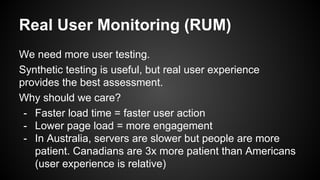
Real User Monitoring (RUM)
We need more user testing.
Synthetic testing is useful, but real user experience
provides the best assessment.
Why should we care?
- Faster load time = faster user action
- Lower page load = more engagement
- In Australia, servers are slower but people are more
patient. Canadians are 3x more patient than Americans
(user experience is relative)
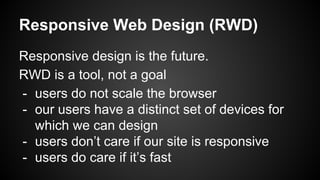
Responsive Web Design (RWD)
Responsive design is the future.
RWD is a tool, not a goal
- users do not scale the browser
- our users have a distinct set of devices for
which we can design
- users don’t care if our site is responsive
- users do care if it’s fast
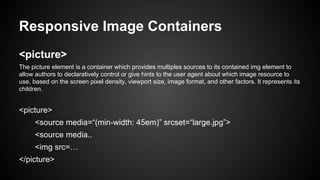
Responsive Image Containers
<picture>
The picture element is a container which provides multiples sources to its contained img element to
allow authors to declaratively control or give hints to the user agent about which image resource to
use, based on the screen pixel density, viewport size, image format, and other factors. It represents its
children.
<picture>
<source media=“(min-width: 45em)” srcset=“large.jpg”>
<source media..
<img src=…
</picture>
<img>
srcset - Images to use in different situations (e.g. high-resolution displays, small monitors, etc), image
selection can be viewport-based, art direction-based, image format-based, or device pixel-ratio-based
crossorigin - How the element handles crossorigin requests
usemap - Name of image map to use
ismap - Whether the image is a server-side image map
<img src=“other pic.jpg” alt=“blah”
sizes=“(max-width: 30em) 100vw,
(max-wdith: 50em) 50vw,
calc(33vw - 100px)”
srcset=“pic100.jpg 100w,
pic200.jpg 200w, …” />
<img src="/uploads/100-marie-lloyd.jpg"
srcset="/uploads/150-marie-lloyd.jpg 1.5x, /uploads/200-marie-lloyd.jpg 2x"
alt="" width="100" height="150">
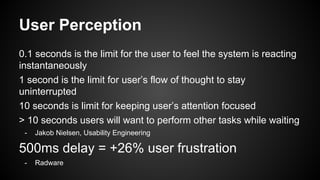
User Perception
0.1 seconds is the limit for the user to feel the system is reacting
instantaneously
1 second is the limit for user’s flow of thought to stay
uninterrupted
10 seconds is limit for keeping user’s attention focused
> 10 seconds users will want to perform other tasks while waiting
- Jakob Nielsen, Usability Engineering
500ms delay = +26% user frustration
- Radware
Use Preloaders
Disclaimer: for entertainment only; don’t use preloaders in this way
Performance Tools
1. Google Developers PageSpeed Insights
2. WebPageTest and Mobitest
- we would need a public instance of our app (expect to be hacked!)
3. Timing-Allow-Origin: *
- header setting which allows third party
performance tracking
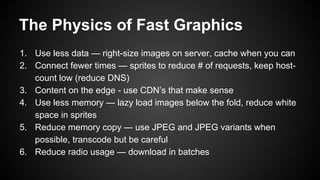
The Physics of Fast Graphics
1. Use less data — right-size images on server, cache when you can
2. Connect fewer times — sprites to reduce # of requests, keep host-
count low (reduce DNS)
3. Content on the edge - use CDN’s that make sense
4. Use less memory — lazy load images below the fold, reduce white
space in sprites
5. Reduce memory copy — use JPEG and JPEG variants when
possible, transcode but be careful
6. Reduce radio usage — download in batches
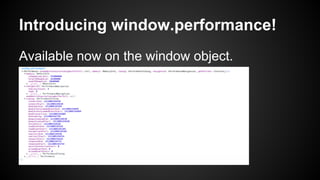
Introducing window.performance!
Available now on the window object.
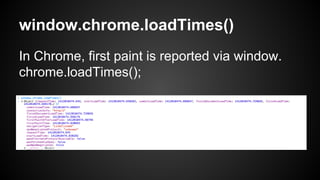
window.chrome.loadTimes()
In Chrome, first paint is reported via window.
chrome.loadTimes();
User Timing
1. Mock timeline event - begins with page load
2. Measure what happens between two marks
window.performance.mark(‘event_start’);
window.performance.mark(‘event_end’);
window.performance.measure(‘event_duration’, ‘event_start’, ‘event_end’);
Waterfall
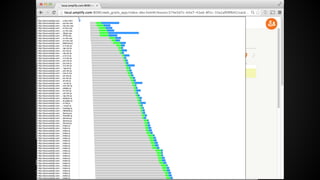
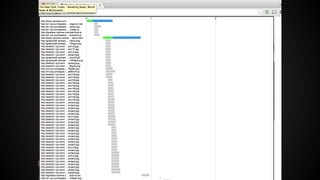
Waterfall - the time and duration of page load events
Here’s a handy bookmarklet for you to use in
your browser:
https://github.com/andydavies/waterfall
Waterfall
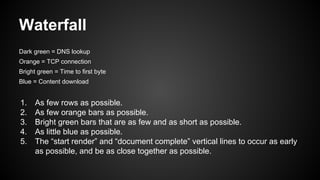
Dark green = DNS lookup
Orange = TCP connection
Bright green = Time to first byte
Blue = Content download
1. As few rows as possible.
2. As few orange bars as possible.
3. Bright green bars that are as few and as short as possible.
4. As little blue as possible.
5. The “start render” and “document complete” vertical lines to occur as early
as possible, and be as close together as possible.
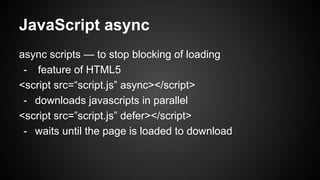
JavaScript async
async scripts — to stop blocking of loading
- feature of HTML5
<script src=“script.js” async></script>
- downloads javascripts in parallel
<script src=”script.js” defer></script>
- waits until the page is loaded to download
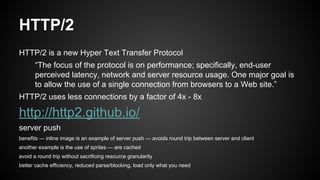
HTTP/2
HTTP/2 is a new Hyper Text Transfer Protocol
“The focus of the protocol is on performance; specifically, end-user
perceived latency, network and server resource usage. One major goal is
to allow the use of a single connection from browsers to a Web site.”
HTTP/2 uses less connections by a factor of 4x - 8x
http://http2.github.io/
server push
benefits — inline image is an example of server push — avoids round trip between server and client
another example is the use of sprites — are cached
avoid a round trip without sacrificing resource granularity
better cache efficiency, reduced parse/blocking, load only what you need
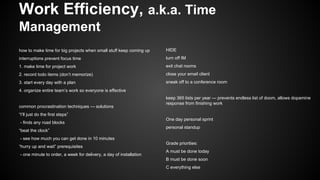
Work Efficiency, a.k.a. Time
Management
how to make time for big projects when small stuff keep coming up
interruptions prevent focus time
1. make time for project work
2. record todo items (don’t memorize)
3. start every day with a plan
4. organize entire team’s work so everyone is effective
common procrastination techniques — solutions
“I’ll just do the first steps”
- finds any road blocks
“beat the clock”
- see how much you can get done in 10 minutes
“hurry up and wait” prerequisites
- one minute to order, a week for delivery, a day of installation
HIDE
turn off IM
exit chat rooms
close your email client
sneak off to a conference room
keep 365 lists per year — prevents endless list of doom, allows dopamine
response from finishing work
One day personal sprint
personal standup
Grade priorities:
A must be done today
B must be done soon
C everything else
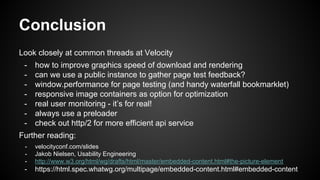
Conclusion
Look closely at common threads at Velocity
- how to improve graphics speed of download and rendering
- can we use a public instance to gather page test feedback?
- window.performance for page testing (and handy waterfall bookmarklet)
- responsive image containers as option for optimization
- real user monitoring - it’s for real!
- always use a preloader
- check out http/2 for more efficient api service
Further reading:
- velocityconf.com/slides
- Jakob Nielsen, Usability Engineering
- http://www.w3.org/html/wg/drafts/html/master/embedded-content.html#the-picture-element
- https://html.spec.whatwg.org/multipage/embedded-content.html#embedded-content

Velocity_Conference

  • 1.
    Velocity A web applicationperformance conference
  • 2.
    if it’s worthdoing, it’s worth measuring
  • 3.
    Real User Monitoring(RUM) We need more user testing. Synthetic testing is useful, but real user experience provides the best assessment. Why should we care? - Faster load time = faster user action - Lower page load = more engagement - In Australia, servers are slower but people are more patient. Canadians are 3x more patient than Americans (user experience is relative)
  • 5.
    Responsive Web Design(RWD) Responsive design is the future. RWD is a tool, not a goal - users do not scale the browser - our users have a distinct set of devices for which we can design - users don’t care if our site is responsive - users do care if it’s fast
  • 6.
    Responsive Image Containers <picture> Thepicture element is a container which provides multiples sources to its contained img element to allow authors to declaratively control or give hints to the user agent about which image resource to use, based on the screen pixel density, viewport size, image format, and other factors. It represents its children. <picture> <source media=“(min-width: 45em)” srcset=“large.jpg”> <source media.. <img src=… </picture>
  • 7.
    <img> srcset - Imagesto use in different situations (e.g. high-resolution displays, small monitors, etc), image selection can be viewport-based, art direction-based, image format-based, or device pixel-ratio-based crossorigin - How the element handles crossorigin requests usemap - Name of image map to use ismap - Whether the image is a server-side image map <img src=“other pic.jpg” alt=“blah” sizes=“(max-width: 30em) 100vw, (max-wdith: 50em) 50vw, calc(33vw - 100px)” srcset=“pic100.jpg 100w, pic200.jpg 200w, …” /> <img src="/uploads/100-marie-lloyd.jpg" srcset="/uploads/150-marie-lloyd.jpg 1.5x, /uploads/200-marie-lloyd.jpg 2x" alt="" width="100" height="150">
  • 8.
    User Perception 0.1 secondsis the limit for the user to feel the system is reacting instantaneously 1 second is the limit for user’s flow of thought to stay uninterrupted 10 seconds is limit for keeping user’s attention focused > 10 seconds users will want to perform other tasks while waiting - Jakob Nielsen, Usability Engineering 500ms delay = +26% user frustration - Radware
  • 9.
    Use Preloaders Disclaimer: forentertainment only; don’t use preloaders in this way
  • 10.
    Performance Tools 1. GoogleDevelopers PageSpeed Insights 2. WebPageTest and Mobitest - we would need a public instance of our app (expect to be hacked!) 3. Timing-Allow-Origin: * - header setting which allows third party performance tracking
  • 11.
    The Physics ofFast Graphics 1. Use less data — right-size images on server, cache when you can 2. Connect fewer times — sprites to reduce # of requests, keep host- count low (reduce DNS) 3. Content on the edge - use CDN’s that make sense 4. Use less memory — lazy load images below the fold, reduce white space in sprites 5. Reduce memory copy — use JPEG and JPEG variants when possible, transcode but be careful 6. Reduce radio usage — download in batches
  • 12.
  • 13.
    window.chrome.loadTimes() In Chrome, firstpaint is reported via window. chrome.loadTimes();
  • 14.
    User Timing 1. Mocktimeline event - begins with page load 2. Measure what happens between two marks window.performance.mark(‘event_start’); window.performance.mark(‘event_end’); window.performance.measure(‘event_duration’, ‘event_start’, ‘event_end’);
  • 16.
    Waterfall Waterfall - thetime and duration of page load events Here’s a handy bookmarklet for you to use in your browser: https://github.com/andydavies/waterfall
  • 17.
    Waterfall Dark green =DNS lookup Orange = TCP connection Bright green = Time to first byte Blue = Content download 1. As few rows as possible. 2. As few orange bars as possible. 3. Bright green bars that are as few and as short as possible. 4. As little blue as possible. 5. The “start render” and “document complete” vertical lines to occur as early as possible, and be as close together as possible.
  • 20.
    JavaScript async async scripts— to stop blocking of loading - feature of HTML5 <script src=“script.js” async></script> - downloads javascripts in parallel <script src=”script.js” defer></script> - waits until the page is loaded to download
  • 21.
    HTTP/2 HTTP/2 is anew Hyper Text Transfer Protocol “The focus of the protocol is on performance; specifically, end-user perceived latency, network and server resource usage. One major goal is to allow the use of a single connection from browsers to a Web site.” HTTP/2 uses less connections by a factor of 4x - 8x http://http2.github.io/ server push benefits — inline image is an example of server push — avoids round trip between server and client another example is the use of sprites — are cached avoid a round trip without sacrificing resource granularity better cache efficiency, reduced parse/blocking, load only what you need
  • 22.
    Work Efficiency, a.k.a.Time Management how to make time for big projects when small stuff keep coming up interruptions prevent focus time 1. make time for project work 2. record todo items (don’t memorize) 3. start every day with a plan 4. organize entire team’s work so everyone is effective common procrastination techniques — solutions “I’ll just do the first steps” - finds any road blocks “beat the clock” - see how much you can get done in 10 minutes “hurry up and wait” prerequisites - one minute to order, a week for delivery, a day of installation HIDE turn off IM exit chat rooms close your email client sneak off to a conference room keep 365 lists per year — prevents endless list of doom, allows dopamine response from finishing work One day personal sprint personal standup Grade priorities: A must be done today B must be done soon C everything else
  • 23.
    Conclusion Look closely atcommon threads at Velocity - how to improve graphics speed of download and rendering - can we use a public instance to gather page test feedback? - window.performance for page testing (and handy waterfall bookmarklet) - responsive image containers as option for optimization - real user monitoring - it’s for real! - always use a preloader - check out http/2 for more efficient api service Further reading: - velocityconf.com/slides - Jakob Nielsen, Usability Engineering - http://www.w3.org/html/wg/drafts/html/master/embedded-content.html#the-picture-element - https://html.spec.whatwg.org/multipage/embedded-content.html#embedded-content