Vehicle Rental/Booking System
Introduction
This is an user friendly app which
benefits the customers and vehicle owners.
Customers have privilege to rent/book
vehicles with various facilities by
following simple and easy steps. This
document gives brief explanation of this
project
Scope of the Project
◍ This application has complete set of features to
manage interaction between customer and owner
◍ Easy registration process and transaction
anywhere/anytime
◍ Transaction status and other ongoing details will be
sent via push notifications
Features
◍ Android and IOS
◍ Customer Management
◍ Online Transaction
◍ Data Management
◍ Chat Facility
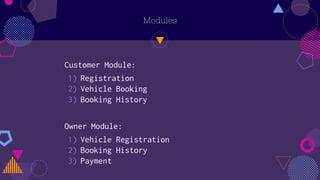
Modules
Customer Module:
1) Registration
2) Vehicle Booking
3) Booking History
Owner Module:
1) Vehicle Registration
2) Booking History
3) Payment
Customer Module
Registration:
◍ Registration is common for both customer and the
owner
◍ Few basic details like name, email, mobile number,
location etc.. have to be given
◍ After successful registration, user will be
redirected to the home page
Vehicle Booking:
◍ The customer will be able to view the nearest
registered vehicle in their home page
◍ Customer can select any vehicle based on their
preference and book a ride
◍ Once request is booked it will reach the specific
driver who can carry on with the ride
Booking History:
◍ Booking history will show the upcoming, ongoing and
completed requests
◍ Status of the ride will be displayed in the
corresponding tabs
Owner Module
Vehicle Registration:
◍ The owner can register their vehicle(s) by
clicking on the add button
◍ Vehicle can be registered by providing the
details as shown below:
1) Vehicle model
2) Vehicle Type
3) Facilities(Seats/Bags)
4) License and Insurance images
Booking History:
◍ Booking history are categorized as Upcoming,
Ongoing and Completed
◍ New requests will be shown under upcoming tab
◍ The in process requests will be shown under
Ongoing tab
◍ The requests for which the payment is completed
will be shown under completed tab
Payment:
◍ Payment can be done after completion of service
through paypal/card.
◍ Feedback is optional at both the ends
Technology Used
◍ Java
◍ PHP
◍ Objective C
◍ Codeigniter Framework
Demo
APK Link:
http://www.mediafire.com/file/c39zz2hfriqd18j/selfdrive.
apk/file
Admin Panel Link:
https://uniflyn.com/Driver/public/
Credentials:admin@gmail.com/123456
Video Link:
http://www.mediafire.com/file/h6ok5zdfcc3oqxe/selfdrive.mp4/f
ile

Vehicle Rental_Booking System.pptx

  • 1.
  • 2.
    Introduction This is anuser friendly app which benefits the customers and vehicle owners. Customers have privilege to rent/book vehicles with various facilities by following simple and easy steps. This document gives brief explanation of this project
  • 3.
    Scope of theProject ◍ This application has complete set of features to manage interaction between customer and owner ◍ Easy registration process and transaction anywhere/anytime ◍ Transaction status and other ongoing details will be sent via push notifications
  • 4.
    Features ◍ Android andIOS ◍ Customer Management ◍ Online Transaction ◍ Data Management ◍ Chat Facility
  • 5.
    Modules Customer Module: 1) Registration 2)Vehicle Booking 3) Booking History Owner Module: 1) Vehicle Registration 2) Booking History 3) Payment
  • 6.
    Customer Module Registration: ◍ Registrationis common for both customer and the owner ◍ Few basic details like name, email, mobile number, location etc.. have to be given ◍ After successful registration, user will be redirected to the home page
  • 7.
    Vehicle Booking: ◍ Thecustomer will be able to view the nearest registered vehicle in their home page ◍ Customer can select any vehicle based on their preference and book a ride ◍ Once request is booked it will reach the specific driver who can carry on with the ride
  • 8.
    Booking History: ◍ Bookinghistory will show the upcoming, ongoing and completed requests ◍ Status of the ride will be displayed in the corresponding tabs
  • 9.
    Owner Module Vehicle Registration: ◍The owner can register their vehicle(s) by clicking on the add button ◍ Vehicle can be registered by providing the details as shown below: 1) Vehicle model 2) Vehicle Type 3) Facilities(Seats/Bags) 4) License and Insurance images
  • 10.
    Booking History: ◍ Bookinghistory are categorized as Upcoming, Ongoing and Completed ◍ New requests will be shown under upcoming tab ◍ The in process requests will be shown under Ongoing tab ◍ The requests for which the payment is completed will be shown under completed tab
  • 11.
    Payment: ◍ Payment canbe done after completion of service through paypal/card. ◍ Feedback is optional at both the ends
  • 12.
    Technology Used ◍ Java ◍PHP ◍ Objective C ◍ Codeigniter Framework
  • 13.
    Demo APK Link: http://www.mediafire.com/file/c39zz2hfriqd18j/selfdrive. apk/file Admin PanelLink: https://uniflyn.com/Driver/public/ Credentials:admin@gmail.com/123456 Video Link: http://www.mediafire.com/file/h6ok5zdfcc3oqxe/selfdrive.mp4/f ile