The Tipping Point
Veeva Approved Emails
Overview
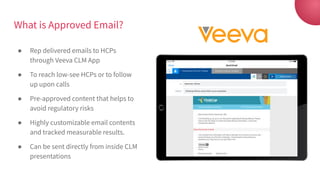
What is Approved Email?
● Rep delivered emails to HCPs
through Veeva CLM App
● To reach low-see HCPs or to follow
up upon calls
● Pre-approved content that helps to
avoid regulatory risks
● Highly customizable email contents
and tracked measurable results.
● Can be sent directly from inside CLM
presentations
Approved Emails are not:
● Mass marketing / campaigning emails:
They are highly customizable one-to-one emails.
● For general communication purposes:
They must content actionable and direct information.
● Unified-content emails:
Every HCPs should receive the right customized content
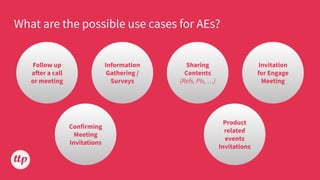
What are the possible use cases for AEs?
Follow up
after a call
or meeting
Information
Gathering /
Surveys
Sharing
Contents
(Refs, PIs, …)
Invitation
for Engage
Meeting
Product
related
events
Invitations
Confirming
Meeting
Invitations
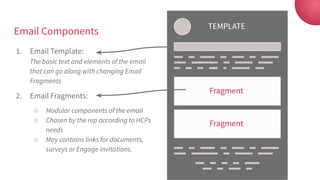
Email Components
1. Email Template:
The basic text and elements of the email
that can go along with changing Email
Fragments
2. Email Fragments:
○ Modular components of the email
○ Chosen by the rep according to HCPs
needs
○ May contains links for documents,
surveys or Engage invitations.
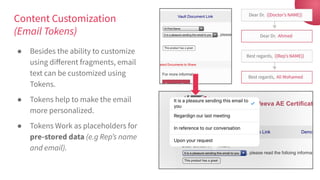
Content Customization
(Email Tokens)
● Besides the ability to customize
using different fragments, email
text can be customized using
Tokens.
● Tokens help to make the email
more personalized.
● Tokens Work as placeholders for
pre-stored data (e.g Rep’s name
and email).
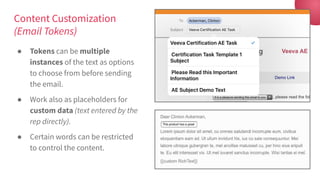
Content Customization
(Email Tokens)
● Tokens can be multiple
instances of the text as options
to choose from before sending
the email.
● Work also as placeholders for
custom data (text entered by the
rep directly).
● Certain words can be restricted
to control the content.
How to send AEs?
(iPad live demonstration)
● My Accounts Screen
● From Inside CLM Presentations
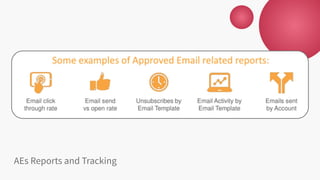
AEs Reports and Tracking
2019

Veeva Approved Emails - Overview

  • 1.
    The Tipping Point VeevaApproved Emails Overview
  • 2.
    What is ApprovedEmail? ● Rep delivered emails to HCPs through Veeva CLM App ● To reach low-see HCPs or to follow up upon calls ● Pre-approved content that helps to avoid regulatory risks ● Highly customizable email contents and tracked measurable results. ● Can be sent directly from inside CLM presentations
  • 3.
    Approved Emails arenot: ● Mass marketing / campaigning emails: They are highly customizable one-to-one emails. ● For general communication purposes: They must content actionable and direct information. ● Unified-content emails: Every HCPs should receive the right customized content
  • 4.
    What are thepossible use cases for AEs? Follow up after a call or meeting Information Gathering / Surveys Sharing Contents (Refs, PIs, …) Invitation for Engage Meeting Product related events Invitations Confirming Meeting Invitations
  • 5.
    Email Components 1. EmailTemplate: The basic text and elements of the email that can go along with changing Email Fragments 2. Email Fragments: ○ Modular components of the email ○ Chosen by the rep according to HCPs needs ○ May contains links for documents, surveys or Engage invitations.
  • 6.
    Content Customization (Email Tokens) ●Besides the ability to customize using different fragments, email text can be customized using Tokens. ● Tokens help to make the email more personalized. ● Tokens Work as placeholders for pre-stored data (e.g Rep’s name and email).
  • 7.
    Content Customization (Email Tokens) ●Tokens can be multiple instances of the text as options to choose from before sending the email. ● Work also as placeholders for custom data (text entered by the rep directly). ● Certain words can be restricted to control the content.
  • 8.
    How to sendAEs? (iPad live demonstration) ● My Accounts Screen ● From Inside CLM Presentations
  • 9.
  • 10.