























Caching, collating and filtering
data
Using YQL sensibly
What is the web?
Was ist das Web?
Data + Interfaces
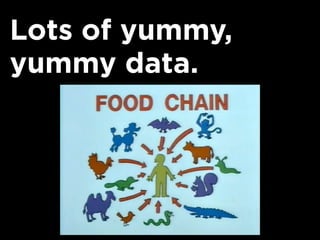
Lots of yummy,
yummy data.
Everybody benefits
from APIs.
Companies get their
data into
environments they
could never reach.
Developers can
build products
without buying data
or writing code.
Let’s play with two
examples.
Build a system to
calculate the
distance between
two places on Earth.
Use a map service?
Raw data and info
about the places
would be better to
have.
Simple Plan:
1. Find the location of the two places
on Earth
2. Calculate the distance.
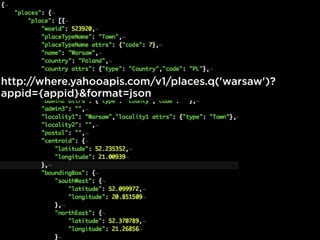
Earth Data = Yahoo
GeoPlanet
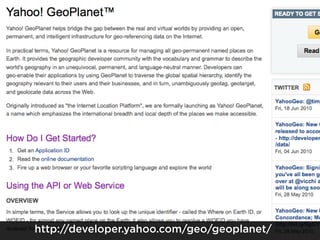
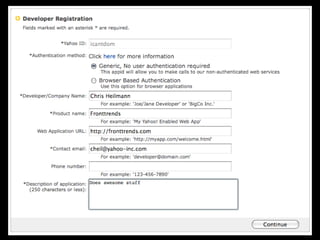
Yahoo GeoPlanet is
a data set that has
information about
the location of
places on Earth.
http://developer.yahoo.com/geo/geoplanet/
http://where.yahooapis.com/v1/places.q('warsaw')?
appid={appid}&format=json
= Latitude+Longitude
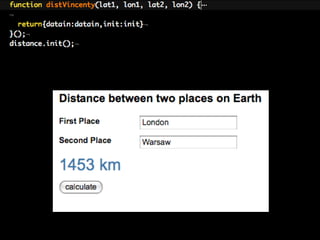
Distance?
http://www.movable-type.co.uk/scripts/latlong-
vincenty.html
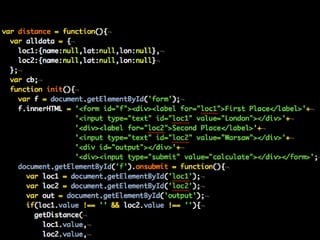
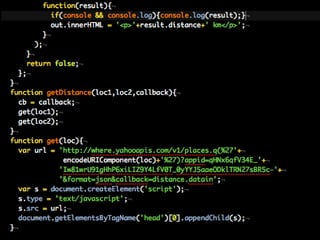
Putting it all
together...
Putting it all
together...
A few annoyances
1. Multiple script generation (order?
what if one breaks?)
2. Access keys readable in source.
Building a system to
translate foreign
tweets.
Twitter is
multilingual but
doesn’t translate.
Google has a
translation service
though.
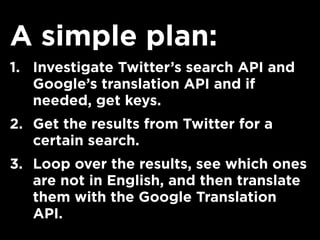
A simple plan:
1. Investigate Twitter’s search API and
Google’s translation API and if
needed, get keys.
2. Get the results from Twitter for a
certain search.
3. Loop over the results, see which ones
are not in English, and then translate
them with the Google Translation
API.
Really not that
much difference in
code.
It also suffers from
the same issues.
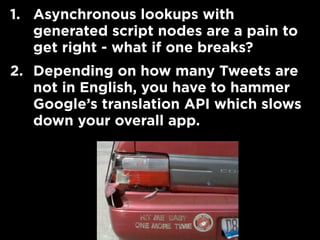
1. Asynchronous lookups with
generated script nodes are a pain to
get right - what if one breaks?
2. Depending on how many Tweets are
not in English, you have to hammer
Google’s translation API which slows
down your overall app.
YUI fixes a few of
those issues.
1. Using JSONP you can have success
and failure events.
2. You can also provide timeouts
IO
JSON
JSON-P
JSON-P
YQL-Query
GET
Still, it would be
nice to have one
request, right?
Simplifying access.
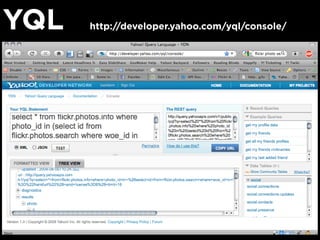
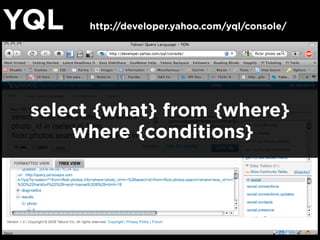
YQL http://developer.yahoo.com/yql/console/
select {what} from {where}
where {conditions}
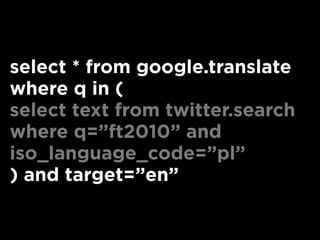
Foreign Tweets?
select text from twitter.search
where q=”ft2010” and
iso_language_code=”pl”
select * from google.translate
where q in (
select text from twitter.search
where q=”ft2010” and
iso_language_code=”pl”
) and target=”en”
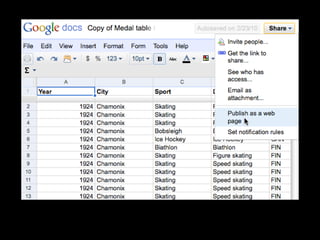
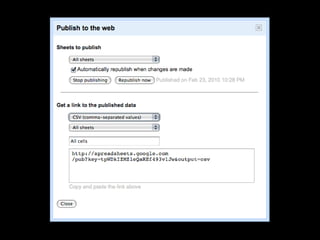
Re-using cool data
on the web?
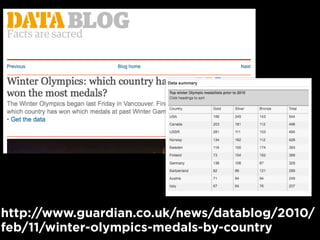
http://www.guardian.co.uk/news/datablog/2010/
feb/11/winter-olympics-medals-by-country
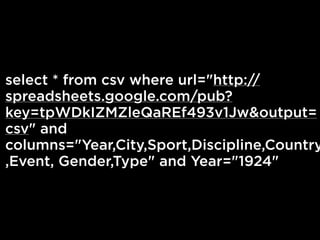
select * from csv where url="http://
spreadsheets.google.com/pub?
key=tpWDkIZMZleQaREf493v1Jw&output=
csv" and
columns="Year,City,Sport,Discipline,Country
,Event, Gender,Type" and Year="1924"
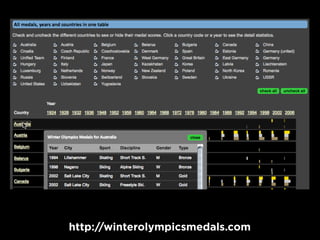
http://winterolympicsmedals.com
Instead of going
crazy filtering and
sorting in JS...
...use the YQL server
and then have a very
simple JS for
displaying.
Using web services
with YQL in JS.
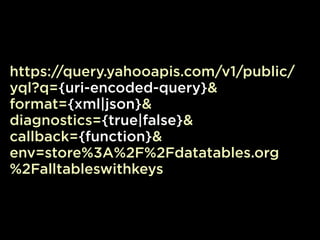
YQL is a web
service endpoint on
its own...
https://query.yahooapis.com/v1/public/
yql?q={uri-encoded-query}&
format={xml|json}&
diagnostics={true|false}&
callback={function}&
env=store%3A%2F%2Fdatatables.org
%2Falltableswithkeys
Special case:
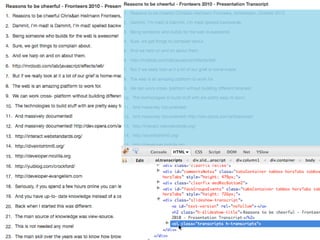
Scraping
http://www.flickr.com/photos/fdtate/4426760544/
http://www.slideshare.net/cheilmann/reasons-to-be-cheerful-fronteers-2010
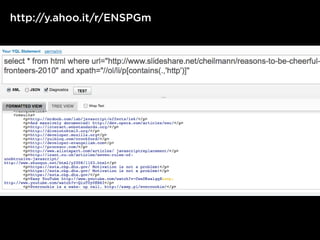
select * from html where
url="http://www.slideshare.net/
cheilmann/reasons-to-be-cheerful-
fronteers-2010"
and
xpath="//ol/li/p[contains(.,'http')]"
http://y.ahoo.it/r/ENSPGm
http://lanyrd.com/people/codepo8/
HTML as JSON is
not fun.
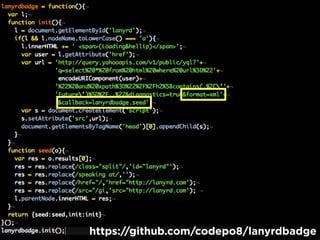
JSON-P-X =
HTML as a string in
a JSON-P container!
https://github.com/codepo8/lanyrdbadge
Using YQL re-use of
web content is very
easy indeed.
YUI3’s YQL-Query
makes it even
better!
Be safe,
be good...
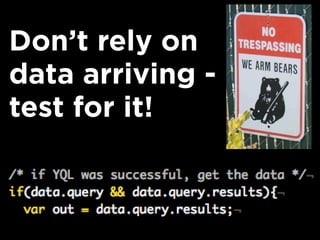
Don’t rely on
data arriving -
test for it!
XML to JSON?
XML to JSON?
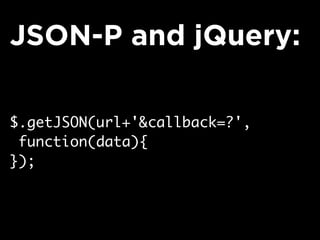
Using JSON is easy
with libraries.
$.getJSON(url+'&callback=?',
function(data){
});
JSON-P and jQuery:
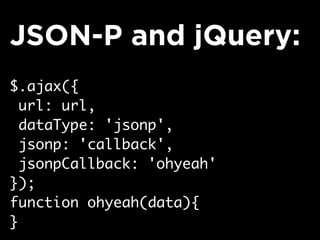
$.ajax({
url: url,
dataType: 'jsonp',
jsonp: 'callback',
jsonpCallback: 'ohyeah'
});
function ohyeah(data){
}
JSON-P and jQuery:
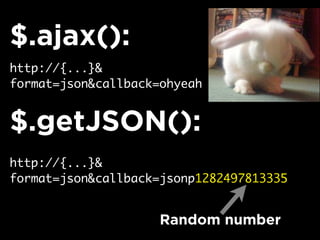
Which one to use?
getJSON() is
dangerous with
other people’s data.
http://{...}&
format=json&callback=ohyeah
$.ajax():
$.getJSON():
http://{...}&
format=json&callback=jsonp1282497813335
Random number
Cachebreaking is
not a good idea.
Local caching is a
good idea.
Cookies
suck,
though.
Would be good to
have a better
solution for that.
localStorage =
cookies on steroids.
if(('localStorage' in window) &&
window['localStorage'] !== null){
localStorage.setItem(
'cake',
'much better than cookies'
)
}
if(('localStorage' in window) &&
window['localStorage'] !== null){
var what = localStorage.getItem(
'cake'
)
// what -> 'much better than
cookies'
}
localStorage only
stores Strings - use
JSON to work
around that.
if(('localStorage' in window) &&
window['localStorage'] !== null){
localStorage.setItem(
'cake',
JSON.stringify(
{yummy:‘yes’,candles:5}
)
);
}
if(('localStorage' in window) &&
window['localStorage'] !== null){
var what = JSON.parse(
localStorage.getItem('cake')
);
// what -> Object{...}
// and not [Object object]
}
Let’s wrap this up in
a function.
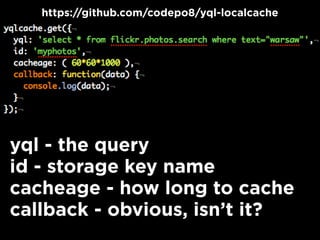
yql - the query
id - storage key name
cacheage - how long to cache
callback - obvious, isn’t it?
https://github.com/codepo8/yql-localcache
Browsers
supporting
localStorage fetch
the data every hour.
Others still work,
but load the data
every time.
callback gets an
object with two
properties:
data - guess what?
type - cached|live|freshcache
Libraries offer
storage fallbacks for
legacy browers via
Flash - YUI is of
course one of them.
Offering your own
API.
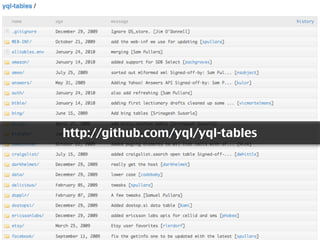
To get your own API
into YQL all you
need to do is write
an XML schema and
put it on GitHub.
http://github.com/yql/yql-tables
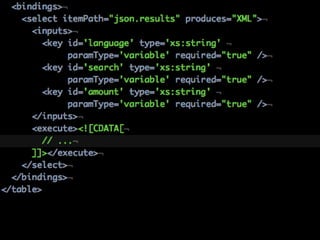
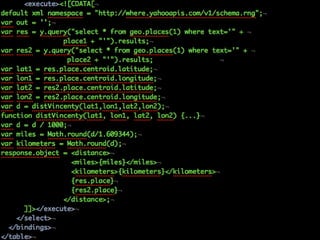
YQL allows you to
write “executable
tables”...
...which means you
can convert data
with JavaScript that
will be executed
server-side.
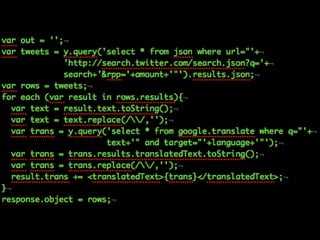
Our earlier
examples as YQL
APIs are...
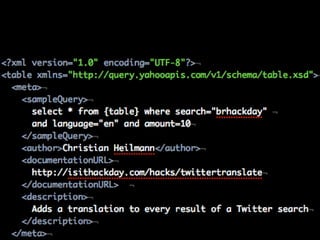
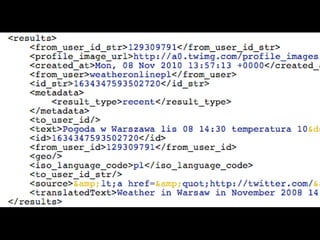
Twitter translate
example:
Offering your own
API.
Offering your own
API.
SELECT * FROM
twitter.translate WHERE
language="en" and
search="warszawa" and
amount="20"
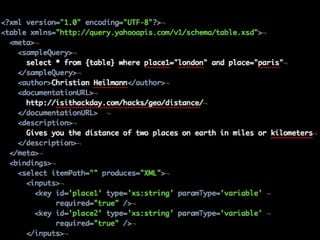
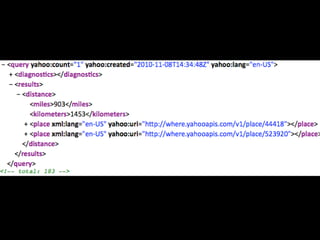
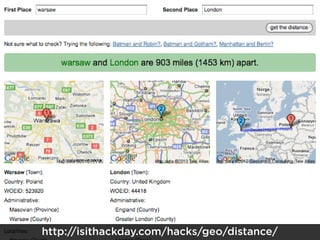
Distance example:
SELECT * FROM geo.distance
WHERE place1=”london” and
place2="warsaw"
http://isithackday.com/hacks/geo/distance/
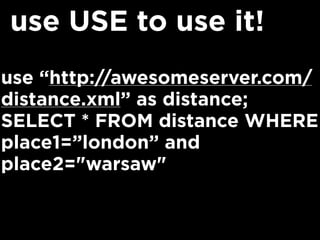
Using your JS
tables.
Write your schema,
put it on the web...
use “http://awesomeserver.com/
distance.xml” as distance;
SELECT * FROM distance WHERE
place1=”london” and
place2="warsaw"
use USE to use it!
Both
problems
solved
and
released
as an API
- in JS!
In summary
Use YQL instead of wasting time
reading API docs for a simple task
Filter data in the service and get the
info back in formats you need.
Use the fast YQL server instead of
doing lots of requests.
Write your own JS APIs using
execute.
Use local storage and don’t break
caching.
Go and use the web.
Go easy on effects.
Christian Heilmann
http://wait-till-i.com
http://developer-evangelism.com
@codepo8
Cheers

Using YQL Sensibly - YUIConf 2010