Introduction to Mantis
About Mantis
Efficient bug tracking system
 Web-based
 Multiple projects
Multiple languages
Easy to install and use
Topics
Issue Workflow
 Select Project
 View Issues
 Filter Issues
 Report Issue
 View Issue Detail
 Change Issue Status
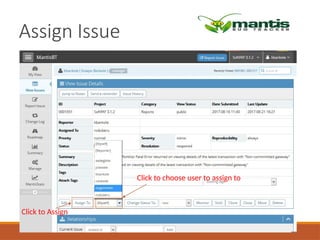
 Assign Issue
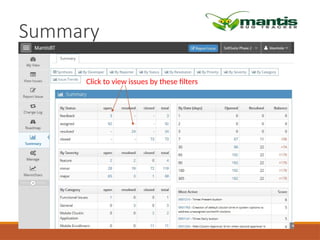
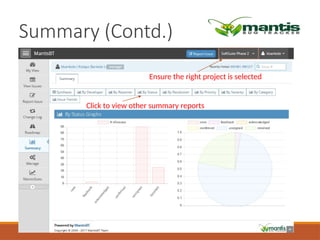
 Summary
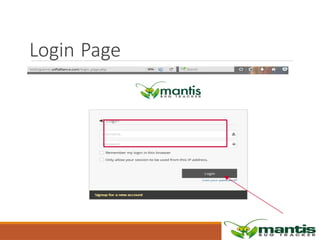
Login Page
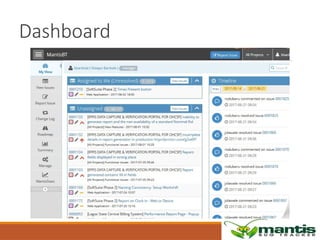
Dashboard
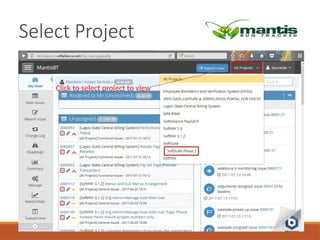
Select Project
Click to select project to view
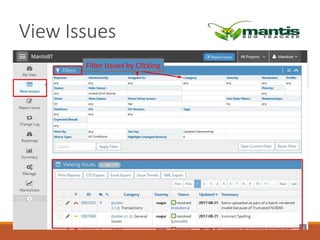
View Issues
Filter Issues by Clicking
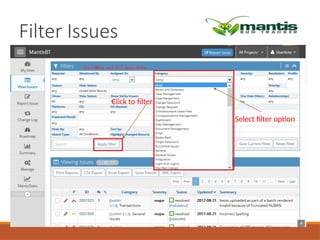
Filter Issues
Click to filter
Select filter option
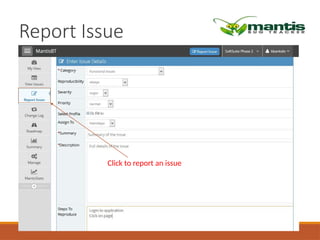
Report Issue
Click to report an issue
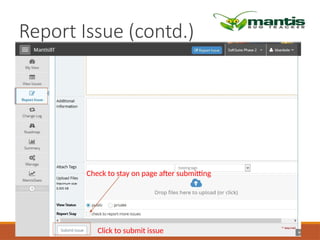
Report Issue (contd.)
Click to submit issue
Check to stay on page after submitting
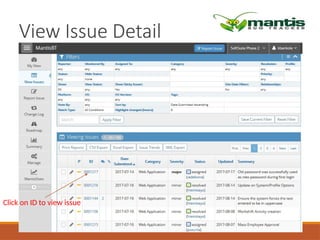
View Issue Detail
Click on ID to view issue
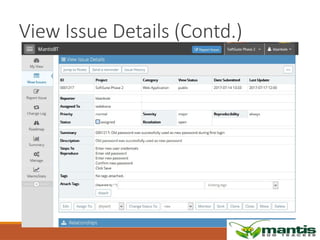
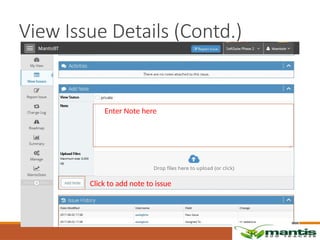
View Issue Details (Contd.)
Click to add note to issue
Enter Note here
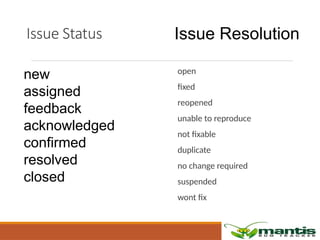
Issue Status
open
fixed
reopened
unable to reproduce
not fixable
duplicate
no change required
suspended
wont fix
Issue Resolution
new
assigned
feedback
acknowledged
confirmed
resolved
closed
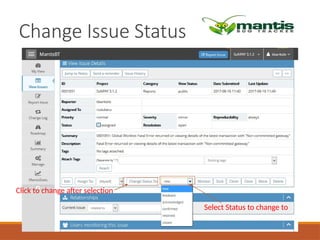
Change Issue Status
Select Status to change to
Click to change after selection
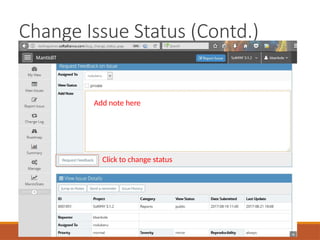
Change Issue Status (Contd.)
Click to change status
Add note here
Assign Issue
Click to choose user to assign to
Click to Assign
Summary
Click to view issues by these filters
Summary (Contd.)
Click to view other summary reports
Ensure the right project is selected
Conclusion
Mantis Bug Tracker (MantisBT) is a free, open-source, web-based tool
that's commonly used to track software defects:
Ease of use-Users can get started quickly and manage projects while
collaborating with clients and teammates.
Flexibility -MantisBT can be used as a generic issue tracking system and
project management tool.
Features -MantisBT provides an easy way to create, track, and resolve
bugs and issues. It also supports release features.
Plugins -You can install plugins to add features, such as the Graphs
plugin for graphical representations of data.
Database -MantisBT requires a database to store its data, and supports
MySQL and PostgreSQL.
Thank You

Using a Mantis Bug Reporting tool for testing Software Application.pptx