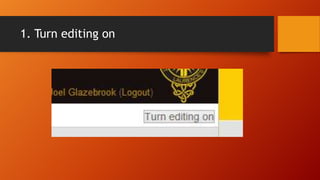
This tutorial teaches how to add labels to a course on Sloodle by turning on editing, clicking "Add a resource or activity", choosing labels from the resources menu, using the HTML editor to add label content, and saving to return to the course.


![Add a new page [autosaved]](https://cdn.slidesharecdn.com/ss_thumbnails/addanewpageautosaved-130513015505-phpapp01-thumbnail.jpg?width=640&height=640&fit=bounds)


![Add a picture [autosaved]](https://cdn.slidesharecdn.com/ss_thumbnails/addapictureautosaved-130513015508-phpapp01-thumbnail.jpg?width=640&height=640&fit=bounds)


![Change the header block [autosaved]](https://cdn.slidesharecdn.com/ss_thumbnails/changetheheaderblockautosaved-130513015527-phpapp02-thumbnail.jpg?width=640&height=640&fit=bounds)
![Add a file [autosaved]](https://cdn.slidesharecdn.com/ss_thumbnails/addafileautosaved-130513015456-phpapp01-thumbnail.jpg?width=640&height=640&fit=bounds)


![Add individual user [autosaved]](https://cdn.slidesharecdn.com/ss_thumbnails/addindividualuserautosaved-130513015513-phpapp02-thumbnail.jpg?width=640&height=640&fit=bounds)
