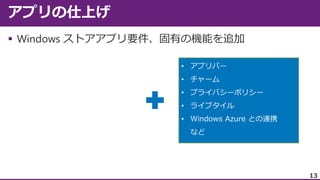
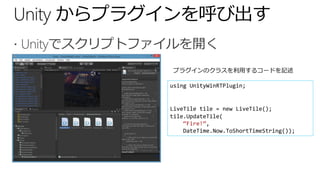
using System;
using System.Collections.Generic;
usingSystem.Linq;
using System.Text;
using System.Threading.Tasks;
#if NETFX_CORE
using Windows.UI.Notifications;
#endif
namespace UnityWinRTPlugin
{
public class LiveTile
{
public bool UpdateTile(string title, string text)
{
#if NETFX_CORE
var tile = TileUpdateManager.GetTemplateContent(TileTemplateType.TileSquareText02);
var elements = tile.GetElementsByTagName("text");
elements[0].AppendChild(tile.CreateTextNode(title));
elements[1].AppendChild(tile.CreateTextNode(text));
TileUpdateManager.CreateTileUpdaterForApplication().Update(new TileNotification(tile));
#endif
return true;
}
}
}





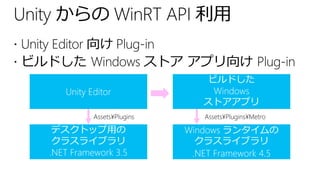
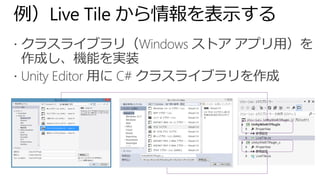
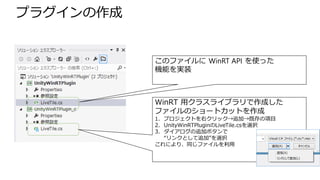
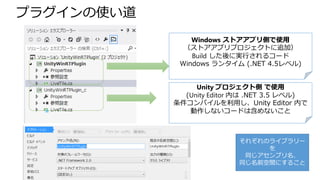
![using System;
using System.Collections.Generic;
using System.Linq;
using System.Text;
using System.Threading.Tasks;
#if NETFX_CORE
using Windows.UI.Notifications;
#endif
namespace UnityWinRTPlugin
{
public class LiveTile
{
public bool UpdateTile(string title, string text)
{
#if NETFX_CORE
var tile = TileUpdateManager.GetTemplateContent(TileTemplateType.TileSquareText02);
var elements = tile.GetElementsByTagName("text");
elements[0].AppendChild(tile.CreateTextNode(title));
elements[1].AppendChild(tile.CreateTextNode(text));
TileUpdateManager.CreateTileUpdaterForApplication().Update(new TileNotification(tile));
#endif
return true;
}
}
}](https://image.slidesharecdn.com/unityonwindows81-131204030936-phpapp02/85/Unity-on-Windows-8-1-33-320.jpg)



![[Java Festa in 札幌 2012] Windows Azure を活用した Windows 8 アプリケーション開発](https://cdn.slidesharecdn.com/ss_thumbnails/20121005javafestaazurew8v5share-121008214558-phpapp02-thumbnail.jpg?width=640&height=640&fit=bounds)


