Java Multi-threading
• Amultithreaded program contains two or more parts that can run concurrently
• Each part of such a program (a single program) is called a thread, and each thread defines a
separate path of execution
• Thus, multithreading is a specialized form of multitasking – thread-based multitasking
• Take for example, MS Word, while you are editing (this is one task), MS Word automatically saves your document
(a second task) simultaneously
• Another form of multitasking is process-based multitasking – two or more programs running in parallel
(while using MS Word, you can listen to the music using Windows Media Player – these two are separate
programs or processes)
• Java provides built-in support for multithreaded programming.
• Threads exist in several states
• Running – currently using the CPU
• Ready to run – as soon as it gets the CPU
• Suspended – a thread that temporarily halts its activity – a suspended thread can then be
resumed allowing it to pick up where it left off
• Blocked – a thread is in block state if it is waiting for a resource (disk file, network, etc)
• Terminated – a thread that halts its execution – once terminated cannot be resumed
3
By Melese E., Department of Computer Science
Tuesday, May 21, 2024
4.
Java Multi-threading
• ThreadPriority
• Java assigns to each thread a priority that determines how that thread should be
treated with respect to the others
• A thread’s priority is used to decide when to switch from one running thread to the
next
• This is called a context switch
• The rules that determine when a context switch takes place are simple
• A thread can voluntarily relinquish control. This occurs when explicitly yielding, sleeping, or
when blocked. In this scenario, all other threads are examined, and the highest-priority
thread that is ready to run is given the CPU
• A thread can be preempted by a higher-priority thread. In this case, a lower-priority thread
that does not yield the processor is simply preempted—no matter what it is doing—by a
higher-priority thread. Basically, as soon as a higher-priority thread wants to run, it does. This
is called preemptive multitasking
• In cases where two threads with the same priority are competing for CPU cycles, the
situation is a bit complicated.
• For some operating systems, threads of equal priority are time-sliced automatically in round-
robin fashion.
• For other types of operating systems, threads of equal priority must voluntarily yield control
to their peers. If they don’t, the other threads will not run
4
By Melese E., Department of Computer Science
Tuesday, May 21, 2024
5.
Java Multi-threading
• Synchronization
•Because multithreading introduces an asynchronous behavior to your
programs, there must be a way for you to enforce synchronicity when you
need it.
• For example, if you want two threads to communicate and share a complicated data
structure, such as a linked list, you need some way to ensure that they don’t conflict with
each other
• That is, you must prevent one thread from writing data while another thread is in the
middle of reading it
• For this purpose, Java implements an elegant twist on an age-old model of
interprocess synchronization: the monitor
• You can think of a monitor as a very small box that can hold only one thread.
• Once a thread enters a monitor, all other threads must wait until that thread exits the
monitor.
• In this way, a monitor can be used to protect a shared asset from being manipulated by more
than one thread at a time
5
By Melese E., Department of Computer Science
Tuesday, May 21, 2024
6.
Java Multi-threading
• Tocreate a multithreaded program in Java – Java provides
• The Thread class
• The Runnable interface
• To create a new thread, your program will either extend Thread class or
implement the Runnable interface.
• The Thread class defines several methods that help manage threads – some of
them are
• getName() – obtain thread’s name
• getPriority() – obtain thread’s priority
• isAlive() – determine if a thread is still running
• join() – wait for a thread to terminate
• run() – entry point for the thread
• sleep() – suspend a thread for a period of time
• start() – start a thread by calling its run method
• setName() – sets the name of the thread
• setPriority() – sets the priority of the thread
• getState( ) – obtain the state of a thread (BLOCKED, RUNNABLE, WAITING, )
6
By Melese E., Department of Computer Science
Tuesday, May 21, 2024
7.
Java Multi-threading
• TheMain Thread
• When a Java program starts up, one thread begins running immediately.
• This is usually called the main thread of your program, because it is the one that is
executed when your program begins.
• The main thread is important for two reasons:
• It is the thread from which other “child” threads will be spawned
• Often, it must be the last thread to finish execution because it performs various
shutdown actions
• Although the main thread is created automatically when your program is
started, it can be controlled through a Thread object.
• To do so, you must obtain a reference to it by calling the method currentThread( )
• static Thread currentThread( )
7
By Melese E., Department of Computer Science
Tuesday, May 21, 2024
8.
Java Multi-threading
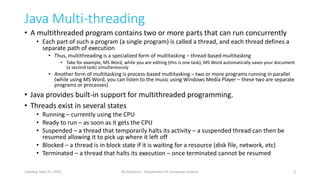
public classThreading1 {
public static void main(String[] args) throws InterruptedException {
Thread t = Thread.currentThread();
System.out.println(t.getName());
t.setName("This is the Main Thread");
System.out.println(t.getName());
System.out.println(t.getPriority());
System.out.println(t.getState());
t.sleep(2000);
System.out.println("After suspending for 2 seconds");
}
}
8
By Melese E., Department of Computer Science
Tuesday, May 21, 2024
9.
Java Multi-threading
• Creatinga Thread – there are two options
• Option One: extending the Thread class
• Option two: implementing the Runnable interface
• The choice is yours
• In both cases, your class needs to have the run method
• Overriding the run method in the case of extending Thread class
• Implementing the run method in the case of implementing the Runnable
• The run method looks as follows
•
public void run() {
//put what your thread should do here
}
9
By Melese E., Department of Computer Science
Tuesday, May 21, 2024
10.
Java Multi-threading
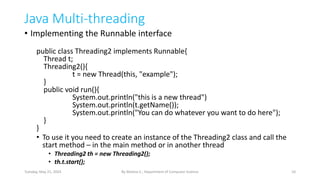
• Implementingthe Runnable interface
public class Threading2 implements Runnable{
Thread t;
Threading2(){
t = new Thread(this, "example");
}
public void run(){
System.out.println("this is a new thread")
System.out.println(t.getName());
System.out.println("You can do whatever you want to do here");
}
}
• To use it you need to create an instance of the Threading2 class and call the
start method – in the main method or in another thread
• Threading2 th = new Threading2();
• th.t.start();
10
By Melese E., Department of Computer Science
Tuesday, May 21, 2024
11.
Java Multi-threading
• Thefollowing program creates a new threading using the previous
implementation
class Main{
public static void main(String args[]){
System.out.println("in the main method");
Threading2 th = new Threading2();
System.out.println(th.t.getName());
th.t.start();
System.out.println(Thread.currentThread().getName());
System.out.println("This is also in the main thread");
}
}
11
By Melese E., Department of Computer Science
Tuesday, May 21, 2024
12.
Java Multi-threading
• Extendingthe Thread class
•
public class Threading3 extends Thread{
Threading3(){
setName("example");
}
public void run(){
System.out.println("this is a new thread");
System.out.println(getName());
System.out.println("You can do whatever you want to do here");
}
}
• To use it you need to create an instance of the Threading3 class and call the
start method – in the main method or in another thread
• Threading3 th = new Threading3();
• th.start();
12
By Melese E., Department of Computer Science
Tuesday, May 21, 2024
13.
Java Multi-threading
• Thefollowing program creates a new threading using the previous
implementation – extending the Thread class
•
class Main{
public static void main(String args[]){
System.out.println("in the main method");
Threading3 th = new Threading3();
System.out.println(th.getName());
th.start();
System.out.println(Thread.currentThread().getName());
System.out.println("This is also in the main thread");
}
}
13
By Melese E., Department of Computer Science
Tuesday, May 21, 2024
14.
Java Multi-threading
• Theprevious examples, create one thread
• This means there are two threads – the main thread and the example thread
• You may need to create multiple threads
• Same task – using multiple instances of the same class and/or
• Having multiple implementation for each thread
• Using the previous example you can create as many threads as you need –
but all threads perform same task
• Threading3 t1 = new Threading3();
• Threading3 t2 = new Threading3();
• t1.start();
• t2.start();
• You can create an array of threads as follows
•
Threading3 threads[] = new Threading3[5];
For(int i=0; i<5; i++) {
Threads[i] = new Threading3();
Threads[i].start();
}
14
By Melese E., Department of Computer Science
Tuesday, May 21, 2024
15.
Java Multi-threading
• Youmay have two or more threads that perform different task
• For each task, you need to have a separate implementation of thread
• You can create as many threads as you need
• Then you use them as follows
• TaskOne t = new TaskOne();
• TaskTwo t2 = new TaskTwo();
• t.start();
• t2.start()
15
By Melese E., Department of Computer Science
Tuesday, May 21, 2024
class TaskOne extends Thread{
TaskOne(){
super(“Task One”);
}
public void run(){
System.out.println(“Thread task one”);
}
}
class TaskTwo extends Thread{
TaskTwo(){
super(“Task Two”);
}
public void run(){
System.out.println(“Thread task Two”);
}
}
16.
Java Multi-threading
• ThreadPriority
• There are two methods to work with priority
• final int getPriority()
• final void setPriority(int level)
• The priority level must be within Thread.MIN_PRIORITY and MAX_PRIORITY
(which is one (1) and ten (10) respectively)
• The default priority is Thread.NORM_PRIORITY – which is 5 (five)
16
By Melese E., Department of Computer Science
Tuesday, May 21, 2024
17.
Java Multi-threading
• Synchronization
•When two or more threads need access to a shared resource, they need some
way to ensure that the resource will be used by only one thread at a time.
• The process by which this is achieved is called synchronization
• Key to synchronization is the concept of the monitor.
• A monitor is an object that is used as a mutually exclusive lock
• Only one thread can own a monitor at a given time.
• When a thread acquires a lock, it is said to have entered the monitor.
• All other threads attempting to enter the locked monitor will be suspended until the first
thread exits the monitor.
• These other threads are said to be waiting for the monitor.
• A thread that owns a monitor can reenter the same monitor if it so desires
• You can synchronize your code in either of two ways. Both involve the use of
the synchronized keyword
• Using a synchronized method
• Using a synchronized statement
17
By Melese E., Department of Computer Science
Tuesday, May 21, 2024
18.
Java Multi-threading
• Synchronization– using a synchronized method
• A synchronized method is a method that is modified with the synchronized
keyword
• While a thread is inside a synchronized method, all other threads that try to
call it (or any other synchronized method) on the same instance have to wait.
• To exit the monitor and relinquish control of the object to the next waiting
thread, the owner of the monitor simply returns from the synchronized
method
• In the following example program, nothing exists to stop all three threads
from calling the same method, on the same object, at the same time.
• In this case the display method of the object example
• This is known as a race condition, because the three threads are racing each
other to complete the method
18
By Melese E., Department of Computer Science
Tuesday, May 21, 2024
19.
Java Multi-threading
public classThreadingSync{
public static void main(String[] args){
Example example = new Example();
TheThread th1 = new TheThread("Thread One", example);
TheThread th2 = new TheThread("Thread Two",example);
TheThread th3 = new TheThread("Thread Three",example);
th1.start();
th2.start();
th3.start();
}
}
19
By Melese E., Department of Computer Science
Tuesday, May 21, 2024
class Example{
void display(String msg, String threadName) throws InterruptedException{
System.out.println(threadName + " displays " + msg);
Thread.sleep(1000);
System.out.println(threadName + " displays " + msg + " again");
}
}
class TheThread extends Thread{
Example ex;
TheThread(String name, Example e ){
super(name);
ex = e;
}
public void run(){
try{
ex.display( "'THE MESSAGE'",getName());
}catch(InterruptedException ie){
}}}
20.
Java Multi-threading
• Synchronization– using a synchronized method
• Modifying the display method in the Example class by modifying it with the
synchronized keyword prevents threads to enter the method at the same
time
synchronized void display(String msg, String threadName) throws InterruptedException{
System.out.println(threadName + " displays " + msg);
Thread.sleep(1000);
System.out.println(threadName + " displays " + msg + " again");
}
20
By Melese E., Department of Computer Science
Tuesday, May 21, 2024
21.
Java Multi-threading
• Synchronization– using the
synchronized statement
• Some times you may not be able to
use synchronized methods (may be
you have no access to the source
code of the methods)
• In such cases use the synchronized
block statement
• Include the statements (that make
the threads into a race condition)
inside the synchronized block
class TheThread extends Thread{
Example ex;
TheThread(String name, Example e ){
super(name);
ex = e;
}
public void run(){
try{
synchronized(ex){
ex.display( "'THE
MESSAGE'",getName());
}
}
catch(InterruptedException ie){
}
}
}
21
By Melese E., Department of Computer Science
Tuesday, May 21, 2024




![Java Multi-threading
public class Threading1 {
public static void main(String[] args) throws InterruptedException {
Thread t = Thread.currentThread();
System.out.println(t.getName());
t.setName("This is the Main Thread");
System.out.println(t.getName());
System.out.println(t.getPriority());
System.out.println(t.getState());
t.sleep(2000);
System.out.println("After suspending for 2 seconds");
}
}
8
By Melese E., Department of Computer Science
Tuesday, May 21, 2024](https://image.slidesharecdn.com/unit5-javamultithreading-250216172402-4382763f/85/Unit-5-Java-Multihhhhhhhhhhhhhhhhhhhhaaaaaaaaaaaaaaaaathreading-pdf-8-320.jpg)

![Java Multi-threading
• The following program creates a new threading using the previous
implementation
class Main{
public static void main(String args[]){
System.out.println("in the main method");
Threading2 th = new Threading2();
System.out.println(th.t.getName());
th.t.start();
System.out.println(Thread.currentThread().getName());
System.out.println("This is also in the main thread");
}
}
11
By Melese E., Department of Computer Science
Tuesday, May 21, 2024](https://image.slidesharecdn.com/unit5-javamultithreading-250216172402-4382763f/85/Unit-5-Java-Multihhhhhhhhhhhhhhhhhhhhaaaaaaaaaaaaaaaaathreading-pdf-11-320.jpg)

![Java Multi-threading
• The following program creates a new threading using the previous
implementation – extending the Thread class
•
class Main{
public static void main(String args[]){
System.out.println("in the main method");
Threading3 th = new Threading3();
System.out.println(th.getName());
th.start();
System.out.println(Thread.currentThread().getName());
System.out.println("This is also in the main thread");
}
}
13
By Melese E., Department of Computer Science
Tuesday, May 21, 2024](https://image.slidesharecdn.com/unit5-javamultithreading-250216172402-4382763f/85/Unit-5-Java-Multihhhhhhhhhhhhhhhhhhhhaaaaaaaaaaaaaaaaathreading-pdf-13-320.jpg)
![Java Multi-threading
• The previous examples, create one thread
• This means there are two threads – the main thread and the example thread
• You may need to create multiple threads
• Same task – using multiple instances of the same class and/or
• Having multiple implementation for each thread
• Using the previous example you can create as many threads as you need –
but all threads perform same task
• Threading3 t1 = new Threading3();
• Threading3 t2 = new Threading3();
• t1.start();
• t2.start();
• You can create an array of threads as follows
•
Threading3 threads[] = new Threading3[5];
For(int i=0; i<5; i++) {
Threads[i] = new Threading3();
Threads[i].start();
}
14
By Melese E., Department of Computer Science
Tuesday, May 21, 2024](https://image.slidesharecdn.com/unit5-javamultithreading-250216172402-4382763f/85/Unit-5-Java-Multihhhhhhhhhhhhhhhhhhhhaaaaaaaaaaaaaaaaathreading-pdf-14-320.jpg)


![Java Multi-threading
public class ThreadingSync{
public static void main(String[] args){
Example example = new Example();
TheThread th1 = new TheThread("Thread One", example);
TheThread th2 = new TheThread("Thread Two",example);
TheThread th3 = new TheThread("Thread Three",example);
th1.start();
th2.start();
th3.start();
}
}
19
By Melese E., Department of Computer Science
Tuesday, May 21, 2024
class Example{
void display(String msg, String threadName) throws InterruptedException{
System.out.println(threadName + " displays " + msg);
Thread.sleep(1000);
System.out.println(threadName + " displays " + msg + " again");
}
}
class TheThread extends Thread{
Example ex;
TheThread(String name, Example e ){
super(name);
ex = e;
}
public void run(){
try{
ex.display( "'THE MESSAGE'",getName());
}catch(InterruptedException ie){
}}}](https://image.slidesharecdn.com/unit5-javamultithreading-250216172402-4382763f/85/Unit-5-Java-Multihhhhhhhhhhhhhhhhhhhhaaaaaaaaaaaaaaaaathreading-pdf-19-320.jpg)


