Unit 10
Files and file handling in C
Introduction
• The input output functions like printf(), scanf(), getchar(), putchar() etc
are known as console oriented I/O functions which always use input
devices and computer screen or monitor for output devices.
• Using these library function, the entire data is lost when either the
program is terminated or the computer is turned off.
• This problem invites concept of data files in which data can be stored
on the disks and read whenever necessary, without destroying data.
Ashim Lamichhane 2
Intro..
• A file is a place on the disk where a group of related data is stored.
• The data file allows us to store information and to access and alter the
information whenever necessary.
• C has various library functions for creating and processing data files
• Mainly there are two types of data files, one is stream oriented or
standard or high level and another is system oriented or low level data
files.
Ashim Lamichhane 3
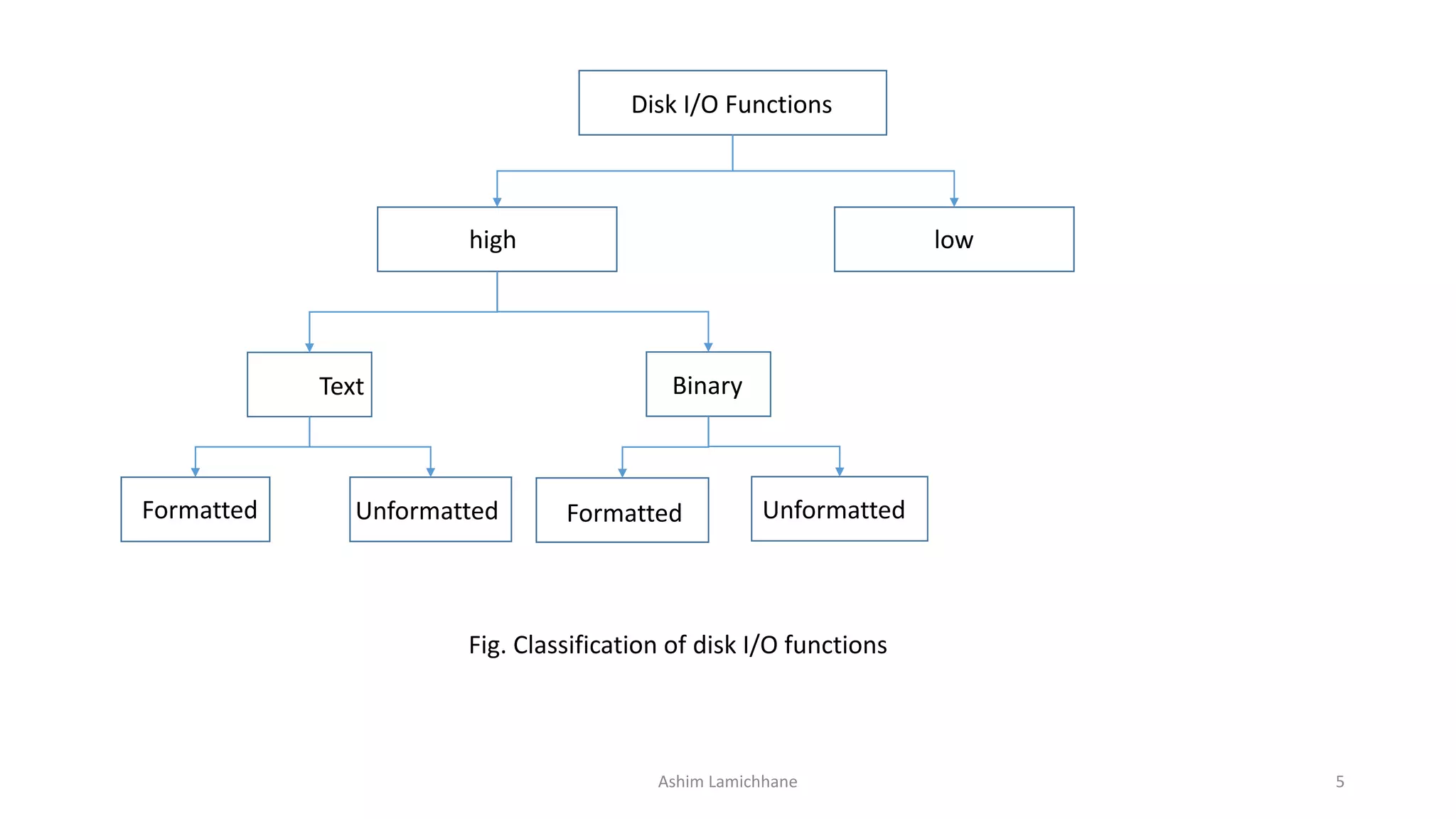
• The standard data files are again subdivided into text files and binary
files.
• The text files consists of consecutive characters and these characters
are interpreted as individual data item.
• The binary files organize data into blocks containing contiguous bytes
of information.
• For each binary and text files, there are number of formatted and
unformatted library functions in C.
Ashim Lamichhane 4
Disk I/O Functions
high low
Text Binary
Formatted FormattedUnformatted Unformatted
Fig. Classification of disk I/O functions
Ashim Lamichhane 5
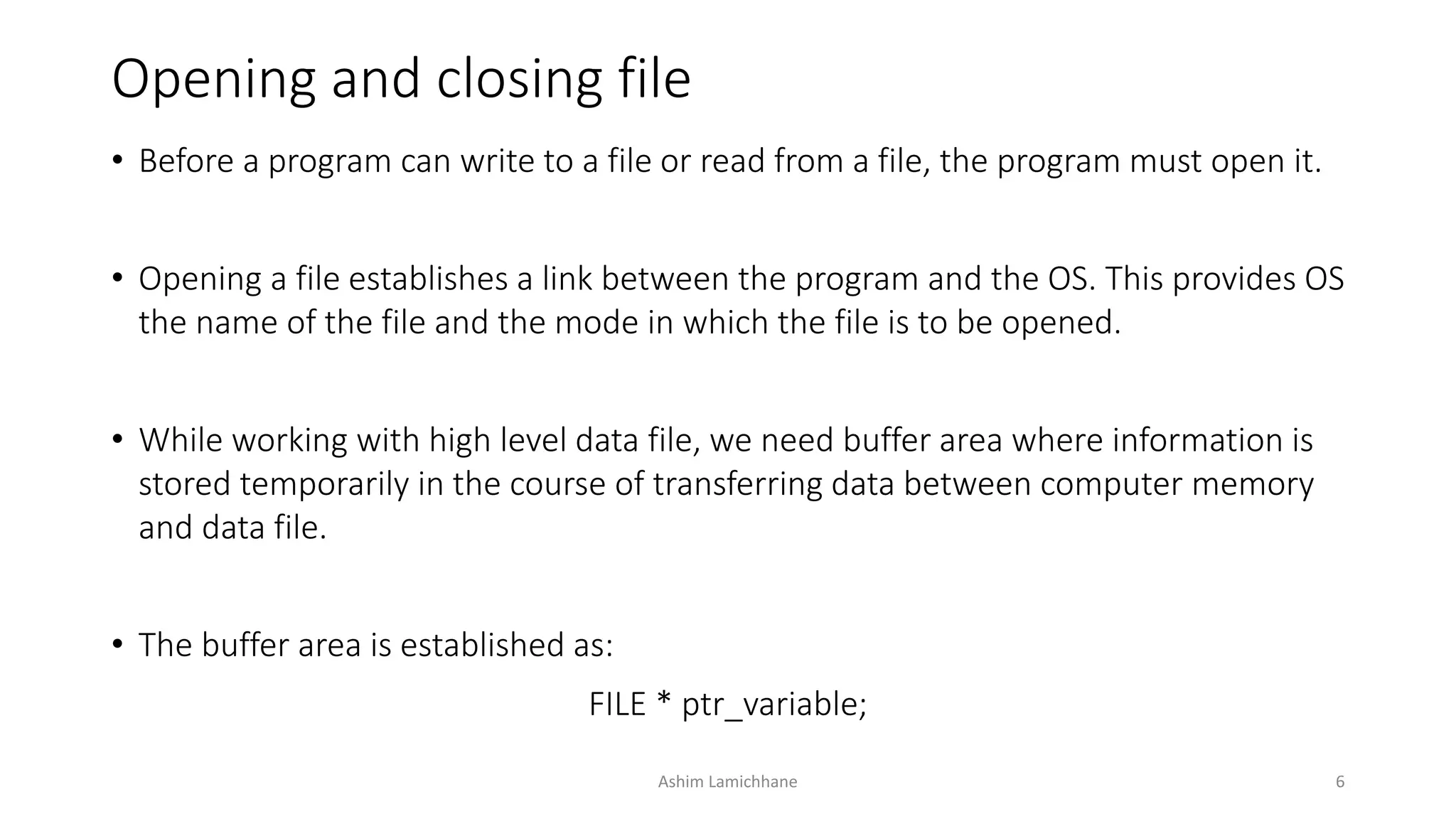
Opening and closing file
• Before a program can write to a file or read from a file, the program must open it.
• Opening a file establishes a link between the program and the OS. This provides OS
the name of the file and the mode in which the file is to be opened.
• While working with high level data file, we need buffer area where information is
stored temporarily in the course of transferring data between computer memory
and data file.
• The buffer area is established as:
FILE * ptr_variable;
Ashim Lamichhane 6
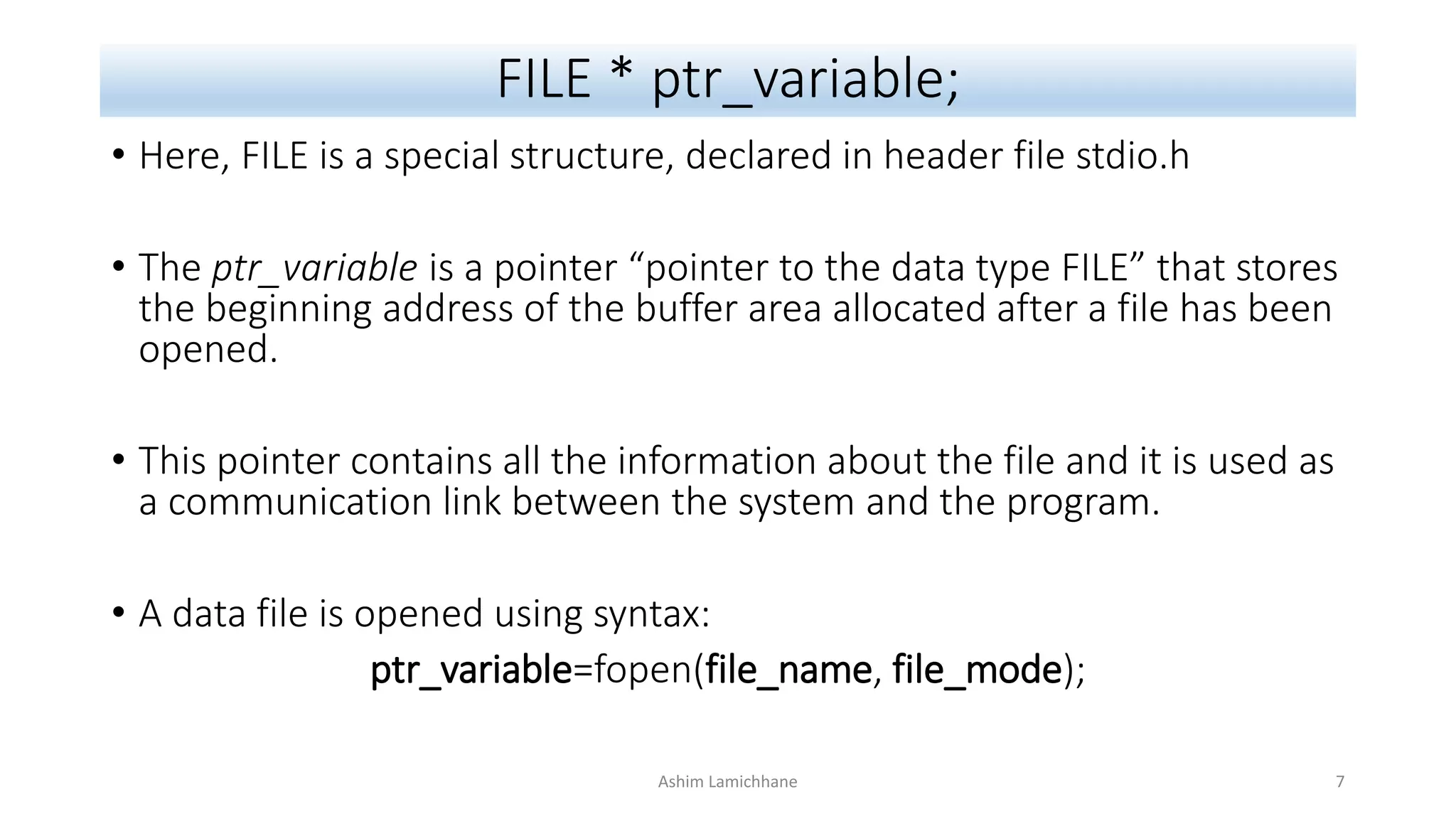
FILE * ptr_variable;
• Here, FILE is a special structure, declared in header file stdio.h
• The ptr_variable is a pointer “pointer to the data type FILE” that stores
the beginning address of the buffer area allocated after a file has been
opened.
• This pointer contains all the information about the file and it is used as
a communication link between the system and the program.
• A data file is opened using syntax:
ptr_variable=fopen(file_name, file_mode);
Ashim Lamichhane 7
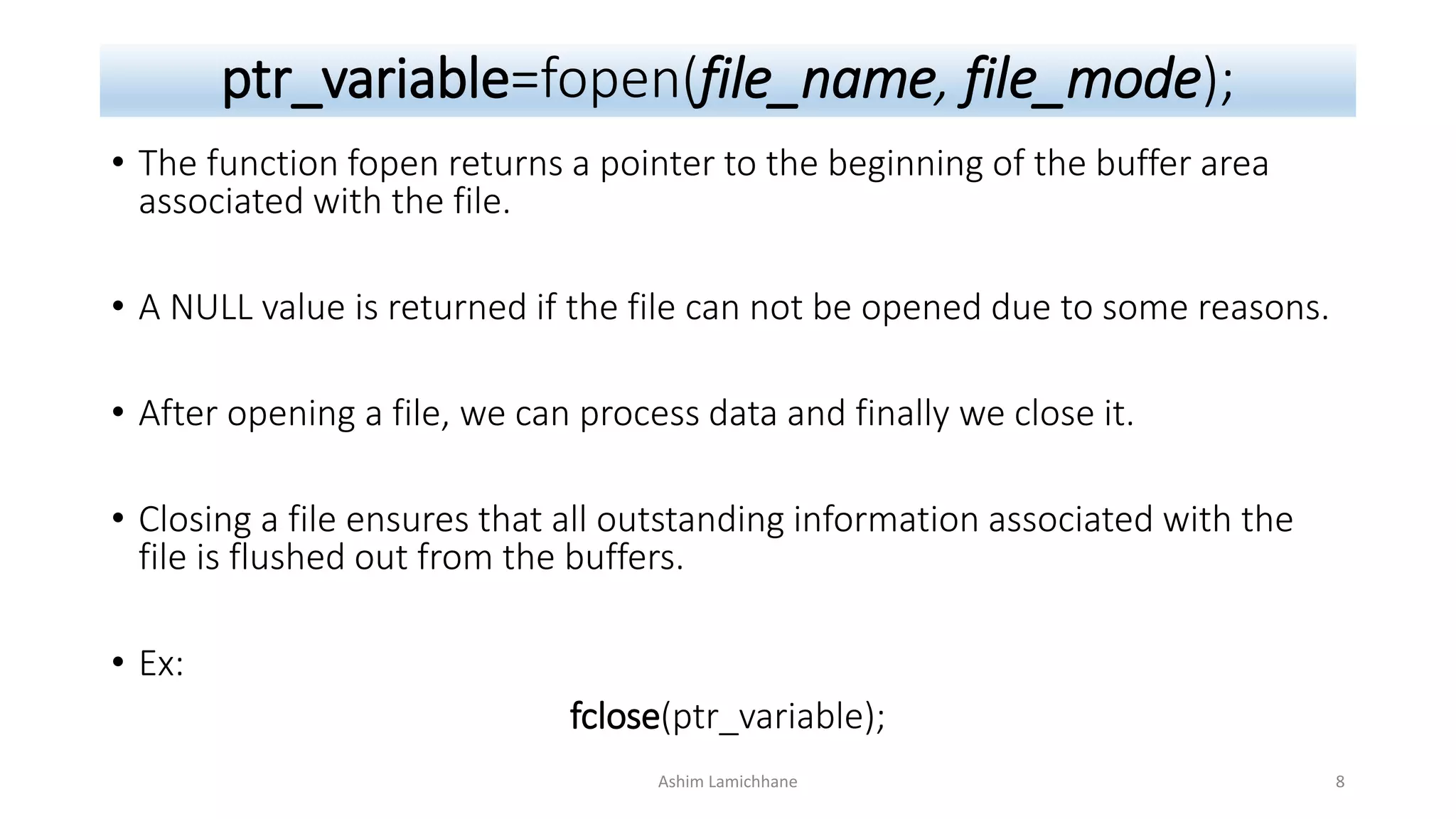
ptr_variable=fopen(file_name, file_mode);
• The function fopen returns a pointer to the beginning of the buffer area
associated with the file.
• A NULL value is returned if the file can not be opened due to some reasons.
• After opening a file, we can process data and finally we close it.
• Closing a file ensures that all outstanding information associated with the
file is flushed out from the buffers.
• Ex:
fclose(ptr_variable);
Ashim Lamichhane 8
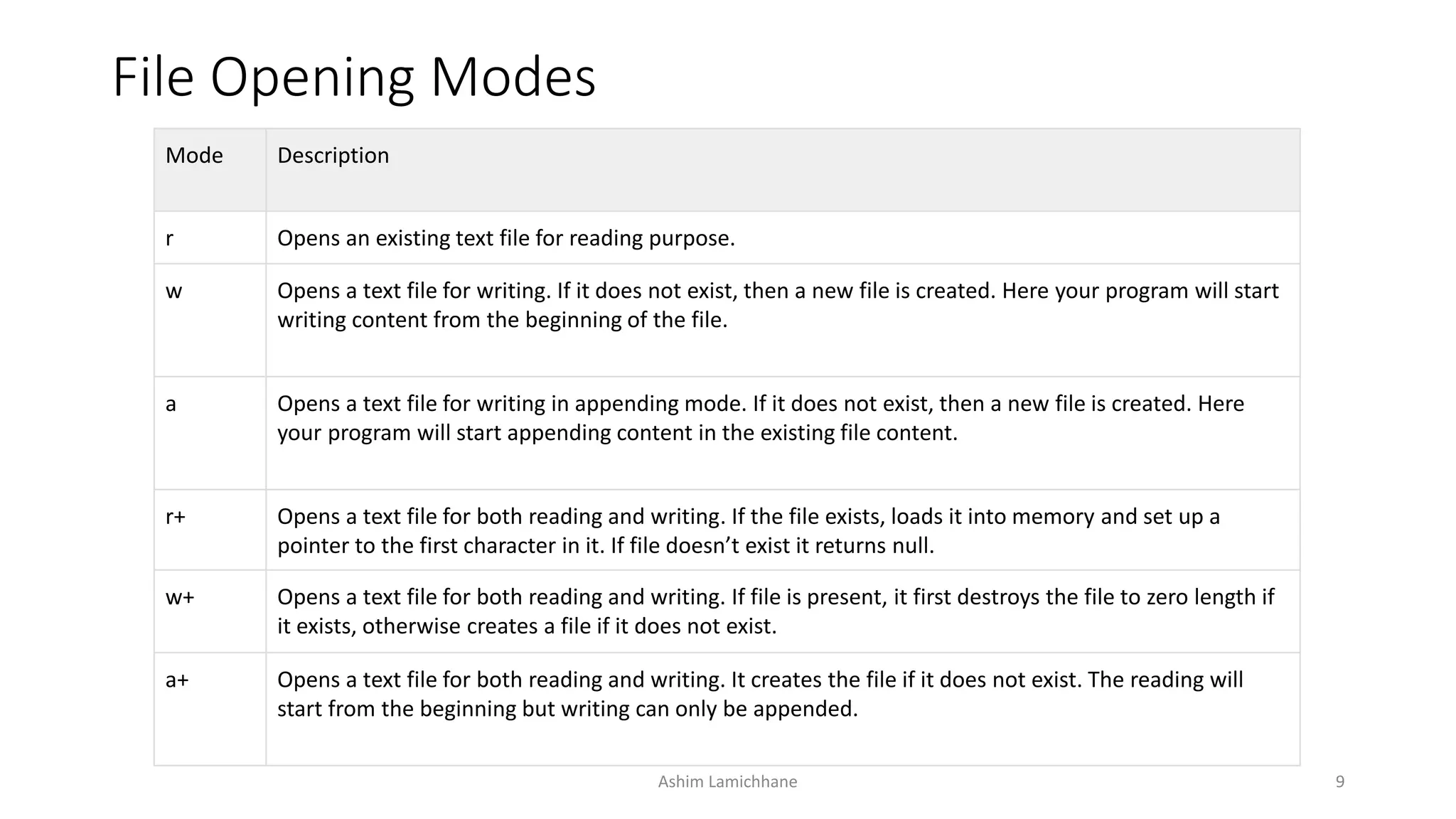
File Opening Modes
Mode Description
r Opens an existing text file for reading purpose.
w Opens a text file for writing. If it does not exist, then a new file is created. Here your program will start
writing content from the beginning of the file.
a Opens a text file for writing in appending mode. If it does not exist, then a new file is created. Here
your program will start appending content in the existing file content.
r+ Opens a text file for both reading and writing. If the file exists, loads it into memory and set up a
pointer to the first character in it. If file doesn’t exist it returns null.
w+ Opens a text file for both reading and writing. If file is present, it first destroys the file to zero length if
it exists, otherwise creates a file if it does not exist.
a+ Opens a text file for both reading and writing. It creates the file if it does not exist. The reading will
start from the beginning but writing can only be appended.
Ashim Lamichhane 9
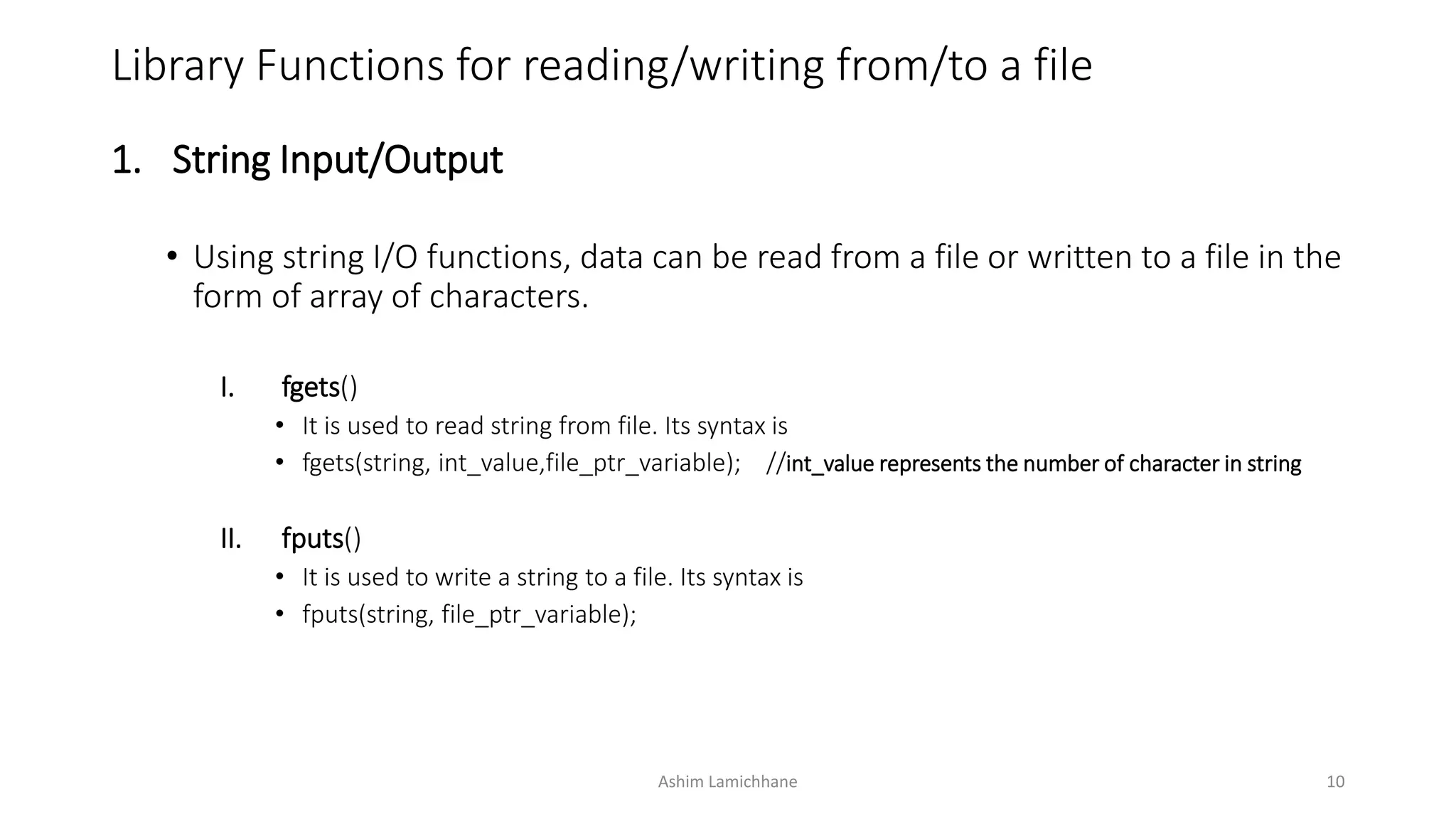
Library Functions for reading/writing from/to a file
1. String Input/Output
• Using string I/O functions, data can be read from a file or written to a file in the
form of array of characters.
I. fgets()
• It is used to read string from file. Its syntax is
• fgets(string, int_value,file_ptr_variable); //int_value represents the number of character in string
II. fputs()
• It is used to write a string to a file. Its syntax is
• fputs(string, file_ptr_variable);
Ashim Lamichhane 10
Ashim Lamichhane 11
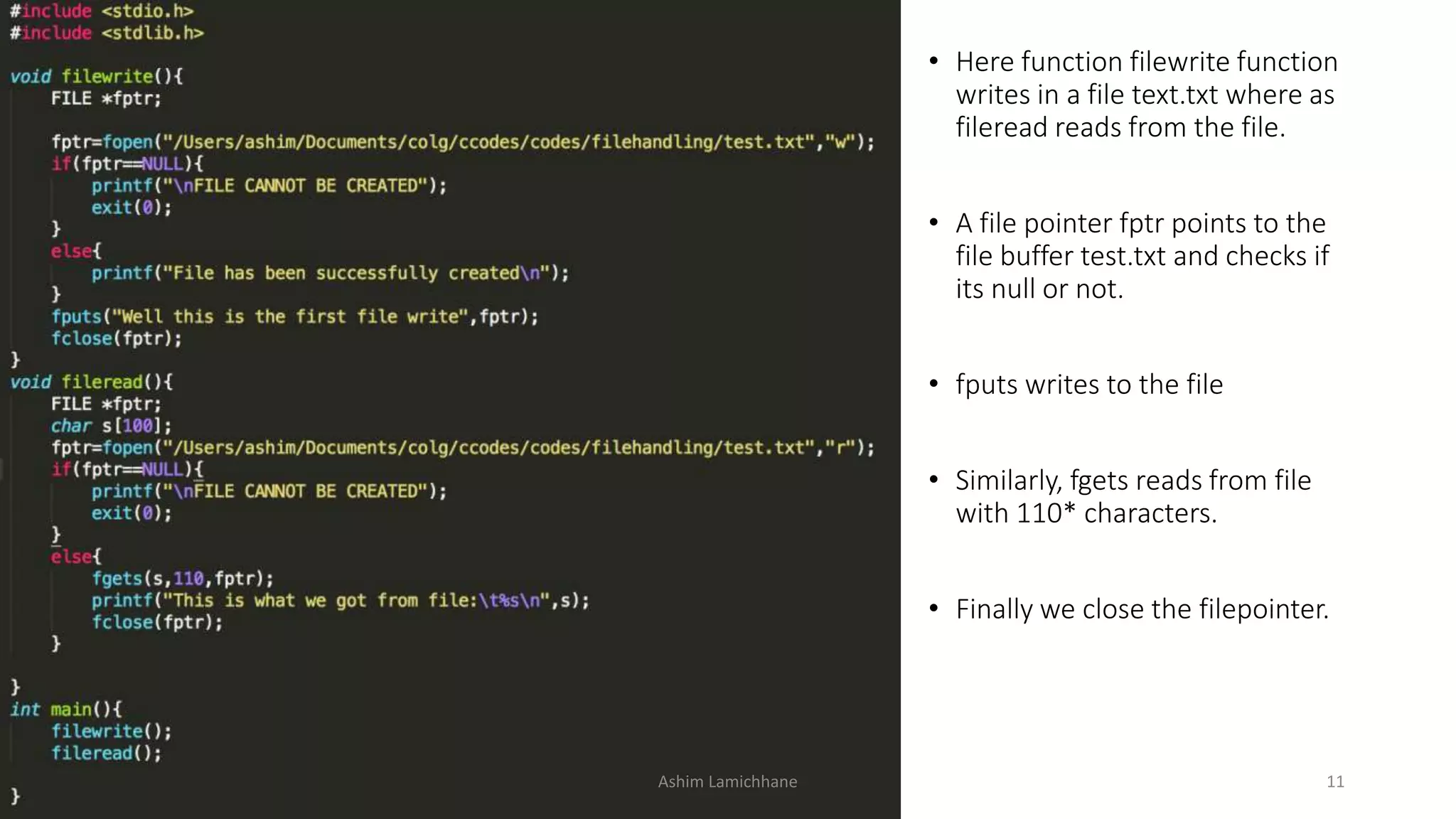
• Here function filewrite function
writes in a file text.txt where as
fileread reads from the file.
• A file pointer fptr points to the
file buffer test.txt and checks if
its null or not.
• fputs writes to the file
• Similarly, fgets reads from file
with 110* characters.
• Finally we close the filepointer.
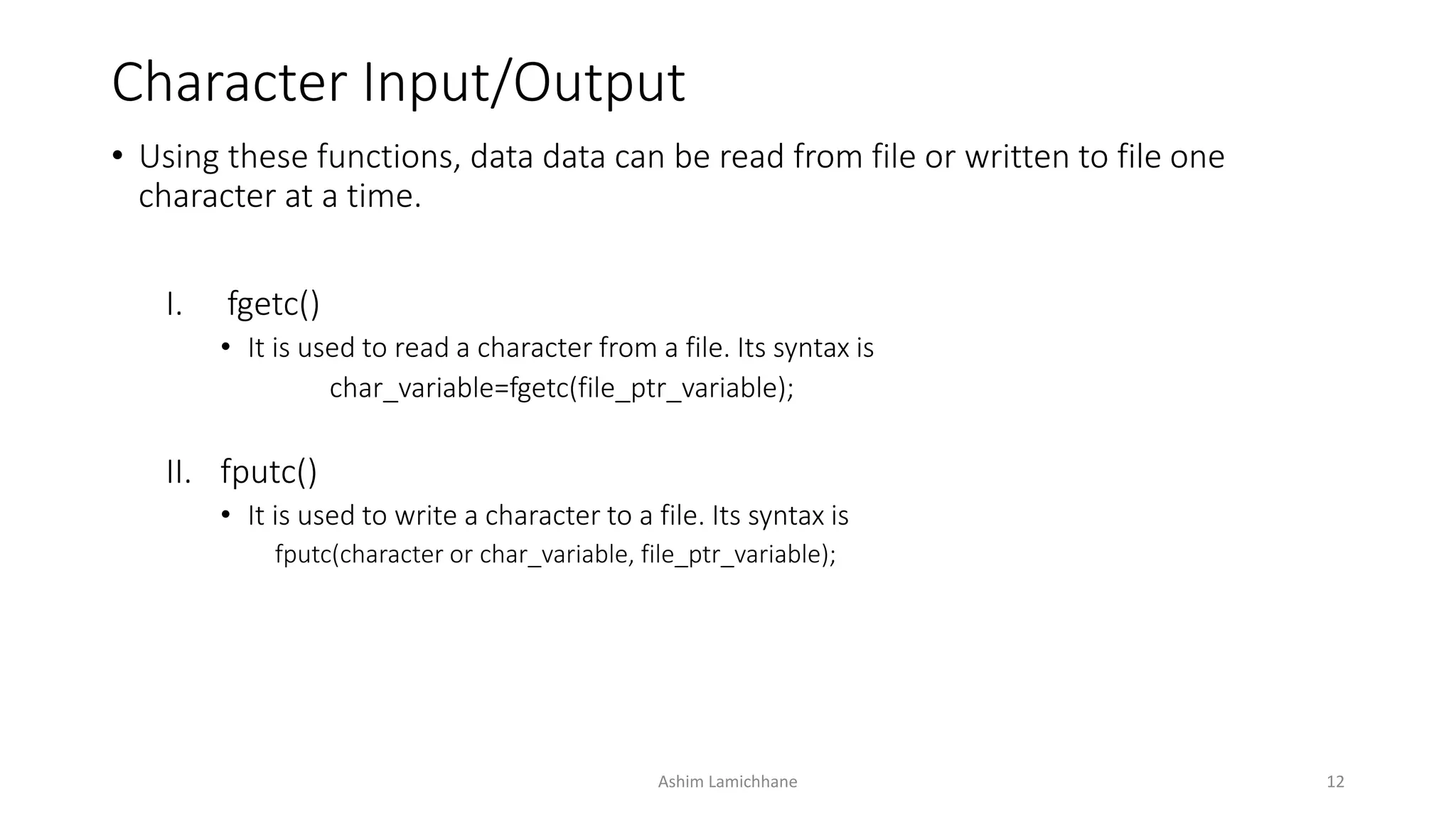
Character Input/Output
• Using these functions, data data can be read from file or written to file one
character at a time.
I. fgetc()
• It is used to read a character from a file. Its syntax is
char_variable=fgetc(file_ptr_variable);
II. fputc()
• It is used to write a character to a file. Its syntax is
fputc(character or char_variable, file_ptr_variable);
Ashim Lamichhane 12
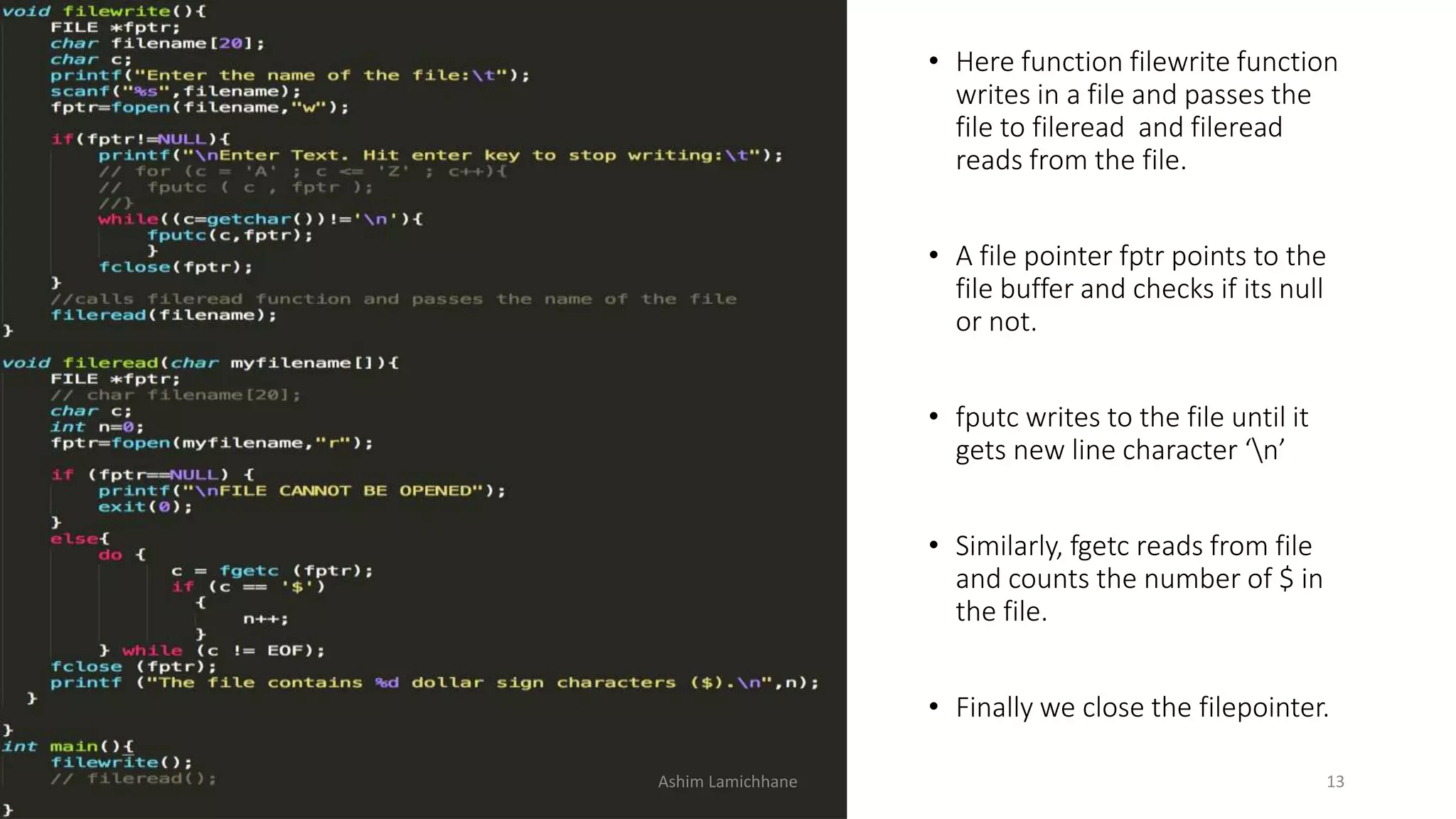
Ashim Lamichhane 13
• Here function filewrite function
writes in a file and passes the
file to fileread and fileread
reads from the file.
• A file pointer fptr points to the
file buffer and checks if its null
or not.
• fputc writes to the file until it
gets new line character ‘n’
• Similarly, fgetc reads from file
and counts the number of $ in
the file.
• Finally we close the filepointer.
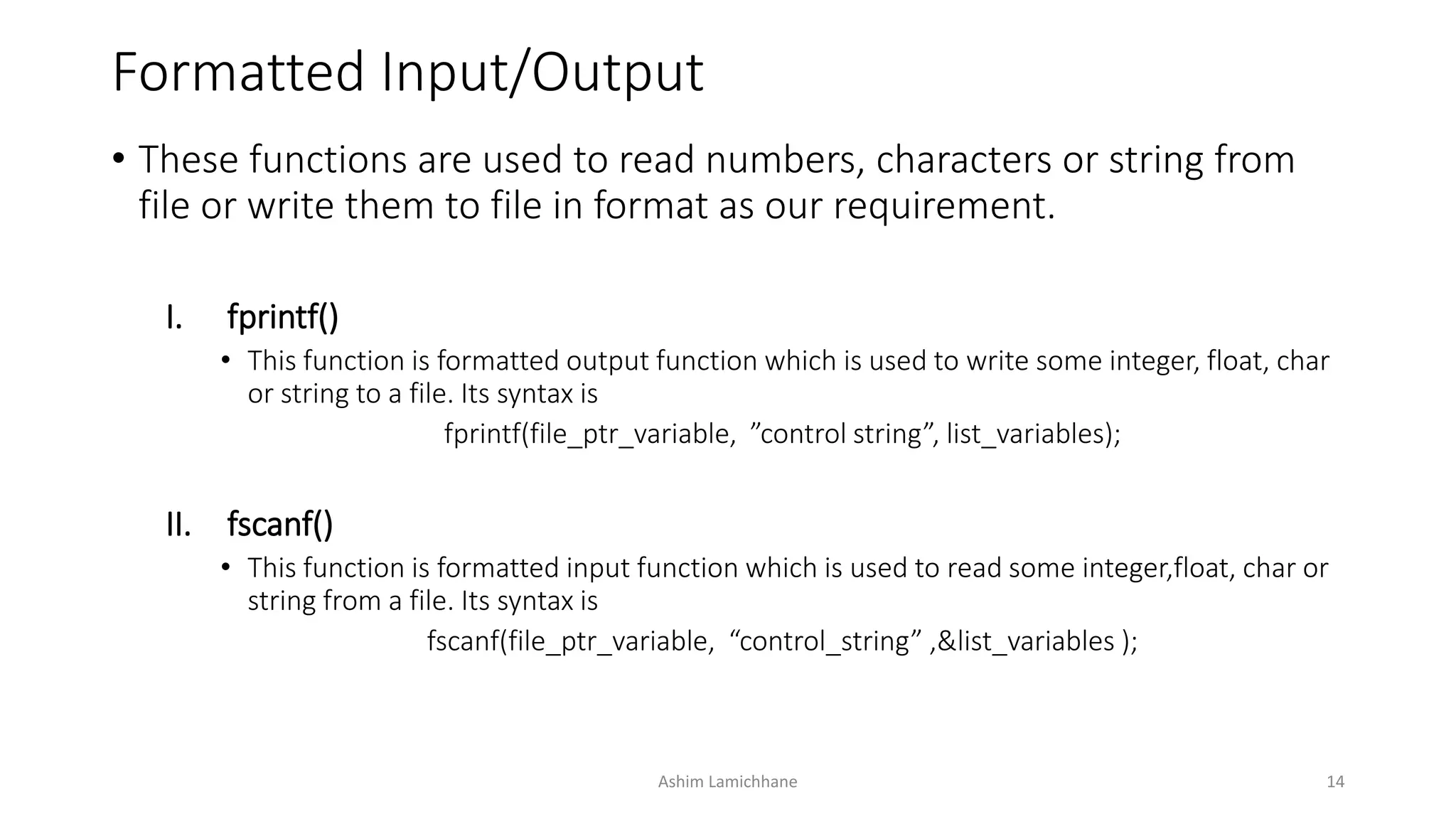
Formatted Input/Output
• These functions are used to read numbers, characters or string from
file or write them to file in format as our requirement.
I. fprintf()
• This function is formatted output function which is used to write some integer, float, char
or string to a file. Its syntax is
fprintf(file_ptr_variable, ”control string”, list_variables);
II. fscanf()
• This function is formatted input function which is used to read some integer,float, char or
string from a file. Its syntax is
fscanf(file_ptr_variable, “control_string” ,&list_variables );
Ashim Lamichhane 14
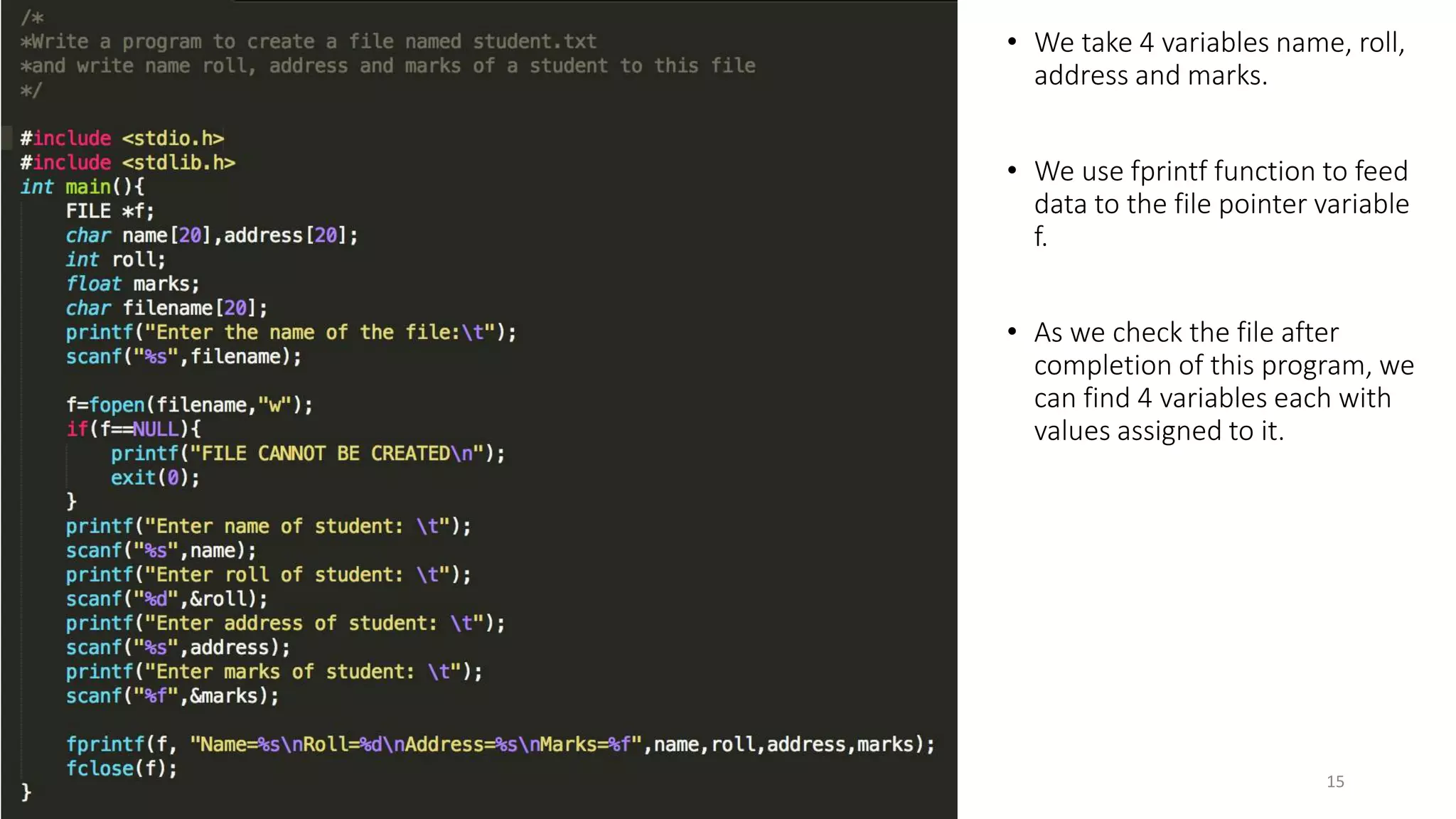
Ashim Lamichhane 15
• We take 4 variables name, roll,
address and marks.
• We use fprintf function to feed
data to the file pointer variable
f.
• As we check the file after
completion of this program, we
can find 4 variables each with
values assigned to it.
End of File (EOF)
• The EOF represents an integer and determines whether the file
associated with a file handle has reached end of file.
• This integer is sent to the program by the OS and is defined in a
header file stdio.h
• While creating a file, OS transmits the EOF signal when it finds the last
character to the file has been sent.
• In text mode, a special character, 1A hex (decimal 26) is inserted after
the last character in the file. This character is used to indicate EOF.
Ashim Lamichhane 16
EOF
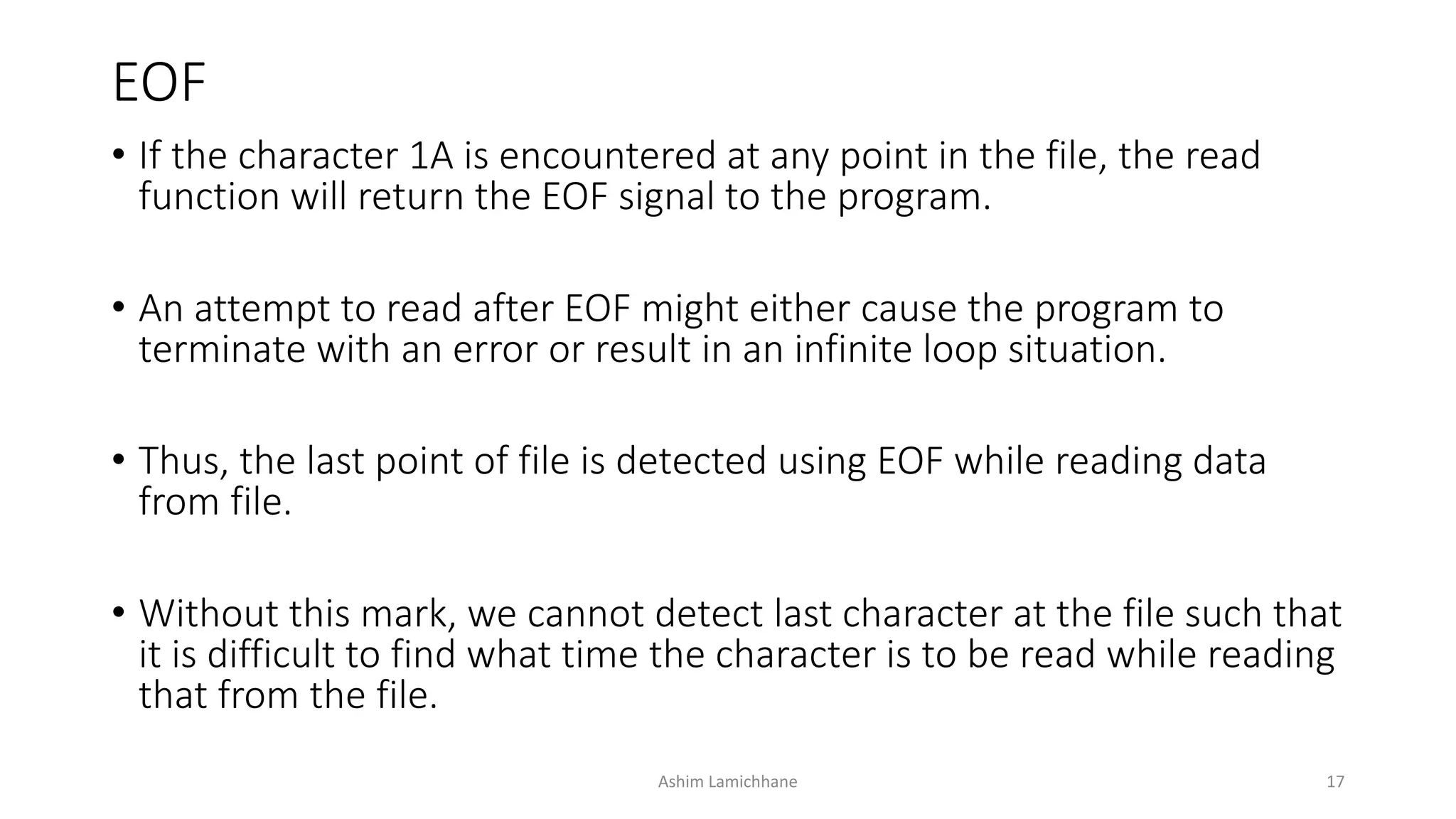
• If the character 1A is encountered at any point in the file, the read
function will return the EOF signal to the program.
• An attempt to read after EOF might either cause the program to
terminate with an error or result in an infinite loop situation.
• Thus, the last point of file is detected using EOF while reading data
from file.
• Without this mark, we cannot detect last character at the file such that
it is difficult to find what time the character is to be read while reading
that from the file.
Ashim Lamichhane 17
EOF
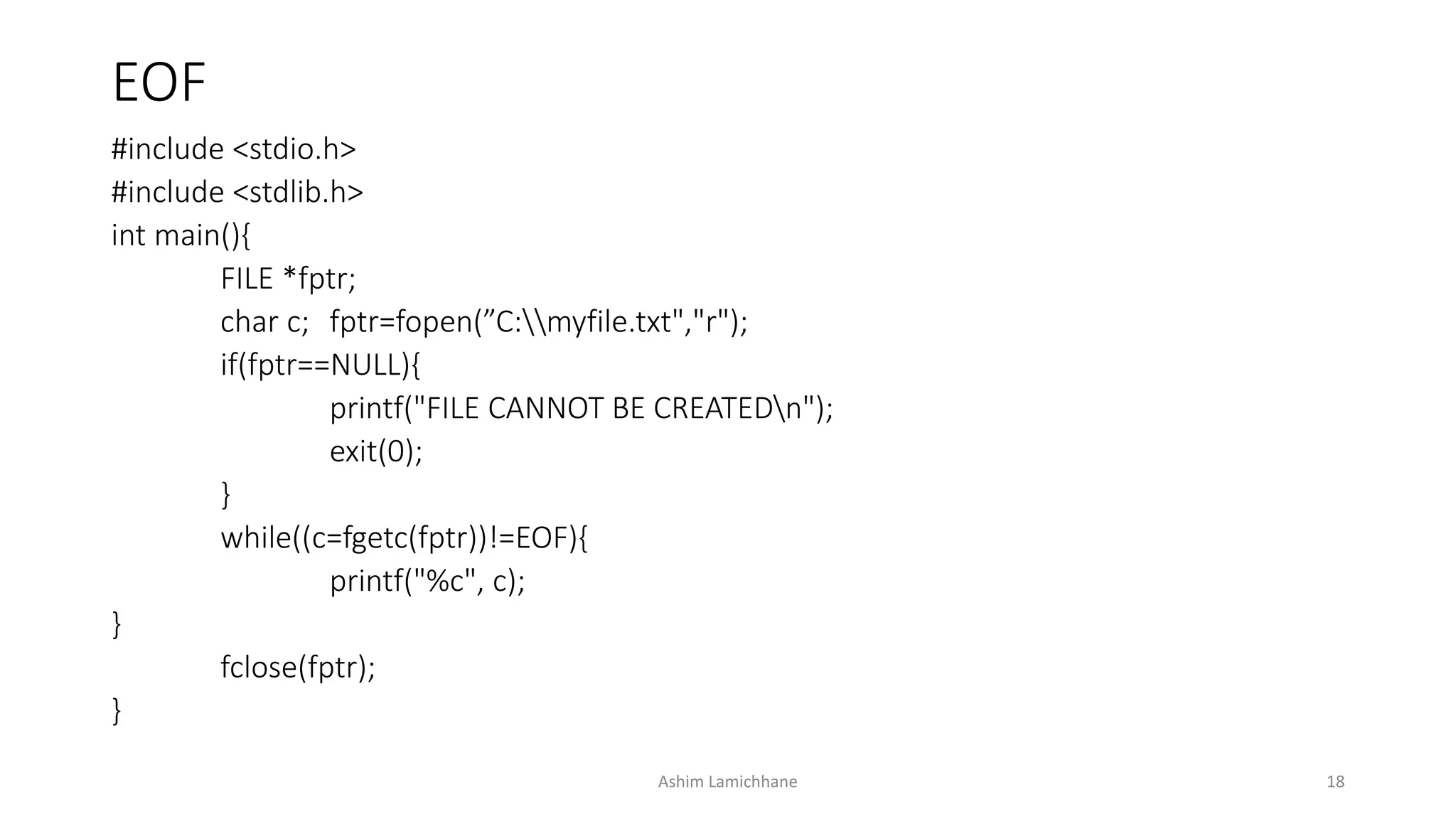
#include <stdio.h>
#include <stdlib.h>
int main(){
FILE *fptr;
char c; fptr=fopen(”C:myfile.txt","r");
if(fptr==NULL){
printf("FILE CANNOT BE CREATEDn");
exit(0);
}
while((c=fgetc(fptr))!=EOF){
printf("%c", c);
}
fclose(fptr);
}
Ashim Lamichhane 18
Binary Data Files
• The binary files organize data into blocks containing contiguous bytes
of information.
• A binary file is a file of any length that holds bytes with values in the
range 0 to 0xff (0 to 255).
• In modern terms we recognizes binary files as a stream of bytes and
more modern languages tend to work with streams rather than files.
Ashim Lamichhane 19
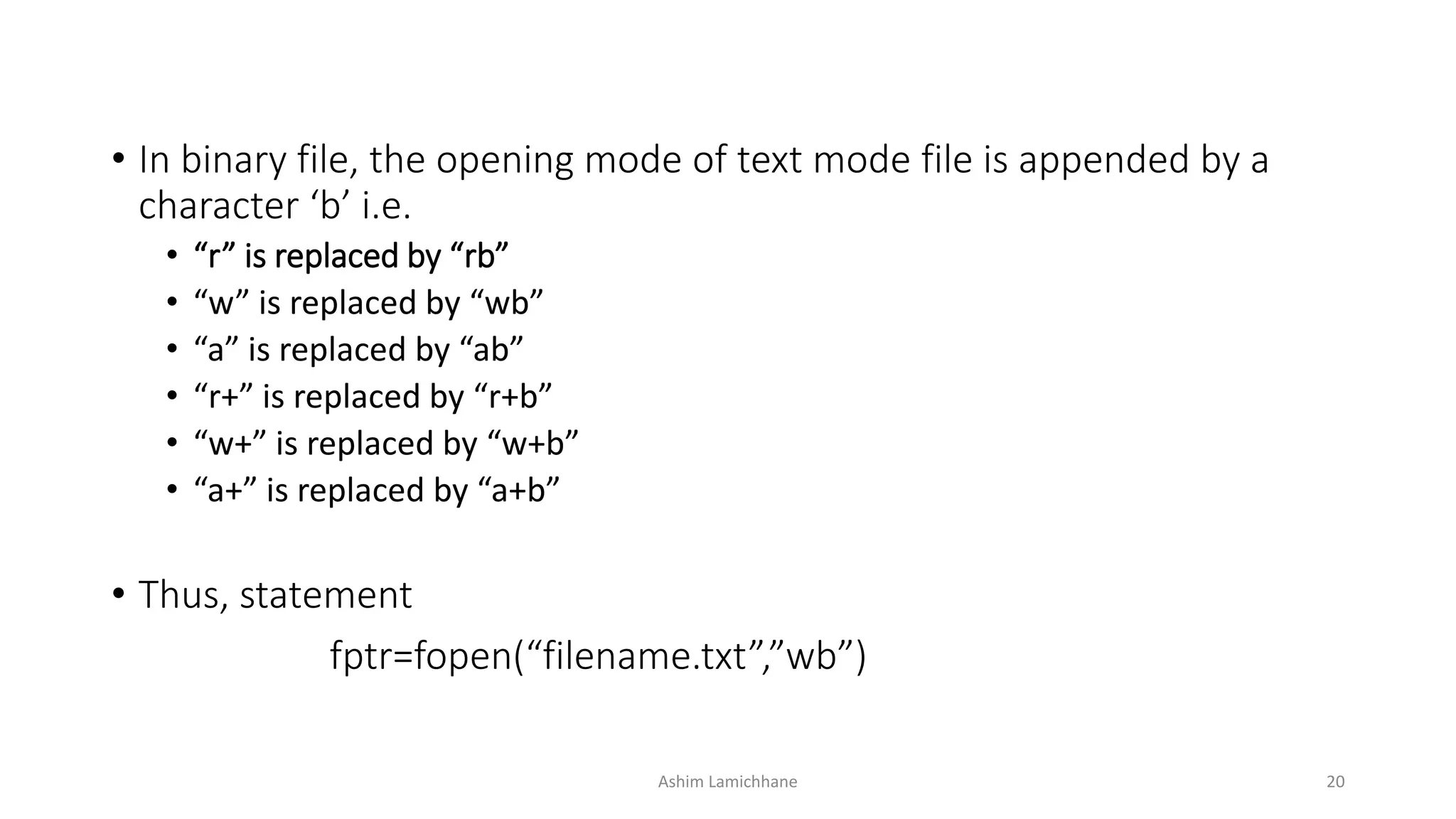
• In binary file, the opening mode of text mode file is appended by a
character ‘b’ i.e.
• “r” is replaced by “rb”
• “w” is replaced by “wb”
• “a” is replaced by “ab”
• “r+” is replaced by “r+b”
• “w+” is replaced by “w+b”
• “a+” is replaced by “a+b”
• Thus, statement
fptr=fopen(“filename.txt”,”wb”)
Ashim Lamichhane 20
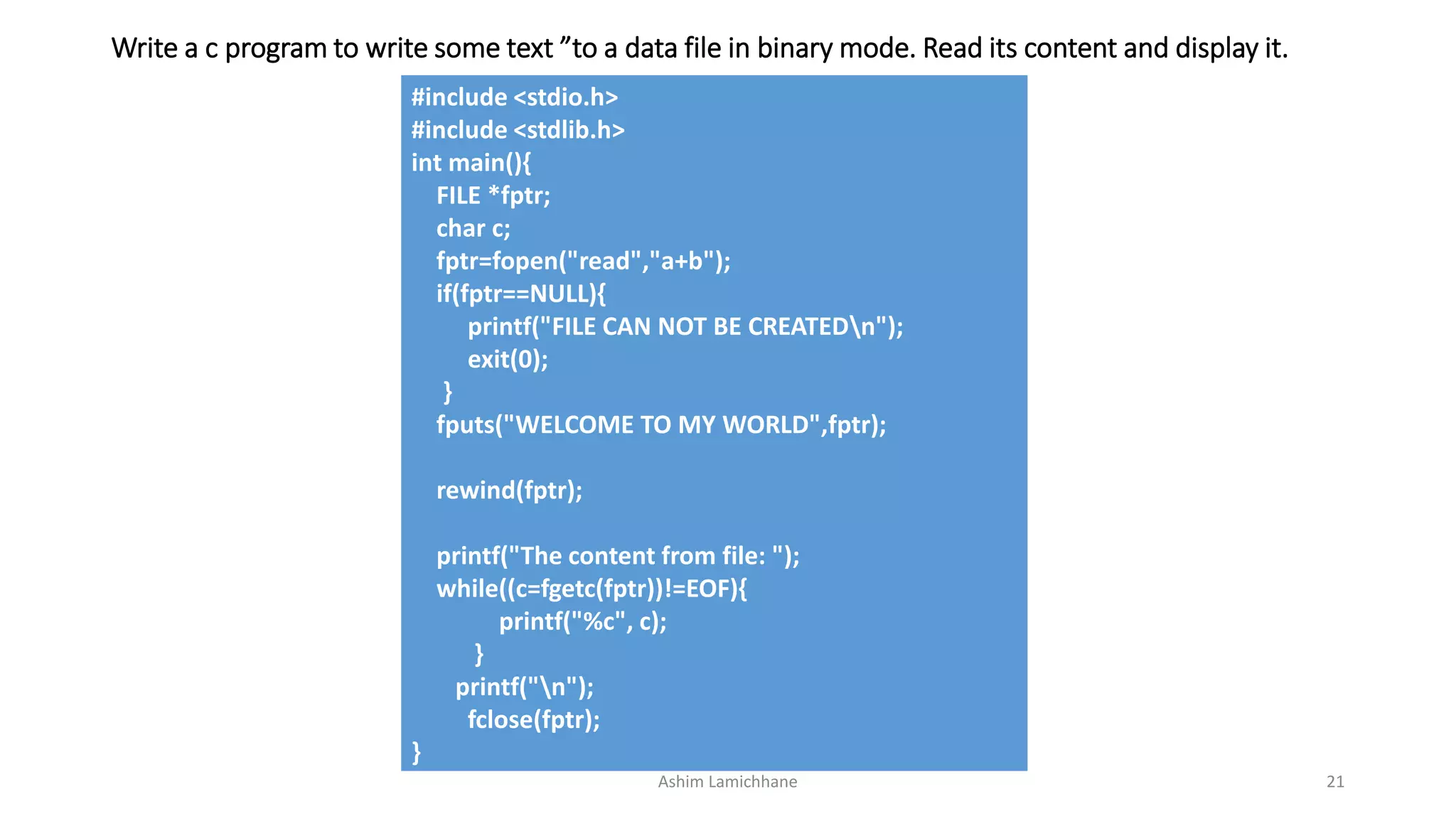
Write a c program to write some text ”to a data file in binary mode. Read its content and display it.
#include <stdio.h>
#include <stdlib.h>
int main(){
FILE *fptr;
char c;
fptr=fopen("read","a+b");
if(fptr==NULL){
printf("FILE CAN NOT BE CREATEDn");
exit(0);
}
fputs("WELCOME TO MY WORLD",fptr);
rewind(fptr);
printf("The content from file: ");
while((c=fgetc(fptr))!=EOF){
printf("%c", c);
}
printf("n");
fclose(fptr);
}
Ashim Lamichhane 21
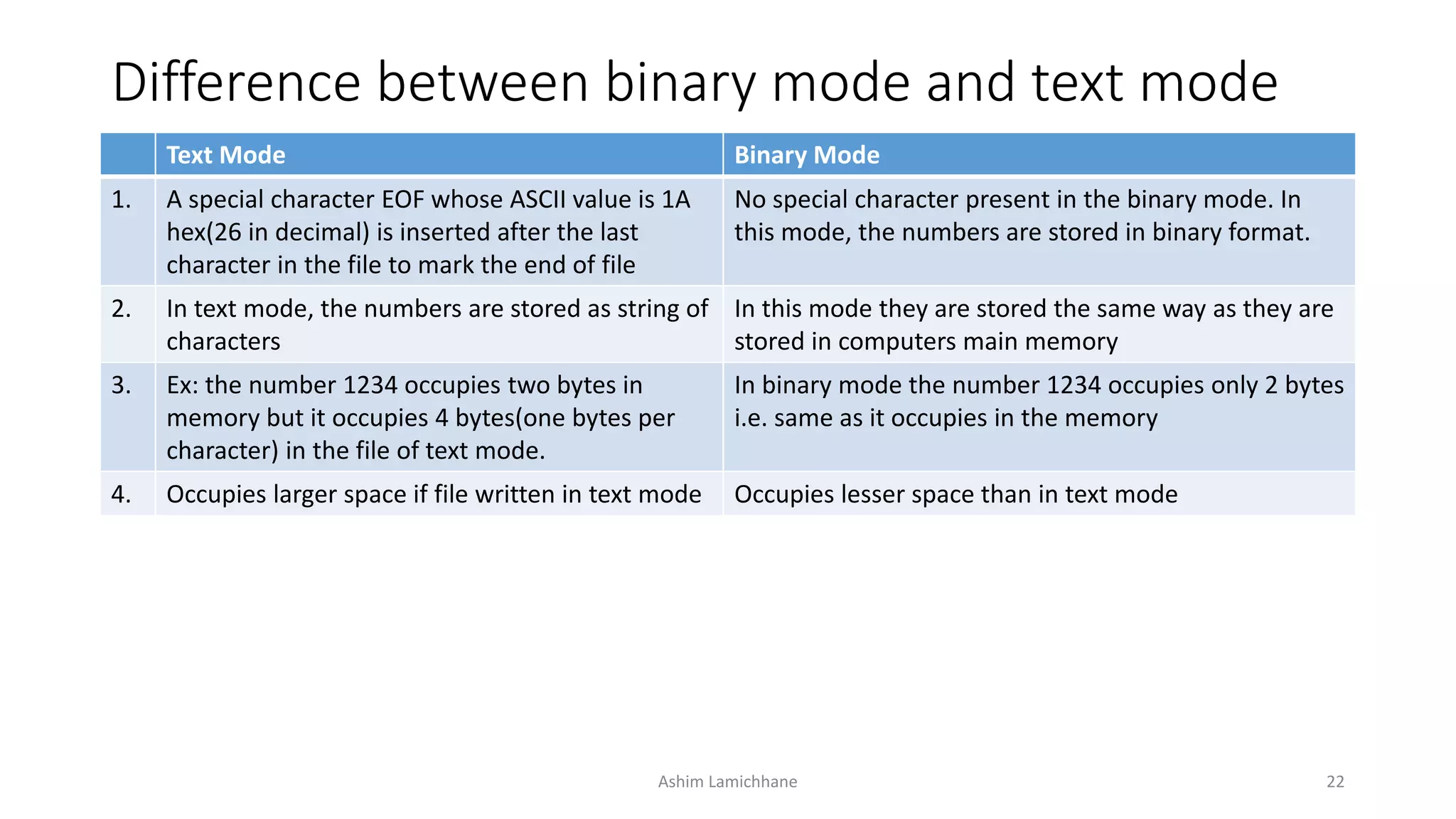
Difference between binary mode and text mode
Text Mode Binary Mode
1. A special character EOF whose ASCII value is 1A
hex(26 in decimal) is inserted after the last
character in the file to mark the end of file
No special character present in the binary mode. In
this mode, the numbers are stored in binary format.
2. In text mode, the numbers are stored as string of
characters
In this mode they are stored the same way as they are
stored in computers main memory
3. Ex: the number 1234 occupies two bytes in
memory but it occupies 4 bytes(one bytes per
character) in the file of text mode.
In binary mode the number 1234 occupies only 2 bytes
i.e. same as it occupies in the memory
4. Occupies larger space if file written in text mode Occupies lesser space than in text mode
Ashim Lamichhane 22
Record Input/Output
• Numbers are stored as sequence of characters, not the way they are
stored in memory. As a result they take a lot of disk space.
• Likewise, inefficient to read and write each array element one at a
time, but this approach is vey inefficient.
• The solution to these problems is record I/O, also known as block I/O
• It writes numbers to files in binary format so that integers are stored in
2 bytes, long integers in 4 bytes and so on.
Ashim Lamichhane 23
• Record I/O permits reading and writing of data once. The process is
not limited to a single character or string or the few values.
• Arrays, structures, array of structures etc can be read and written as a
single unit.
• The function fwrite() is used for record writing while fread() is used for
record reading.
Ashim Lamichhane 24
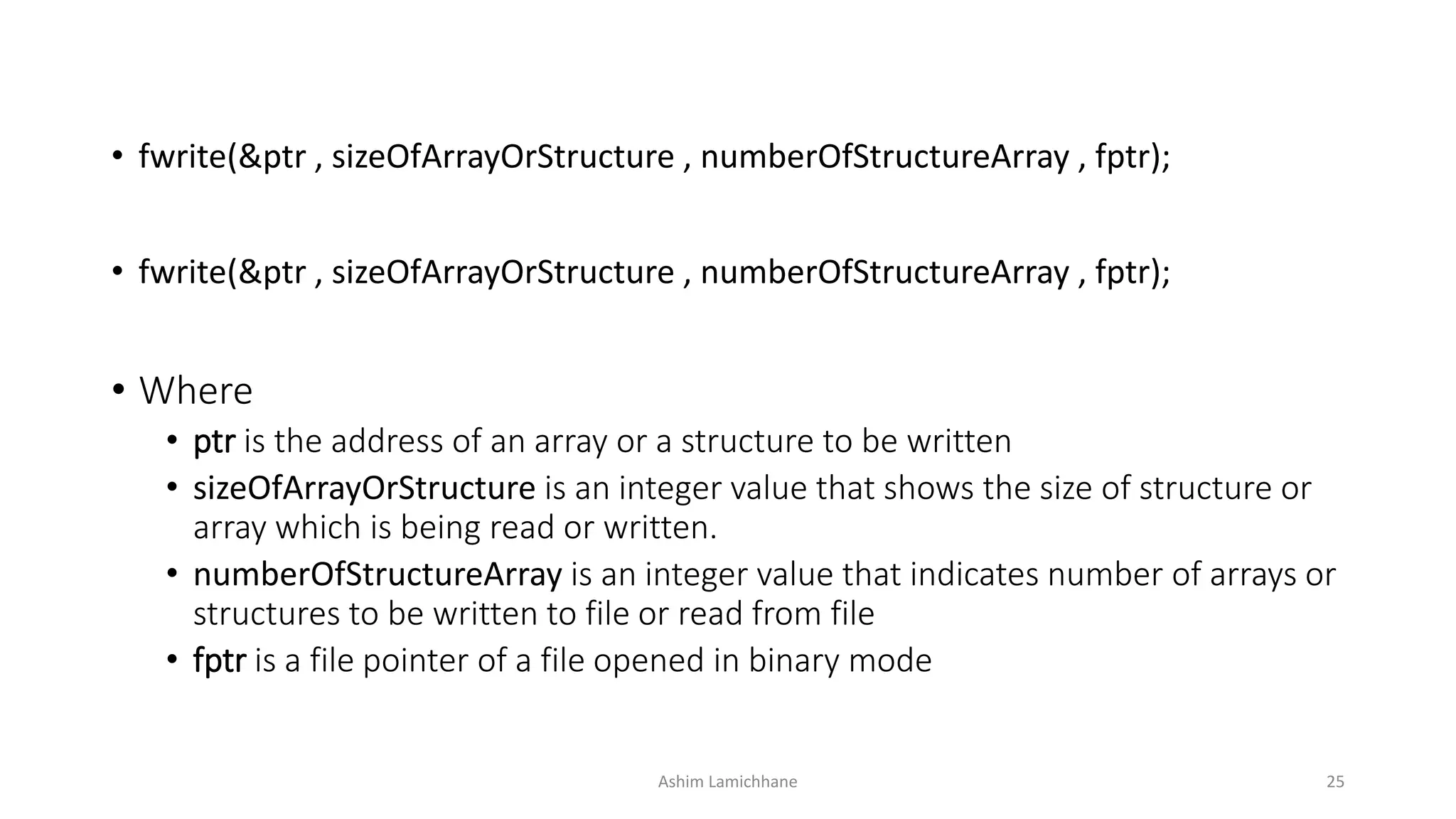
• fwrite(&ptr , sizeOfArrayOrStructure , numberOfStructureArray , fptr);
• Where
• ptr is the address of an array or a structure to be written
• sizeOfArrayOrStructure is an integer value that shows the size of structure or
array which is being read or written.
• numberOfStructureArray is an integer value that indicates number of arrays or
structures to be written to file or read from file
• fptr is a file pointer of a file opened in binary mode
Ashim Lamichhane 25
Use of fwrite()
#include <stdio.h>
#include <stdlib.h>
int main(){
FILE *f;
int num[10],i;
f=fopen("read","wb");
if(f==NULL){
printf("FILE CAN NOT BE CREATEDn");
exit(0);
}
printf("Enter 10 numbers:n");
for (int i = 0; i < 10; i++)
{
scanf("%d",&num[i]);
}
fwrite(&num,sizeof(num),1,f);
printf("n");
fclose(f);
}
Ashim Lamichhane 26
Use of fread()
#include <stdio.h>
#include <stdlib.h>
int main(){
FILE *f;
int num[10],i;
f=fopen("read",”rb");
if(f==NULL){
printf("FILE CAN NOT BE CREATEDn");
exit(0);
}
printf("Things read file:n");
fread(&num,sizeof(num),1,f);
for (int i = 0; i < 10; i++)
{
printf("%dt",num[i]);
}
printf("n");
fclose(f);
}
Ashim Lamichhane 27
Direct/Random Access
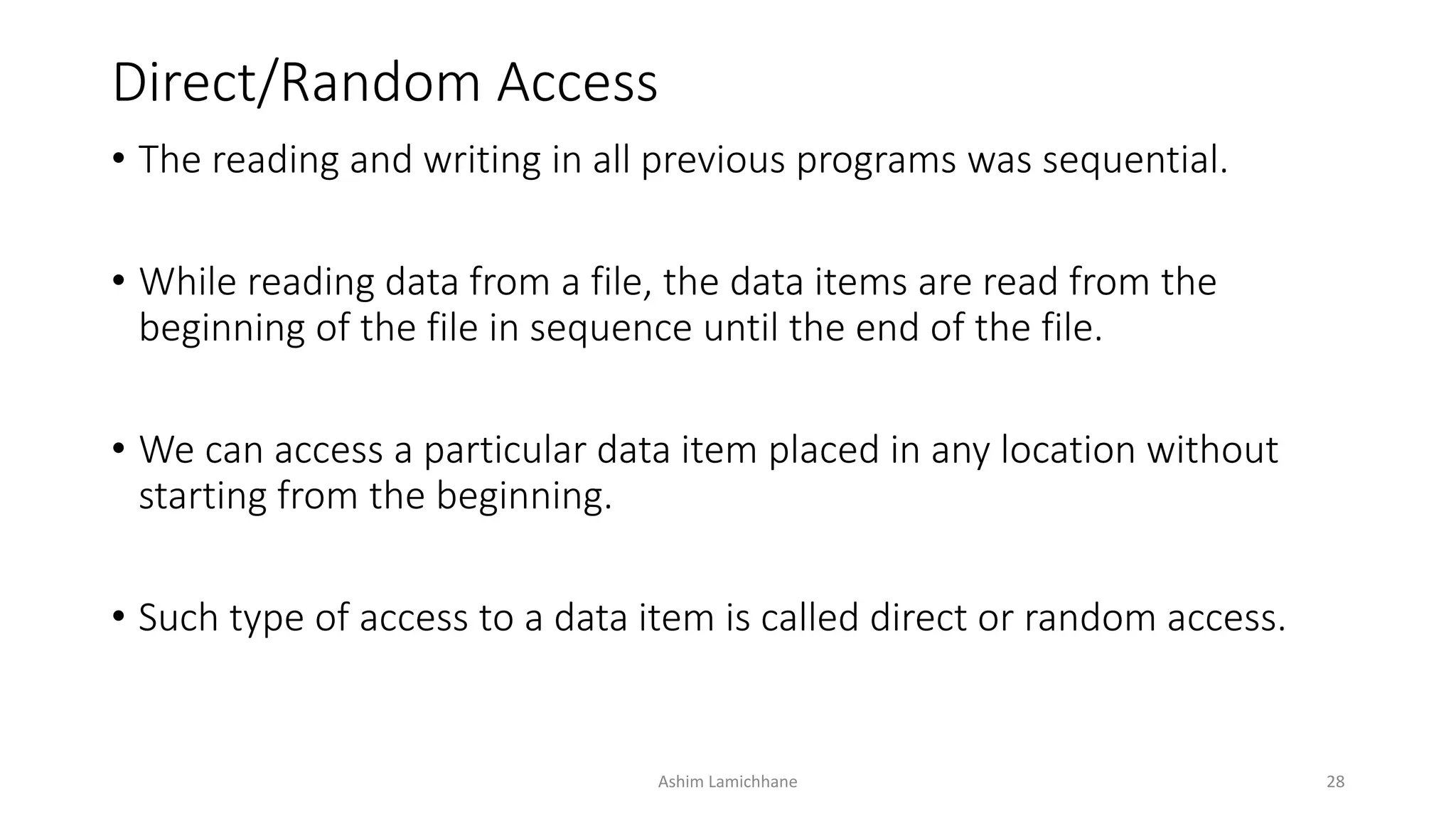
• The reading and writing in all previous programs was sequential.
• While reading data from a file, the data items are read from the
beginning of the file in sequence until the end of the file.
• We can access a particular data item placed in any location without
starting from the beginning.
• Such type of access to a data item is called direct or random access.
Ashim Lamichhane 28
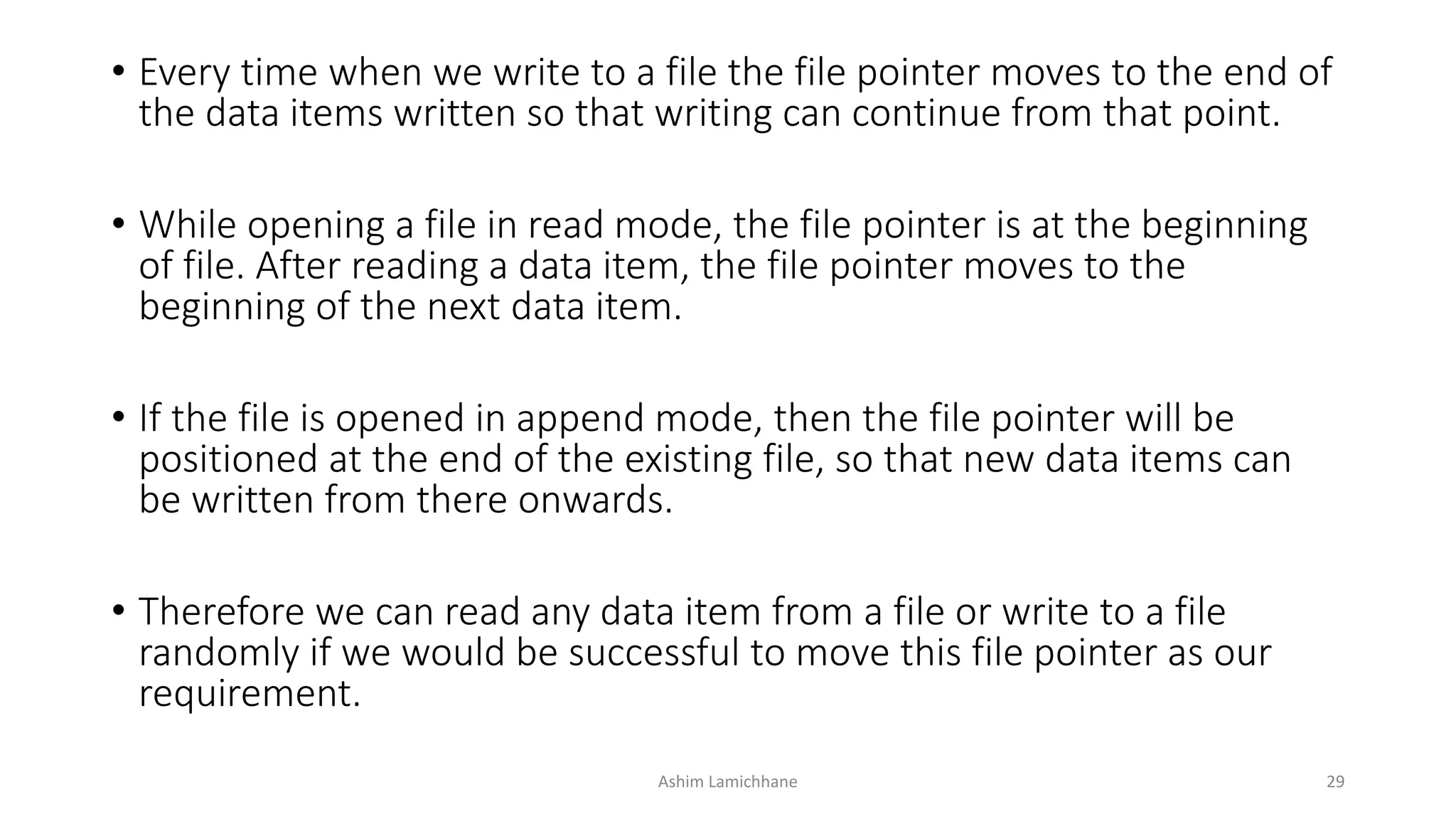
• Every time when we write to a file the file pointer moves to the end of
the data items written so that writing can continue from that point.
• While opening a file in read mode, the file pointer is at the beginning
of file. After reading a data item, the file pointer moves to the
beginning of the next data item.
• If the file is opened in append mode, then the file pointer will be
positioned at the end of the existing file, so that new data items can
be written from there onwards.
• Therefore we can read any data item from a file or write to a file
randomly if we would be successful to move this file pointer as our
requirement.
Ashim Lamichhane 29
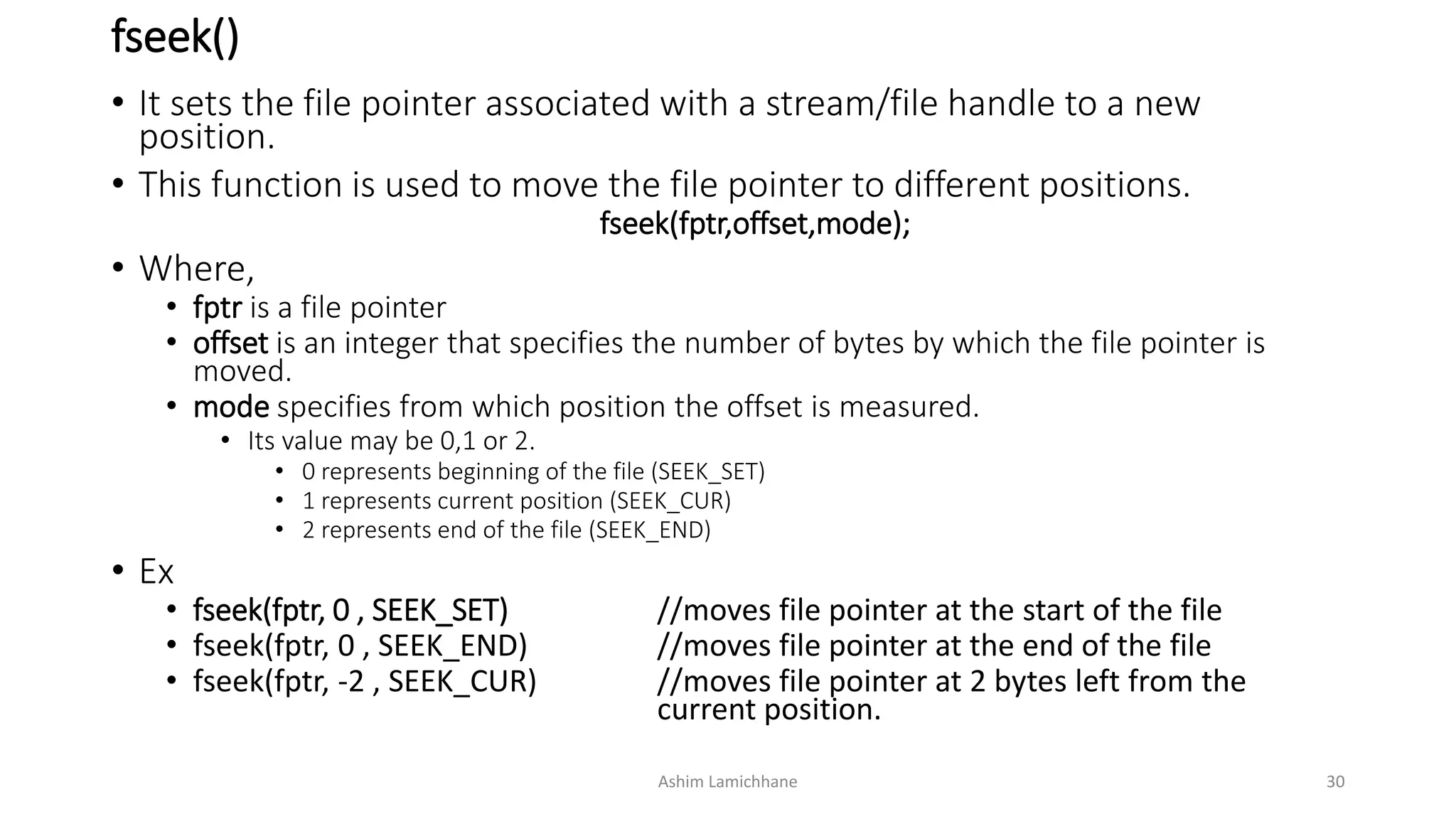
fseek()
• It sets the file pointer associated with a stream/file handle to a new
position.
• This function is used to move the file pointer to different positions.
fseek(fptr,offset,mode);
• Where,
• fptr is a file pointer
• offset is an integer that specifies the number of bytes by which the file pointer is
moved.
• mode specifies from which position the offset is measured.
• Its value may be 0,1 or 2.
• 0 represents beginning of the file (SEEK_SET)
• 1 represents current position (SEEK_CUR)
• 2 represents end of the file (SEEK_END)
• Ex
• fseek(fptr, 0 , SEEK_SET) //moves file pointer at the start of the file
• fseek(fptr, 0 , SEEK_END) //moves file pointer at the end of the file
• fseek(fptr, -2 , SEEK_CUR) //moves file pointer at 2 bytes left from the
current position.
Ashim Lamichhane 30
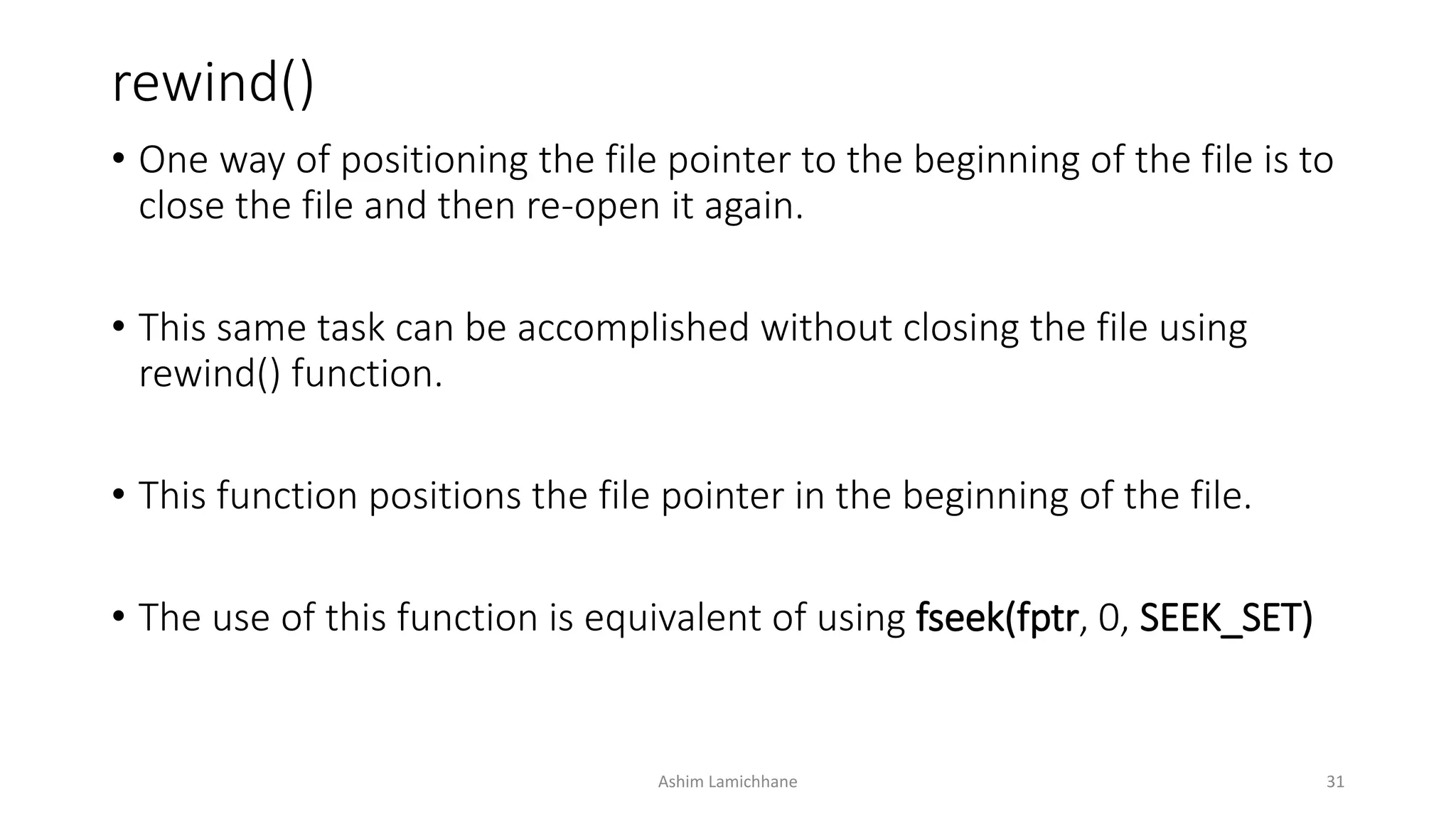
rewind()
• One way of positioning the file pointer to the beginning of the file is to
close the file and then re-open it again.
• This same task can be accomplished without closing the file using
rewind() function.
• This function positions the file pointer in the beginning of the file.
• The use of this function is equivalent of using fseek(fptr, 0, SEEK_SET)
Ashim Lamichhane 31
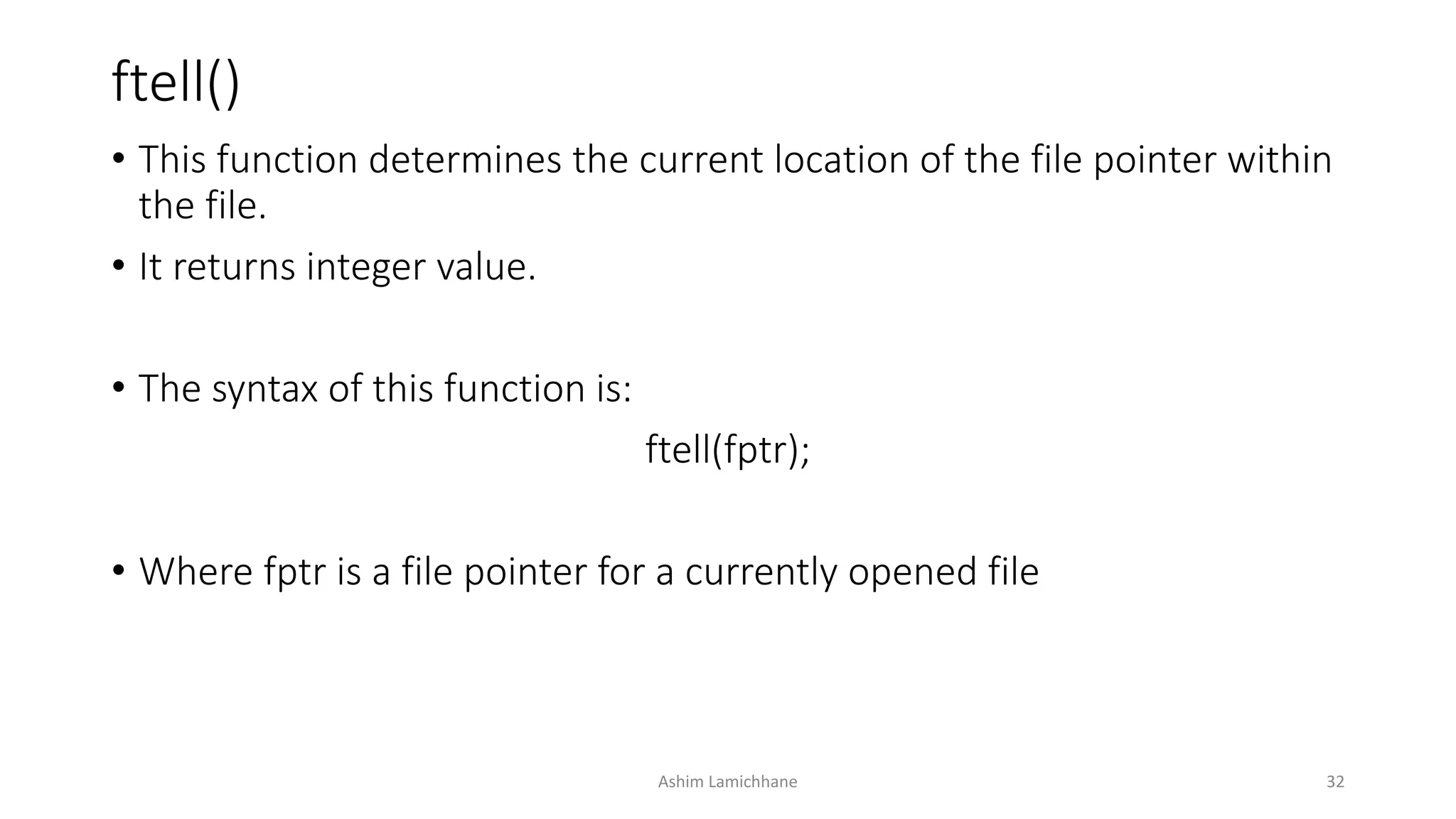
ftell()
• This function determines the current location of the file pointer within
the file.
• It returns integer value.
• The syntax of this function is:
ftell(fptr);
• Where fptr is a file pointer for a currently opened file
Ashim Lamichhane 32
For codes please do check
• https://github.com/ashim888/csit-c/tree/master/codes
Ashim Lamichhane 33
Reference
• http://www.tutorialspoint.com/c_standard_library/c_function_fflush.h
tm
• http://www.studytonight.com/c/file-input-output.php
• http://www.sanfoundry.com/c-programming-examples-file-handling/
• http://www.thegeekstuff.com/2012/07/c-file-handling/
• http://www.tutorialspoint.com/cprogramming/c_file_io.htm
Ashim Lamichhane 34

UNIT 10. Files and file handling in C

  • 1.
    Unit 10 Files andfile handling in C
  • 2.
    Introduction • The inputoutput functions like printf(), scanf(), getchar(), putchar() etc are known as console oriented I/O functions which always use input devices and computer screen or monitor for output devices. • Using these library function, the entire data is lost when either the program is terminated or the computer is turned off. • This problem invites concept of data files in which data can be stored on the disks and read whenever necessary, without destroying data. Ashim Lamichhane 2
  • 3.
    Intro.. • A fileis a place on the disk where a group of related data is stored. • The data file allows us to store information and to access and alter the information whenever necessary. • C has various library functions for creating and processing data files • Mainly there are two types of data files, one is stream oriented or standard or high level and another is system oriented or low level data files. Ashim Lamichhane 3
  • 4.
    • The standarddata files are again subdivided into text files and binary files. • The text files consists of consecutive characters and these characters are interpreted as individual data item. • The binary files organize data into blocks containing contiguous bytes of information. • For each binary and text files, there are number of formatted and unformatted library functions in C. Ashim Lamichhane 4
  • 5.
    Disk I/O Functions highlow Text Binary Formatted FormattedUnformatted Unformatted Fig. Classification of disk I/O functions Ashim Lamichhane 5
  • 6.
    Opening and closingfile • Before a program can write to a file or read from a file, the program must open it. • Opening a file establishes a link between the program and the OS. This provides OS the name of the file and the mode in which the file is to be opened. • While working with high level data file, we need buffer area where information is stored temporarily in the course of transferring data between computer memory and data file. • The buffer area is established as: FILE * ptr_variable; Ashim Lamichhane 6
  • 7.
    FILE * ptr_variable; •Here, FILE is a special structure, declared in header file stdio.h • The ptr_variable is a pointer “pointer to the data type FILE” that stores the beginning address of the buffer area allocated after a file has been opened. • This pointer contains all the information about the file and it is used as a communication link between the system and the program. • A data file is opened using syntax: ptr_variable=fopen(file_name, file_mode); Ashim Lamichhane 7
  • 8.
    ptr_variable=fopen(file_name, file_mode); • Thefunction fopen returns a pointer to the beginning of the buffer area associated with the file. • A NULL value is returned if the file can not be opened due to some reasons. • After opening a file, we can process data and finally we close it. • Closing a file ensures that all outstanding information associated with the file is flushed out from the buffers. • Ex: fclose(ptr_variable); Ashim Lamichhane 8
  • 9.
    File Opening Modes ModeDescription r Opens an existing text file for reading purpose. w Opens a text file for writing. If it does not exist, then a new file is created. Here your program will start writing content from the beginning of the file. a Opens a text file for writing in appending mode. If it does not exist, then a new file is created. Here your program will start appending content in the existing file content. r+ Opens a text file for both reading and writing. If the file exists, loads it into memory and set up a pointer to the first character in it. If file doesn’t exist it returns null. w+ Opens a text file for both reading and writing. If file is present, it first destroys the file to zero length if it exists, otherwise creates a file if it does not exist. a+ Opens a text file for both reading and writing. It creates the file if it does not exist. The reading will start from the beginning but writing can only be appended. Ashim Lamichhane 9
  • 10.
    Library Functions forreading/writing from/to a file 1. String Input/Output • Using string I/O functions, data can be read from a file or written to a file in the form of array of characters. I. fgets() • It is used to read string from file. Its syntax is • fgets(string, int_value,file_ptr_variable); //int_value represents the number of character in string II. fputs() • It is used to write a string to a file. Its syntax is • fputs(string, file_ptr_variable); Ashim Lamichhane 10
  • 11.
    Ashim Lamichhane 11 •Here function filewrite function writes in a file text.txt where as fileread reads from the file. • A file pointer fptr points to the file buffer test.txt and checks if its null or not. • fputs writes to the file • Similarly, fgets reads from file with 110* characters. • Finally we close the filepointer.
  • 12.
    Character Input/Output • Usingthese functions, data data can be read from file or written to file one character at a time. I. fgetc() • It is used to read a character from a file. Its syntax is char_variable=fgetc(file_ptr_variable); II. fputc() • It is used to write a character to a file. Its syntax is fputc(character or char_variable, file_ptr_variable); Ashim Lamichhane 12
  • 13.
    Ashim Lamichhane 13 •Here function filewrite function writes in a file and passes the file to fileread and fileread reads from the file. • A file pointer fptr points to the file buffer and checks if its null or not. • fputc writes to the file until it gets new line character ‘n’ • Similarly, fgetc reads from file and counts the number of $ in the file. • Finally we close the filepointer.
  • 14.
    Formatted Input/Output • Thesefunctions are used to read numbers, characters or string from file or write them to file in format as our requirement. I. fprintf() • This function is formatted output function which is used to write some integer, float, char or string to a file. Its syntax is fprintf(file_ptr_variable, ”control string”, list_variables); II. fscanf() • This function is formatted input function which is used to read some integer,float, char or string from a file. Its syntax is fscanf(file_ptr_variable, “control_string” ,&list_variables ); Ashim Lamichhane 14
  • 15.
    Ashim Lamichhane 15 •We take 4 variables name, roll, address and marks. • We use fprintf function to feed data to the file pointer variable f. • As we check the file after completion of this program, we can find 4 variables each with values assigned to it.
  • 16.
    End of File(EOF) • The EOF represents an integer and determines whether the file associated with a file handle has reached end of file. • This integer is sent to the program by the OS and is defined in a header file stdio.h • While creating a file, OS transmits the EOF signal when it finds the last character to the file has been sent. • In text mode, a special character, 1A hex (decimal 26) is inserted after the last character in the file. This character is used to indicate EOF. Ashim Lamichhane 16
  • 17.
    EOF • If thecharacter 1A is encountered at any point in the file, the read function will return the EOF signal to the program. • An attempt to read after EOF might either cause the program to terminate with an error or result in an infinite loop situation. • Thus, the last point of file is detected using EOF while reading data from file. • Without this mark, we cannot detect last character at the file such that it is difficult to find what time the character is to be read while reading that from the file. Ashim Lamichhane 17
  • 18.
    EOF #include <stdio.h> #include <stdlib.h> intmain(){ FILE *fptr; char c; fptr=fopen(”C:myfile.txt","r"); if(fptr==NULL){ printf("FILE CANNOT BE CREATEDn"); exit(0); } while((c=fgetc(fptr))!=EOF){ printf("%c", c); } fclose(fptr); } Ashim Lamichhane 18
  • 19.
    Binary Data Files •The binary files organize data into blocks containing contiguous bytes of information. • A binary file is a file of any length that holds bytes with values in the range 0 to 0xff (0 to 255). • In modern terms we recognizes binary files as a stream of bytes and more modern languages tend to work with streams rather than files. Ashim Lamichhane 19
  • 20.
    • In binaryfile, the opening mode of text mode file is appended by a character ‘b’ i.e. • “r” is replaced by “rb” • “w” is replaced by “wb” • “a” is replaced by “ab” • “r+” is replaced by “r+b” • “w+” is replaced by “w+b” • “a+” is replaced by “a+b” • Thus, statement fptr=fopen(“filename.txt”,”wb”) Ashim Lamichhane 20
  • 21.
    Write a cprogram to write some text ”to a data file in binary mode. Read its content and display it. #include <stdio.h> #include <stdlib.h> int main(){ FILE *fptr; char c; fptr=fopen("read","a+b"); if(fptr==NULL){ printf("FILE CAN NOT BE CREATEDn"); exit(0); } fputs("WELCOME TO MY WORLD",fptr); rewind(fptr); printf("The content from file: "); while((c=fgetc(fptr))!=EOF){ printf("%c", c); } printf("n"); fclose(fptr); } Ashim Lamichhane 21
  • 22.
    Difference between binarymode and text mode Text Mode Binary Mode 1. A special character EOF whose ASCII value is 1A hex(26 in decimal) is inserted after the last character in the file to mark the end of file No special character present in the binary mode. In this mode, the numbers are stored in binary format. 2. In text mode, the numbers are stored as string of characters In this mode they are stored the same way as they are stored in computers main memory 3. Ex: the number 1234 occupies two bytes in memory but it occupies 4 bytes(one bytes per character) in the file of text mode. In binary mode the number 1234 occupies only 2 bytes i.e. same as it occupies in the memory 4. Occupies larger space if file written in text mode Occupies lesser space than in text mode Ashim Lamichhane 22
  • 23.
    Record Input/Output • Numbersare stored as sequence of characters, not the way they are stored in memory. As a result they take a lot of disk space. • Likewise, inefficient to read and write each array element one at a time, but this approach is vey inefficient. • The solution to these problems is record I/O, also known as block I/O • It writes numbers to files in binary format so that integers are stored in 2 bytes, long integers in 4 bytes and so on. Ashim Lamichhane 23
  • 24.
    • Record I/Opermits reading and writing of data once. The process is not limited to a single character or string or the few values. • Arrays, structures, array of structures etc can be read and written as a single unit. • The function fwrite() is used for record writing while fread() is used for record reading. Ashim Lamichhane 24
  • 25.
    • fwrite(&ptr ,sizeOfArrayOrStructure , numberOfStructureArray , fptr); • fwrite(&ptr , sizeOfArrayOrStructure , numberOfStructureArray , fptr); • Where • ptr is the address of an array or a structure to be written • sizeOfArrayOrStructure is an integer value that shows the size of structure or array which is being read or written. • numberOfStructureArray is an integer value that indicates number of arrays or structures to be written to file or read from file • fptr is a file pointer of a file opened in binary mode Ashim Lamichhane 25
  • 26.
    Use of fwrite() #include<stdio.h> #include <stdlib.h> int main(){ FILE *f; int num[10],i; f=fopen("read","wb"); if(f==NULL){ printf("FILE CAN NOT BE CREATEDn"); exit(0); } printf("Enter 10 numbers:n"); for (int i = 0; i < 10; i++) { scanf("%d",&num[i]); } fwrite(&num,sizeof(num),1,f); printf("n"); fclose(f); } Ashim Lamichhane 26
  • 27.
    Use of fread() #include<stdio.h> #include <stdlib.h> int main(){ FILE *f; int num[10],i; f=fopen("read",”rb"); if(f==NULL){ printf("FILE CAN NOT BE CREATEDn"); exit(0); } printf("Things read file:n"); fread(&num,sizeof(num),1,f); for (int i = 0; i < 10; i++) { printf("%dt",num[i]); } printf("n"); fclose(f); } Ashim Lamichhane 27
  • 28.
    Direct/Random Access • Thereading and writing in all previous programs was sequential. • While reading data from a file, the data items are read from the beginning of the file in sequence until the end of the file. • We can access a particular data item placed in any location without starting from the beginning. • Such type of access to a data item is called direct or random access. Ashim Lamichhane 28
  • 29.
    • Every timewhen we write to a file the file pointer moves to the end of the data items written so that writing can continue from that point. • While opening a file in read mode, the file pointer is at the beginning of file. After reading a data item, the file pointer moves to the beginning of the next data item. • If the file is opened in append mode, then the file pointer will be positioned at the end of the existing file, so that new data items can be written from there onwards. • Therefore we can read any data item from a file or write to a file randomly if we would be successful to move this file pointer as our requirement. Ashim Lamichhane 29
  • 30.
    fseek() • It setsthe file pointer associated with a stream/file handle to a new position. • This function is used to move the file pointer to different positions. fseek(fptr,offset,mode); • Where, • fptr is a file pointer • offset is an integer that specifies the number of bytes by which the file pointer is moved. • mode specifies from which position the offset is measured. • Its value may be 0,1 or 2. • 0 represents beginning of the file (SEEK_SET) • 1 represents current position (SEEK_CUR) • 2 represents end of the file (SEEK_END) • Ex • fseek(fptr, 0 , SEEK_SET) //moves file pointer at the start of the file • fseek(fptr, 0 , SEEK_END) //moves file pointer at the end of the file • fseek(fptr, -2 , SEEK_CUR) //moves file pointer at 2 bytes left from the current position. Ashim Lamichhane 30
  • 31.
    rewind() • One wayof positioning the file pointer to the beginning of the file is to close the file and then re-open it again. • This same task can be accomplished without closing the file using rewind() function. • This function positions the file pointer in the beginning of the file. • The use of this function is equivalent of using fseek(fptr, 0, SEEK_SET) Ashim Lamichhane 31
  • 32.
    ftell() • This functiondetermines the current location of the file pointer within the file. • It returns integer value. • The syntax of this function is: ftell(fptr); • Where fptr is a file pointer for a currently opened file Ashim Lamichhane 32
  • 33.
    For codes pleasedo check • https://github.com/ashim888/csit-c/tree/master/codes Ashim Lamichhane 33
  • 34.
    Reference • http://www.tutorialspoint.com/c_standard_library/c_function_fflush.h tm • http://www.studytonight.com/c/file-input-output.php •http://www.sanfoundry.com/c-programming-examples-file-handling/ • http://www.thegeekstuff.com/2012/07/c-file-handling/ • http://www.tutorialspoint.com/cprogramming/c_file_io.htm Ashim Lamichhane 34