CHAPTER2:
SELFEFFICACY
GROUP 2 – UNDERSTANDING THE SELF
TOPIC1
• The mindset theory
• Background of the mindset
• Mindset
• Types of mindset
TOPIC2 TOPIC3
TABLEOFCONTENTS
Reporters:
Lacanlale, Cyandrea
Feliciano, Rhealyn Nicole
• Four principal sources of
self-efficacy beliefs
• Self Efficacy Theory
• 3 factors that influence the
development of the self-
efficacy.
TOPIC4
• The Goal Setting Theory
• Feedback
TOPIC#1
T h e M i n d s e t T h e o r y . B a c k g r o u n d o f t h e m i n d s e t .
M i n d s e t . T y p e s o f m i n d s e t
TOPIC1:THEMINDSETTHEORY
TOPIC1:BACKGROUND OFTHEMINDSET
TOPIC1:MINDSET
TOPIC1:THEMINDSETTHEORY
TOPIC1:TYPESOFMINDSET
TOPIC#2
F o u r P r i n c i p a l S o u r c e s o f S e l f - e f f i c a c y B e l i e f s
FOURPRINCIPAL SOURCES OFSELF-EFFICACY BELIEFS
1.
2.
3.
4.
2ND PRINCIPLE
FOURPRINCIPAL SOURCES OFSELF-EFFICACY BELIEFS
1st PRINCIPLE
4TH PRINCIPLE
FOURPRINCIPAL SOURCES OFSELF-EFFICACY BELIEFS
3RD PRINCIPLE
TOPIC#3
S e l f E f f i c a c y T h e o r y . T h r e e f a c t o r s t h a t i n f l u e n c e
t h e d e v e l o p m e n t o f t h e s e l f - e f f i c a c y .
TOPIC3:SELFEFFICACY THEORY
FACTORSTHATINFLUENCE THEDEVELOPMENTOFTHESELF-EFFICACY
TOPIC#4
T h e G o a l S e t t i n g T h e o r y . F e e d b a c k
TOPIC4:THEGOALSETTINGTHEORY
TOPIC4:FEEDBACK
THENANOWORLD
“There’s Plenty of Room at the Bottom” by
physicist Richard Feynman at an American
Physical Society meeting at the California
Institute of Technology (CalTech) on December
29, 1959
THENANOWORLD
Nanoscience and nanotechnology involve the
ability to see and to control individual atoms
and molecules.
THENANOWORLD: NanoScience
Nanoscience refers to the scientific study of
materials of nanometer size, and is a
combination of developments in solid state
chemistry, synthetic chemistry, molecular
biology, solid state physics and engineering,
and scanning tunneling microscopy
THENANOWORLD: NanoTechnology
Nanotechnology is a field of research and
innovation concerned with building 'things' -
generally, materials and devices - on the scale
of atoms and molecules.
THEEND.
Thank you for listening.
05 00 2021
14 01 21
STEPSFORPRESENTING
Venus has a
beautiful name
Despite being
red, Mars is cold
Saturn is the
ringed one
Neptune is the
farthest planet
MYCLASS’AVERAGEGRADES 16 01 21
65%
Mercury is the
smallest planet
87%
Venus has a
beautiful name
45%
Despite being red,
Mars is a cold place
–SOMEONEFAMOUS
“This is a quote, words full of
wisdom that someone
important said and can make
the reader get inspired.”
20 01 21
ALTERNATIVEICONS
ALTERNATIVERESOURCES
Photos:
● Teacher attending her online course high view
● Girl holding mobile phone and wearing headphones
● Happy teacher talking with her students online
● School girl and copy space digital device
● Front view woman holding a lion illustration
● School girl wearing headphones virtual courses
● Teacher attending her online course and wearing medical mask
● School girl wearing medical mask sitting on the couch
RESOURCES
Did you like the resources of this template? Get them for free at our other websites!
Icons:
● Workshop Icon Pack
● Online Learning Icon Pack
Vectors:
● Daily planner template with leaves
● Handmade ornamental leaves
● Sketchy leaves collection
Photos:
● Student attending the course front view
● School girl attending online classes
● Teacher and student high view
Instructions for use (free users)
In order to use this template, you must credit Slidesgo by keeping the Thanks slide.
You are allowed to:
● Modify this template.
● Use it for both personal and commercial purposes.
You are not allowed to:
● Sublicense, sell or rent any of Slidesgo Content (or a modified version of Slidesgo Content).
● Distribute this Slidesgo Template (or a modified version of this Slidesgo Template) or include it in a database or in
any other product or service that offers downloadable images, icons or presentations that may be subject to
distribution or resale.
● Use any of the elements that are part of this Slidesgo Template in an isolated and separated way from this
Template.
● Delete the “Thanks” or “Credits” slide.
● Register any of the elements that are part of this template as a trademark or logo, or register it as a work in an
intellectual property registry or similar.
For more information about editing slides, please read our FAQs or visit Slidesgo School:
https://slidesgo.com/faqs and https://slidesgo.com/slidesgo-school
Instructions for use (premium users)
In order to use this template, you must be a Premium user on Slidesgo.
You are allowed to:
● Modify this template.
● Use it for both personal and commercial purposes.
● Hide or delete the “Thanks” slide and the mention to Slidesgo in the credits.
● Share this template in an editable format with people who are not part of your team.
You are not allowed to:
● Sublicense, sell or rent this Slidesgo Template (or a modified version of this Slidesgo Template).
● Distribute this Slidesgo Template (or a modified version of this Slidesgo Template) or include it in a database or in
any other product or service that offers downloadable images, icons or presentations that may be subject to
distribution or resale.
● Use any of the elements that are part of this Slidesgo Template in an isolated and separated way from this
Template.
● Register any of the elements that are part of this template as a trademark or logo, or register it as a work in an
intellectual property registry or similar.
For more information about editing slides, please read our FAQs or visit Slidesgo School:
https://slidesgo.com/faqs and https://slidesgo.com/slidesgo-school
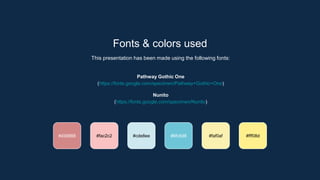
Fonts & colors used
This presentation has been made using the following fonts:
Pathway Gothic One
(https://fonts.google.com/specimen/Pathway+Gothic+One)
Nunito
(https://fonts.google.com/specimen/Nunito)
#fac2c2 #cde8ee #6fc5d8
#d38888 #faf0af #fff08d
Storyset by Freepik
Create your Story with our illustrated concepts. Choose the style you like the most, edit its colors, pick
the background and layers you want to show and bring them to life with the animator panel! It will boost
your presentation. Check out How it Works.
Pana Amico Bro Rafiki Cuate
You can easily resize these resources without losing quality. To change the color, just ungroup the resource
and click on the object you want to change. Then, click on the paint bucket and select the color you want.
Group the resource again when you’re done. You can also look for more infographics on Slidesgo.
Use our editable graphic resources...
JANUARY FEBRUARY MARCH APRIL
PHASE 1
Task 1
Task 2
JANUARY FEBRUARY MARCH APRIL MAY JUNE
PHASE 1
PHASE 2
Task 1
Task 2
Task 1
Task 2
...and our sets of editable icons
You can resize these icons without losing the quality.
You can change the stroke and fill color; just select the icon and click on the paint bucket/pen.
In Google Slides, you can also use Flaticon’s extension, allowing you to customize and add even more icons.
Educational Icons Medical Icons
Business Icons Teamwork Icons
Help & Support Icons Avatar Icons
Creative Process Icons Performing Arts Icons
Nature Icons
SEO & Marketing Icons
Understanding the self report presentation

Understanding the self report presentation

  • 1.
    CHAPTER2: SELFEFFICACY GROUP 2 –UNDERSTANDING THE SELF
  • 2.
    TOPIC1 • The mindsettheory • Background of the mindset • Mindset • Types of mindset TOPIC2 TOPIC3 TABLEOFCONTENTS Reporters: Lacanlale, Cyandrea Feliciano, Rhealyn Nicole • Four principal sources of self-efficacy beliefs • Self Efficacy Theory • 3 factors that influence the development of the self- efficacy. TOPIC4 • The Goal Setting Theory • Feedback
  • 3.
    TOPIC#1 T h eM i n d s e t T h e o r y . B a c k g r o u n d o f t h e m i n d s e t . M i n d s e t . T y p e s o f m i n d s e t
  • 4.
  • 5.
  • 6.
  • 7.
  • 8.
  • 9.
  • 10.
  • 11.
  • 12.
    TOPIC#2 F o ur P r i n c i p a l S o u r c e s o f S e l f - e f f i c a c y B e l i e f s
  • 13.
  • 14.
    2ND PRINCIPLE FOURPRINCIPAL SOURCESOFSELF-EFFICACY BELIEFS 1st PRINCIPLE
  • 15.
    4TH PRINCIPLE FOURPRINCIPAL SOURCESOFSELF-EFFICACY BELIEFS 3RD PRINCIPLE
  • 16.
    TOPIC#3 S e lf E f f i c a c y T h e o r y . T h r e e f a c t o r s t h a t i n f l u e n c e t h e d e v e l o p m e n t o f t h e s e l f - e f f i c a c y .
  • 17.
  • 18.
  • 19.
    TOPIC#4 T h eG o a l S e t t i n g T h e o r y . F e e d b a c k
  • 20.
  • 21.
  • 22.
    THENANOWORLD “There’s Plenty ofRoom at the Bottom” by physicist Richard Feynman at an American Physical Society meeting at the California Institute of Technology (CalTech) on December 29, 1959
  • 23.
    THENANOWORLD Nanoscience and nanotechnologyinvolve the ability to see and to control individual atoms and molecules.
  • 24.
    THENANOWORLD: NanoScience Nanoscience refersto the scientific study of materials of nanometer size, and is a combination of developments in solid state chemistry, synthetic chemistry, molecular biology, solid state physics and engineering, and scanning tunneling microscopy
  • 25.
    THENANOWORLD: NanoTechnology Nanotechnology isa field of research and innovation concerned with building 'things' - generally, materials and devices - on the scale of atoms and molecules.
  • 26.
    THEEND. Thank you forlistening. 05 00 2021
  • 27.
    14 01 21 STEPSFORPRESENTING Venushas a beautiful name Despite being red, Mars is cold Saturn is the ringed one Neptune is the farthest planet
  • 28.
    MYCLASS’AVERAGEGRADES 16 0121 65% Mercury is the smallest planet 87% Venus has a beautiful name 45% Despite being red, Mars is a cold place
  • 29.
    –SOMEONEFAMOUS “This is aquote, words full of wisdom that someone important said and can make the reader get inspired.” 20 01 21
  • 30.
  • 31.
  • 32.
    ALTERNATIVERESOURCES Photos: ● Teacher attendingher online course high view ● Girl holding mobile phone and wearing headphones ● Happy teacher talking with her students online ● School girl and copy space digital device ● Front view woman holding a lion illustration ● School girl wearing headphones virtual courses ● Teacher attending her online course and wearing medical mask ● School girl wearing medical mask sitting on the couch
  • 33.
    RESOURCES Did you likethe resources of this template? Get them for free at our other websites! Icons: ● Workshop Icon Pack ● Online Learning Icon Pack Vectors: ● Daily planner template with leaves ● Handmade ornamental leaves ● Sketchy leaves collection Photos: ● Student attending the course front view ● School girl attending online classes ● Teacher and student high view
  • 34.
    Instructions for use(free users) In order to use this template, you must credit Slidesgo by keeping the Thanks slide. You are allowed to: ● Modify this template. ● Use it for both personal and commercial purposes. You are not allowed to: ● Sublicense, sell or rent any of Slidesgo Content (or a modified version of Slidesgo Content). ● Distribute this Slidesgo Template (or a modified version of this Slidesgo Template) or include it in a database or in any other product or service that offers downloadable images, icons or presentations that may be subject to distribution or resale. ● Use any of the elements that are part of this Slidesgo Template in an isolated and separated way from this Template. ● Delete the “Thanks” or “Credits” slide. ● Register any of the elements that are part of this template as a trademark or logo, or register it as a work in an intellectual property registry or similar. For more information about editing slides, please read our FAQs or visit Slidesgo School: https://slidesgo.com/faqs and https://slidesgo.com/slidesgo-school
  • 35.
    Instructions for use(premium users) In order to use this template, you must be a Premium user on Slidesgo. You are allowed to: ● Modify this template. ● Use it for both personal and commercial purposes. ● Hide or delete the “Thanks” slide and the mention to Slidesgo in the credits. ● Share this template in an editable format with people who are not part of your team. You are not allowed to: ● Sublicense, sell or rent this Slidesgo Template (or a modified version of this Slidesgo Template). ● Distribute this Slidesgo Template (or a modified version of this Slidesgo Template) or include it in a database or in any other product or service that offers downloadable images, icons or presentations that may be subject to distribution or resale. ● Use any of the elements that are part of this Slidesgo Template in an isolated and separated way from this Template. ● Register any of the elements that are part of this template as a trademark or logo, or register it as a work in an intellectual property registry or similar. For more information about editing slides, please read our FAQs or visit Slidesgo School: https://slidesgo.com/faqs and https://slidesgo.com/slidesgo-school
  • 36.
    Fonts & colorsused This presentation has been made using the following fonts: Pathway Gothic One (https://fonts.google.com/specimen/Pathway+Gothic+One) Nunito (https://fonts.google.com/specimen/Nunito) #fac2c2 #cde8ee #6fc5d8 #d38888 #faf0af #fff08d
  • 37.
    Storyset by Freepik Createyour Story with our illustrated concepts. Choose the style you like the most, edit its colors, pick the background and layers you want to show and bring them to life with the animator panel! It will boost your presentation. Check out How it Works. Pana Amico Bro Rafiki Cuate
  • 38.
    You can easilyresize these resources without losing quality. To change the color, just ungroup the resource and click on the object you want to change. Then, click on the paint bucket and select the color you want. Group the resource again when you’re done. You can also look for more infographics on Slidesgo. Use our editable graphic resources...
  • 41.
    JANUARY FEBRUARY MARCHAPRIL PHASE 1 Task 1 Task 2 JANUARY FEBRUARY MARCH APRIL MAY JUNE PHASE 1 PHASE 2 Task 1 Task 2 Task 1 Task 2
  • 44.
    ...and our setsof editable icons You can resize these icons without losing the quality. You can change the stroke and fill color; just select the icon and click on the paint bucket/pen. In Google Slides, you can also use Flaticon’s extension, allowing you to customize and add even more icons.
  • 45.
  • 46.
  • 47.
    Help & SupportIcons Avatar Icons
  • 48.
    Creative Process IconsPerforming Arts Icons
  • 49.
  • 50.