Rapid Research – Format Showdown
Unit 2 Lesson 6
Objectives
Students will be able to:
•Identify reliable sources of information when doing research
•Synthesize information taken from multiple online sources
•Create an artifact (video, image, slide, poster, etc.) to communicate
information about a computing topic.
Warm Up
Imagine I was comparing two different file formats for
representing images. All I tell you that one of them is
"better" than the other.
Based on everything that you've learned in this unit, what
might "better" mean?
Try to come up with at least three ideas and incorporate
vocabulary from the unit.
Lets Get Started!
Today we're going to dig a little deeper into this question by
doing a Rapid Research project.
Not only are you going to research your own file format,
you're going to make the case why yours is the best!
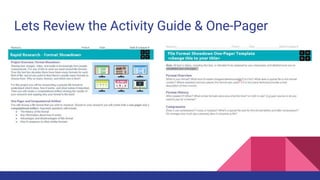
Lets Review the Activity Guide & One-Pager
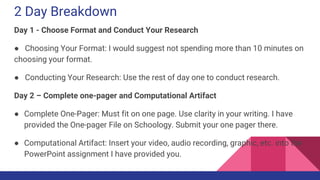
2 Day Breakdown
Day 1 - Choose Format and Conduct Your Research
● Choosing Your Format: I would suggest not spending more than 10 minutes on
choosing your format.
● Conducting Your Research: Use the rest of day one to conduct research.
Day 2 – Complete one-pager and Computational Artifact
● Complete One-Pager: Must fit on one page. Use clarity in your writing. I have
provided the One-pager File on Schoology. Submit your one pager there.
● Computational Artifact: Insert your video, audio recording, graphic, etc. into the
PowerPoint assignment I have provided you.
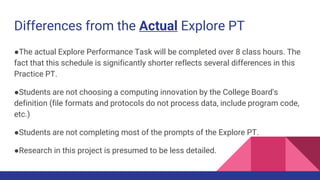
Differences from the Actual Explore PT
●The actual Explore Performance Task will be completed over 8 class hours. The
fact that this schedule is significantly shorter reflects several differences in this
Practice PT.
●Students are not choosing a computing innovation by the College Board's
definition (file formats and protocols do not process data, include program code,
etc.)
●Students are not completing most of the prompts of the Explore PT.
●Research in this project is presumed to be less detailed.
Lets Share!
●We will do a virtual gallery walk of our projects!

U2 l6 rapid research format showdown

  • 1.
    Rapid Research –Format Showdown Unit 2 Lesson 6 Objectives Students will be able to: •Identify reliable sources of information when doing research •Synthesize information taken from multiple online sources •Create an artifact (video, image, slide, poster, etc.) to communicate information about a computing topic.
  • 2.
    Warm Up Imagine Iwas comparing two different file formats for representing images. All I tell you that one of them is "better" than the other. Based on everything that you've learned in this unit, what might "better" mean? Try to come up with at least three ideas and incorporate vocabulary from the unit.
  • 3.
    Lets Get Started! Todaywe're going to dig a little deeper into this question by doing a Rapid Research project. Not only are you going to research your own file format, you're going to make the case why yours is the best!
  • 4.
    Lets Review theActivity Guide & One-Pager
  • 5.
    2 Day Breakdown Day1 - Choose Format and Conduct Your Research ● Choosing Your Format: I would suggest not spending more than 10 minutes on choosing your format. ● Conducting Your Research: Use the rest of day one to conduct research. Day 2 – Complete one-pager and Computational Artifact ● Complete One-Pager: Must fit on one page. Use clarity in your writing. I have provided the One-pager File on Schoology. Submit your one pager there. ● Computational Artifact: Insert your video, audio recording, graphic, etc. into the PowerPoint assignment I have provided you.
  • 6.
    Differences from theActual Explore PT ●The actual Explore Performance Task will be completed over 8 class hours. The fact that this schedule is significantly shorter reflects several differences in this Practice PT. ●Students are not choosing a computing innovation by the College Board's definition (file formats and protocols do not process data, include program code, etc.) ●Students are not completing most of the prompts of the Explore PT. ●Research in this project is presumed to be less detailed.
  • 7.
    Lets Share! ●We willdo a virtual gallery walk of our projects!

Editor's Notes

  • #3 Better compression ratio or better quality image even when compressed Can hold larger or more complex types of information Different kinds of metadata Includes features not found in other formats Used by more people Open, no licensing fees Newer and optimized for modern technology