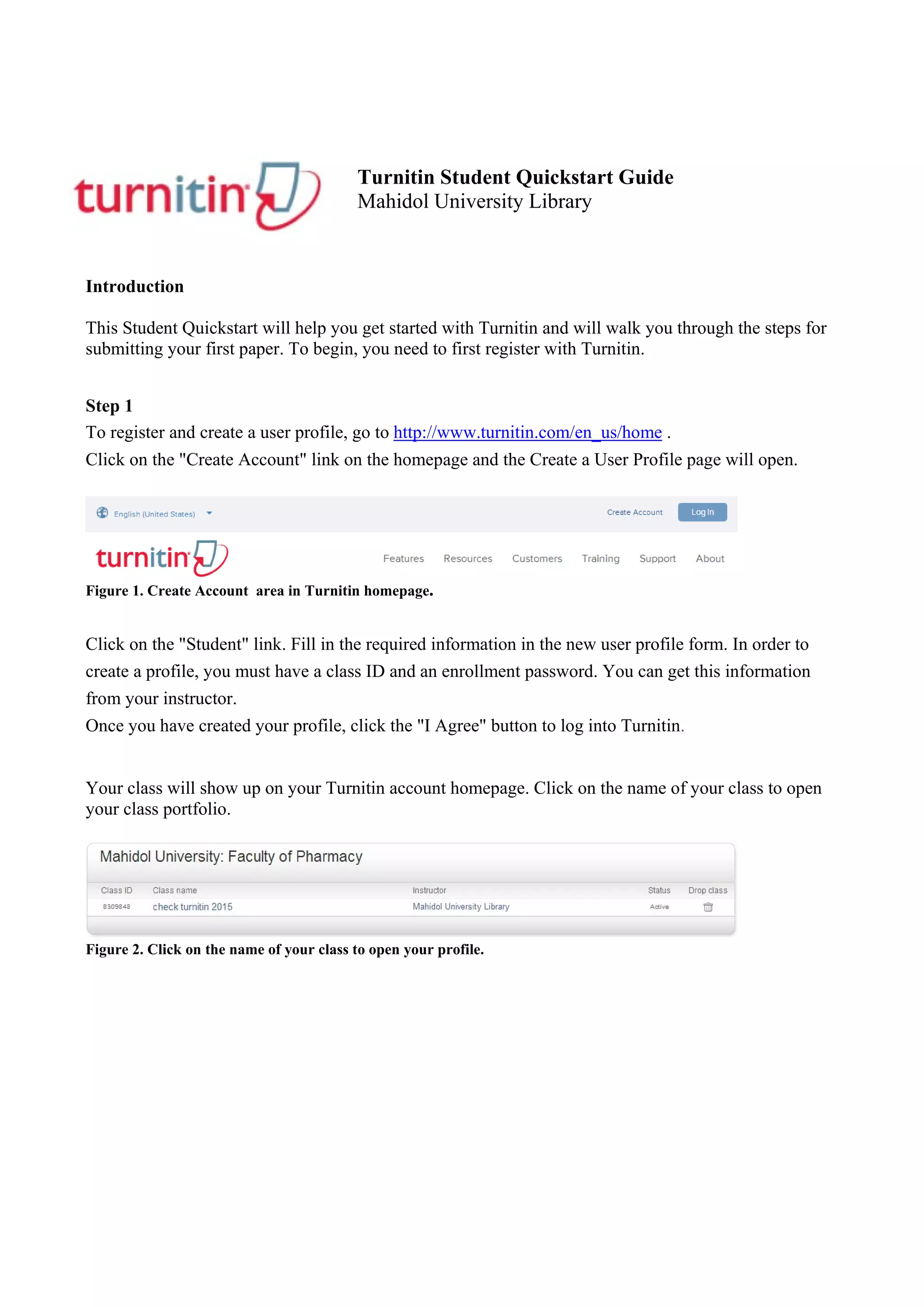
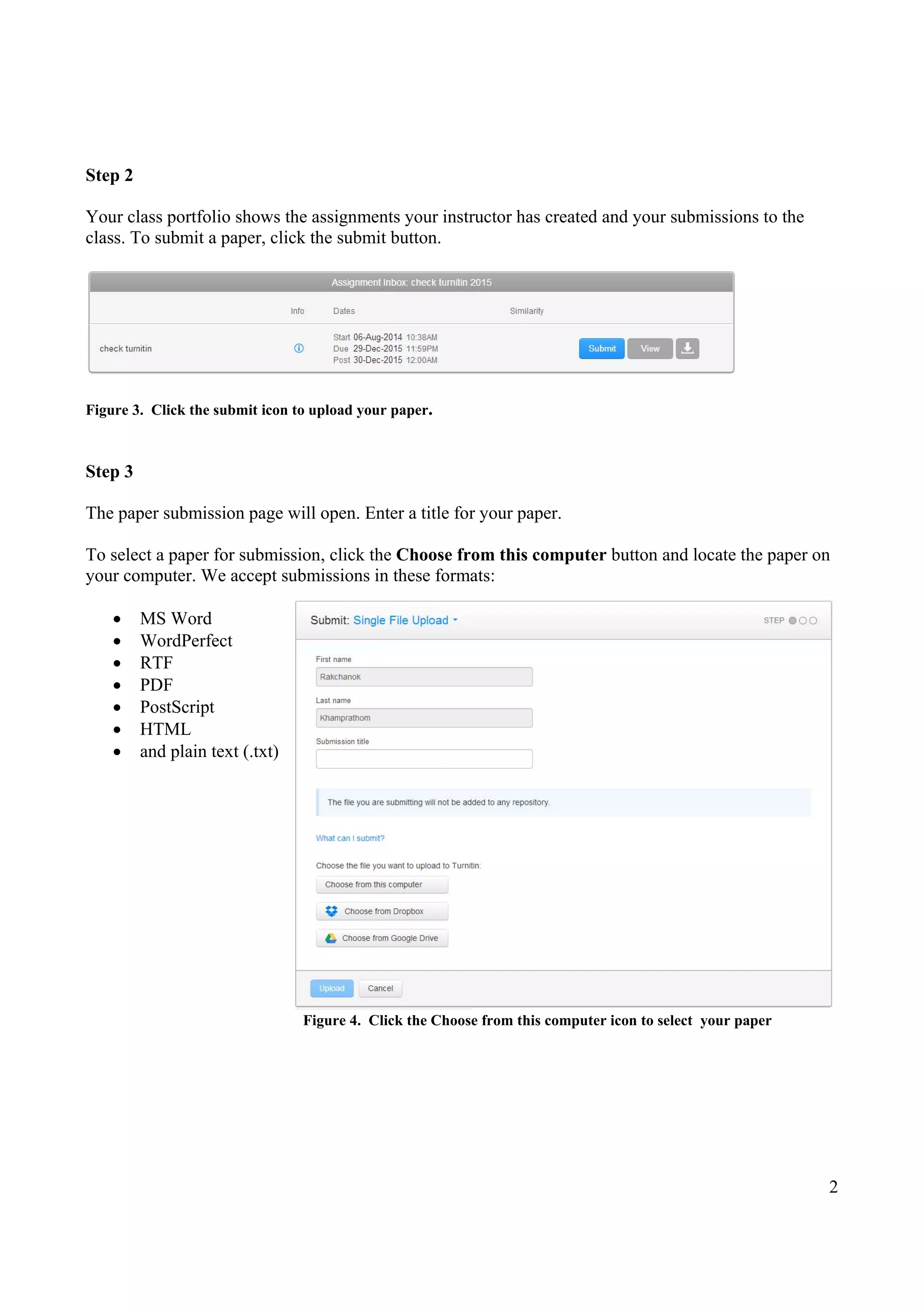
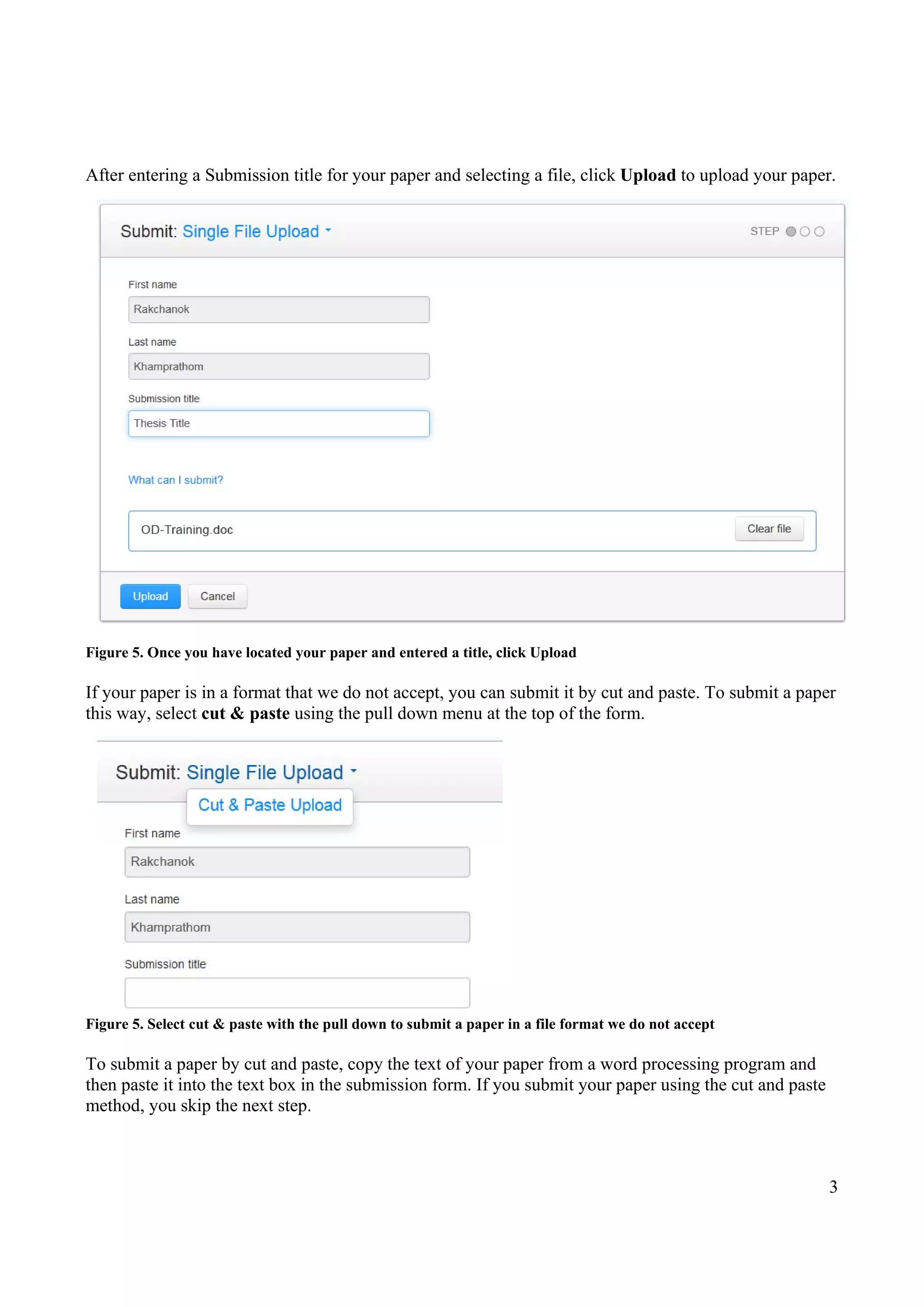
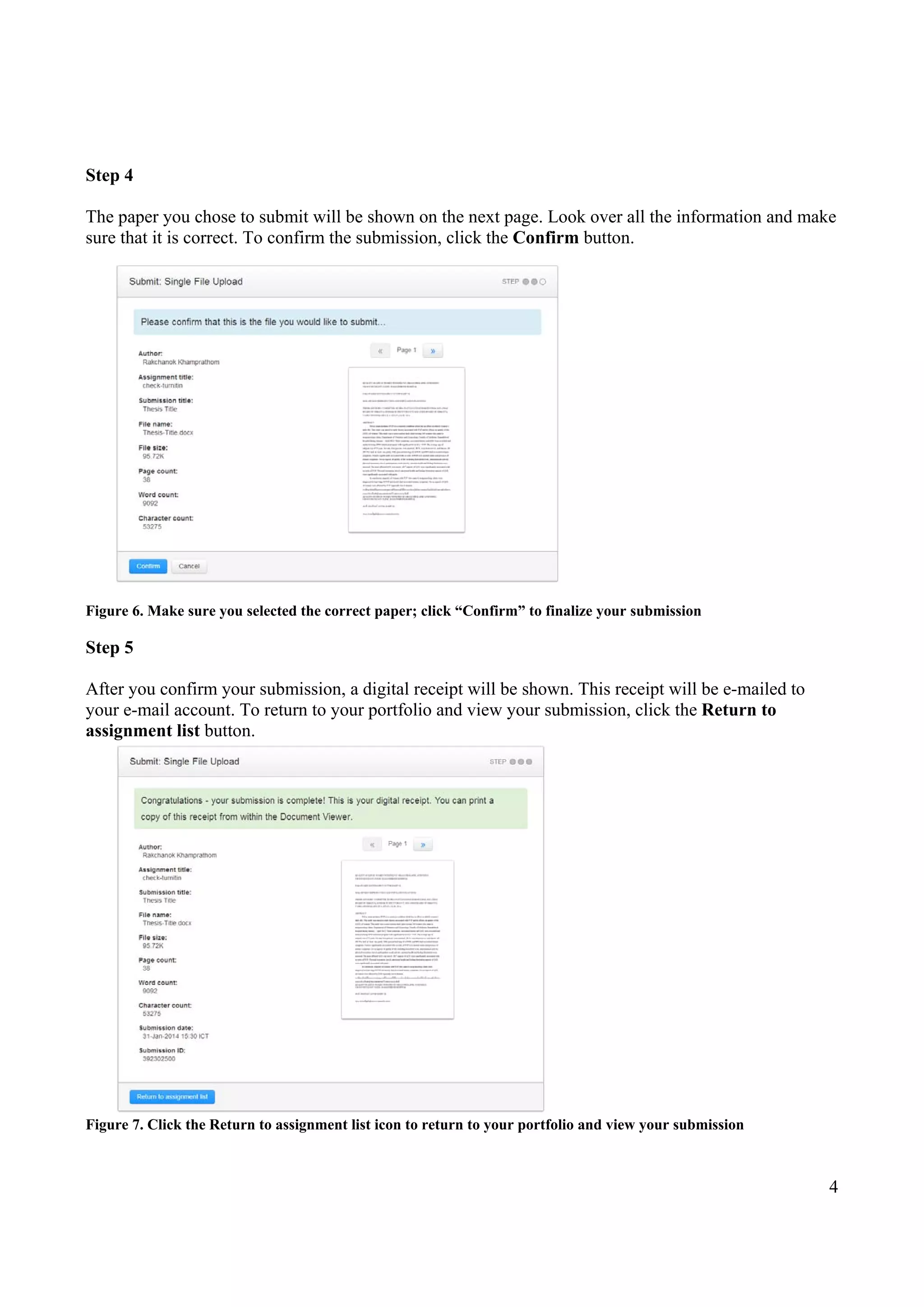
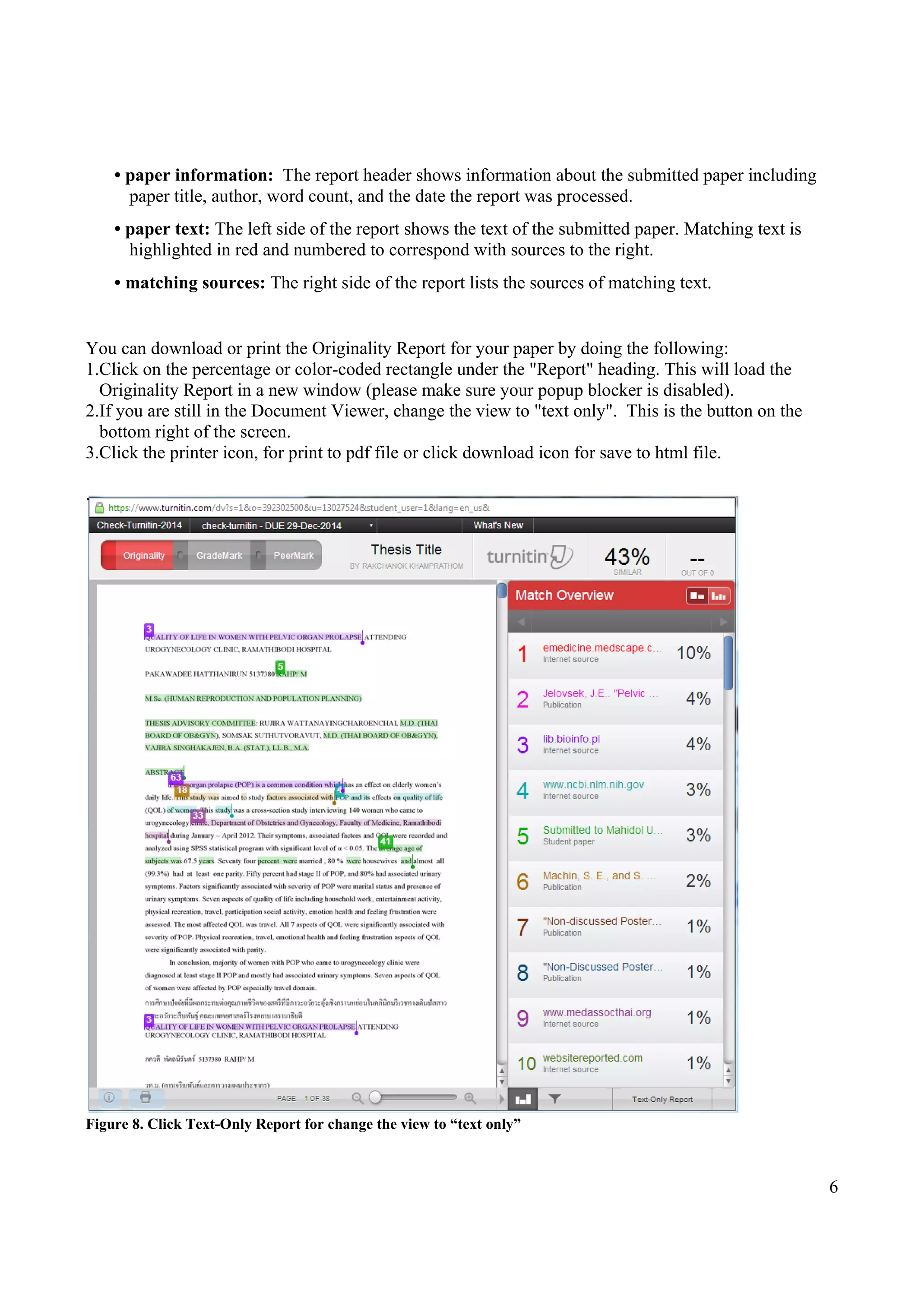
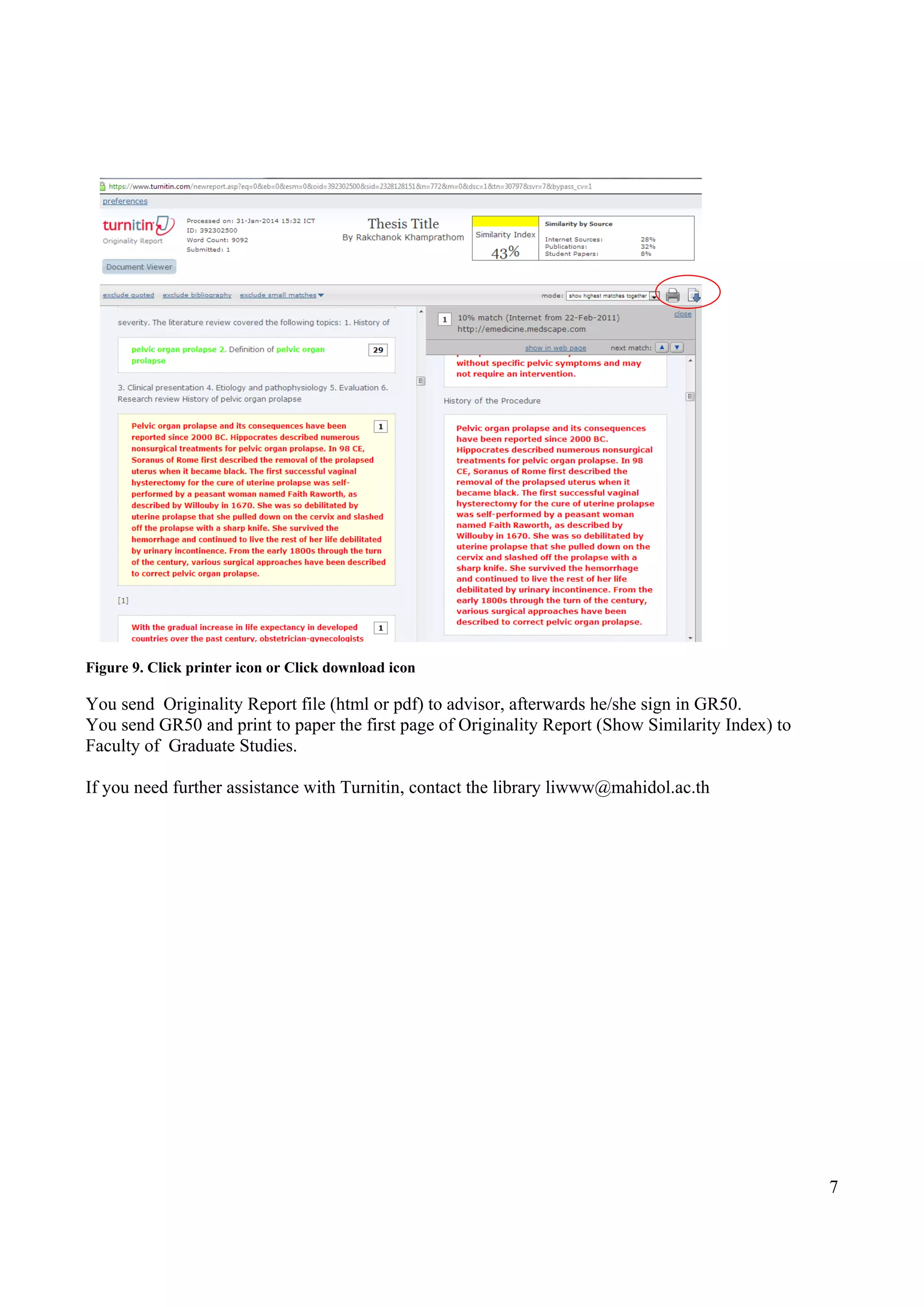
This document provides a 6 step guide for students to submit papers to Turnitin and view originality reports. It explains how to 1) create an account and enroll in a class, 2) access assignments and submit papers by selecting a file or copy/pasting text, 3) review submission details and confirm, 4) view digital receipts and return to the assignment list, 5) access originality reports to view matching text from other sources, and 6) download or print originality reports. Originality reports provide summaries of matching text found online or in other submitted papers to help instructors identify potential plagiarism.


![Book review 1[1]](https://cdn.slidesharecdn.com/ss_thumbnails/bookreview11-141209005931-conversion-gate01-thumbnail.jpg?width=640&height=640&fit=bounds)


![Communication skills submission_1(0)[1]](https://cdn.slidesharecdn.com/ss_thumbnails/communicationskillssubmission101-141209005233-conversion-gate01-thumbnail.jpg?width=640&height=640&fit=bounds)


