






Turn VIM into
a modern Python IDE
      by Chee-Chan Keng
Pre-conditions
•   You are already using a software development optimized
    Operating System, like Linux distributions (Ubuntu 64-bit is
    used in example)
•   You understand the power of VI based editors
•   You want to be effective with Python
    Programming, obviously
•   You prefer simplistic approach over heavyweight IDEs
•   You prefer open source solutions over commercial IDEs


What to do if you don’t meet the pre-conditions?  GOOGLE IT!
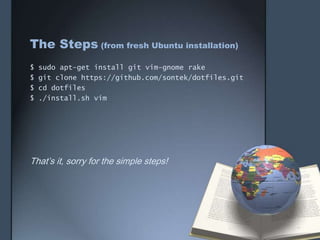
The Steps (from fresh Ubuntu installation)
$   sudo apt-get install git vim-gnome rake
$   git clone https://github.com/sontek/dotfiles.git
$   cd dotfiles
$   ./install.sh vim


That’s it, sorry for the simple steps!
My personal touch
•   Edit ~/.vimrc
     •   Remove eol:$, from this line:
           set listchars=tab:>-,eol:$,trail:-,precedes:<,extends:>

    •    Change the colorscheme to wombat (see below):
           colorscheme wombat


To get wombat color file:
$ cd ~/.vim/colors
$ wget –O wombat.vim http://www.vim.org/scripts/download_script.php?src_id=6657
Now, here’s the bad news:
• This is just the beginning of a powerful VIM IDE
  journey, read here to unleash its full potential:

   http://sontek.net/blog/detail/turning-vim-into-a-modern-python-ide
Reference & Special Thanks
• More detailed documentation is here:
  http://sontek.net/blog/detail/turning-vim-into-a-
  modern-python-ide
Thank You

Turn VIM into a modern Python IDE

  • 1.
    Turn VIM into amodern Python IDE by Chee-Chan Keng
  • 2.
    Pre-conditions • You are already using a software development optimized Operating System, like Linux distributions (Ubuntu 64-bit is used in example) • You understand the power of VI based editors • You want to be effective with Python Programming, obviously • You prefer simplistic approach over heavyweight IDEs • You prefer open source solutions over commercial IDEs What to do if you don’t meet the pre-conditions?  GOOGLE IT!
  • 3.
    The Steps (fromfresh Ubuntu installation) $ sudo apt-get install git vim-gnome rake $ git clone https://github.com/sontek/dotfiles.git $ cd dotfiles $ ./install.sh vim That’s it, sorry for the simple steps!
  • 4.
    My personal touch • Edit ~/.vimrc • Remove eol:$, from this line: set listchars=tab:>-,eol:$,trail:-,precedes:<,extends:> • Change the colorscheme to wombat (see below): colorscheme wombat To get wombat color file: $ cd ~/.vim/colors $ wget –O wombat.vim http://www.vim.org/scripts/download_script.php?src_id=6657
  • 5.
    Now, here’s thebad news: • This is just the beginning of a powerful VIM IDE journey, read here to unleash its full potential: http://sontek.net/blog/detail/turning-vim-into-a-modern-python-ide
  • 6.
    Reference & SpecialThanks • More detailed documentation is here: http://sontek.net/blog/detail/turning-vim-into-a- modern-python-ide
  • 7.