Transaction Approval Codes
Transaction Approval Codes are an optional account security feature provided by Paxum. Transaction
Approval Codes are switched on by default and help provide an added layer of protection should your
Paxum account login ever be hacked or compromised.
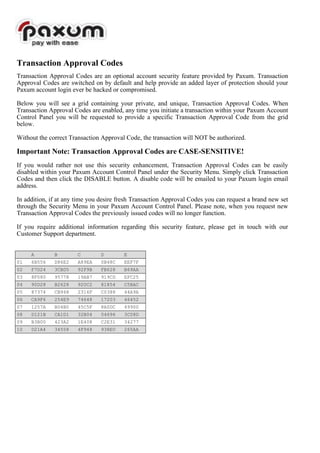
Below you will see a grid containing your private, and unique, Transaction Approval Codes. When
Transaction Approval Codes are enabled, any time you initiate a transaction within your Paxum Account
Control Panel you will be requested to provide a specific Transaction Approval Code from the grid
below.
Without the correct Transaction Approval Code, the transaction will NOT be authorized.
Important Note: Transaction Approval Codes are CASE-SENSITIVE!
If you would rather not use this security enhancement, Transaction Approval Codes can be easily
disabled within your Paxum Account Control Panel under the Security Menu. Simply click Transaction
Codes and then click the DISABLE button. A disable code will be emailed to your Paxum login email
address.
In addition, if at any time you desire fresh Transaction Approval Codes you can request a brand new set
through the Security Menu in your Paxum Account Control Panel. Please note, when you request new
Transaction Approval Codes the previously issued codes will no longer function.
If you require additional information regarding this security feature, please get in touch with our
Customer Support department.
A B C D E
01 6B556 D86E2 A89EA 0B48C EEF7F
02 F7D24 3CBD5 92F9B FB628 B69AA
03 8F080 95778 19AB7 919CD EFC25
04 90D28 B2628 920C2 81854 C5BAC
05 87374 CB948 2316F C0388 44A9A
06 CA9F6 254E9 74648 17203 46452
07 1257A B04B0 45C5F 8A0DC 49900
08 D121B CA1D1 32B04 04696 3C08D
09 B3B00 423A2 1E408 C2E31 34277
10 D21A4 34558 4F948 938E0 265AA

Transaction approvalcodes 136741

  • 1.
    Transaction Approval Codes TransactionApproval Codes are an optional account security feature provided by Paxum. Transaction Approval Codes are switched on by default and help provide an added layer of protection should your Paxum account login ever be hacked or compromised. Below you will see a grid containing your private, and unique, Transaction Approval Codes. When Transaction Approval Codes are enabled, any time you initiate a transaction within your Paxum Account Control Panel you will be requested to provide a specific Transaction Approval Code from the grid below. Without the correct Transaction Approval Code, the transaction will NOT be authorized. Important Note: Transaction Approval Codes are CASE-SENSITIVE! If you would rather not use this security enhancement, Transaction Approval Codes can be easily disabled within your Paxum Account Control Panel under the Security Menu. Simply click Transaction Codes and then click the DISABLE button. A disable code will be emailed to your Paxum login email address. In addition, if at any time you desire fresh Transaction Approval Codes you can request a brand new set through the Security Menu in your Paxum Account Control Panel. Please note, when you request new Transaction Approval Codes the previously issued codes will no longer function. If you require additional information regarding this security feature, please get in touch with our Customer Support department. A B C D E 01 6B556 D86E2 A89EA 0B48C EEF7F 02 F7D24 3CBD5 92F9B FB628 B69AA 03 8F080 95778 19AB7 919CD EFC25 04 90D28 B2628 920C2 81854 C5BAC 05 87374 CB948 2316F C0388 44A9A 06 CA9F6 254E9 74648 17203 46452 07 1257A B04B0 45C5F 8A0DC 49900 08 D121B CA1D1 32B04 04696 3C08D 09 B3B00 423A2 1E408 C2E31 34277 10 D21A4 34558 4F948 938E0 265AA