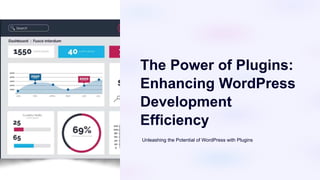
The Power of Plugins:
Enhancing WordPress
Development
Efficiency
Unleashing the Potential of WordPress with Plugins
Introduction to WordPress
WordPress is a versatile Content Management System (CMS) with extensive extensibility and flexibility.
Plugins play a vital role in enhancing functionality and efficiency.
Introduction
WordPress is a popular and flexible CMS.
Extensibility
WordPress offers extensive extensibility.
Plugins
Plugins enhance functionality and efficiency.
What are Plugins?
Plugins extend the functionality of WordPress websites.
Common functionalities include SEO optimization, e-commerce integration, and security enhancements.
Definition
Enhance WordPress websites' functionality.
Extension
Extend key website functionalities.
Functionalities
Common functionalities and examples.
Benefits of Using Plugins
Plugins save time and effort, allowing for increased efficiency.
They enable website customization and scalability.
Popular WordPress Plugins
Explore popular WordPress plugins such as Yoast SEO, WooCommerce, and Jetpack.
Learn about their functionality and benefits for WordPress websites.
Yoast SEO
SEO optimization for WordPress.
Best Practices for Plugin Usage
Choosing reputable plugins from trusted sources is essential.
Regular updates ensure compatibility and security maintenance.
Selected plugins should be necessary to avoid performance issues.
Reputable Sources
Choose plugins from trustworthy sources.
Regular Updates
Keep plugins updated for compatibility.
Avoid Overload
Select necessary plugins to prevent performance issues.
Plugin Development Tips
WordPress coding standards should be strictly adhered to.
Utilize hooks and filters for seamless WordPress core integration.
Thorough testing is crucial before deploying custom plugins.
Coding Standards
Adhere to WordPress coding standards.
Hooks & Filters
Utilize hooks and filters for core integration.
Thorough Testing
Importance of thorough testing for custom plugins.
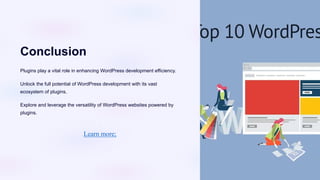
Conclusion
Plugins play a vital role in enhancing WordPress development efficiency.
Unlock the full potential of WordPress development with its vast
ecosystem of plugins.
Explore and leverage the versatility of WordPress websites powered by
plugins.
Learn more;

The-Power-of-Plugins-Enhancing-WordPress-Development-Efficiency.pptx

  • 1.
    The Power ofPlugins: Enhancing WordPress Development Efficiency Unleashing the Potential of WordPress with Plugins
  • 2.
    Introduction to WordPress WordPressis a versatile Content Management System (CMS) with extensive extensibility and flexibility. Plugins play a vital role in enhancing functionality and efficiency. Introduction WordPress is a popular and flexible CMS. Extensibility WordPress offers extensive extensibility. Plugins Plugins enhance functionality and efficiency.
  • 3.
    What are Plugins? Pluginsextend the functionality of WordPress websites. Common functionalities include SEO optimization, e-commerce integration, and security enhancements. Definition Enhance WordPress websites' functionality. Extension Extend key website functionalities. Functionalities Common functionalities and examples.
  • 4.
    Benefits of UsingPlugins Plugins save time and effort, allowing for increased efficiency. They enable website customization and scalability.
  • 5.
    Popular WordPress Plugins Explorepopular WordPress plugins such as Yoast SEO, WooCommerce, and Jetpack. Learn about their functionality and benefits for WordPress websites. Yoast SEO SEO optimization for WordPress.
  • 6.
    Best Practices forPlugin Usage Choosing reputable plugins from trusted sources is essential. Regular updates ensure compatibility and security maintenance. Selected plugins should be necessary to avoid performance issues. Reputable Sources Choose plugins from trustworthy sources. Regular Updates Keep plugins updated for compatibility. Avoid Overload Select necessary plugins to prevent performance issues.
  • 7.
    Plugin Development Tips WordPresscoding standards should be strictly adhered to. Utilize hooks and filters for seamless WordPress core integration. Thorough testing is crucial before deploying custom plugins. Coding Standards Adhere to WordPress coding standards. Hooks & Filters Utilize hooks and filters for core integration. Thorough Testing Importance of thorough testing for custom plugins.
  • 8.
    Conclusion Plugins play avital role in enhancing WordPress development efficiency. Unlock the full potential of WordPress development with its vast ecosystem of plugins. Explore and leverage the versatility of WordPress websites powered by plugins. Learn more;