The Role of
Elastic Load Balancer (ELB)
Imesh Gunaratne
Apache Contributor, Technical Lead - WSO2 Inc
Agenda
➔ Introduction to Load Balancing
◆ What is Load Balancing?
◆ Algorithms
◆ Node Configuration Modes
◆ Why is it called Elastic?
◆ Purpose
◆ Features
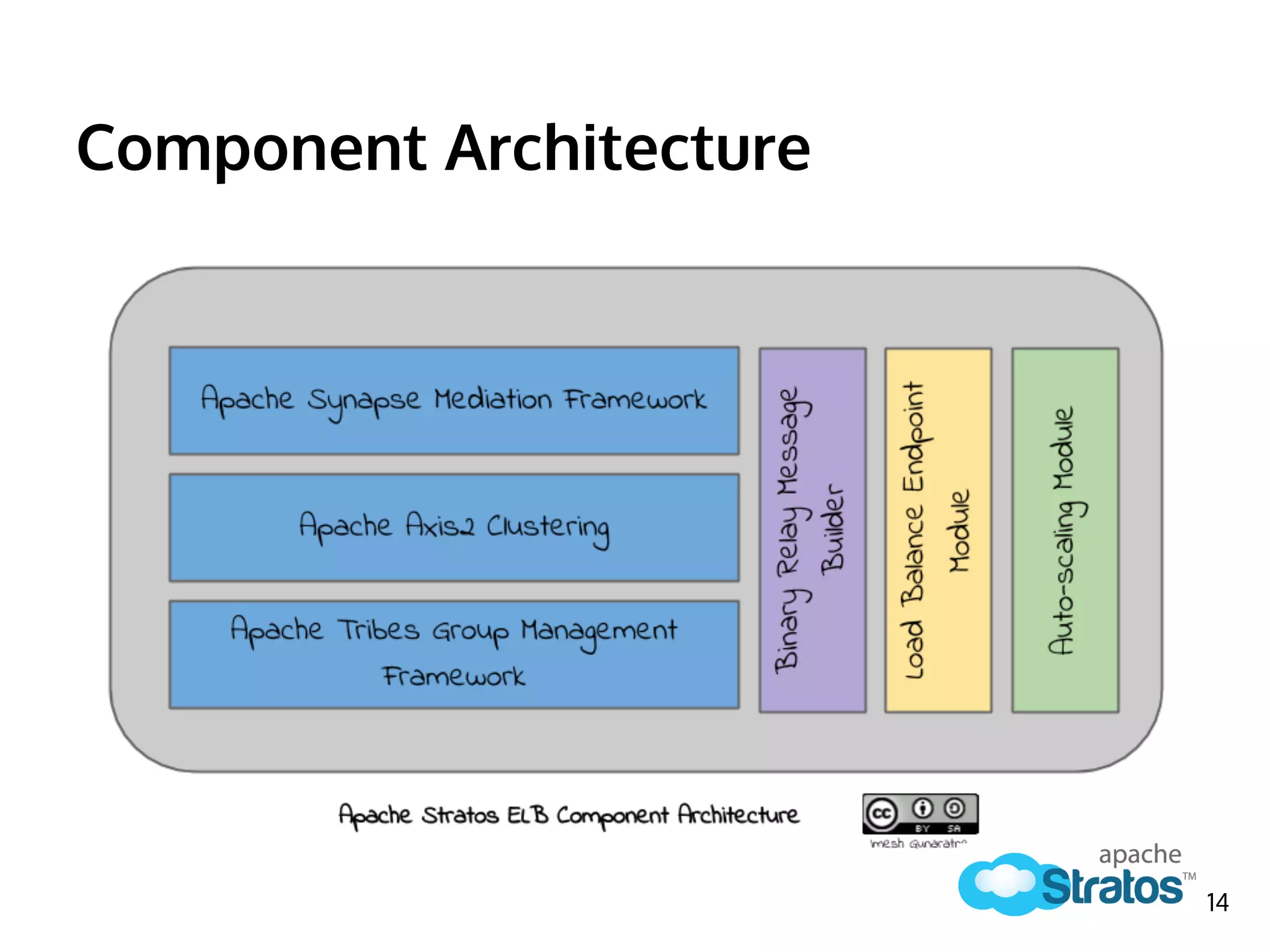
➔ Component Architecture of Apache Stratos ELB
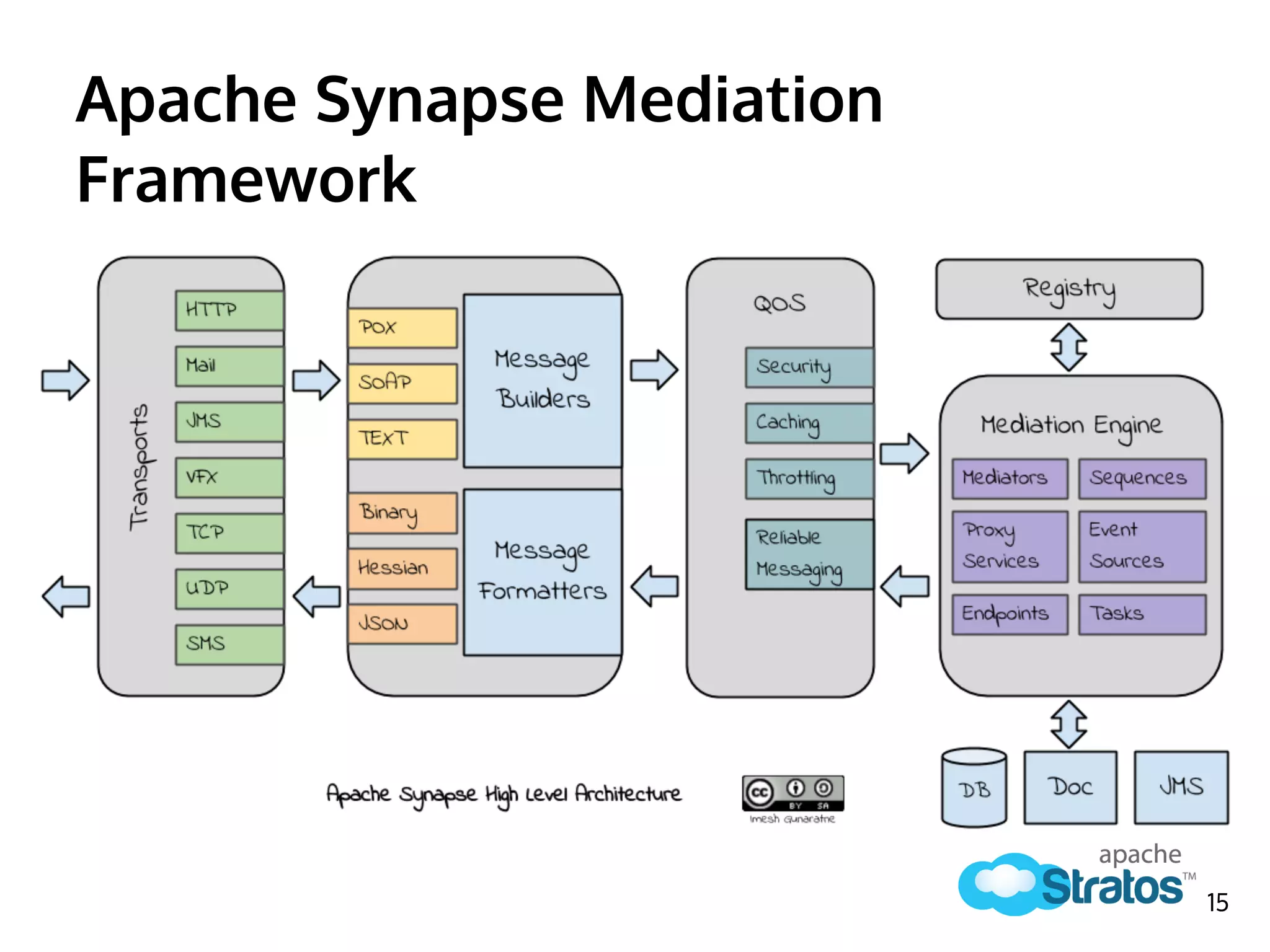
◆ Synapse Mediation Framework
◆ Apache Axis2 Clustering
◆ Apache Tribes Group Management
◆ Binary Relay Message Builder
◆ Load Balance Endpoint Module
◆ Auto-scaling Module
2
Agenda (cont.)
➔ ELB’s role in Apache Stratos PaaS
◆ Apache Stratos Logical Architecture
◆ Workflow
➔ Auto-scaling Process
◆ Configuration
◆ Auto-scaling Algorithm
◆ Plugging in Custom Algorithms
➔ How to Avoid Single Point of Failure of ELB
3
Introduction to Load Balancing
How it is done & why it matters?
4
What is Load Balancing in general?
Load balancing is a computer networking method for
distributing workloads across multiple computers or a computer
cluster, network links, central processing units, disk drives, or
other resources
- Wikipedia
http://en.wikipedia.org/wiki/Load_balancer 5
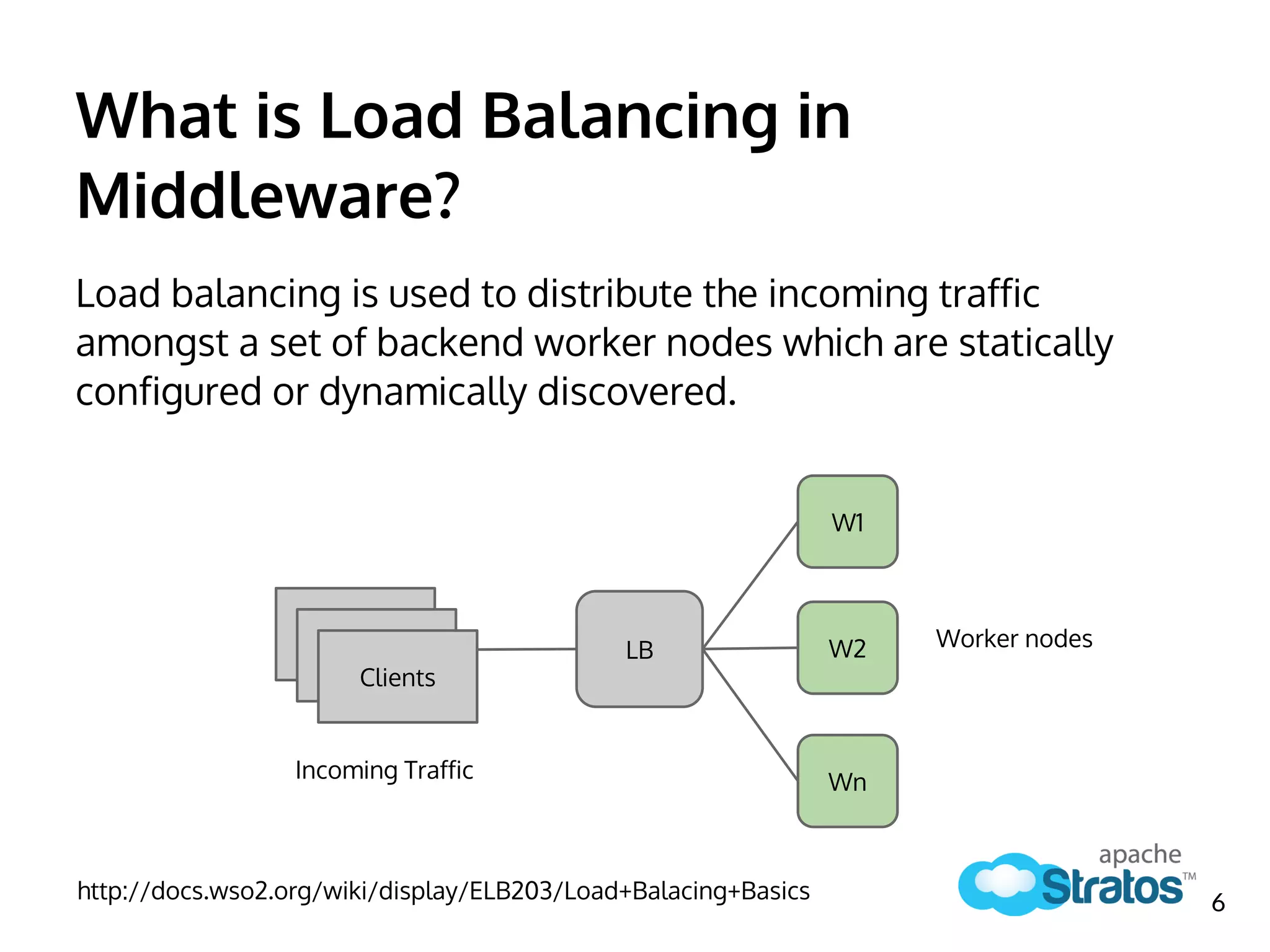
Load balancing is used to distribute the incoming traffic
amongst a set of backend worker nodes which are statically
configured or dynamically discovered.
http://docs.wso2.org/wiki/display/ELB203/Load+Balacing+Basics
LB
W1
W2
Wn
Clients
Worker nodes
Incoming Traffic
6
What is Load Balancing in
Middleware?
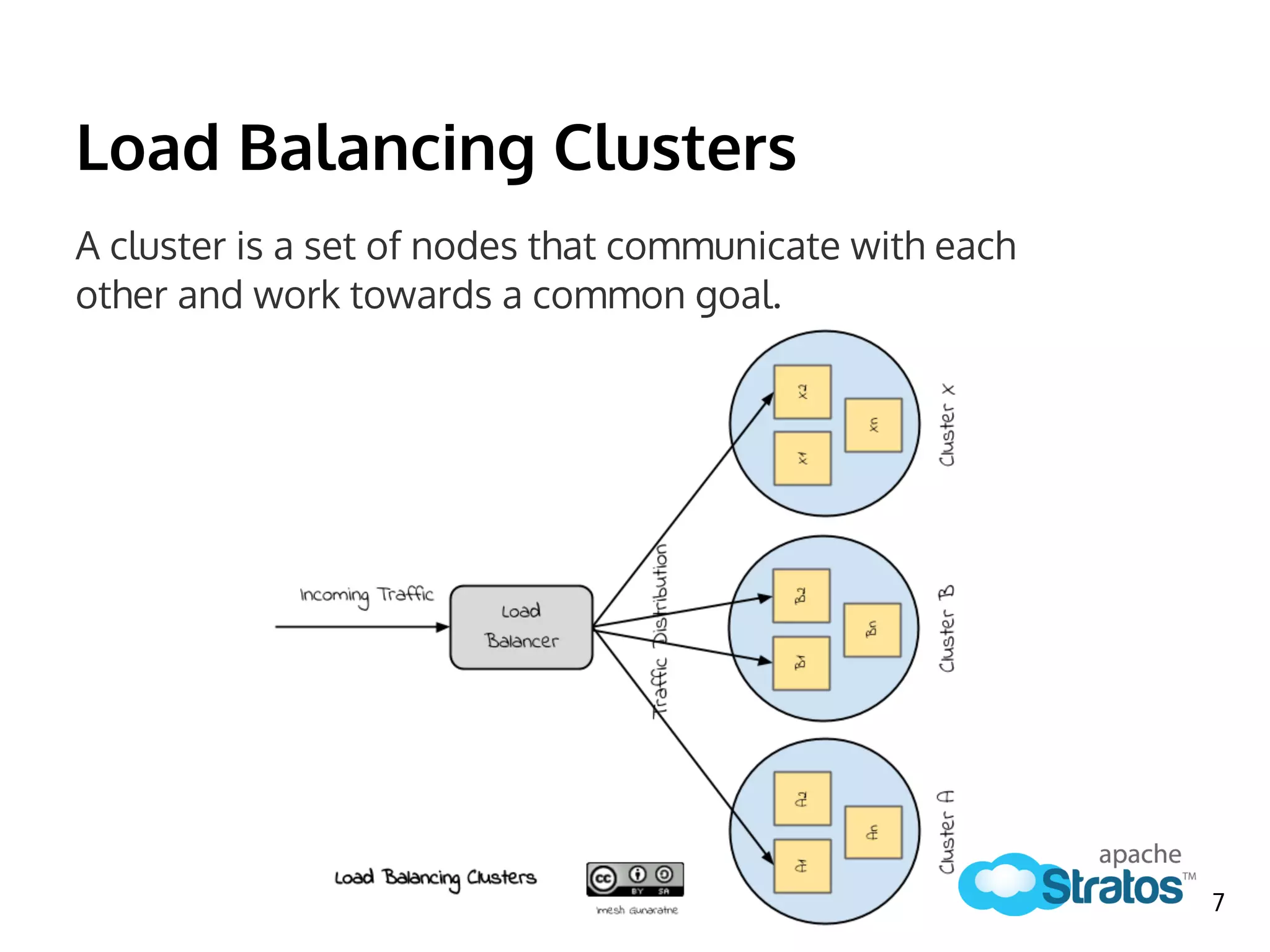
Load Balancing Clusters
A cluster is a set of nodes that communicate with each
other and work towards a common goal.
7
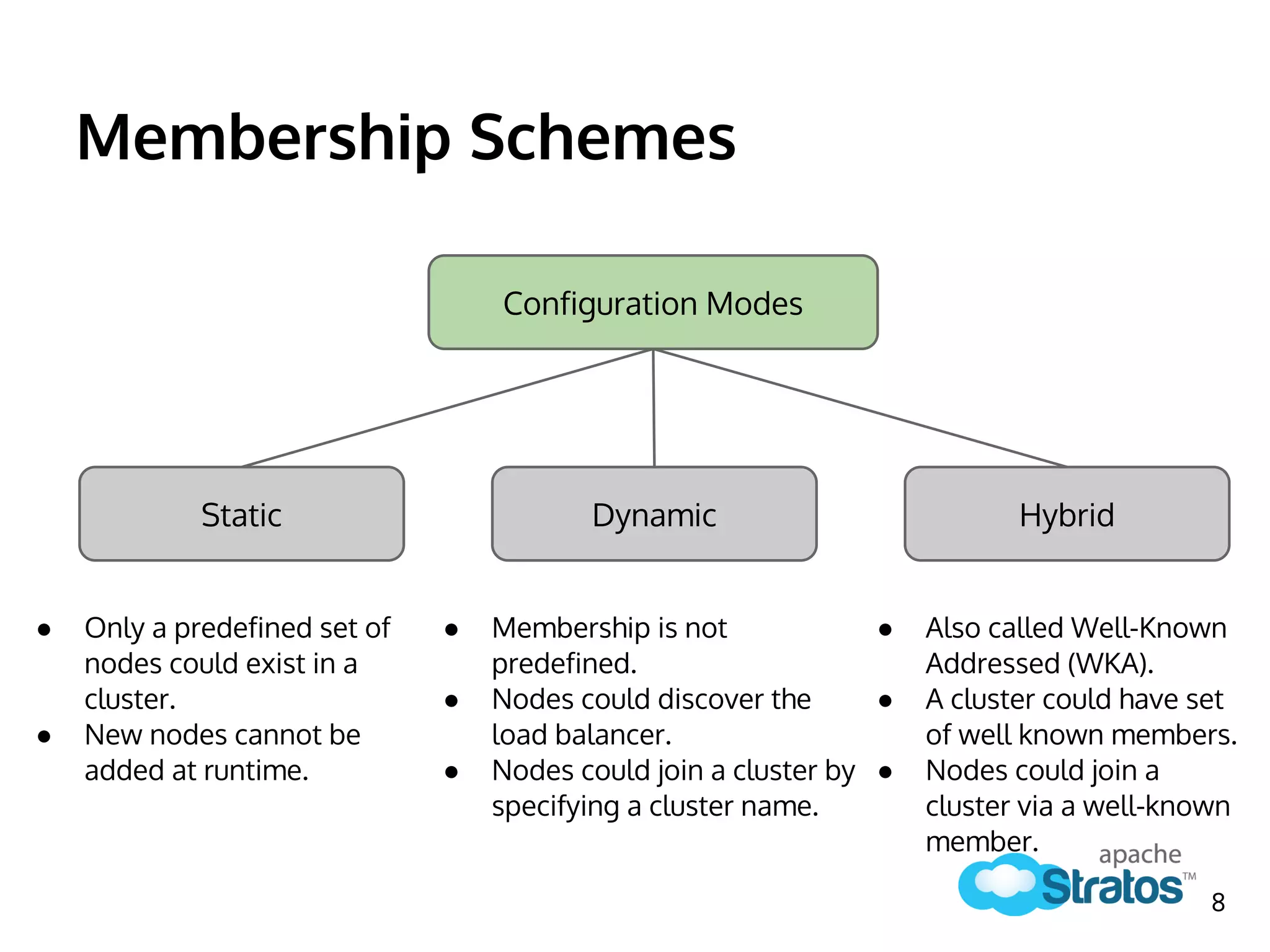
Membership Schemes
Static Dynamic
Configuration Modes
● Only a predefined set of
nodes could exist in a
cluster.
● New nodes cannot be
added at runtime.
● Membership is not
predefined.
● Nodes could discover the
load balancer.
● Nodes could join a cluster by
specifying a cluster name.
Hybrid
● Also called Well-Known
Addressed (WKA).
● A cluster could have set
of well known members.
● Nodes could join a
cluster via a well-known
member.
8
Most widely used Load Balancing
Algorithms
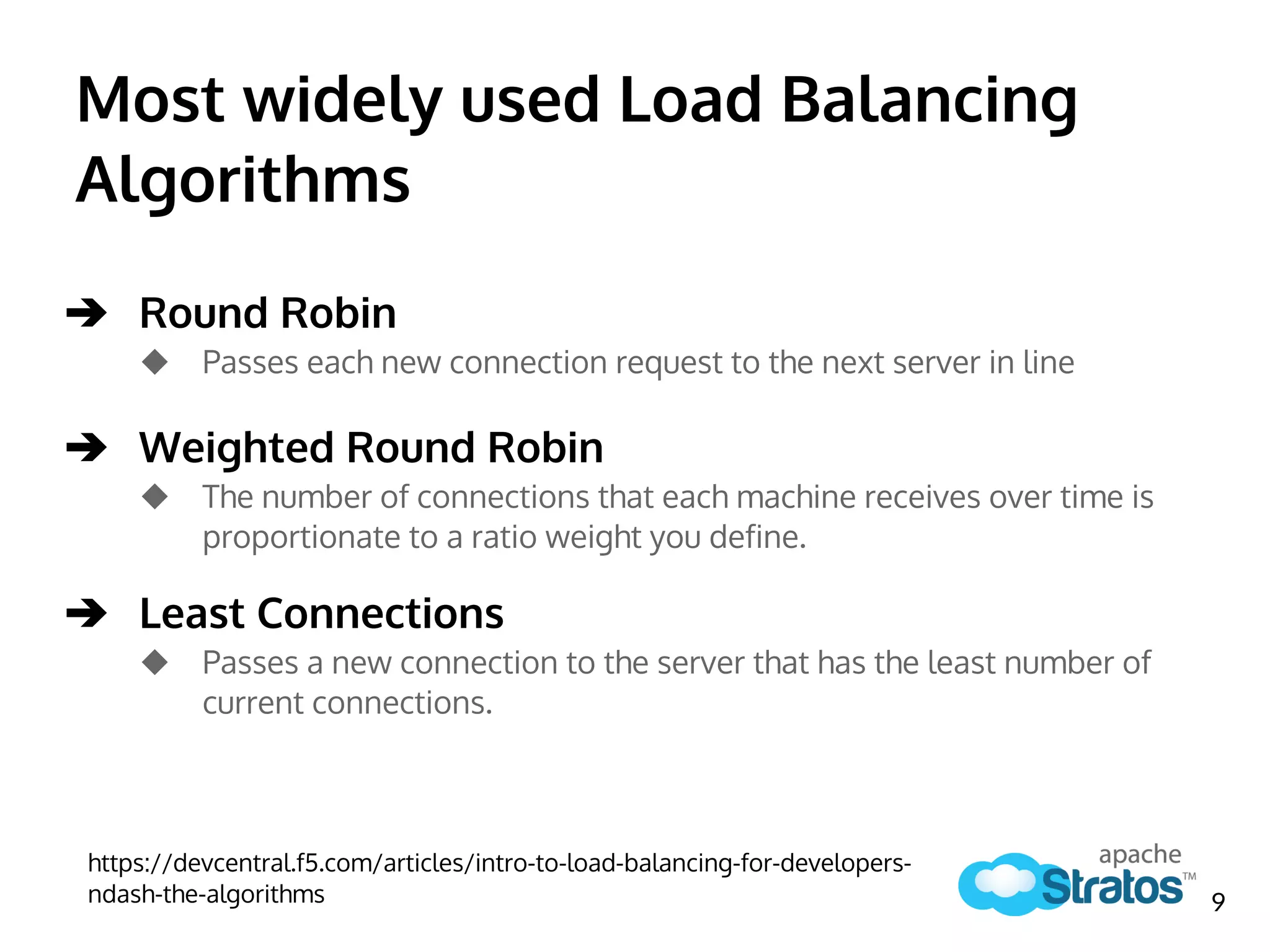
➔ Round Robin
◆ Passes each new connection request to the next server in line
➔ Weighted Round Robin
◆ The number of connections that each machine receives over time is
proportionate to a ratio weight you define.
➔ Least Connections
◆ Passes a new connection to the server that has the least number of
current connections.
https://devcentral.f5.com/articles/intro-to-load-balancing-for-developers-
ndash-the-algorithms 9
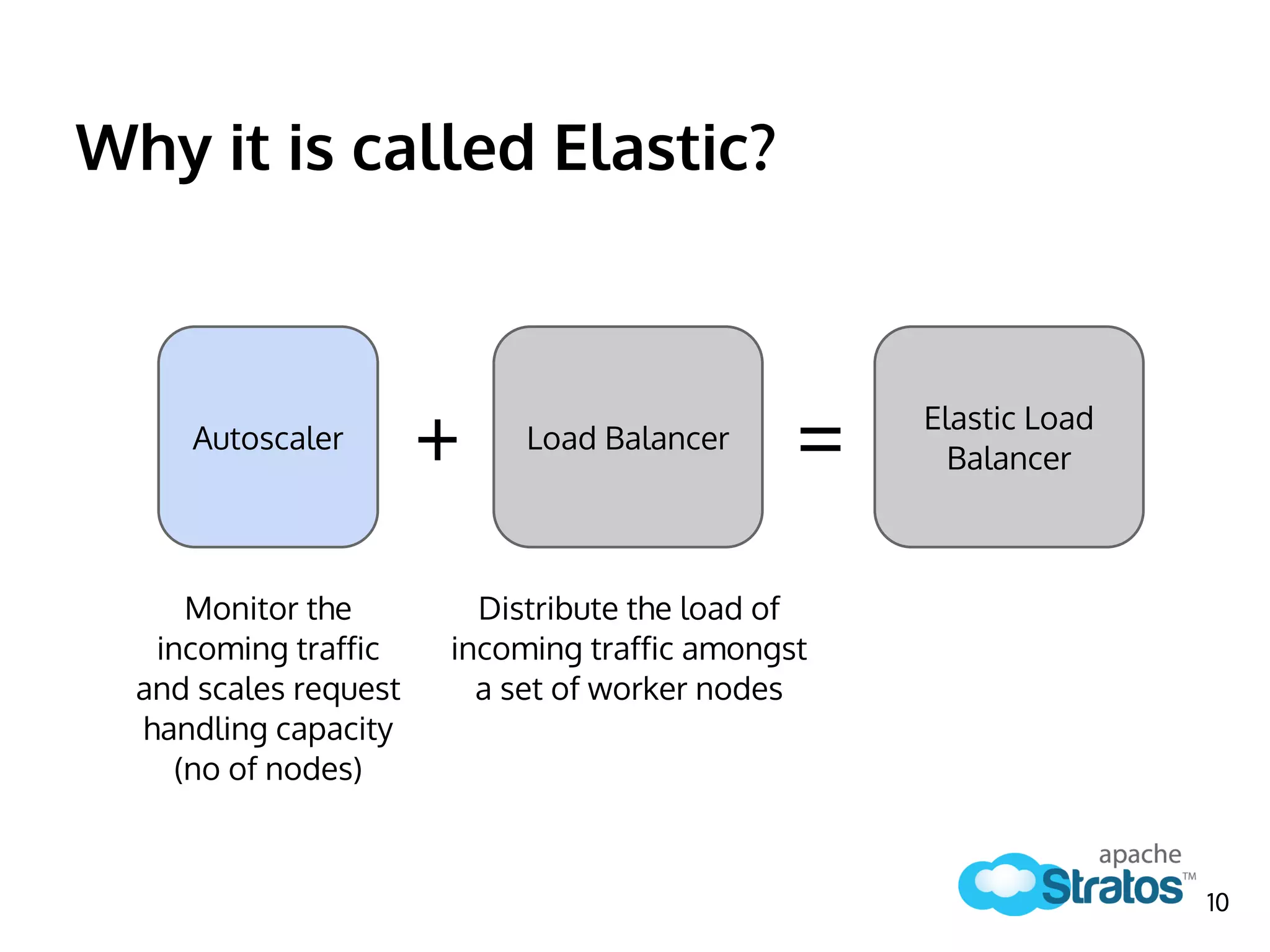
Why it is called Elastic?
Load BalancerAutoscaler
+
Monitor the
incoming traffic
and scales request
handling capacity
(no of nodes)
Elastic Load
Balancer=
Distribute the load of
incoming traffic amongst
a set of worker nodes
10
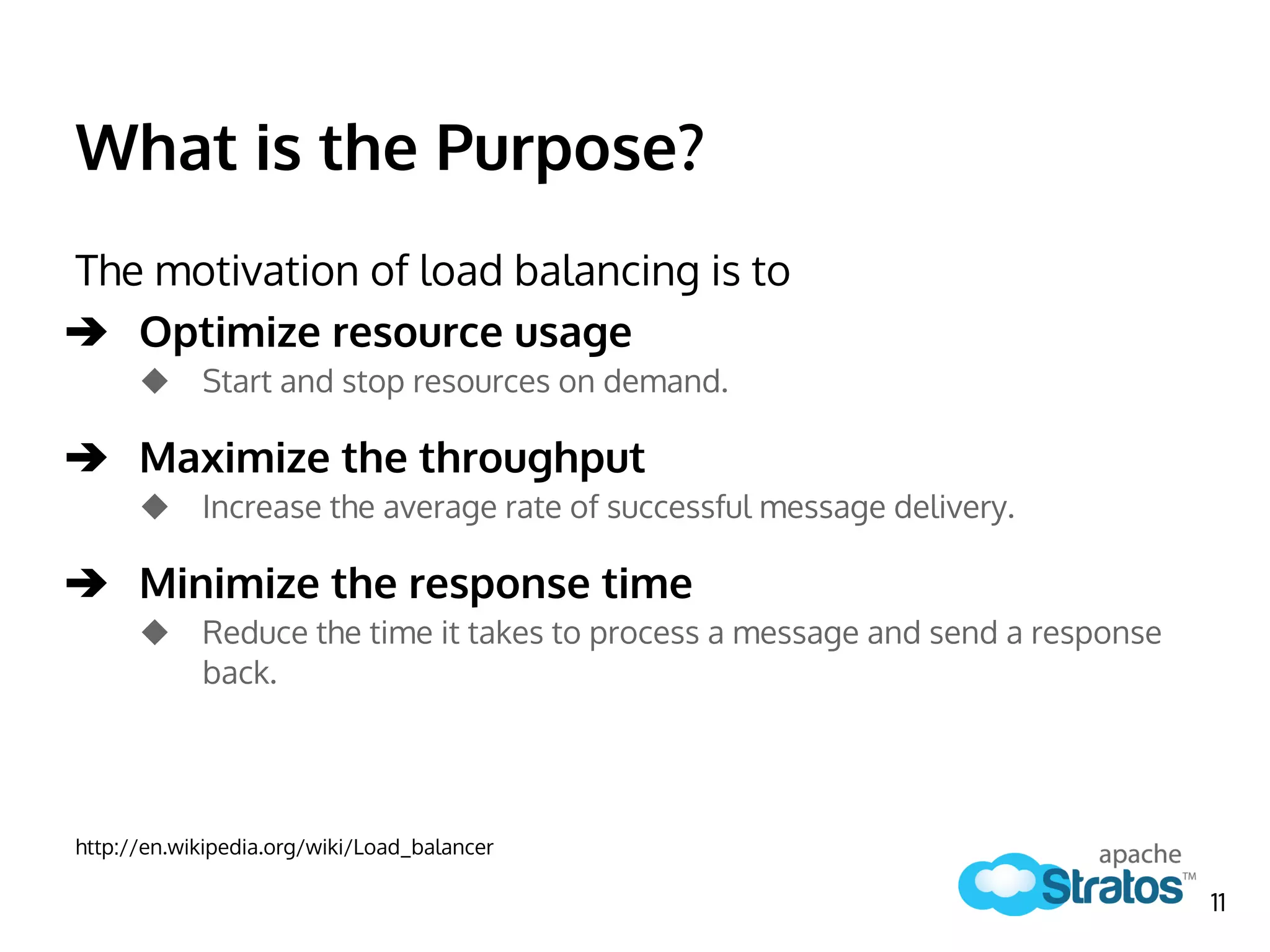
What is the Purpose?
The motivation of load balancing is to
➔ Optimize resource usage
◆ Start and stop resources on demand.
➔ Maximize the throughput
◆ Increase the average rate of successful message delivery.
➔ Minimize the response time
◆ Reduce the time it takes to process a message and send a response
back.
http://en.wikipedia.org/wiki/Load_balancer
11
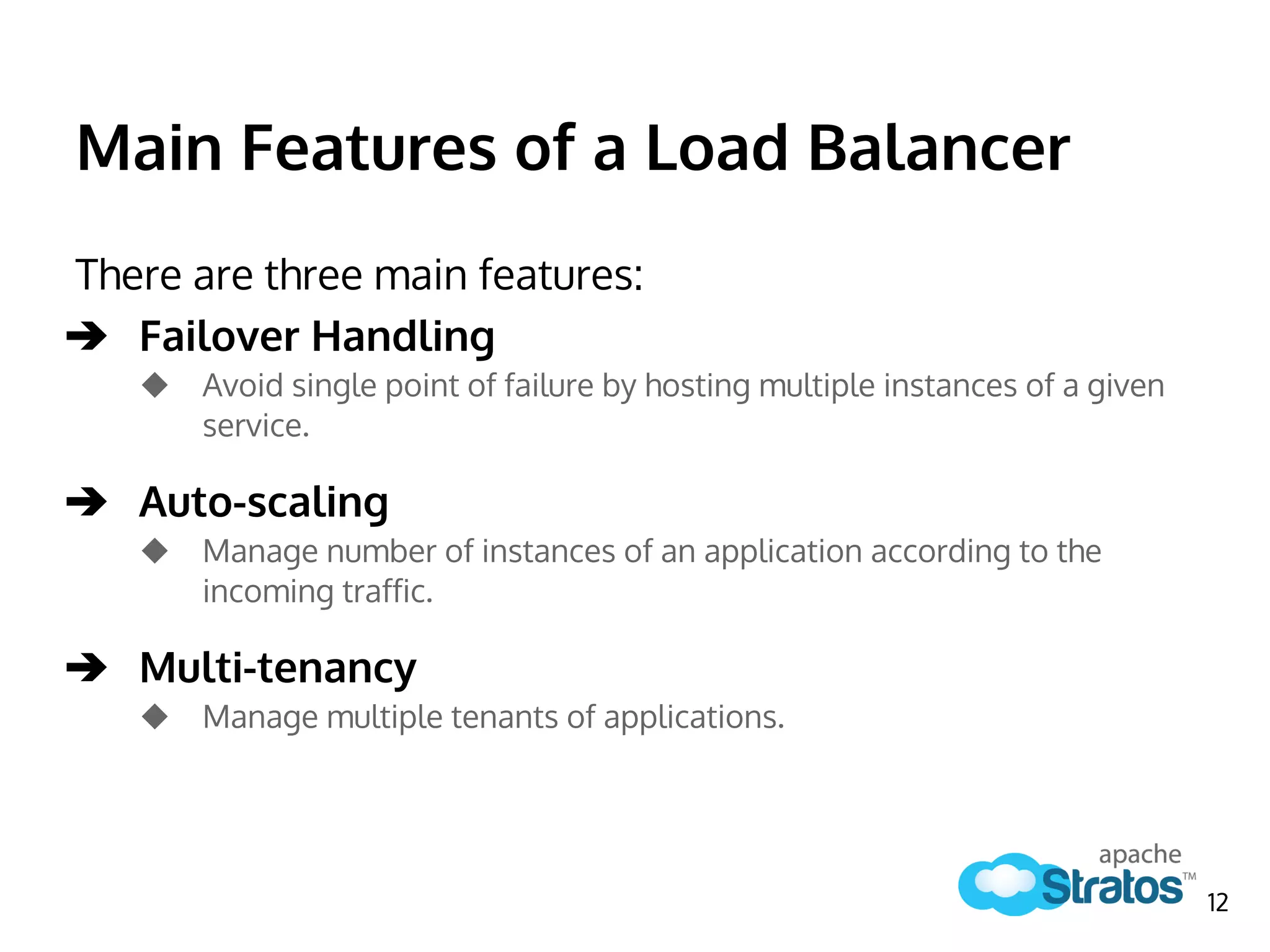
Main Features of a Load Balancer
There are three main features:
➔ Failover Handling
◆ Avoid single point of failure by hosting multiple instances of a given
service.
➔ Auto-scaling
◆ Manage number of instances of an application according to the
incoming traffic.
➔ Multi-tenancy
◆ Manage multiple tenants of applications.
12
Component Architecture of
Apache Stratos ELB
How it was designed
13
Component Architecture
14
Apache Synapse Mediation
Framework
15
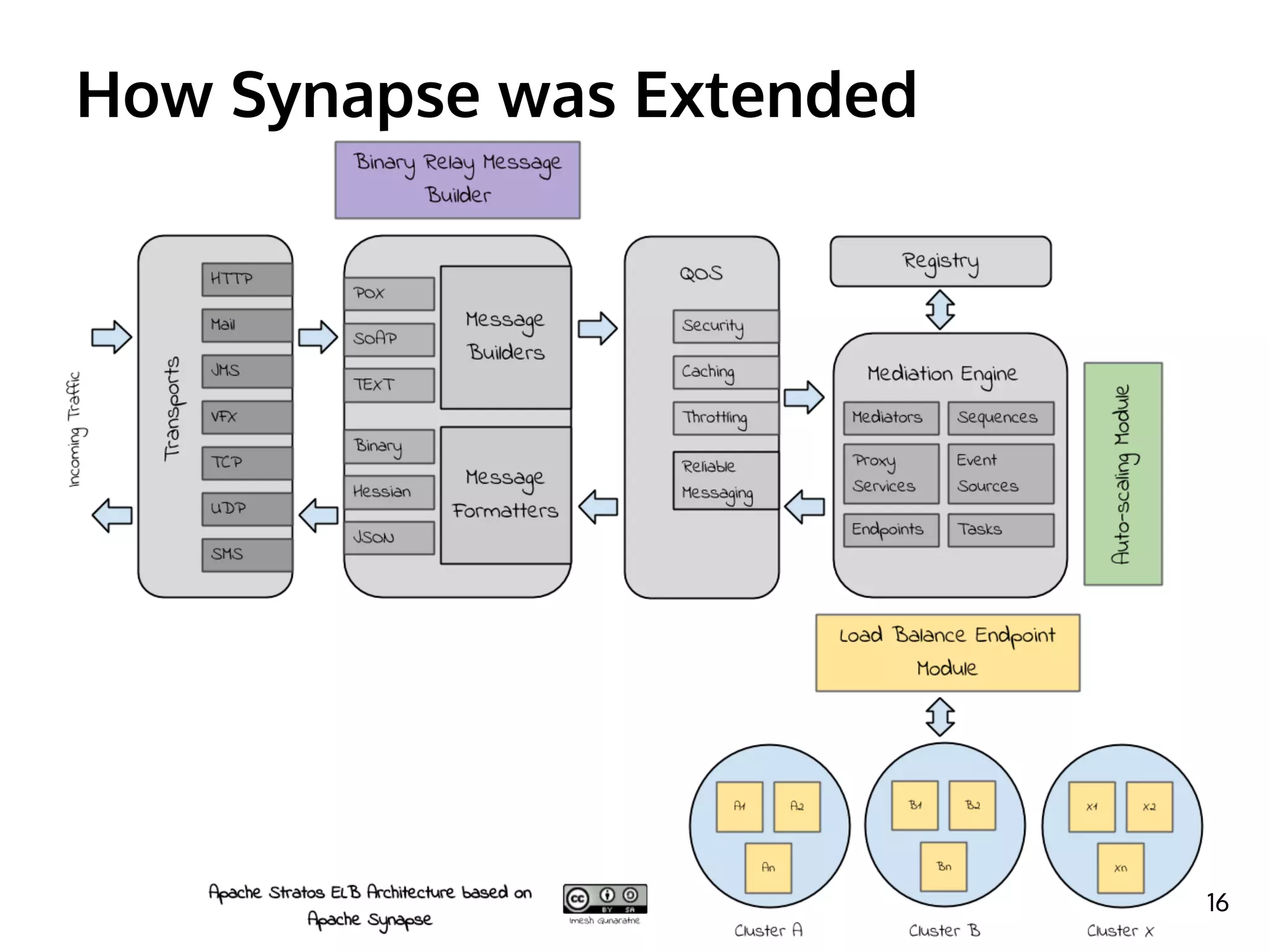
How Synapse was Extended
16
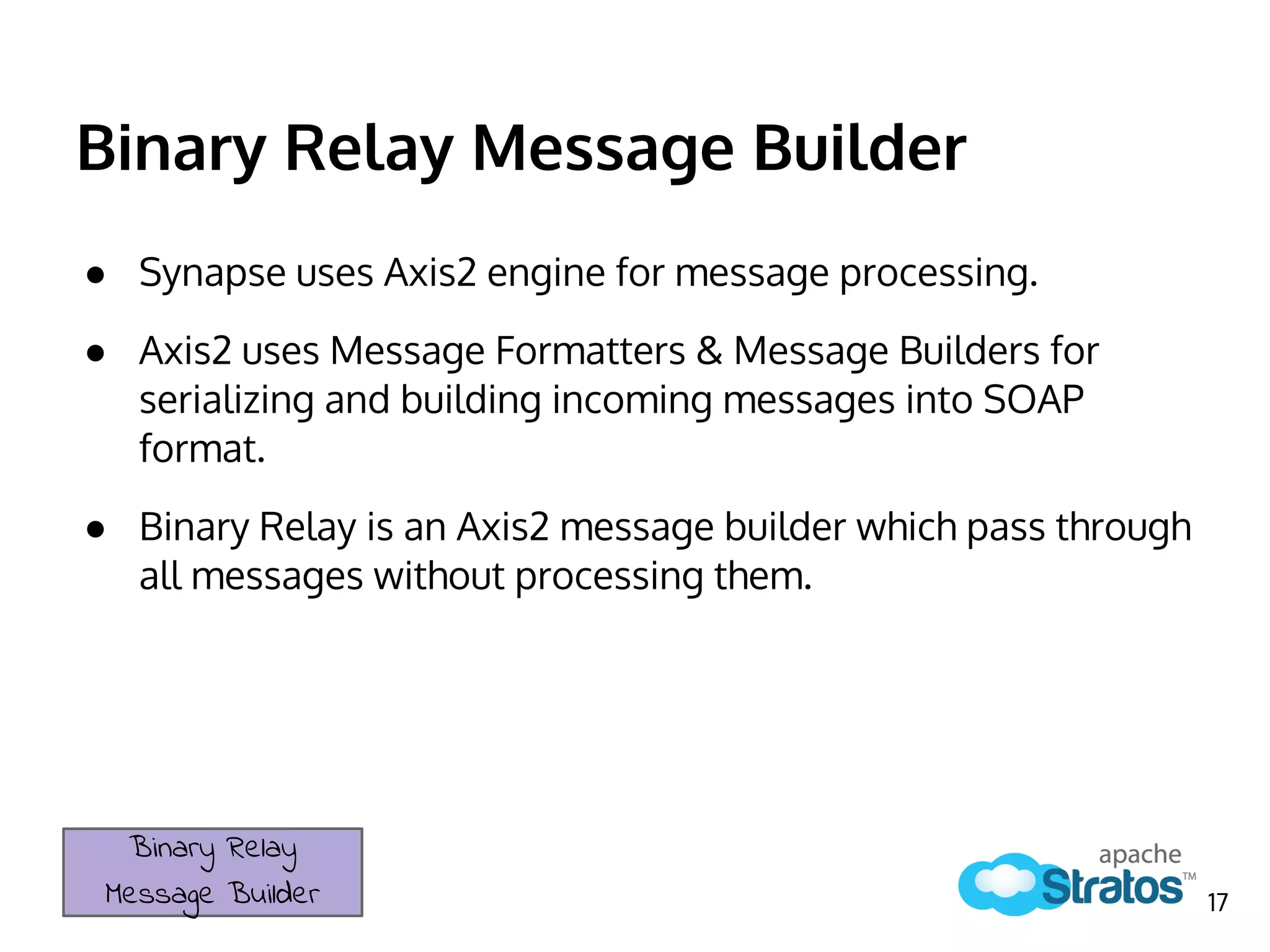
Binary Relay Message Builder
● Synapse uses Axis2 engine for message processing.
● Axis2 uses Message Formatters & Message Builders for
serializing and building incoming messages into SOAP
format.
● Binary Relay is an Axis2 message builder which pass through
all messages without processing them.
Binary Relay
Message Builder 17
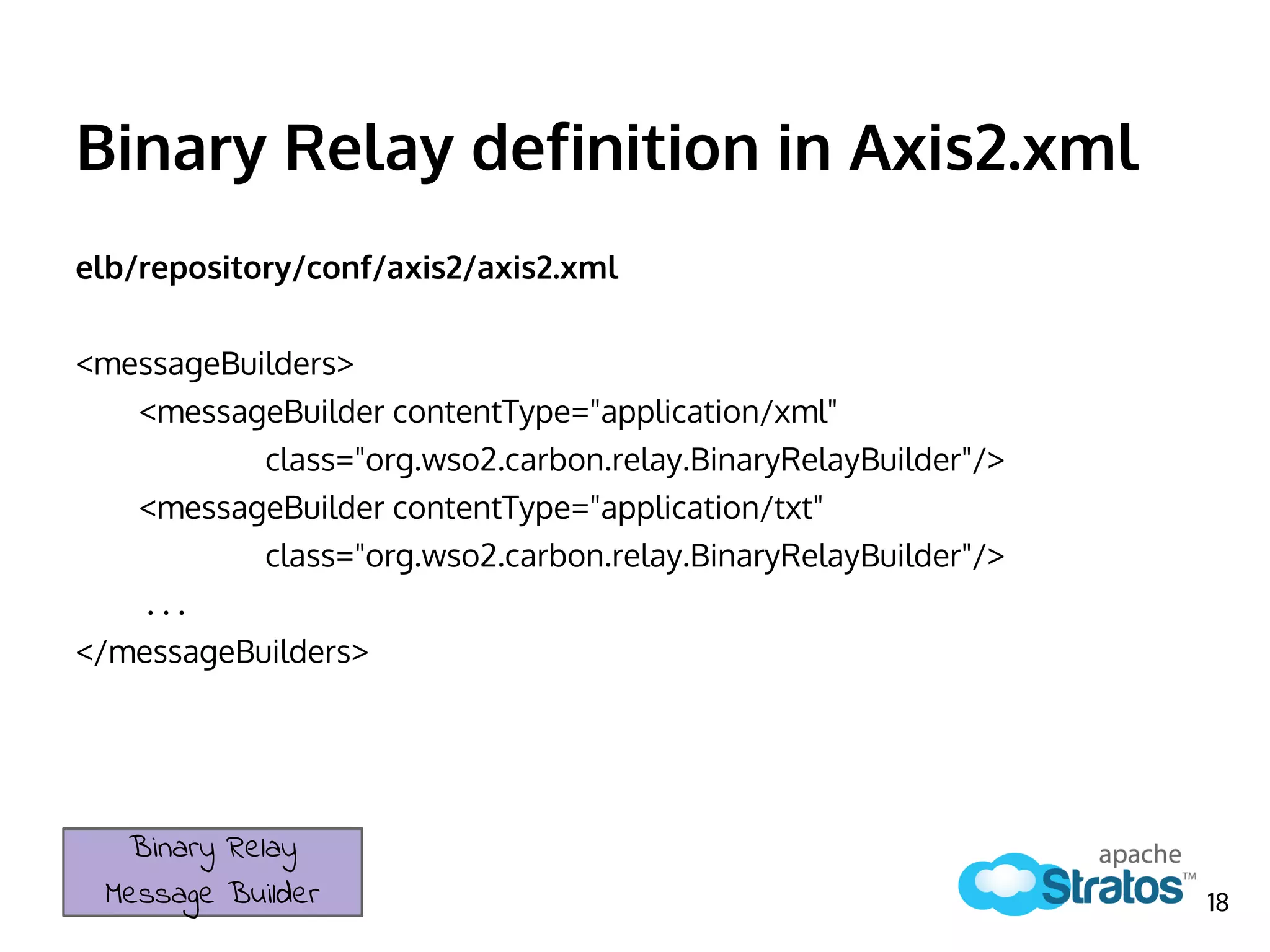
Binary Relay definition in Axis2.xml
elb/repository/conf/axis2/axis2.xml
<messageBuilders>
<messageBuilder contentType="application/xml"
class="org.wso2.carbon.relay.BinaryRelayBuilder"/>
<messageBuilder contentType="application/txt"
class="org.wso2.carbon.relay.BinaryRelayBuilder"/>
. . .
</messageBuilders>
Binary Relay
Message Builder 18
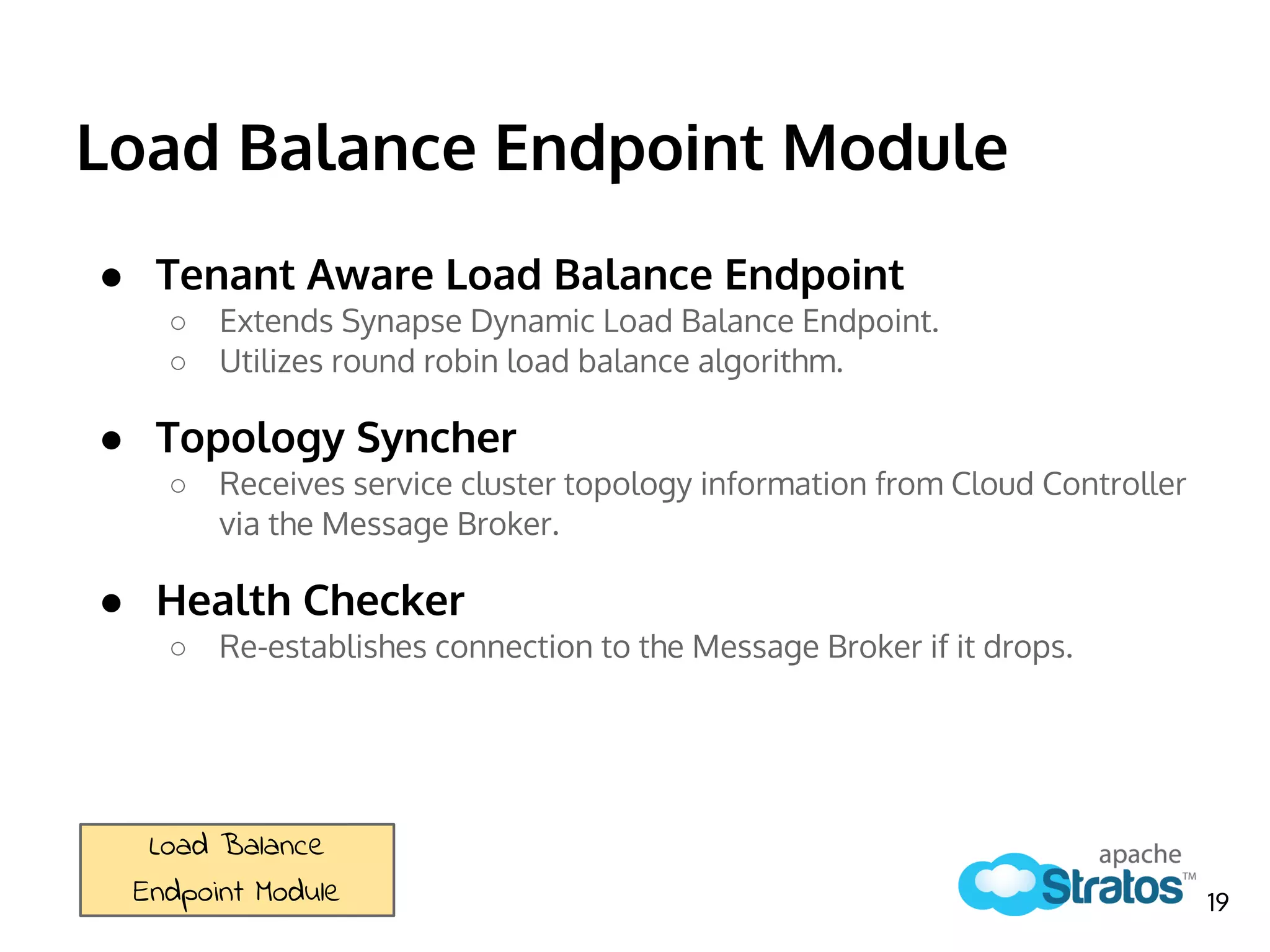
Load Balance Endpoint Module
● Tenant Aware Load Balance Endpoint
○ Extends Synapse Dynamic Load Balance Endpoint.
○ Utilizes round robin load balance algorithm.
● Topology Syncher
○ Receives service cluster topology information from Cloud Controller
via the Message Broker.
● Health Checker
○ Re-establishes connection to the Message Broker if it drops.
Load Balance
Endpoint Module 19
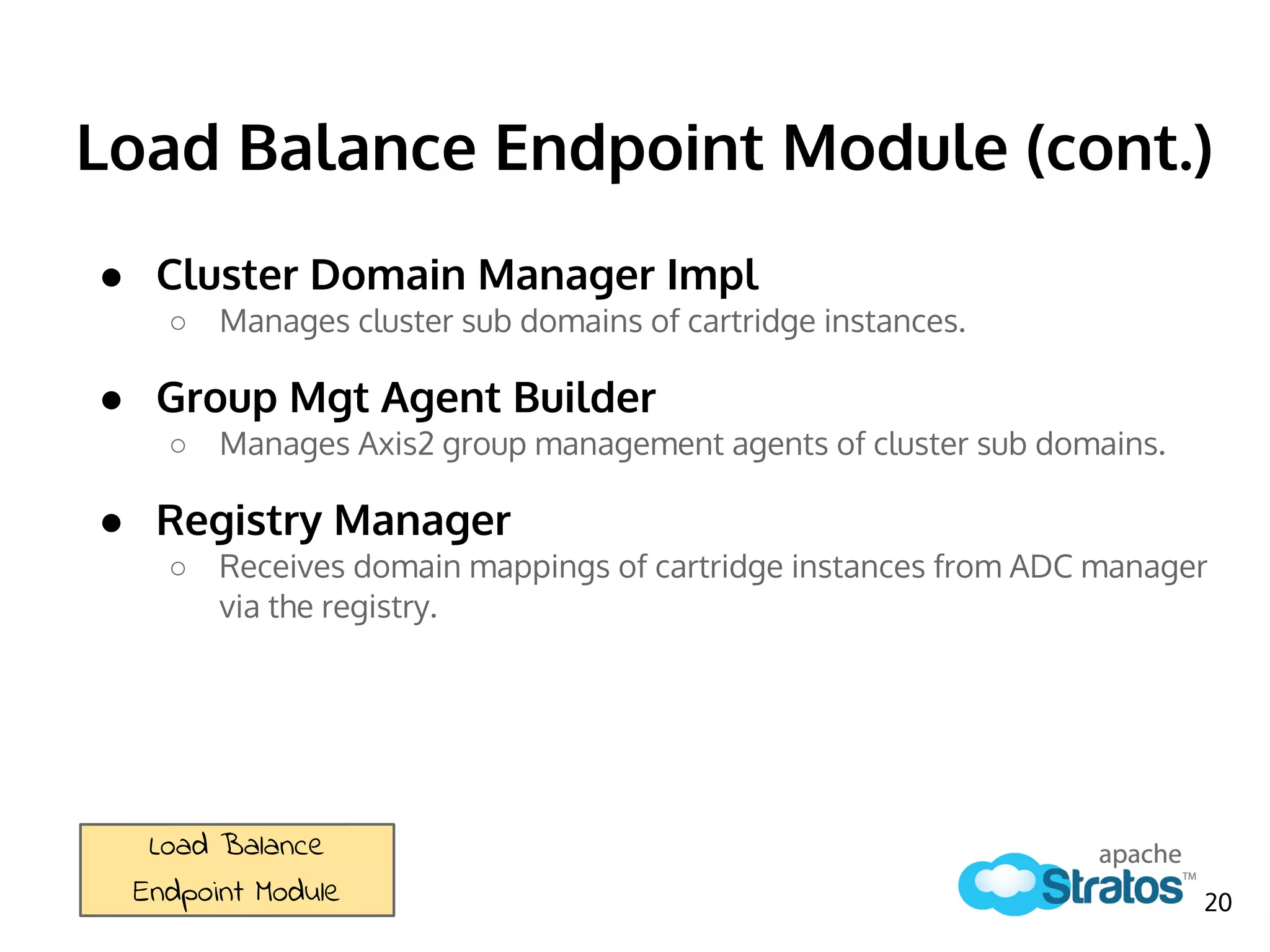
Load Balance Endpoint Module (cont.)
● Cluster Domain Manager Impl
○ Manages cluster sub domains of cartridge instances.
● Group Mgt Agent Builder
○ Manages Axis2 group management agents of cluster sub domains.
● Registry Manager
○ Receives domain mappings of cartridge instances from ADC manager
via the registry.
Load Balance
Endpoint Module 20
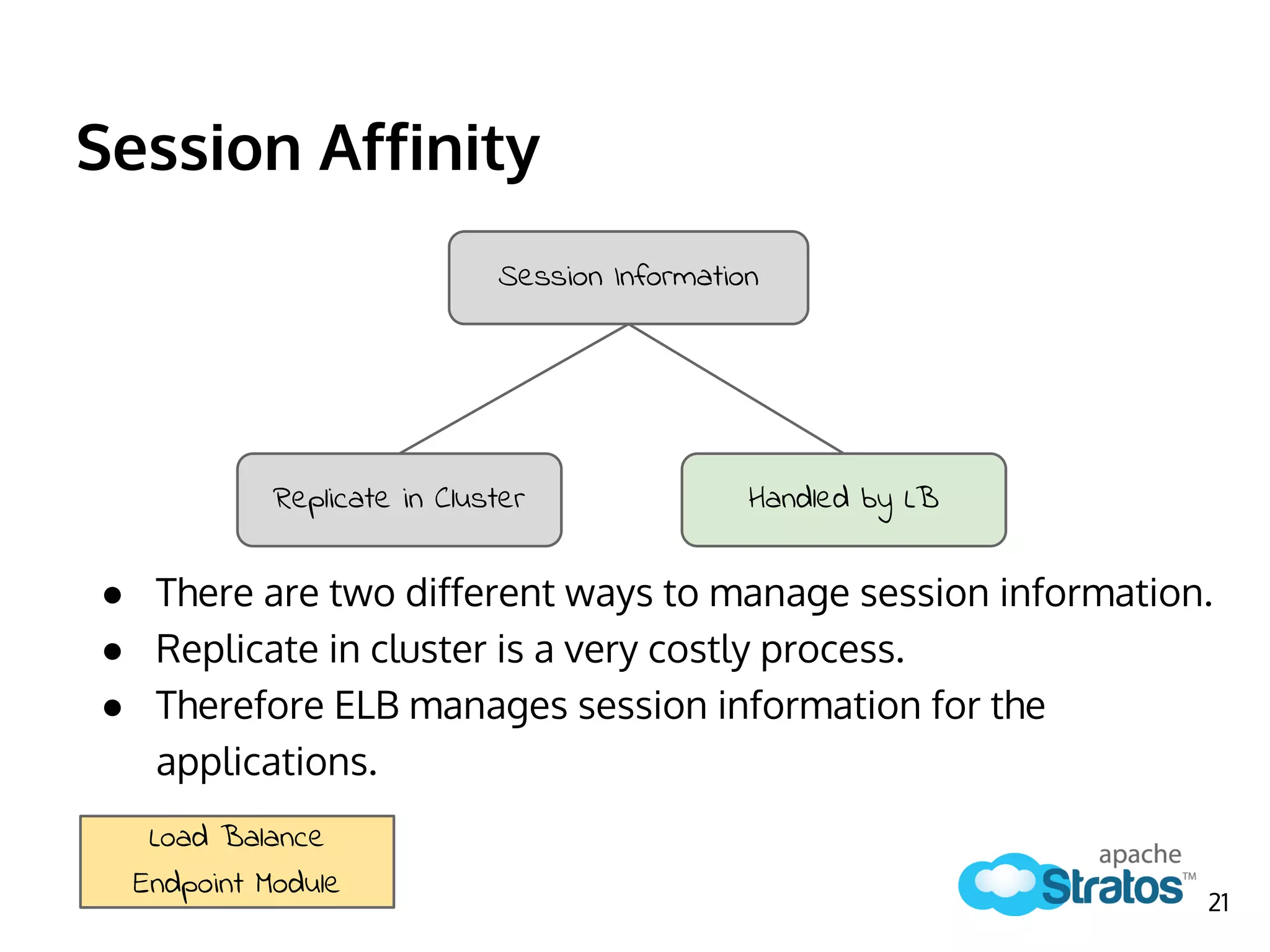
Session Affinity
● There are two different ways to manage session information.
● Replicate in cluster is a very costly process.
● Therefore ELB manages session information for the
applications.
Session Information
Replicate in Cluster Handled by LB
Load Balance
Endpoint Module
21
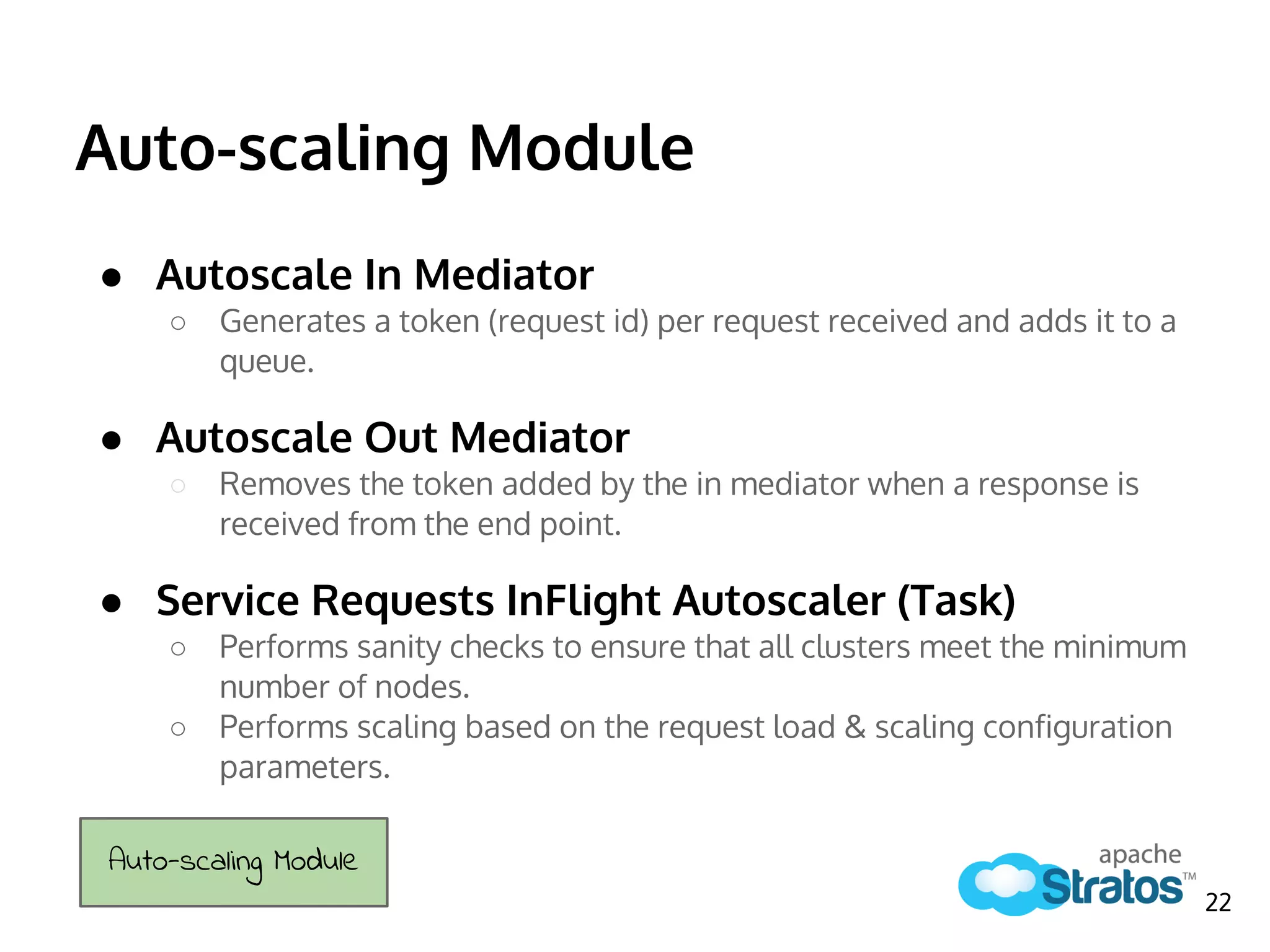
Auto-scaling Module
● Autoscale In Mediator
○ Generates a token (request id) per request received and adds it to a
queue.
● Autoscale Out Mediator
○ Removes the token added by the in mediator when a response is
received from the end point.
● Service Requests InFlight Autoscaler (Task)
○ Performs sanity checks to ensure that all clusters meet the minimum
number of nodes.
○ Performs scaling based on the request load & scaling configuration
parameters.
Auto-scaling Module
22
ELB’s role in Apache Stratos PaaS
How does it contribute?
23
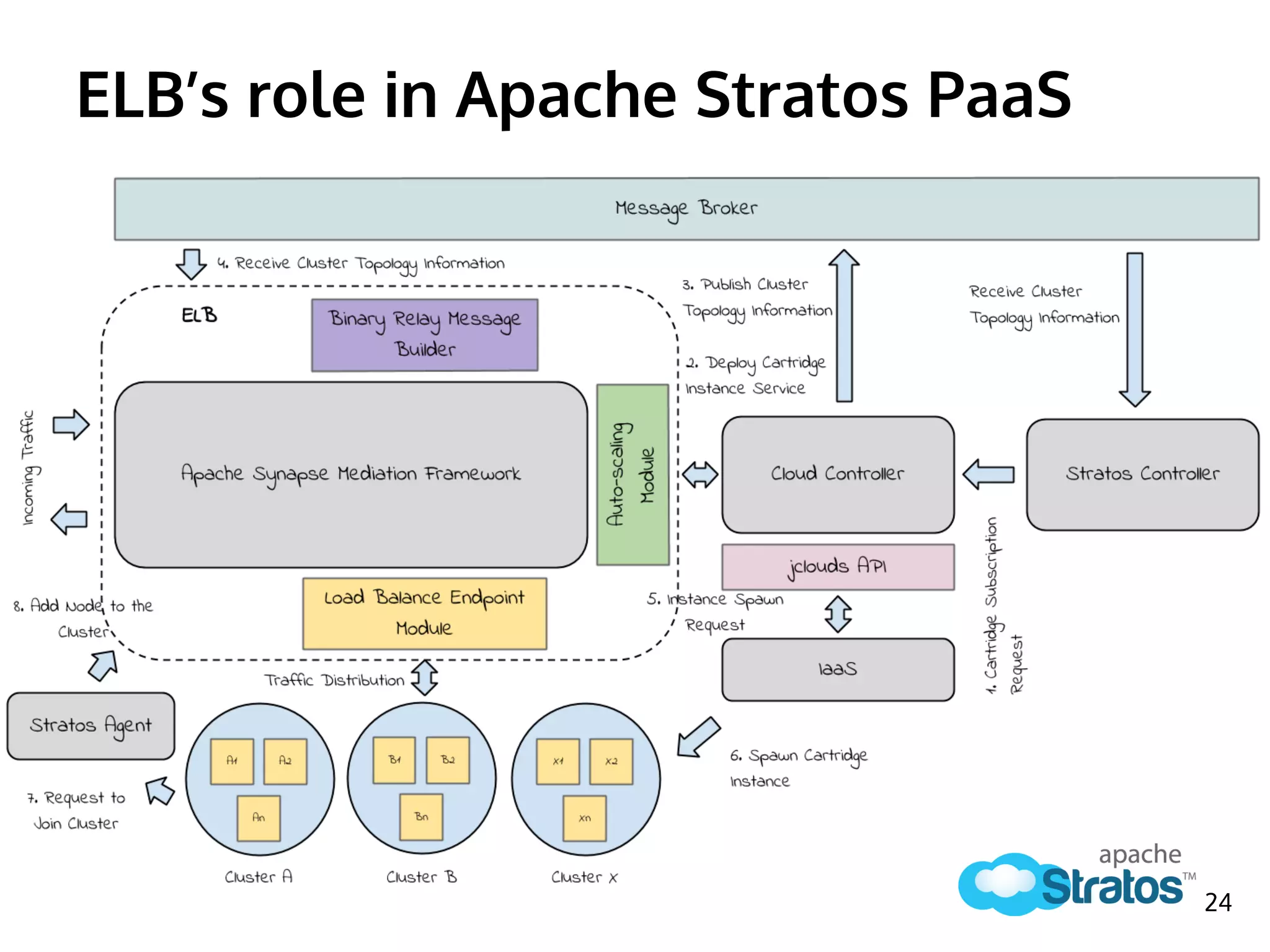
ELB’s role in Apache Stratos PaaS
24
Cartridge Subscription Workflow
1. [SC -> CC] Send Cartridge Subscription Request
2. [CC] Deploy Cartridge Instance Service
3. [CC -> MB] Publish Cluster Topology Information
4. [MB -> ELB] Receive Cluster Topology Information
5. [CC -> jclouds] Instance Spawn Request
6. [jclouds -> IaaS] Spawn Cartridge Instance
7. [Cartridge -> Agent] Request to Join Cluster
8. [Agent -> ELB] Add Node to Cluster
25
1. [Client -> ELB] Send request message
2. [ELB] Identify cluster & tenant using message header
3. [ELB] Add request to a list
4. [ELB -> Node] If session exists, send message
5. [ELB] If not store session information
6. [ELB -> Node] Apply algorithm & send message
7. [ELB -> Node] Handle failover
8. [Node -> ELB] Send response
9. [ELB -> Client] Send response and remove request from list
10. [ELB] Scale number of cartridge instances
Load Balancing Workflow
26
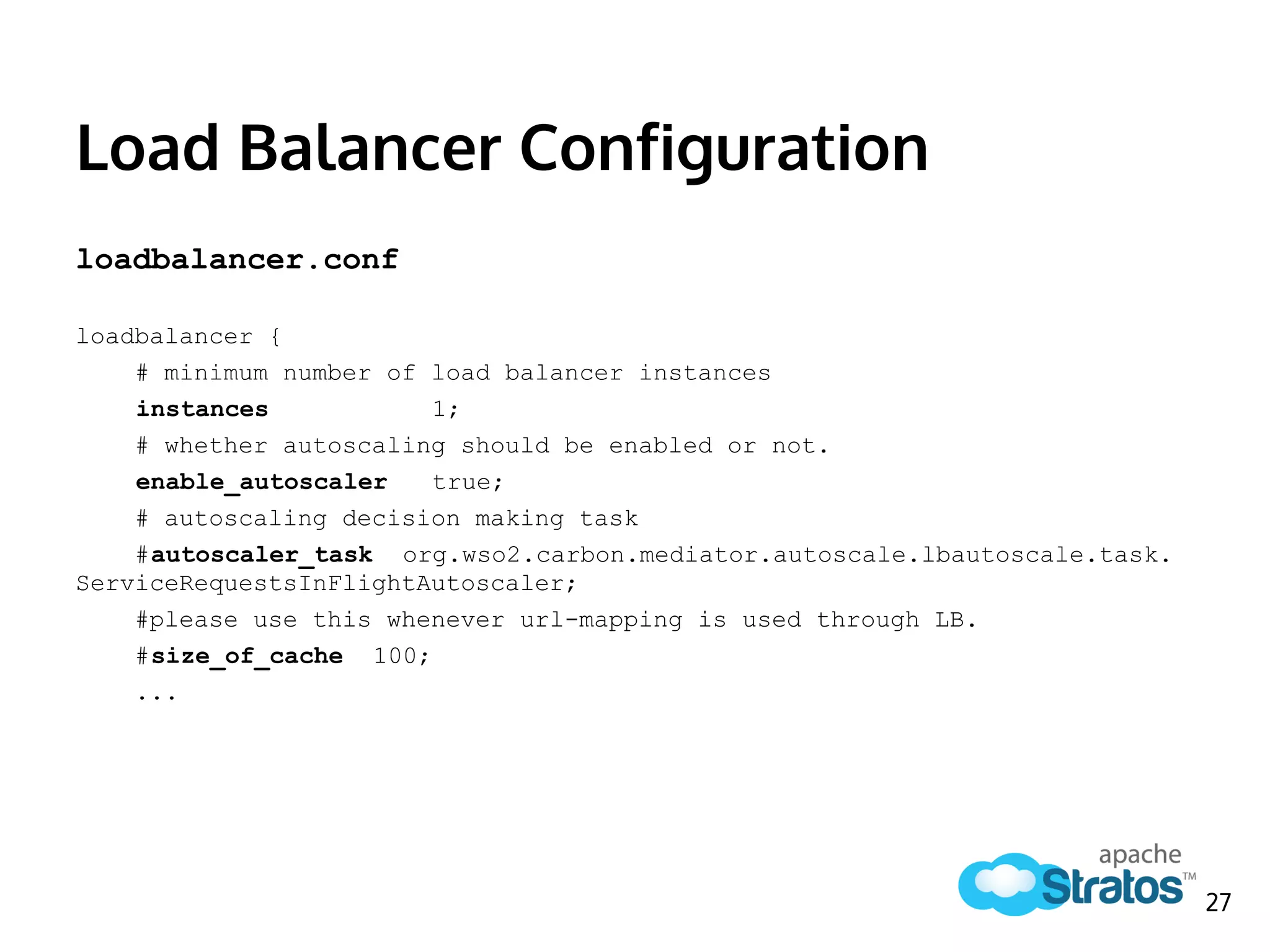
Load Balancer Configuration
loadbalancer.conf
loadbalancer {
# minimum number of load balancer instances
instances 1;
# whether autoscaling should be enabled or not.
enable_autoscaler true;
# autoscaling decision making task
#autoscaler_task org.wso2.carbon.mediator.autoscale.lbautoscale.task.
ServiceRequestsInFlightAutoscaler;
#please use this whenever url-mapping is used through LB.
#size_of_cache 100;
...
27
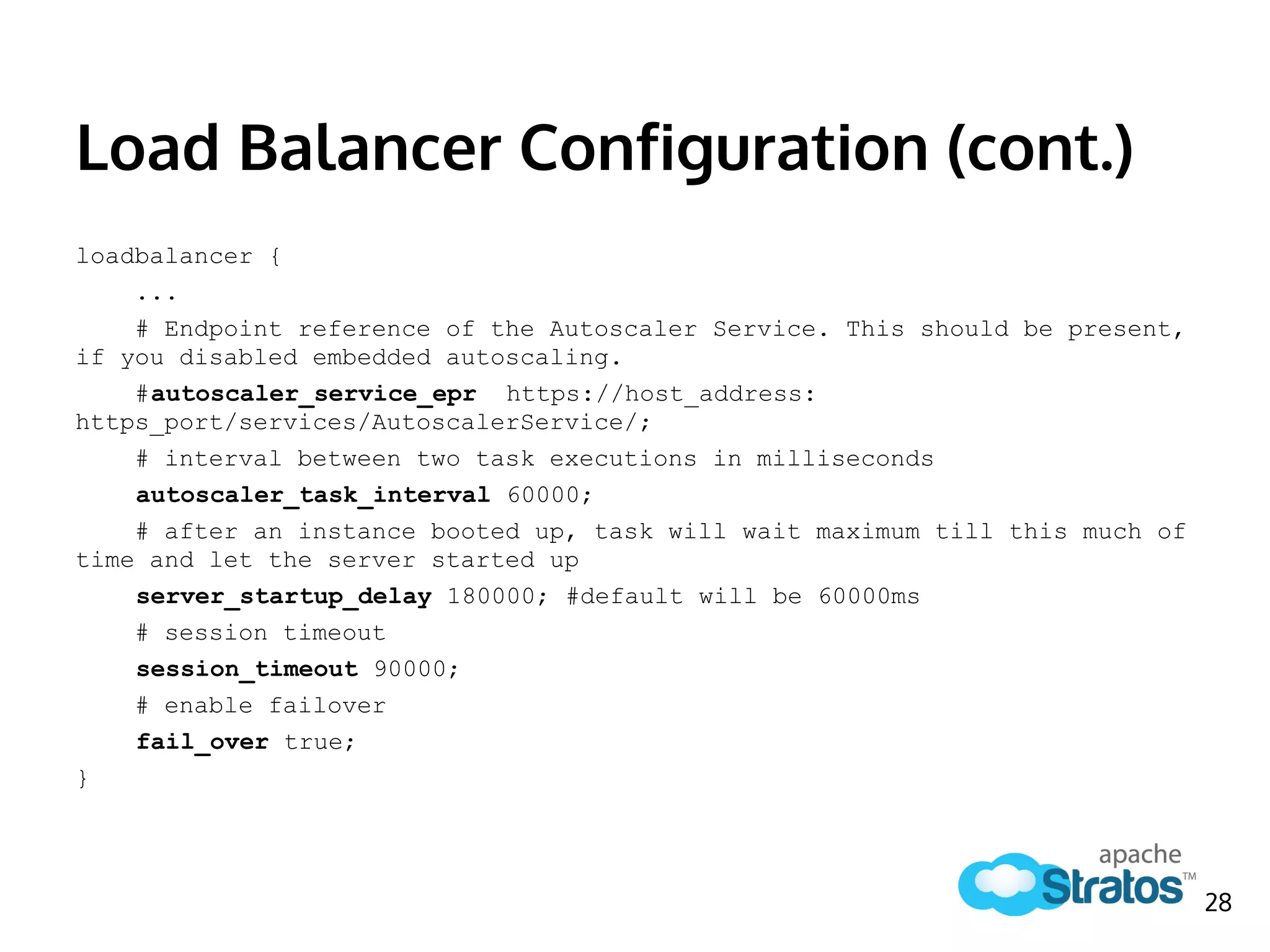
Load Balancer Configuration (cont.)
loadbalancer {
...
# Endpoint reference of the Autoscaler Service. This should be present,
if you disabled embedded autoscaling.
#autoscaler_service_epr https://host_address:
https_port/services/AutoscalerService/;
# interval between two task executions in milliseconds
autoscaler_task_interval 60000;
# after an instance booted up, task will wait maximum till this much of
time and let the server started up
server_startup_delay 180000; #default will be 60000ms
# session timeout
session_timeout 90000;
# enable failover
fail_over true;
}
28
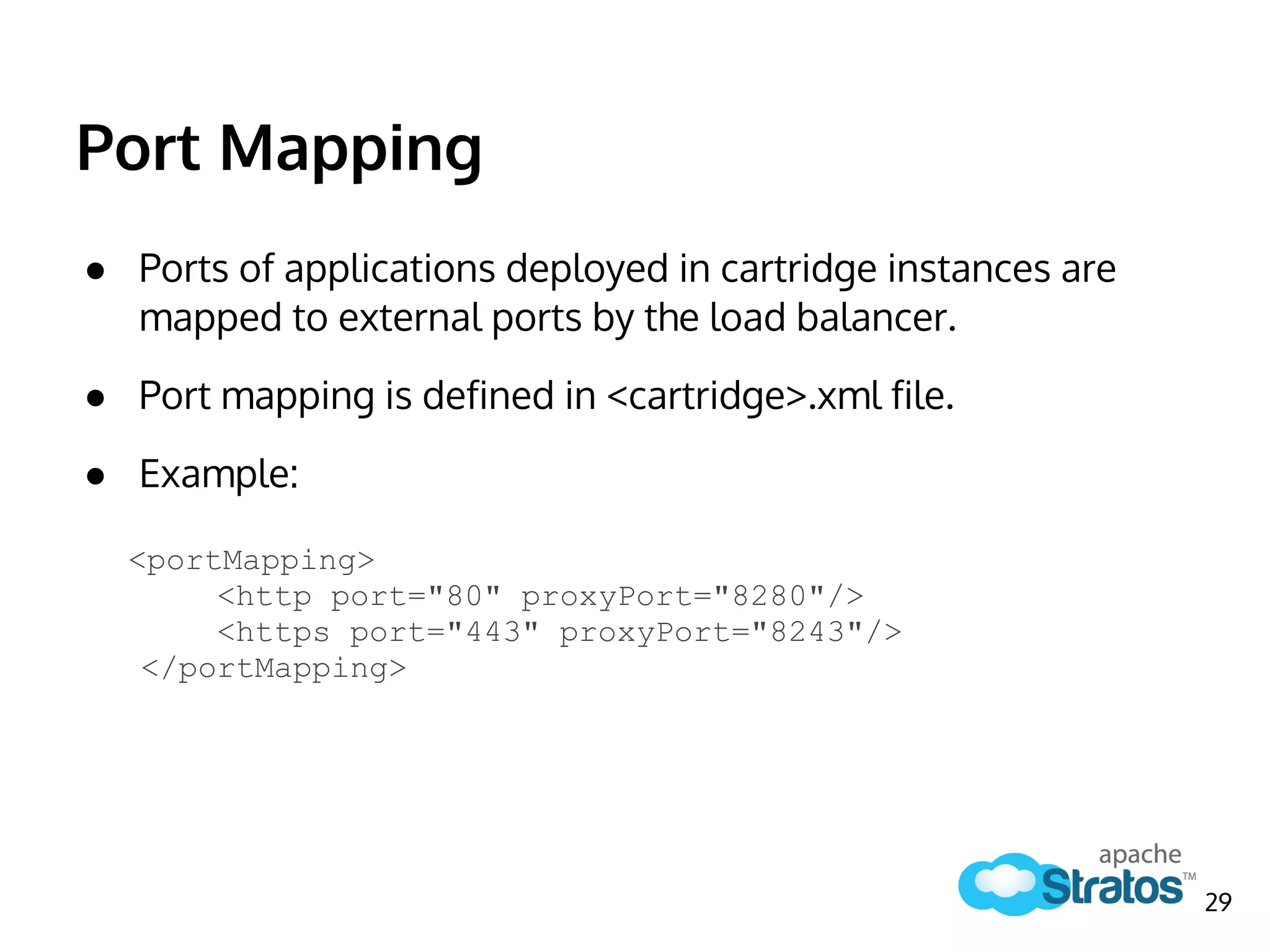
Port Mapping
● Ports of applications deployed in cartridge instances are
mapped to external ports by the load balancer.
● Port mapping is defined in <cartridge>.xml file.
● Example:
<portMapping>
<http port="80" proxyPort="8280"/>
<https port="443" proxyPort="8243"/>
</portMapping>
29
Auto-scaling Process
Configuration & custom implementations
30
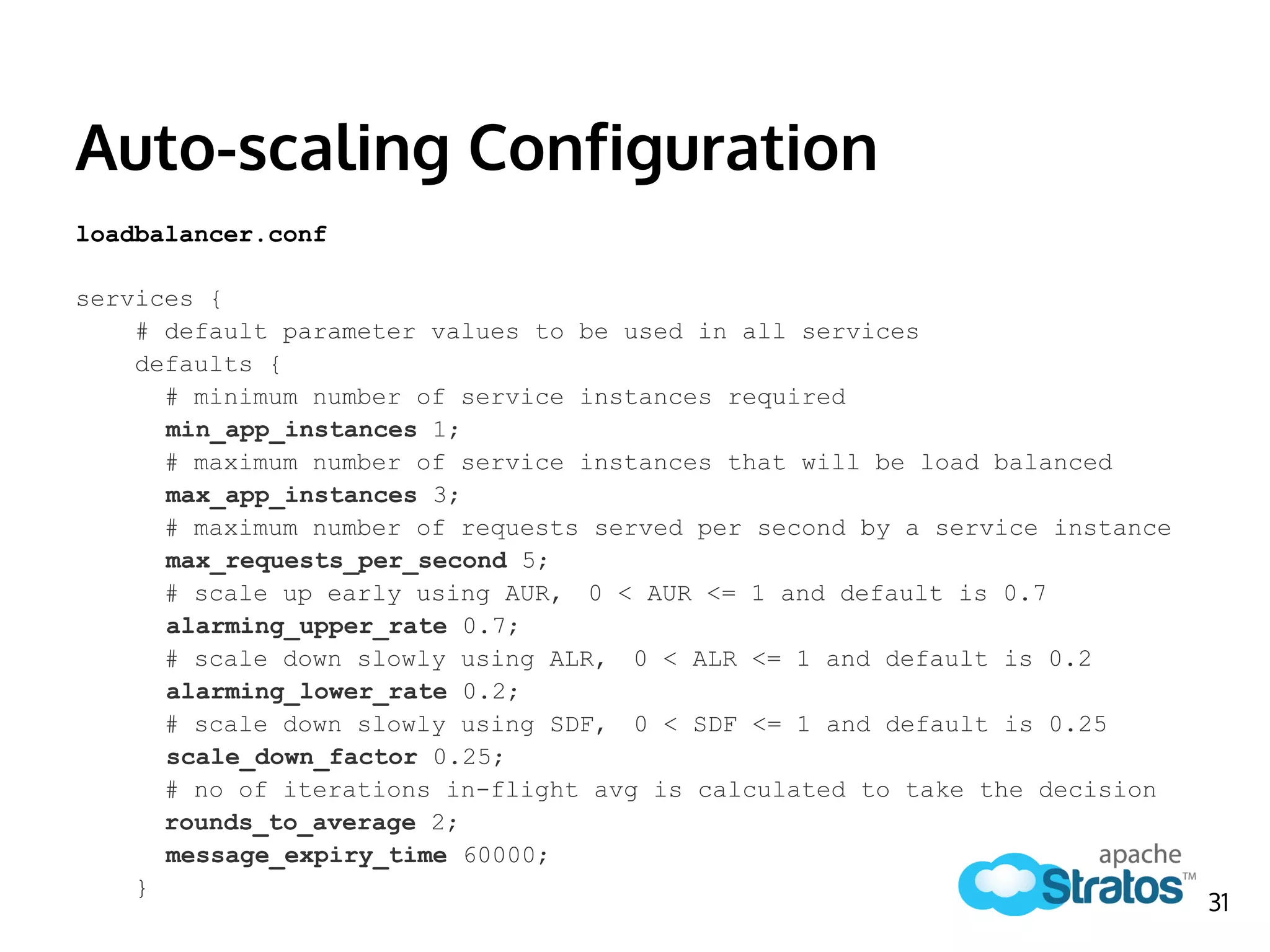
Auto-scaling Configuration
loadbalancer.conf
services {
# default parameter values to be used in all services
defaults {
# minimum number of service instances required
min_app_instances 1;
# maximum number of service instances that will be load balanced
max_app_instances 3;
# maximum number of requests served per second by a service instance
max_requests_per_second 5;
# scale up early using AUR, 0 < AUR <= 1 and default is 0.7
alarming_upper_rate 0.7;
# scale down slowly using ALR, 0 < ALR <= 1 and default is 0.2
alarming_lower_rate 0.2;
# scale down slowly using SDF, 0 < SDF <= 1 and default is 0.25
scale_down_factor 0.25;
# no of iterations in-flight avg is calculated to take the decision
rounds_to_average 2;
message_expiry_time 60000;
}
31
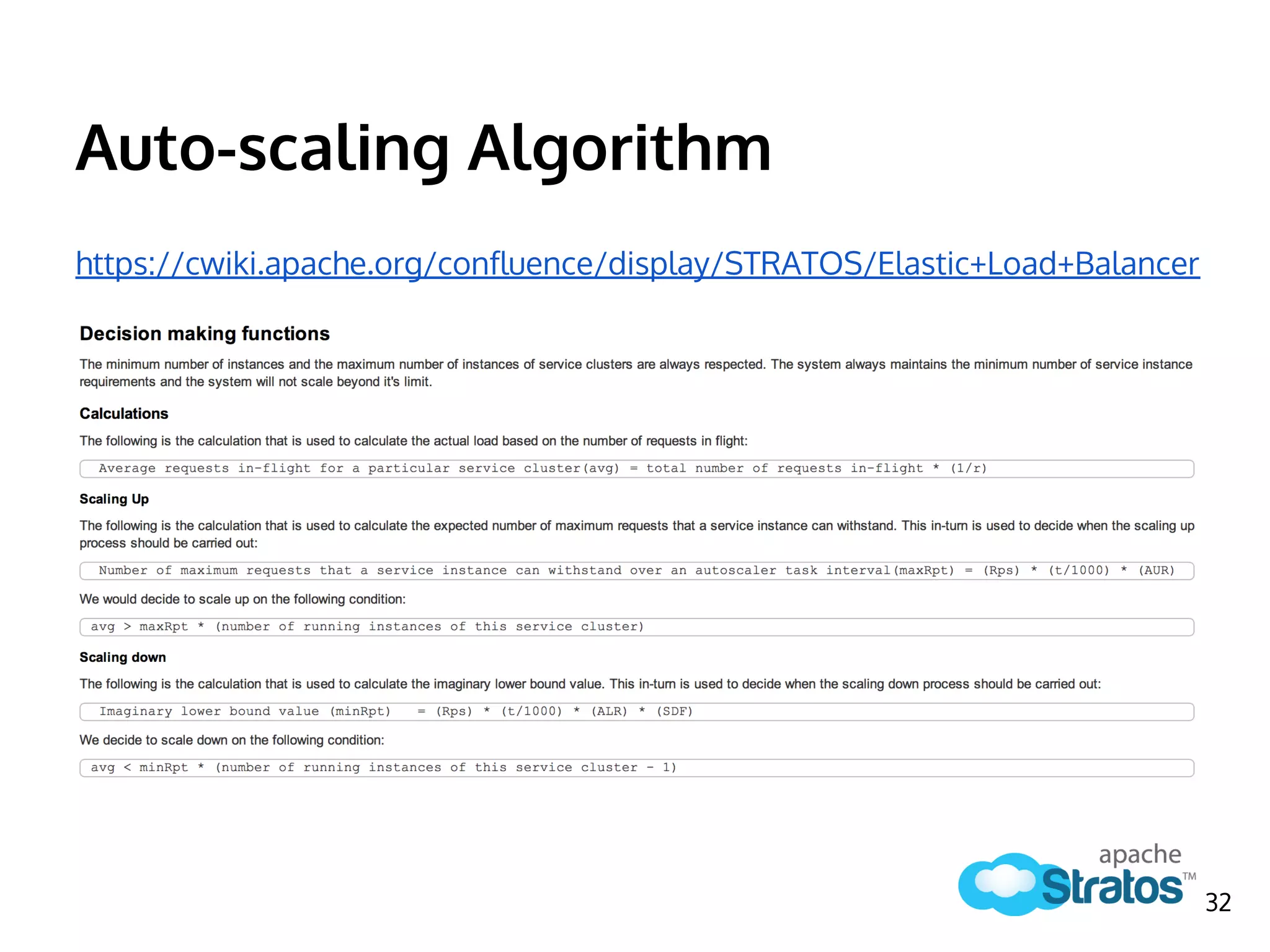
Auto-scaling Algorithm
https://cwiki.apache.org/confluence/display/STRATOS/Elastic+Load+Balancer
32
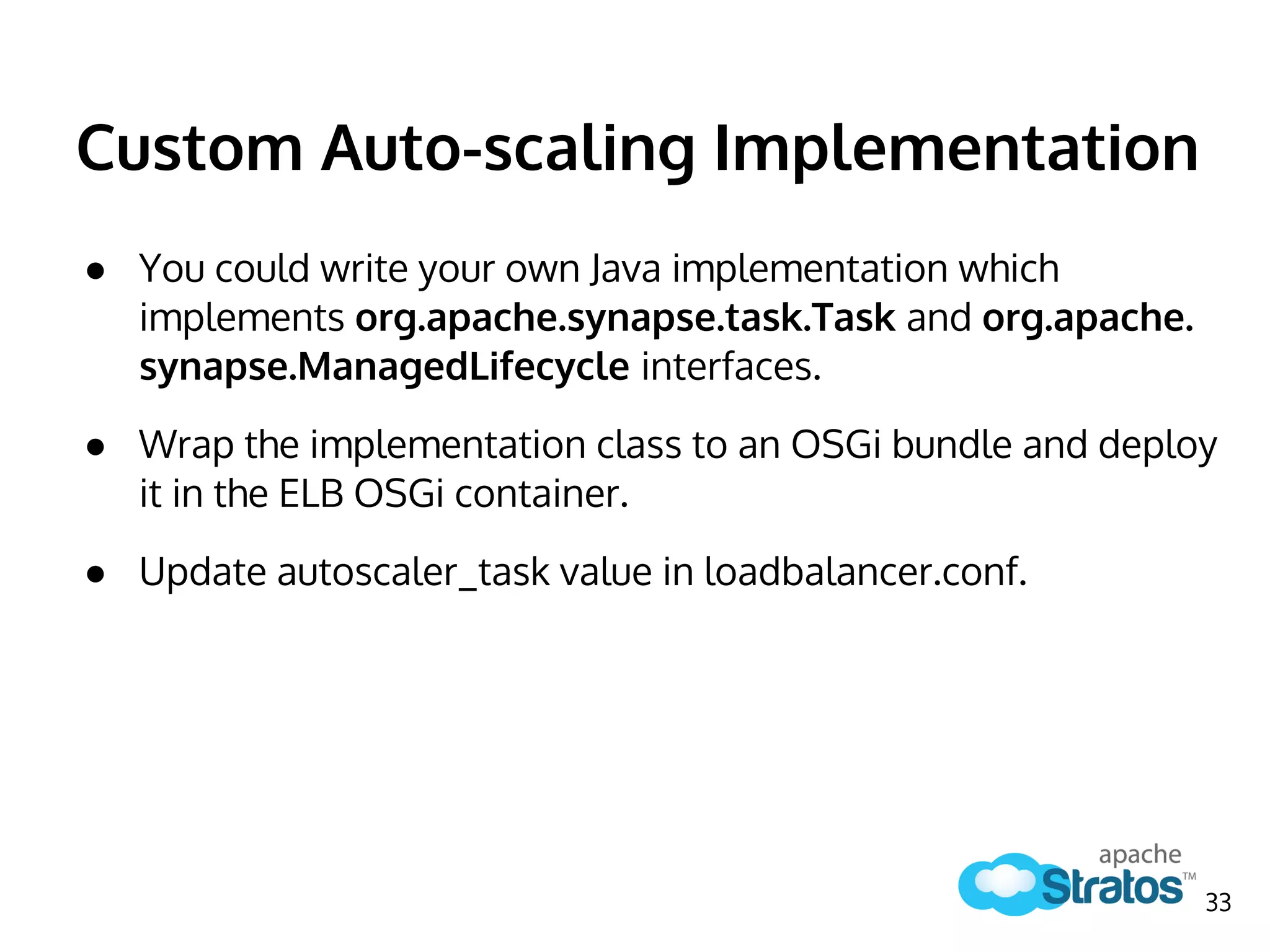
Custom Auto-scaling Implementation
● You could write your own Java implementation which
implements org.apache.synapse.task.Task and org.apache.
synapse.ManagedLifecycle interfaces.
● Wrap the implementation class to an OSGi bundle and deploy
it in the ELB OSGi container.
● Update autoscaler_task value in loadbalancer.conf.
33
How to avoid Single Point of
Failure of ELB
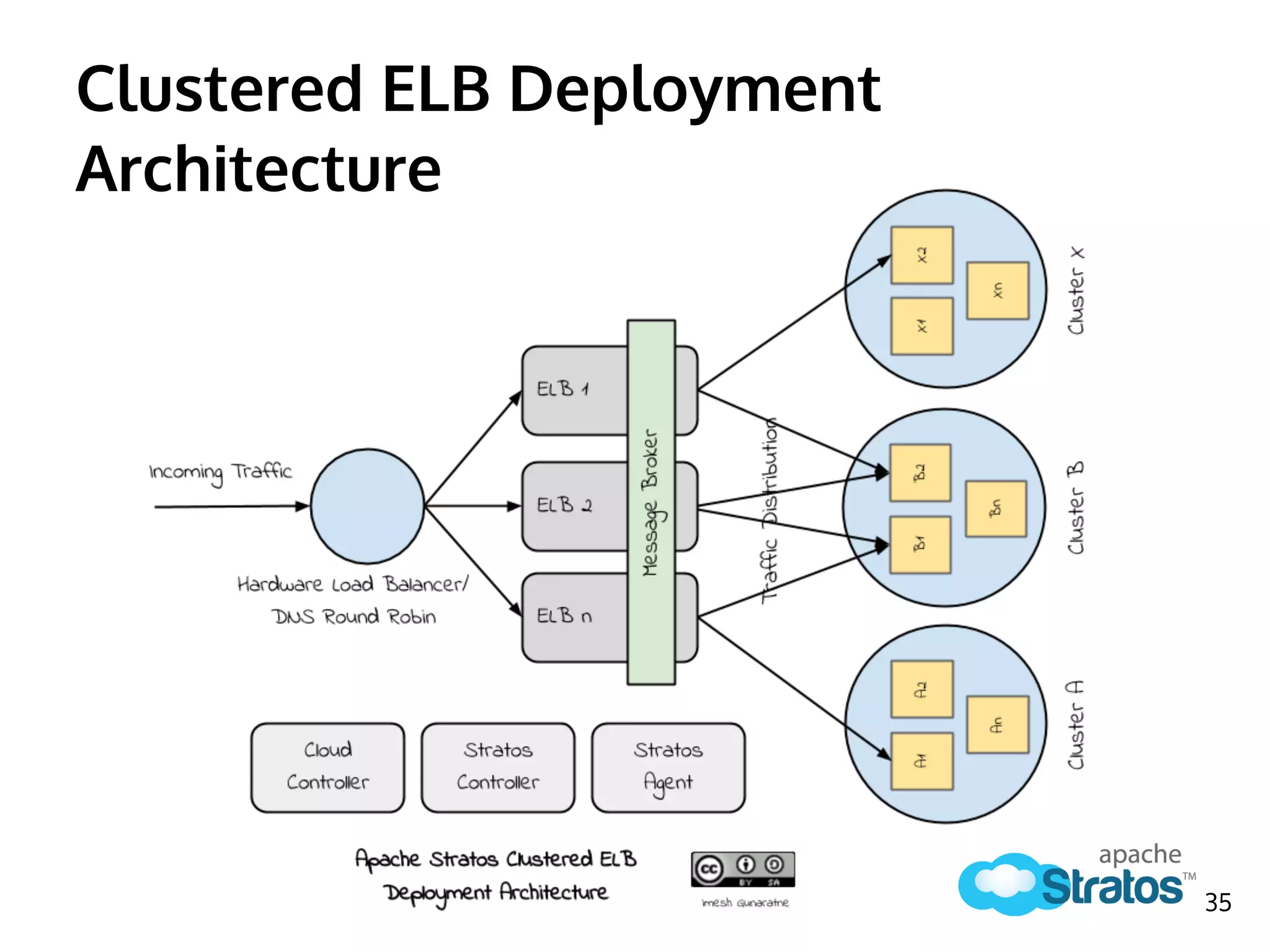
An ELB is prone to single point of failure
34
Clustered ELB Deployment
Architecture
35
Questions?
Or any feedback is really appreciated
36
References
● Apache Stratos Documentation
https://cwiki.apache.org/confluence/display/STRATOS/Index
● WSO2 Load Balancer - How it works
http://blog.afkham.org/2011/09/wso2-load-balancer-how-it-works.html
● WSO2 Webinar - Introducing the WSO2 Load Balancer
http://www.youtube.com/watch?v=HgiTyvZ-Sfw
● WSO2 Elastic Load Balancer Documentation
http://docs.wso2.
org/wiki/display/ELB203/WSO2+Elastic+Load+Balancer+Documentation
● WSO2, Introduction to Carbon Clustering
http://wso2.com/library/articles/introduction-wso2-carbon-clustering
37
Website
http://stratos.incubator.apache.org
Mailing List
Subscribe: dev-subscribe@stratos.incubator.apache.org
Post (After subscription): dev@stratos.incubator.apache.org
Social Media
Google+: https://plus.google.com/103515557134069849802
Twitter: https://twitter.com/ApacheStratos
Facebook: https://www.facebook.com/apache.stratos
LinkedIn: http://www.linkedin.com/groups?home=&gid=5131436
38
Join Us

The Role of Elastic Load Balancer - Apache Stratos

  • 1.
    The Role of ElasticLoad Balancer (ELB) Imesh Gunaratne Apache Contributor, Technical Lead - WSO2 Inc
  • 2.
    Agenda ➔ Introduction toLoad Balancing ◆ What is Load Balancing? ◆ Algorithms ◆ Node Configuration Modes ◆ Why is it called Elastic? ◆ Purpose ◆ Features ➔ Component Architecture of Apache Stratos ELB ◆ Synapse Mediation Framework ◆ Apache Axis2 Clustering ◆ Apache Tribes Group Management ◆ Binary Relay Message Builder ◆ Load Balance Endpoint Module ◆ Auto-scaling Module 2
  • 3.
    Agenda (cont.) ➔ ELB’srole in Apache Stratos PaaS ◆ Apache Stratos Logical Architecture ◆ Workflow ➔ Auto-scaling Process ◆ Configuration ◆ Auto-scaling Algorithm ◆ Plugging in Custom Algorithms ➔ How to Avoid Single Point of Failure of ELB 3
  • 4.
    Introduction to LoadBalancing How it is done & why it matters? 4
  • 5.
    What is LoadBalancing in general? Load balancing is a computer networking method for distributing workloads across multiple computers or a computer cluster, network links, central processing units, disk drives, or other resources - Wikipedia http://en.wikipedia.org/wiki/Load_balancer 5
  • 6.
    Load balancing isused to distribute the incoming traffic amongst a set of backend worker nodes which are statically configured or dynamically discovered. http://docs.wso2.org/wiki/display/ELB203/Load+Balacing+Basics LB W1 W2 Wn Clients Worker nodes Incoming Traffic 6 What is Load Balancing in Middleware?
  • 7.
    Load Balancing Clusters Acluster is a set of nodes that communicate with each other and work towards a common goal. 7
  • 8.
    Membership Schemes Static Dynamic ConfigurationModes ● Only a predefined set of nodes could exist in a cluster. ● New nodes cannot be added at runtime. ● Membership is not predefined. ● Nodes could discover the load balancer. ● Nodes could join a cluster by specifying a cluster name. Hybrid ● Also called Well-Known Addressed (WKA). ● A cluster could have set of well known members. ● Nodes could join a cluster via a well-known member. 8
  • 9.
    Most widely usedLoad Balancing Algorithms ➔ Round Robin ◆ Passes each new connection request to the next server in line ➔ Weighted Round Robin ◆ The number of connections that each machine receives over time is proportionate to a ratio weight you define. ➔ Least Connections ◆ Passes a new connection to the server that has the least number of current connections. https://devcentral.f5.com/articles/intro-to-load-balancing-for-developers- ndash-the-algorithms 9
  • 10.
    Why it iscalled Elastic? Load BalancerAutoscaler + Monitor the incoming traffic and scales request handling capacity (no of nodes) Elastic Load Balancer= Distribute the load of incoming traffic amongst a set of worker nodes 10
  • 11.
    What is thePurpose? The motivation of load balancing is to ➔ Optimize resource usage ◆ Start and stop resources on demand. ➔ Maximize the throughput ◆ Increase the average rate of successful message delivery. ➔ Minimize the response time ◆ Reduce the time it takes to process a message and send a response back. http://en.wikipedia.org/wiki/Load_balancer 11
  • 12.
    Main Features ofa Load Balancer There are three main features: ➔ Failover Handling ◆ Avoid single point of failure by hosting multiple instances of a given service. ➔ Auto-scaling ◆ Manage number of instances of an application according to the incoming traffic. ➔ Multi-tenancy ◆ Manage multiple tenants of applications. 12
  • 13.
    Component Architecture of ApacheStratos ELB How it was designed 13
  • 14.
  • 15.
  • 16.
    How Synapse wasExtended 16
  • 17.
    Binary Relay MessageBuilder ● Synapse uses Axis2 engine for message processing. ● Axis2 uses Message Formatters & Message Builders for serializing and building incoming messages into SOAP format. ● Binary Relay is an Axis2 message builder which pass through all messages without processing them. Binary Relay Message Builder 17
  • 18.
    Binary Relay definitionin Axis2.xml elb/repository/conf/axis2/axis2.xml <messageBuilders> <messageBuilder contentType="application/xml" class="org.wso2.carbon.relay.BinaryRelayBuilder"/> <messageBuilder contentType="application/txt" class="org.wso2.carbon.relay.BinaryRelayBuilder"/> . . . </messageBuilders> Binary Relay Message Builder 18
  • 19.
    Load Balance EndpointModule ● Tenant Aware Load Balance Endpoint ○ Extends Synapse Dynamic Load Balance Endpoint. ○ Utilizes round robin load balance algorithm. ● Topology Syncher ○ Receives service cluster topology information from Cloud Controller via the Message Broker. ● Health Checker ○ Re-establishes connection to the Message Broker if it drops. Load Balance Endpoint Module 19
  • 20.
    Load Balance EndpointModule (cont.) ● Cluster Domain Manager Impl ○ Manages cluster sub domains of cartridge instances. ● Group Mgt Agent Builder ○ Manages Axis2 group management agents of cluster sub domains. ● Registry Manager ○ Receives domain mappings of cartridge instances from ADC manager via the registry. Load Balance Endpoint Module 20
  • 21.
    Session Affinity ● Thereare two different ways to manage session information. ● Replicate in cluster is a very costly process. ● Therefore ELB manages session information for the applications. Session Information Replicate in Cluster Handled by LB Load Balance Endpoint Module 21
  • 22.
    Auto-scaling Module ● AutoscaleIn Mediator ○ Generates a token (request id) per request received and adds it to a queue. ● Autoscale Out Mediator ○ Removes the token added by the in mediator when a response is received from the end point. ● Service Requests InFlight Autoscaler (Task) ○ Performs sanity checks to ensure that all clusters meet the minimum number of nodes. ○ Performs scaling based on the request load & scaling configuration parameters. Auto-scaling Module 22
  • 23.
    ELB’s role inApache Stratos PaaS How does it contribute? 23
  • 24.
    ELB’s role inApache Stratos PaaS 24
  • 25.
    Cartridge Subscription Workflow 1.[SC -> CC] Send Cartridge Subscription Request 2. [CC] Deploy Cartridge Instance Service 3. [CC -> MB] Publish Cluster Topology Information 4. [MB -> ELB] Receive Cluster Topology Information 5. [CC -> jclouds] Instance Spawn Request 6. [jclouds -> IaaS] Spawn Cartridge Instance 7. [Cartridge -> Agent] Request to Join Cluster 8. [Agent -> ELB] Add Node to Cluster 25
  • 26.
    1. [Client ->ELB] Send request message 2. [ELB] Identify cluster & tenant using message header 3. [ELB] Add request to a list 4. [ELB -> Node] If session exists, send message 5. [ELB] If not store session information 6. [ELB -> Node] Apply algorithm & send message 7. [ELB -> Node] Handle failover 8. [Node -> ELB] Send response 9. [ELB -> Client] Send response and remove request from list 10. [ELB] Scale number of cartridge instances Load Balancing Workflow 26
  • 27.
    Load Balancer Configuration loadbalancer.conf loadbalancer{ # minimum number of load balancer instances instances 1; # whether autoscaling should be enabled or not. enable_autoscaler true; # autoscaling decision making task #autoscaler_task org.wso2.carbon.mediator.autoscale.lbautoscale.task. ServiceRequestsInFlightAutoscaler; #please use this whenever url-mapping is used through LB. #size_of_cache 100; ... 27
  • 28.
    Load Balancer Configuration(cont.) loadbalancer { ... # Endpoint reference of the Autoscaler Service. This should be present, if you disabled embedded autoscaling. #autoscaler_service_epr https://host_address: https_port/services/AutoscalerService/; # interval between two task executions in milliseconds autoscaler_task_interval 60000; # after an instance booted up, task will wait maximum till this much of time and let the server started up server_startup_delay 180000; #default will be 60000ms # session timeout session_timeout 90000; # enable failover fail_over true; } 28
  • 29.
    Port Mapping ● Portsof applications deployed in cartridge instances are mapped to external ports by the load balancer. ● Port mapping is defined in <cartridge>.xml file. ● Example: <portMapping> <http port="80" proxyPort="8280"/> <https port="443" proxyPort="8243"/> </portMapping> 29
  • 30.
    Auto-scaling Process Configuration &custom implementations 30
  • 31.
    Auto-scaling Configuration loadbalancer.conf services { #default parameter values to be used in all services defaults { # minimum number of service instances required min_app_instances 1; # maximum number of service instances that will be load balanced max_app_instances 3; # maximum number of requests served per second by a service instance max_requests_per_second 5; # scale up early using AUR, 0 < AUR <= 1 and default is 0.7 alarming_upper_rate 0.7; # scale down slowly using ALR, 0 < ALR <= 1 and default is 0.2 alarming_lower_rate 0.2; # scale down slowly using SDF, 0 < SDF <= 1 and default is 0.25 scale_down_factor 0.25; # no of iterations in-flight avg is calculated to take the decision rounds_to_average 2; message_expiry_time 60000; } 31
  • 32.
  • 33.
    Custom Auto-scaling Implementation ●You could write your own Java implementation which implements org.apache.synapse.task.Task and org.apache. synapse.ManagedLifecycle interfaces. ● Wrap the implementation class to an OSGi bundle and deploy it in the ELB OSGi container. ● Update autoscaler_task value in loadbalancer.conf. 33
  • 34.
    How to avoidSingle Point of Failure of ELB An ELB is prone to single point of failure 34
  • 35.
  • 36.
    Questions? Or any feedbackis really appreciated 36
  • 37.
    References ● Apache StratosDocumentation https://cwiki.apache.org/confluence/display/STRATOS/Index ● WSO2 Load Balancer - How it works http://blog.afkham.org/2011/09/wso2-load-balancer-how-it-works.html ● WSO2 Webinar - Introducing the WSO2 Load Balancer http://www.youtube.com/watch?v=HgiTyvZ-Sfw ● WSO2 Elastic Load Balancer Documentation http://docs.wso2. org/wiki/display/ELB203/WSO2+Elastic+Load+Balancer+Documentation ● WSO2, Introduction to Carbon Clustering http://wso2.com/library/articles/introduction-wso2-carbon-clustering 37
  • 38.
    Website http://stratos.incubator.apache.org Mailing List Subscribe: dev-subscribe@stratos.incubator.apache.org Post(After subscription): dev@stratos.incubator.apache.org Social Media Google+: https://plus.google.com/103515557134069849802 Twitter: https://twitter.com/ApacheStratos Facebook: https://www.facebook.com/apache.stratos LinkedIn: http://www.linkedin.com/groups?home=&gid=5131436 38 Join Us