


Building High-Throughput,
Low-Latency Pipelines in Kafka
Ben Abramson & Robert Knowles
Introduction
How a development department in a well-established enterprise company
with no prior knowledge of Apache Kafka® built a real-time data pipeline in
Kafka, learning it as we went along.
This tells the story of what happened, what we learned and what we did
wrong.
2
Who are we and what do we do?
• We are William Hill one of the oldest and most well-established
companies in the gaming industry
• We work in the Trading department of William Hill and we “trade” what
happens in a Sports event.
• We deal with managing odds for c200k sports events a year. We publish
odds for the company and result the markets once events have concluded.
• Cater for both traditional pre-match markets and in-play markets
• We have been building applications based on messaging technology for a
long time as it suits our event-based use-cases
3
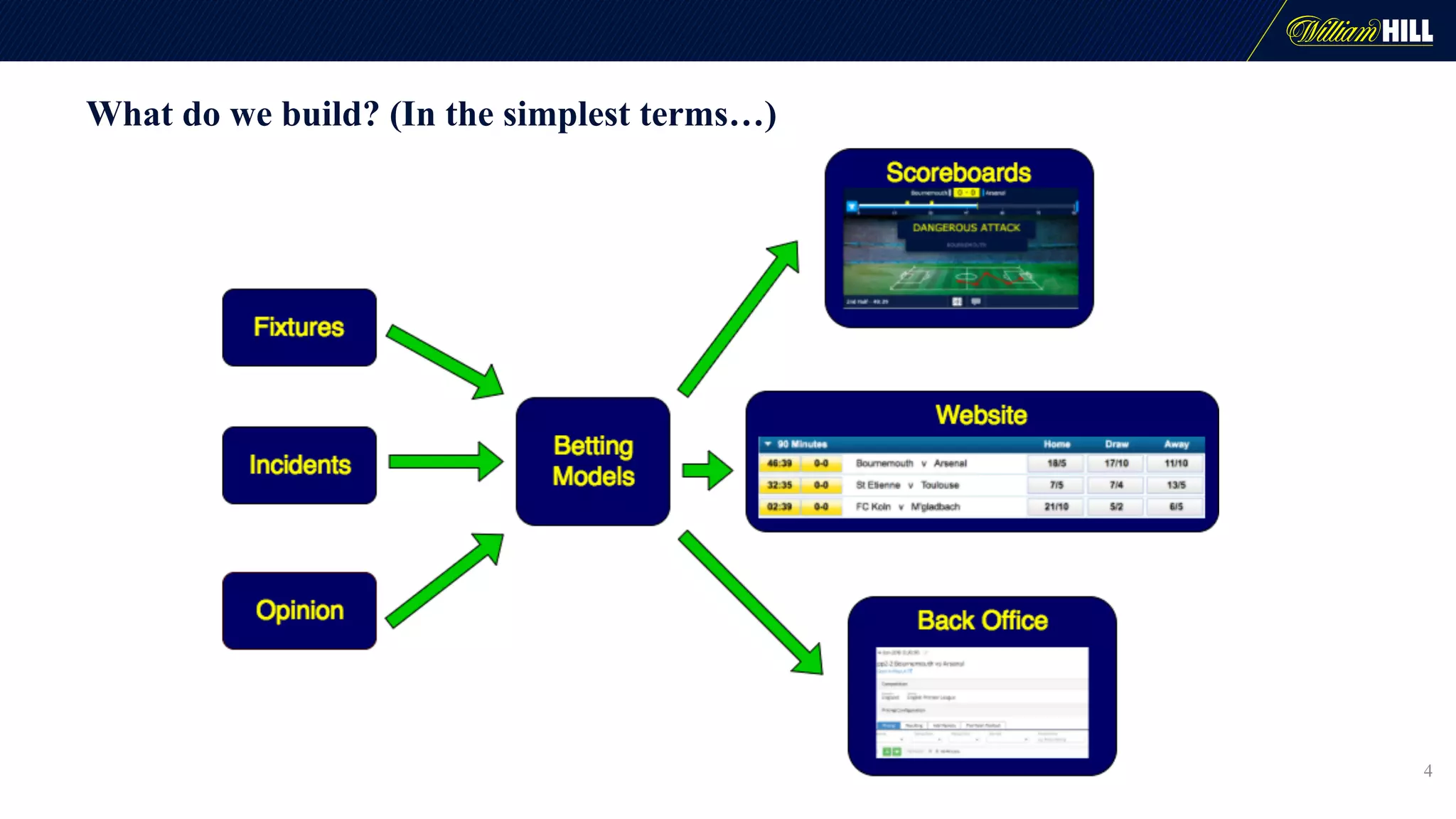
What do we build? (In the simplest terms…)
4
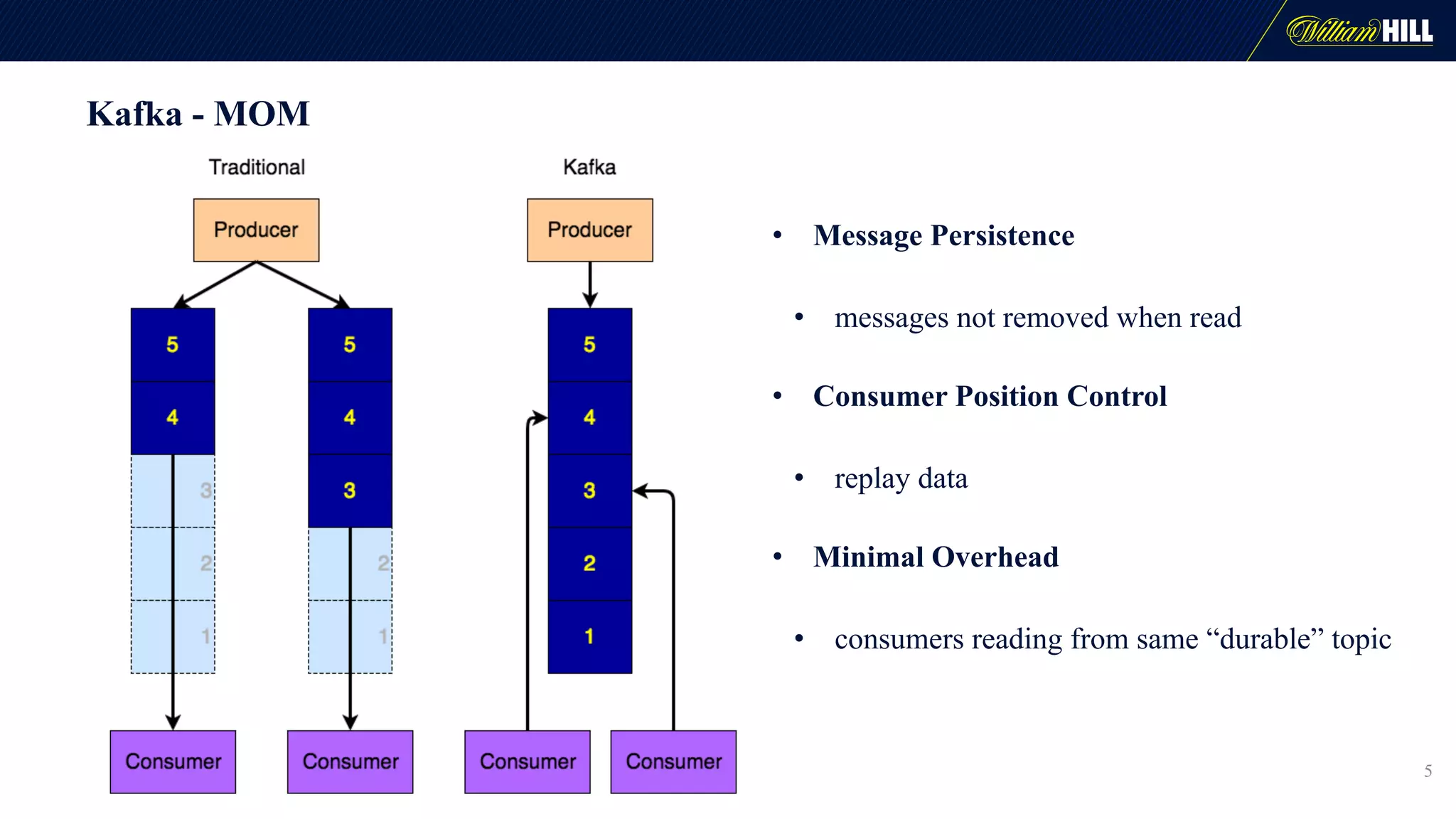
Kafka - MOM
5
• Message Persistence
• messages not removed when read
• Consumer Position Control
• replay data
• Minimal Overhead
• consumers reading from same “durable” topic
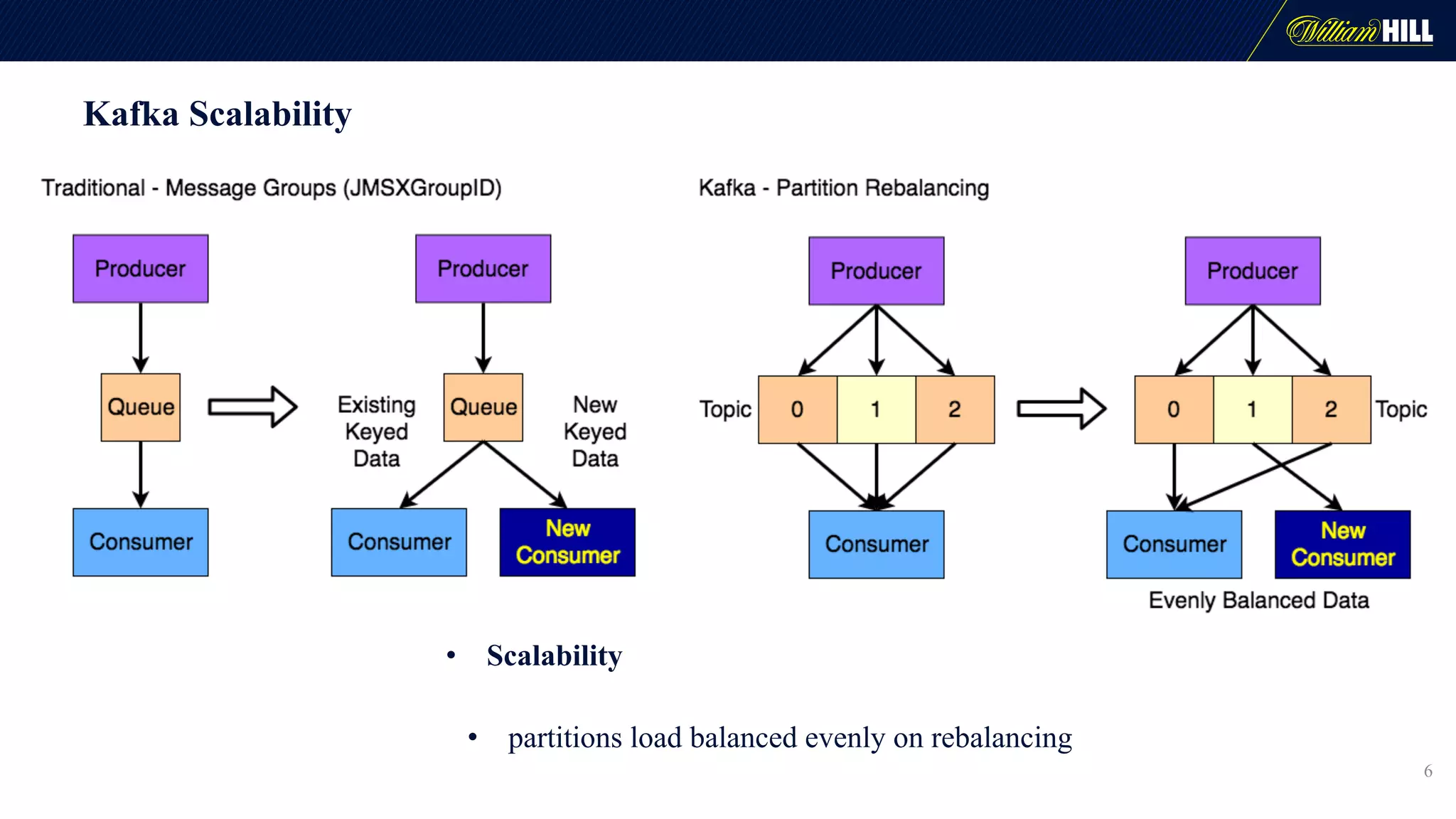
Kafka Scalability
• Scalability
• partitions load balanced evenly on rebalancing
6
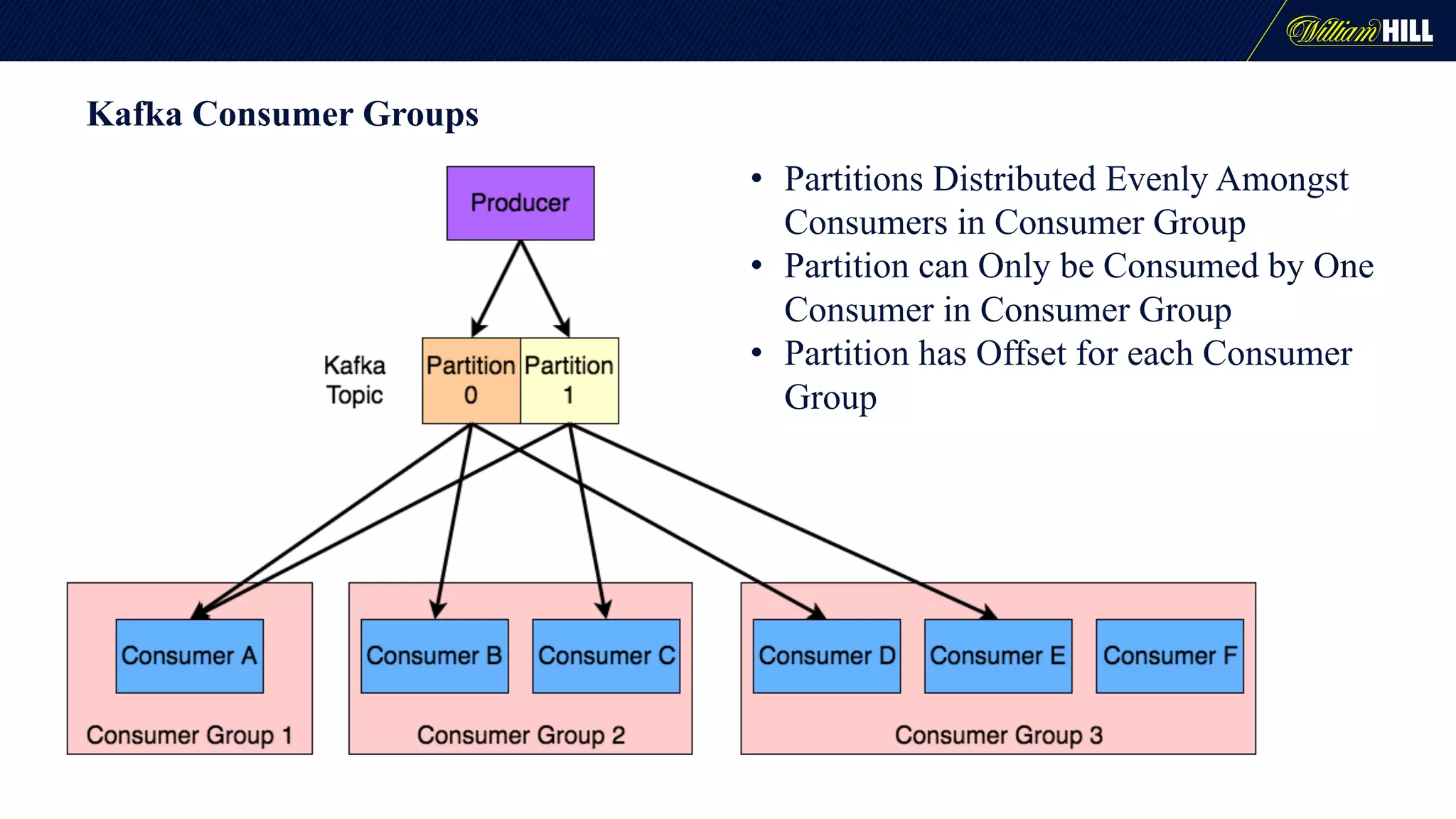
Kafka Consumer Groups
• Partitions Distributed Evenly Amongst
Consumers in Consumer Group
• Partition can Only be Consumed by One
Consumer in Consumer Group
• Partition has Offset for each Consumer
Group
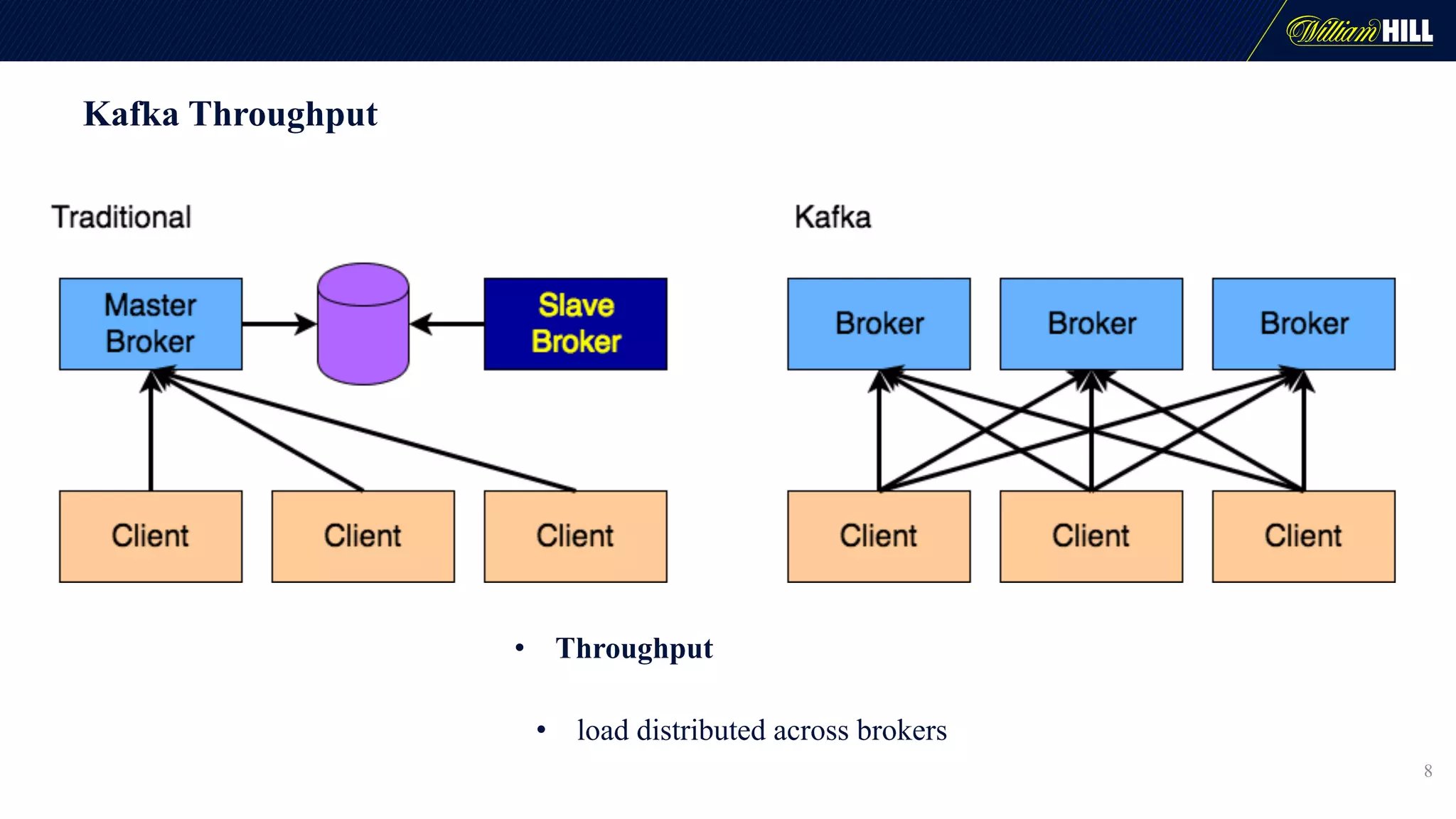
Kafka Throughput
• Throughput
• load distributed across brokers
8
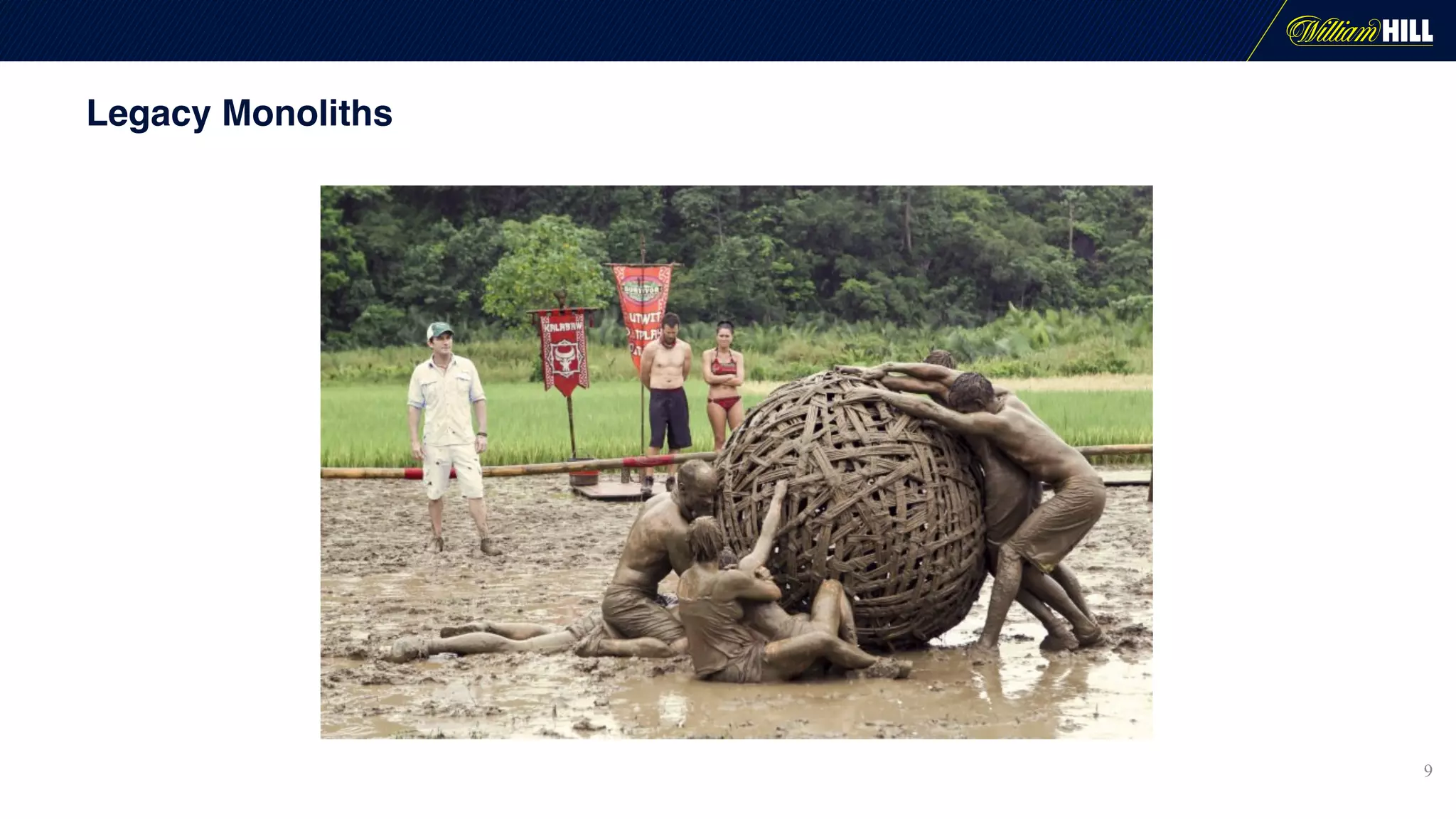
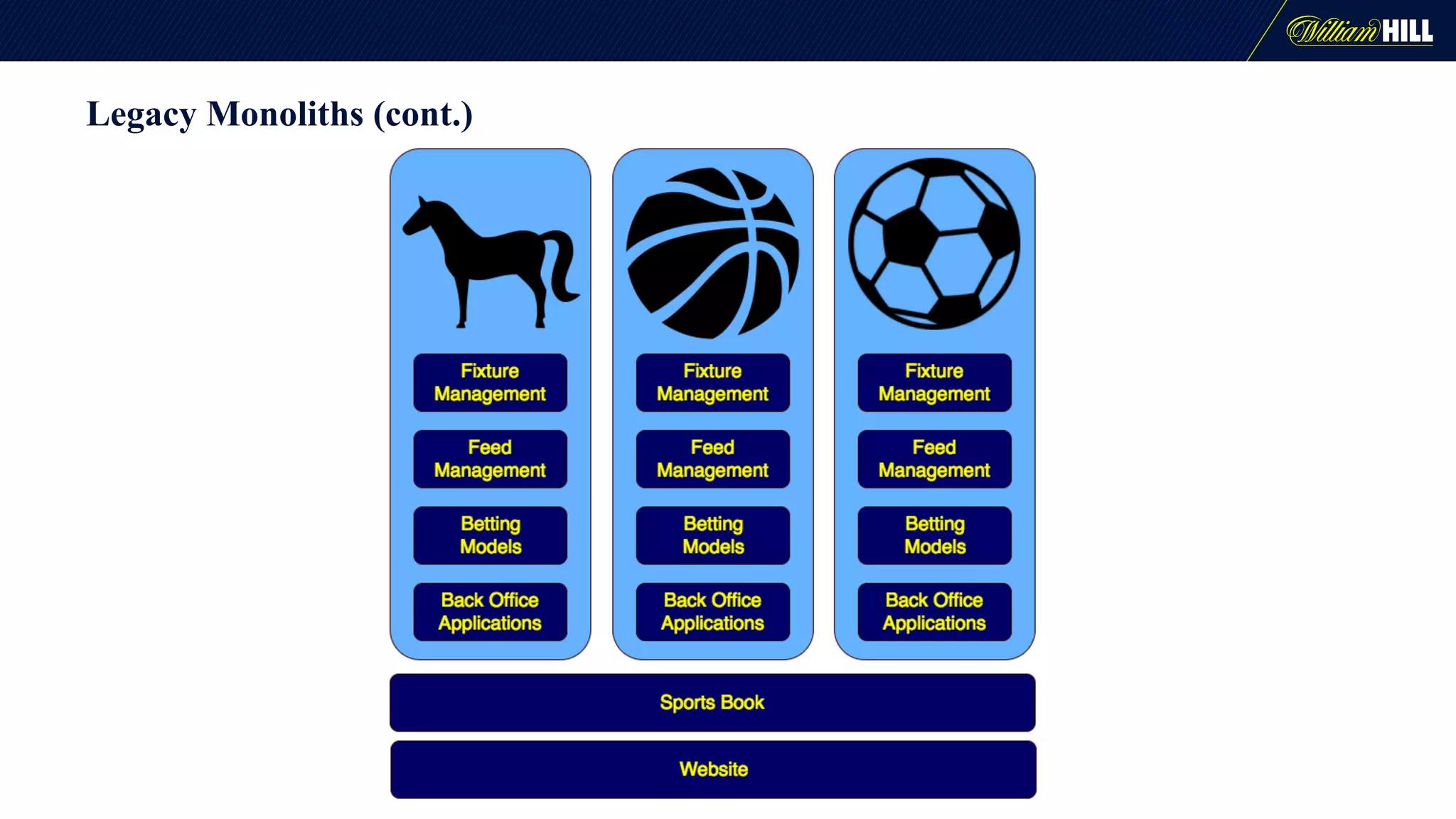
Legacy Monoliths
9
Legacy Monoliths (cont.)
Kafka Development Considerations
• Relatively new, the community is still growing, maturity can be an issue.
• Know your use case - is it suited to Kafka?
• Know your implementation :-
• Native Kafka
• Spring Kafka
• Kafka Streams
• Camel
• Spring Integration
11
2016 – Our journey begins
• Rapidly evolving industry = new requirements & use cases
• Upgrade the tech stack
12
Kafka
Microservices
Docker
Cloud
Java Vs Scala
13
Java
• More mature
• More knowledge of it
• More disciplined
Scala
• More functional
• More flexible
• Better suited to data crunching
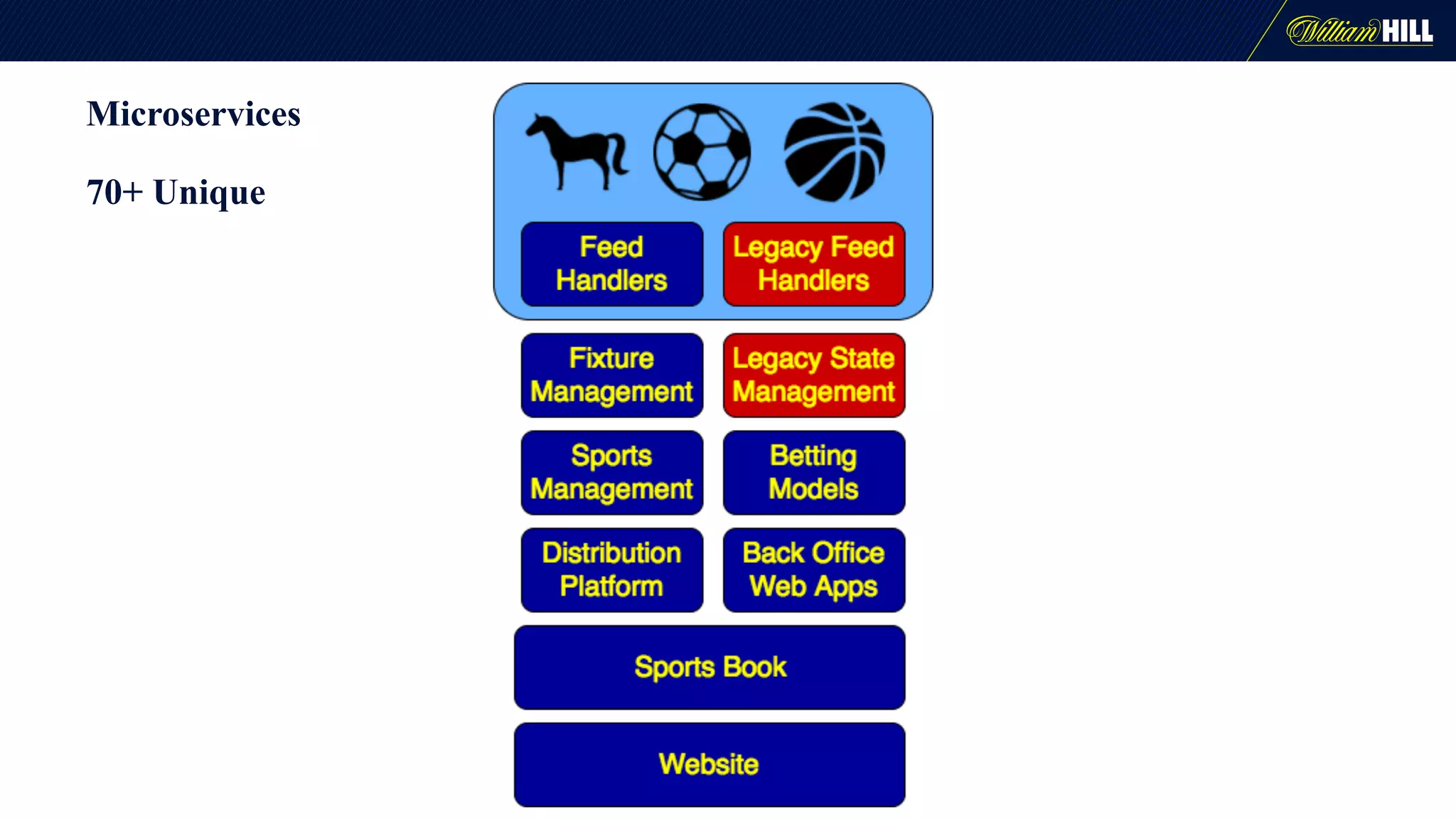
Microservices
70+ Unique
Standardization
Common approach allows many people to work with any part of the platform
• Language – Java over Scala/Erlang
• Messaging – Kafka over ActiveMQ/RabbitMQ
• Libraries – Spring Boot, Kafka Implementation
• Environments - Docker
• Releases - Versioning and Deployment Strategy
• Distributed Logging and Monitoring - Central UI, Format, Correlation
Architectural considerations
16
• Architectural steer to avoid using persistent data stores
to keep latency short
• We had to think about where to keep or cache data
• We started to have to think about Kafka as a data store
• This is where we started trying to use Kafka Streams
Architectural Options
We looked at a number of ways to solve our problems with data access in
apps, given our architectural steer
• Kafka Streams
• Creating our own abstractions on native Kafka
• Using some of kind of data store
17
Kafka Streams
• Use case for historical data to be visible in certain UIs
• UIs would subscribe to a specific event, but topics carry messages for all
events
• We had a need to be able read data as if it was a distributed cache
• Streams solved many of those problems
• Fault tolerance was a issue, we had difficulty recovering from a rebalance
and we had problems in starting up, mainly caused by not being able to
use a persistent data store
• Tech was still in dev at the time, and Kafka 1.0 came a little late for us
18
Message Format
• Bad message formats can wreck your system
• Common principles of Kafka messages:
• A message is basically an event
• Messages are of a manageable size
• Messages are simple and easy to process
• Messages are idempotent (i.e. a fact)
• Data should be organised by resources not by specific service needs
• Backward compatibility
19
Full state messages
20
• Big & unwieldy
• Resource heavy
• Can affect latency
• Wasteful
• Lots of boilerplate code
• Resilient – doesn’t matter if you drop it
• Stateless
• Don’t need to cache anything
• Can gzip big messages
Processing Full State Messages
• Message reading and message processing done asynchronously
• While the latest message is being processed, subsequent messages are
pushed on to a stack
• When the first message is processed, the next one is taken from the top of
the stack, and the rest of the stack is emptied
• Effectively a drop buffer
21
Testing…
• We wanted unit, integration and system level testing
• Unit testing is straight forward
• Integration and System testing with large distributed tools is a challenge
22
The Integration Testing Elephant
• There is a lot of talk in IT about DevOps and shift-left testing
• There is a lot of talk around Big Data style distributed systems
• Doing early integration testing with Big Data tools is difficult, and there
is a gap in this area
• Giving developers the tools to do local integration testing is very difficult
• Kafka is not the only framework with this problem
23
Developer Integration Testing
• Embedded Kafka from Spring allows a local ’virtual’ Kafka
• Great for unit tests and low level integration tests
24
Using Embedded Kafka
• Proceed with caution when trying to ensure execution order
• Most tests will need to pre-load topics with messages
• Quick & dirty, do it statically
• Wrapper for Embedded Kafka with additional utilities
• Based on JUnit ExternalResource
25
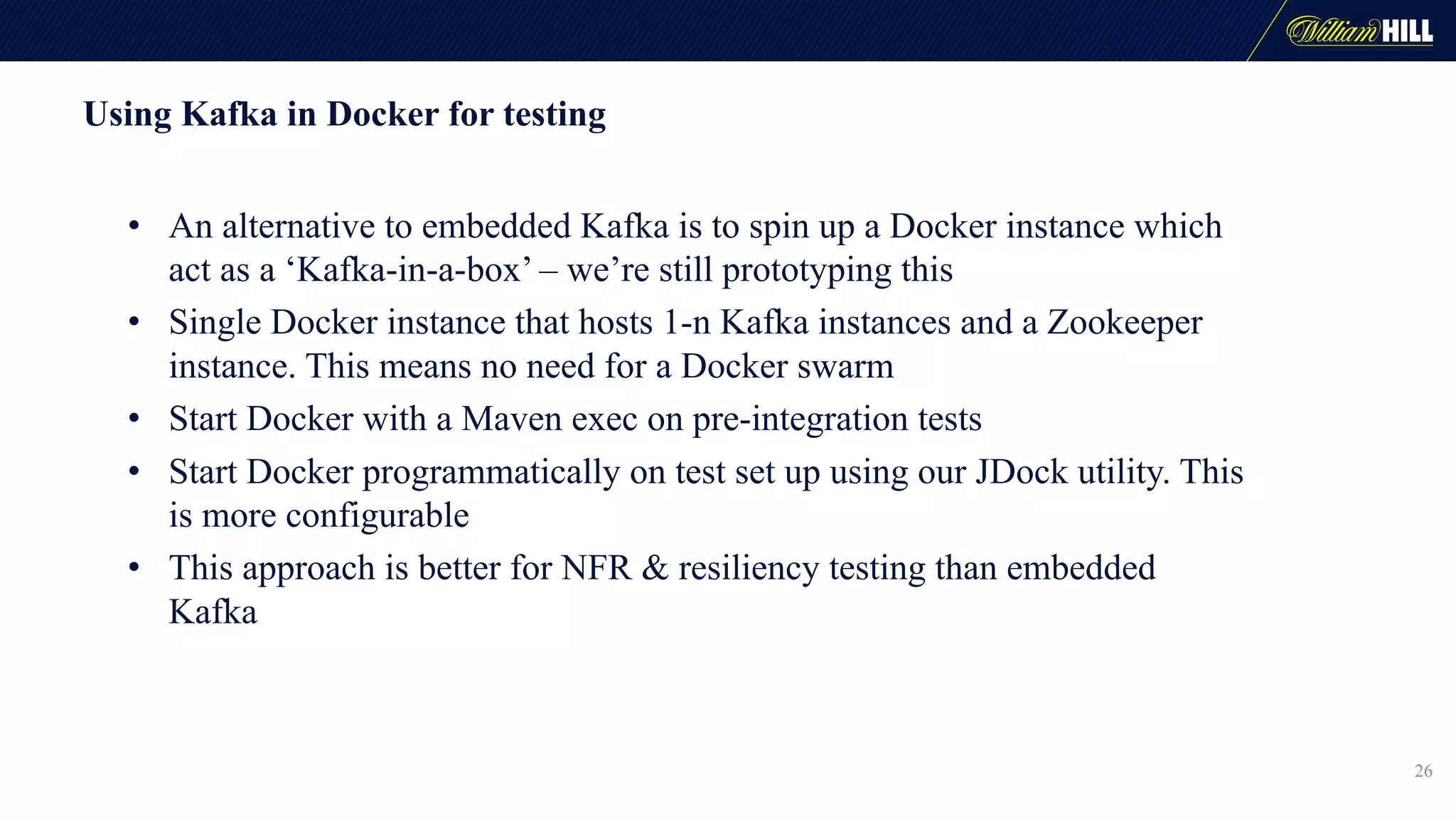
Using Kafka in Docker for testing
• An alternative to embedded Kafka is to spin up a Docker instance which
act as a ‘Kafka-in-a-box’ – we’re still prototyping this
• Single Docker instance that hosts 1-n Kafka instances and a Zookeeper
instance. This means no need for a Docker swarm
• Start Docker with a Maven exec on pre-integration tests
• Start Docker programmatically on test set up using our JDock utility. This
is more configurable
• This approach is better for NFR & resiliency testing than embedded
Kafka
26
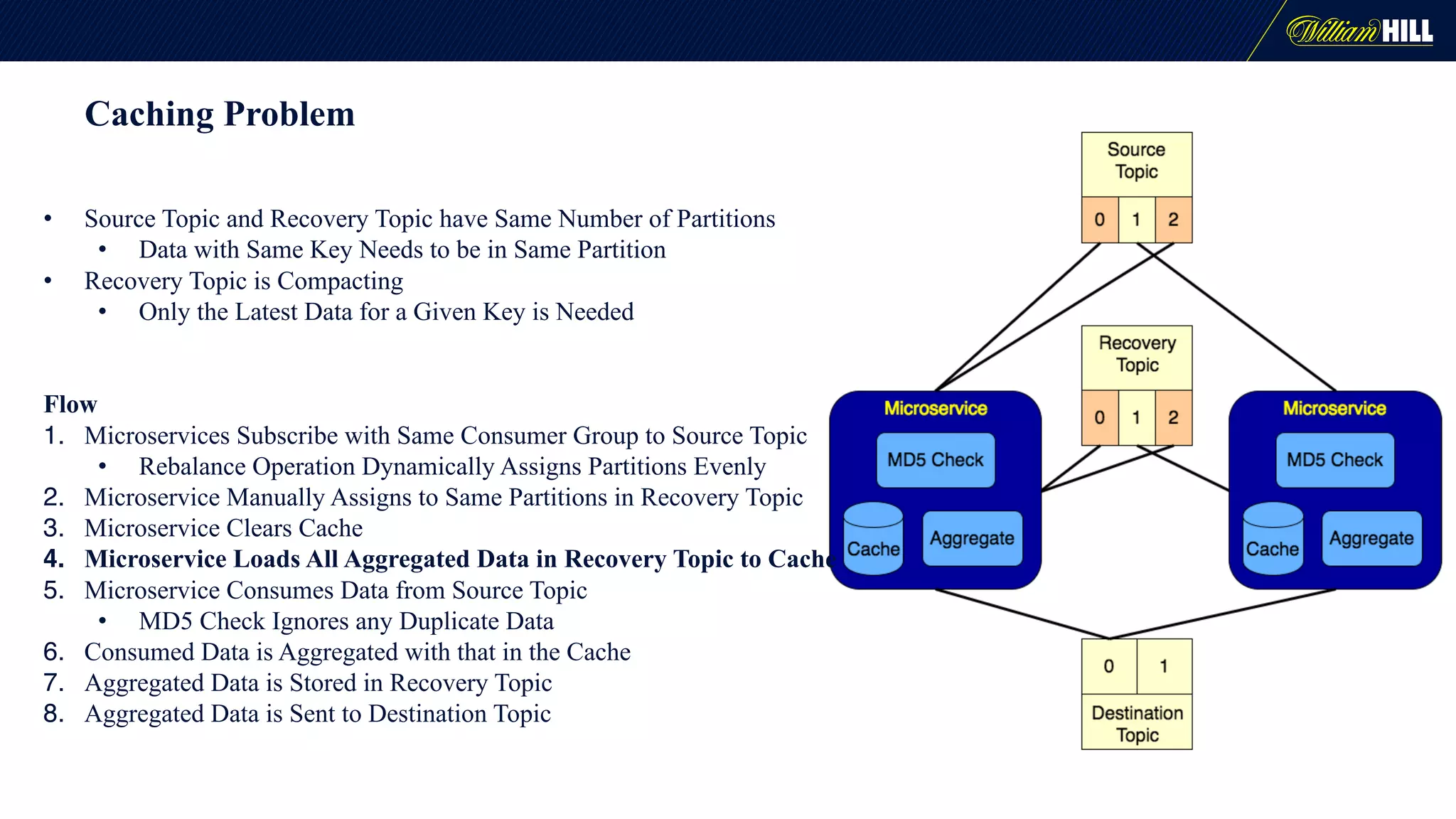
Caching Problem
• Source Topic and Recovery Topic have Same Number of Partitions
• Data with Same Key Needs to be in Same Partition
• Recovery Topic is Compacting
• Only the Latest Data for a Given Key is Needed
Flow
1. Microservices Subscribe with Same Consumer Group to Source Topic
• Rebalance Operation Dynamically Assigns Partitions Evenly
2. Microservice Manually Assigns to Same Partitions in Recovery Topic
3. Microservice Clears Cache
4. Microservice Loads All Aggregated Data in Recovery Topic to Cache
5. Microservice Consumes Data from Source Topic
• MD5 Check Ignores any Duplicate Data
6. Consumed Data is Aggregated with that in the Cache
7. Aggregated Data is Stored in Recovery Topic
8. Aggregated Data is Sent to Destination Topic
Considerations
• SLA - 1 second for message end to end
• Message time for each microservice is much less
• Failover and Scaling
• Rebalancing
• Time to Load Cache
• Message ordering
• Idempotent
• No duplicates
• Dismissed Solutions
• Dual Running Stacks
• Kafka-Streams - standby replicas (only for failover)
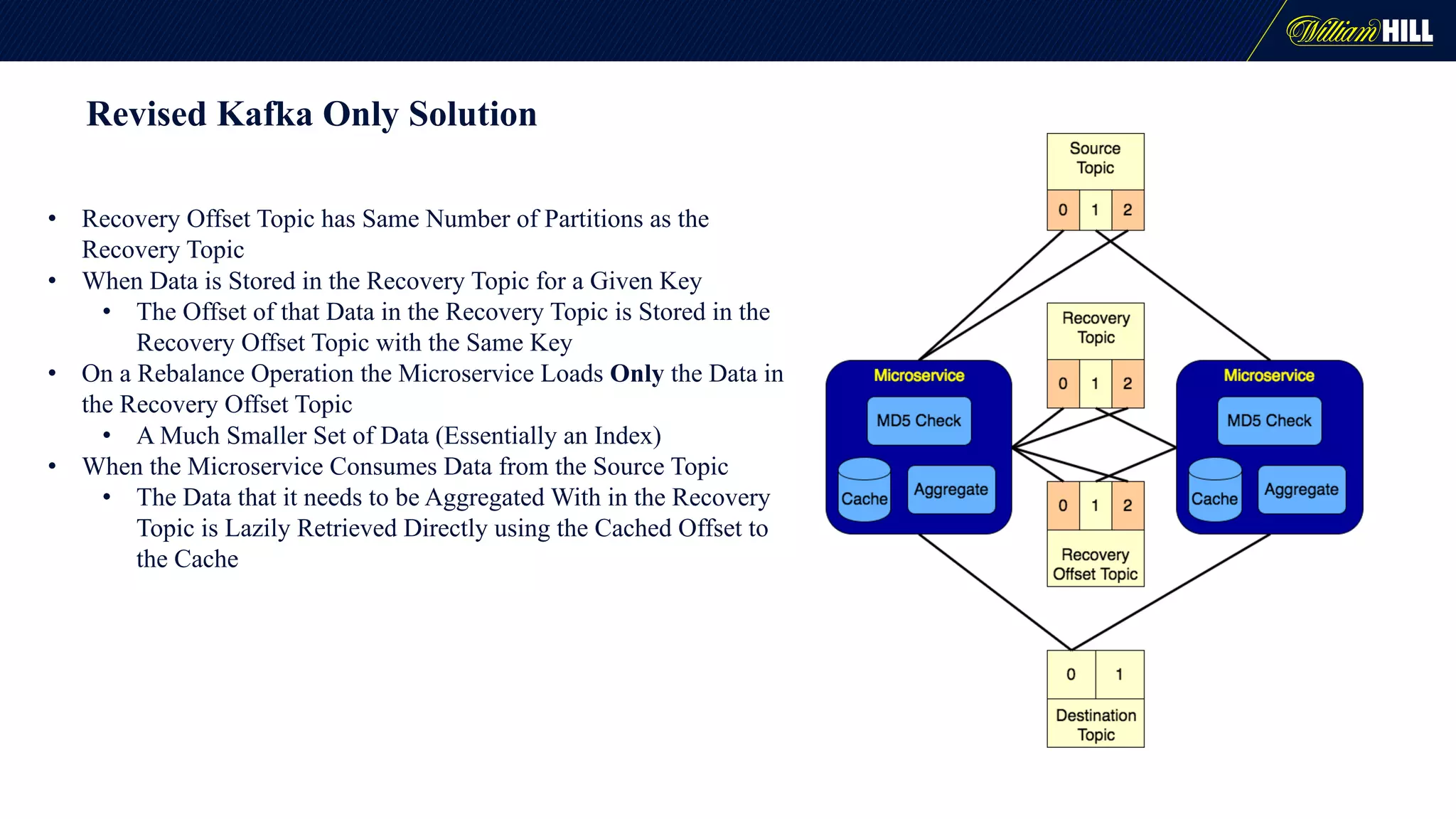
Revised Kafka Only Solution
• Recovery Offset Topic has Same Number of Partitions as the
Recovery Topic
• When Data is Stored in the Recovery Topic for a Given Key
• The Offset of that Data in the Recovery Topic is Stored in the
Recovery Offset Topic with the Same Key
• On a Rebalance Operation the Microservice Loads Only the Data in
the Recovery Offset Topic
• A Much Smaller Set of Data (Essentially an Index)
• When the Microservice Consumes Data from the Source Topic
• The Data that it needs to be Aggregated With in the Recovery
Topic is Lazily Retrieved Directly using the Cached Offset to
the Cache
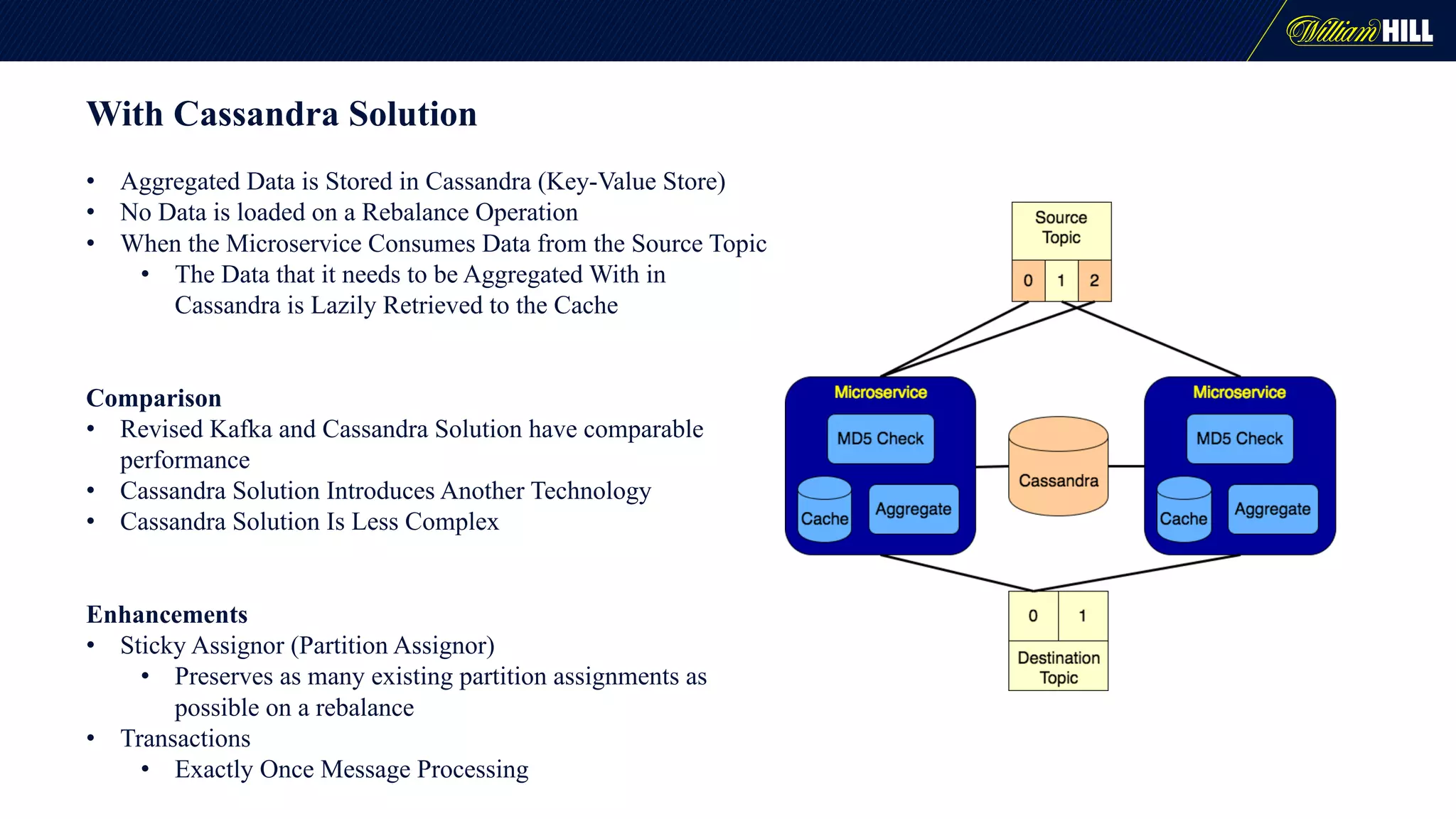
With Cassandra Solution
• Aggregated Data is Stored in Cassandra (Key-Value Store)
• No Data is loaded on a Rebalance Operation
• When the Microservice Consumes Data from the Source Topic
• The Data that it needs to be Aggregated With in
Cassandra is Lazily Retrieved to the Cache
Comparison
• Revised Kafka and Cassandra Solution have comparable
performance
• Cassandra Solution Introduces Another Technology
• Cassandra Solution Is Less Complex
Enhancements
• Sticky Assignor (Partition Assignor)
• Preserves as many existing partition assignments as
possible on a rebalance
• Transactions
• Exactly Once Message Processing
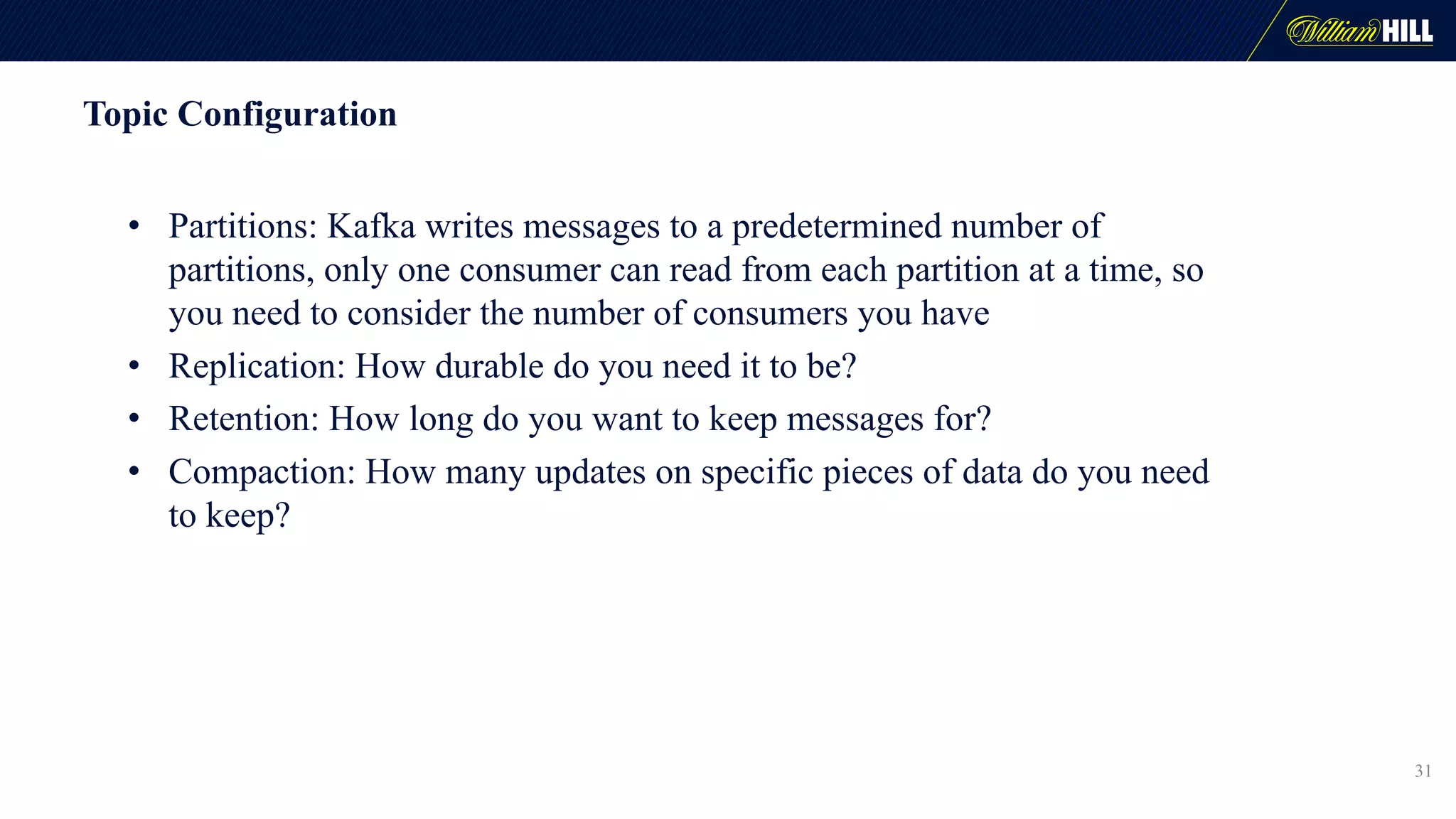
Topic Configuration
• Partitions: Kafka writes messages to a predetermined number of
partitions, only one consumer can read from each partition at a time, so
you need to consider the number of consumers you have
• Replication: How durable do you need it to be?
• Retention: How long do you want to keep messages for?
• Compaction: How many updates on specific pieces of data do you need
to keep?
31
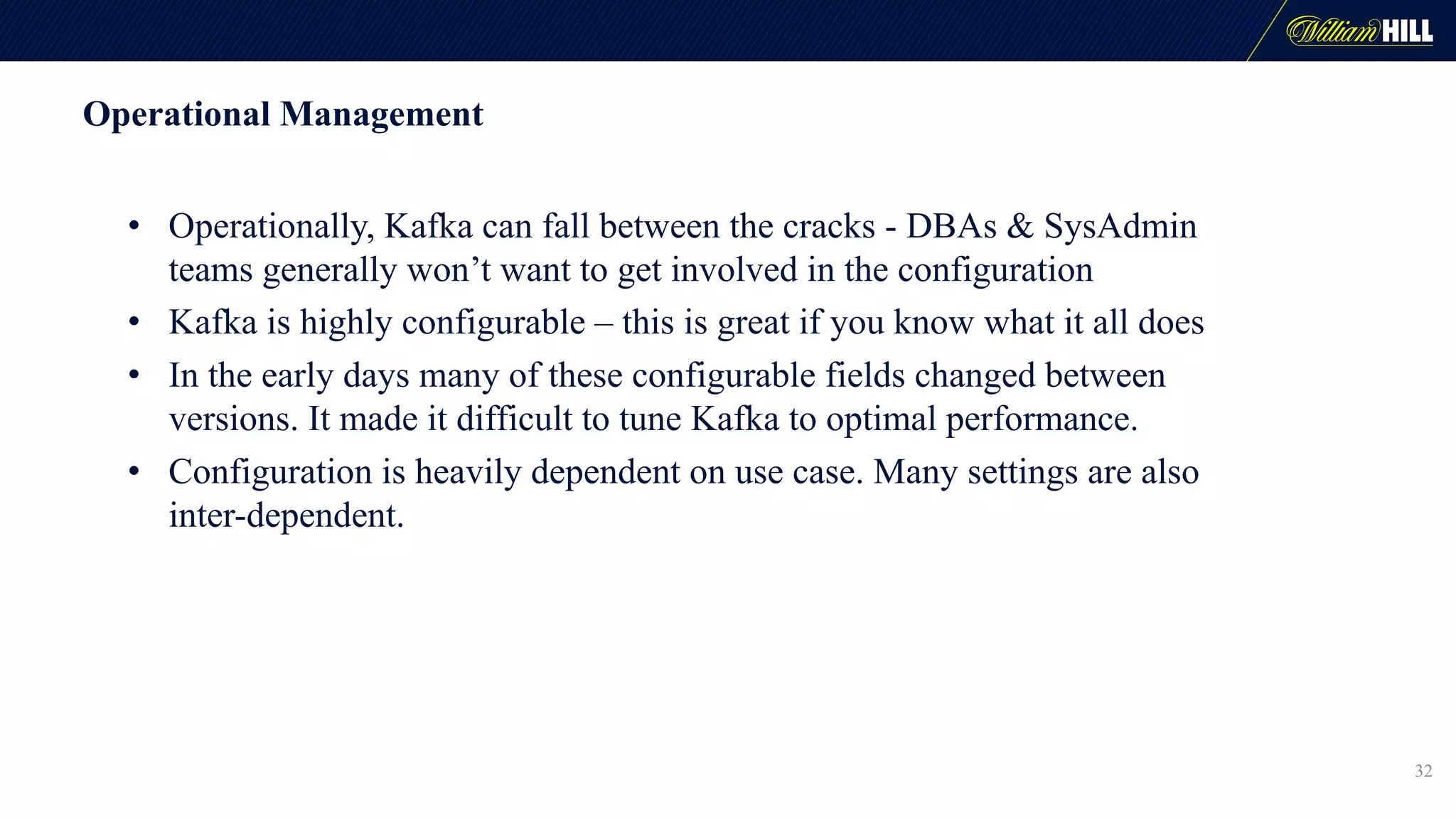
Operational Management
• Operationally, Kafka can fall between the cracks - DBAs & SysAdmin
teams generally won’t want to get involved in the configuration
• Kafka is highly configurable – this is great if you know what it all does
• In the early days many of these configurable fields changed between
versions. It made it difficult to tune Kafka to optimal performance.
• Configuration is heavily dependent on use case. Many settings are also
inter-dependent.
32
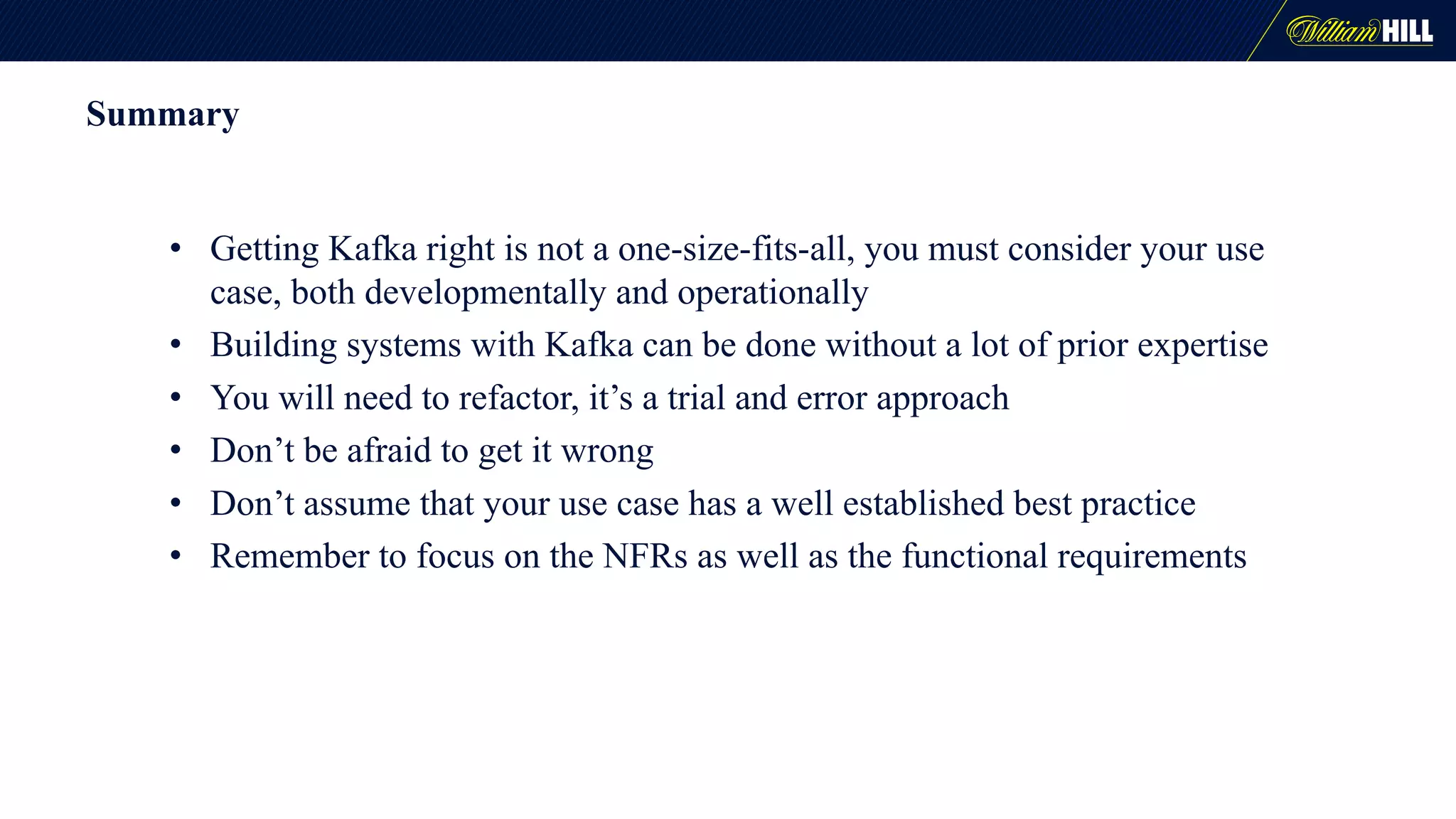
Summary
• Getting Kafka right is not a one-size-fits-all, you must consider your use
case, both developmentally and operationally
• Building systems with Kafka can be done without a lot of prior expertise
• You will need to refactor, it’s a trial and error approach
• Don’t be afraid to get it wrong
• Don’t assume that your use case has a well established best practice
• Remember to focus on the NFRs as well as the functional requirements
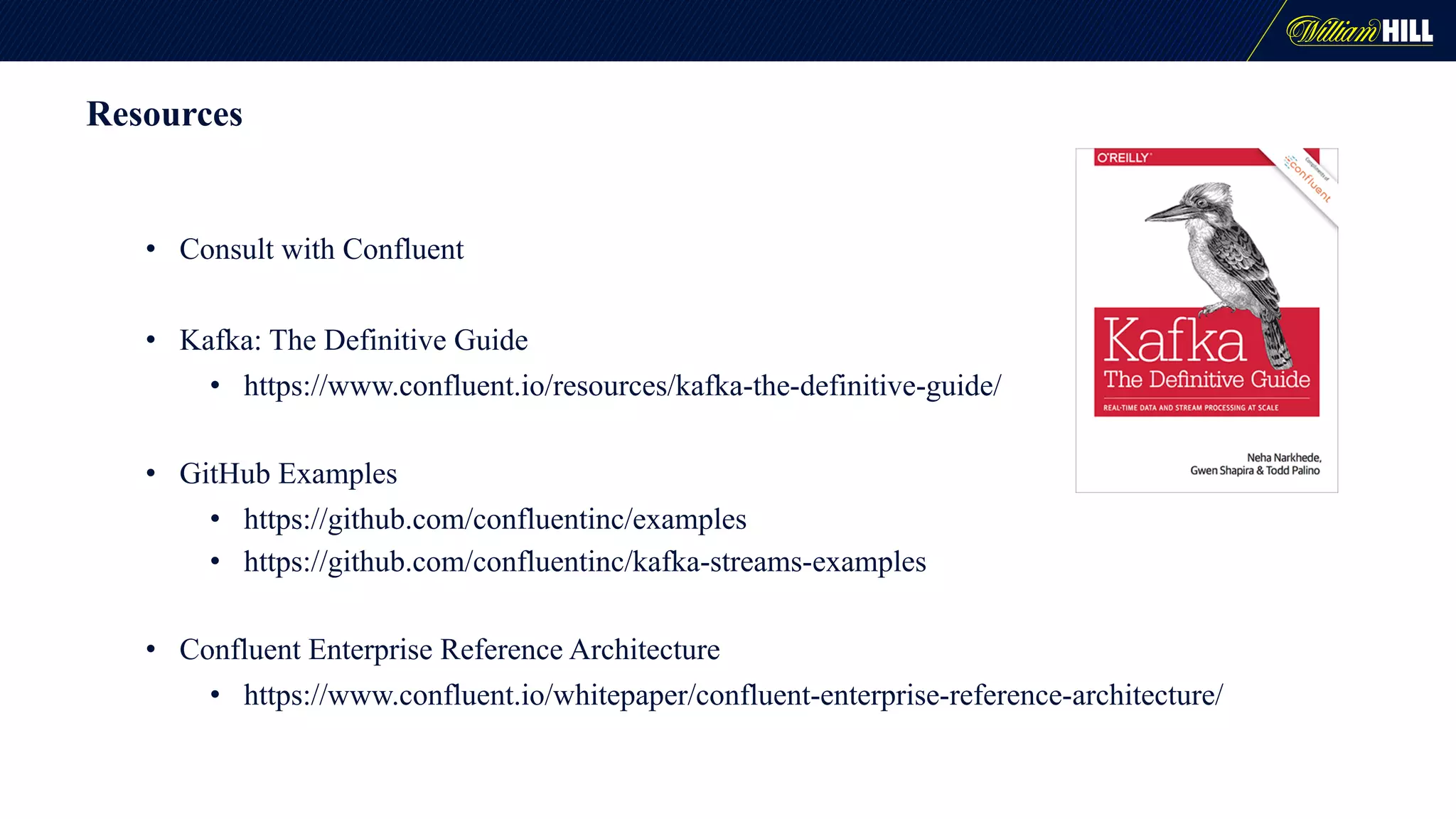
Resources
• Consult with Confluent
• Kafka: The Definitive Guide
• https://www.confluent.io/resources/kafka-the-definitive-guide/
• GitHub Examples
• https://github.com/confluentinc/examples
• https://github.com/confluentinc/kafka-streams-examples
• Confluent Enterprise Reference Architecture
• https://www.confluent.io/whitepaper/confluent-enterprise-reference-architecture/
Questions
Thank You

Building High-Throughput, Low-Latency Pipelines in Kafka

  • 1.
    Building High-Throughput, Low-Latency Pipelinesin Kafka Ben Abramson & Robert Knowles
  • 2.
    Introduction How a developmentdepartment in a well-established enterprise company with no prior knowledge of Apache Kafka® built a real-time data pipeline in Kafka, learning it as we went along. This tells the story of what happened, what we learned and what we did wrong. 2
  • 3.
    Who are weand what do we do? • We are William Hill one of the oldest and most well-established companies in the gaming industry • We work in the Trading department of William Hill and we “trade” what happens in a Sports event. • We deal with managing odds for c200k sports events a year. We publish odds for the company and result the markets once events have concluded. • Cater for both traditional pre-match markets and in-play markets • We have been building applications based on messaging technology for a long time as it suits our event-based use-cases 3
  • 4.
    What do webuild? (In the simplest terms…) 4
  • 5.
    Kafka - MOM 5 •Message Persistence • messages not removed when read • Consumer Position Control • replay data • Minimal Overhead • consumers reading from same “durable” topic
  • 6.
    Kafka Scalability • Scalability •partitions load balanced evenly on rebalancing 6
  • 7.
    Kafka Consumer Groups •Partitions Distributed Evenly Amongst Consumers in Consumer Group • Partition can Only be Consumed by One Consumer in Consumer Group • Partition has Offset for each Consumer Group
  • 8.
    Kafka Throughput • Throughput •load distributed across brokers 8
  • 9.
  • 10.
  • 11.
    Kafka Development Considerations •Relatively new, the community is still growing, maturity can be an issue. • Know your use case - is it suited to Kafka? • Know your implementation :- • Native Kafka • Spring Kafka • Kafka Streams • Camel • Spring Integration 11
  • 12.
    2016 – Ourjourney begins • Rapidly evolving industry = new requirements & use cases • Upgrade the tech stack 12 Kafka Microservices Docker Cloud
  • 13.
    Java Vs Scala 13 Java •More mature • More knowledge of it • More disciplined Scala • More functional • More flexible • Better suited to data crunching
  • 14.
  • 15.
    Standardization Common approach allowsmany people to work with any part of the platform • Language – Java over Scala/Erlang • Messaging – Kafka over ActiveMQ/RabbitMQ • Libraries – Spring Boot, Kafka Implementation • Environments - Docker • Releases - Versioning and Deployment Strategy • Distributed Logging and Monitoring - Central UI, Format, Correlation
  • 16.
    Architectural considerations 16 • Architecturalsteer to avoid using persistent data stores to keep latency short • We had to think about where to keep or cache data • We started to have to think about Kafka as a data store • This is where we started trying to use Kafka Streams
  • 17.
    Architectural Options We lookedat a number of ways to solve our problems with data access in apps, given our architectural steer • Kafka Streams • Creating our own abstractions on native Kafka • Using some of kind of data store 17
  • 18.
    Kafka Streams • Usecase for historical data to be visible in certain UIs • UIs would subscribe to a specific event, but topics carry messages for all events • We had a need to be able read data as if it was a distributed cache • Streams solved many of those problems • Fault tolerance was a issue, we had difficulty recovering from a rebalance and we had problems in starting up, mainly caused by not being able to use a persistent data store • Tech was still in dev at the time, and Kafka 1.0 came a little late for us 18
  • 19.
    Message Format • Badmessage formats can wreck your system • Common principles of Kafka messages: • A message is basically an event • Messages are of a manageable size • Messages are simple and easy to process • Messages are idempotent (i.e. a fact) • Data should be organised by resources not by specific service needs • Backward compatibility 19
  • 20.
    Full state messages 20 •Big & unwieldy • Resource heavy • Can affect latency • Wasteful • Lots of boilerplate code • Resilient – doesn’t matter if you drop it • Stateless • Don’t need to cache anything • Can gzip big messages
  • 21.
    Processing Full StateMessages • Message reading and message processing done asynchronously • While the latest message is being processed, subsequent messages are pushed on to a stack • When the first message is processed, the next one is taken from the top of the stack, and the rest of the stack is emptied • Effectively a drop buffer 21
  • 22.
    Testing… • We wantedunit, integration and system level testing • Unit testing is straight forward • Integration and System testing with large distributed tools is a challenge 22
  • 23.
    The Integration TestingElephant • There is a lot of talk in IT about DevOps and shift-left testing • There is a lot of talk around Big Data style distributed systems • Doing early integration testing with Big Data tools is difficult, and there is a gap in this area • Giving developers the tools to do local integration testing is very difficult • Kafka is not the only framework with this problem 23
  • 24.
    Developer Integration Testing •Embedded Kafka from Spring allows a local ’virtual’ Kafka • Great for unit tests and low level integration tests 24
  • 25.
    Using Embedded Kafka •Proceed with caution when trying to ensure execution order • Most tests will need to pre-load topics with messages • Quick & dirty, do it statically • Wrapper for Embedded Kafka with additional utilities • Based on JUnit ExternalResource 25
  • 26.
    Using Kafka inDocker for testing • An alternative to embedded Kafka is to spin up a Docker instance which act as a ‘Kafka-in-a-box’ – we’re still prototyping this • Single Docker instance that hosts 1-n Kafka instances and a Zookeeper instance. This means no need for a Docker swarm • Start Docker with a Maven exec on pre-integration tests • Start Docker programmatically on test set up using our JDock utility. This is more configurable • This approach is better for NFR & resiliency testing than embedded Kafka 26
  • 27.
    Caching Problem • SourceTopic and Recovery Topic have Same Number of Partitions • Data with Same Key Needs to be in Same Partition • Recovery Topic is Compacting • Only the Latest Data for a Given Key is Needed Flow 1. Microservices Subscribe with Same Consumer Group to Source Topic • Rebalance Operation Dynamically Assigns Partitions Evenly 2. Microservice Manually Assigns to Same Partitions in Recovery Topic 3. Microservice Clears Cache 4. Microservice Loads All Aggregated Data in Recovery Topic to Cache 5. Microservice Consumes Data from Source Topic • MD5 Check Ignores any Duplicate Data 6. Consumed Data is Aggregated with that in the Cache 7. Aggregated Data is Stored in Recovery Topic 8. Aggregated Data is Sent to Destination Topic
  • 28.
    Considerations • SLA -1 second for message end to end • Message time for each microservice is much less • Failover and Scaling • Rebalancing • Time to Load Cache • Message ordering • Idempotent • No duplicates • Dismissed Solutions • Dual Running Stacks • Kafka-Streams - standby replicas (only for failover)
  • 29.
    Revised Kafka OnlySolution • Recovery Offset Topic has Same Number of Partitions as the Recovery Topic • When Data is Stored in the Recovery Topic for a Given Key • The Offset of that Data in the Recovery Topic is Stored in the Recovery Offset Topic with the Same Key • On a Rebalance Operation the Microservice Loads Only the Data in the Recovery Offset Topic • A Much Smaller Set of Data (Essentially an Index) • When the Microservice Consumes Data from the Source Topic • The Data that it needs to be Aggregated With in the Recovery Topic is Lazily Retrieved Directly using the Cached Offset to the Cache
  • 30.
    With Cassandra Solution •Aggregated Data is Stored in Cassandra (Key-Value Store) • No Data is loaded on a Rebalance Operation • When the Microservice Consumes Data from the Source Topic • The Data that it needs to be Aggregated With in Cassandra is Lazily Retrieved to the Cache Comparison • Revised Kafka and Cassandra Solution have comparable performance • Cassandra Solution Introduces Another Technology • Cassandra Solution Is Less Complex Enhancements • Sticky Assignor (Partition Assignor) • Preserves as many existing partition assignments as possible on a rebalance • Transactions • Exactly Once Message Processing
  • 31.
    Topic Configuration • Partitions:Kafka writes messages to a predetermined number of partitions, only one consumer can read from each partition at a time, so you need to consider the number of consumers you have • Replication: How durable do you need it to be? • Retention: How long do you want to keep messages for? • Compaction: How many updates on specific pieces of data do you need to keep? 31
  • 32.
    Operational Management • Operationally,Kafka can fall between the cracks - DBAs & SysAdmin teams generally won’t want to get involved in the configuration • Kafka is highly configurable – this is great if you know what it all does • In the early days many of these configurable fields changed between versions. It made it difficult to tune Kafka to optimal performance. • Configuration is heavily dependent on use case. Many settings are also inter-dependent. 32
  • 33.
    Summary • Getting Kafkaright is not a one-size-fits-all, you must consider your use case, both developmentally and operationally • Building systems with Kafka can be done without a lot of prior expertise • You will need to refactor, it’s a trial and error approach • Don’t be afraid to get it wrong • Don’t assume that your use case has a well established best practice • Remember to focus on the NFRs as well as the functional requirements
  • 34.
    Resources • Consult withConfluent • Kafka: The Definitive Guide • https://www.confluent.io/resources/kafka-the-definitive-guide/ • GitHub Examples • https://github.com/confluentinc/examples • https://github.com/confluentinc/kafka-streams-examples • Confluent Enterprise Reference Architecture • https://www.confluent.io/whitepaper/confluent-enterprise-reference-architecture/
  • 35.
  • 36.