Test Automation
Using Cucumber and Calabash
Xavier Yin 201/01/15
Outline
 Introduction
– Testing
– Comparisons
– Automation Testing Tool
– Implement Steps
 Environments
– Ruby Installer
– Devkit
– Rails and Calabash-Android
 Implements
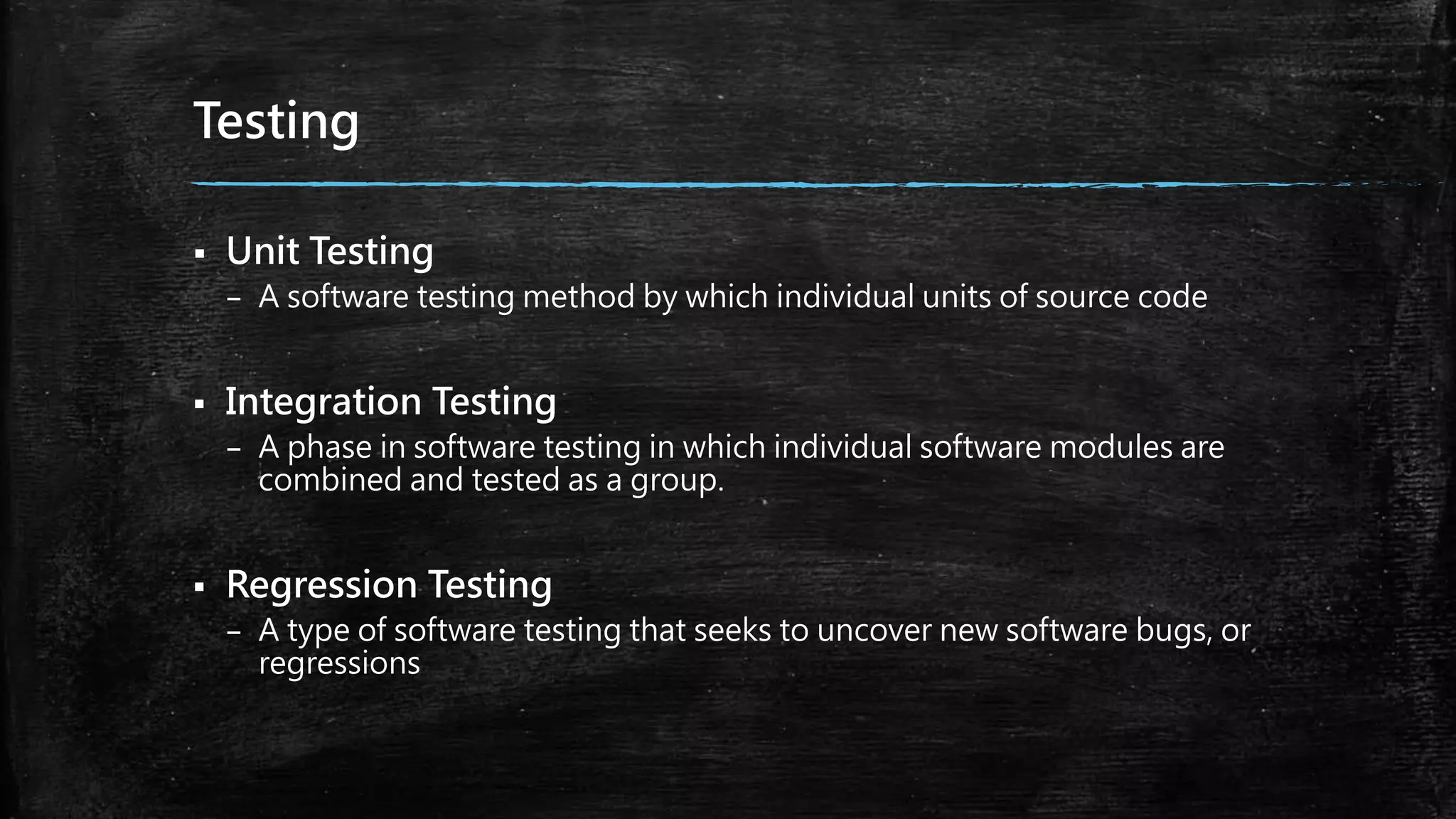
Testing
 Unit Testing
– A software testing method by which individual units of source code
 Integration Testing
– A phase in software testing in which individual software modules are
combined and tested as a group.
 Regression Testing
– A type of software testing that seeks to uncover new software bugs, or
regressions
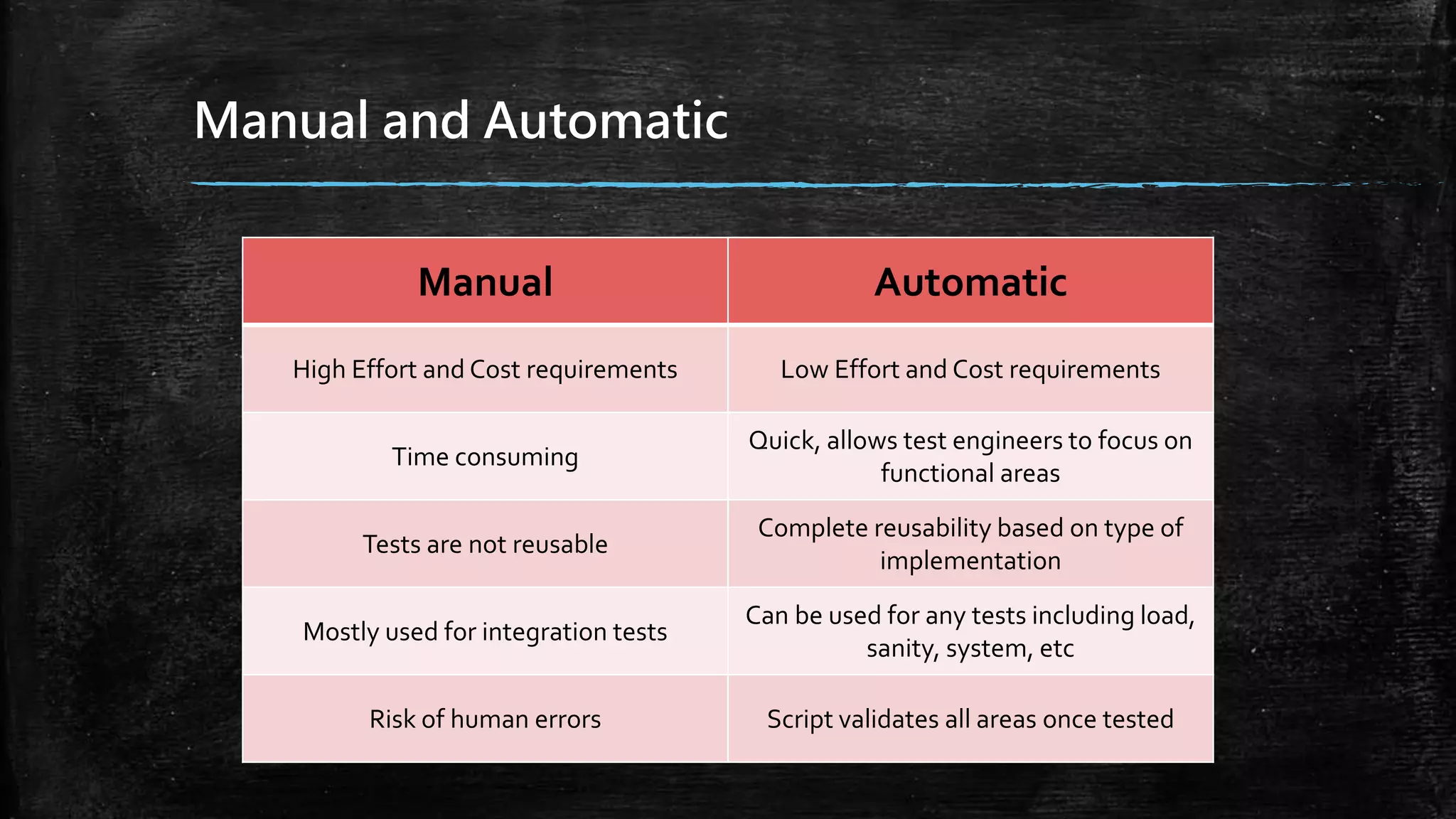
Manual and Automatic
Manual Automatic
High Effort and Cost requirements Low Effort and Cost requirements
Time consuming
Quick, allows test engineers to focus on
functional areas
Tests are not reusable
Complete reusability based on type of
implementation
Mostly used for integration tests
Can be used for any tests including load,
sanity, system, etc
Risk of human errors Script validates all areas once tested
Automation Testing Tool
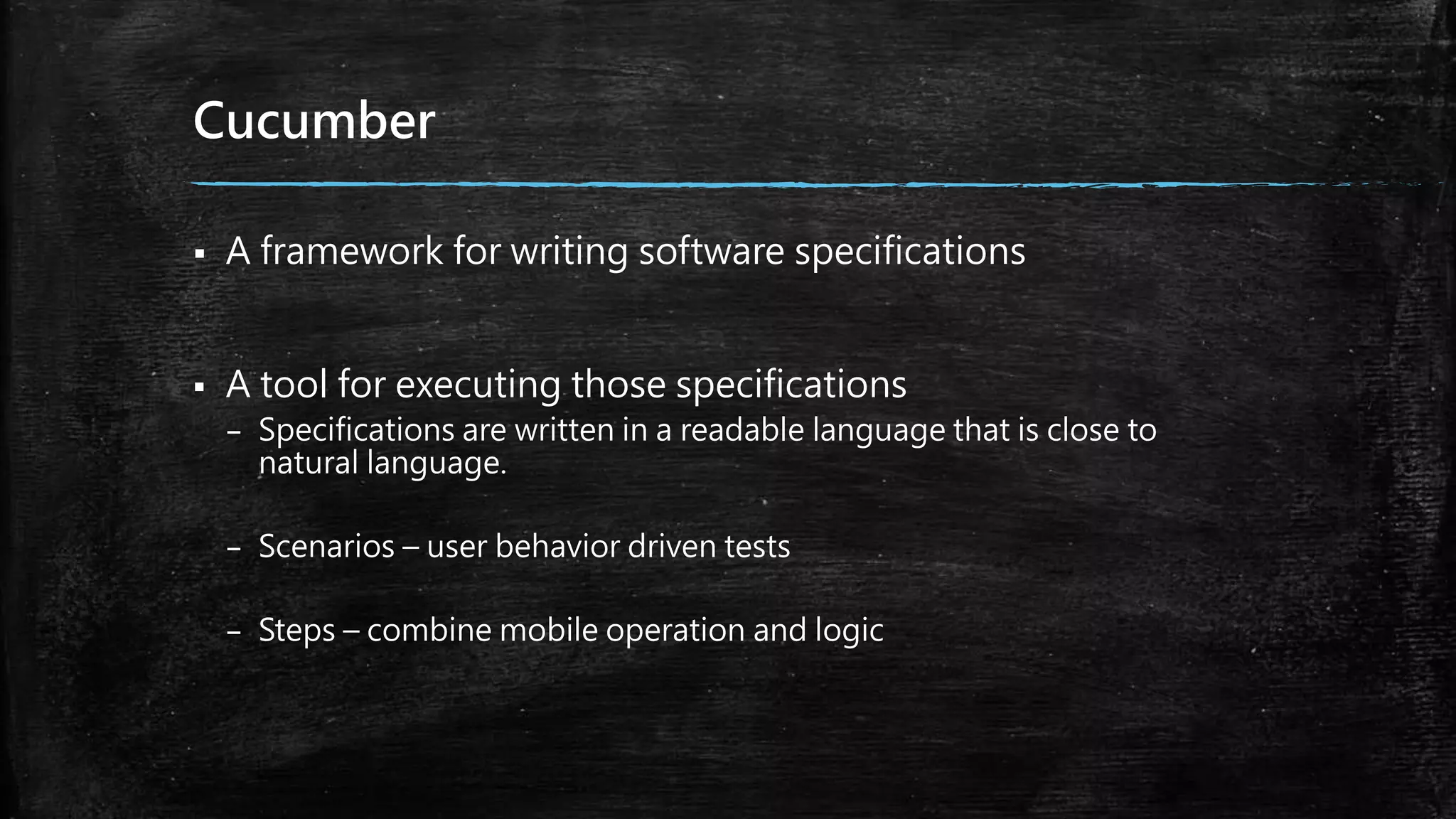
Cucumber
 A framework for writing software specifications
 A tool for executing those specifications
– Specifications are written in a readable language that is close to
natural language.
– Scenarios – user behavior driven tests
– Steps – combine mobile operation and logic
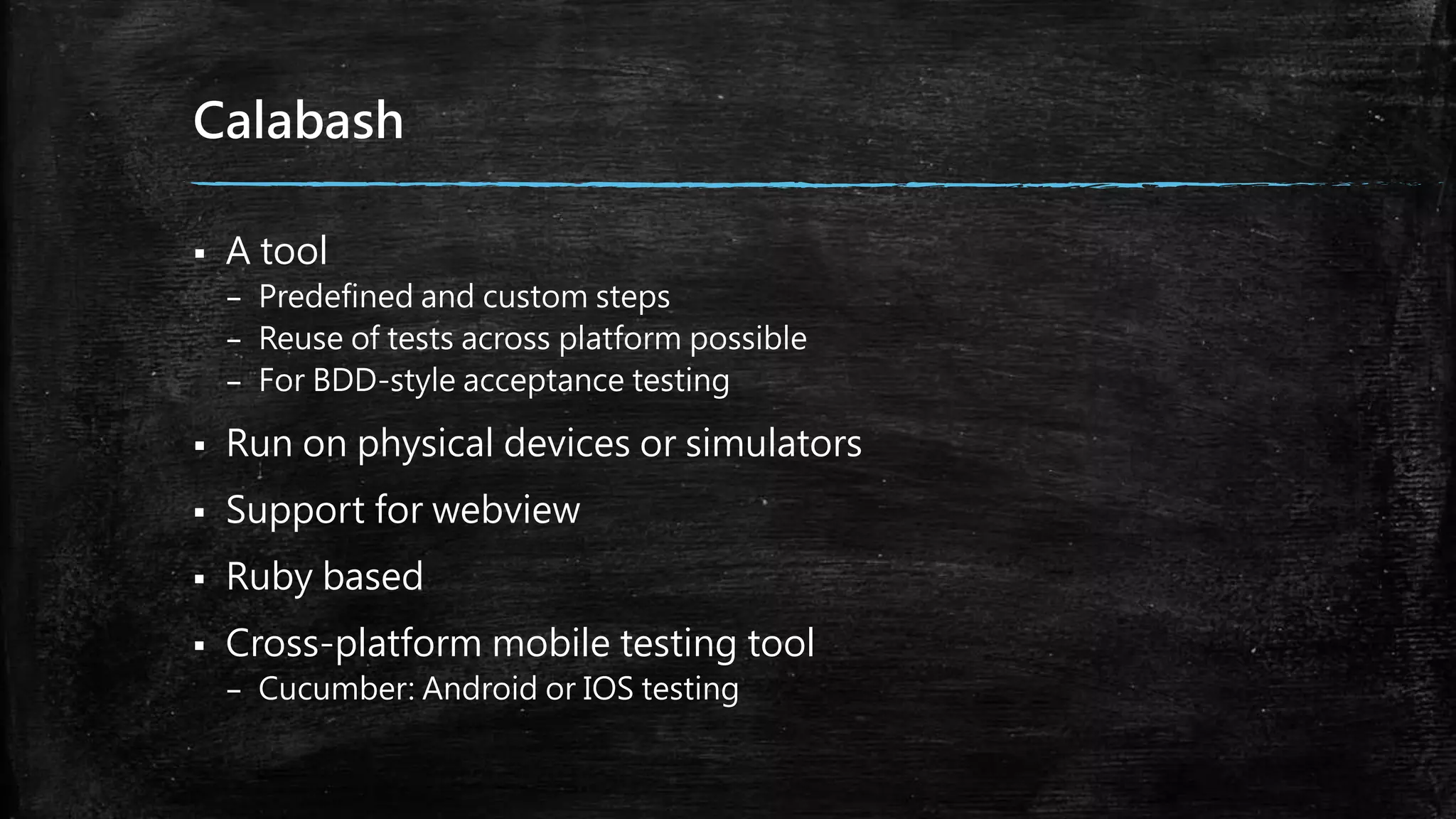
Calabash
 A tool
– Predefined and custom steps
– Reuse of tests across platform possible
– For BDD-style acceptance testing
 Run on physical devices or simulators
 Support for webview
 Ruby based
 Cross-platform mobile testing tool
– Cucumber: Android or IOS testing
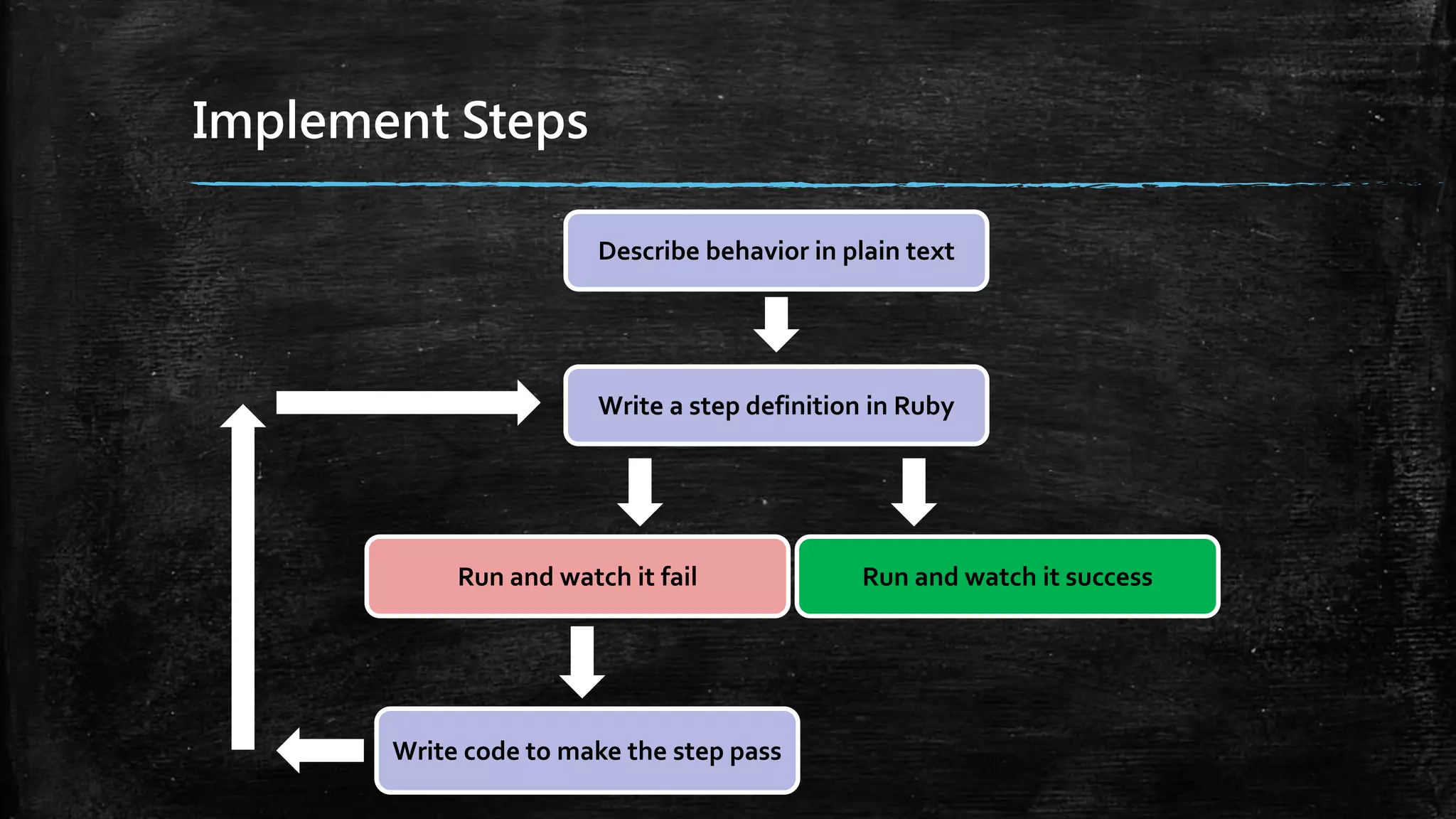
Implement Steps
Describe behavior in plain text
Write a step definition in Ruby
Run and watch it fail Run and watch it success
Write code to make the step pass
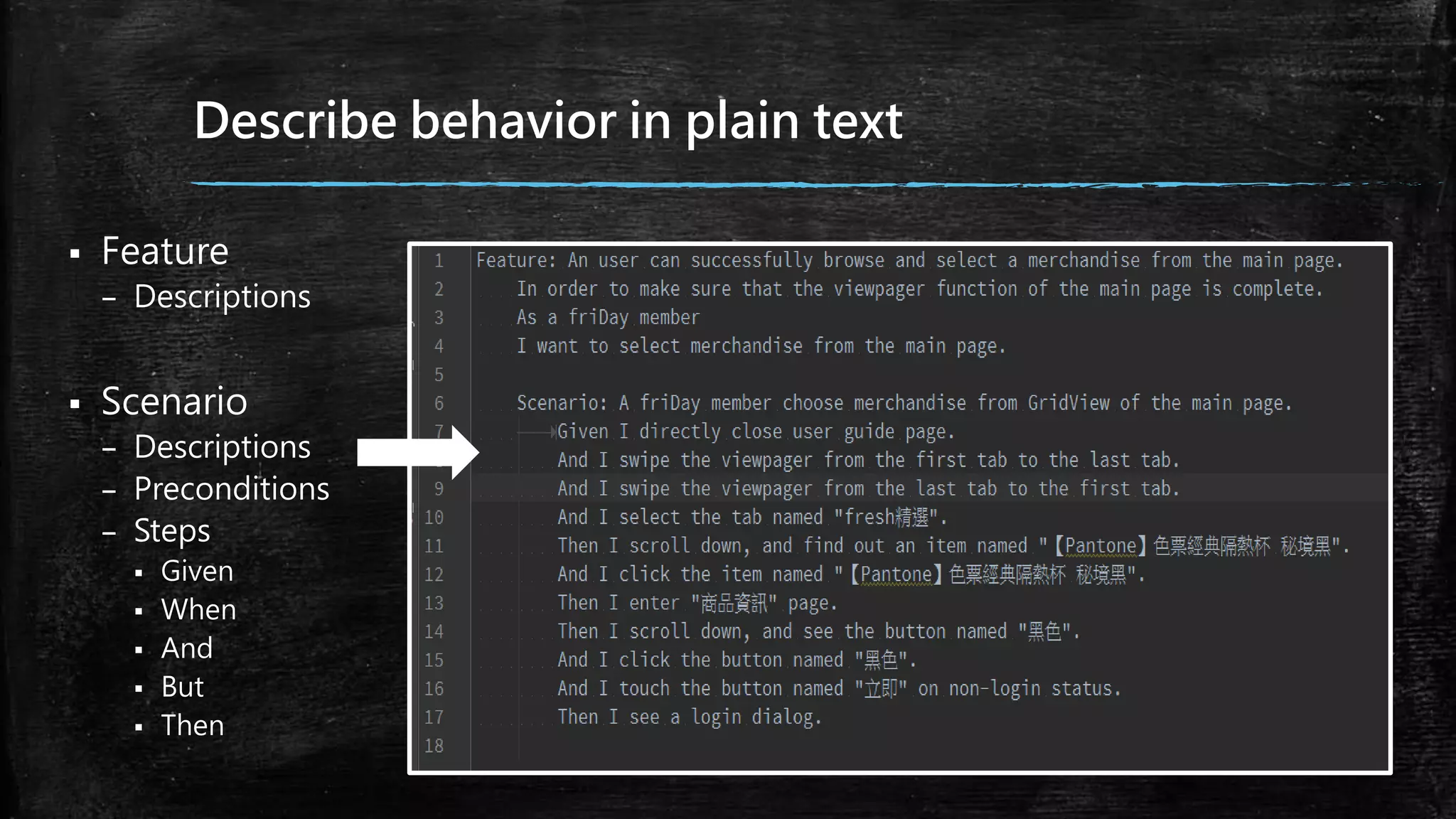
Describe behavior in plain text
 Feature
– Descriptions
 Scenario
– Descriptions
– Preconditions
– Steps
 Given
 When
 And
 But
 Then
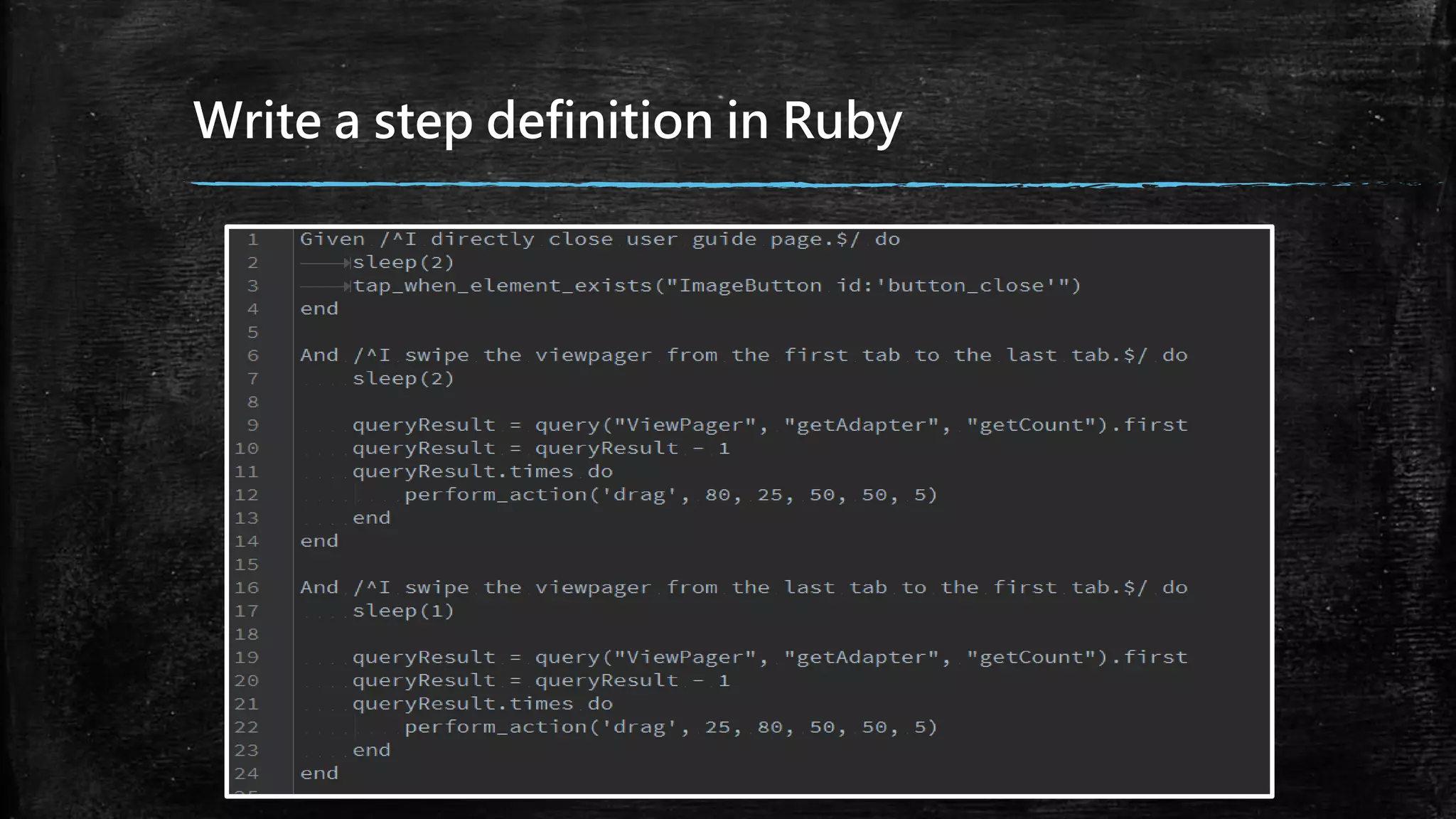
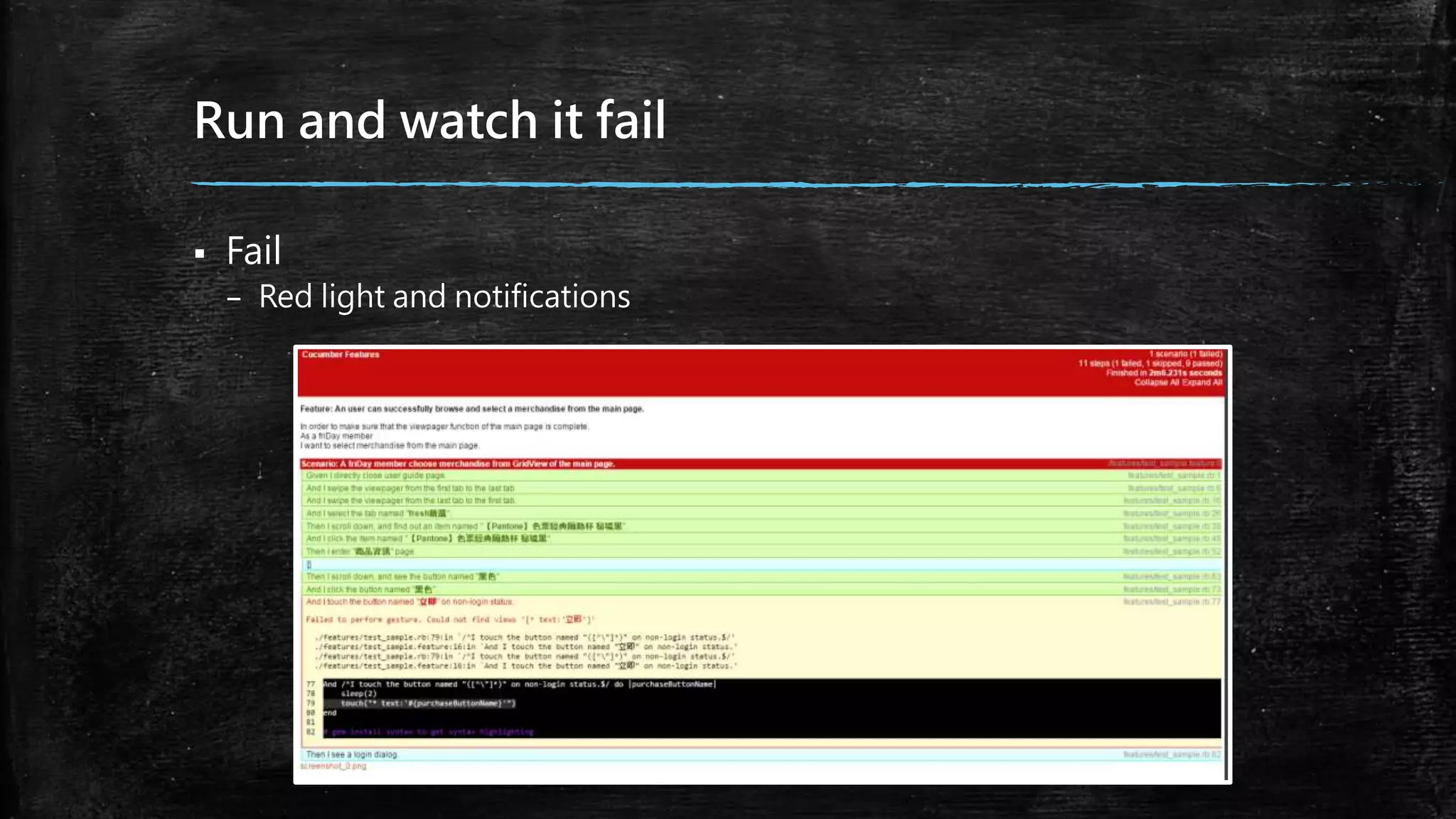
Write a step definition in Ruby
Run and watch it fail
 Fail
– Red light and notifications
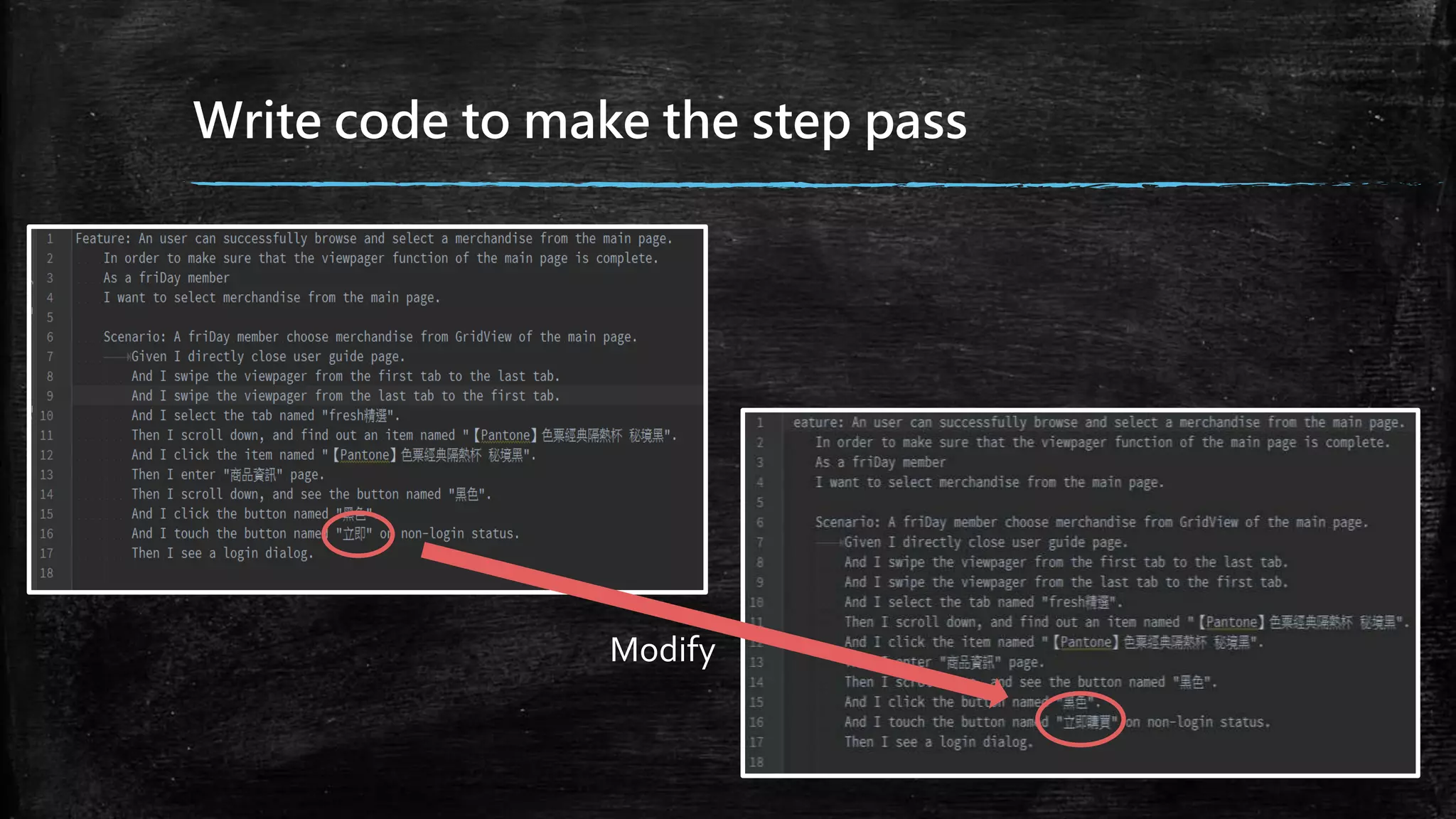
Write code to make the step pass
Modify
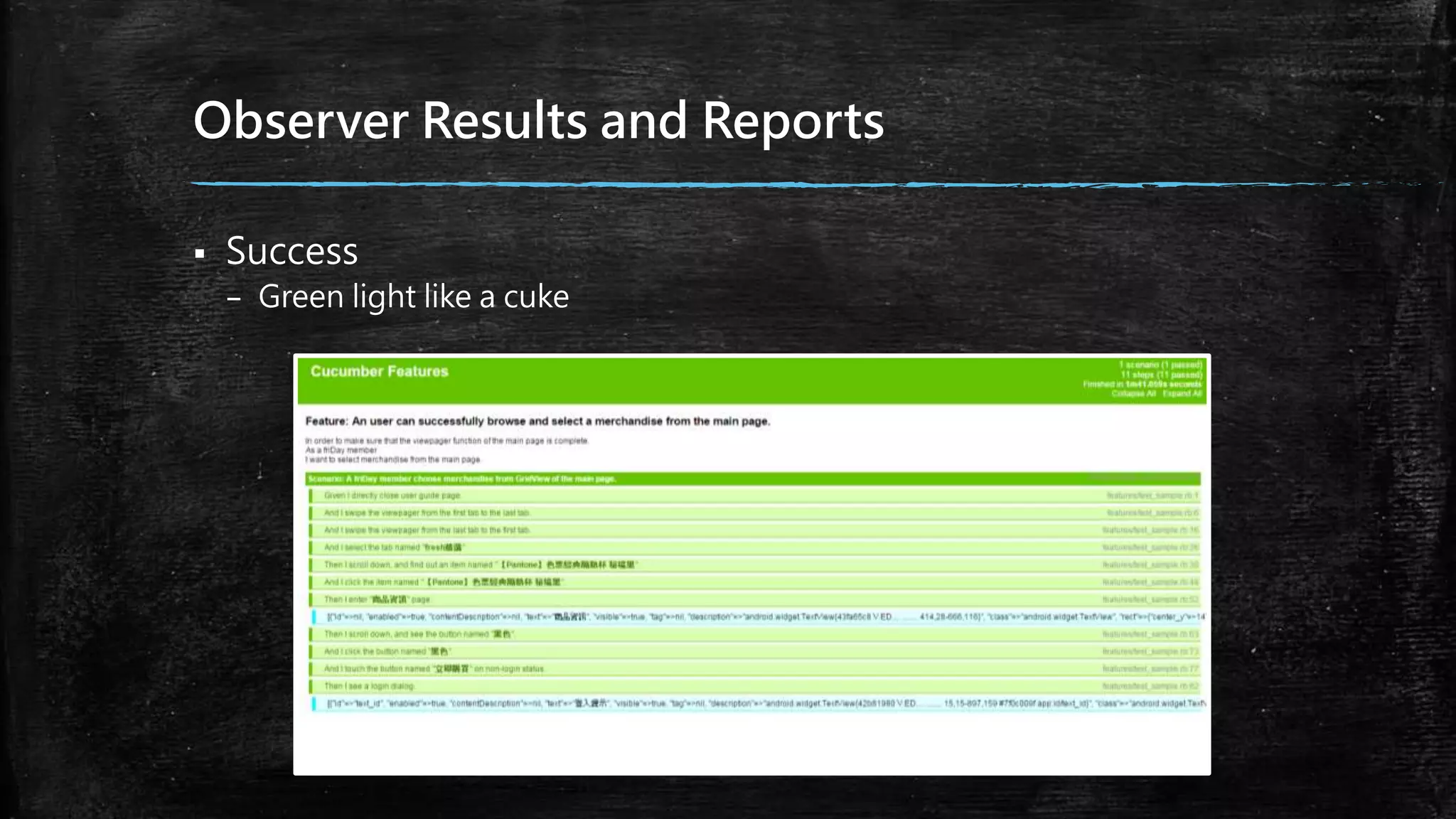
Observer Results and Reports
 Success
– Green light like a cuke
Ruby Installer
 Download RubyInstaller
 Install
– Check the option named “Add Ruby executables to your PATH”
– Test it
 Using “ruby –v” on cmd window
– Observer
 Show “ruby 2.0.0p353 (2013-11-22) [x64-mingw32]”is success.
DevKit
 Download DevKit in a folder which you want to save
– For Instance: D:DevKit
 Navigate the folder on cmd window
– Using “ruby de.rb init”
 Check the file named config.yml is existent
 Using “ruby dk.rb install”on cmd window
Rails and Calabash-Android
 Using “gem update --system” and “gem install rails --no-ri --no-
rdoc”on cmd window
 Install Rails
– Using “gem install rails --no-ri --no-rdoc”
 Test it
– Using “rails –v” on cmd window
 It is successful to show “Rails 4.0.2”
 Using “gem install calabash-android” on cmd window
Prepare Test Cases
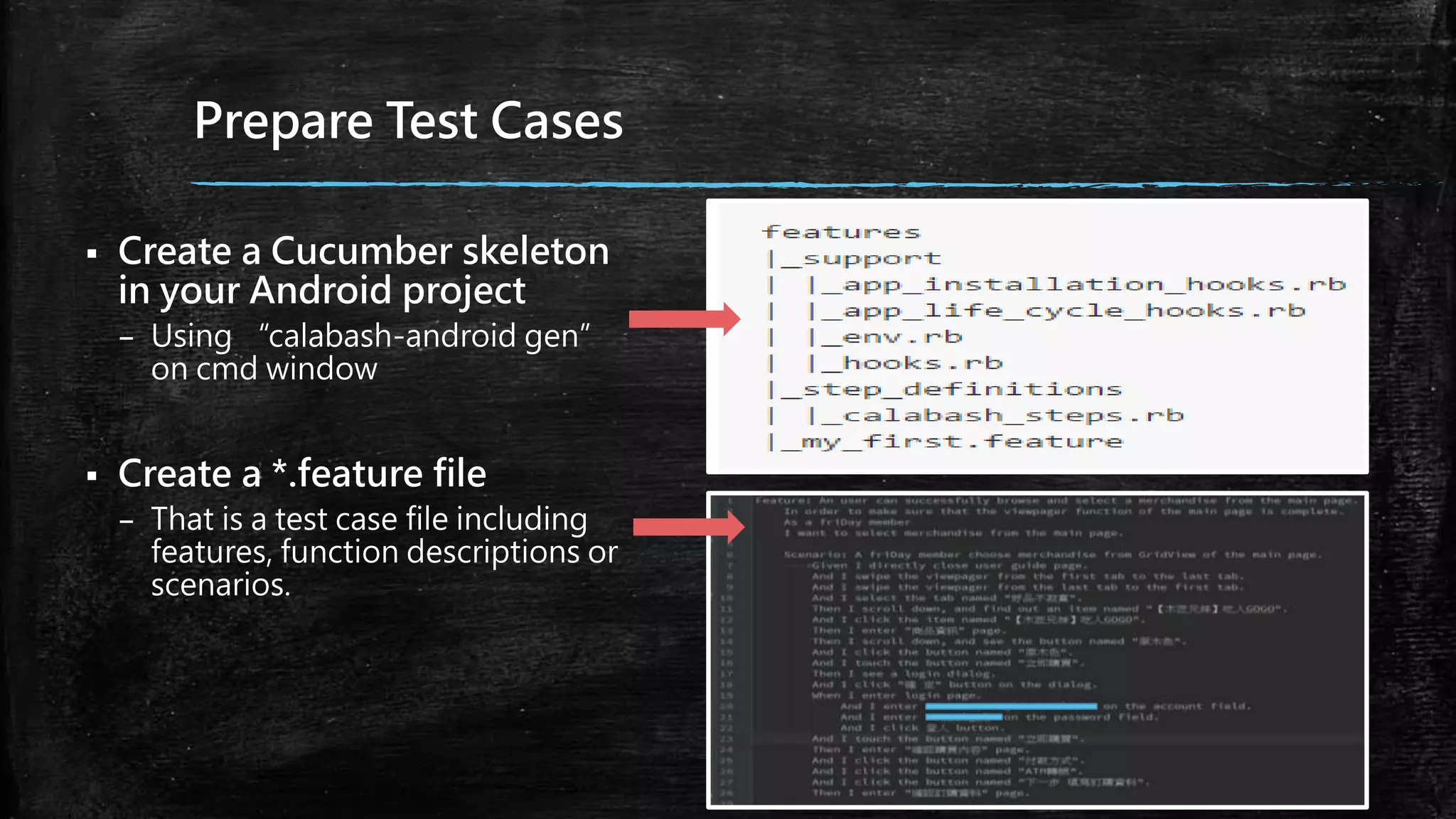
 Create a Cucumber skeleton
in your Android project
– Using “calabash-android gen”
on cmd window
 Create a *.feature file
– That is a test case file including
features, function descriptions or
scenarios.
Given, When and Then
 Given
– your preconditions
 When
– describe the key action
 Then
– observe outcomes or an assertion
 And, But
– Using it if you have several givens, whens or thens.
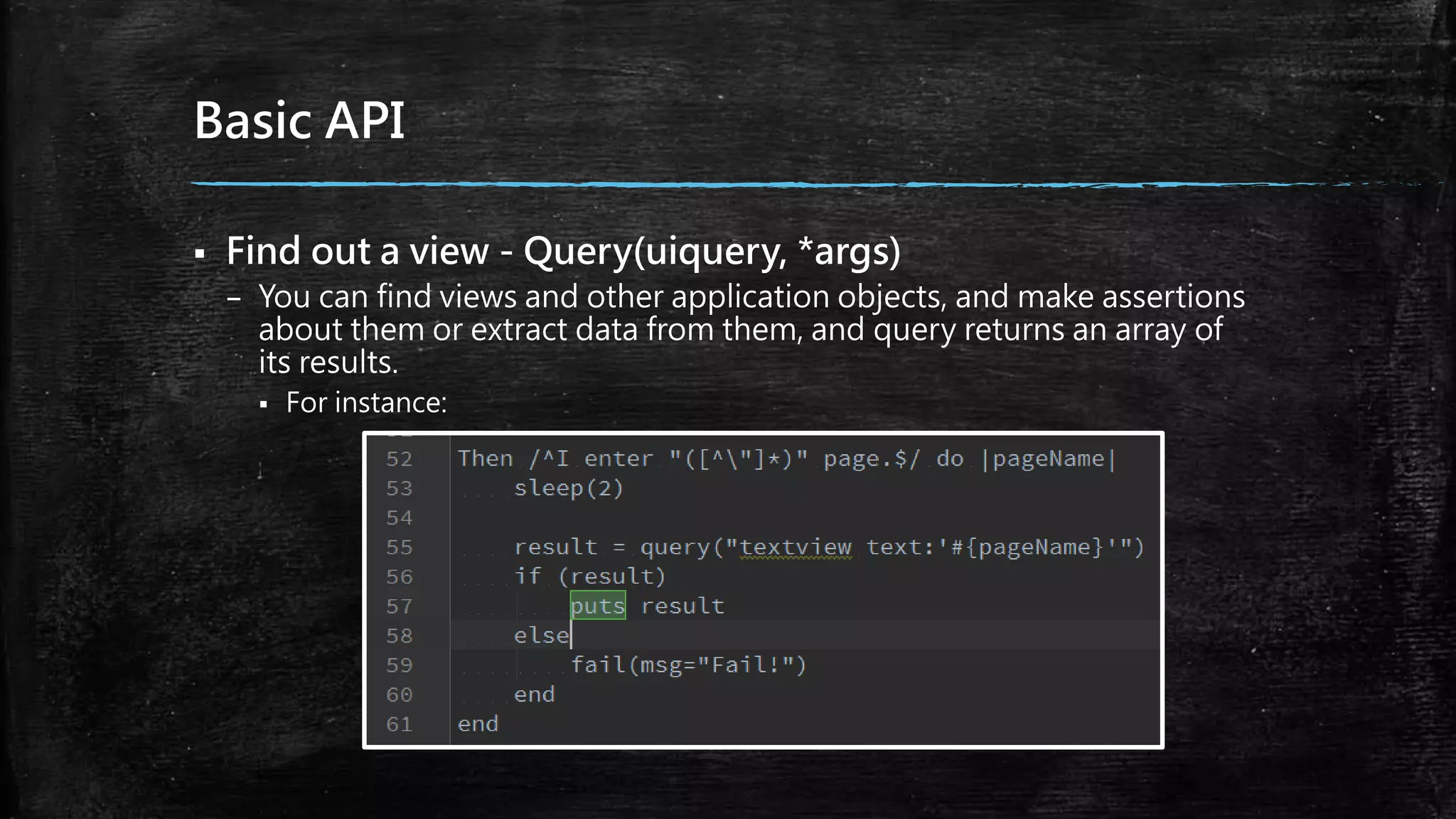
Basic API
 Find out a view - Query(uiquery, *args)
– You can find views and other application objects, and make assertions
about them or extract data from them, and query returns an array of
its results.
 For instance:
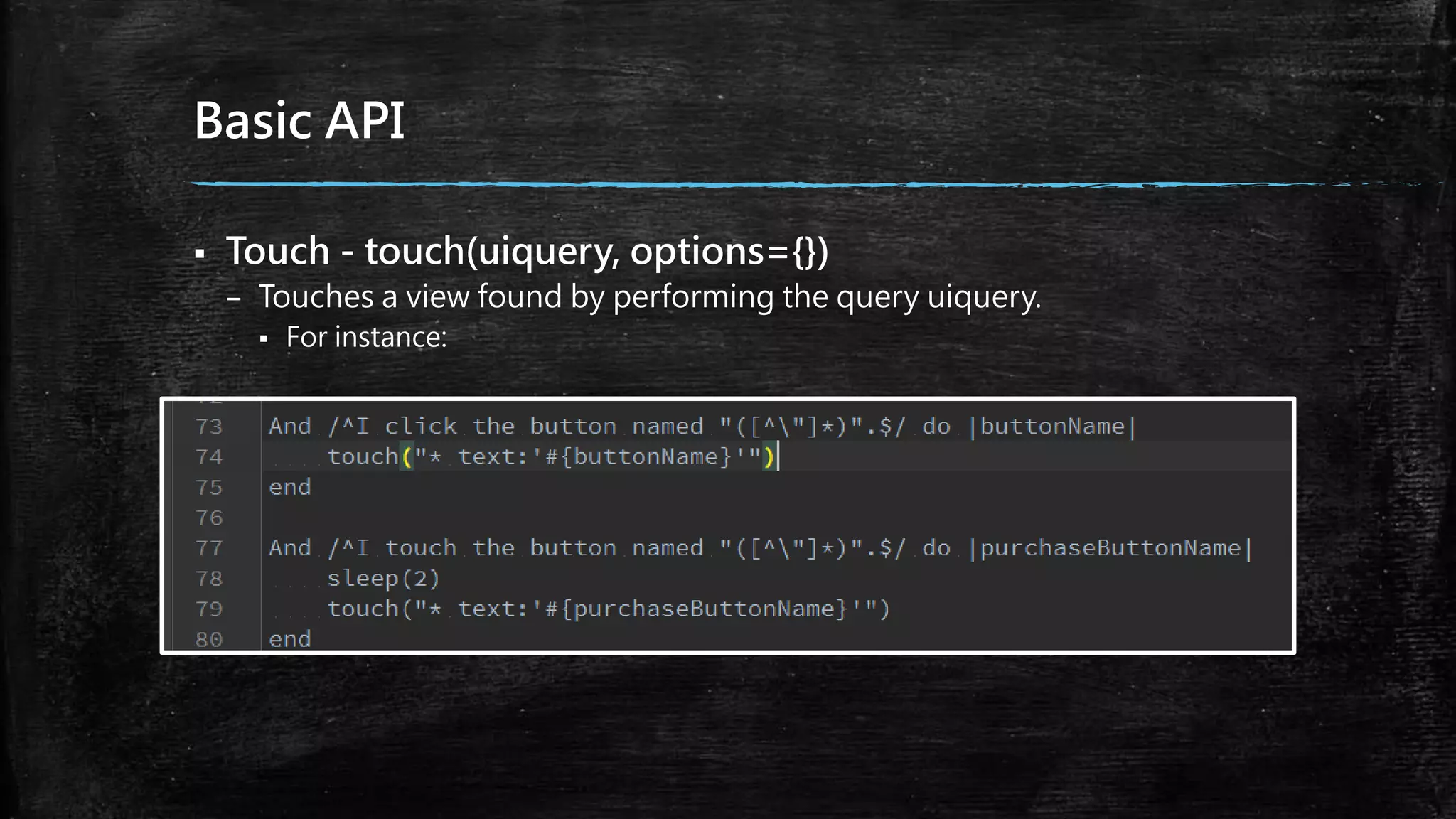
Basic API
 Touch - touch(uiquery, options={})
– Touches a view found by performing the query uiquery.
 For instance:
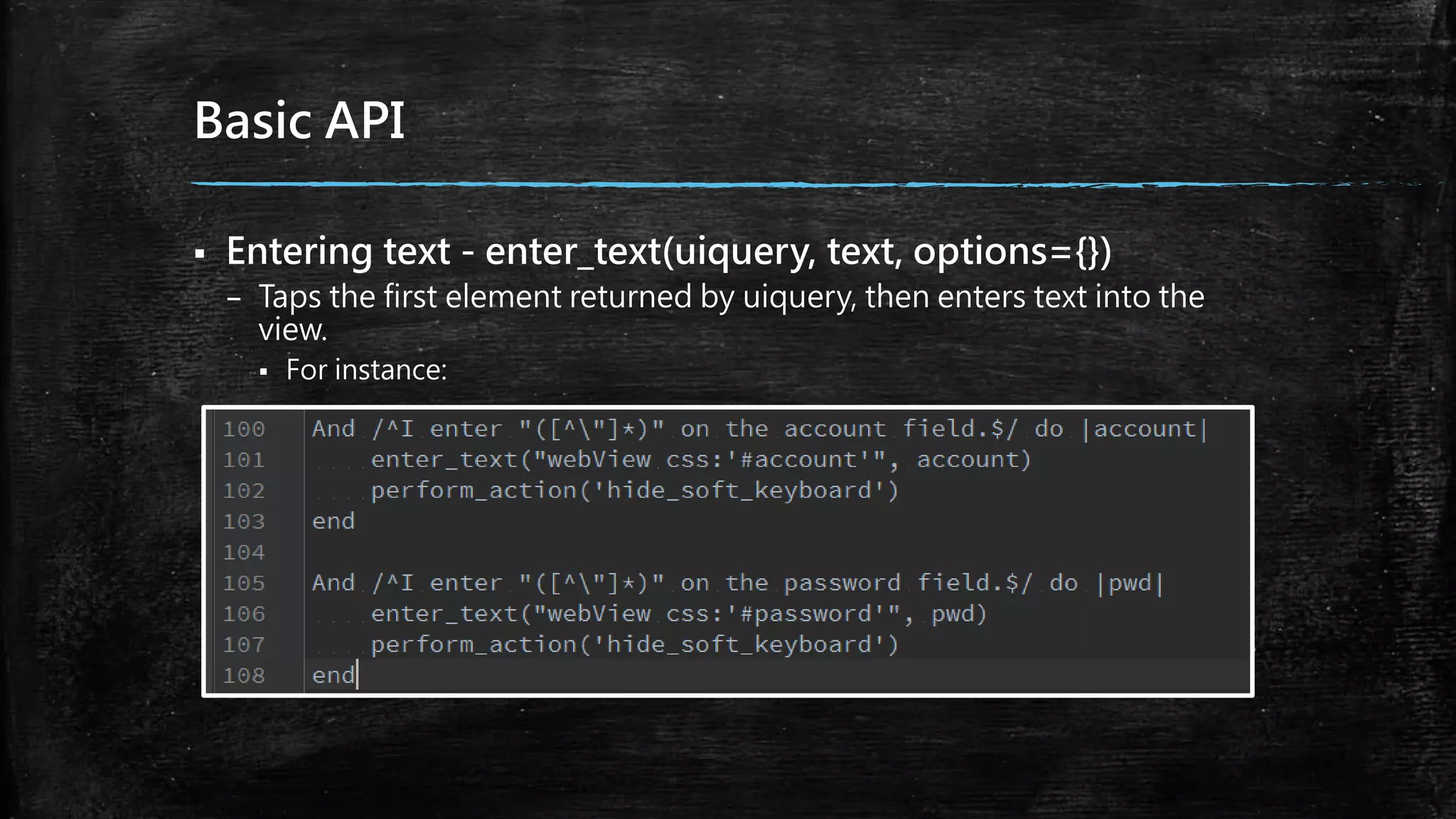
Basic API
 Entering text - enter_text(uiquery, text, options={})
– Taps the first element returned by uiquery, then enters text into the
view.
 For instance:
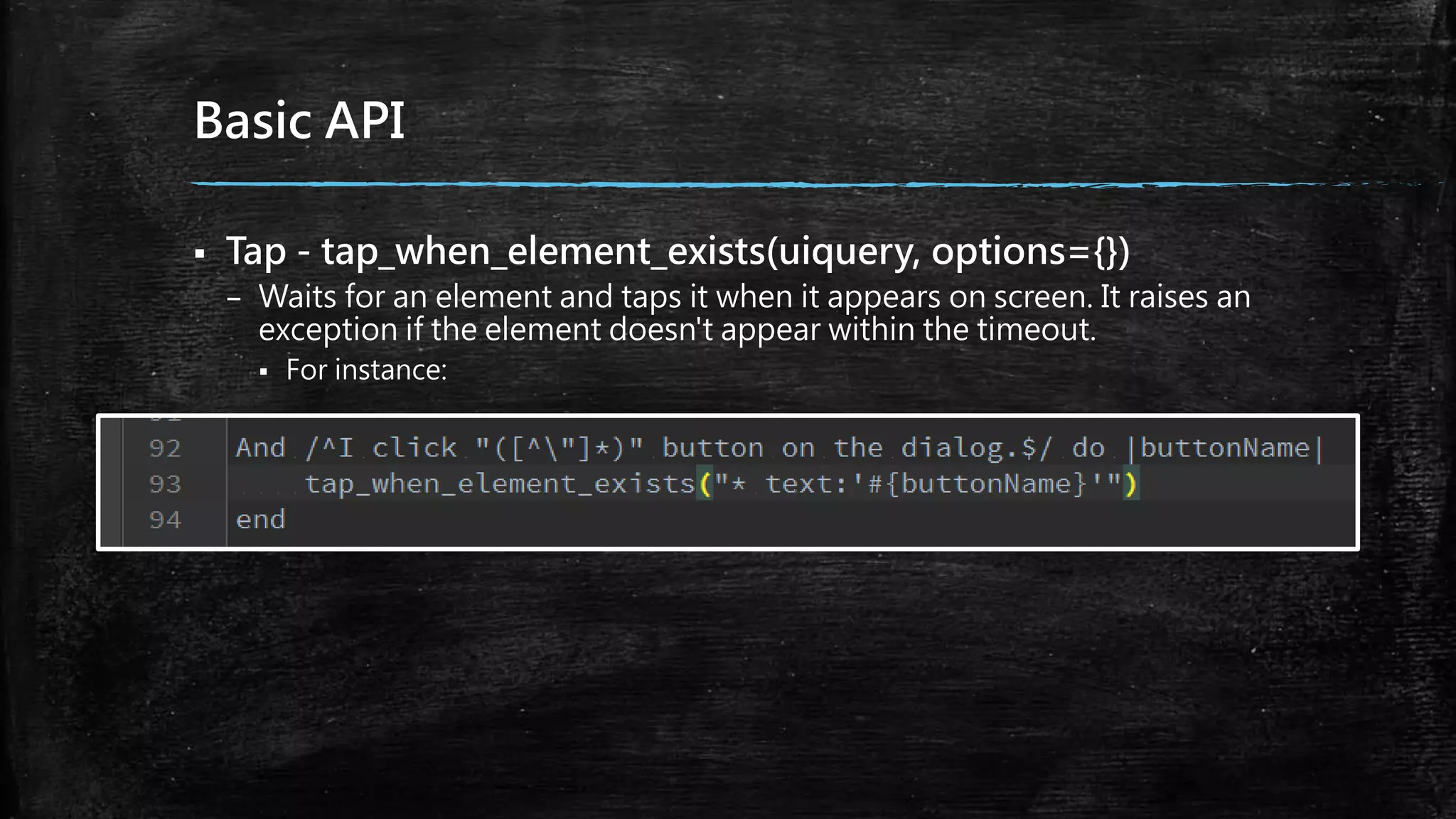
Basic API
 Tap - tap_when_element_exists(uiquery, options={})
– Waits for an element and taps it when it appears on screen. It raises an
exception if the element doesn't appear within the timeout.
 For instance:
Basic API
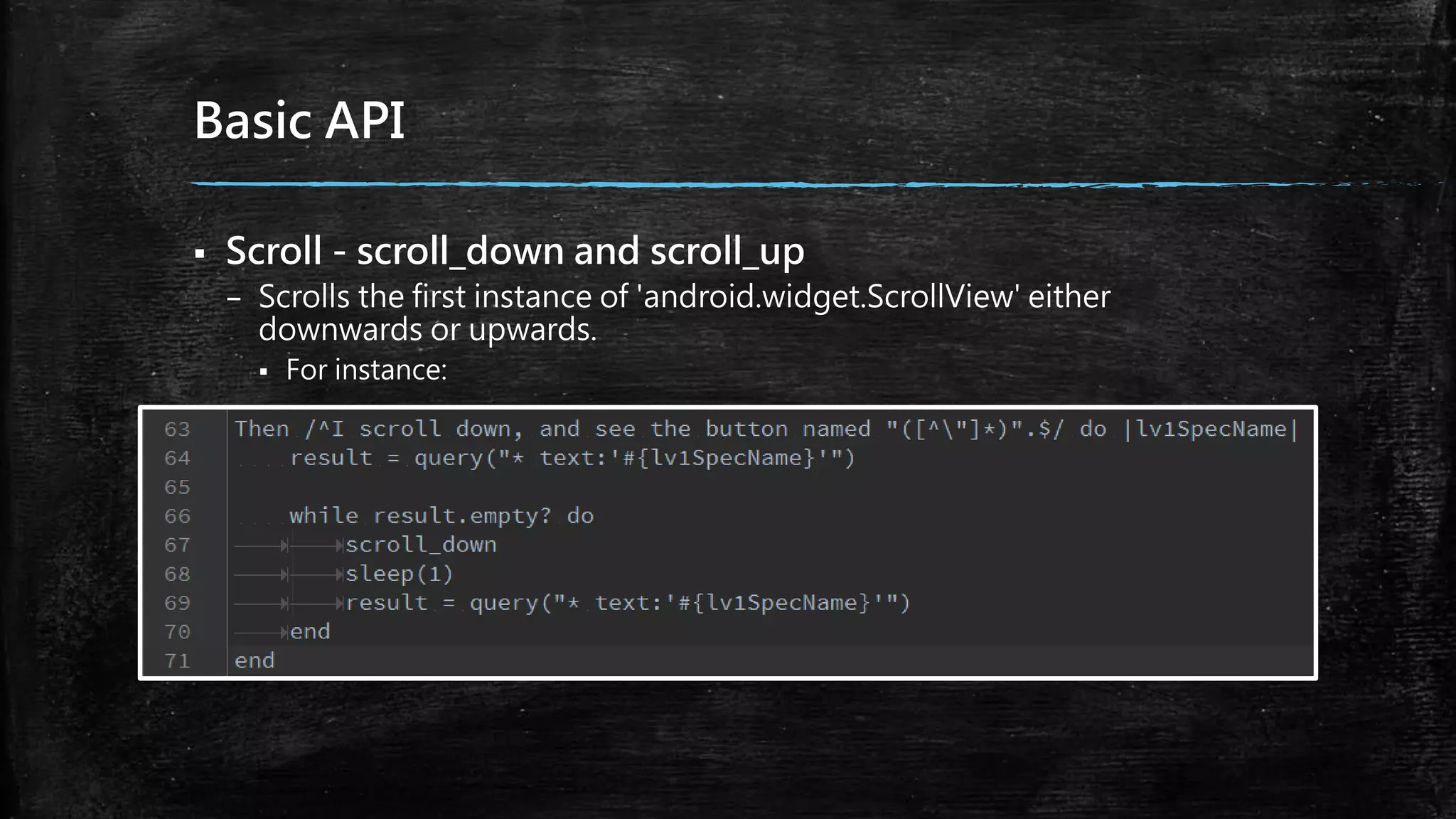
 Scroll - scroll_down and scroll_up
– Scrolls the first instance of 'android.widget.ScrollView' either
downwards or upwards.
 For instance:
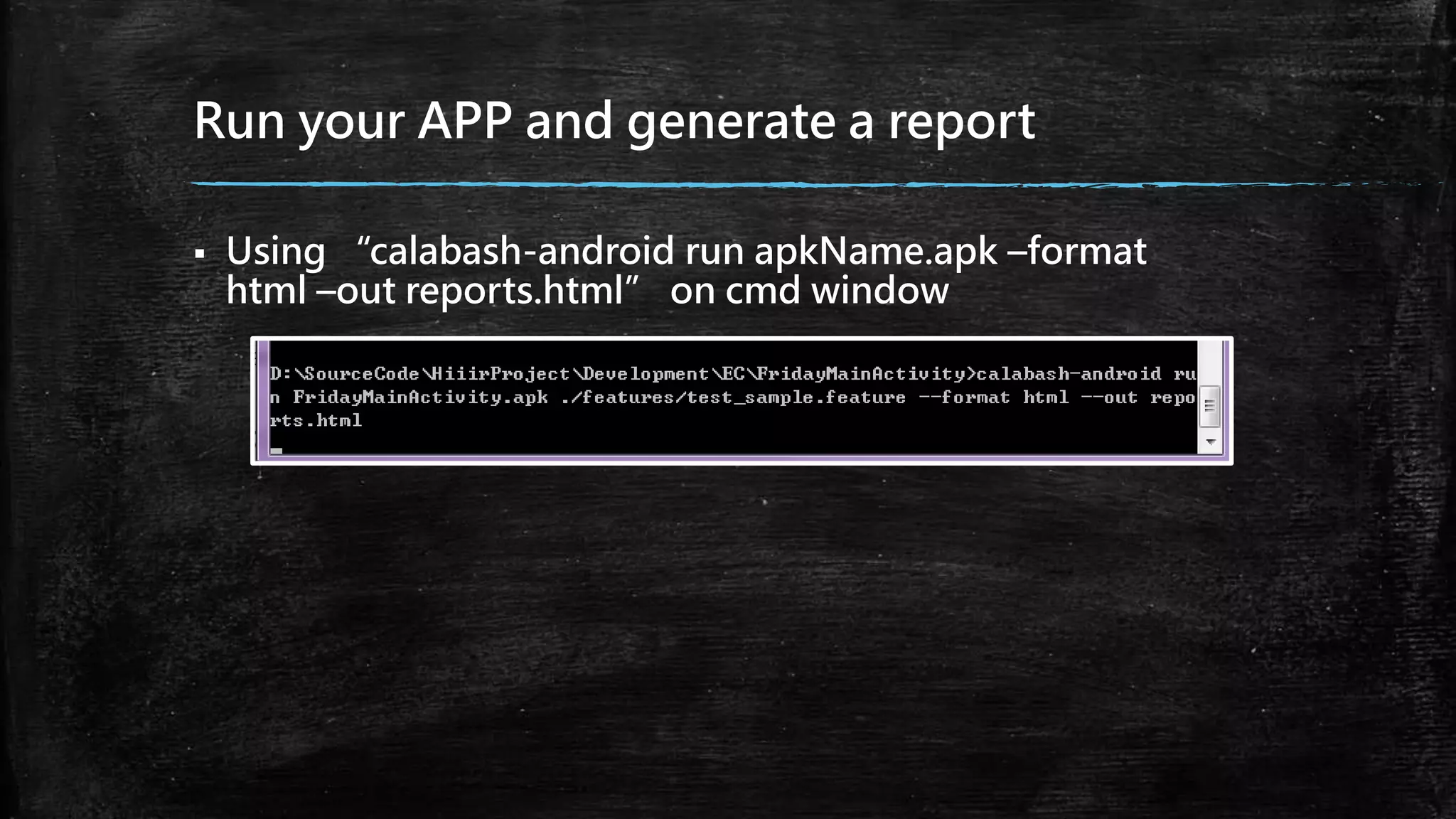
Run your APP and generate a report
 Using “calabash-android run apkName.apk –format
html –out reports.html” on cmd window

Test automation

  • 1.
    Test Automation Using Cucumberand Calabash Xavier Yin 201/01/15
  • 2.
    Outline  Introduction – Testing –Comparisons – Automation Testing Tool – Implement Steps  Environments – Ruby Installer – Devkit – Rails and Calabash-Android  Implements
  • 3.
    Testing  Unit Testing –A software testing method by which individual units of source code  Integration Testing – A phase in software testing in which individual software modules are combined and tested as a group.  Regression Testing – A type of software testing that seeks to uncover new software bugs, or regressions
  • 4.
    Manual and Automatic ManualAutomatic High Effort and Cost requirements Low Effort and Cost requirements Time consuming Quick, allows test engineers to focus on functional areas Tests are not reusable Complete reusability based on type of implementation Mostly used for integration tests Can be used for any tests including load, sanity, system, etc Risk of human errors Script validates all areas once tested
  • 5.
  • 6.
    Cucumber  A frameworkfor writing software specifications  A tool for executing those specifications – Specifications are written in a readable language that is close to natural language. – Scenarios – user behavior driven tests – Steps – combine mobile operation and logic
  • 7.
    Calabash  A tool –Predefined and custom steps – Reuse of tests across platform possible – For BDD-style acceptance testing  Run on physical devices or simulators  Support for webview  Ruby based  Cross-platform mobile testing tool – Cucumber: Android or IOS testing
  • 8.
    Implement Steps Describe behaviorin plain text Write a step definition in Ruby Run and watch it fail Run and watch it success Write code to make the step pass
  • 9.
    Describe behavior inplain text  Feature – Descriptions  Scenario – Descriptions – Preconditions – Steps  Given  When  And  But  Then
  • 10.
    Write a stepdefinition in Ruby
  • 11.
    Run and watchit fail  Fail – Red light and notifications
  • 12.
    Write code tomake the step pass Modify
  • 13.
    Observer Results andReports  Success – Green light like a cuke
  • 14.
    Ruby Installer  DownloadRubyInstaller  Install – Check the option named “Add Ruby executables to your PATH” – Test it  Using “ruby –v” on cmd window – Observer  Show “ruby 2.0.0p353 (2013-11-22) [x64-mingw32]”is success.
  • 15.
    DevKit  Download DevKitin a folder which you want to save – For Instance: D:DevKit  Navigate the folder on cmd window – Using “ruby de.rb init”  Check the file named config.yml is existent  Using “ruby dk.rb install”on cmd window
  • 16.
    Rails and Calabash-Android Using “gem update --system” and “gem install rails --no-ri --no- rdoc”on cmd window  Install Rails – Using “gem install rails --no-ri --no-rdoc”  Test it – Using “rails –v” on cmd window  It is successful to show “Rails 4.0.2”  Using “gem install calabash-android” on cmd window
  • 17.
    Prepare Test Cases Create a Cucumber skeleton in your Android project – Using “calabash-android gen” on cmd window  Create a *.feature file – That is a test case file including features, function descriptions or scenarios.
  • 18.
    Given, When andThen  Given – your preconditions  When – describe the key action  Then – observe outcomes or an assertion  And, But – Using it if you have several givens, whens or thens.
  • 19.
    Basic API  Findout a view - Query(uiquery, *args) – You can find views and other application objects, and make assertions about them or extract data from them, and query returns an array of its results.  For instance:
  • 20.
    Basic API  Touch- touch(uiquery, options={}) – Touches a view found by performing the query uiquery.  For instance:
  • 21.
    Basic API  Enteringtext - enter_text(uiquery, text, options={}) – Taps the first element returned by uiquery, then enters text into the view.  For instance:
  • 22.
    Basic API  Tap- tap_when_element_exists(uiquery, options={}) – Waits for an element and taps it when it appears on screen. It raises an exception if the element doesn't appear within the timeout.  For instance:
  • 23.
    Basic API  Scroll- scroll_down and scroll_up – Scrolls the first instance of 'android.widget.ScrollView' either downwards or upwards.  For instance:
  • 24.
    Run your APPand generate a report  Using “calabash-android run apkName.apk –format html –out reports.html” on cmd window