



Introduction to
Automation Testing
ARCHANA KRUSHNAN
Agenda
 Introduction to Automation Testing
 Need for Automation Testing
 When to Automate ?
 When Is Automation an added benefit to Manual Testing?
 Which Tests to Automate?
 Types of Automation Testing
 Tools available for Automation Testing
 When Test Automation is not the best solution?
 Advantages of Automation Testing
 Limitations of Automation Testing
 Challenge of Automation Testing
Introduction to Automation Testing
 What is Automation?
 Automation Testing is use of Tools or Software to perform Software
Testing
 Developing and executing tests that can run and compare the
actual to expected results.
 The automation software can also enter test data into the System
Under Test , compare expected and actual results and
generate detailed test reports
 Why to Automate?
 Automation improves accuracy, increases coverage
 To make test execution faster, accurate and improves quality
 How To Automate?
 Automation Test Tools
Need for Automation Testing
 Speed : Automation Scripts are fast when compared to
manual testers efforts.
 Reliable : Tests perform precisely the same operations each
time they are run, there by eliminating human error.
 Repeatable: Tests can be repeated n number of times for
execution of the same operation.
 Coverage: Automated tests increase coverage.
 Reusable : We can reuse tests on different versions of an
application, even if the user interface changes.
When to Automate Tests?
 Regression Testing: When the software application is fairly stable and
only regression tests need to be executed.
 Smoke Testing: For getting a quick high-level assessment on the
quality of a build and making go / no-go decision on further testing
 Static & Repetitive Tests: For automating testing tasks that are
repetitive and relatively unchanging from one test cycle to the next
 Data Driven Testing: For testing application functions where the same
functions needs to be validated with lots of different inputs & large
data sets (i.e. login, search)
 Load & Performance Testing: No viable manual alternative exists
When is Automation an added benefit
to Manual Testing?
 Long Run projects
 Automated tests can run fast and frequently, which is cost-effective for
software products with a long maintenance life.
 Loads of Regression Testing
 You can reuse tests, which is good news for those of you running
regressions on constantly changing code.
 When manual Tests are time consuming and complex
 Time constraints often make it impossible to manually test every feature
thoroughly before software application or web application is to be
released. This leaves you wondering whether serious defects have been
detected or not.
 Application is stable and doesn’t have frequent GUI changes
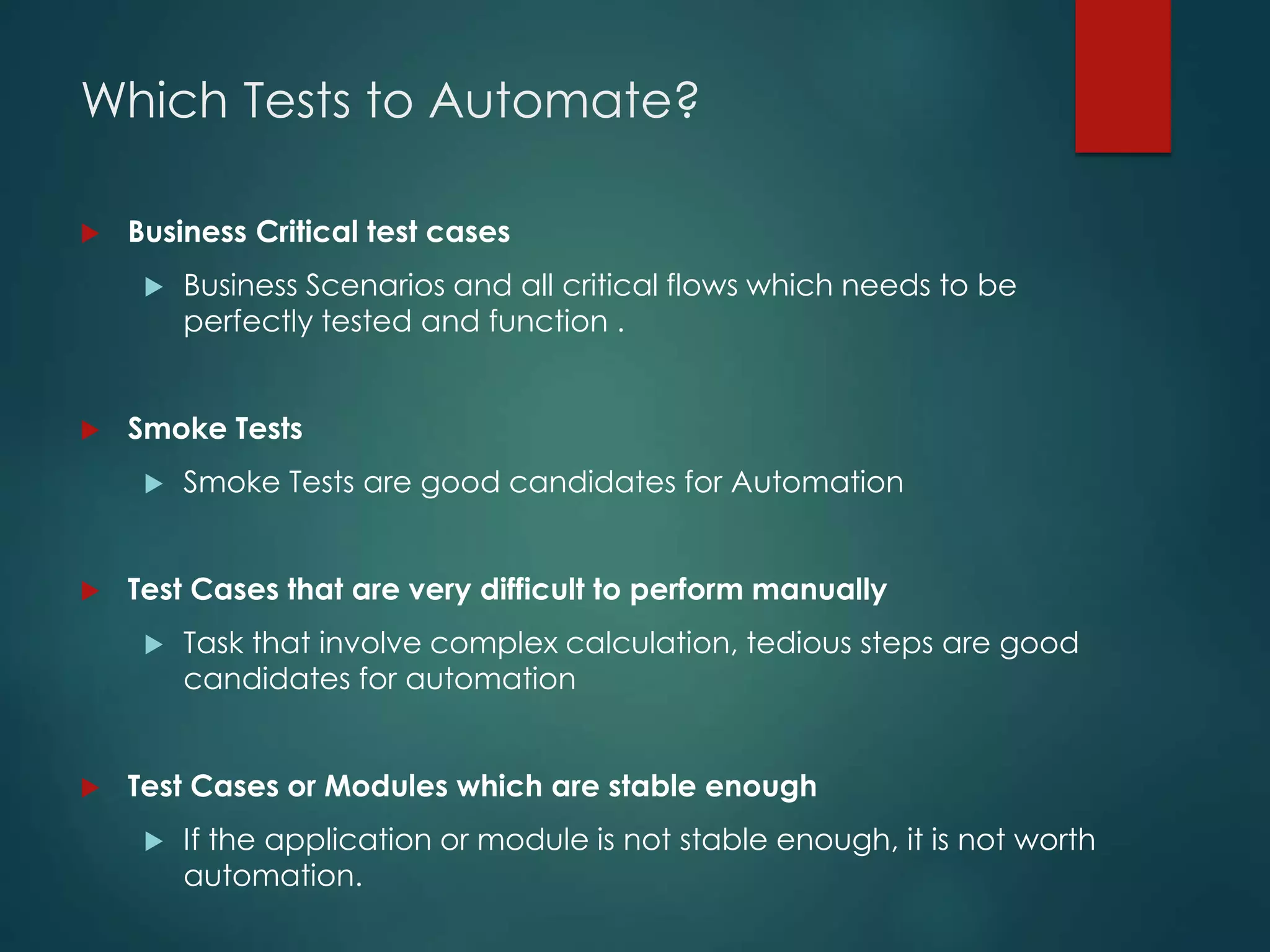
Which Tests to Automate?
 Business Critical test cases
 Business Scenarios and all critical flows which needs to be
perfectly tested and function .
 Smoke Tests
 Smoke Tests are good candidates for Automation
 Test Cases that are very difficult to perform manually
 Task that involve complex calculation, tedious steps are good
candidates for automation
 Test Cases or Modules which are stable enough
 If the application or module is not stable enough, it is not worth
automation.
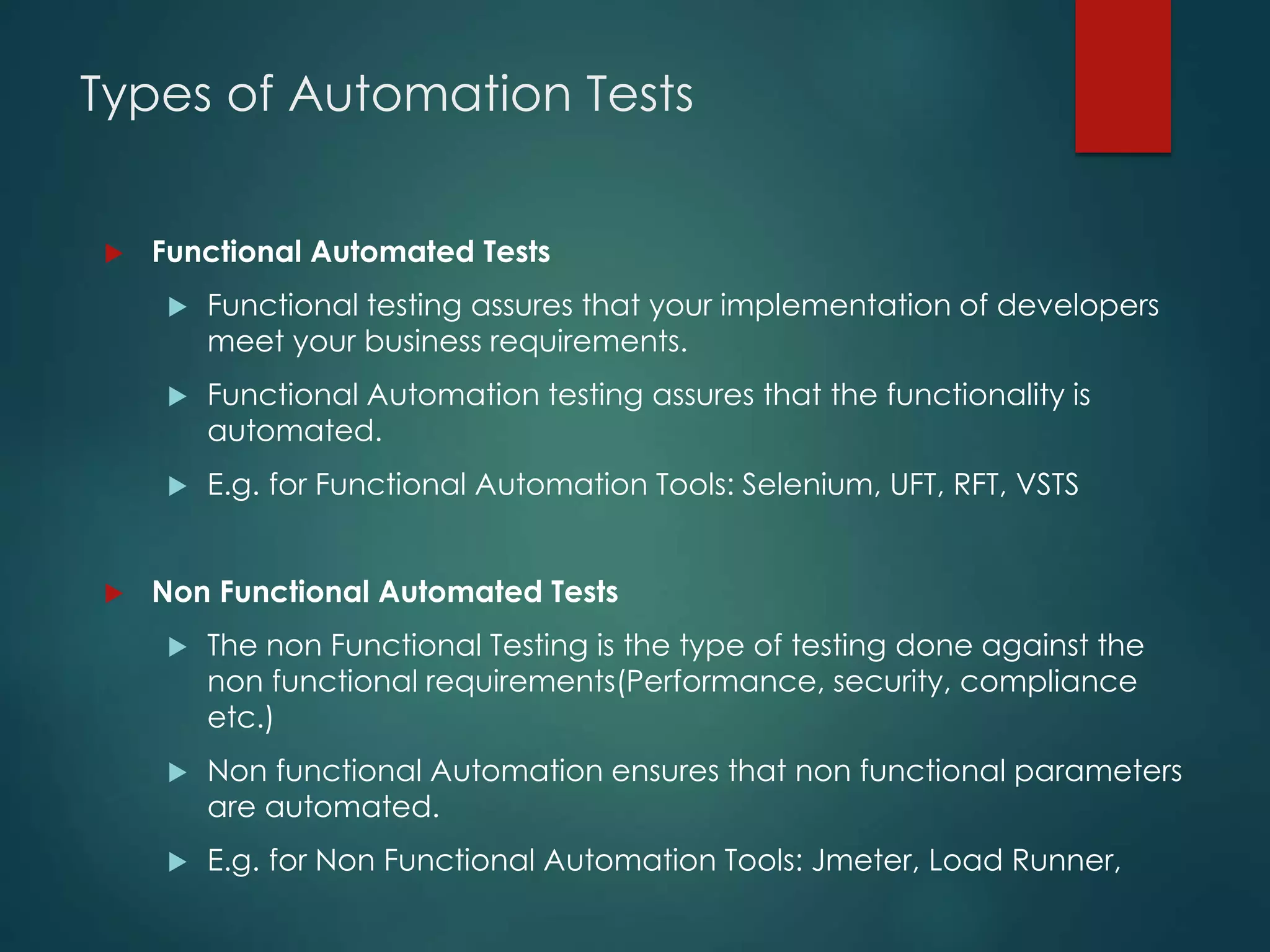
Types of Automation Tests
 Functional Automated Tests
 Functional testing assures that your implementation of developers
meet your business requirements.
 Functional Automation testing assures that the functionality is
automated.
 E.g. for Functional Automation Tools: Selenium, UFT, RFT, VSTS
 Non Functional Automated Tests
 The non Functional Testing is the type of testing done against the
non functional requirements(Performance, security, compliance
etc.)
 Non functional Automation ensures that non functional parameters
are automated.
 E.g. for Non Functional Automation Tools: Jmeter, Load Runner,
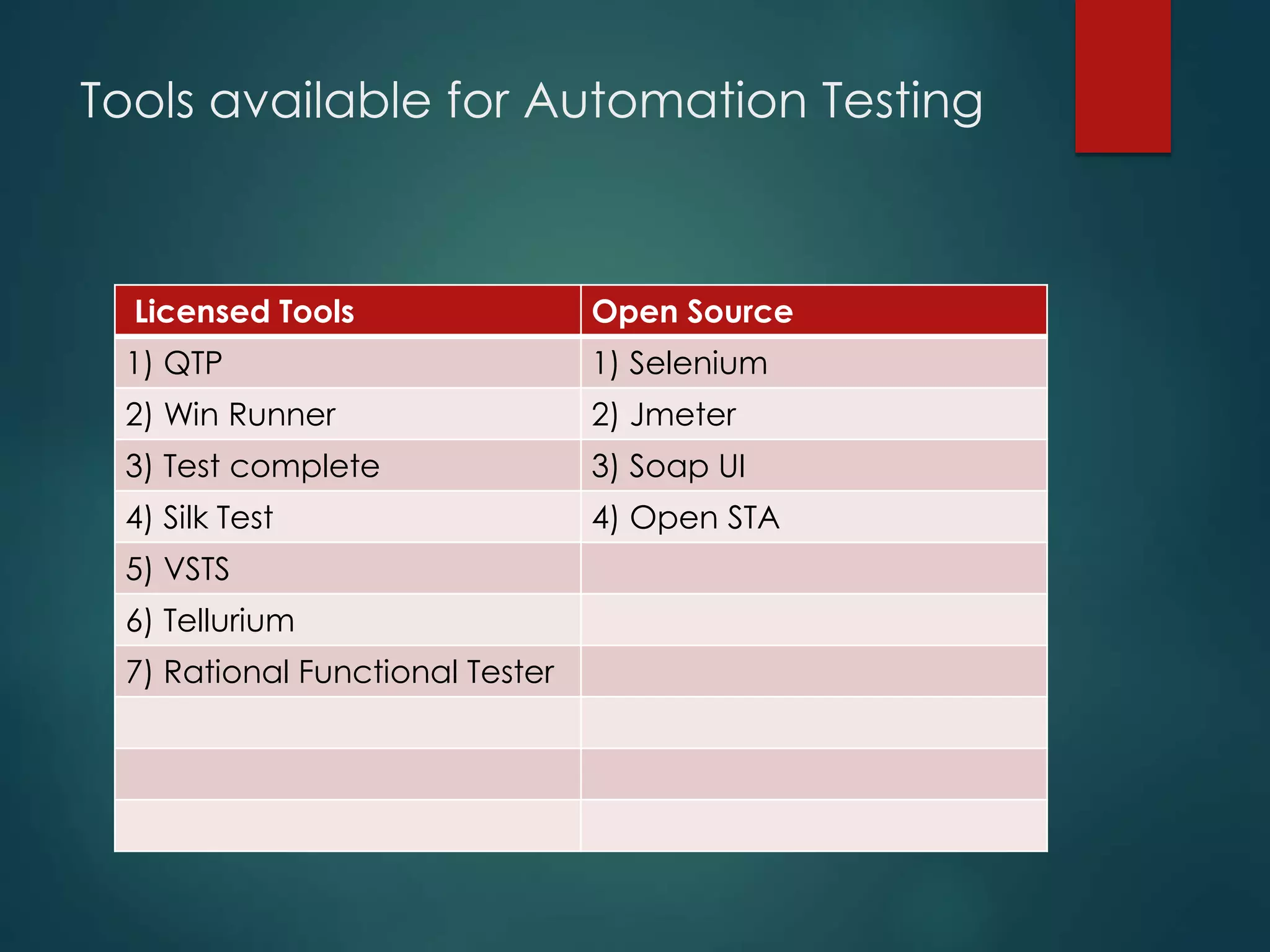
Tools available for Automation Testing
Licensed Tools Open Source
1) QTP 1) Selenium
2) Win Runner 2) Jmeter
3) Test complete 3) Soap UI
4) Silk Test 4) Open STA
5) VSTS
6) Tellurium
7) Rational Functional Tester
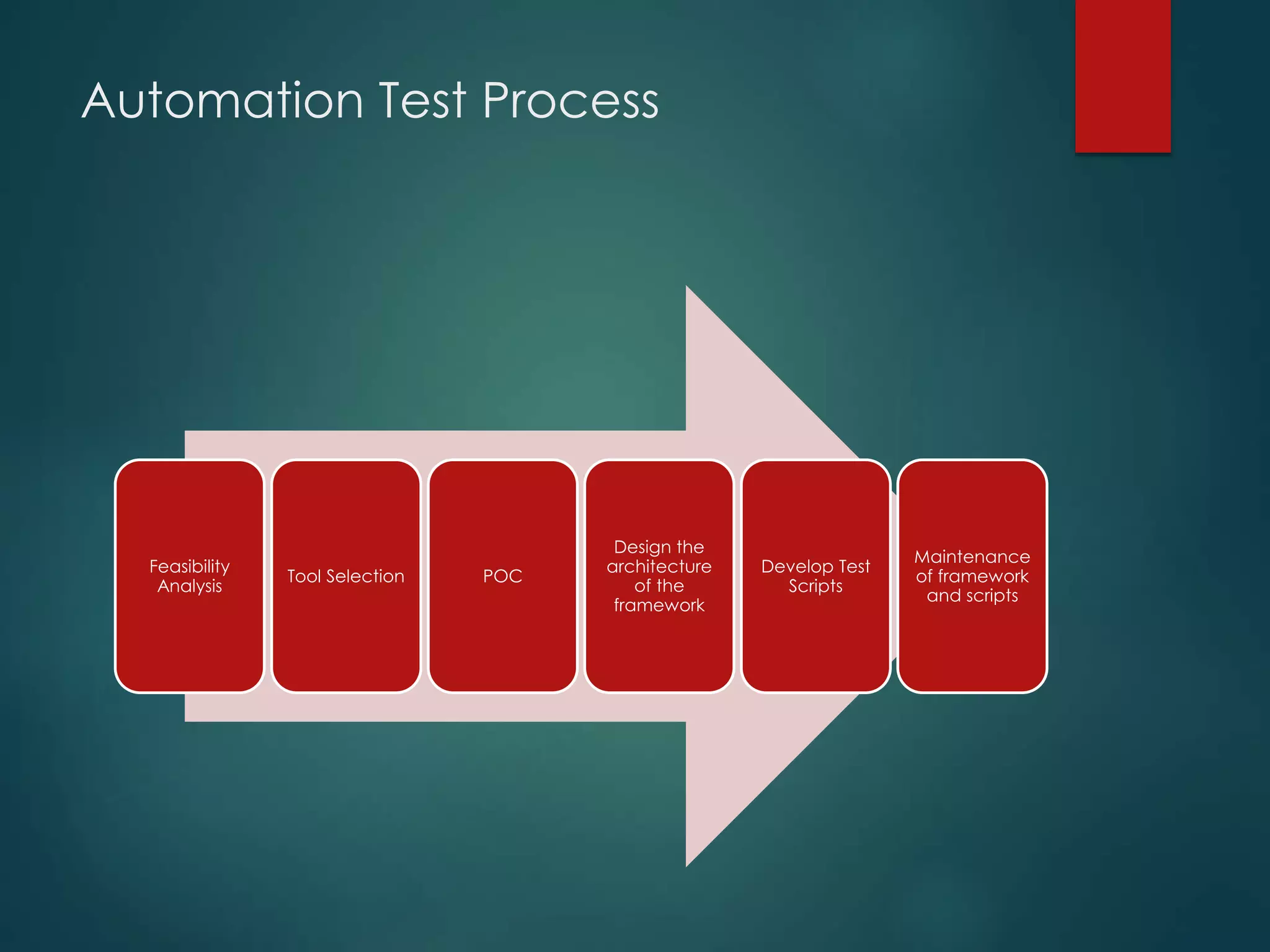
Automation Test Process
Feasibility
Analysis
Tool Selection POC
Design the
architecture
of the
framework
Develop Test
Scripts
Maintenance
of framework
and scripts
When Test Automation is not the
best solution?
 UI is changing frequently
 For applications still under development, or frequently changing UI,
creating automated test scripts may be a waste of time.
 Subjective validation
 For application functions that require subjective validation such as
usability, simplicity or look-and-feel, manual testing is more
appropriate.
 Localization
 Testing localized content requires an understanding of the
language, culture and local norms. These are best performed
manually.
 One-timers
 The investment in developing test scripts pays of, if the test is
repeated many times. It may not be worthwhile for one timers.
Advantages of Automation Testing
 Saves Time - This creates time for the tester to perform exploratory testing,
concentrate on areas which cannot be automated and concentrate on
other tasks.
 Speed - As automated tests are run by tools, these are run much faster than
human users which adds to the first benefit of saving time.
 Repeatability – The same tests can be re-run in exactly the same manner
eliminating the risk of human errors.
 Reusable – The automated tests can be reused on different versions of the
software, even if the interface changes.
 Increased Coverage – Testers can create a test suite with tests to cover every
feature within the application.
Limitations of Automation Testing
 Need for scripting and programming skills - Coding and technical skill level
of resource should be good enough to write robust testing code.
 Need for Maintenance of code - Whenever application code is updated
or modified, the code for automated test case must also be updated.
 Requires more initial developer time - Any new test automation would
require time for development, creation of frameworks etc.
 Increase tool needs - Automation Testing would increase the need for
tools (either licensed or opensource) and also software required for the
same.
 Complex analysis required when a test fails - Is this test obsolete due to
my change or is it telling me I made a mistake?
Challenges of Automation Testing
 Unrealistic expectations - Generally there is a tendency to be
optimistic/have high expectation about what can be achieved by a new
test tool.
 Tool Limitations – Tools available in the market have one or other limitation,
which needs to be addressed.
 Dependency on 3rd party integration – Integrations with other applications,
Plugins, Patches etc makes automation challenging.
 Lack of Help and Support required for the tool –Some tools have extensive
support required for the tool, others have to rely on internet and other user
forums.
 Version Compatibility for tool and browser – The browsers are updated very
rapidly in the market, but the tool supportability for the version make take
considerable time.
Thank You !!!!
Prepared By :
Archana Krushnan
Test Analyst
For any queries Please email,
Email : archs_1988@rediffmail.com

Introduction to Automation Testing

  • 1.
  • 2.
    Agenda  Introduction toAutomation Testing  Need for Automation Testing  When to Automate ?  When Is Automation an added benefit to Manual Testing?  Which Tests to Automate?  Types of Automation Testing  Tools available for Automation Testing  When Test Automation is not the best solution?  Advantages of Automation Testing  Limitations of Automation Testing  Challenge of Automation Testing
  • 3.
    Introduction to AutomationTesting  What is Automation?  Automation Testing is use of Tools or Software to perform Software Testing  Developing and executing tests that can run and compare the actual to expected results.  The automation software can also enter test data into the System Under Test , compare expected and actual results and generate detailed test reports  Why to Automate?  Automation improves accuracy, increases coverage  To make test execution faster, accurate and improves quality  How To Automate?  Automation Test Tools
  • 4.
    Need for AutomationTesting  Speed : Automation Scripts are fast when compared to manual testers efforts.  Reliable : Tests perform precisely the same operations each time they are run, there by eliminating human error.  Repeatable: Tests can be repeated n number of times for execution of the same operation.  Coverage: Automated tests increase coverage.  Reusable : We can reuse tests on different versions of an application, even if the user interface changes.
  • 5.
    When to AutomateTests?  Regression Testing: When the software application is fairly stable and only regression tests need to be executed.  Smoke Testing: For getting a quick high-level assessment on the quality of a build and making go / no-go decision on further testing  Static & Repetitive Tests: For automating testing tasks that are repetitive and relatively unchanging from one test cycle to the next  Data Driven Testing: For testing application functions where the same functions needs to be validated with lots of different inputs & large data sets (i.e. login, search)  Load & Performance Testing: No viable manual alternative exists
  • 6.
    When is Automationan added benefit to Manual Testing?  Long Run projects  Automated tests can run fast and frequently, which is cost-effective for software products with a long maintenance life.  Loads of Regression Testing  You can reuse tests, which is good news for those of you running regressions on constantly changing code.  When manual Tests are time consuming and complex  Time constraints often make it impossible to manually test every feature thoroughly before software application or web application is to be released. This leaves you wondering whether serious defects have been detected or not.  Application is stable and doesn’t have frequent GUI changes
  • 7.
    Which Tests toAutomate?  Business Critical test cases  Business Scenarios and all critical flows which needs to be perfectly tested and function .  Smoke Tests  Smoke Tests are good candidates for Automation  Test Cases that are very difficult to perform manually  Task that involve complex calculation, tedious steps are good candidates for automation  Test Cases or Modules which are stable enough  If the application or module is not stable enough, it is not worth automation.
  • 8.
    Types of AutomationTests  Functional Automated Tests  Functional testing assures that your implementation of developers meet your business requirements.  Functional Automation testing assures that the functionality is automated.  E.g. for Functional Automation Tools: Selenium, UFT, RFT, VSTS  Non Functional Automated Tests  The non Functional Testing is the type of testing done against the non functional requirements(Performance, security, compliance etc.)  Non functional Automation ensures that non functional parameters are automated.  E.g. for Non Functional Automation Tools: Jmeter, Load Runner,
  • 9.
    Tools available forAutomation Testing Licensed Tools Open Source 1) QTP 1) Selenium 2) Win Runner 2) Jmeter 3) Test complete 3) Soap UI 4) Silk Test 4) Open STA 5) VSTS 6) Tellurium 7) Rational Functional Tester
  • 10.
    Automation Test Process Feasibility Analysis ToolSelection POC Design the architecture of the framework Develop Test Scripts Maintenance of framework and scripts
  • 11.
    When Test Automationis not the best solution?  UI is changing frequently  For applications still under development, or frequently changing UI, creating automated test scripts may be a waste of time.  Subjective validation  For application functions that require subjective validation such as usability, simplicity or look-and-feel, manual testing is more appropriate.  Localization  Testing localized content requires an understanding of the language, culture and local norms. These are best performed manually.  One-timers  The investment in developing test scripts pays of, if the test is repeated many times. It may not be worthwhile for one timers.
  • 12.
    Advantages of AutomationTesting  Saves Time - This creates time for the tester to perform exploratory testing, concentrate on areas which cannot be automated and concentrate on other tasks.  Speed - As automated tests are run by tools, these are run much faster than human users which adds to the first benefit of saving time.  Repeatability – The same tests can be re-run in exactly the same manner eliminating the risk of human errors.  Reusable – The automated tests can be reused on different versions of the software, even if the interface changes.  Increased Coverage – Testers can create a test suite with tests to cover every feature within the application.
  • 13.
    Limitations of AutomationTesting  Need for scripting and programming skills - Coding and technical skill level of resource should be good enough to write robust testing code.  Need for Maintenance of code - Whenever application code is updated or modified, the code for automated test case must also be updated.  Requires more initial developer time - Any new test automation would require time for development, creation of frameworks etc.  Increase tool needs - Automation Testing would increase the need for tools (either licensed or opensource) and also software required for the same.  Complex analysis required when a test fails - Is this test obsolete due to my change or is it telling me I made a mistake?
  • 14.
    Challenges of AutomationTesting  Unrealistic expectations - Generally there is a tendency to be optimistic/have high expectation about what can be achieved by a new test tool.  Tool Limitations – Tools available in the market have one or other limitation, which needs to be addressed.  Dependency on 3rd party integration – Integrations with other applications, Plugins, Patches etc makes automation challenging.  Lack of Help and Support required for the tool –Some tools have extensive support required for the tool, others have to rely on internet and other user forums.  Version Compatibility for tool and browser – The browsers are updated very rapidly in the market, but the tool supportability for the version make take considerable time.
  • 15.
    Thank You !!!! PreparedBy : Archana Krushnan Test Analyst For any queries Please email, Email : archs_1988@rediffmail.com