A Technical Presentation on
Web Development GANESH BEHERA
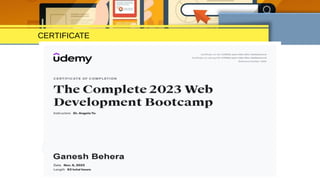
CERTIFICATE
Points Discussed:
• Web Development & its types
• Webpage & Website
• Web Developer Vs Web Designer
• Requirements
• Web Hoisting
• Applications
Web Development
• Creation of websites and web applications.
• Web apps include games, messenger applications,
email, online stores, and
more.
• Web development is classified
as a front-end or back-end
development.
• If developers work on both
front-end and back-end,
they
Webpage
• A web page is a document that is viewed in
an Internet browser.
• It can be accessed by entering an URL
address into a browser's address bar.
• Contains a variety of different types of
resources such as:
 style information — controlling a page's look-and-feel
 scripts — which add interactivity to the page
 media — images, sounds, and videos.
Website
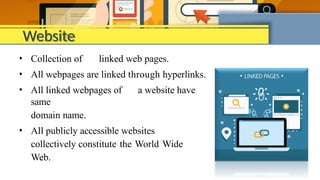
• Collection of linked web pages.
• All webpages are linked through hyperlinks.
• All linked webpages of a website have
same
domain name.
• All publicly accessible websites
collectively constitute the World Wide
Web.
Web Developer Vs Web Designer
• We may have heard both the terms used interchangeably.
However, they aren’t the same thing.
• A web developer focuses its efforts on programming.
• A web designer uses graphic design tools like
Photoshop, Illustrator, etc. to create layout and
graphics of the website.
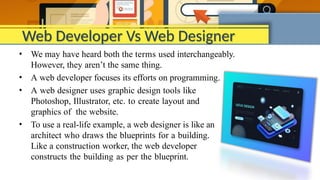
• To use a real-life example, a web designer is like an
architect who draws the blueprints for a building.
Like a construction worker, the web developer
constructs the building as per the blueprint.
HTML
</html>
• Hyper Text Markup Language (HTML) is the standard markup language
to be displayed in a web browser.
• HTML describes the content and format of web pages.
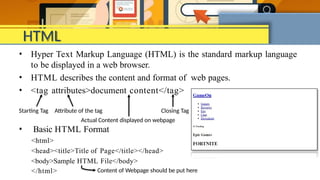
• <tag attributes>document content</tag>
Starting Tag Attribute of the tag Closing Tag
Actual Content displayed on webpage
• Basic HTML Format
<html>
<head><title>Title of Page</title></head>
<body>Sample HTML File</body>
Content of Webpage should be put here
CSS
• CSS (Cascading Style Sheets)is used to apply styles to web pages. It is
used to make web pages presentable.
• A website can be made without CSS but no user would want to interact
with a dull and shabby website as styling is MUST .
• CSS is classified as 3 types : Inline, Internal and External
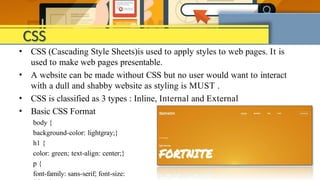
• Basic CSS Format
body {
background-color: lightgray;}
h1 {
color: green; text-align: center;}
p {
font-family: sans-serif; font-size:
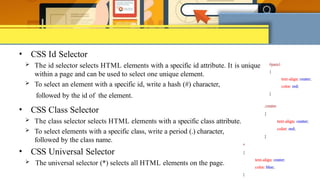
• CSS Id Selector
 The id selector selects HTML elements with a specific id attribute. It is unique
within a page and can be used to select one unique element.
 To select an element with a specific id, write a hash (#) character,
followed by the id of the element.
• CSS Class Selector
 The class selector selects HTML elements with a specific class attribute.
 To select elements with a specific class, write a period (.) character,
followed by the class name.
• CSS Universal Selector
 The universal selector (*) selects all HTML elements on the page.
Web Hoisting
• Web hosting is a type of Internet hosting service that hosts websites for clients,
i.e. it publishes their websites on the World Wide Web.
• It provides Web users with online systems for storing
information, images, video, or any content that
can be accessed.
• Companies that provide space on their server to
clients
to host their websites are called Web hosts.
• Some popular web hosts are listed:
 Hostinger
 x10Hosting
 Firebase
 GitHub
Applications
• Increasing Brand Awareness
• Saving Money On Advertisement
• Saving Time On Asking Questions
• Working Website 24×7
• Referral Programs And Discounts
• Worldwide Marketing
• Credible Source
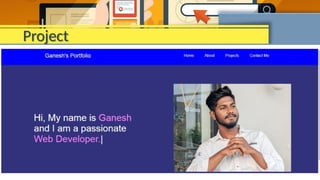
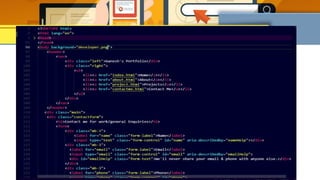
Project
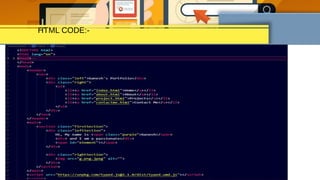
HTML CODE:-
THANK
YOU

Technical presentation on web development

  • 1.
    A Technical Presentationon Web Development GANESH BEHERA
  • 2.
  • 3.
    Points Discussed: • WebDevelopment & its types • Webpage & Website • Web Developer Vs Web Designer • Requirements • Web Hoisting • Applications
  • 4.
    Web Development • Creationof websites and web applications. • Web apps include games, messenger applications, email, online stores, and more. • Web development is classified as a front-end or back-end development. • If developers work on both front-end and back-end, they
  • 5.
    Webpage • A webpage is a document that is viewed in an Internet browser. • It can be accessed by entering an URL address into a browser's address bar. • Contains a variety of different types of resources such as:  style information — controlling a page's look-and-feel  scripts — which add interactivity to the page  media — images, sounds, and videos.
  • 6.
    Website • Collection oflinked web pages. • All webpages are linked through hyperlinks. • All linked webpages of a website have same domain name. • All publicly accessible websites collectively constitute the World Wide Web.
  • 7.
    Web Developer VsWeb Designer • We may have heard both the terms used interchangeably. However, they aren’t the same thing. • A web developer focuses its efforts on programming. • A web designer uses graphic design tools like Photoshop, Illustrator, etc. to create layout and graphics of the website. • To use a real-life example, a web designer is like an architect who draws the blueprints for a building. Like a construction worker, the web developer constructs the building as per the blueprint.
  • 8.
    HTML </html> • Hyper TextMarkup Language (HTML) is the standard markup language to be displayed in a web browser. • HTML describes the content and format of web pages. • <tag attributes>document content</tag> Starting Tag Attribute of the tag Closing Tag Actual Content displayed on webpage • Basic HTML Format <html> <head><title>Title of Page</title></head> <body>Sample HTML File</body> Content of Webpage should be put here
  • 9.
    CSS • CSS (CascadingStyle Sheets)is used to apply styles to web pages. It is used to make web pages presentable. • A website can be made without CSS but no user would want to interact with a dull and shabby website as styling is MUST . • CSS is classified as 3 types : Inline, Internal and External • Basic CSS Format body { background-color: lightgray;} h1 { color: green; text-align: center;} p { font-family: sans-serif; font-size:
  • 10.
    • CSS IdSelector  The id selector selects HTML elements with a specific id attribute. It is unique within a page and can be used to select one unique element.  To select an element with a specific id, write a hash (#) character, followed by the id of the element. • CSS Class Selector  The class selector selects HTML elements with a specific class attribute.  To select elements with a specific class, write a period (.) character, followed by the class name. • CSS Universal Selector  The universal selector (*) selects all HTML elements on the page.
  • 11.
    Web Hoisting • Webhosting is a type of Internet hosting service that hosts websites for clients, i.e. it publishes their websites on the World Wide Web. • It provides Web users with online systems for storing information, images, video, or any content that can be accessed. • Companies that provide space on their server to clients to host their websites are called Web hosts. • Some popular web hosts are listed:  Hostinger  x10Hosting  Firebase  GitHub
  • 12.
    Applications • Increasing BrandAwareness • Saving Money On Advertisement • Saving Time On Asking Questions • Working Website 24×7 • Referral Programs And Discounts • Worldwide Marketing • Credible Source

  • 13.
  • 14.
  • 16.