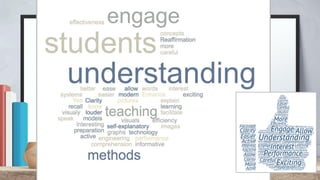
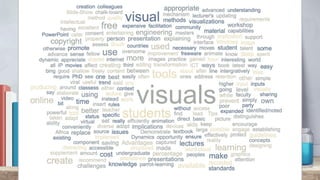
Teaching with Visuals
A workshop presented by
Rondine Carstens
rondine.carstens@uct.ac.za
20 September 2016
This work is licensed under a Creative Commons Attribution 4.0 International (CC BY 4.0) licence.
www.cilt.uct.ac.za
Before we get started
Do you know what Copyright is?
copyright
● Copyright is automatically assigned
● In SA it persist 50 years
● Copyright owners may transfer their rights
or grant individuals permission to use the
work
● Copyright applies to items, not ideas
copyright
Fair Use in education?
➢ Illustrative purposes only
➢ Attribution, BUT YOU CANNOT
SHARE THE WORK ONLINE
copyright
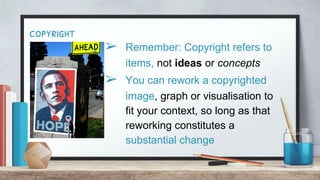
➢ Remember: Copyright refers to
items, not ideas or concepts
➢ You can rework a copyrighted
image, graph or visualisation to
fit your context, so long as that
reworking constitutes a
substantial change
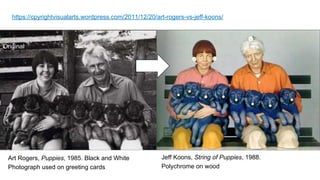
Original
Art Rogers, Puppies, 1985. Black and White
Photograph used on greeting cards
Jeff Koons, String of Puppies, 1988.
Polychrome on wood
https://cpyrightvisualarts.wordpress.com/2011/12/20/art-rogers-vs-jeff-koons/
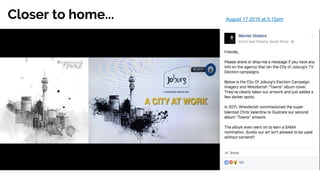
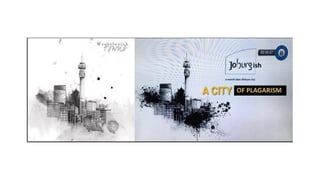
Closer to home... August 17 2016 at 5:15pm
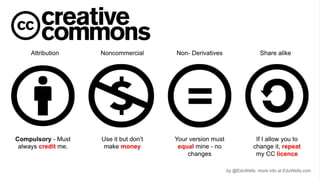
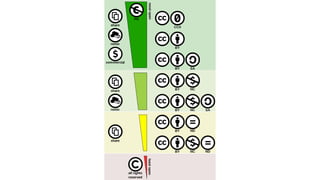
So what is Creative Commons
Creative Commons is an international
non-profit organisation that provides free
licences and tools that copyright owners can
use to allow others to share, reuse and remix
their material, legally. Releasing material under
a CC licence makes it clear to users what they
can or cannot do with the material.
Where do you usually
find images for
Presentations?
Are they licensed or FREE?
How do you know?
Google? How about Creative Commons Public Domain?
Other places to find images:
➢ CreativeCommons.Photos is a collection of public domain images that are free to use.
No Attribution required. No Membership required. High resolution
➢ Cupcake, http://cupcake.nilssonlee.se . Photographer Jonas Nilsson Lee offers free
images to the public domain. That means no attribution ever unless, of course, you want
to.
➢ Photos found on DesignersPics are given free of copyright by photographer Jeshu John.
Attribution is requested but not required.
➢ Pexels offers hand-picked images from a variety of sources online. You can peruse over
1600 photos for the right one for your project.
Source (and more sites): 73 Best Sites To Find Awesome Free Images
https://designschool.canva.com/blog/free-stock-photos/
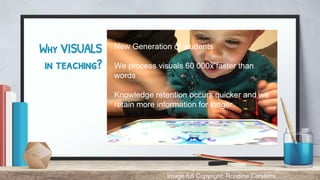
Why VISUALS
in teaching?
New Generation of students
We process visuals 60 000x faster than
words
Knowledge retention occurs quicker and we
retain more information for longer
Image full Copyright: Rondine Carstens
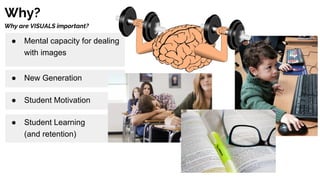
Why?
Why are VISUALS important?
● Mental capacity for dealing
with images
● New Generation
● Student Motivation
● Student Learning
(and retention)
So why would you implement visuals?
● to tell a story of a particular person or event
● to spark a conversation
● to stimulate inquiry
● to reach your visual learners
● to reach your struggling readers
● as an assessment tool
● for higher level thinking such as analysis,
synthesis,and evaluation
Let’s talk about
IMPACT
Activity:
Group
Do your slides pass
the Glance Test?
So why NOT?
Pedagogy?
WHEN to use WHAT?
HOW to create your OWN images?
Discipline specific?
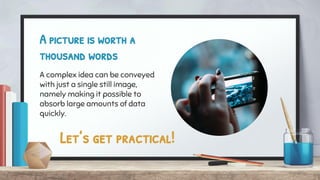
A picture is worth a
thousand words
A complex idea can be conveyed
with just a single still image,
namely making it possible to
absorb large amounts of data
quickly.
Let’s get practical!
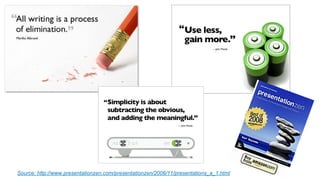
Source: http://www.presentationzen.com/presentationzen/2006/11/presentations_a_1.html
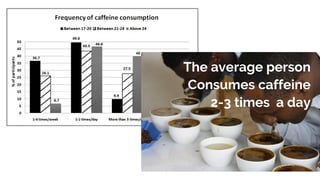
The average person
Consumes caffeine
2-3 times a day
Pair up with the person
next to you...
Activity:
Back-to-back
One should be the designated
“drawer” and the other is the
“instructor”
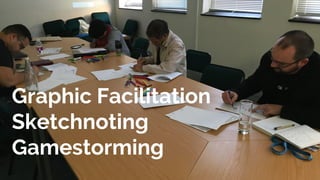
Graphic Facilitation
Sketchnoting
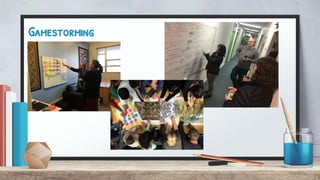
Gamestorming
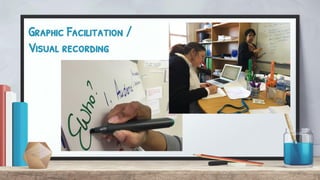
Graphic Facilitation /
Visual recording
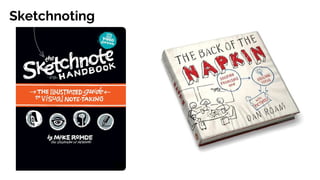
Sketchnoting
Gamestorming
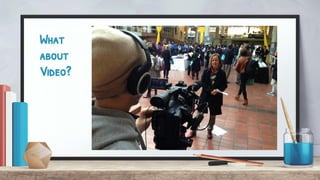
What
about
Video?
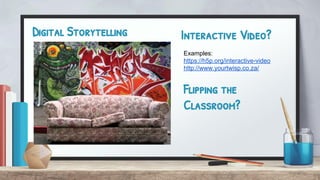
Digital Storytelling Interactive Video?
Examples:
https://h5p.org/interactive-video
http://www.yourtwisp.co.za/
Flipping the
Classroom?
Flipping the
Classroom?
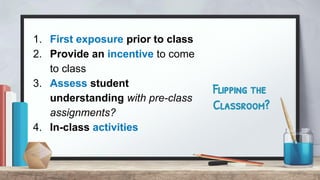
1. First exposure prior to class
2. Provide an incentive to come
to class
3. Assess student
understanding with pre-class
assignments?
4. In-class activities
How can I create my
OWN?
Free online [video/animation]
software
WeVideo.com
Videoscribe.co
Powtoon.com
Animatron.com
What about Interactive stories
and gamification?
https://scratch.mit.edu
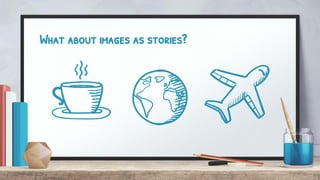
What about images as stories?
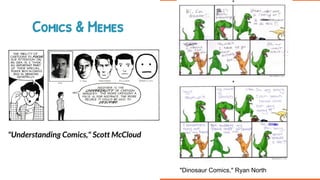
Comics & Memes
"Understanding Comics," Scott McCloud
"Dinosaur Comics," Ryan North
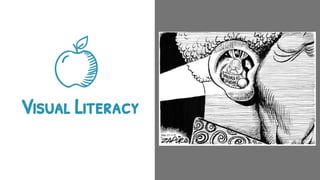
Visual Literacy
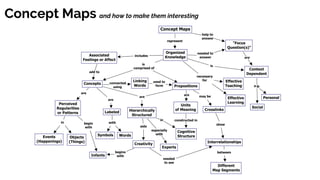
Schematic Diagrams & Concept Maps
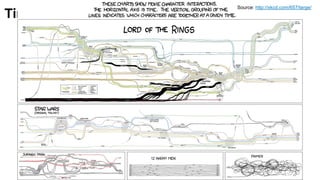
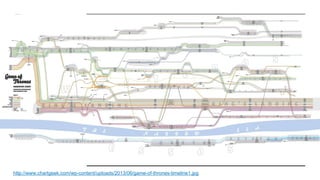
Timelines and how to make them interesting
Source: http://xkcd.com/657/large/
http://www.chartgeek.com/wp-content/uploads/2013/06/game-of-thrones-timeline1.jpg
Concept Maps and how to make them interesting
Infographics & Word Clouds
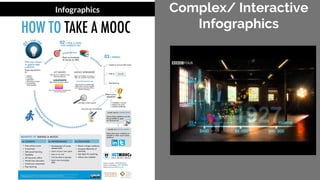
Complex/ Interactive
Infographics
Infographics
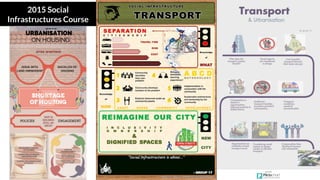
2015 Social
Infrastructures Course
How can I create my
OWN?
Free online [infographic]
software
Easel.ly
Piktochart.com
Powerpoint
What about Animated
Infographics?
www.animaker.com
https://biteable.com
How can I create my
OWN?
Free online [word cloud]
software
Wordle.net
Worditout.com
Google Drive Word Cloud app
What about Word Cloud
SHAPES?
https://tagul.com
http://www.wordclouds.com/
When to use WHAT type
of Visual?
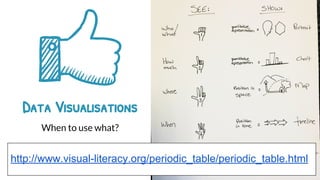
Data Visualisations
When to use what?
http://www.visual-literacy.org/periodic_table/periodic_table.html
Bonus!
Free online photo editing:
www.befunky.com
Thanks!
You can find me at:
+ @RondineCarstens
+ rondine.carstens@uct.ac.za
THIS presentation is available on Slideshare:
Centre for Innovation in Learning and Teaching (CILT), University of Cape Town
+ Presentation template by SlidesCarnival
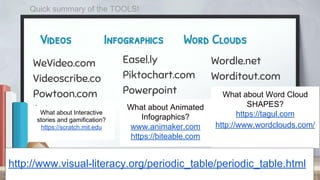
Videos Infographics Word Clouds
WeVideo.com
Videoscribe.co
Powtoon.com
Animatron.com
Easel.ly
Piktochart.com
Powerpoint
What about Animated
Infographics?
www.animaker.com
https://biteable.com
Wordle.net
Worditout.com
What about Word Cloud
SHAPES?
https://tagul.com
http://www.wordclouds.com/
http://www.visual-literacy.org/periodic_table/periodic_table.html
What about Interactive
stories and gamification?
https://scratch.mit.edu
Quick summary of the TOOLS!

Teaching with Visuals (workshop 2016)

  • 1.
    Teaching with Visuals Aworkshop presented by Rondine Carstens rondine.carstens@uct.ac.za 20 September 2016 This work is licensed under a Creative Commons Attribution 4.0 International (CC BY 4.0) licence. www.cilt.uct.ac.za
  • 2.
    Before we getstarted Do you know what Copyright is?
  • 4.
    copyright ● Copyright isautomatically assigned ● In SA it persist 50 years ● Copyright owners may transfer their rights or grant individuals permission to use the work ● Copyright applies to items, not ideas
  • 5.
    copyright Fair Use ineducation? ➢ Illustrative purposes only ➢ Attribution, BUT YOU CANNOT SHARE THE WORK ONLINE
  • 6.
    copyright ➢ Remember: Copyrightrefers to items, not ideas or concepts ➢ You can rework a copyrighted image, graph or visualisation to fit your context, so long as that reworking constitutes a substantial change
  • 7.
    Original Art Rogers, Puppies,1985. Black and White Photograph used on greeting cards Jeff Koons, String of Puppies, 1988. Polychrome on wood https://cpyrightvisualarts.wordpress.com/2011/12/20/art-rogers-vs-jeff-koons/
  • 8.
    Closer to home...August 17 2016 at 5:15pm
  • 10.
    So what isCreative Commons Creative Commons is an international non-profit organisation that provides free licences and tools that copyright owners can use to allow others to share, reuse and remix their material, legally. Releasing material under a CC licence makes it clear to users what they can or cannot do with the material.
  • 13.
    Where do youusually find images for Presentations? Are they licensed or FREE? How do you know?
  • 14.
    Google? How aboutCreative Commons Public Domain? Other places to find images: ➢ CreativeCommons.Photos is a collection of public domain images that are free to use. No Attribution required. No Membership required. High resolution ➢ Cupcake, http://cupcake.nilssonlee.se . Photographer Jonas Nilsson Lee offers free images to the public domain. That means no attribution ever unless, of course, you want to. ➢ Photos found on DesignersPics are given free of copyright by photographer Jeshu John. Attribution is requested but not required. ➢ Pexels offers hand-picked images from a variety of sources online. You can peruse over 1600 photos for the right one for your project. Source (and more sites): 73 Best Sites To Find Awesome Free Images https://designschool.canva.com/blog/free-stock-photos/
  • 15.
    Why VISUALS in teaching? NewGeneration of students We process visuals 60 000x faster than words Knowledge retention occurs quicker and we retain more information for longer Image full Copyright: Rondine Carstens
  • 16.
    Why? Why are VISUALSimportant? ● Mental capacity for dealing with images ● New Generation ● Student Motivation ● Student Learning (and retention)
  • 17.
    So why wouldyou implement visuals? ● to tell a story of a particular person or event ● to spark a conversation ● to stimulate inquiry ● to reach your visual learners ● to reach your struggling readers ● as an assessment tool ● for higher level thinking such as analysis, synthesis,and evaluation
  • 18.
    Let’s talk about IMPACT Activity: Group Doyour slides pass the Glance Test?
  • 20.
    So why NOT? Pedagogy? WHENto use WHAT? HOW to create your OWN images? Discipline specific?
  • 21.
    A picture isworth a thousand words A complex idea can be conveyed with just a single still image, namely making it possible to absorb large amounts of data quickly. Let’s get practical!
  • 22.
  • 23.
    The average person Consumescaffeine 2-3 times a day
  • 25.
    Pair up withthe person next to you... Activity: Back-to-back One should be the designated “drawer” and the other is the “instructor”
  • 26.
  • 27.
  • 28.
  • 30.
  • 31.
  • 32.
    Digital Storytelling InteractiveVideo? Examples: https://h5p.org/interactive-video http://www.yourtwisp.co.za/ Flipping the Classroom?
  • 33.
    Flipping the Classroom? 1. Firstexposure prior to class 2. Provide an incentive to come to class 3. Assess student understanding with pre-class assignments? 4. In-class activities
  • 34.
    How can Icreate my OWN? Free online [video/animation] software WeVideo.com Videoscribe.co Powtoon.com Animatron.com What about Interactive stories and gamification? https://scratch.mit.edu
  • 35.
    What about imagesas stories?
  • 36.
    Comics & Memes "UnderstandingComics," Scott McCloud "Dinosaur Comics," Ryan North
  • 39.
  • 40.
  • 41.
    Timelines and howto make them interesting Source: http://xkcd.com/657/large/
  • 42.
  • 43.
    Concept Maps andhow to make them interesting
  • 44.
  • 45.
  • 46.
  • 47.
    How can Icreate my OWN? Free online [infographic] software Easel.ly Piktochart.com Powerpoint What about Animated Infographics? www.animaker.com https://biteable.com
  • 51.
    How can Icreate my OWN? Free online [word cloud] software Wordle.net Worditout.com Google Drive Word Cloud app What about Word Cloud SHAPES? https://tagul.com http://www.wordclouds.com/
  • 52.
    When to useWHAT type of Visual?
  • 53.
    Data Visualisations When touse what? http://www.visual-literacy.org/periodic_table/periodic_table.html
  • 54.
    Bonus! Free online photoediting: www.befunky.com
  • 55.
    Thanks! You can findme at: + @RondineCarstens + rondine.carstens@uct.ac.za THIS presentation is available on Slideshare: Centre for Innovation in Learning and Teaching (CILT), University of Cape Town + Presentation template by SlidesCarnival
  • 56.
    Videos Infographics WordClouds WeVideo.com Videoscribe.co Powtoon.com Animatron.com Easel.ly Piktochart.com Powerpoint What about Animated Infographics? www.animaker.com https://biteable.com Wordle.net Worditout.com What about Word Cloud SHAPES? https://tagul.com http://www.wordclouds.com/ http://www.visual-literacy.org/periodic_table/periodic_table.html What about Interactive stories and gamification? https://scratch.mit.edu Quick summary of the TOOLS!