SHELL
PROGRAMMING
System Management
By
Gaurav. M. Raikar
EL-18-12
• A shell program or script is a computer program
designed to be run by the Unix shell, a
command-line interpreter.
• The various dialects of shell scripts are
considered to be scripting languages.
• Typical operations performed by shell scripts
include file manipulation, program execution,
and printing text
Shell Programming
SYSTEM ARCHITECTURE
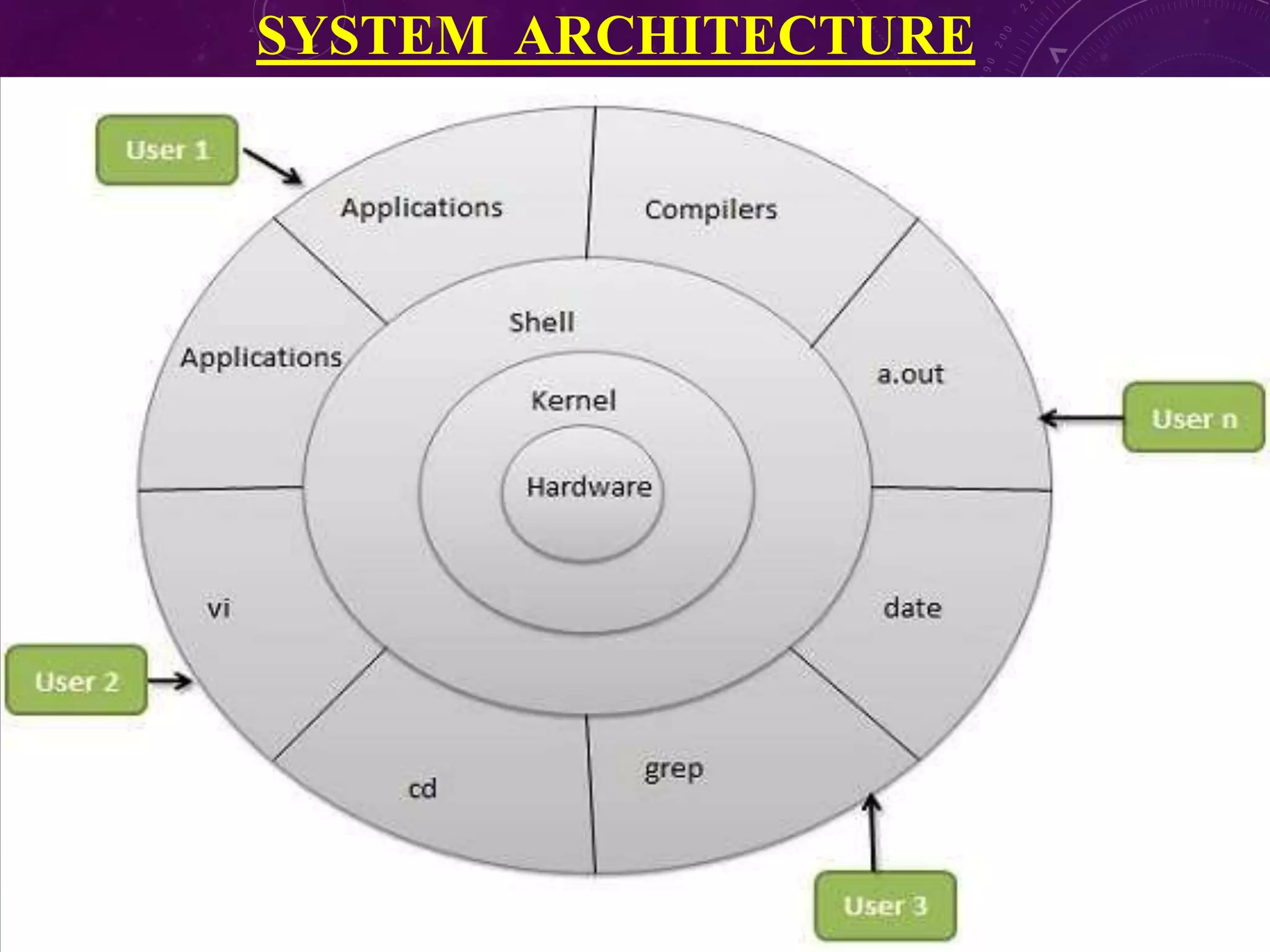
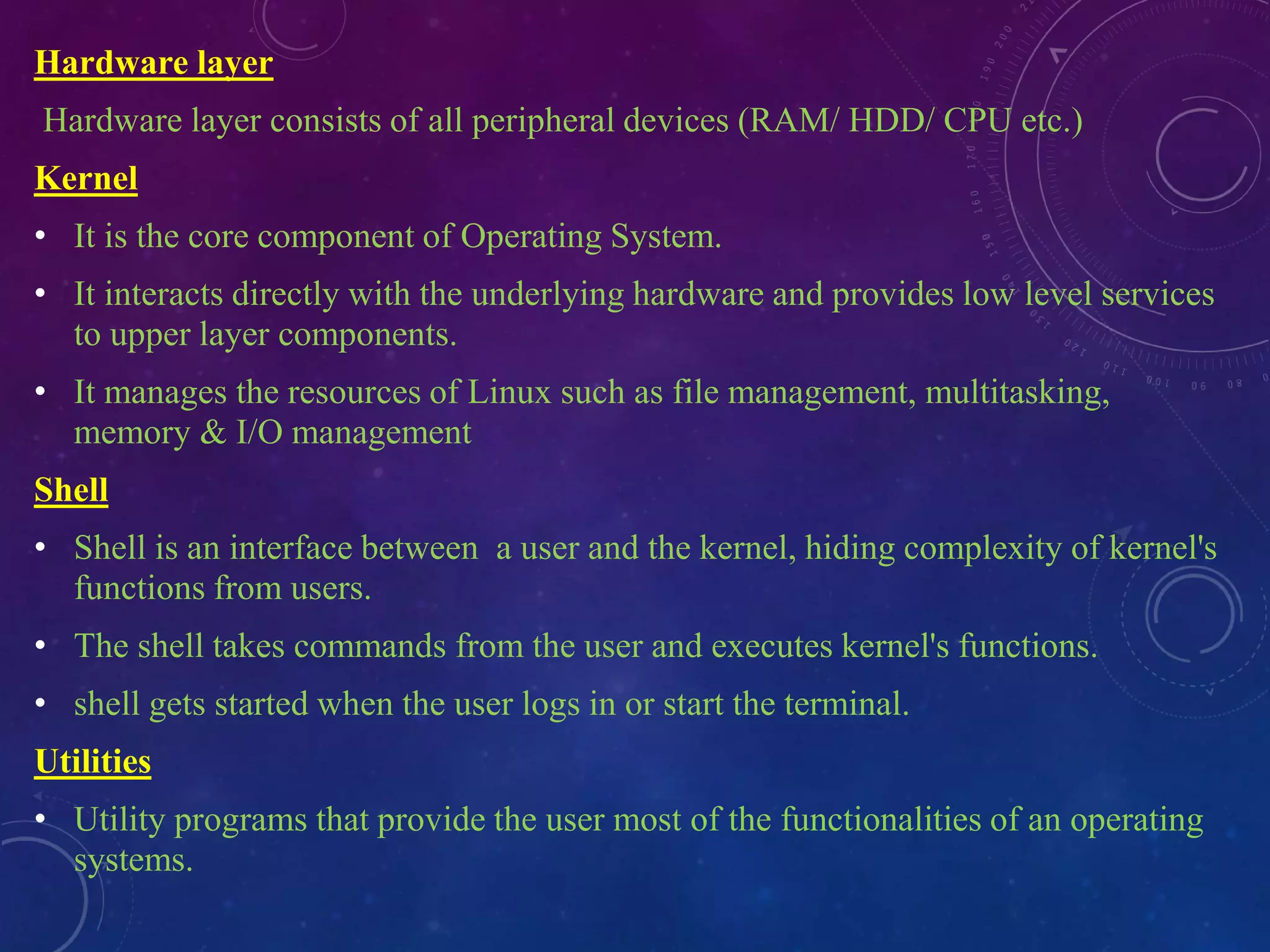
Hardware layer
Hardware layer consists of all peripheral devices (RAM/ HDD/ CPU etc.)
Kernel
• It is the core component of Operating System.
• It interacts directly with the underlying hardware and provides low level services
to upper layer components.
• It manages the resources of Linux such as file management, multitasking,
memory & I/O management
Shell
• Shell is an interface between a user and the kernel, hiding complexity of kernel's
functions from users.
• The shell takes commands from the user and executes kernel's functions.
• shell gets started when the user logs in or start the terminal.
Utilities
• Utility programs that provide the user most of the functionalities of an operating
systems.
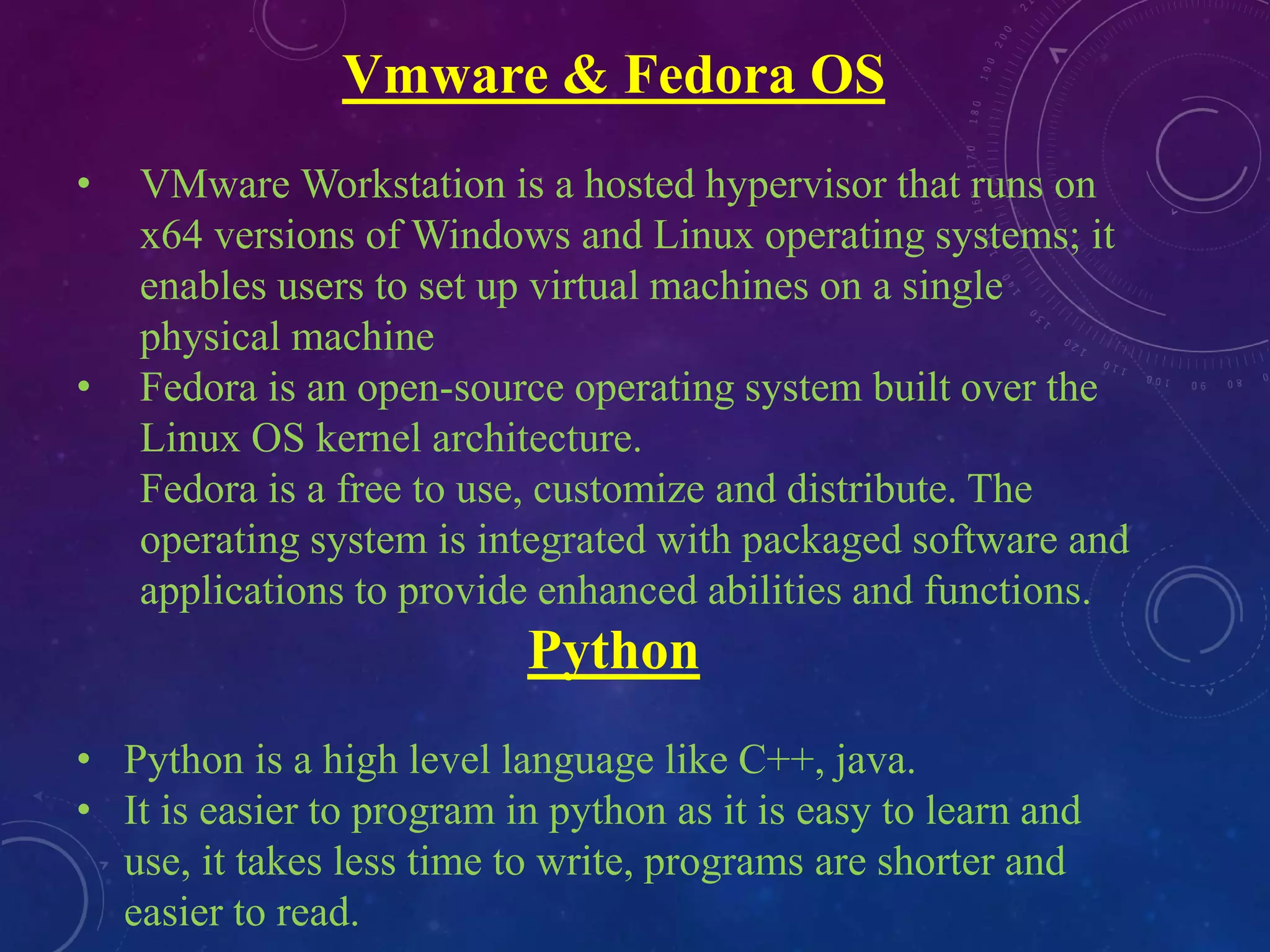
Vmware & Fedora OS
• VMware Workstation is a hosted hypervisor that runs on
x64 versions of Windows and Linux operating systems; it
enables users to set up virtual machines on a single
physical machine
• Fedora is an open-source operating system built over the
Linux OS kernel architecture.
Fedora is a free to use, customize and distribute. The
operating system is integrated with packaged software and
applications to provide enhanced abilities and functions.
Python
• Python is a high level language like C++, java.
• It is easier to program in python as it is easy to learn and
use, it takes less time to write, programs are shorter and
easier to read.
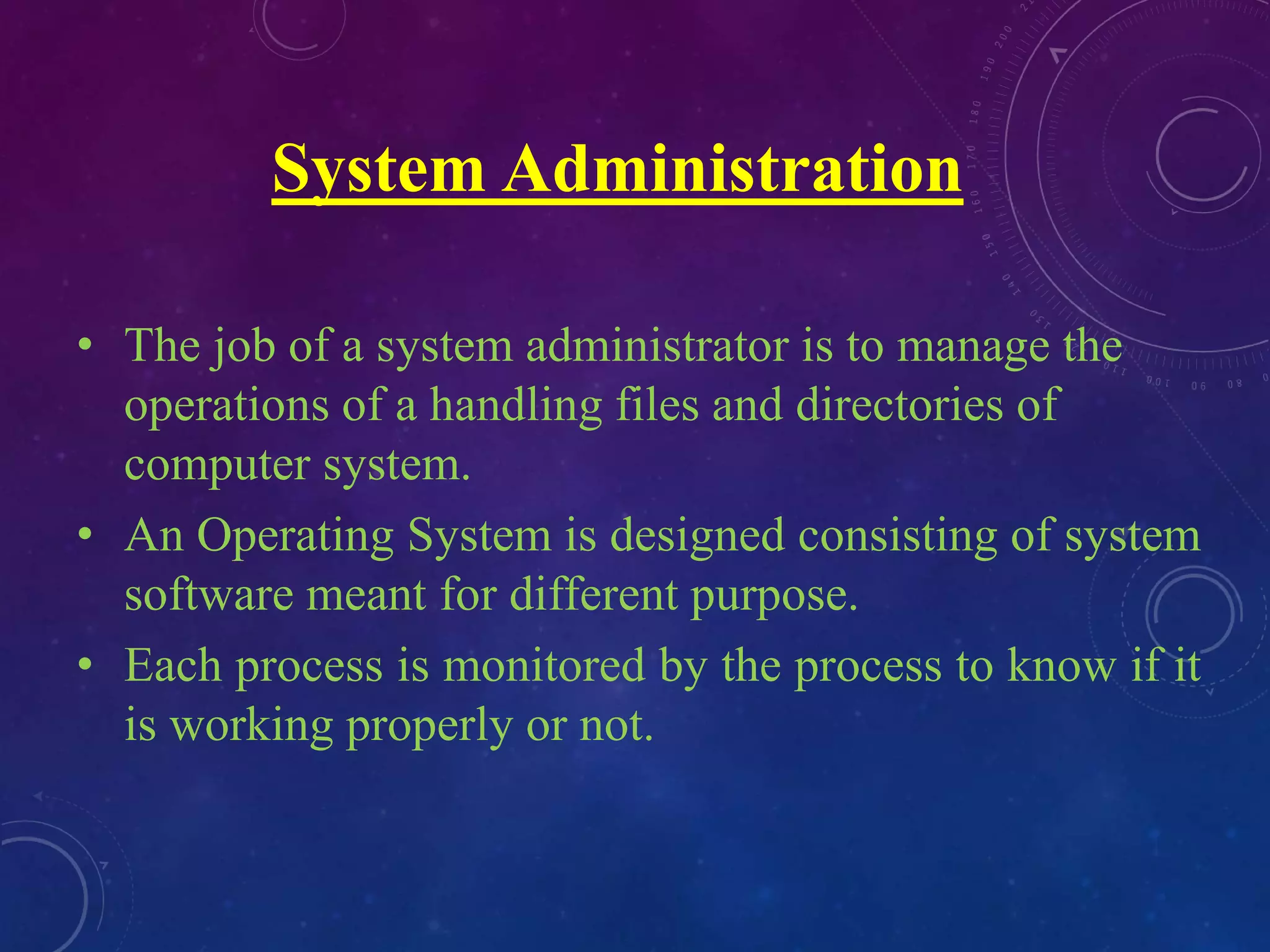
System Administration
• The job of a system administrator is to manage the
operations of a handling files and directories of
computer system.
• An Operating System is designed consisting of system
software meant for different purpose.
• Each process is monitored by the process to know if it
is working properly or not.
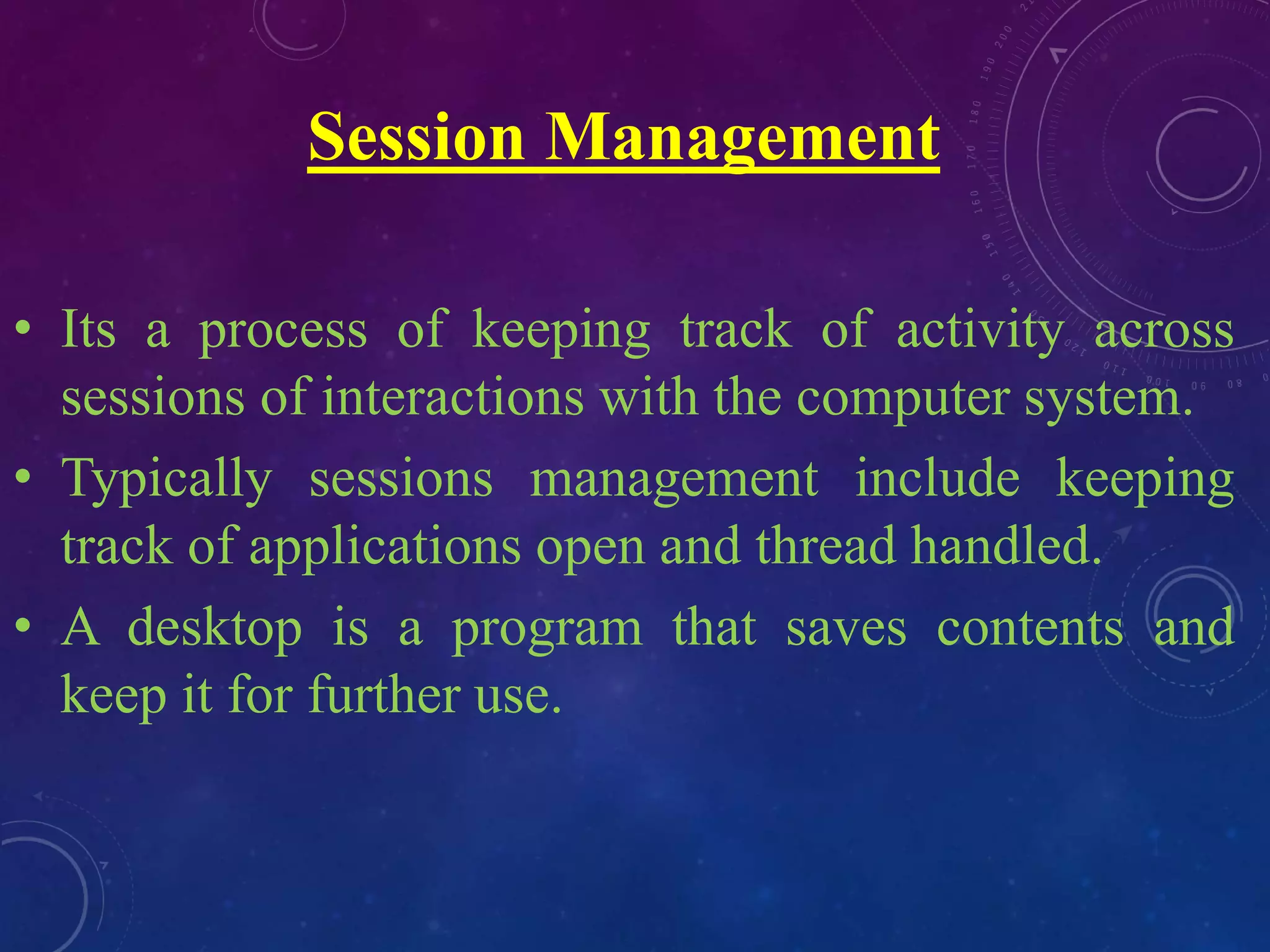
Session Management
• Its a process of keeping track of activity across
sessions of interactions with the computer system.
• Typically sessions management include keeping
track of applications open and thread handled.
• A desktop is a program that saves contents and
keep it for further use.
FILE SYSTEM COMMANDS
System Related Commands
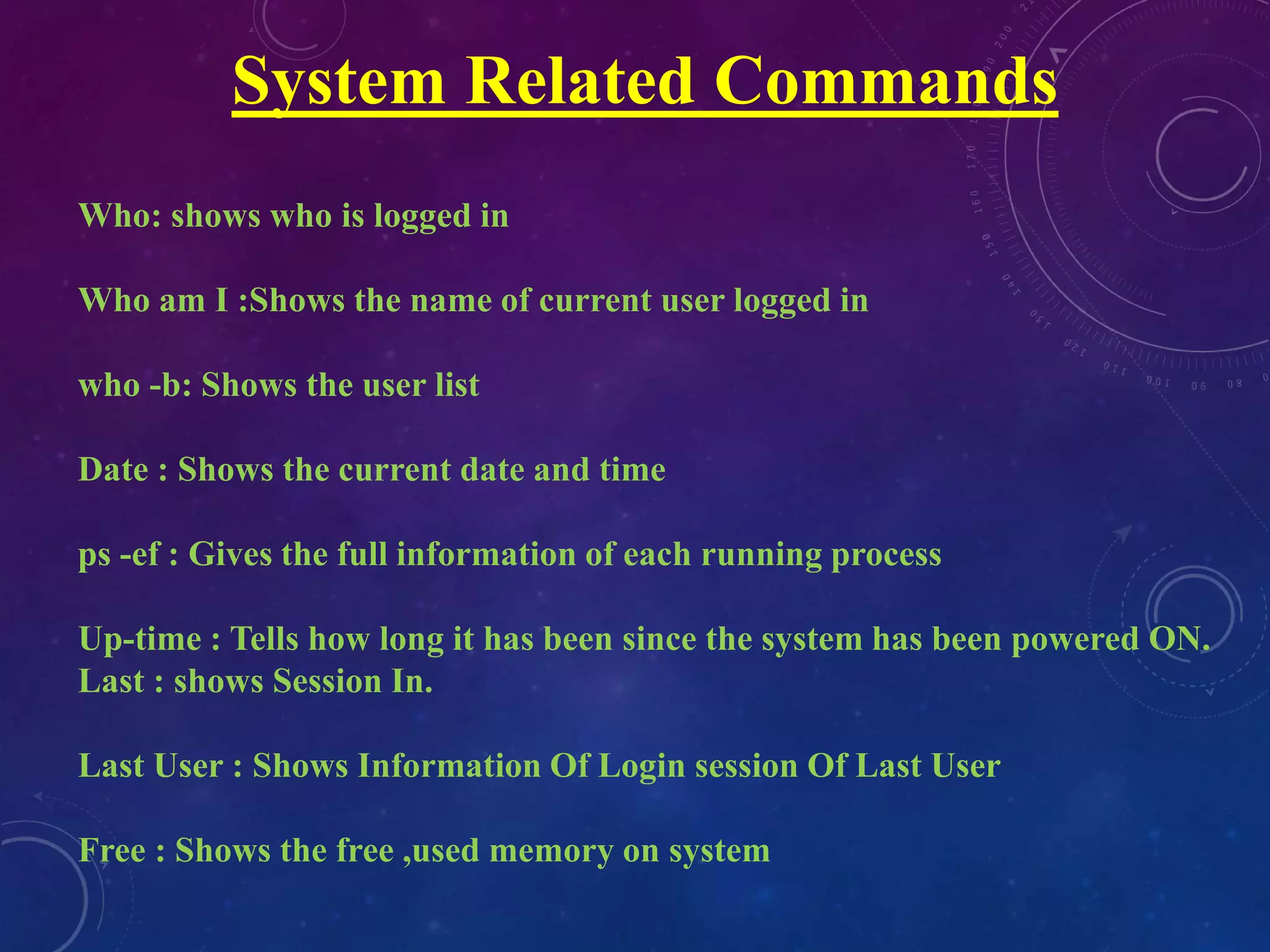
Who: shows who is logged in
Who am I :Shows the name of current user logged in
who -b: Shows the user list
Date : Shows the current date and time
ps -ef : Gives the full information of each running process
Up-time : Tells how long it has been since the system has been powered ON.
Last : shows Session In.
Last User : Shows Information Of Login session Of Last User
Free : Shows the free ,used memory on system
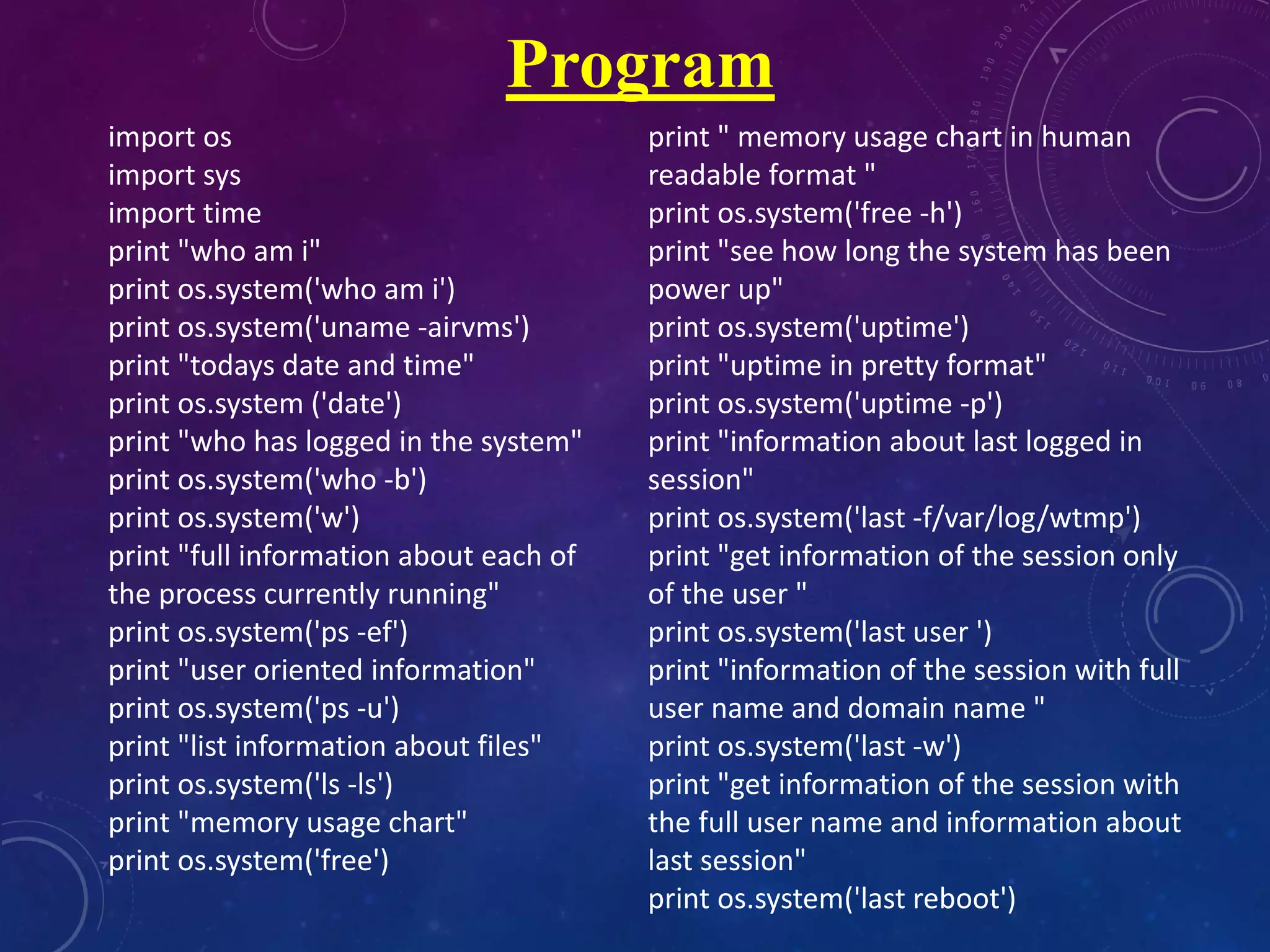
import os
import sys
import time
print "who am i"
print os.system('who am i')
print os.system('uname -airvms')
print "todays date and time"
print os.system ('date')
print "who has logged in the system"
print os.system('who -b')
print os.system('w')
print "full information about each of
the process currently running"
print os.system('ps -ef')
print "user oriented information"
print os.system('ps -u')
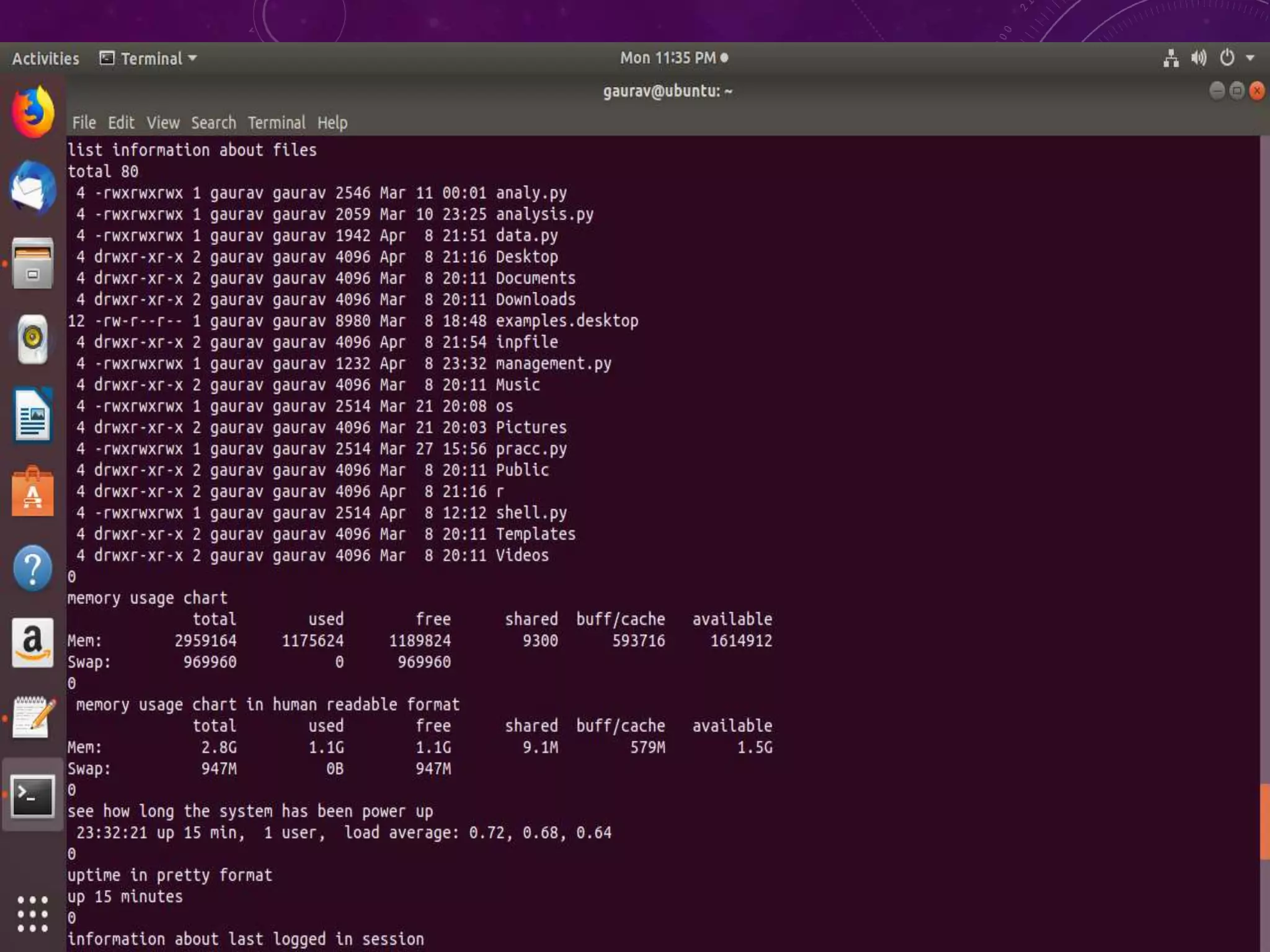
print "list information about files"
print os.system('ls -ls')
print "memory usage chart"
print os.system('free')
print " memory usage chart in human
readable format "
print os.system('free -h')
print "see how long the system has been
power up"
print os.system('uptime')
print "uptime in pretty format"
print os.system('uptime -p')
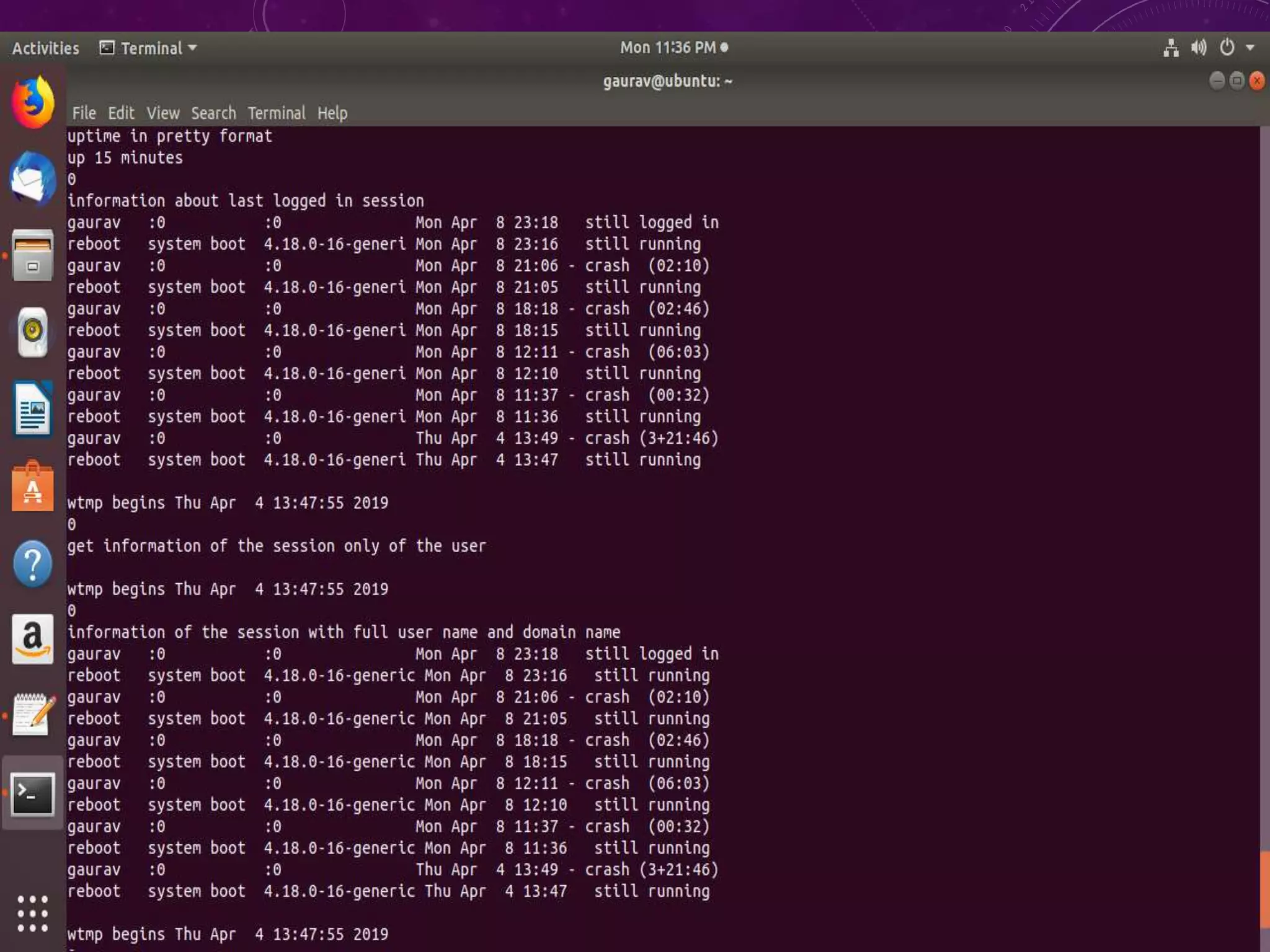
print "information about last logged in
session"
print os.system('last -f/var/log/wtmp')
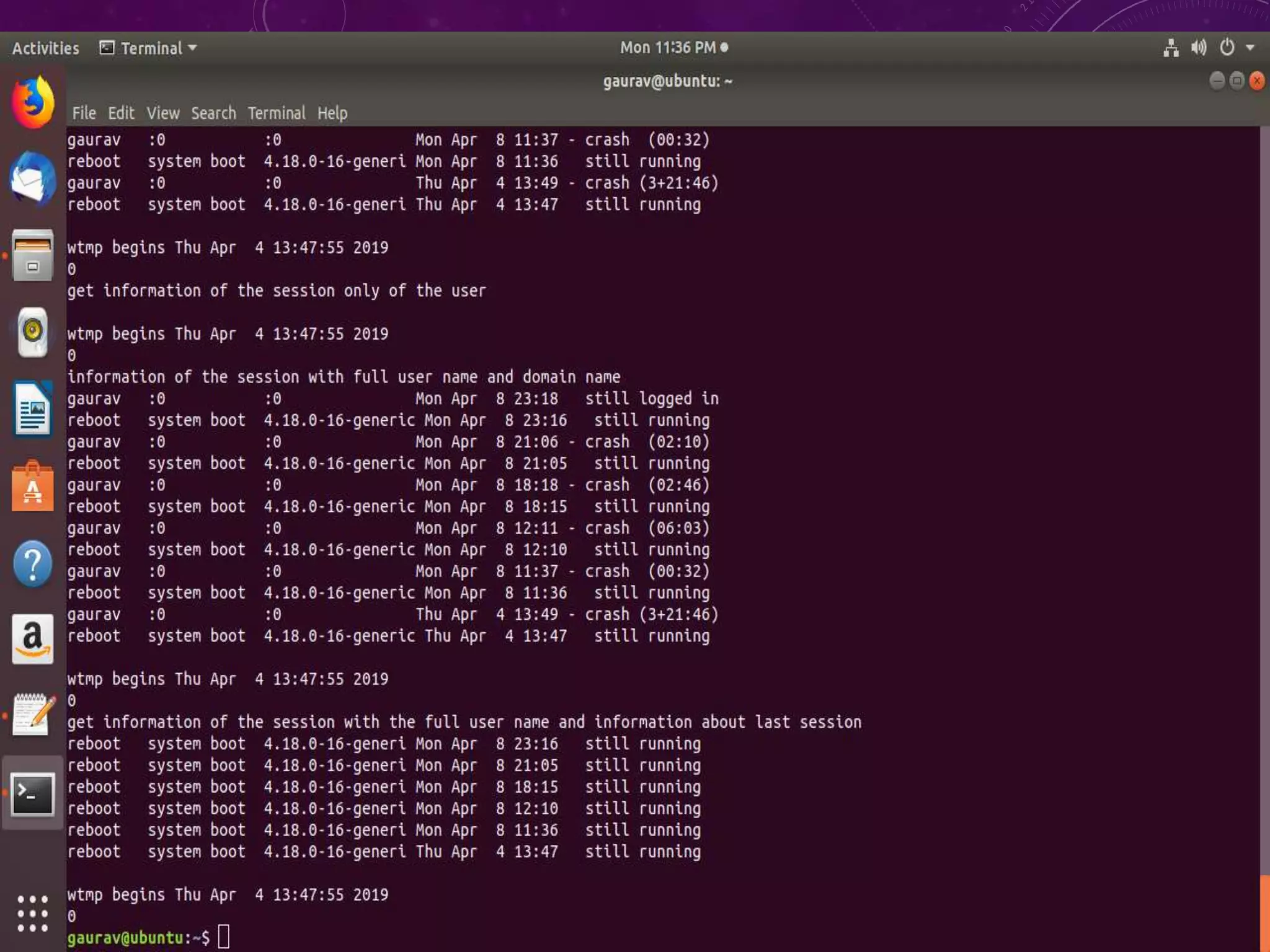
print "get information of the session only
of the user "
print os.system('last user ')
print "information of the session with full
user name and domain name "
print os.system('last -w')
print "get information of the session with
the full user name and information about
last session"
print os.system('last reboot')
Program
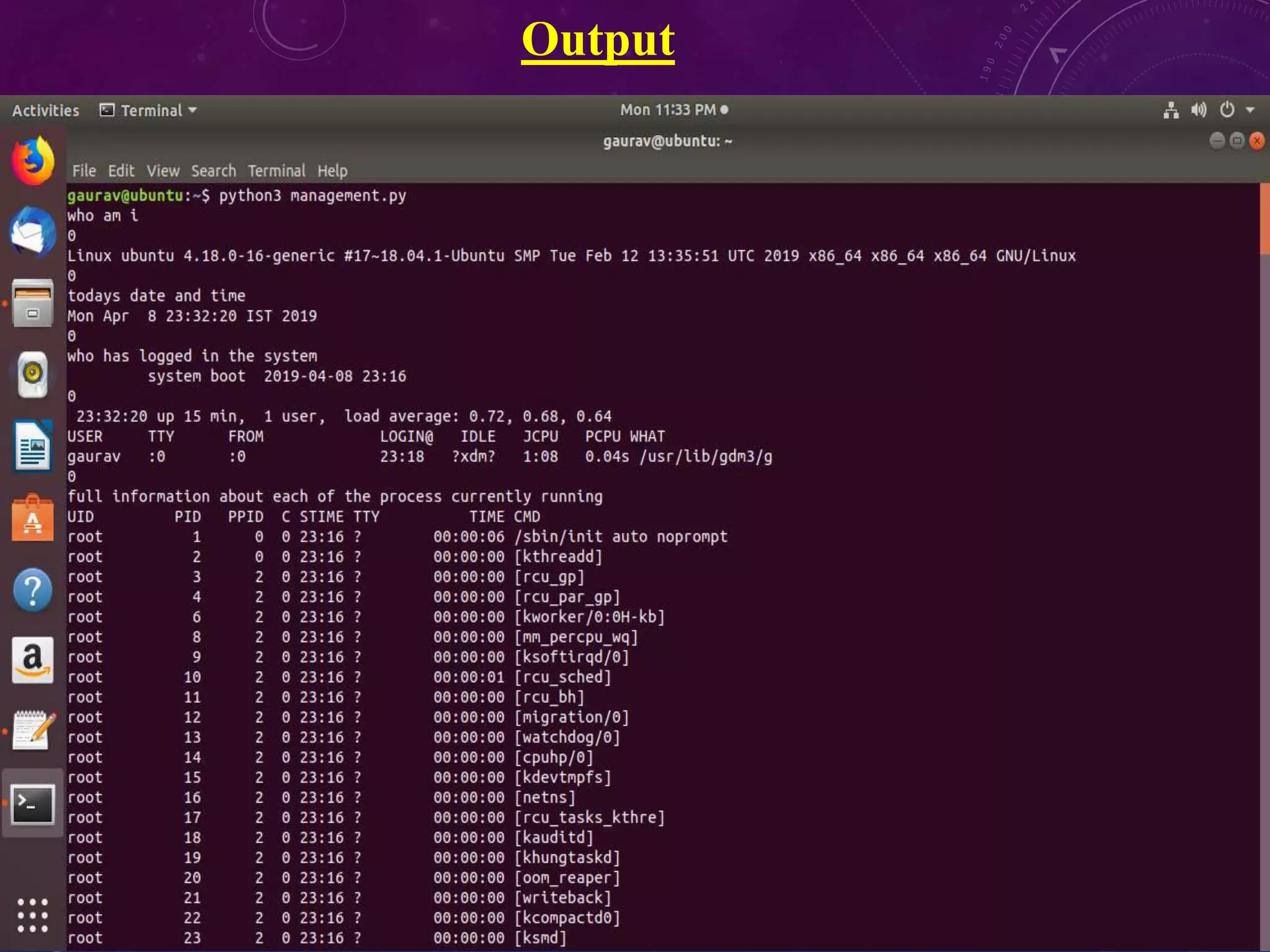
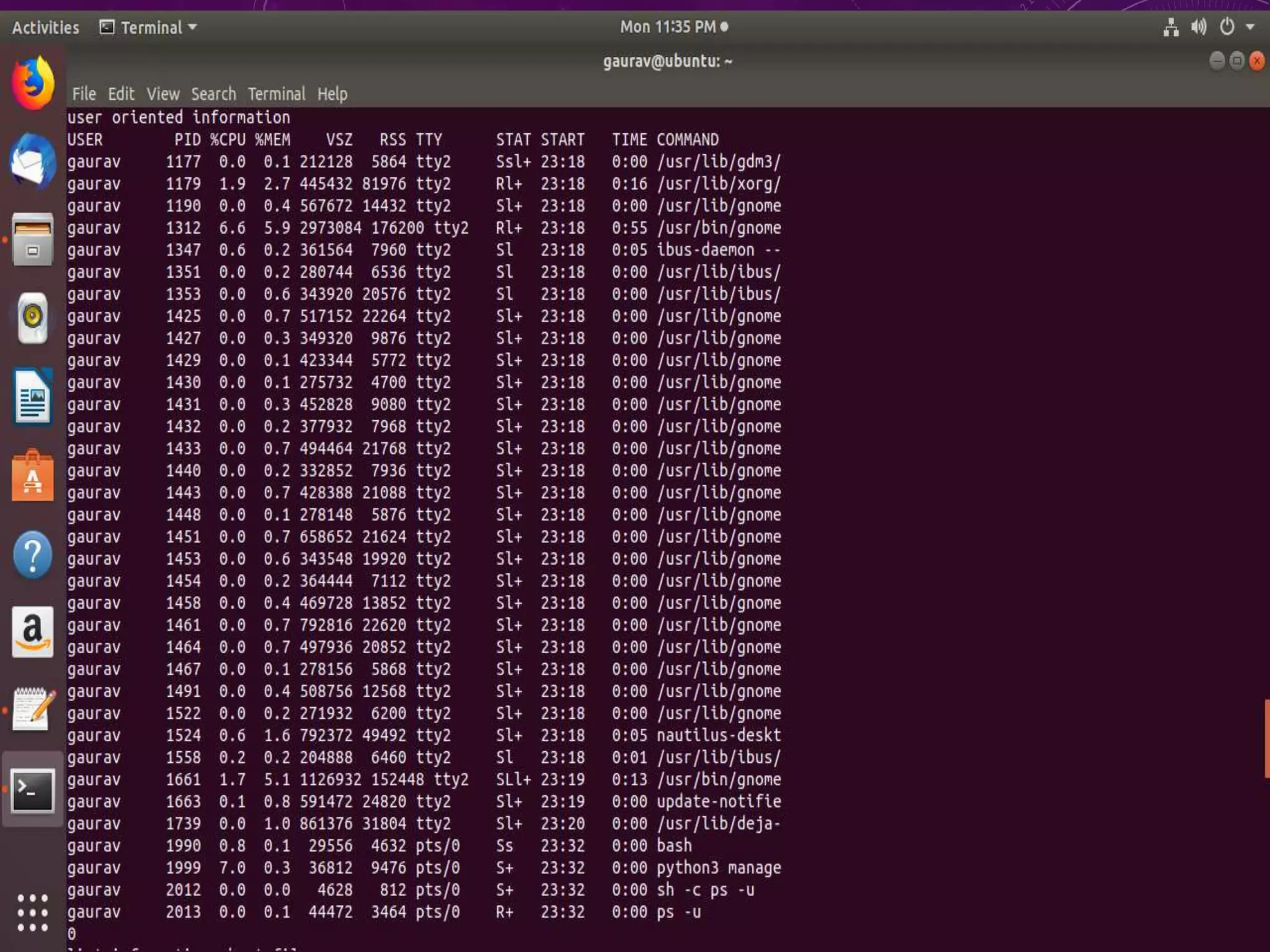
Output
system management -shell programming by Gaurav raikar

system management -shell programming by Gaurav raikar

  • 1.
  • 2.
    • A shellprogram or script is a computer program designed to be run by the Unix shell, a command-line interpreter. • The various dialects of shell scripts are considered to be scripting languages. • Typical operations performed by shell scripts include file manipulation, program execution, and printing text Shell Programming
  • 3.
  • 4.
    Hardware layer Hardware layerconsists of all peripheral devices (RAM/ HDD/ CPU etc.) Kernel • It is the core component of Operating System. • It interacts directly with the underlying hardware and provides low level services to upper layer components. • It manages the resources of Linux such as file management, multitasking, memory & I/O management Shell • Shell is an interface between a user and the kernel, hiding complexity of kernel's functions from users. • The shell takes commands from the user and executes kernel's functions. • shell gets started when the user logs in or start the terminal. Utilities • Utility programs that provide the user most of the functionalities of an operating systems.
  • 5.
    Vmware & FedoraOS • VMware Workstation is a hosted hypervisor that runs on x64 versions of Windows and Linux operating systems; it enables users to set up virtual machines on a single physical machine • Fedora is an open-source operating system built over the Linux OS kernel architecture. Fedora is a free to use, customize and distribute. The operating system is integrated with packaged software and applications to provide enhanced abilities and functions. Python • Python is a high level language like C++, java. • It is easier to program in python as it is easy to learn and use, it takes less time to write, programs are shorter and easier to read.
  • 6.
    System Administration • Thejob of a system administrator is to manage the operations of a handling files and directories of computer system. • An Operating System is designed consisting of system software meant for different purpose. • Each process is monitored by the process to know if it is working properly or not.
  • 7.
    Session Management • Itsa process of keeping track of activity across sessions of interactions with the computer system. • Typically sessions management include keeping track of applications open and thread handled. • A desktop is a program that saves contents and keep it for further use.
  • 8.
  • 9.
    System Related Commands Who:shows who is logged in Who am I :Shows the name of current user logged in who -b: Shows the user list Date : Shows the current date and time ps -ef : Gives the full information of each running process Up-time : Tells how long it has been since the system has been powered ON. Last : shows Session In. Last User : Shows Information Of Login session Of Last User Free : Shows the free ,used memory on system
  • 10.
    import os import sys importtime print "who am i" print os.system('who am i') print os.system('uname -airvms') print "todays date and time" print os.system ('date') print "who has logged in the system" print os.system('who -b') print os.system('w') print "full information about each of the process currently running" print os.system('ps -ef') print "user oriented information" print os.system('ps -u') print "list information about files" print os.system('ls -ls') print "memory usage chart" print os.system('free') print " memory usage chart in human readable format " print os.system('free -h') print "see how long the system has been power up" print os.system('uptime') print "uptime in pretty format" print os.system('uptime -p') print "information about last logged in session" print os.system('last -f/var/log/wtmp') print "get information of the session only of the user " print os.system('last user ') print "information of the session with full user name and domain name " print os.system('last -w') print "get information of the session with the full user name and information about last session" print os.system('last reboot') Program
  • 11.