Sugarcube
12年10月27日土曜日
http://www.slideshare.net/saishu/sugarcube


12年10月27日土曜日
自己紹介


                   元Apple製品開発者

               -SNAps 3270/5250
                日本語版製品責任者, メインプログラマー

               -DAL(Data Access Language)
               -Taligent
               -General Magic


12年10月27日土曜日
apple.com
12年10月27日土曜日
Taligent(タリジェント)は、1992年にアップルコンピュータとIBMが共同で設立した会社、お
      よびその会社の開発していたオブジェクト指向の次世代オペレーティングシステムの名称であ
      る[1][2][3]。これは1991年のIBMとアップルの包括的提携の実現化の1つ[4]で、1994年にはヒュ
      ーレット・パッカードも資本参加した[5]。

      アップル社内で進められていた次世代OS"Pink"のプロジェクトを引き継ぎ、PowerPCを搭載
      したオープンアーキテクチャ(PReP、後にCHRP)マシン、カレイダまたはスクリプトXと呼
      ばれた次世代開発環境とセットで、AIM連合の次世代環境として計画されていた[6]。

      タリジェントOSは、完全にオブジェクト指向のオペレーティングシステムで、マイクロカー
      ネルを採用してPowerPCやインテルなどのCPU上で稼働し、AIX、 OS/2、Windows NT、
      MacOSなどのパーソナリティ(マイクロカーネル上の互換環境)も同時に稼働できるとされ
      た。またIBM Workplace OS上で稼働するパーソナリティ(OS)の1つともされた。

      のちにタリジェントOSは、フレームワークCommonPointの開発に変更され、1994年に発表
      された[7]。CommonPointはC++で開発され、 AIX, HP-UX, OS/2, Windows NTに対応した。

      1996年にタリジェントはIBMに吸収され、プロジェクトは中止された[8][9]。IBMは
      CommonPointを1997年に販売終了した[10]。タリジェントの開発していたフレームワークの一
      部は、IBMオープンクラスライブラリ(IOCL)や、JDK (Java Development Kit)の国際化対応部
      分などに引き継がれた。
                                                         Wikipediaより

12年10月27日土曜日
使うは天国、作るは地獄
12年10月27日土曜日
使うは天国、作るも天国


12年10月27日土曜日
http://www.slideshare.net/saishu/sugarcube


12年10月27日土曜日
Rubymotionのメーリングリストで
                最近話題になっているSugarcube


               https://github.com/rubymotion/sugarcube


12年10月27日土曜日
あまあまな名前に、つい
                   「Sugarっち!」
               と言ってしまうワイルドなあなたも。


12年10月27日土曜日
12年10月27日土曜日
思わずにっこり


12年10月27日土曜日
SugarCube started out as a Fusionbox project
               (see the announcement), but as its popularity
               increased, the decision was made to offer it to
               the rubymotion community, in the spirit of
               open-source and collaboration. It is a great
               compliment to teacup, especially when paired
               with sweettea!


12年10月27日土曜日
Teacup
               A community-driven DSL for creating user interfaces on the
               iphone.
               Using teacup, you can easily create and style layouts while
               keeping your code dry. The goal is to offer a rubyesque (well,
               actually a rubymotion-esque) way to create interfaces
               programmatically.


               sweettea
               teacup	
  +	
  sugarcube	
  =	
  sweettea


12年10月27日土曜日
導入


12年10月27日土曜日
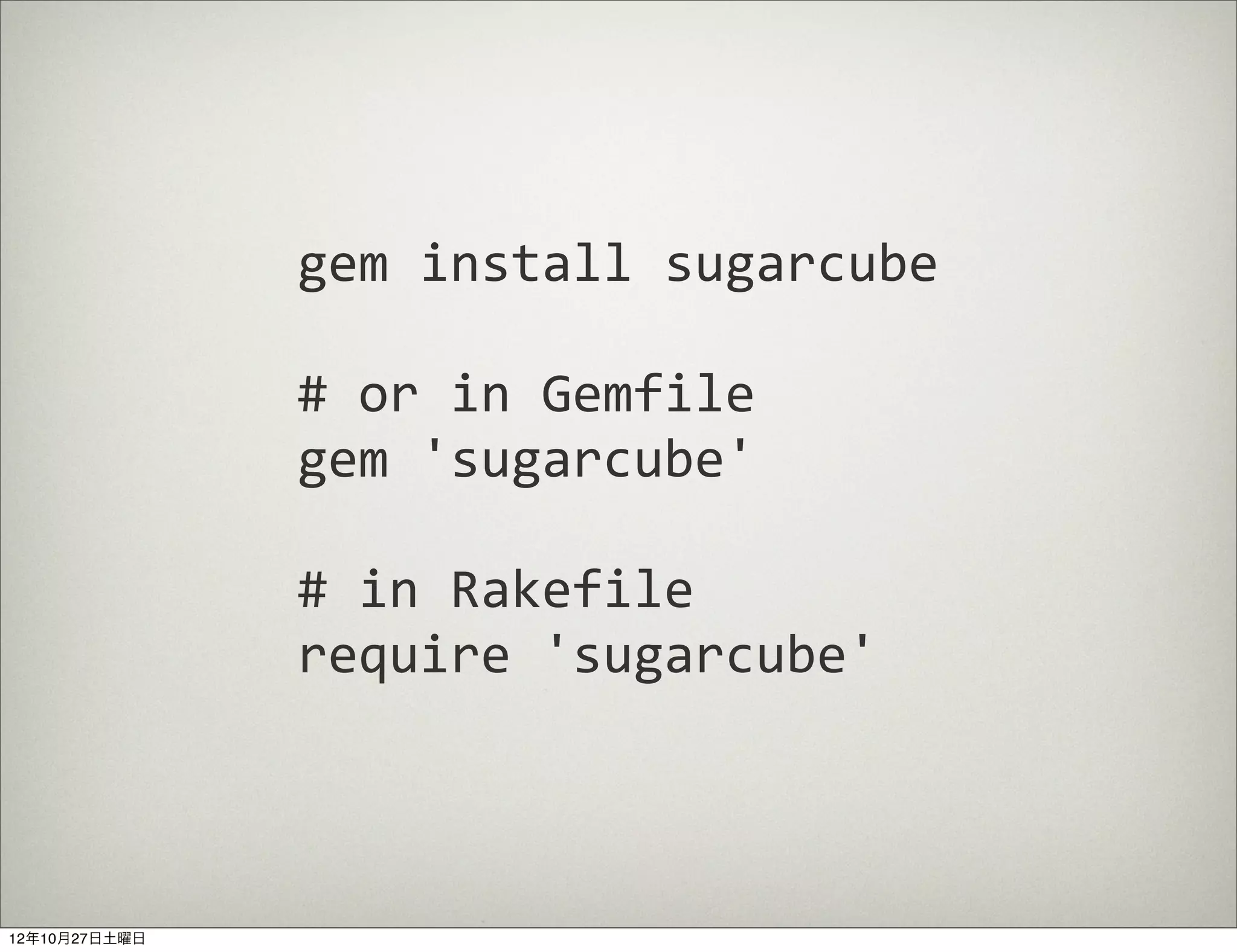
gem	
  install	
  sugarcube

               #	
  or	
  in	
  Gemfile
               gem	
  'sugarcube'

               #	
  in	
  Rakefile
               require	
  'sugarcube'


12年10月27日土曜日
Programming

                                          motioncast #4
                http://motioncasts.tv/4-sugarcube-and-geomotion/


12年10月27日土曜日
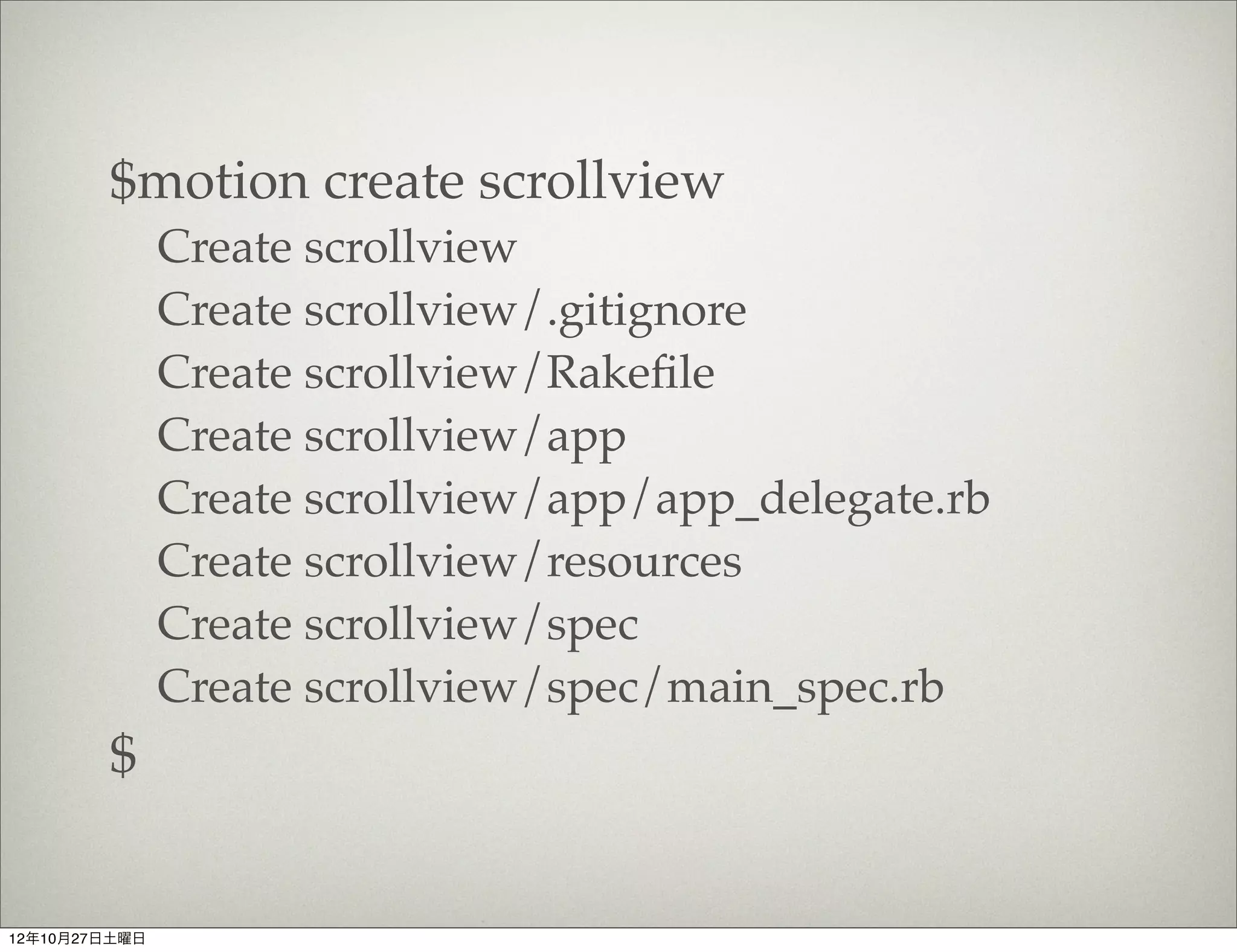
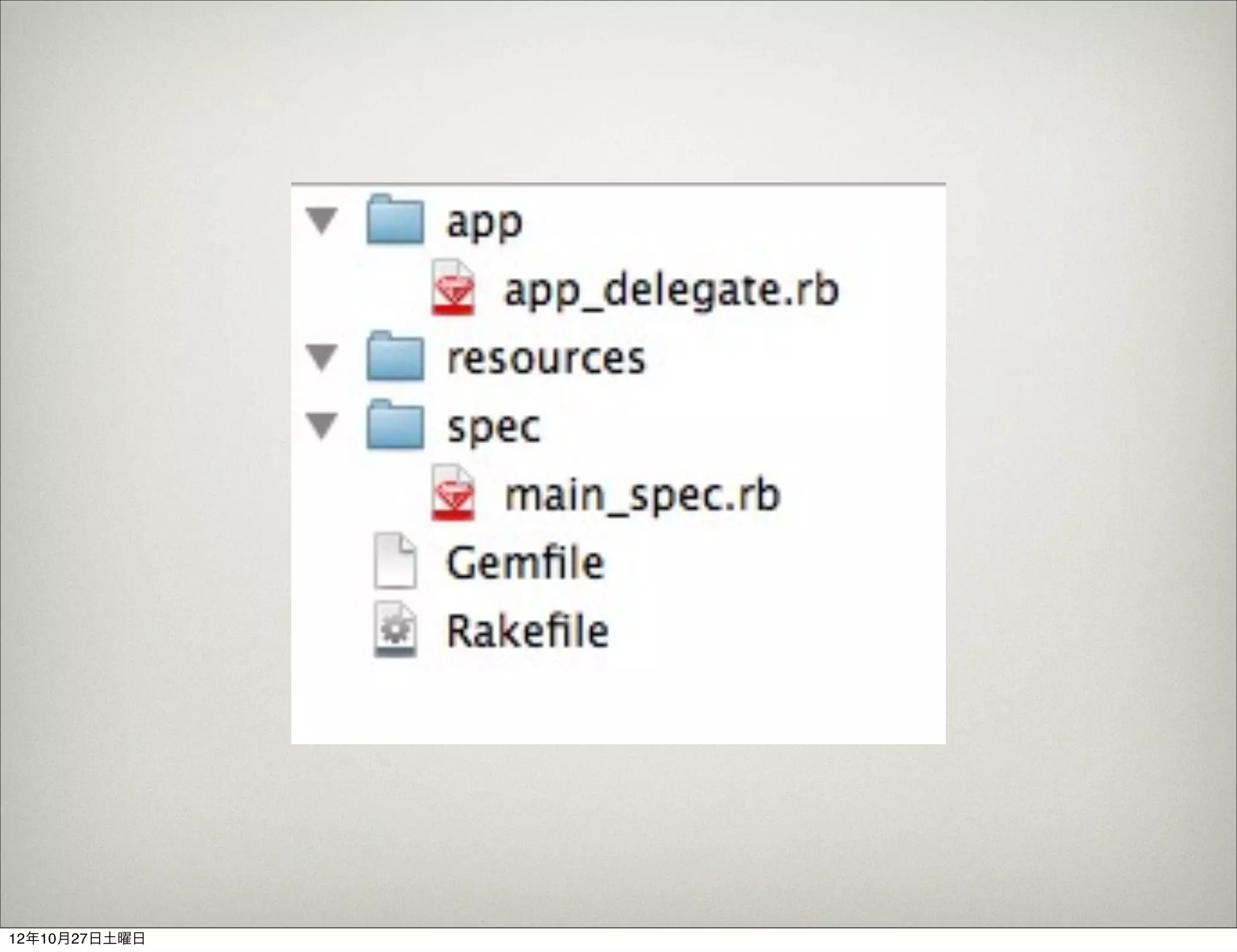
$motion create scrollview
               Create scrollview
               Create scrollview/.gitignore
               Create scrollview/Rakefile
               Create scrollview/app
               Create scrollview/app/app_delegate.rb
               Create scrollview/resources
               Create scrollview/spec
               Create scrollview/spec/main_spec.rb
        $


12年10月27日土曜日
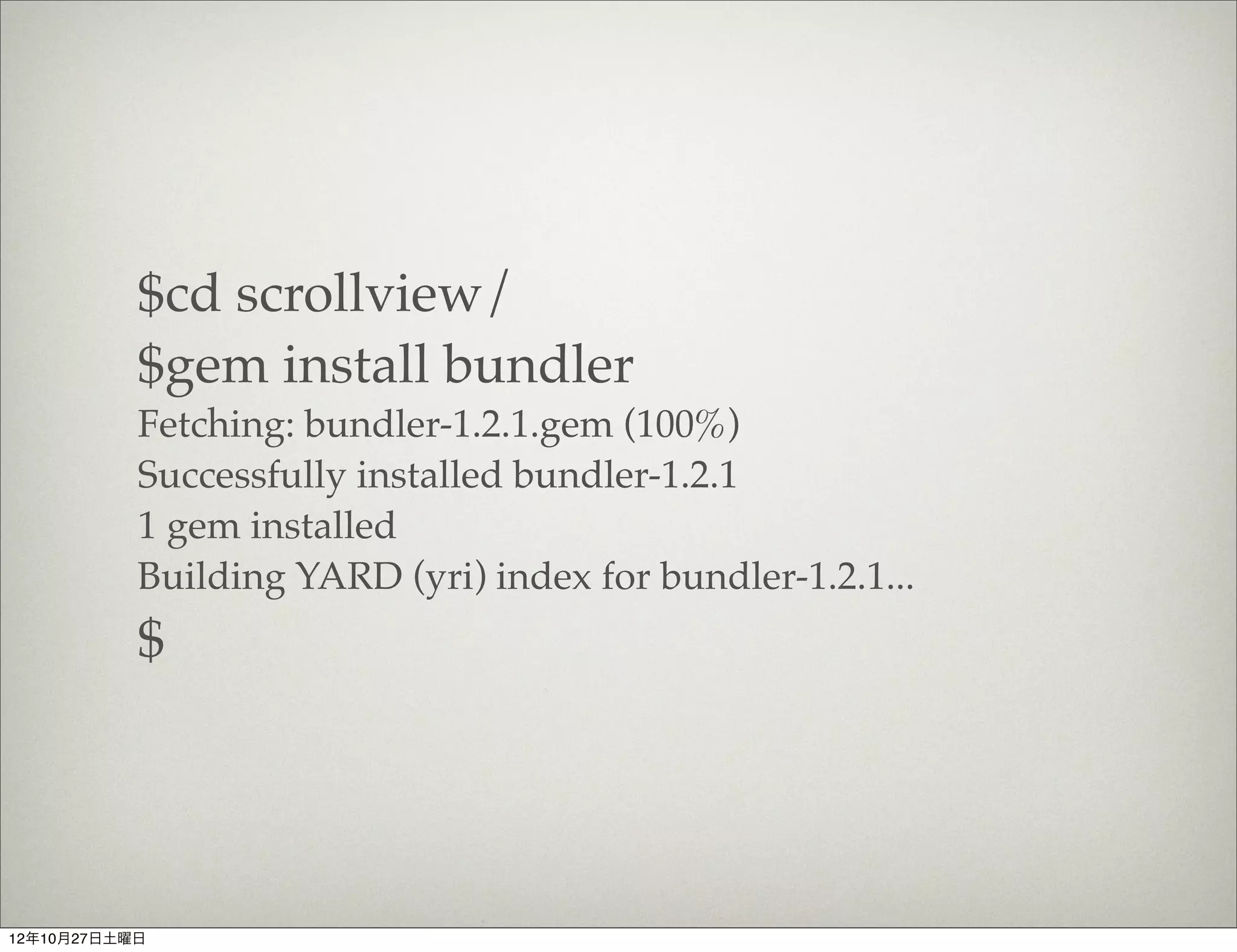
$cd scrollview/
           $gem install bundler
           Fetching: bundler-1.2.1.gem (100%)
           Successfully installed bundler-1.2.1
           1 gem installed
           Building YARD (yri) index for bundler-1.2.1...
           $


12年10月27日土曜日
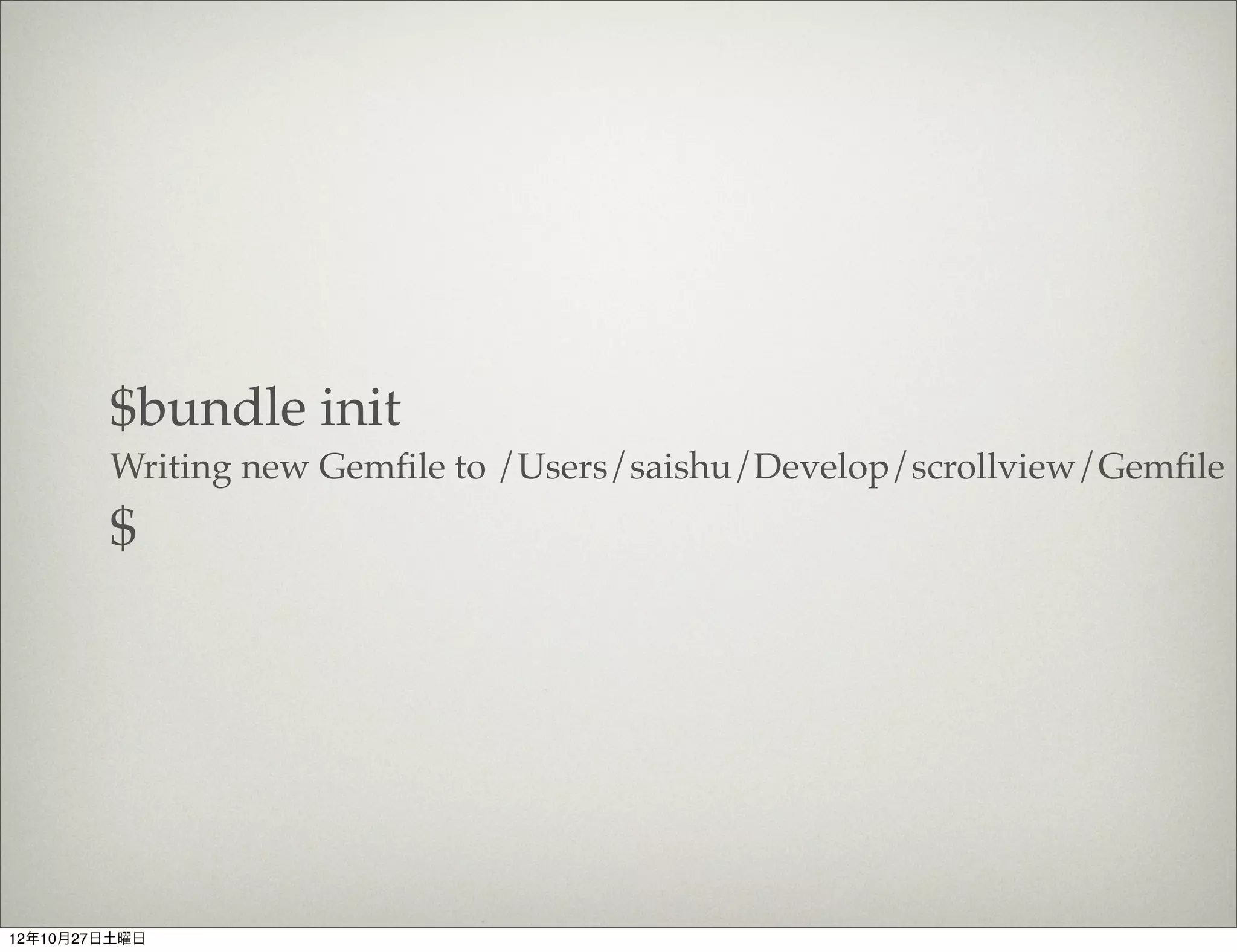
$bundle init
        Writing new Gemfile to /Users/saishu/Develop/scrollview/Gemfile
        $


12年10月27日土曜日
12年10月27日土曜日
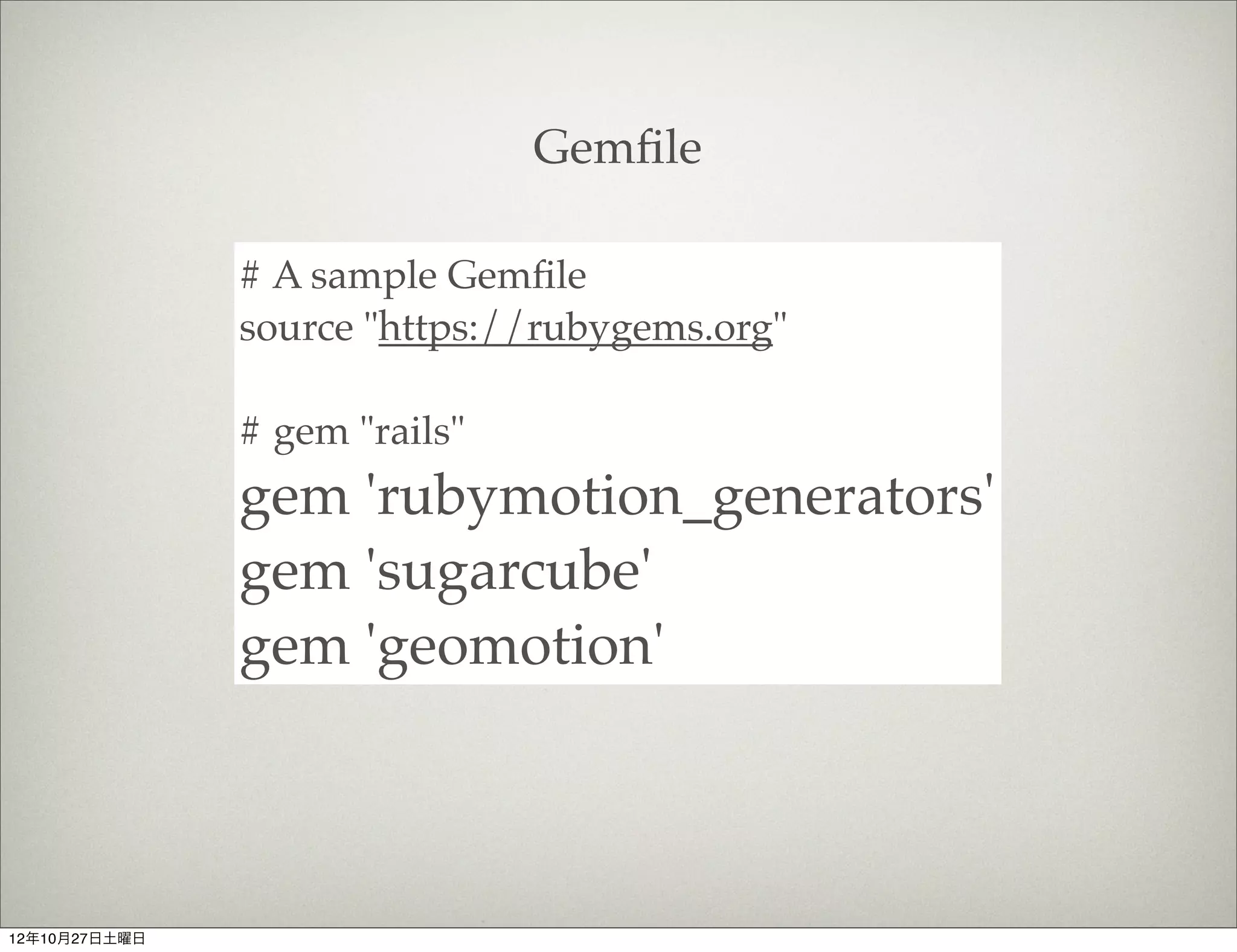
Gemfile


               # A sample Gemfile
               source "https://rubygems.org"

               # gem "rails"
               gem 'rubymotion_generators'
               gem 'sugarcube'
               gem 'geomotion'


12年10月27日土曜日
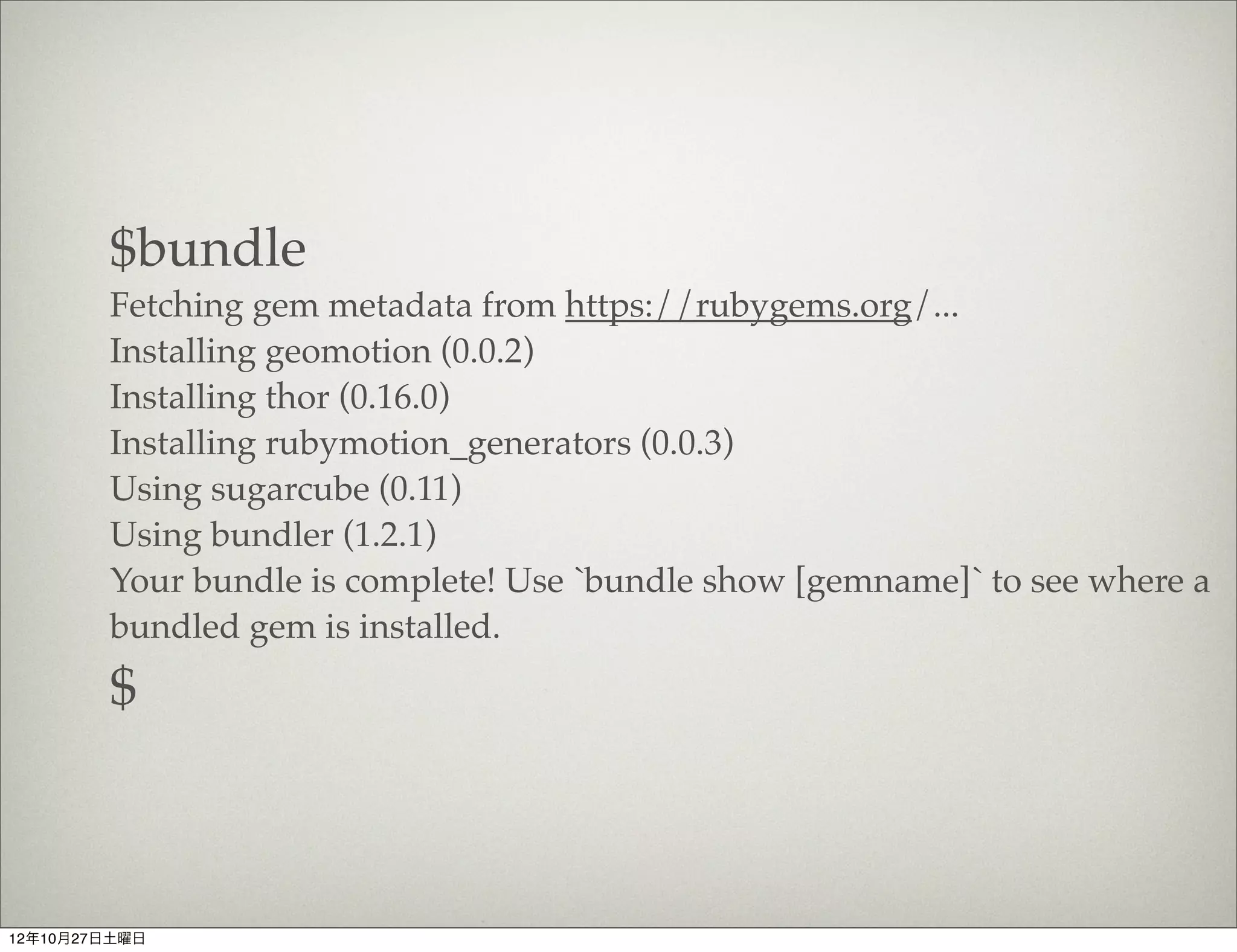
$bundle
        Fetching gem metadata from https://rubygems.org/...
        Installing geomotion (0.0.2)
        Installing thor (0.16.0)
        Installing rubymotion_generators (0.0.3)
        Using sugarcube (0.11)
        Using bundler (1.2.1)
        Your bundle is complete! Use `bundle show [gemname]` to see where a
        bundled gem is installed.
        $


12年10月27日土曜日
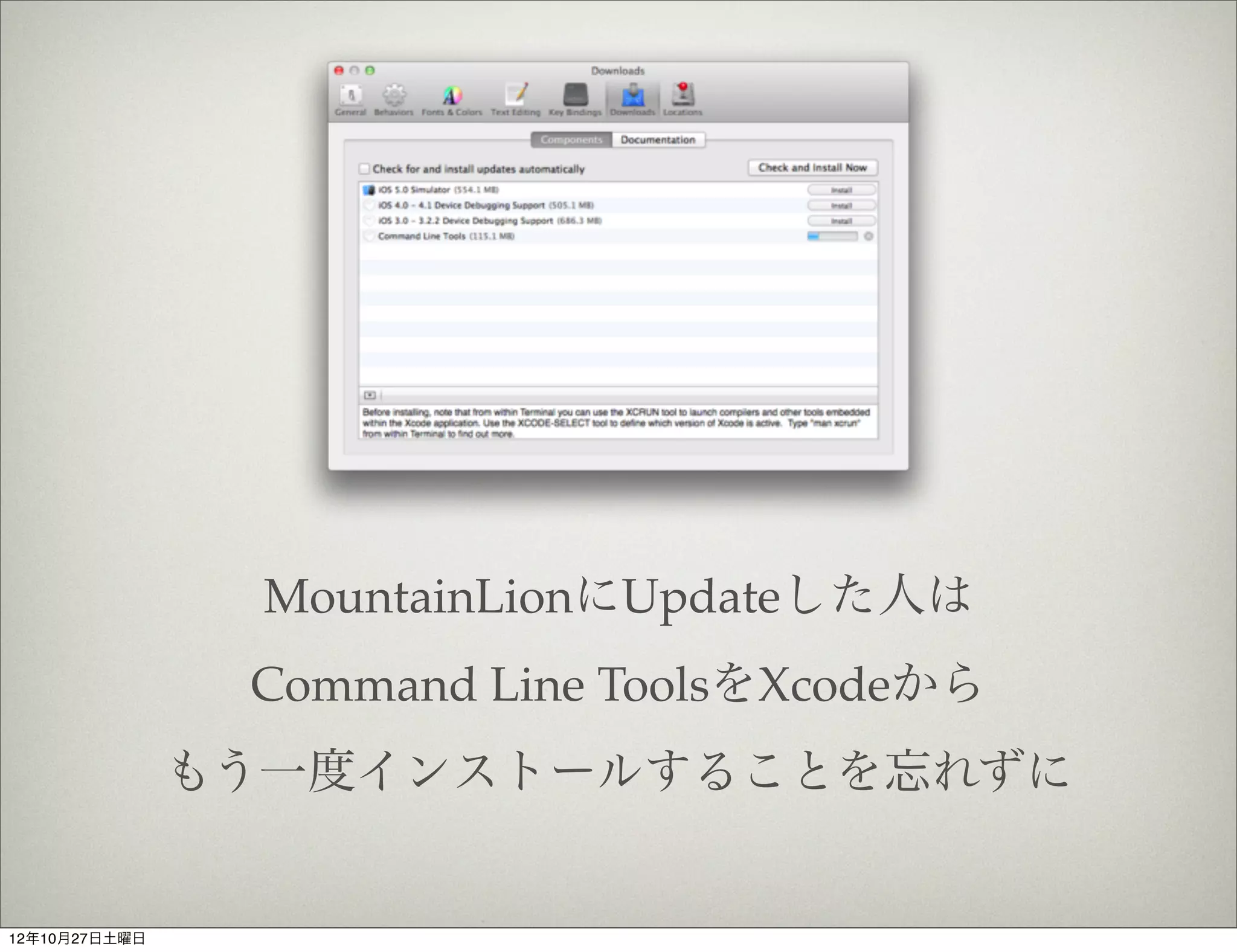
MountainLionにUpdateした人は
                Command Line ToolsをXcodeから
               もう一度インストールすることを忘れずに


12年10月27日土曜日
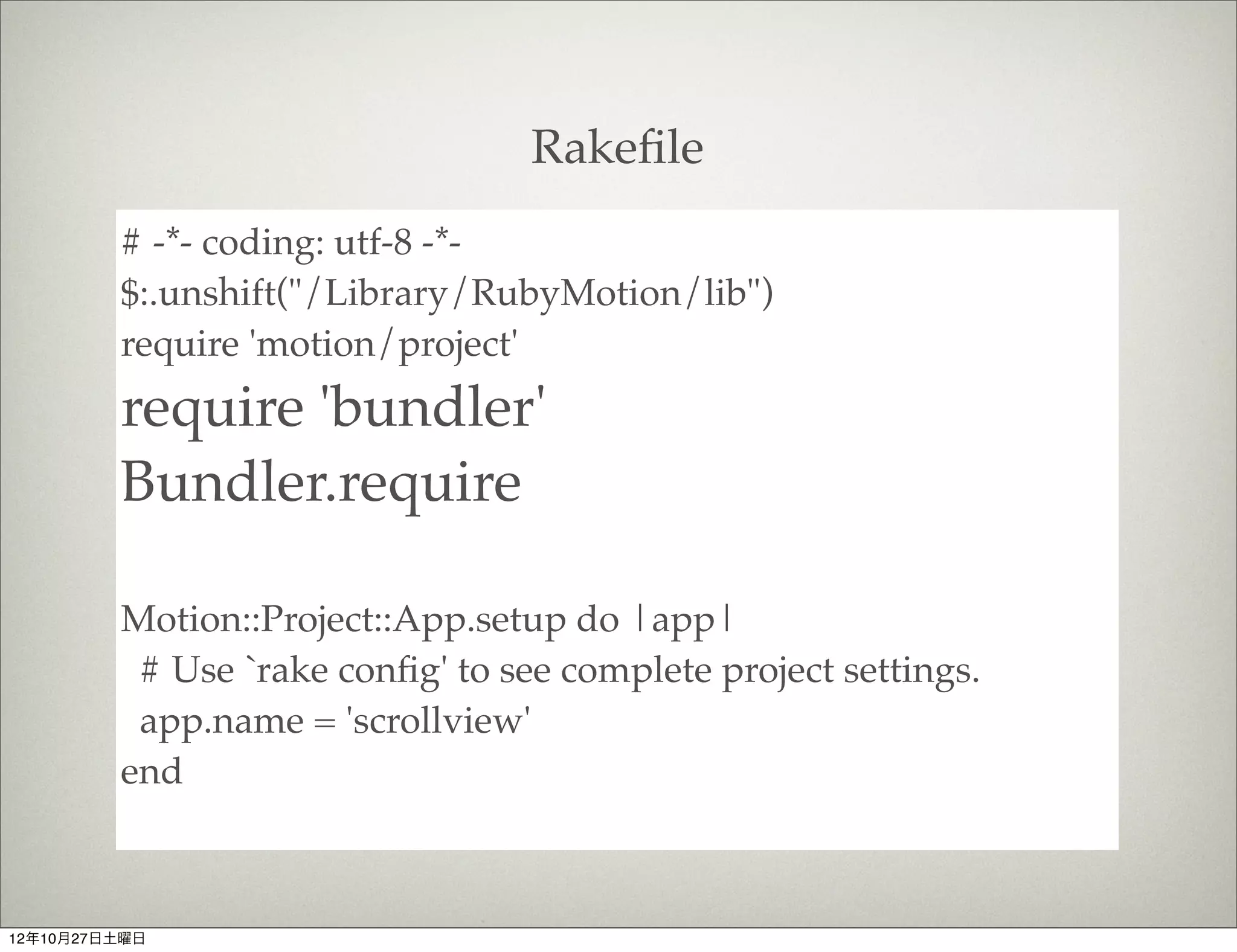
Rakefile
         # -*- coding: utf-8 -*-
         $:.unshift("/Library/RubyMotion/lib")
         require 'motion/project'
         require 'bundler'
         Bundler.require

         Motion::Project::App.setup do |app|
          # Use `rake config' to see complete project settings.
          app.name = 'scrollview'
         end


12年10月27日土曜日
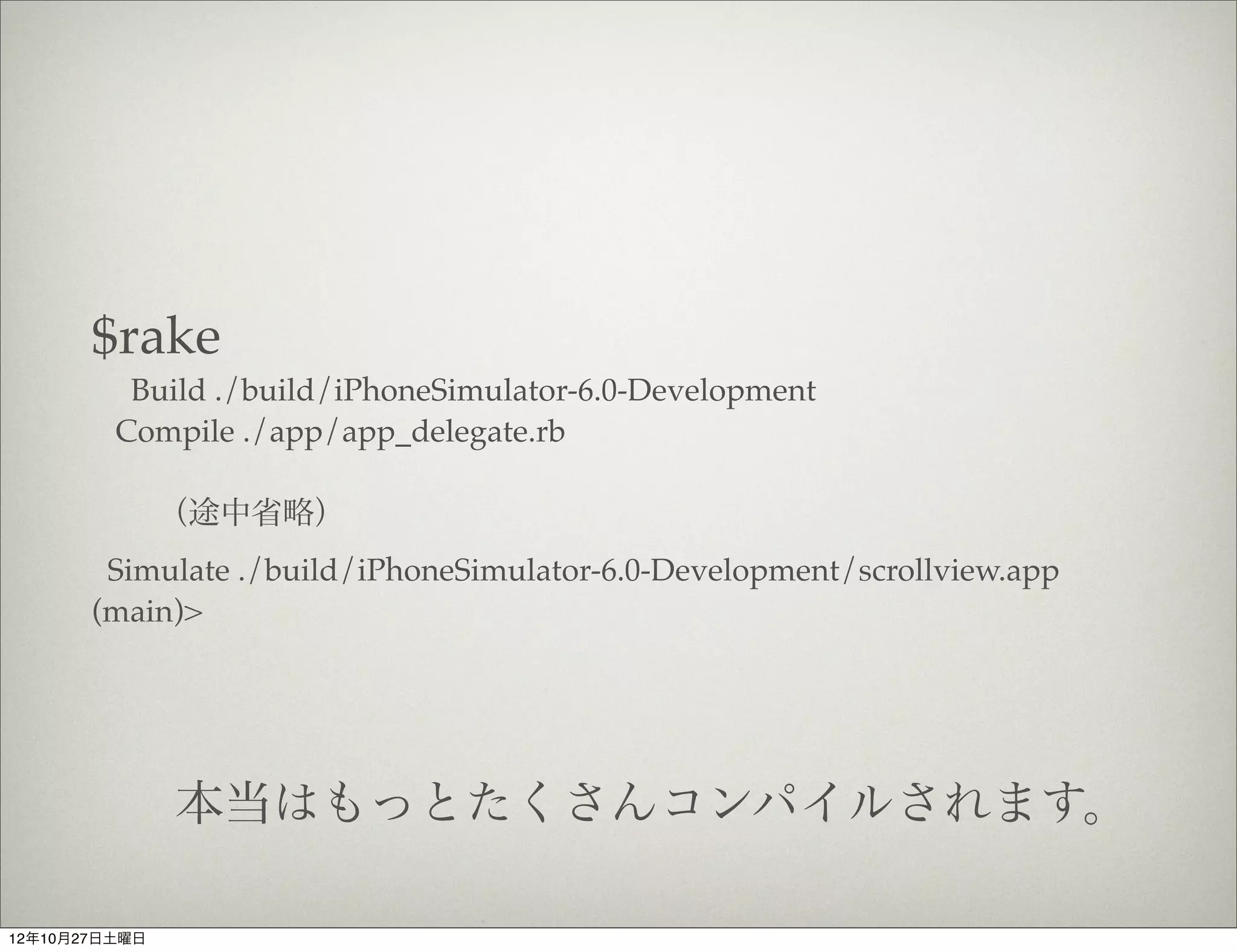
$rake
          Build ./build/iPhoneSimulator-6.0-Development
         Compile ./app/app_delegate.rb

               (途中省略)
        Simulate ./build/iPhoneSimulator-6.0-Development/scrollview.app
       (main)>


               本当はもっとたくさんコンパイルされます。

12年10月27日土曜日
12年10月27日土曜日
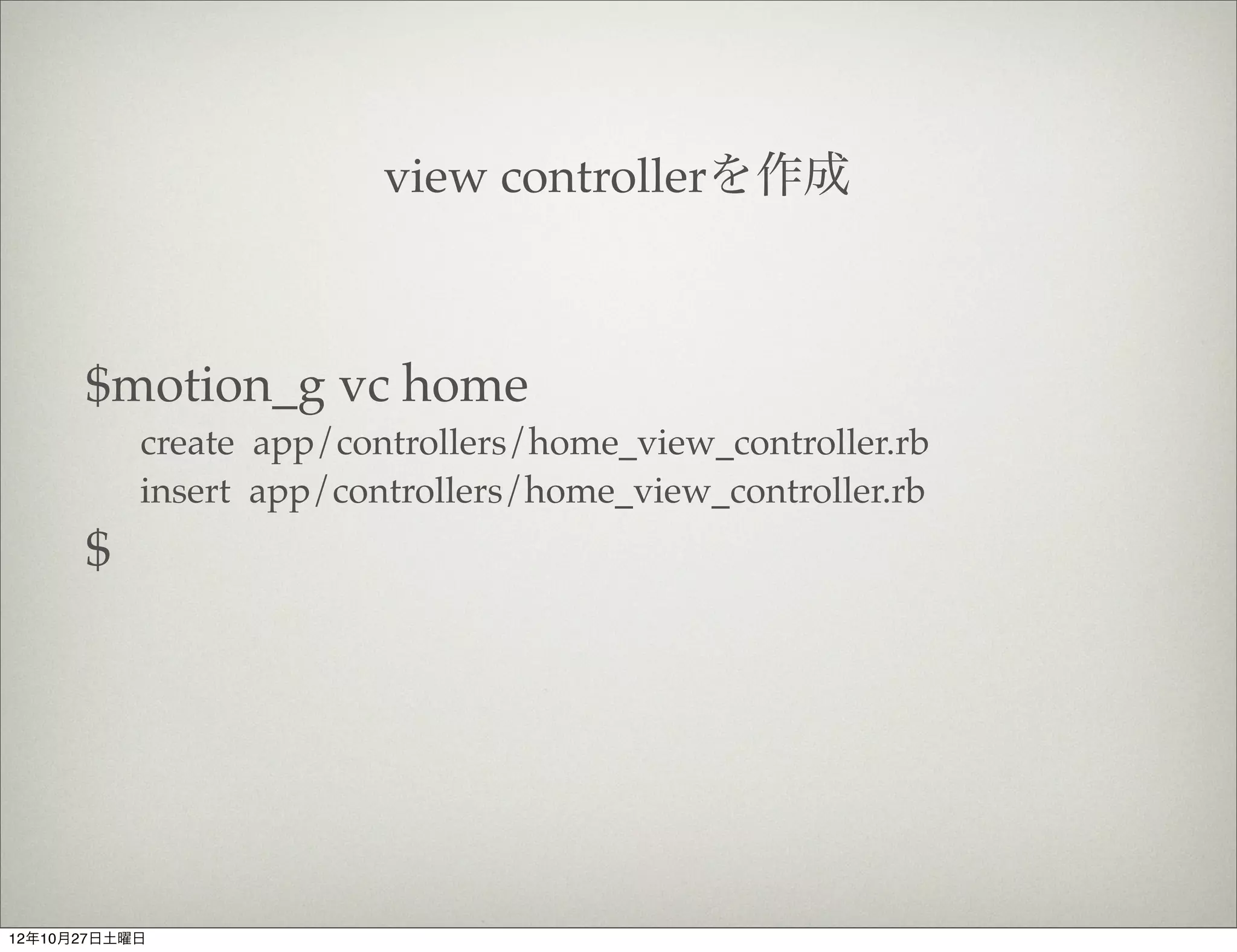
view controllerを作成


      $motion_g vc home
           create app/controllers/home_view_controller.rb
           insert app/controllers/home_view_controller.rb
      $


12年10月27日土曜日
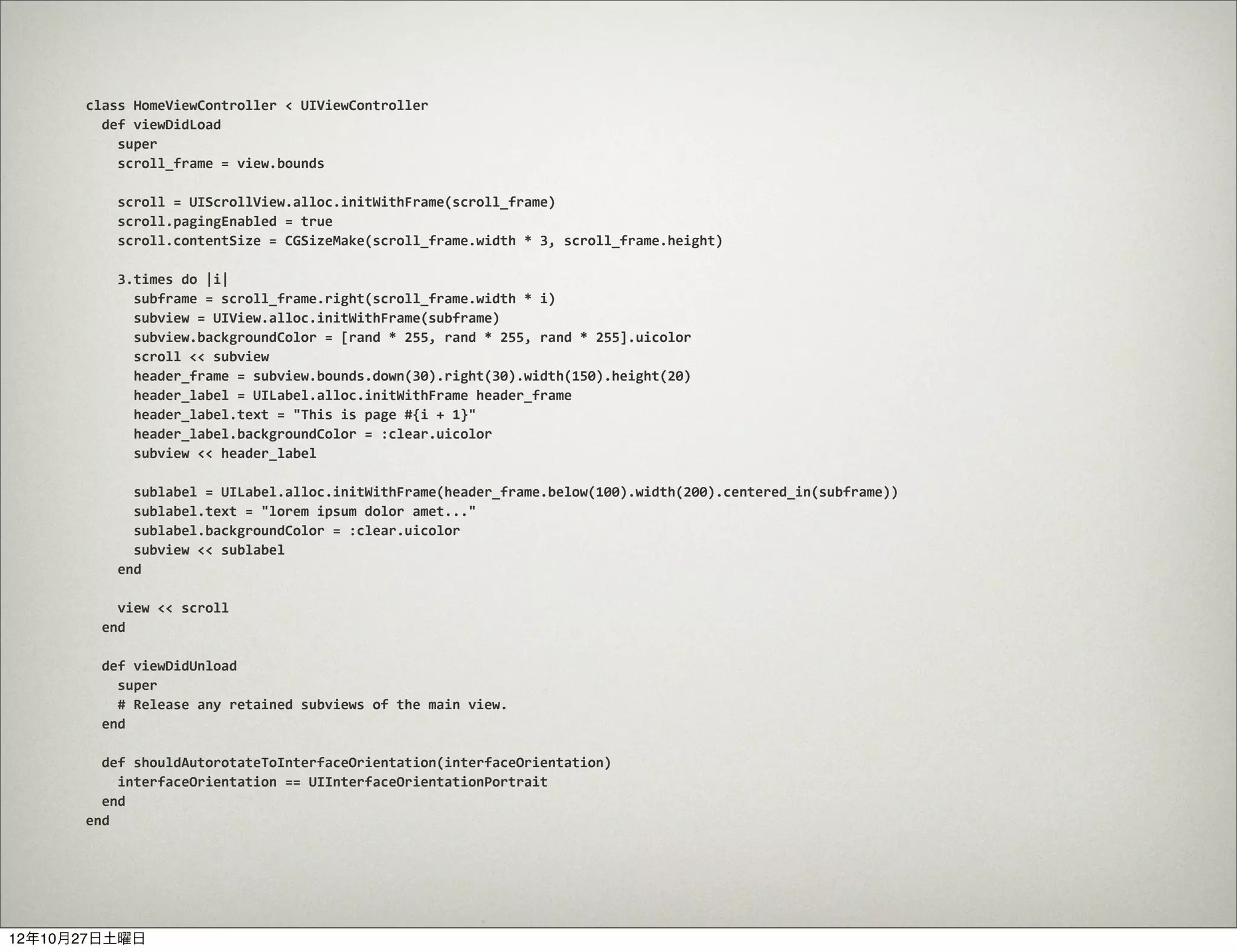
class	
  HomeViewController	
  <	
  UIViewController
      	
  	
  def	
  viewDidLoad


  super


  scroll_frame	
  =	
  view.bounds


  scroll	
  =	
  UIScrollView.alloc.initWithFrame(scroll_frame)


  scroll.pagingEnabled	
  =	
  true


  scroll.contentSize	
  =	
  CGSizeMake(scroll_frame.width	
  *	
  3,	
  scroll_frame.height)


  3.times	
  do	
  |i|


  subframe	
  =	
  scroll_frame.right(scroll_frame.width	
  *	
  i)


  subview	
  =	
  UIView.alloc.initWithFrame(subframe)


  subview.backgroundColor	
  =	
  [rand	
  *	
  255,	
  rand	
  *	
  255,	
  rand	
  *	
  255].uicolor


  scroll	
  <<	
  subview


  header_frame	
  =	
  subview.bounds.down(30).right(30).width(150).height(20)


  header_label	
  =	
  UILabel.alloc.initWithFrame	
  header_frame


  header_label.text	
  =	
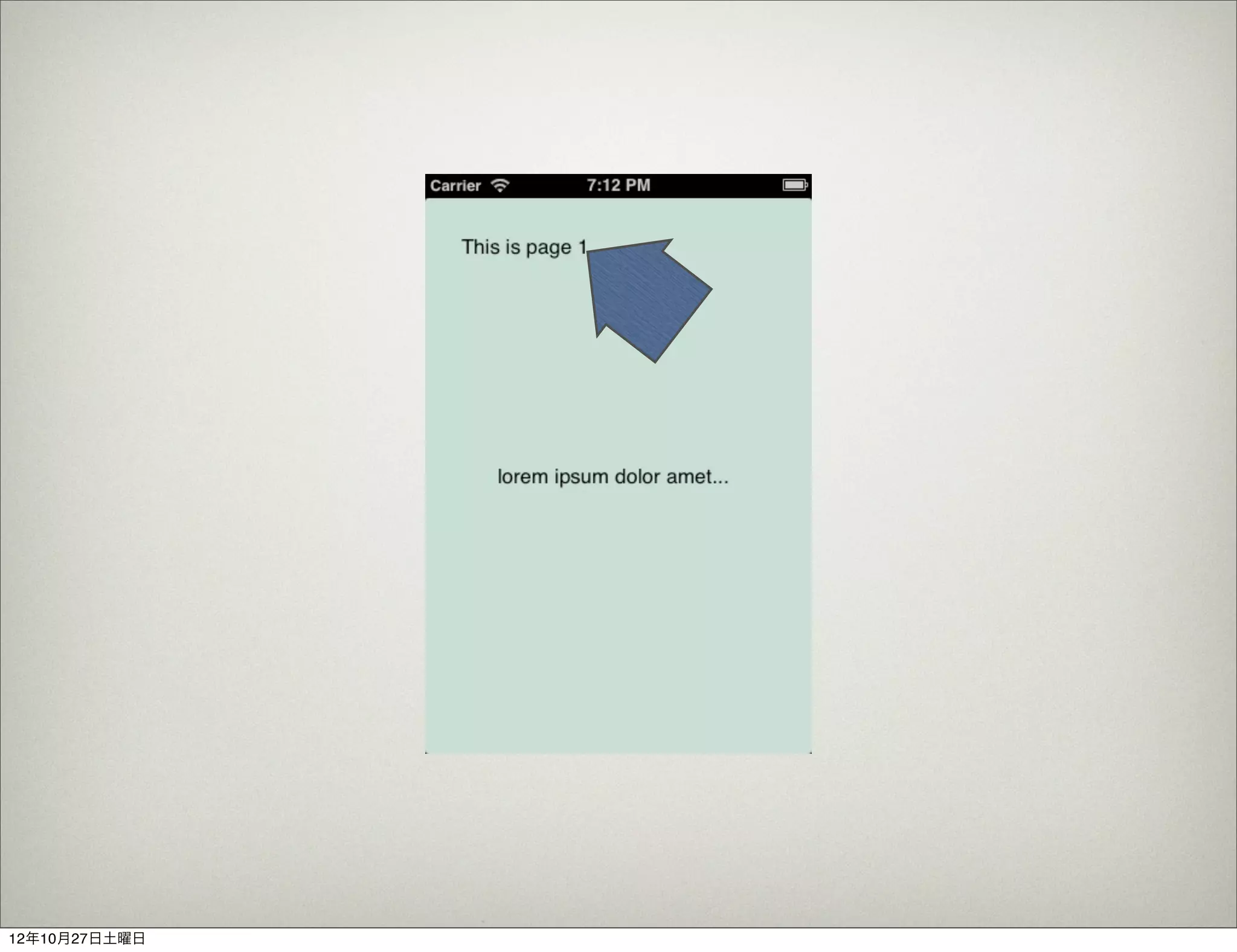
  "This	
  is	
  page	
  #{i	
  +	
  1}"


  header_label.backgroundColor	
  =	
  :clear.uicolor


  subview	
  <<	
  header_label


  sublabel	
  =	
  UILabel.alloc.initWithFrame(header_frame.below(100).width(200).centered_in(subframe))


  sublabel.text	
  =	
  "lorem	
  ipsum	
  dolor	
  amet..."


  sublabel.backgroundColor	
  =	
  :clear.uicolor


  subview	
  <<	
  sublabel


  end


  view	
  <<	
  scroll
      	
  	
  end


  def	
  viewDidUnload


  super


  #	
  Release	
  any	
  retained	
  subviews	
  of	
  the	
  main	
  view.
      	
  	
  end


  def	
  shouldAutorotateToInterfaceOrientation(interfaceOrientation)


  interfaceOrientation	
  ==	
  UIInterfaceOrientationPortrait
      	
  	
  end
      end


12年10月27日土曜日
include	
  SugarCube::Adjust

  class	
  AppDelegate
  	
  	
  def	
  application(application,	
  didFinishLaunchingWithOptions:launchOptions)


  @window	
  =	
  UIWindow.alloc.initWithFrame(UIScreen.mainScreen.bounds)


  @window.makeKeyAndVisible


  home_controller	
  =	
  HomeViewController.alloc.init


  @window.rootViewController	
  =	
  home_controller


  true
  	
  	
  end
  end


12年10月27日土曜日
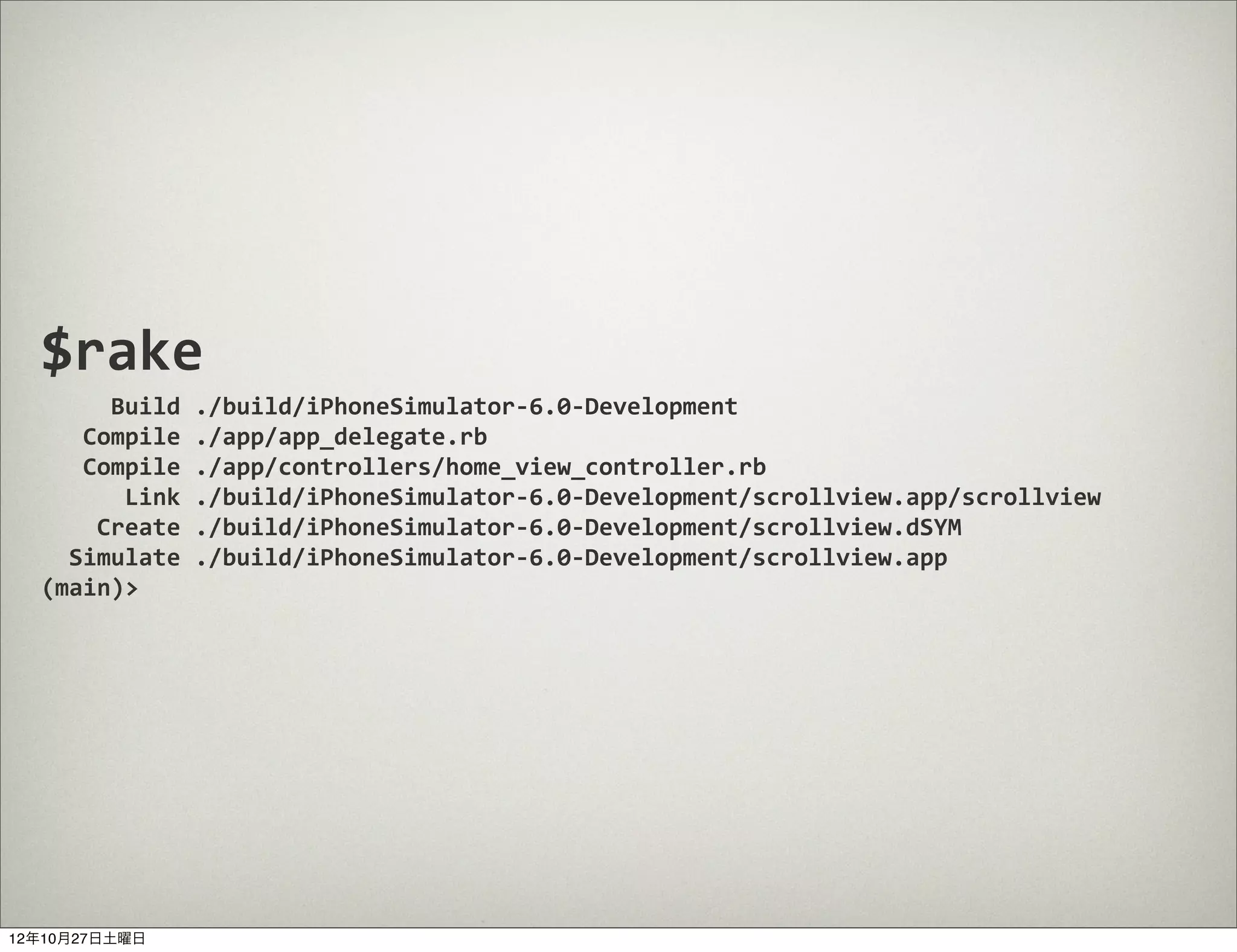
$rake


  Build	
  ./build/iPhoneSimulator-­‐6.0-­‐Development


  Compile	
  ./app/app_delegate.rb


  Compile	
  ./app/controllers/home_view_controller.rb


  Link	
  ./build/iPhoneSimulator-­‐6.0-­‐Development/scrollview.app/scrollview


  Create	
  ./build/iPhoneSimulator-­‐6.0-­‐Development/scrollview.dSYM
  	
  	
  Simulate	
  ./build/iPhoneSimulator-­‐6.0-­‐Development/scrollview.app
  (main)>	


12年10月27日土曜日
12年10月27日土曜日
今日は時間がないので
               REPLの便利機能をちょっとだけ


12年10月27日土曜日
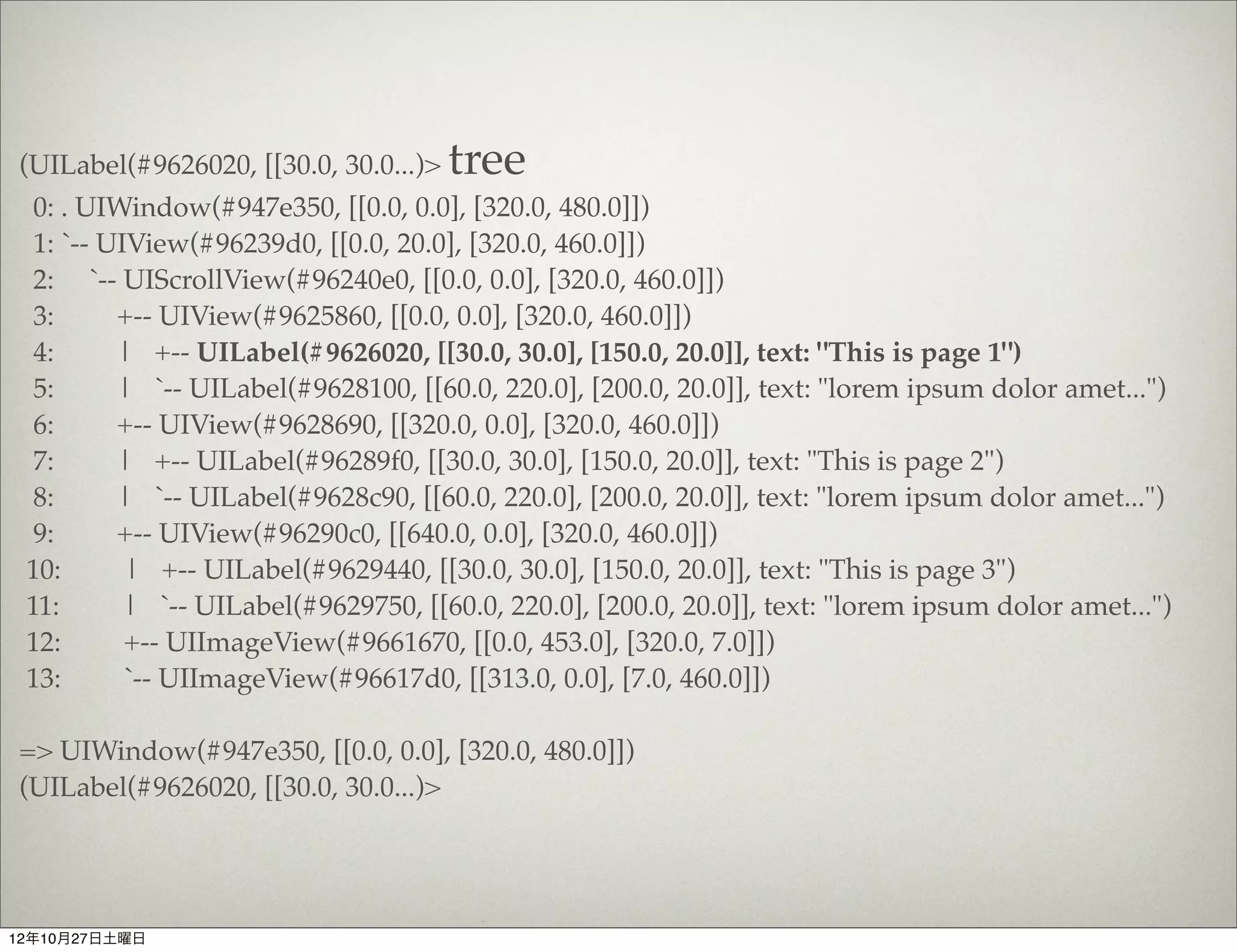
(UILabel(#9626020, [[30.0, 30.0...)>   tree
  0: . UIWindow(#947e350, [[0.0, 0.0], [320.0, 480.0]])
  1: `-- UIView(#96239d0, [[0.0, 20.0], [320.0, 460.0]])
  2: `-- UIScrollView(#96240e0, [[0.0, 0.0], [320.0, 460.0]])
  3:      +-- UIView(#9625860, [[0.0, 0.0], [320.0, 460.0]])
  4:      | +-- UILabel(#9626020, [[30.0, 30.0], [150.0, 20.0]], text: "This is page 1")
  5:      | `-- UILabel(#9628100, [[60.0, 220.0], [200.0, 20.0]], text: "lorem ipsum dolor amet...")
  6:      +-- UIView(#9628690, [[320.0, 0.0], [320.0, 460.0]])
  7:      | +-- UILabel(#96289f0, [[30.0, 30.0], [150.0, 20.0]], text: "This is page 2")
  8:      | `-- UILabel(#9628c90, [[60.0, 220.0], [200.0, 20.0]], text: "lorem ipsum dolor amet...")
  9:      +-- UIView(#96290c0, [[640.0, 0.0], [320.0, 460.0]])
 10:       | +-- UILabel(#9629440, [[30.0, 30.0], [150.0, 20.0]], text: "This is page 3")
 11:       | `-- UILabel(#9629750, [[60.0, 220.0], [200.0, 20.0]], text: "lorem ipsum dolor amet...")
 12:       +-- UIImageView(#9661670, [[0.0, 453.0], [320.0, 7.0]])
 13:       `-- UIImageView(#96617d0, [[313.0, 0.0], [7.0, 460.0]])

=> UIWindow(#947e350, [[0.0, 0.0], [320.0, 480.0]])
(UILabel(#9626020, [[30.0, 30.0...)>


12年10月27日土曜日
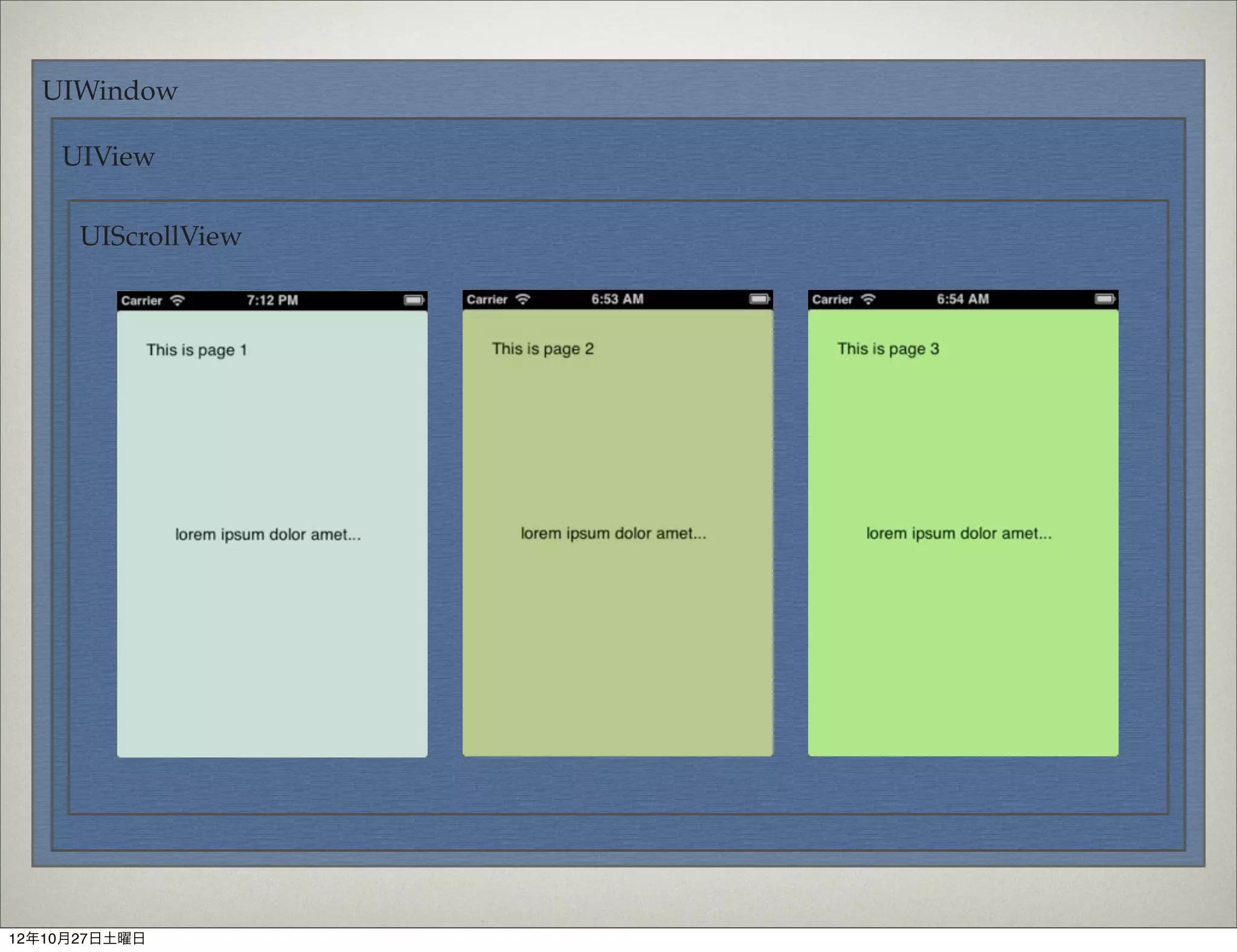
UIWindow

    UIView

      UIScrollView


12年10月27日土曜日
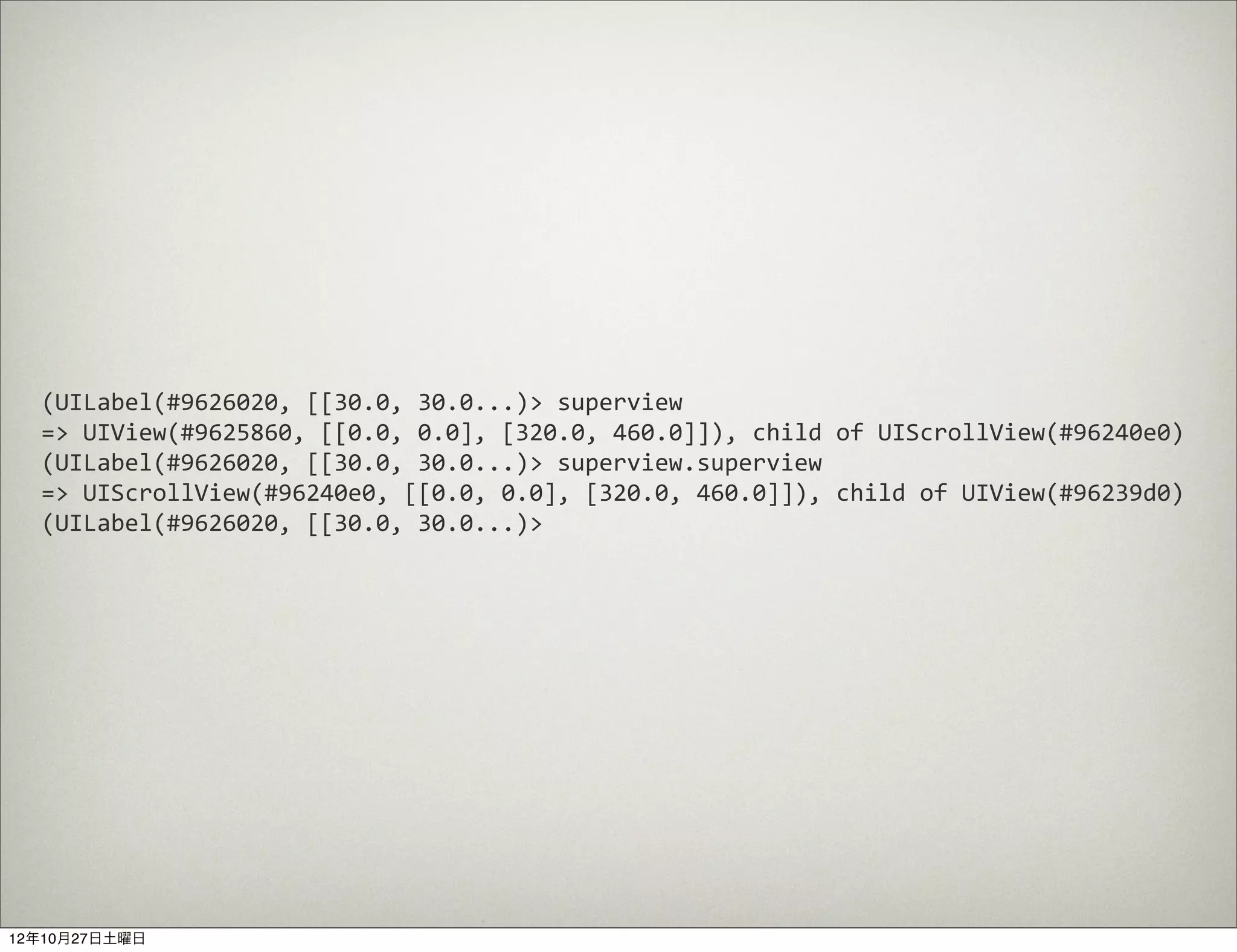
(UILabel(#9626020,	
  [[30.0,	
  30.0...)>	
  superview
  =>	
  UIView(#9625860,	
  [[0.0,	
  0.0],	
  [320.0,	
  460.0]]),	
  child	
  of	
  UIScrollView(#96240e0)
  (UILabel(#9626020,	
  [[30.0,	
  30.0...)>	
  superview.superview
  =>	
  UIScrollView(#96240e0,	
  [[0.0,	
  0.0],	
  [320.0,	
  460.0]]),	
  child	
  of	
  UIView(#96239d0)
  (UILabel(#9626020,	
  [[30.0,	
  30.0...)>	


12年10月27日土曜日
(UILabel(#9626020, [[30.0, 30.0...)>   tree
  0: . UIWindow(#947e350, [[0.0, 0.0], [320.0, 480.0]])
  1: `-- UIView(#96239d0, [[0.0, 20.0], [320.0, 460.0]])
  2: `-- UIScrollView(#96240e0, [[0.0, 0.0], [320.0, 460.0]])            superview
  3:      +-- UIView(#9625860, [[0.0, 0.0], [320.0, 460.0]])               superview
  4:      | +-- UILabel(#9626020, [[30.0, 30.0], [150.0, 20.0]], text: "This is page 1")
  5:      | `-- UILabel(#9628100, [[60.0, 220.0], [200.0, 20.0]], text: "lorem ipsum dolor amet...")
  6:      +-- UIView(#9628690, [[320.0, 0.0], [320.0, 460.0]])
  7:      | +-- UILabel(#96289f0, [[30.0, 30.0], [150.0, 20.0]], text: "This is page 2")
  8:      | `-- UILabel(#9628c90, [[60.0, 220.0], [200.0, 20.0]], text: "lorem ipsum dolor amet...")
  9:      +-- UIView(#96290c0, [[640.0, 0.0], [320.0, 460.0]])
 10:       | +-- UILabel(#9629440, [[30.0, 30.0], [150.0, 20.0]], text: "This is page 3")
 11:       | `-- UILabel(#9629750, [[60.0, 220.0], [200.0, 20.0]], text: "lorem ipsum dolor amet...")
 12:       +-- UIImageView(#9661670, [[0.0, 453.0], [320.0, 7.0]])
 13:       `-- UIImageView(#96617d0, [[313.0, 0.0], [7.0, 460.0]])

=> UIWindow(#947e350, [[0.0, 0.0], [320.0, 480.0]])
(UILabel(#9626020, [[30.0, 30.0...)>


12年10月27日土曜日
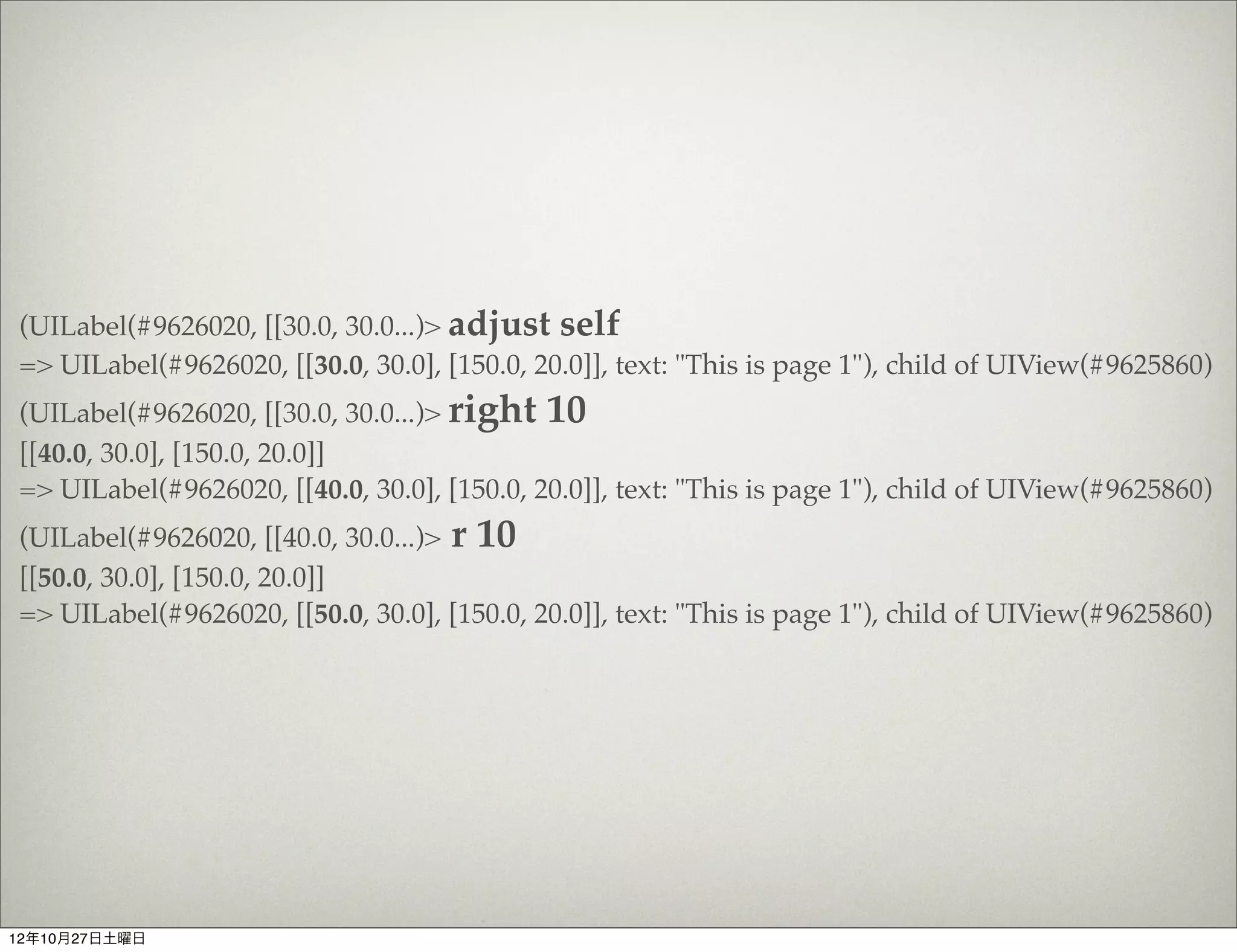
(UILabel(#9626020, [[30.0, 30.0...)> adjust self
=> UILabel(#9626020, [[30.0, 30.0], [150.0, 20.0]], text: "This is page 1"), child of UIView(#9625860)
(UILabel(#9626020, [[30.0, 30.0...)> right 10
[[40.0, 30.0], [150.0, 20.0]]
=> UILabel(#9626020, [[40.0, 30.0], [150.0, 20.0]], text: "This is page 1"), child of UIView(#9625860)
(UILabel(#9626020, [[40.0, 30.0...)> r 10
[[50.0, 30.0], [150.0, 20.0]]
=> UILabel(#9626020, [[50.0, 30.0], [150.0, 20.0]], text: "This is page 1"), child of UIView(#9625860)


12年10月27日土曜日
#	
  if	
  you	
  are	
  in	
  the	
  REPL,	
  you	
  might	
  not	
  be	
  able	
  to	
  click	
  on	
  the	
  
      view	
  you	
  want...
      >	
  adjust	
  superview.subviews[4].subviews[1]
      >	
  up	
  1
      >	
  down	
  1	
  	
  #	
  same	
  as	
  up	
  -­‐1,	
  obviously
      >	
  down	
  	
  #	
  defaults	
  to	
  1	
  anyway
      >	
  left	
  1
      >	
  right	
  1	
  	
  #	
  same	
  as	
  up	
  -­‐1,	
  obviously
      >	
  left	
  	
  #	
  =>	
  left	
  1
      >	
  origin	
  10,	
  12	
  	
  #	
  move	
  to	
  x:10,	
  y:12
      >	
  wider	
  1
      >	
  thinner	
  1
      >	
  taller	
  	
  #	
  =>	
  taller	
  1
      >	
  shorter	
  	
  #	
  =>	
  shorter	
  1
      >	
  size	
  100,	
  10	
  	
  #	
  set	
  size	
  to	
  width:100,	
  height:	
  10
      >	
  shadow(opacity:	
  0.5,	
  offset:	
  [0,	
  0],	
  color:	
  :black,	
  radius:	
  1)	
  
      #	
  and	
  path,	
  which	
  is	
  a	
  CGPath	
  object.
      >	
  center	
  	
  #	
  See	
  `Centering`	
  section	
  below
      >	
  restore	
  	
  #	
  original	
  frame	
  and	
  shadow	
  is	
  saved	
  when	
  you	
  call	
  
      `adjust`


12年10月27日土曜日
UIViewControllerの構造を調べたい時はrootを使う


    (UILabel(#9626020, [[50.0, 30.0...)> tree root
     0: . #<HomeViewController:0x9623010>

    => #<HomeViewController:0x9623010>


12年10月27日土曜日
その他、便利な機能が盛りだくさん


           https://github.com/rubymotion/sugarcube


12年10月27日土曜日
おまけ
12年10月27日土曜日
BasS

          ランディ・バース(Randy William Bass, 1954年3月13日 - )は、アメリカ
          合衆国オクラホマ州ロートン生まれの元プロ野球選手(内野手)、政治家。

          2004年からオクラホマ州議会の上院議員(民主党)。


12年10月27日土曜日
BaaS
               (Backend as a Service)


12年10月27日土曜日
12年10月27日土曜日
12年10月27日土曜日
ログイン管理とかセーブデータ管理とか
   プッシュとかをクラウド側でサクッと対応してくれる


                       ので


               iOS開発者はそんなこと知らなくてもよい


12年10月27日土曜日
セーブデータ


12年10月27日土曜日
# -*- coding: utf-8 -*-
$:.unshift("/Library/RubyMotion/lib")
require 'motion/project'
require 'bundler'
Bundler.require

Motion::Project::App.setup do |app|
 # Use `rake config' to see complete project settings.
 app.name = 'parse'
 app.libs += %W(/usr/lib/libz.1.1.3.dylib /usr/lib/libsqlite3.dylib)
 app.frameworks += %w(AudioToolbox Accounts AdSupport CFNetwork CoreGraphics CoreLocatiion Social
StoreKit SystemConfiguration MobileCoreServices Security QuartzCore)
  app.vendor_project('vendor/Parse.framework',
             :static,
             :products => ['Parse'],
             :headers_dir => 'Headers')
end


12年10月27日土曜日
class AppDelegate
 def application(application,
didFinishLaunchingWithOptions:launchOptions)
   Parse.setApplicationId(".......", clientKey:".....")

    obj = PFObject.objectWithClassName("TestObject")
    obj.setObject("bar", forKey:"foo")
    obj.save()

  true
 end
end


12年10月27日土曜日
https://www.parse.com/


12年10月27日土曜日

Sugarcubeをはじめよう

  • 1.
  • 2.
  • 3.
    自己紹介 元Apple製品開発者 -SNAps 3270/5250  日本語版製品責任者, メインプログラマー -DAL(Data Access Language) -Taligent -General Magic 12年10月27日土曜日
  • 4.
  • 5.
    Taligent(タリジェント)は、1992年にアップルコンピュータとIBMが共同で設立した会社、お よびその会社の開発していたオブジェクト指向の次世代オペレーティングシステムの名称であ る[1][2][3]。これは1991年のIBMとアップルの包括的提携の実現化の1つ[4]で、1994年にはヒュ ーレット・パッカードも資本参加した[5]。 アップル社内で進められていた次世代OS"Pink"のプロジェクトを引き継ぎ、PowerPCを搭載 したオープンアーキテクチャ(PReP、後にCHRP)マシン、カレイダまたはスクリプトXと呼 ばれた次世代開発環境とセットで、AIM連合の次世代環境として計画されていた[6]。 タリジェントOSは、完全にオブジェクト指向のオペレーティングシステムで、マイクロカー ネルを採用してPowerPCやインテルなどのCPU上で稼働し、AIX、 OS/2、Windows NT、 MacOSなどのパーソナリティ(マイクロカーネル上の互換環境)も同時に稼働できるとされ た。またIBM Workplace OS上で稼働するパーソナリティ(OS)の1つともされた。 のちにタリジェントOSは、フレームワークCommonPointの開発に変更され、1994年に発表 された[7]。CommonPointはC++で開発され、 AIX, HP-UX, OS/2, Windows NTに対応した。 1996年にタリジェントはIBMに吸収され、プロジェクトは中止された[8][9]。IBMは CommonPointを1997年に販売終了した[10]。タリジェントの開発していたフレームワークの一 部は、IBMオープンクラスライブラリ(IOCL)や、JDK (Java Development Kit)の国際化対応部 分などに引き継がれた。 Wikipediaより 12年10月27日土曜日
  • 6.
  • 7.
  • 8.
  • 9.
    Rubymotionのメーリングリストで 最近話題になっているSugarcube https://github.com/rubymotion/sugarcube 12年10月27日土曜日
  • 10.
    あまあまな名前に、つい 「Sugarっち!」 と言ってしまうワイルドなあなたも。 12年10月27日土曜日
  • 11.
  • 12.
  • 13.
    SugarCube started outas a Fusionbox project (see the announcement), but as its popularity increased, the decision was made to offer it to the rubymotion community, in the spirit of open-source and collaboration. It is a great compliment to teacup, especially when paired with sweettea! 12年10月27日土曜日
  • 14.
    Teacup A community-driven DSL for creating user interfaces on the iphone. Using teacup, you can easily create and style layouts while keeping your code dry. The goal is to offer a rubyesque (well, actually a rubymotion-esque) way to create interfaces programmatically. sweettea teacup  +  sugarcube  =  sweettea 12年10月27日土曜日
  • 15.
  • 16.
    gem  install  sugarcube #  or  in  Gemfile gem  'sugarcube' #  in  Rakefile require  'sugarcube' 12年10月27日土曜日
  • 17.
    Programming motioncast #4 http://motioncasts.tv/4-sugarcube-and-geomotion/ 12年10月27日土曜日
  • 18.
    $motion create scrollview Create scrollview Create scrollview/.gitignore Create scrollview/Rakefile Create scrollview/app Create scrollview/app/app_delegate.rb Create scrollview/resources Create scrollview/spec Create scrollview/spec/main_spec.rb $ 12年10月27日土曜日
  • 19.
    $cd scrollview/ $gem install bundler Fetching: bundler-1.2.1.gem (100%) Successfully installed bundler-1.2.1 1 gem installed Building YARD (yri) index for bundler-1.2.1... $ 12年10月27日土曜日
  • 20.
    $bundle init Writing new Gemfile to /Users/saishu/Develop/scrollview/Gemfile $ 12年10月27日土曜日
  • 21.
  • 22.
    Gemfile # A sample Gemfile source "https://rubygems.org" # gem "rails" gem 'rubymotion_generators' gem 'sugarcube' gem 'geomotion' 12年10月27日土曜日
  • 23.
    $bundle Fetching gem metadata from https://rubygems.org/... Installing geomotion (0.0.2) Installing thor (0.16.0) Installing rubymotion_generators (0.0.3) Using sugarcube (0.11) Using bundler (1.2.1) Your bundle is complete! Use `bundle show [gemname]` to see where a bundled gem is installed. $ 12年10月27日土曜日
  • 24.
    MountainLionにUpdateした人は Command Line ToolsをXcodeから もう一度インストールすることを忘れずに 12年10月27日土曜日
  • 25.
    Rakefile # -*- coding: utf-8 -*- $:.unshift("/Library/RubyMotion/lib") require 'motion/project' require 'bundler' Bundler.require Motion::Project::App.setup do |app| # Use `rake config' to see complete project settings. app.name = 'scrollview' end 12年10月27日土曜日
  • 26.
    $rake Build ./build/iPhoneSimulator-6.0-Development Compile ./app/app_delegate.rb (途中省略) Simulate ./build/iPhoneSimulator-6.0-Development/scrollview.app (main)> 本当はもっとたくさんコンパイルされます。 12年10月27日土曜日
  • 27.
  • 28.
    view controllerを作成 $motion_g vc home create app/controllers/home_view_controller.rb insert app/controllers/home_view_controller.rb $ 12年10月27日土曜日
  • 29.
    class  HomeViewController  <  UIViewController    def  viewDidLoad        super        scroll_frame  =  view.bounds        scroll  =  UIScrollView.alloc.initWithFrame(scroll_frame)        scroll.pagingEnabled  =  true        scroll.contentSize  =  CGSizeMake(scroll_frame.width  *  3,  scroll_frame.height)        3.times  do  |i|            subframe  =  scroll_frame.right(scroll_frame.width  *  i)            subview  =  UIView.alloc.initWithFrame(subframe)            subview.backgroundColor  =  [rand  *  255,  rand  *  255,  rand  *  255].uicolor            scroll  <<  subview            header_frame  =  subview.bounds.down(30).right(30).width(150).height(20)            header_label  =  UILabel.alloc.initWithFrame  header_frame            header_label.text  =  "This  is  page  #{i  +  1}"            header_label.backgroundColor  =  :clear.uicolor            subview  <<  header_label            sublabel  =  UILabel.alloc.initWithFrame(header_frame.below(100).width(200).centered_in(subframe))            sublabel.text  =  "lorem  ipsum  dolor  amet..."            sublabel.backgroundColor  =  :clear.uicolor            subview  <<  sublabel        end        view  <<  scroll    end    def  viewDidUnload        super        #  Release  any  retained  subviews  of  the  main  view.    end    def  shouldAutorotateToInterfaceOrientation(interfaceOrientation)        interfaceOrientation  ==  UIInterfaceOrientationPortrait    end end 12年10月27日土曜日
  • 30.
    include  SugarCube::Adjust class  AppDelegate    def  application(application,  didFinishLaunchingWithOptions:launchOptions)        @window  =  UIWindow.alloc.initWithFrame(UIScreen.mainScreen.bounds)        @window.makeKeyAndVisible        home_controller  =  HomeViewController.alloc.init        @window.rootViewController  =  home_controller        true    end end 12年10月27日土曜日
  • 31.
    $rake          Build  ./build/iPhoneSimulator-­‐6.0-­‐Development      Compile  ./app/app_delegate.rb      Compile  ./app/controllers/home_view_controller.rb            Link  ./build/iPhoneSimulator-­‐6.0-­‐Development/scrollview.app/scrollview        Create  ./build/iPhoneSimulator-­‐6.0-­‐Development/scrollview.dSYM    Simulate  ./build/iPhoneSimulator-­‐6.0-­‐Development/scrollview.app (main)>   12年10月27日土曜日
  • 32.
  • 33.
    今日は時間がないので REPLの便利機能をちょっとだけ 12年10月27日土曜日
  • 34.
    (UILabel(#9626020, [[30.0, 30.0...)> tree 0: . UIWindow(#947e350, [[0.0, 0.0], [320.0, 480.0]]) 1: `-- UIView(#96239d0, [[0.0, 20.0], [320.0, 460.0]]) 2: `-- UIScrollView(#96240e0, [[0.0, 0.0], [320.0, 460.0]]) 3: +-- UIView(#9625860, [[0.0, 0.0], [320.0, 460.0]]) 4: | +-- UILabel(#9626020, [[30.0, 30.0], [150.0, 20.0]], text: "This is page 1") 5: | `-- UILabel(#9628100, [[60.0, 220.0], [200.0, 20.0]], text: "lorem ipsum dolor amet...") 6: +-- UIView(#9628690, [[320.0, 0.0], [320.0, 460.0]]) 7: | +-- UILabel(#96289f0, [[30.0, 30.0], [150.0, 20.0]], text: "This is page 2") 8: | `-- UILabel(#9628c90, [[60.0, 220.0], [200.0, 20.0]], text: "lorem ipsum dolor amet...") 9: +-- UIView(#96290c0, [[640.0, 0.0], [320.0, 460.0]]) 10: | +-- UILabel(#9629440, [[30.0, 30.0], [150.0, 20.0]], text: "This is page 3") 11: | `-- UILabel(#9629750, [[60.0, 220.0], [200.0, 20.0]], text: "lorem ipsum dolor amet...") 12: +-- UIImageView(#9661670, [[0.0, 453.0], [320.0, 7.0]]) 13: `-- UIImageView(#96617d0, [[313.0, 0.0], [7.0, 460.0]]) => UIWindow(#947e350, [[0.0, 0.0], [320.0, 480.0]]) (UILabel(#9626020, [[30.0, 30.0...)> 12年10月27日土曜日
  • 35.
    UIWindow UIView UIScrollView 12年10月27日土曜日
  • 36.
    (UILabel(#9626020,  [[30.0,  30.0...)>  superview =>  UIView(#9625860,  [[0.0,  0.0],  [320.0,  460.0]]),  child  of  UIScrollView(#96240e0) (UILabel(#9626020,  [[30.0,  30.0...)>  superview.superview =>  UIScrollView(#96240e0,  [[0.0,  0.0],  [320.0,  460.0]]),  child  of  UIView(#96239d0) (UILabel(#9626020,  [[30.0,  30.0...)>   12年10月27日土曜日
  • 37.
    (UILabel(#9626020, [[30.0, 30.0...)> tree 0: . UIWindow(#947e350, [[0.0, 0.0], [320.0, 480.0]]) 1: `-- UIView(#96239d0, [[0.0, 20.0], [320.0, 460.0]]) 2: `-- UIScrollView(#96240e0, [[0.0, 0.0], [320.0, 460.0]]) superview 3: +-- UIView(#9625860, [[0.0, 0.0], [320.0, 460.0]]) superview 4: | +-- UILabel(#9626020, [[30.0, 30.0], [150.0, 20.0]], text: "This is page 1") 5: | `-- UILabel(#9628100, [[60.0, 220.0], [200.0, 20.0]], text: "lorem ipsum dolor amet...") 6: +-- UIView(#9628690, [[320.0, 0.0], [320.0, 460.0]]) 7: | +-- UILabel(#96289f0, [[30.0, 30.0], [150.0, 20.0]], text: "This is page 2") 8: | `-- UILabel(#9628c90, [[60.0, 220.0], [200.0, 20.0]], text: "lorem ipsum dolor amet...") 9: +-- UIView(#96290c0, [[640.0, 0.0], [320.0, 460.0]]) 10: | +-- UILabel(#9629440, [[30.0, 30.0], [150.0, 20.0]], text: "This is page 3") 11: | `-- UILabel(#9629750, [[60.0, 220.0], [200.0, 20.0]], text: "lorem ipsum dolor amet...") 12: +-- UIImageView(#9661670, [[0.0, 453.0], [320.0, 7.0]]) 13: `-- UIImageView(#96617d0, [[313.0, 0.0], [7.0, 460.0]]) => UIWindow(#947e350, [[0.0, 0.0], [320.0, 480.0]]) (UILabel(#9626020, [[30.0, 30.0...)> 12年10月27日土曜日
  • 38.
    (UILabel(#9626020, [[30.0, 30.0...)>adjust self => UILabel(#9626020, [[30.0, 30.0], [150.0, 20.0]], text: "This is page 1"), child of UIView(#9625860) (UILabel(#9626020, [[30.0, 30.0...)> right 10 [[40.0, 30.0], [150.0, 20.0]] => UILabel(#9626020, [[40.0, 30.0], [150.0, 20.0]], text: "This is page 1"), child of UIView(#9625860) (UILabel(#9626020, [[40.0, 30.0...)> r 10 [[50.0, 30.0], [150.0, 20.0]] => UILabel(#9626020, [[50.0, 30.0], [150.0, 20.0]], text: "This is page 1"), child of UIView(#9625860) 12年10月27日土曜日
  • 39.
    #  if  you  are  in  the  REPL,  you  might  not  be  able  to  click  on  the   view  you  want... >  adjust  superview.subviews[4].subviews[1] >  up  1 >  down  1    #  same  as  up  -­‐1,  obviously >  down    #  defaults  to  1  anyway >  left  1 >  right  1    #  same  as  up  -­‐1,  obviously >  left    #  =>  left  1 >  origin  10,  12    #  move  to  x:10,  y:12 >  wider  1 >  thinner  1 >  taller    #  =>  taller  1 >  shorter    #  =>  shorter  1 >  size  100,  10    #  set  size  to  width:100,  height:  10 >  shadow(opacity:  0.5,  offset:  [0,  0],  color:  :black,  radius:  1)   #  and  path,  which  is  a  CGPath  object. >  center    #  See  `Centering`  section  below >  restore    #  original  frame  and  shadow  is  saved  when  you  call   `adjust` 12年10月27日土曜日
  • 40.
    UIViewControllerの構造を調べたい時はrootを使う (UILabel(#9626020, [[50.0, 30.0...)> tree root 0: . #<HomeViewController:0x9623010> => #<HomeViewController:0x9623010> 12年10月27日土曜日
  • 41.
    その他、便利な機能が盛りだくさん https://github.com/rubymotion/sugarcube 12年10月27日土曜日
  • 42.
  • 43.
    BasS ランディ・バース(Randy William Bass, 1954年3月13日 - )は、アメリカ 合衆国オクラホマ州ロートン生まれの元プロ野球選手(内野手)、政治家。 2004年からオクラホマ州議会の上院議員(民主党)。 12年10月27日土曜日
  • 44.
    BaaS (Backend as a Service) 12年10月27日土曜日
  • 45.
  • 46.
  • 47.
    ログイン管理とかセーブデータ管理とか プッシュとかをクラウド側でサクッと対応してくれる ので iOS開発者はそんなこと知らなくてもよい 12年10月27日土曜日
  • 48.
  • 49.
    # -*- coding:utf-8 -*- $:.unshift("/Library/RubyMotion/lib") require 'motion/project' require 'bundler' Bundler.require Motion::Project::App.setup do |app| # Use `rake config' to see complete project settings. app.name = 'parse' app.libs += %W(/usr/lib/libz.1.1.3.dylib /usr/lib/libsqlite3.dylib) app.frameworks += %w(AudioToolbox Accounts AdSupport CFNetwork CoreGraphics CoreLocatiion Social StoreKit SystemConfiguration MobileCoreServices Security QuartzCore) app.vendor_project('vendor/Parse.framework', :static, :products => ['Parse'], :headers_dir => 'Headers') end 12年10月27日土曜日
  • 50.
    class AppDelegate defapplication(application, didFinishLaunchingWithOptions:launchOptions) Parse.setApplicationId(".......", clientKey:".....") obj = PFObject.objectWithClassName("TestObject") obj.setObject("bar", forKey:"foo") obj.save() true end end 12年10月27日土曜日
  • 51.