Overview of SuccessFactorsand
HRIS Role
HRIS Strategic Role
HRIS plays a strategic role in digital HR transformation by boosting efficiency and compliance, and
enhancing employee experience.
Key Terminologies
Understanding terms like Employee Central, Role-Based Permissions, and workflows is essential
for foundational HRIS knowledge.
Navigation and User Interface
Basic navigation and user interface tips help users confidently access and utilize SuccessFactors
effectively.
Power User Fundamentals
Mastering fundamentals is critical for power users to leverage advanced features and
troubleshooting capabilities.
Managing Core HRData and
Organizational Structure
Core HR Data Model
Understanding person, employment objects, job info, and position management is crucial for
power users.
Key HR Transactions
Performing hiring, transferring, and terminating employees while ensuring data integrity is
essential.
Maintaining Data Accuracy
Best practices include validating mandatory fields and following organizational hierarchy
standards.
Organizational Structure Impact
Changes in organizational structure affect reporting, workflows, and compliance with policies.
Role-Based
Permissions
and
Compliance
Role-Based Permissions Overview
RBPcontrols user access to data and system
functions, ensuring appropriate permissions
without data exposure.
Compliance and Data Protection
Compliance with GDPR and data policies ensures
secure handling of sensitive employee information.
Best Practices for Security
Regular permission audits and least-privilege
principles maintain system integrity and data
safety.
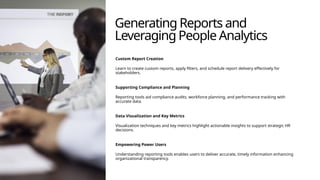
Generating Reports and
LeveragingPeople Analytics
Custom Report Creation
Learn to create custom reports, apply filters, and schedule report delivery effectively for
stakeholders.
Supporting Compliance and Planning
Reporting tools aid compliance audits, workforce planning, and performance tracking with
accurate data.
Data Visualization and Key Metrics
Visualization techniques and key metrics highlight actionable insights to support strategic HR
decisions.
Empowering Power Users
Understanding reporting tools enables users to deliver accurate, timely information enhancing
organizational transparency.
Ensuring Data
Accuracy and
Governance
Frameworks
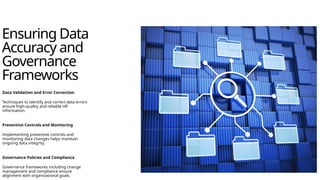
DataValidation and Error Correction
Techniques to identify and correct data errors
ensure high-quality and reliable HR
information.
Preventive Controls and Monitoring
Implementing preventive controls and
monitoring data changes helps maintain
ongoing data integrity.
Governance Policies and Compliance
Governance frameworks including change
management and compliance ensure
alignment with organizational goals.
Understanding System
Integrations andData Flow
Integration with External Systems
SuccessFactors integrates with payroll, time management, and learning platforms to
streamline HR processes.
Data Flow and Synchronization
Data flows between systems with defined synchronization points to ensure consistency
across platforms.
Troubleshooting and Monitoring
Reviewing integration logs and troubleshooting errors help maintain smooth HR
operations.
Best Practices for Integration Health
Regular monitoring and communication with IT teams are essential for maintaining
integration health.
Business Rules, MDFObjects, and
Customization
Automating Processes with Business Rules
Creating business rules automates workflows and reduces manual effort, improving efficiency and
accuracy.
Managing MDF Objects
Metadata Framework objects allow structured data management that supports system
customization and scalability.
Adding Custom Fields
Custom fields enable personalized data capture tailored to unique business needs without
compromising system stability.
Enhancing User Experience
Advanced configurations improve reporting, workflows, and user experience, empowering power
users to adapt quickly.
Resolving Issues
and UsingAdmin
Tools
Troubleshooting Strategies
Learn effective methods to diagnose and resolve workflow,
permission, and data inconsistency issues quickly.
Admin Center Tools
Utilize Admin Center tools and error logs to identify
problems and streamline resolution steps efficiently.
Proactive Monitoring and Communication
Emphasize continuous monitoring and clear
communication with support teams to reduce downtime
and maintain trust.
Managing System Changesand
Communication
Governance Framework
A structured approach guides handling change requests to align with organizational goals and
reduce disruption.
Testing and Validation
New system configurations are rigorously tested to ensure stability before deployment to
minimize risks.
Communication and Documentation
Clear communication and thorough documentation support transparency and stakeholder
engagement during changes.
Approval and Deployment
Obtaining necessary approvals and scheduling deployments effectively promotes smooth
adoption and risk reduction.
Practical Exercises
and Knowledge
Sharing
Hands-onScenario Simulations
Participants practice managing employee lifecycle,
workflow configuration, and report generation in real-life
scenarios.
Guided Exercises
Structured exercises help reinforce key concepts and
provide practical application in a controlled environment.
Interactive Q&A and Sharing
Open question-and-answer sessions encourage knowledge
sharing and address specific participant queries.
#3
SAP SuccessFactors is a leading cloud-based Human Capital Management (HCM) solution designed to streamline HR processes and enhance workforce engagement. In this module, participants will learn the strategic role of HRIS in digital HR transformation, including how it supports organizational efficiency, compliance, and employee experience. Key terminologies such as Employee Central, Role-Based Permissions, and workflows will be introduced to establish foundational knowledge. Additionally, navigation tips and user interface basics will be covered to ensure participants can confidently access and utilize the system. Understanding these fundamentals is critical for power users, as they serve as the backbone for advanced functionalities and troubleshooting later in the training.
#4 Managing Core HR Data and Organizational Structure
#5
Employee Central is the core module of SuccessFactors, housing essential employee and organizational data. Power users must understand the data model, including person and employment objects, job information, and position management. This section will detail how to perform key transactions such as hiring, transferring, and terminating employees, ensuring data integrity throughout the process. Best practices for maintaining accurate records, such as validating mandatory fields and adhering to organizational hierarchy standards, will be emphasized. Participants will also explore how organizational structures are represented in the system and how changes impact reporting and workflows. Mastery of these concepts ensures smooth HR operations and compliance with internal policies.
#7
Security in SuccessFactors is managed through Role-Based Permissions (RBP), which control user access to data and functionalities. This module explains how to configure and assign roles, ensuring that users have appropriate access without compromising data privacy. Participants will learn about permission groups, roles, and granular settings that govern system behavior. Compliance considerations, such as GDPR and organizational data protection policies, will be discussed to highlight the importance of secure data handling. Best practices include regular audits of permission assignments and implementing least-privilege principles. Understanding these elements is crucial for maintaining system integrity and safeguarding sensitive employee information.
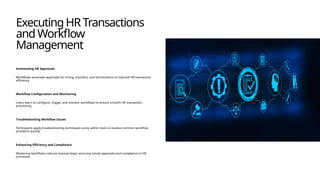
#8 Executing HR Transactions and Workflow Management
#9
Workflows in SuccessFactors automate approval processes for HR transactions such as hiring, transfers, and terminations. This section covers how workflows are configured, triggered, and monitored. Participants will learn to identify common workflow issues and apply troubleshooting techniques using Admin Center tools. Emphasis will be placed on understanding workflow steps, conditions, and escalation paths to ensure timely approvals. Real-world scenarios will demonstrate how workflows enhance efficiency and compliance by reducing manual intervention. By mastering workflow management, power users can optimize HR processes and provide proactive support to end-users encountering transaction-related challenges.
#10 Generating Reports and Leveraging People Analytics
#11
Reporting capabilities in SuccessFactors enable organizations to make data-driven decisions. This module introduces standard reports, Ad Hoc reporting, and People Analytics tools. Participants will learn how to create custom reports, apply filters, and schedule report delivery for stakeholders. Practical examples will illustrate how reporting supports compliance audits, workforce planning, and performance tracking. Additionally, the session will cover visualization techniques and key metrics that provide actionable insights. Understanding reporting tools empowers power users to deliver accurate, timely information that drives strategic HR initiatives and enhances organizational transparency.
#12 Ensuring Data Accuracy and Governance Frameworks
#13
High-quality data is essential for effective HR operations and analytics. This module focuses on data validation rules, audit mechanisms, and governance frameworks that maintain data integrity. Participants will learn techniques for identifying and correcting errors, implementing preventive controls, and monitoring data changes. Governance policies, including change management and compliance standards, will be discussed to ensure alignment with organizational objectives. By applying these practices, power users can minimize risks associated with inaccurate data and support reliable decision-making across HR functions.
#14 Understanding System Integrations and Data Flow
#15
SuccessFactors often integrates with external systems such as payroll, time management, and learning platforms. This module explains how data flows between systems, synchronization points, and common integration challenges. Participants will review integration logs, troubleshoot errors, and understand the impact of failed syncs on HR processes. Best practices for maintaining integration health, such as regular monitoring and communication with IT teams, will be highlighted. A solid grasp of integration concepts ensures that power users can proactively manage dependencies and maintain seamless HR operations.
#16 Business Rules, MDF Objects, and Customization
#17
Advanced configuration options in SuccessFactors allow organizations to tailor the system to their unique needs. This module covers creating business rules to automate processes, managing Metadata Framework (MDF) objects, and adding custom fields. Participants will learn how these configurations impact workflows, reporting, and user experience. Practical examples will demonstrate how customization enhances flexibility without compromising system stability. Understanding advanced configuration empowers power users to support evolving business requirements and optimize system functionality.
#19
Effective troubleshooting is a critical skill for power users. This module provides strategies for diagnosing and resolving common issues related to workflows, permissions, and data inconsistencies. Participants will explore Admin Center tools, error logs, and escalation procedures to ensure timely resolution. Emphasis will be placed on proactive monitoring and communication with support teams. By mastering troubleshooting techniques, power users can minimize downtime and maintain user confidence in the system.
#21
Change management ensures that system updates align with organizational goals and minimize disruption. This module covers the governance framework for handling change requests, testing new configurations, and communicating updates to stakeholders. Participants will learn best practices for documenting changes, obtaining approvals, and scheduling deployments. Effective change management fosters transparency, reduces risk, and promotes user adoption of new features.
#23
The final module consolidates learning through hands-on exercises and group discussions. Participants will simulate real-life scenarios such as managing an employee lifecycle from hire to termination, configuring workflows, and generating reports. Guided exercises will reinforce key concepts and allow participants to apply their knowledge in a controlled environment. An open Q&A session will provide an opportunity to address specific queries and share best practices. This interactive approach ensures participants leave the training confident in their ability to perform power user tasks effectively.