STRING
MANIPULATION
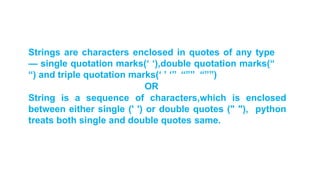
Strings are characters enclosed in quotes of any type
— single quotation marks(‘ ‘),double quotation marks(“
“) and triple quotation marks(‘ ’ ‘’’ “”” “””)
OR
String is a sequence of characters,which is enclosed
between either single (' ') or double quotes (" "), python
treats both single and double quotes same.
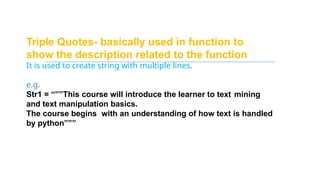
Triple Quotes- basically used in function to
show the description related to the function
It is used to create string with multiple lines.
e.g.
Str1 = “””This course will introduce the learner to text mining
and text manipulation basics.
The course begins with an understanding of how text is handled
by python”””
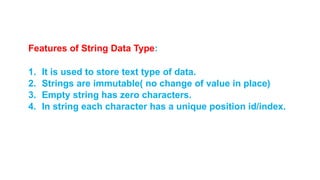
Features of String Data Type:
1. It is used to store text type of data.
2. Strings are immutable( no change of value in place)
3. Empty string has zero characters.
4. In string each character has a unique position id/index.
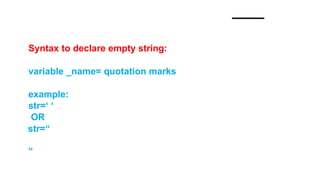
Syntax to declare empty string:
variable _name= quotation marks
example:
str=‘ ‘
OR
str=“
“
String items can be accessed using its index position.
e.g.
s =“who”
print(“positive indexing”) #w
#h
#o
• print(s[0])
• print(s[1])
•print(s[2])
print('Negative indexing')
• print(s[-1])
• print(s[-2])
• print(s[-3])
#o
#h
#w
Access values from a string
To extract limited information from a string .
Or
To access a range of characters in a string
syntax : string_name[ : : ]
string_name[start:stop :step]
Slicing in String
Iterating/Traversing through string
Each character of the string can be accessed sequentially
using
for loop.
e.g
.str='Computer Sciene‘
for i in str:
print(i)
OR
str='Computer Sciene‘
for i in range(len(str)):
print(str[i])
OUTPUT
C
o
m
p
u
t
e
r
S
c
i
e
n
c
e
Write a code to display the character and
its position
e.g
str=‘C.OMPUTER
SCIENCE‘
for i in range(len(str)):
print(i , str[i])
OUTPUT
0 C
1 O
2 M
3 P
4 U
5 T
6 E
7 R
8
9 S
10 C
11 I
12 E
13 N
14 C
15 E
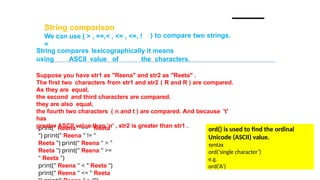
String comparison
We can use ( > , ==,< , <= , <=, !
=
) to compare two strings.
print(" Reena " == " Reeta
") print(" Reena " != "
Reeta ") print(" Reena " > "
Reeta ") print(" Reena " >=
" Reeta ")
print(" Reena " < " Reeta ")
print(" Reena " <= " Reeta
String compares lexicographically it means
using ASCII value of the characters.
Suppose you have str1 as "Reena" and str2 as "Reeta" .
The first two characters from str1 and str2 ( R and R ) are compared.
As they are equal,
the second and third characters are compared.
they are also equal,
the fourth two characters ( n and t ) are compared. And because 't'
has
greater ASCII value than ‘n' , str2 is greater than str1 .
ord() is used to find the ordinal
Unicode (ASCII) value.
syntax
ord(‘single character’)
e.g.
ord(‘A’)
Updating Strings- String are immutable
but
String value can be updated by reassigning another value in
it.(by using concatenation operator
(+)) e.g.
a = 'Hello World'
a = a[:7] + ' with file'
print ("updated string :- ",a )
OUTPUT
('updated string :- ', Hello World with
file')
String Special Basic
Operators
e.g.
a=“comp
” b=“sc”
Operator Description Example
+ Concatenation – to add two strings a + b = comp sc
* Replicate same string multiple times (Replication) a*2 = compcomp
[] Character of the string (position id/index) a[1] will give o
[ : ] Slice –Range string a[1:4] will give omp
in Membership operator check p in a will give 1
not in Membership check for non availability M not in a will give 1
% Format the string (placeholder)
print ("my file name is %s and location is %d" % ('story',
10))
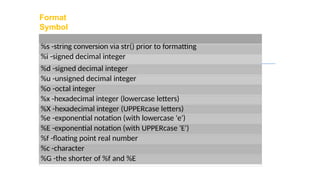
Format
Symbol
%s -string conversion via str() prior to formatting
%i -signed decimal integer
%d -signed decimal integer
%u -unsigned decimal integer
%o -octal integer
%x -hexadecimal integer (lowercase letters)
%X -hexadecimal integer (UPPERcase letters)
%e -exponential notation (with lowercase 'e')
%E -exponential notation (with UPPERcase 'E')
%f -floating point real number
%c -character
%G -the shorter of %f and %E
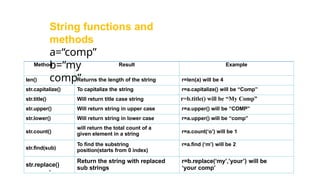
Method Result Example
len() Returns the length of the string r=len(a) will be 4
str.capitalize() To capitalize the string r=a.capitalize() will be “Comp”
str.title() Will return title case string r=b.title() will be “My Comp”
str.upper() Will return string in upper case r=a.upper() will be “COMP”
str.lower() Will return string in lower case r=a.upper() will be “comp”
str.count()
will return the total count of a
given element in a string r=a.count(‘o’) will be 1
str.find(sub)
To find the substring
position(starts from 0 index)
r=a.find (‘m’) will be 2
str.replace()
Return the string with replaced
sub strings
r=b.replace(‘my’,’your’) will be
‘your comp’
String functions and
methods
a=“comp”
b=“my
comp”
Method Result Example
str.index() Returns index position of substring
r=a.index(‘om’)
will be 1
str.isalnum()
String consists of only alphanumeric
characters (no symbols no spaces)
r=a.isalnum() will
return True
str.isalpha()
String consists of only alphabetic
characters (no symbols no spaces)
str.islower() String’s alphabetic characters are all lower
case
str.isnumeric() String consists of only numeric characters
str.isspace() String consists of only whitespace characters
str.istitle() String is in title case
str.isupper() String’s alphabetic characters are all upper
case
String functions and
methods
a=“comp”
Method Result Example
str.lstrip(char)
str.rstrip(char)
Returns a copy of the string with leading/trailing
characters removed
b=‘**comp’; r=b.lstrin() will be
‘comp’
str.strip(char) Removes specific character from leading and trailing
position
str.split() Returns list of strings as splitted
b=‘my comp’; r=b.split() will be
[‘my’,‘comp’]
str.partition() Partition the string on first occurrence of substring
b=‘my comp’; r=b.partition(‘comp’)
will be
[‘my’,‘comp’]
endswith(s1: str):
bool
Returns True if strings ends with substring s1
startswith(s1: str):
bool
Returns True if strings starts with substring s1
count(substring): int Returns number of occurrences of substring the string
find(s1): int Returns lowest index from where s1 starts in the string, if string
not found returns -1
rfind(s1): int Returns highest index from where s1 starts in the string,
if string not found returns -1
String functions and
methods
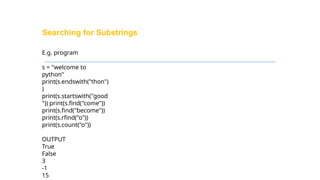
Searching for Substrings
E.g. program
s = "welcome to
python"
print(s.endswith("thon")
)
print(s.startswith("good
")) print(s.find("come"))
print(s.find("become"))
print(s.rfind("o"))
print(s.count("o"))
OUTPUT
True
False
3
-1
15
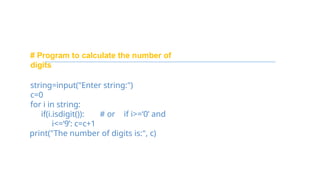
# Program to calculate the number of
digits
string=input("Enter string:")
c=0
for i in string:
if(i.isdigit()): # or if i>=‘0’ and
i<=‘9’: c=c+1
print("The number of digits is:", c)

string manipulation in python ppt for grade 11 cbse

  • 1.
  • 2.
    Strings are charactersenclosed in quotes of any type — single quotation marks(‘ ‘),double quotation marks(“ “) and triple quotation marks(‘ ’ ‘’’ “”” “””) OR String is a sequence of characters,which is enclosed between either single (' ') or double quotes (" "), python treats both single and double quotes same.
  • 3.
    Triple Quotes- basicallyused in function to show the description related to the function It is used to create string with multiple lines. e.g. Str1 = “””This course will introduce the learner to text mining and text manipulation basics. The course begins with an understanding of how text is handled by python”””
  • 4.
    Features of StringData Type: 1. It is used to store text type of data. 2. Strings are immutable( no change of value in place) 3. Empty string has zero characters. 4. In string each character has a unique position id/index.
  • 5.
    Syntax to declareempty string: variable _name= quotation marks example: str=‘ ‘ OR str=“ “
  • 6.
    String items canbe accessed using its index position. e.g. s =“who” print(“positive indexing”) #w #h #o • print(s[0]) • print(s[1]) •print(s[2]) print('Negative indexing') • print(s[-1]) • print(s[-2]) • print(s[-3]) #o #h #w Access values from a string
  • 7.
    To extract limitedinformation from a string . Or To access a range of characters in a string syntax : string_name[ : : ] string_name[start:stop :step] Slicing in String
  • 8.
    Iterating/Traversing through string Eachcharacter of the string can be accessed sequentially using for loop. e.g .str='Computer Sciene‘ for i in str: print(i) OR str='Computer Sciene‘ for i in range(len(str)): print(str[i]) OUTPUT C o m p u t e r S c i e n c e
  • 9.
    Write a codeto display the character and its position e.g str=‘C.OMPUTER SCIENCE‘ for i in range(len(str)): print(i , str[i]) OUTPUT 0 C 1 O 2 M 3 P 4 U 5 T 6 E 7 R 8 9 S 10 C 11 I 12 E 13 N 14 C 15 E
  • 10.
    String comparison We canuse ( > , ==,< , <= , <=, ! = ) to compare two strings. print(" Reena " == " Reeta ") print(" Reena " != " Reeta ") print(" Reena " > " Reeta ") print(" Reena " >= " Reeta ") print(" Reena " < " Reeta ") print(" Reena " <= " Reeta String compares lexicographically it means using ASCII value of the characters. Suppose you have str1 as "Reena" and str2 as "Reeta" . The first two characters from str1 and str2 ( R and R ) are compared. As they are equal, the second and third characters are compared. they are also equal, the fourth two characters ( n and t ) are compared. And because 't' has greater ASCII value than ‘n' , str2 is greater than str1 . ord() is used to find the ordinal Unicode (ASCII) value. syntax ord(‘single character’) e.g. ord(‘A’)
  • 11.
    Updating Strings- Stringare immutable but String value can be updated by reassigning another value in it.(by using concatenation operator (+)) e.g. a = 'Hello World' a = a[:7] + ' with file' print ("updated string :- ",a ) OUTPUT ('updated string :- ', Hello World with file')
  • 12.
    String Special Basic Operators e.g. a=“comp ”b=“sc” Operator Description Example + Concatenation – to add two strings a + b = comp sc * Replicate same string multiple times (Replication) a*2 = compcomp [] Character of the string (position id/index) a[1] will give o [ : ] Slice –Range string a[1:4] will give omp in Membership operator check p in a will give 1 not in Membership check for non availability M not in a will give 1 % Format the string (placeholder) print ("my file name is %s and location is %d" % ('story', 10))
  • 13.
    Format Symbol %s -string conversionvia str() prior to formatting %i -signed decimal integer %d -signed decimal integer %u -unsigned decimal integer %o -octal integer %x -hexadecimal integer (lowercase letters) %X -hexadecimal integer (UPPERcase letters) %e -exponential notation (with lowercase 'e') %E -exponential notation (with UPPERcase 'E') %f -floating point real number %c -character %G -the shorter of %f and %E
  • 14.
    Method Result Example len()Returns the length of the string r=len(a) will be 4 str.capitalize() To capitalize the string r=a.capitalize() will be “Comp” str.title() Will return title case string r=b.title() will be “My Comp” str.upper() Will return string in upper case r=a.upper() will be “COMP” str.lower() Will return string in lower case r=a.upper() will be “comp” str.count() will return the total count of a given element in a string r=a.count(‘o’) will be 1 str.find(sub) To find the substring position(starts from 0 index) r=a.find (‘m’) will be 2 str.replace() Return the string with replaced sub strings r=b.replace(‘my’,’your’) will be ‘your comp’ String functions and methods a=“comp” b=“my comp”
  • 15.
    Method Result Example str.index()Returns index position of substring r=a.index(‘om’) will be 1 str.isalnum() String consists of only alphanumeric characters (no symbols no spaces) r=a.isalnum() will return True str.isalpha() String consists of only alphabetic characters (no symbols no spaces) str.islower() String’s alphabetic characters are all lower case str.isnumeric() String consists of only numeric characters str.isspace() String consists of only whitespace characters str.istitle() String is in title case str.isupper() String’s alphabetic characters are all upper case String functions and methods a=“comp”
  • 16.
    Method Result Example str.lstrip(char) str.rstrip(char) Returnsa copy of the string with leading/trailing characters removed b=‘**comp’; r=b.lstrin() will be ‘comp’ str.strip(char) Removes specific character from leading and trailing position str.split() Returns list of strings as splitted b=‘my comp’; r=b.split() will be [‘my’,‘comp’] str.partition() Partition the string on first occurrence of substring b=‘my comp’; r=b.partition(‘comp’) will be [‘my’,‘comp’] endswith(s1: str): bool Returns True if strings ends with substring s1 startswith(s1: str): bool Returns True if strings starts with substring s1 count(substring): int Returns number of occurrences of substring the string find(s1): int Returns lowest index from where s1 starts in the string, if string not found returns -1 rfind(s1): int Returns highest index from where s1 starts in the string, if string not found returns -1 String functions and methods
  • 17.
    Searching for Substrings E.g.program s = "welcome to python" print(s.endswith("thon") ) print(s.startswith("good ")) print(s.find("come")) print(s.find("become")) print(s.rfind("o")) print(s.count("o")) OUTPUT True False 3 -1 15
  • 18.
    # Program tocalculate the number of digits string=input("Enter string:") c=0 for i in string: if(i.isdigit()): # or if i>=‘0’ and i<=‘9’: c=c+1 print("The number of digits is:", c)