Steps to Apply for Passport Services
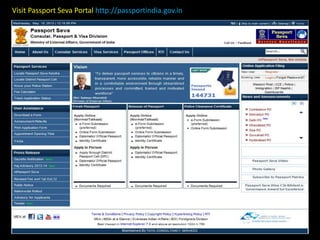
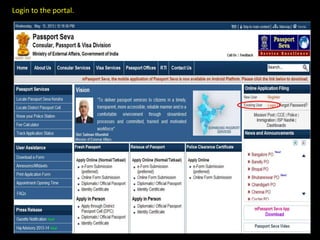
Visit Passport Seva Portal http://passportindia.gov.in
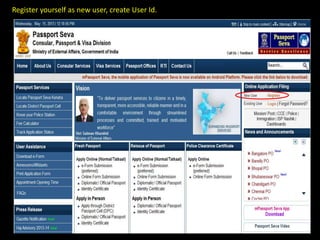
Register yourself as new user, create User Id.
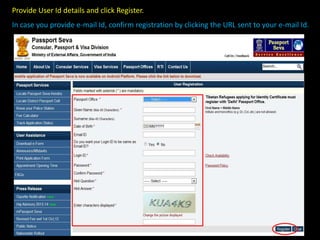
Provide User Id details and click Register.
In case you provide e-mail Id, confirm registration by clicking the URL sent to your e-mail Id.
Login to the portal.
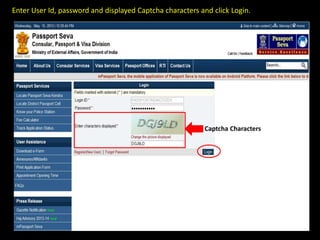
Enter User Id, password and displayed Captcha characters and click Login.
Captcha Characters
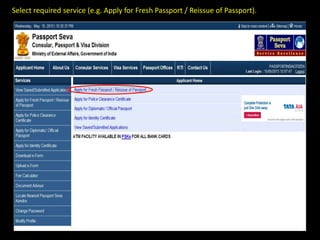
Select required service (e.g. Apply for Fresh Passport / Reissue of Passport).
You can apply for passport/reissue passport
through two methods:
• Alternate 1: Downloading e-Form and uploading later
• Alternate 2: Filling application form online
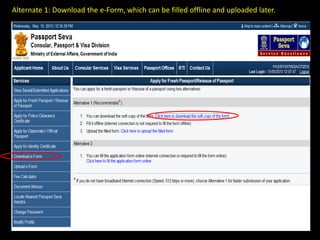
Alternate 1: Download the e-Form, which can be filled offline and uploaded later.
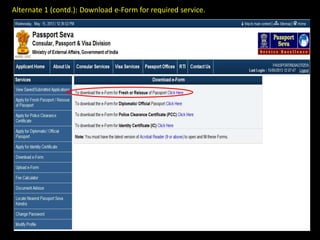
Alternate 1 (contd.): Download e-Form for required service.
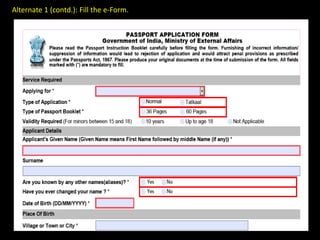
Alternate 1 (contd.): Fill the e-Form.
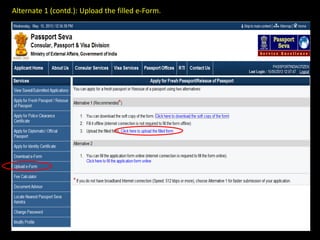
Alternate 1 (contd.): Upload the filled e-Form.
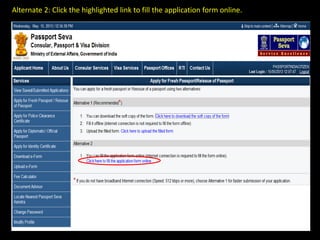
Alternate 2: Click the highlighted link to fill the application form online.
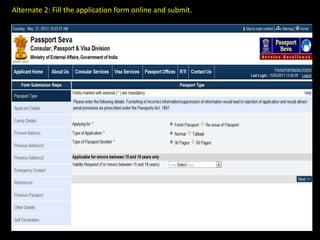
Alternate 2: Fill the application form online and submit.
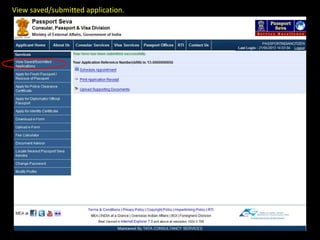
View saved/submitted application.
Schedule Appointment
Scheme 1: PSKs for which Online Payment is not mandatory for
booking appointments.
Access the URL: www.passportindia.gov.in for list of these PSKs
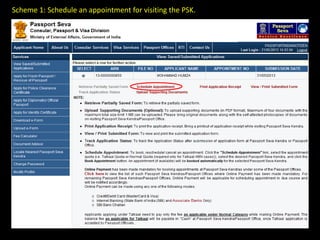
Scheme 1: Schedule an appointment for visiting the PSK.
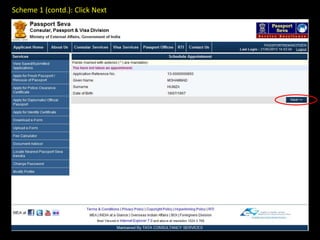
Scheme 1 (contd.): Click Next
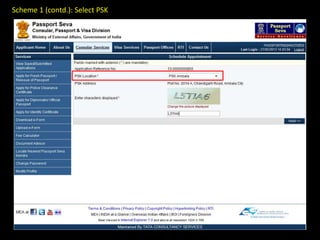
Scheme 1 (contd.): Select PSK
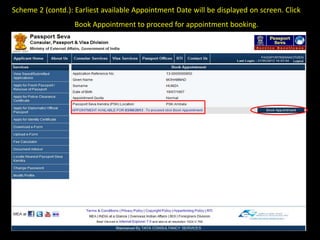
Scheme 2 (contd.): Earliest available Appointment Date will be displayed on screen. Click
Book Appointment to proceed for appointment booking.
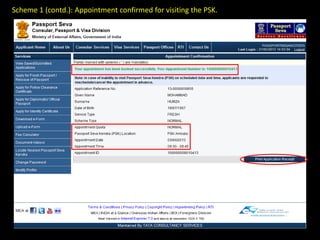
Scheme 1 (contd.): Appointment confirmed for visiting the PSK.
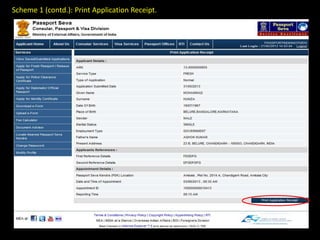
Scheme 1 (contd.): Print Application Receipt.
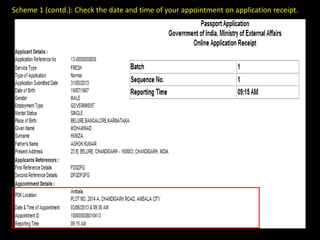
Scheme 1 (contd.): Check the date and time of your appointment on application receipt.
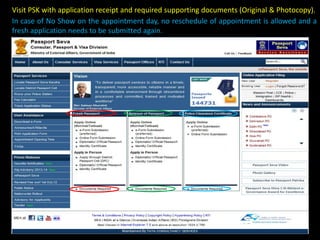
Visit PSK with application receipt and required supporting documents (Original & Photocopy).
In case of No Show on the appointment day, no reschedule of appointment is allowed and a
fresh application needs to be submitted again.
Schedule Appointment
Scheme 2: PSKs for which Online Payment is mandatory for booking
appointments.
Access the URL: www.passportindia.gov.in for list of these PSKs
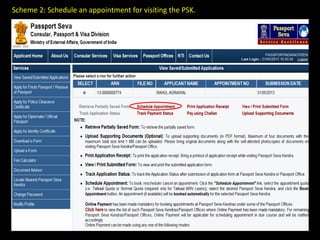
Scheme 2: Schedule an appointment for visiting the PSK.
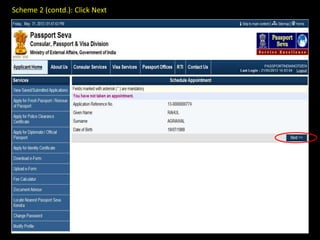
Scheme 2 (contd.): Click Next
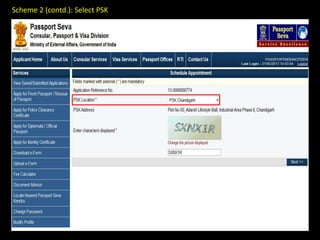
Scheme 2 (contd.): Select PSK
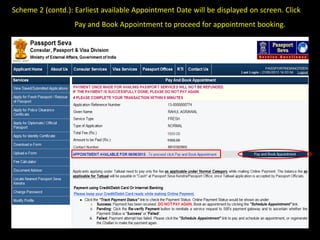
Scheme 2 (contd.): Earliest available Appointment Date will be displayed on screen. Click
Pay and Book Appointment to proceed for appointment booking.
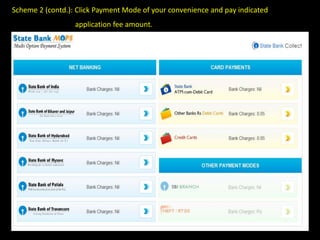
Scheme 2 (contd.): Click Payment Mode of your convenience and pay indicated
application fee amount.
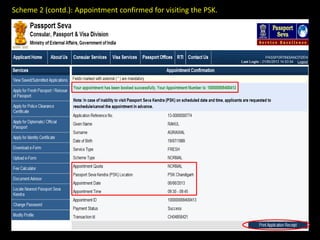
Scheme 2 (contd.): Appointment confirmed for visiting the PSK.
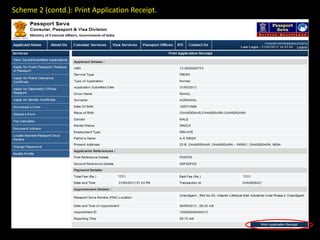
Scheme 2 (contd.): Print Application Receipt.
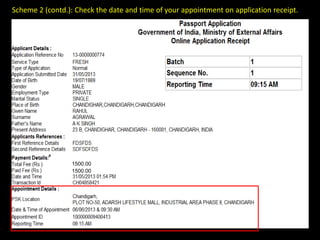
Scheme 2 (contd.): Check the date and time of your appointment on application receipt.
1500.00
1500.00
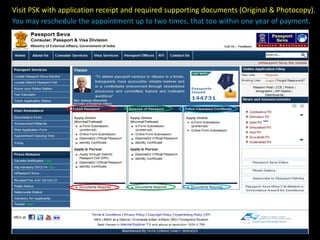
Visit PSK with application receipt and required supporting documents (Original & Photocopy).
You may reschedule the appointment up to two times, that too within one year of payment.
Thank You

Stepstoapplyforpassportservices 130524024358-phpapp01