Download to read offline
![Steps For Factory Sales
Introduction about Country Version India (Prerequisite)
1. Create Sales Order (VA01)
2. Create Delivery with Reference to Order (VL01N)
3. Create Invoice With Reference to Delivery (VF01)
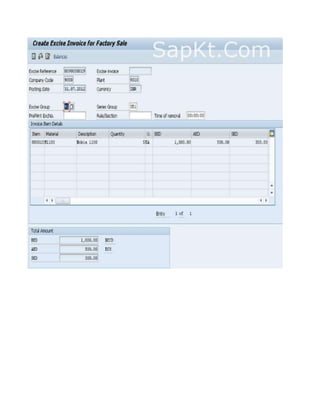
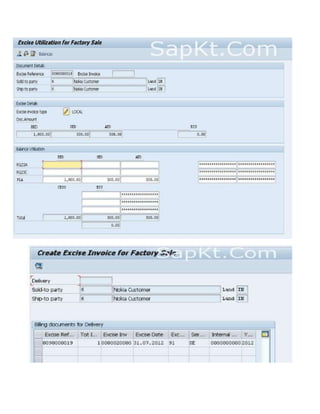
4. Create Excise Invoice (J1IIN)
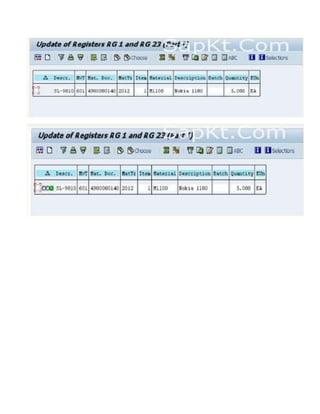
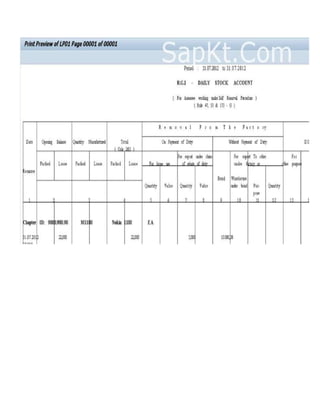
5. RG1 Register Update (J1I5)
6. Excise Registers Extraction (J2I5)
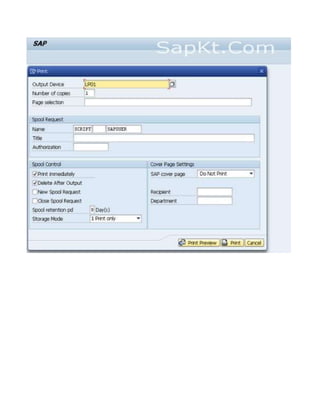
7. Print Excise Registers(J2I6)
1. Create Sales OrderT. Code :- [VA01]](https://image.slidesharecdn.com/stepsforfactorysalescin-151127132942-lva1-app6892/85/Steps-for-factory-sales-cin-1-320.jpg)
![2. Create Delivery with Reference to Order T. Code: [VL01N]](https://image.slidesharecdn.com/stepsforfactorysalescin-151127132942-lva1-app6892/85/Steps-for-factory-sales-cin-2-320.jpg)
![3. Create Invoice With Reference to Delivery T. Code [VF01]
4. Create Excise Invoice T. Code:- [J1IIN]](https://image.slidesharecdn.com/stepsforfactorysalescin-151127132942-lva1-app6892/85/Steps-for-factory-sales-cin-3-320.jpg)
![5. RG1 RegisterUpdate T. Code [J1I5]](https://image.slidesharecdn.com/stepsforfactorysalescin-151127132942-lva1-app6892/85/Steps-for-factory-sales-cin-6-320.jpg)
![6. Excise Registers ExtractionT. Code:- [J2I5]](https://image.slidesharecdn.com/stepsforfactorysalescin-151127132942-lva1-app6892/85/Steps-for-factory-sales-cin-8-320.jpg)
![7. Print Excise Registers T. Code:- [J2I6]](https://image.slidesharecdn.com/stepsforfactorysalescin-151127132942-lva1-app6892/85/Steps-for-factory-sales-cin-9-320.jpg)

The document outlines the 7 steps for factory sales in India which includes: 1) creating a sales order, 2) creating a delivery referenced to the order, 3) creating an invoice referenced to the delivery, 4) creating an excise invoice, 5) updating the RG1 register, 6) extracting the excise registers, and 7) printing the excise registers. Each step lists the associated transaction code to use in the ERP system.
![Optitax's presentation on carotar [07 jan 2021]](https://cdn.slidesharecdn.com/ss_thumbnails/optitaxspresentationoncarotar07jan2021-210108075952-thumbnail.jpg?width=640&height=640&fit=bounds)


