浅析浏览器解析和渲染

    偏右
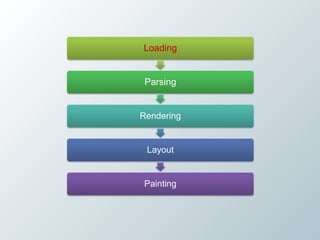
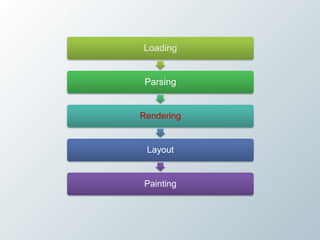
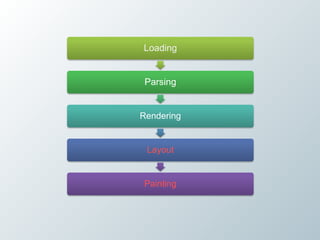
Loading


 Parsing


Rendering


 Layout


Painting
DNS预解析

• 当Chrome访问google页面的搜索结果时,它会取
 出链接中的域名进行预解析。


  <link rel="dns-prefetch" href="//hostname.com">
预下载


    <link rel="prefetch" href="http://">


• 利用空闲时间段的流量来预加载,提升用户访问
 后续页面的速度(淘宝购物车页或订单页预加载
 收银台的资源?)
利用JS实现
preload = ['http://tools.w3clubs.com/pagr2/sleep.expires.png',

          'http://tools.w3clubs.com/pagr2/sleep.expires.js',

          'http://tools.w3clubs.com/pagr2/sleep.expires.css'],

for (i = 0, max = preload.length; i < max; i += 1) {

          if (isIE) {

                     new Image().src = preload[i];

                     continue;

          }

          o = document.createElement('object');

          o.data = preload[i];

          o.width   = 0;

          o.height = 0;

}

document.body.appendChild(o);
使用get请求

• 大部分浏览器(除了Firefox)在使用post时也会
  发送两个TCP的packet,所以性能上会有损失,
  而Get只有一个。


• http://josephscott.org/archives/2009/08/xmlhttpre
  quest-xhr-uses-multiple-packets-for-http-post/
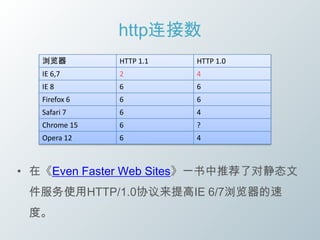
http连接数
   浏览器         HTTP 1.1   HTTP 1.0
   IE 6,7      2          4
   IE 8        6          6
   Firefox 6   6          6
   Safari 7    6          4
   Chrome 15   6          ?
   Opera 12    6          4


• 在《Even Faster Web Sites》一书中推荐了对静态文
 件服务使用HTTP/1.0协议来提高IE 6/7浏览器的速
 度。
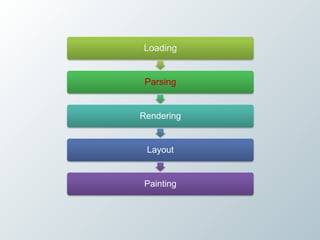
Loading


 Parsing


Rendering


 Layout


Painting
Parsing

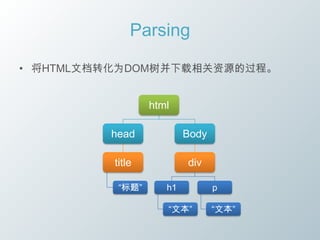
• 将HTML文档转化为DOM树并下载相关资源的过程。


                  html

         head             Body

          title           div

           “标题”      h1          p

                     “文本”        “文本”
各浏览器加载策略
Demo
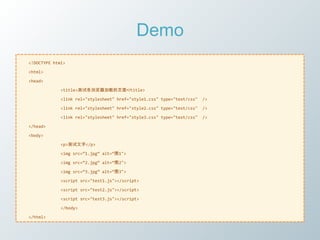
<!DOCTYPE html>

<html>

<head>

             <title>测试各浏览器加载的页面</title>

             <link rel="stylesheet" href="style1.css" type="text/css"   />

             <link rel="stylesheet" href="style2.css" type="text/css"   />

             <link rel="stylesheet" href="style3.css" type="text/css"   />

</head>

<body>

             <p>测试文字</p>

             <img src=‚1.jpg‛ alt=‚图1">

             <img src=‚2.jpg‛ alt=‚图2">

             <img src=‚3.jpg‛ alt=‚图3">

             <script src="test1.js"></script>

             <script src="test2.js"></script>

             <script src="test3.js"></script>

             </body>

</html>
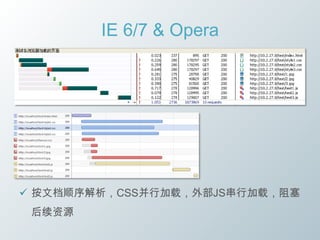
IE 6/7 & Opera


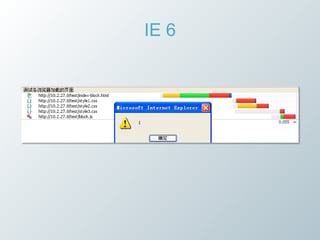
 按文档顺序解析,CSS并行加载,外部JS串行加载,阻塞
 后续资源
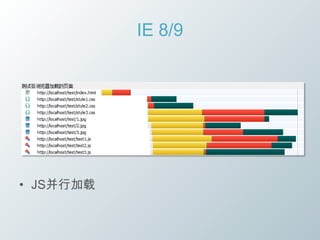
IE 8/9


• JS并行加载
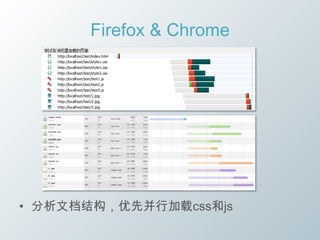
Firefox & Chrome


• 分析文档结构,优先并行加载css和js
同步模型
• JS引擎是基于事件驱动的单线程。


• 浏览器一般有三个常驻线程:JS引擎线程、界面渲染线
 程、浏览器事件触发线程。


• GUI渲染线程负责渲染网页,GUI渲染线程与JS引擎是互
 斥的,当JS引擎执行时GUI线程会被挂起。页面将停止一
 切解析和渲染的行为。
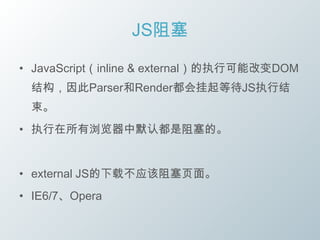
JS阻塞

• JavaScript(inline & external)的执行可能改变DOM
 结构,因此Parser和Render都会挂起等待JS执行结
 束。
• 执行在所有浏览器中默认都是阻塞的。


• external JS的下载不应该阻塞页面。
• IE6/7、Opera
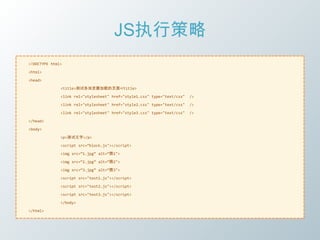
JS执行策略
<!DOCTYPE html>

<html>

<head>

              <title>测试各浏览器加载的页面</title>

              <link rel="stylesheet" href="style1.css" type="text/css"   />

              <link rel="stylesheet" href="style2.css" type="text/css"   />

              <link rel="stylesheet" href="style3.css" type="text/css"   />

</head>

<body>

              <p>测试文字</p>

              <script src=‚block.js"></script>

              <img src=‚1.jpg‛ alt=‚图1">

              <img src=‚2.jpg‛ alt=‚图2">

              <img src=‚3.jpg‛ alt=‚图3">

              <script src="test1.js"></script>

              <script src="test2.js"></script>

              <script src="test3.js"></script>

              </body>

</html>
IE 6
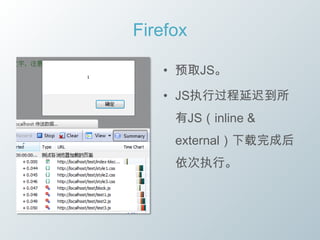
Firefox

   • 预取JS。

   • JS执行过程延迟到所
     有JS(inline &
     external)下载完成后
     依次执行。
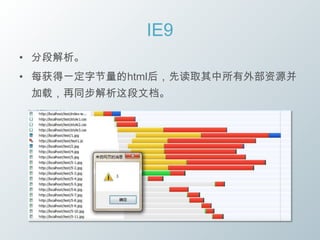
IE9
• 分段解析。
• 每获得一定字节量的html后,先读取其中所有外部资源并
 加载,再同步解析这段文档。
小结
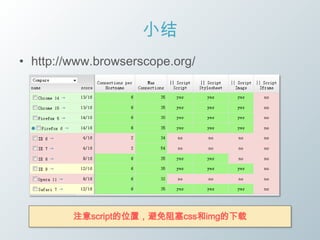
• http://www.browserscope.org/


         注意script的位置,避免阻塞css和img的下载
Inline Script

• 阻塞渲染

• 阻塞css文件
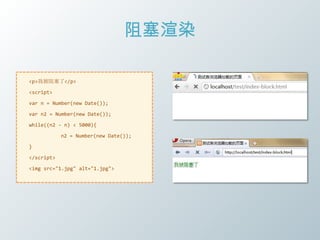
阻塞渲染

<p>我被阻塞了</p>

<script>

var n = Number(new Date());

var n2 = Number(new Date());

while((n2 - n) < 5000){

            n2 = Number(new Date());

}

</script>

<img src="1.jpg" alt="1.jpg">
阻塞渲染
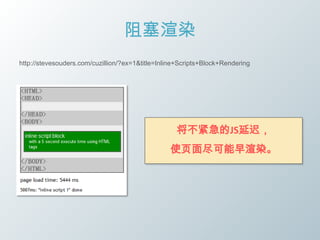
http://stevesouders.com/cuzillion/?ex=1&title=Inline+Scripts+Block+Rendering


                                                   将不紧急的JS延迟,
                                                 使页面尽可能早渲染。
解决JS阻塞

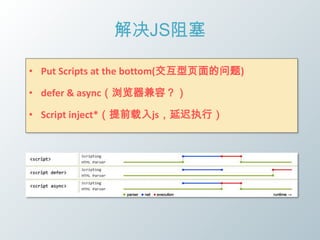
• Put Scripts at the bottom(交互型页面的问题)

• defer & async(浏览器兼容?)

• Script inject*(提前载入js,延迟执行)
阻塞css文件
• Suppose an inline script block was placed between the stylesheet's
   LINK tag and the image IMG tag. The result, for some browsers, is
   that the image isn't downloaded until the stylesheet finishes.


• The inline script block doesn't execute until after the stylesheet is
   downloaded and parsed (in case the inline script block depends on
   CSS rules in the stylesheet).
阻塞css文件

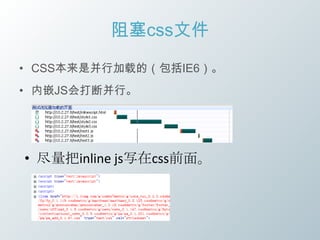
• CSS本来是并行加载的(包括IE6)。
• 内嵌JS会打断并行。


• 尽量把inline js写在css前面。
阻塞css文件

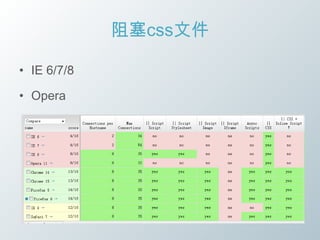
• IE 6/7/8

• Opera
Loading


 Parsing


Rendering


 Layout


Painting
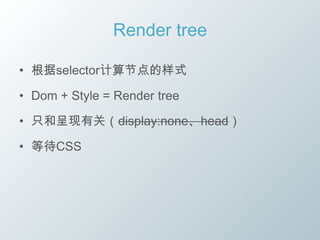
Render tree

• 根据selector计算节点的样式

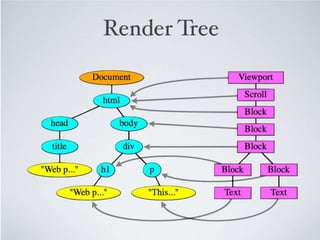
• Dom + Style = Render tree

• 只和呈现有关(display:none、head)

• 等待CSS
Render tree

        html


head             Body


title             div

 “标题”      h1           p

               “文本”     “文本”
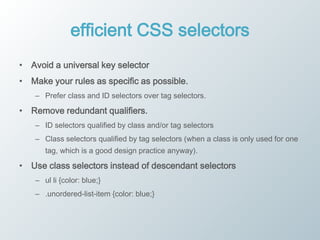
efficient CSS selectors
• Avoid a universal key selector
• Make your rules as specific as possible.
   – Prefer class and ID selectors over tag selectors.

• Remove redundant qualifiers.
   – ID selectors qualified by class and/or tag selectors
   – Class selectors qualified by tag selectors (when a class is only used for one
      tag, which is a good design practice anyway).

• Use class selectors instead of descendant selectors
   – ul li {color: blue;}
   – .unordered-list-item {color: blue;}

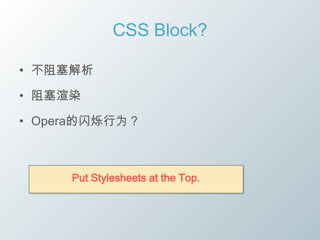
CSS Block?

• 不阻塞解析

• 阻塞渲染

• Opera的闪烁行为?


     Put Stylesheets at the Top.
Loading


 Parsing


Rendering


 Layout


Painting
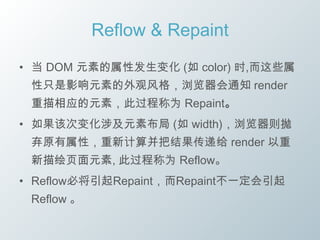
Reflow & Repaint
• 当 DOM 元素的属性发生变化 (如 color) 时,而这些属
 性只是影响元素的外观风格,浏览器会通知 render
 重描相应的元素,此过程称为 Repaint。
• 如果该次变化涉及元素布局 (如 width),浏览器则抛
 弃原有属性,重新计算并把结果传递给 render 以重
 新描绘页面元素, 此过程称为 Reflow。
• Reflow必将引起Repaint,而Repaint不一定会引起
 Reflow 。
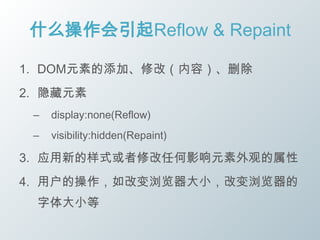
什么操作会引起Reflow & Repaint

1. DOM元素的添加、修改(内容)、删除
2. 隐藏元素
 –   display:none(Reflow)
 –   visibility:hidden(Repaint)

3. 应用新的样式或者修改任何影响元素外观的属性
4. 用户的操作,如改变浏览器大小,改变浏览器的
 字体大小等
浏览器的优化

• 很多浏览器会维护一个队列,把所有会引起
 Reflow/Repaint的操作放入这个队列,等队列中
 的操作到了一定的数量或者到了一定的时间间隔,
 浏览器就会把flush队列,进行一个批处理。这样
 就会让多次的Reflow、Repaint变成一次。
破坏优化

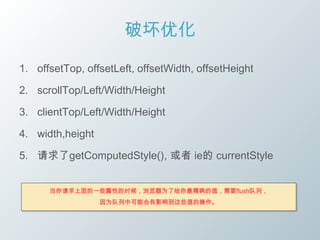
1. offsetTop, offsetLeft, offsetWidth, offsetHeight

2. scrollTop/Left/Width/Height

3. clientTop/Left/Width/Height

4. width,height

5. 请求了getComputedStyle(), 或者 ie的 currentStyle


      当你请求上面的一些属性的时候,浏览器为了给你最精确的值,需要flush队列,
                  因为队列中可能会有影响到这些值的操作。
如何做?

• 离线操作DOM

• 集中修改样式

• 缓存Layout属性值

• 权衡动画帧宽
离线操作DOM

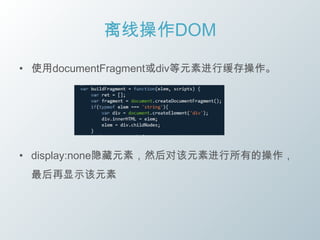
• 使用documentFragment或div等元素进行缓存操作。


• display:none隐藏元素,然后对该元素进行所有的操作,
 最后再显示该元素
集中修改样式
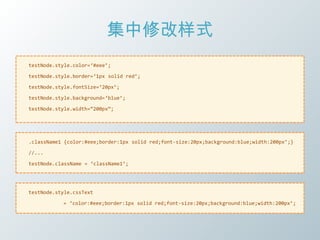
testNode.style.color=‘#eee’;

testNode.style.border=‘1px solid red’;

testNode.style.fontSize=‘20px’;

testNode.style.background=‘blue’;

testNode.style.width=‚200px‛;


.className1 {color:#eee;border:1px solid red;font-size:20px;background:blue;width:200px’;}

//...

testNode.className = ‘className1’;


testNode.style.cssText

           = ‘color:#eee;border:1px solid red;font-size:20px;background:blue;width:200px’;
简单的测试
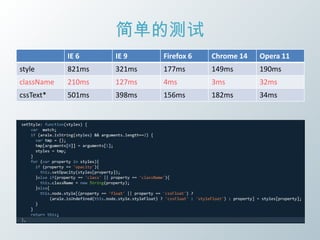
            IE 6         IE 9         Firefox 6   Chrome 14   Opera 11
style       821ms        321ms        177ms       149ms       190ms
className   210ms        127ms        4ms         3ms         32ms
cssText*    501ms        398ms        156ms       182ms       34ms


用事实证明cssText性能高
http://www.cnblogs.com/snandy/archive/2011/03/13/1982954.html
用事实证明cssText性能不一定高
http://www.cnblogs.com/easyc/archive/2011/03/14/1983772.html

http://jsperf.com/csstext-vs-multiple-style/5
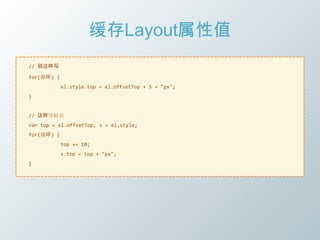
缓存Layout属性值
// 别这样写

for(循环) {
            el.style.top = el.offsetTop + 5 + "px";
}


// 这样写好点
var top = el.offsetTop, s = el.style;
for(循环) {
            top += 10;
            s.top = top + "px";
}
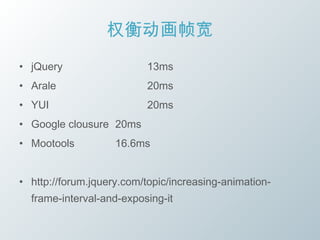
权衡动画帧宽
• jQuery                  13ms
• Arale                   20ms
• YUI                     20ms
• Google clousure 20ms
• Mootools          16.6ms


• http://forum.jquery.com/topic/increasing-animation-
  frame-interval-and-exposing-it
总结
1.    使用GET请求
2.    利用JS预加载资源
3.    Script inject改善阻塞
4.    注意inline JS的位置,防止css阻塞其他资源
5.    将css文件放在顶部
6.    避免使用通配符
7.    避免在后代选择符的最后使用tag名
8.    去掉冗余的选择符
9.    用class代替后代选择符
10.   离线操作DOM
11.   集中修改样式
12.   缓存Layout属性值
13.   权衡动画帧宽
其他

• Cache

• iframe
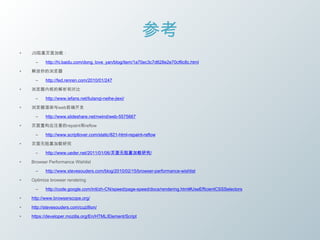
参考
•   JS阻塞页面加载:

      –    http://hi.baidu.com/dong_love_yan/blog/item/1a70ec3c7d628e2e70cf6c8c.html

•   解放你的浏览器

      –    http://fed.renren.com/2010/01/247

•   浏览器内核的解析和对比

      –    http://www.iefans.net/liulanqi-neihe-jiexi/

•   浏览器渲染与web前端开发

      –    http://www.slideshare.net/nwind/web-5575667

•   页面重构应注意的repaint和reflow

      –    http://www.scriptlover.com/static/821-html-repaint-reflow

•   页面无阻塞加载研究

      –    http://www.ueder.net/2011/01/06/页面无阻塞加载研究/

•   Browser Performance Wishlist

      –    http://www.stevesouders.com/blog/2010/02/15/browser-performance-wishlist

•   Optimize browser rendering

      –    http://code.google.com/intl/zh-CN/speed/page-speed/docs/rendering.html#UseEfficientCSSSelectors

•   http://www.browserscope.org/

•   http://stevesouders.com/cuzillion/

•   https://developer.mozilla.org/En/HTML/Element/Script
Thanks

浅析浏览器解析和渲染