Spark SQL
Zahra Eskandari
zahra.eskandari@gmail.com
Course Agenda
• Spark Fundamentals
• 1 session
• Spark SQL
• 1.5 session
• Spark Streaming
• 0.5 session
• Spark MLlib & GraphX
• 1 session
Agenda
• Introduction
• Spark DataFrame
• First Example
• Spark SQL Data sources
• SparkSession
• User Defined Function
• Spark Catalyst
Introduction
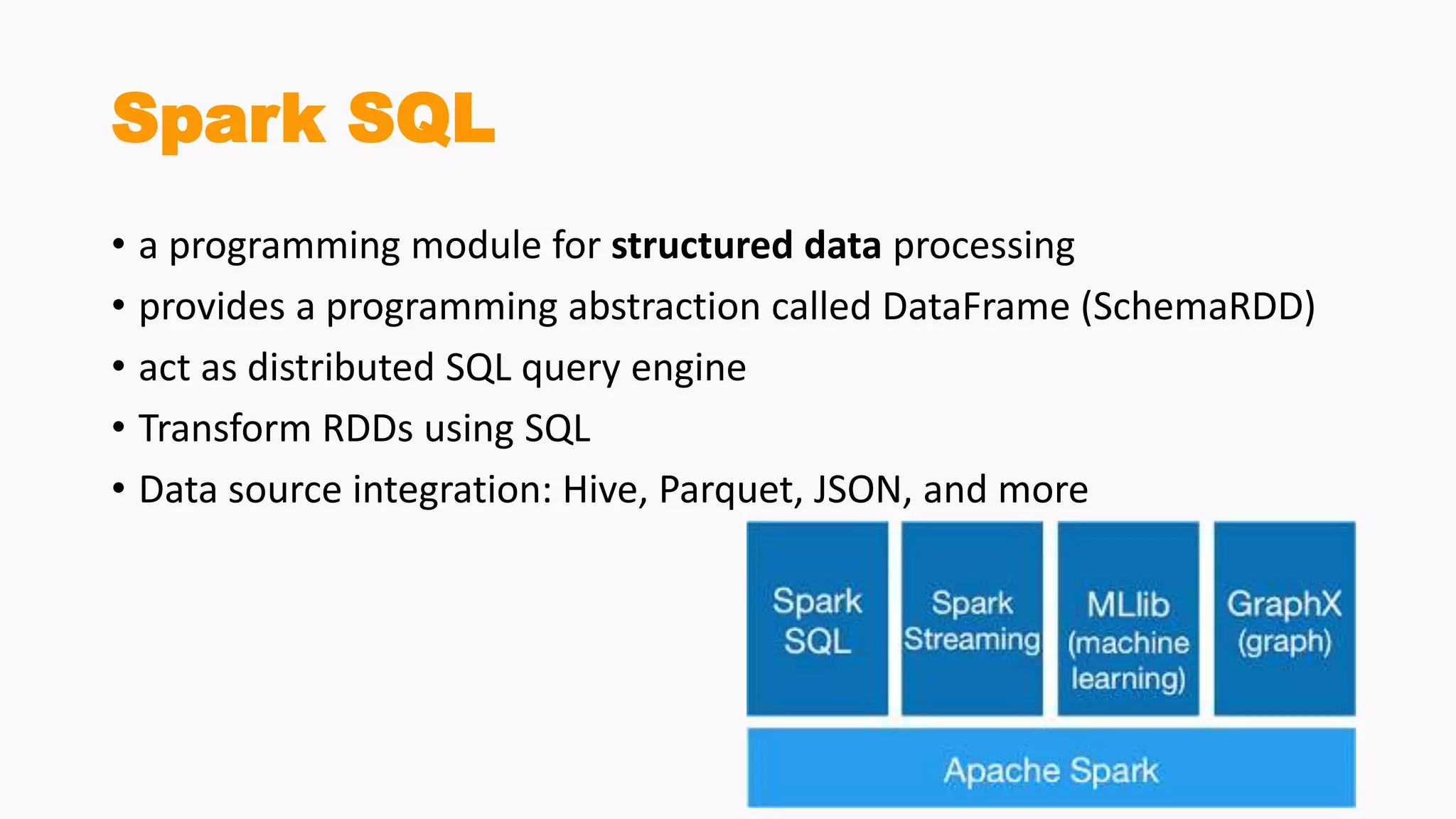
Spark SQL
• a programming module for structured data processing
• provides a programming abstraction called DataFrame (SchemaRDD)
• act as distributed SQL query engine
• Transform RDDs using SQL
• Data source integration: Hive, Parquet, JSON, and more
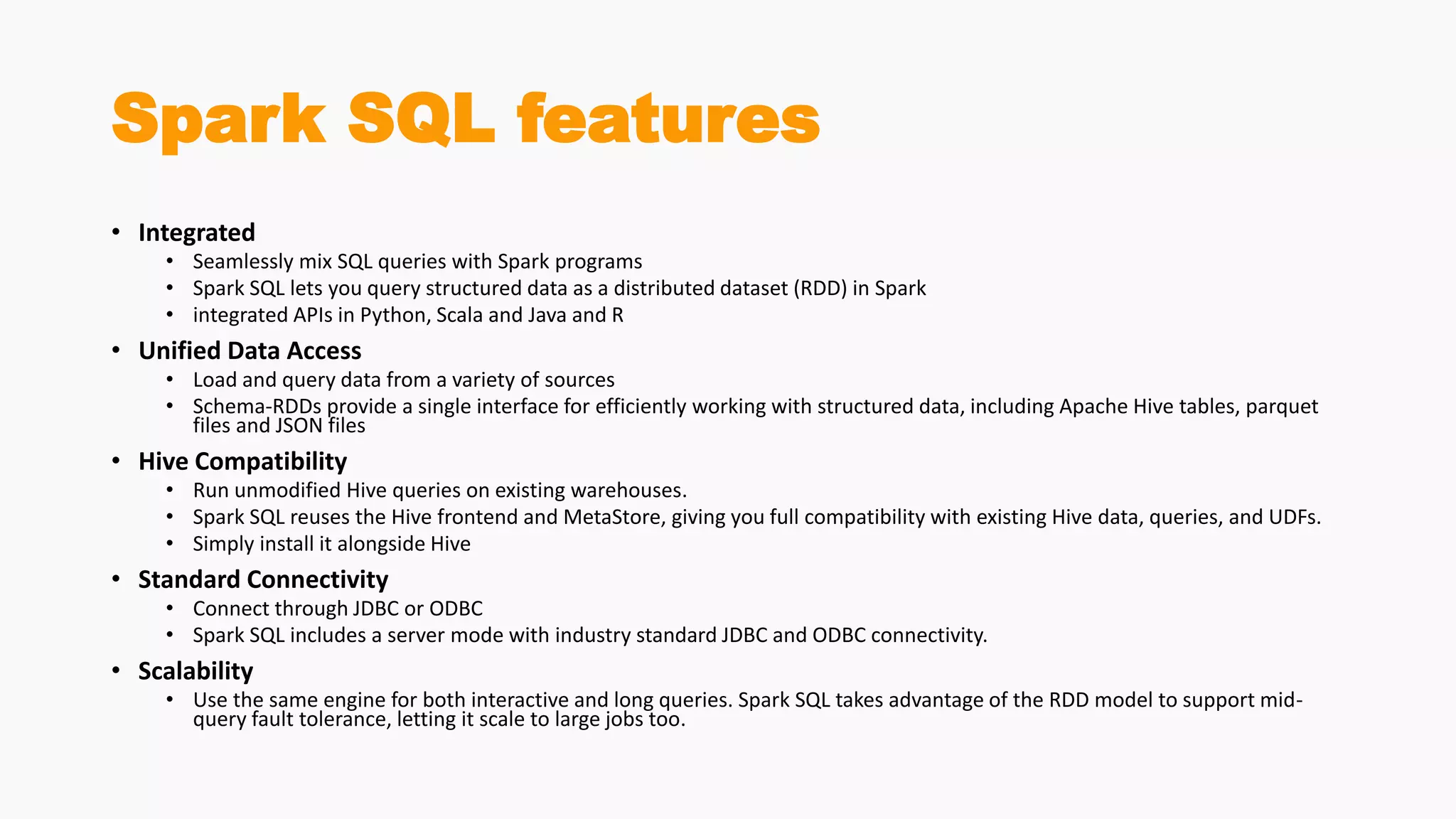
Spark SQL features
• Integrated
• Seamlessly mix SQL queries with Spark programs
• Spark SQL lets you query structured data as a distributed dataset (RDD) in Spark
• integrated APIs in Python, Scala and Java and R
• Unified Data Access
• Load and query data from a variety of sources
• Schema-RDDs provide a single interface for efficiently working with structured data, including Apache Hive tables, parquet
files and JSON files
• Hive Compatibility
• Run unmodified Hive queries on existing warehouses.
• Spark SQL reuses the Hive frontend and MetaStore, giving you full compatibility with existing Hive data, queries, and UDFs.
• Simply install it alongside Hive
• Standard Connectivity
• Connect through JDBC or ODBC
• Spark SQL includes a server mode with industry standard JDBC and ODBC connectivity.
• Scalability
• Use the same engine for both interactive and long queries. Spark SQL takes advantage of the RDD model to support mid-
query fault tolerance, letting it scale to large jobs too.
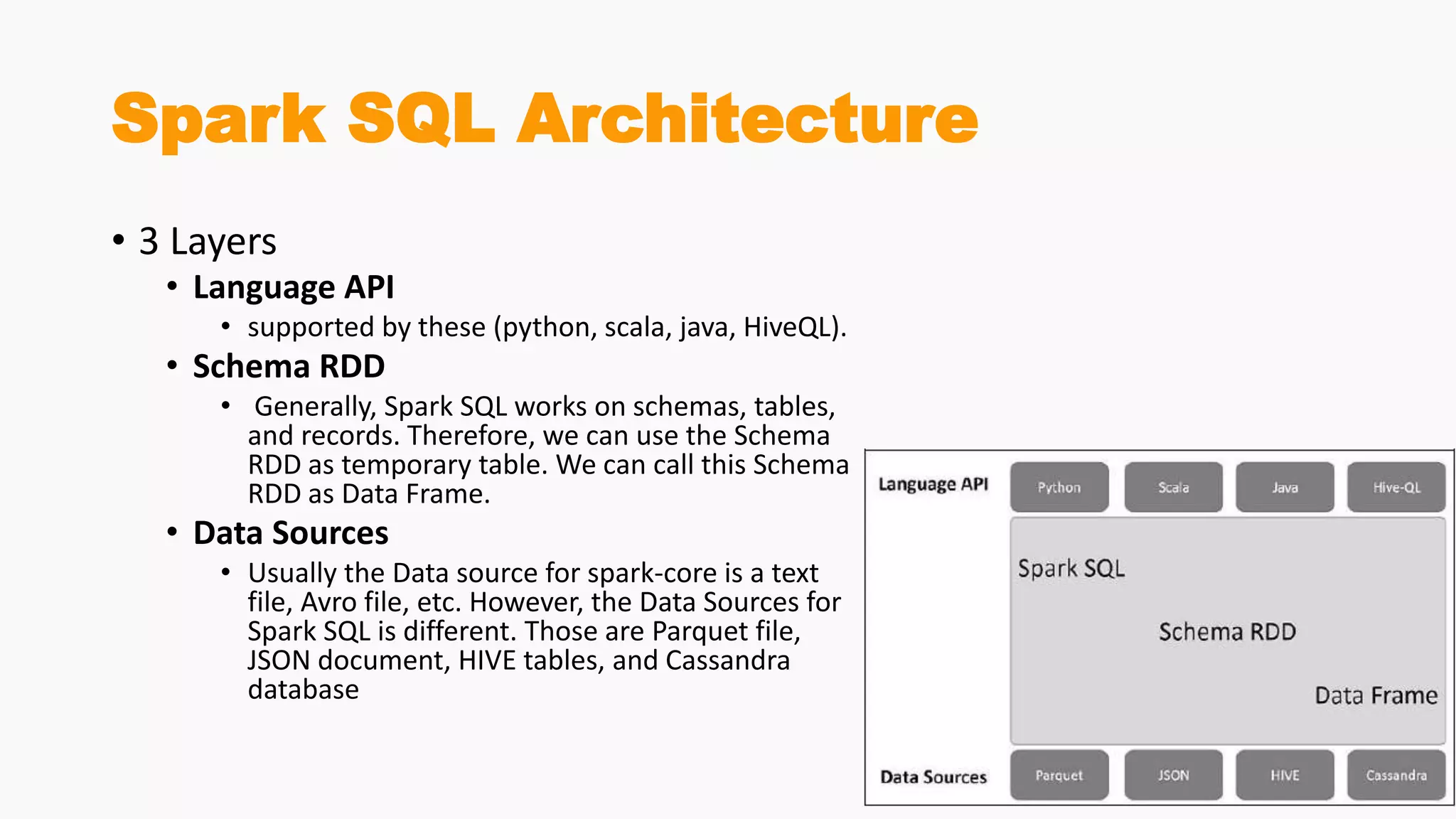
Spark SQL Architecture
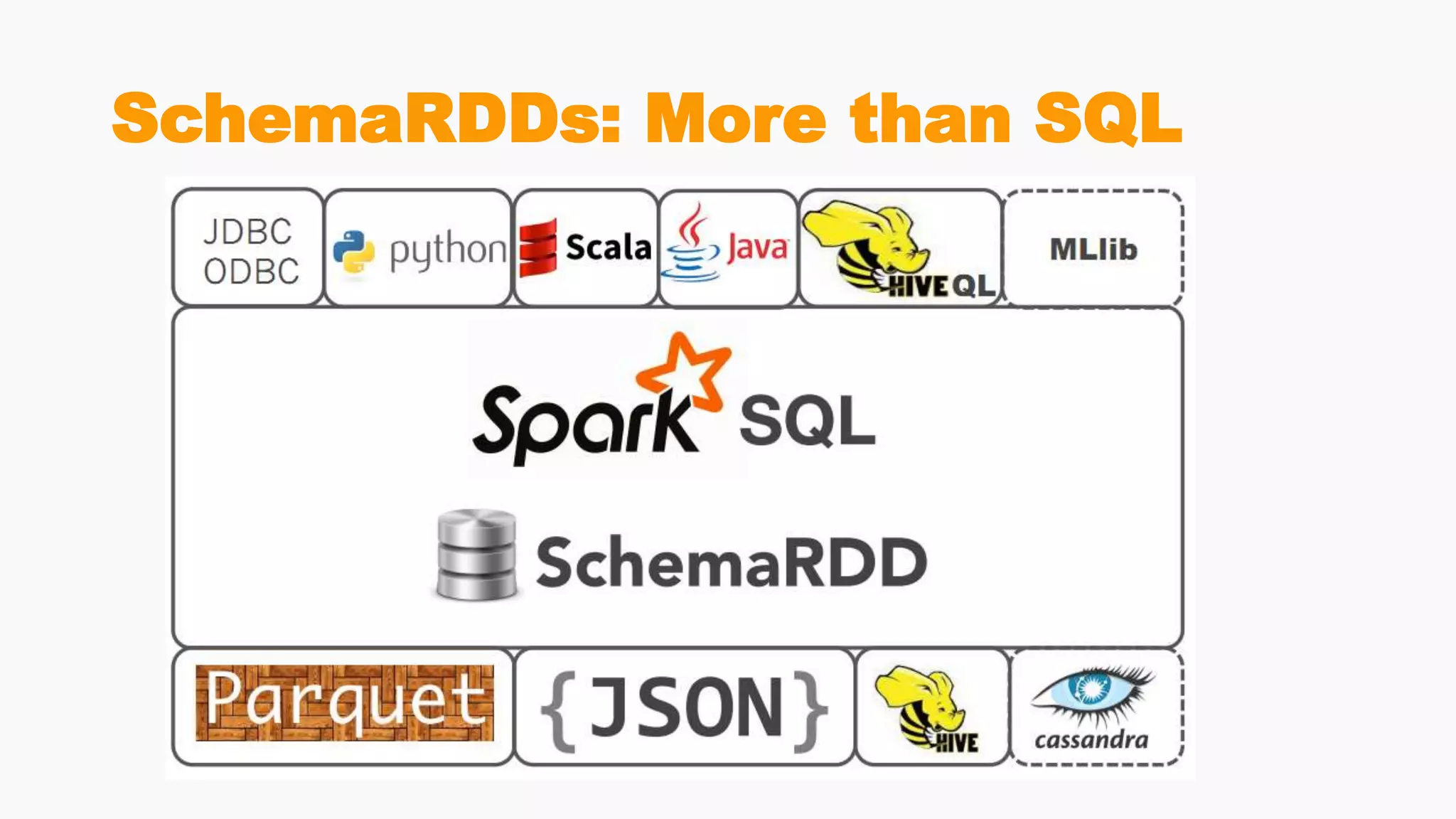
• 3 Layers
• Language API
• supported by these (python, scala, java, HiveQL).
• Schema RDD
• Generally, Spark SQL works on schemas, tables,
and records. Therefore, we can use the Schema
RDD as temporary table. We can call this Schema
RDD as Data Frame.
• Data Sources
• Usually the Data source for spark-core is a text
file, Avro file, etc. However, the Data Sources for
Spark SQL is different. Those are Parquet file,
JSON document, HIVE tables, and Cassandra
database
Spark DataFrame
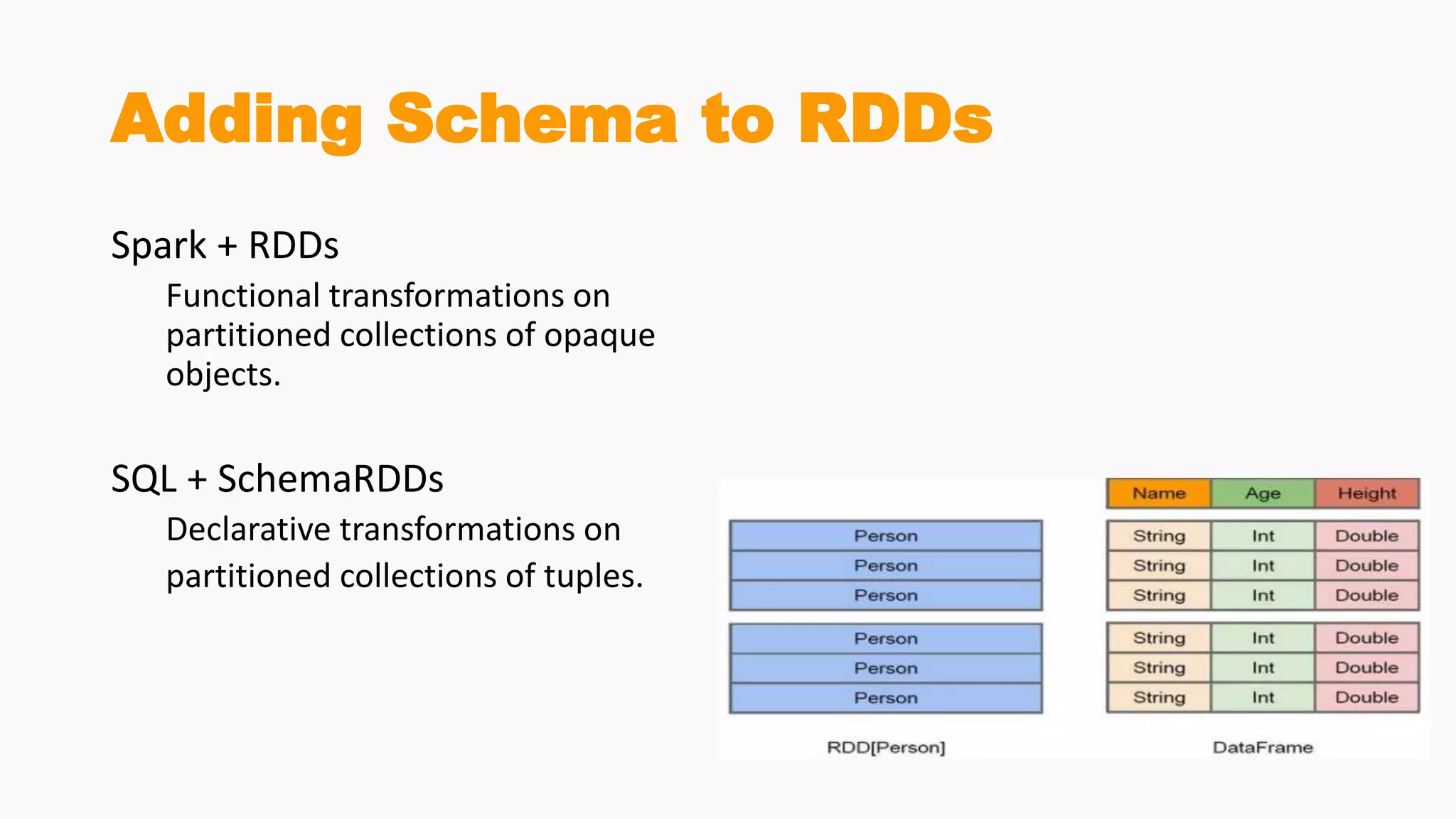
Adding Schema to RDDs
Spark + RDDs
Functional transformations on
partitioned collections of opaque
objects.
SQL + SchemaRDDs
Declarative transformations on
partitioned collections of tuples.
SchemaRDDs: More than SQL
DataFrame
• a distributed collection of data
• organized into named columns
• Conceptually equivalent to relational tables
• good optimization techniques
• can be constructed from an array of different sources such as Hive
tables, Structured Data files, external databases, or existing RDDs.
• was designed for modern Big Data and data science applications
taking inspiration from DataFrame in R Programming and Pandas in
Python.
Features Of DataFrame
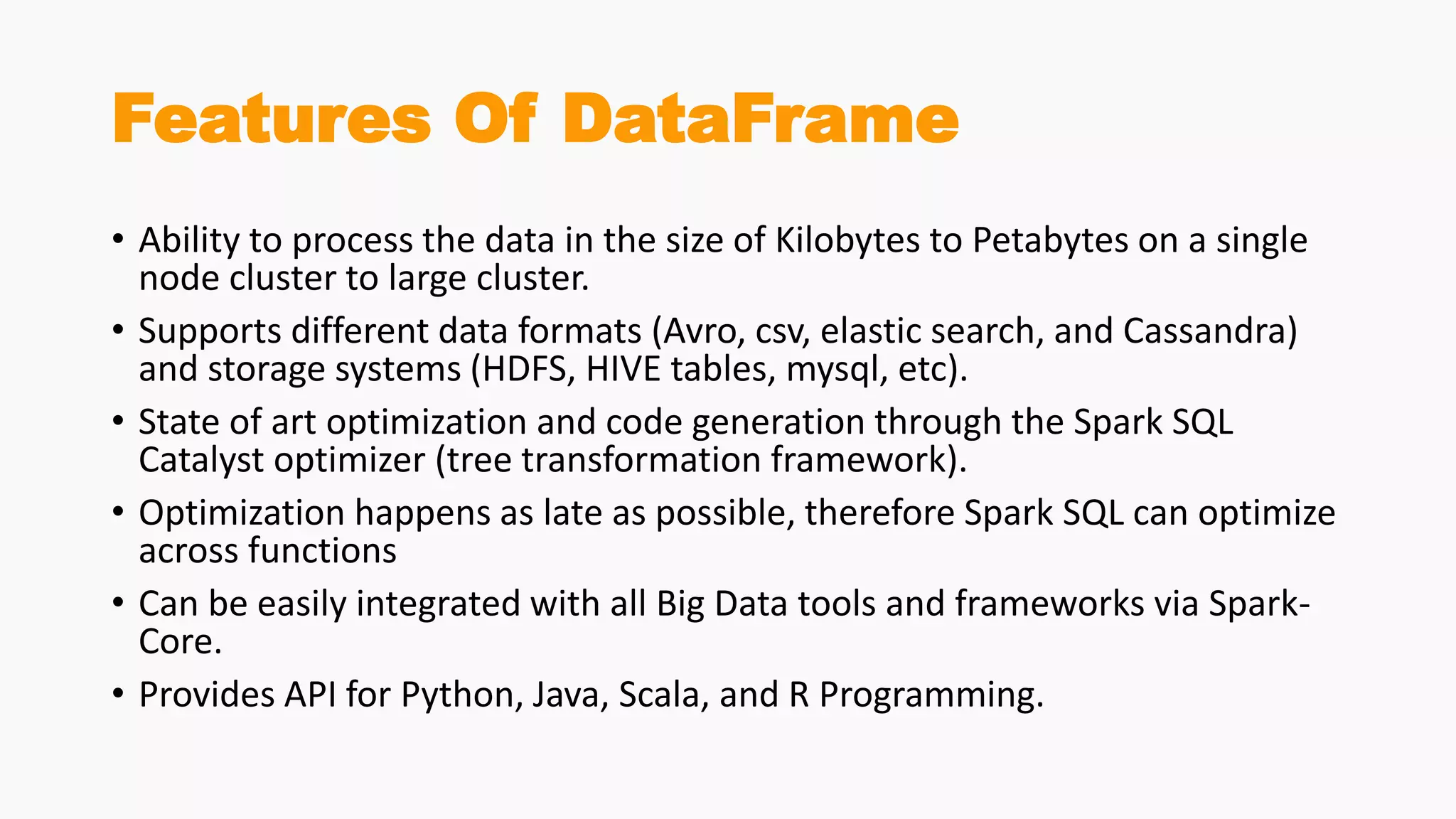
• Ability to process the data in the size of Kilobytes to Petabytes on a single
node cluster to large cluster.
• Supports different data formats (Avro, csv, elastic search, and Cassandra)
and storage systems (HDFS, HIVE tables, mysql, etc).
• State of art optimization and code generation through the Spark SQL
Catalyst optimizer (tree transformation framework).
• Optimization happens as late as possible, therefore Spark SQL can optimize
across functions
• Can be easily integrated with all Big Data tools and frameworks via Spark-
Core.
• Provides API for Python, Java, Scala, and R Programming.
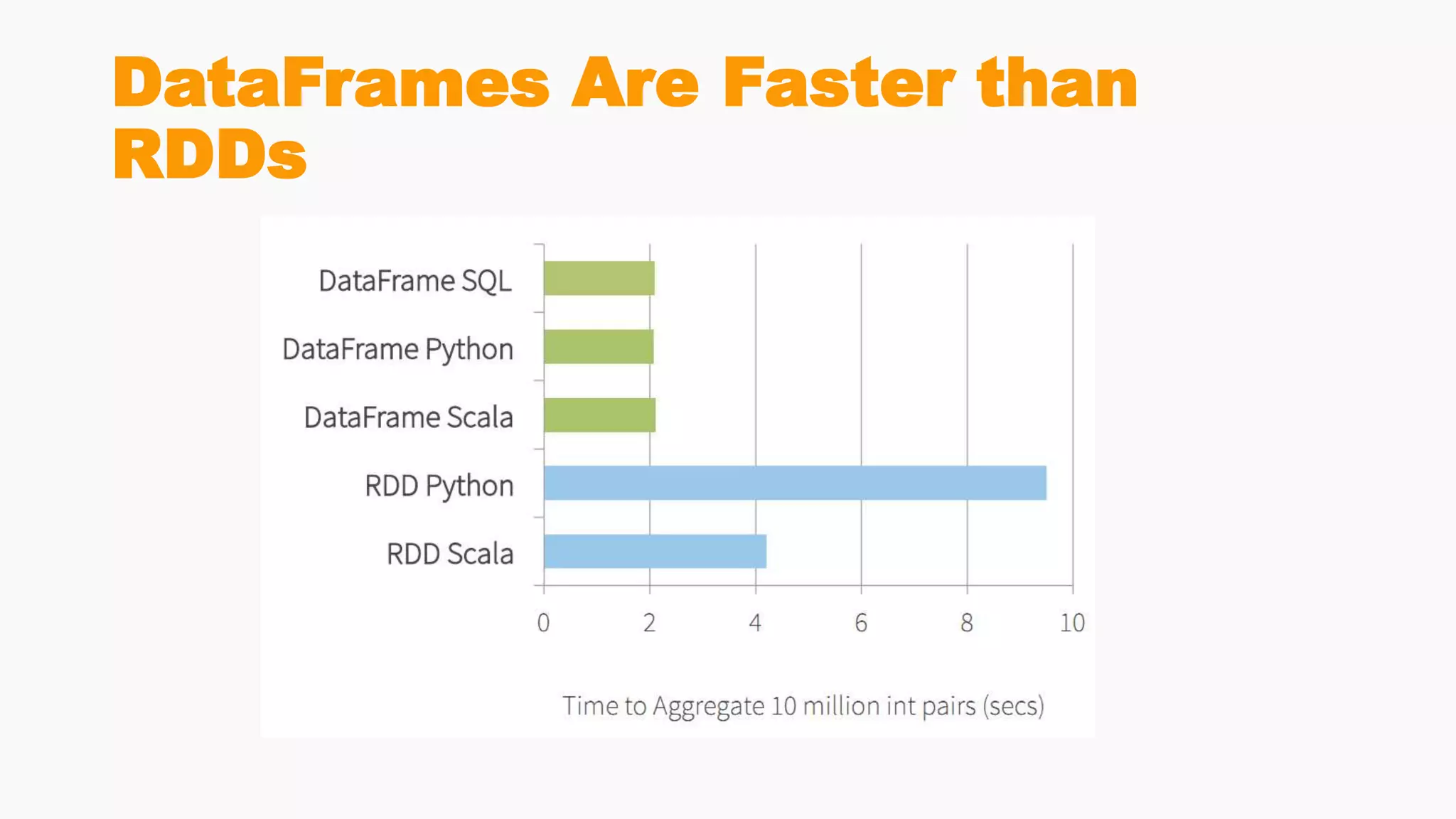
DataFrames Are Faster than
RDDs
First Example
Example DataSet
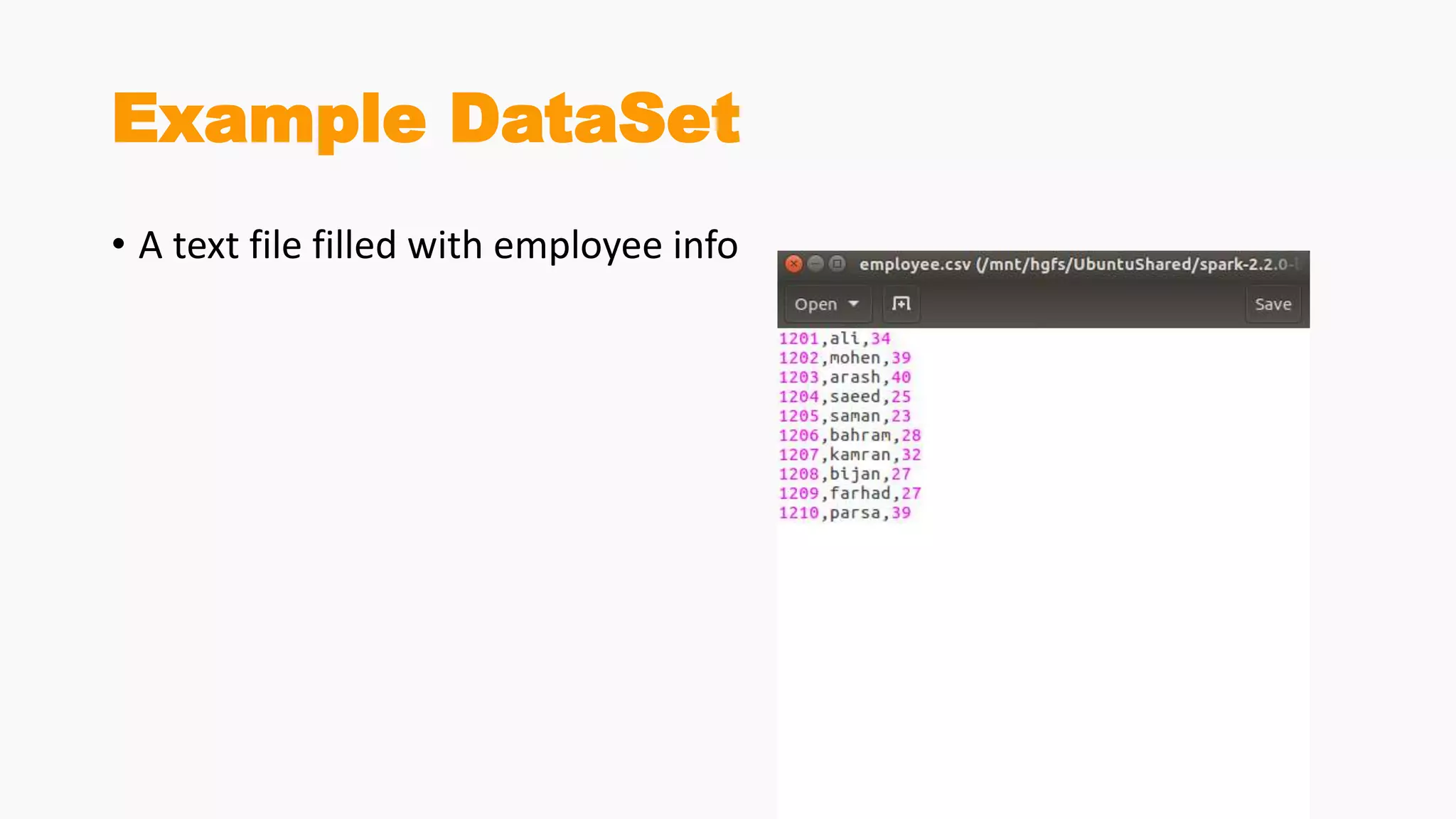
• A text file filled with employee info
SQLContext
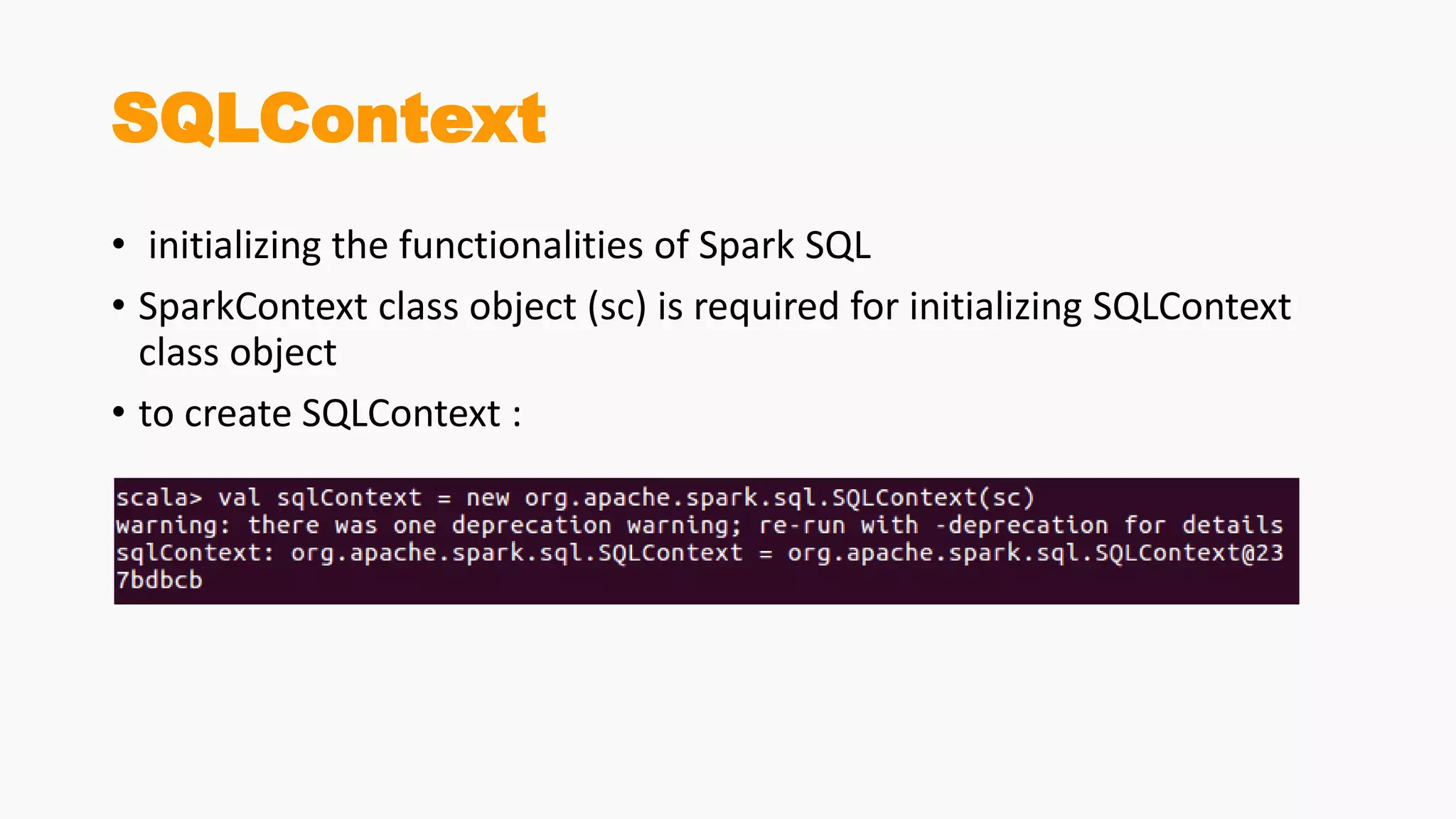
• initializing the functionalities of Spark SQL
• SparkContext class object (sc) is required for initializing SQLContext
class object
• to create SQLContext :
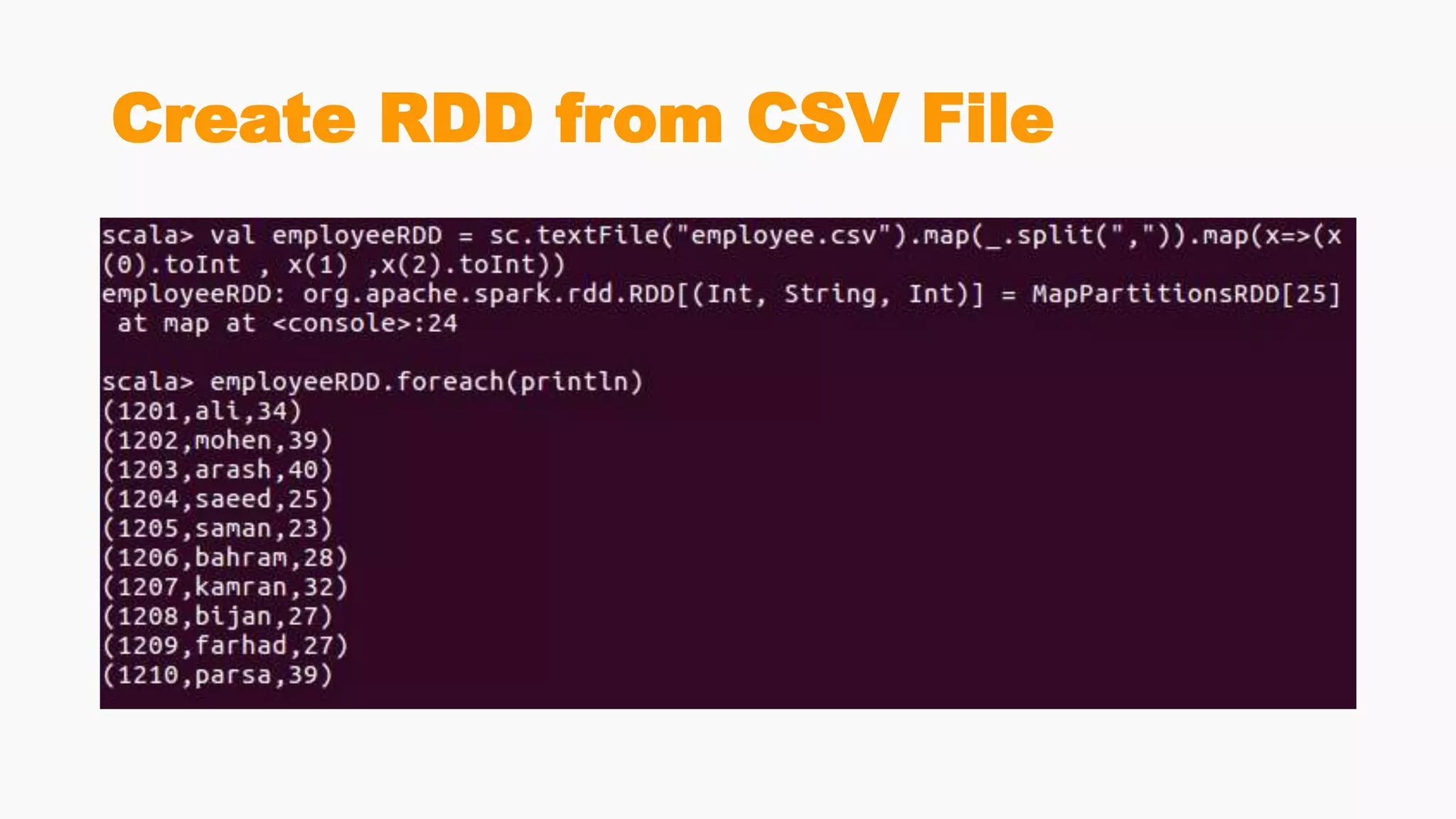
Create RDD from CSV File
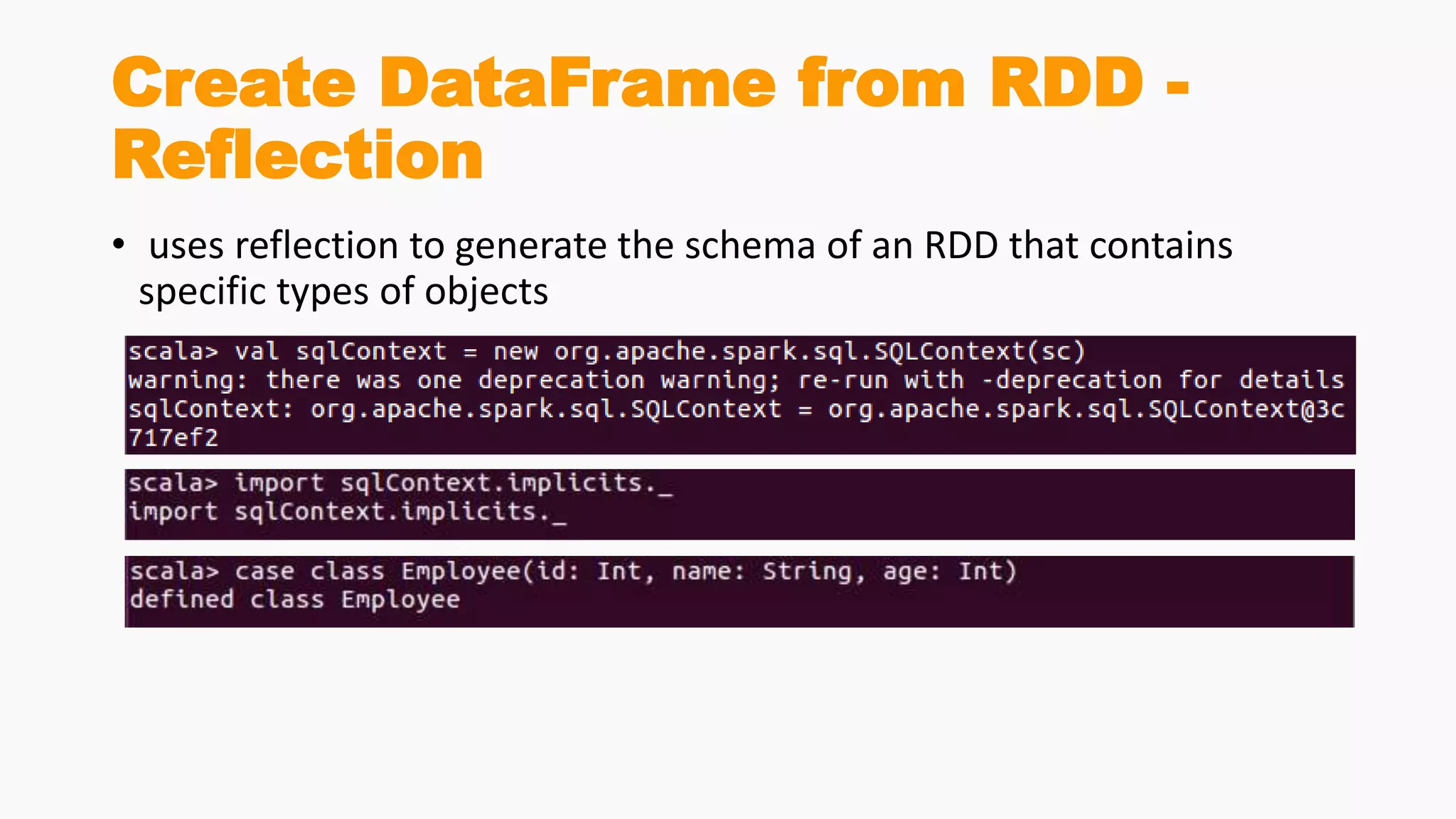
Create DataFrame from RDD -
Reflection
• uses reflection to generate the schema of an RDD that contains
specific types of objects
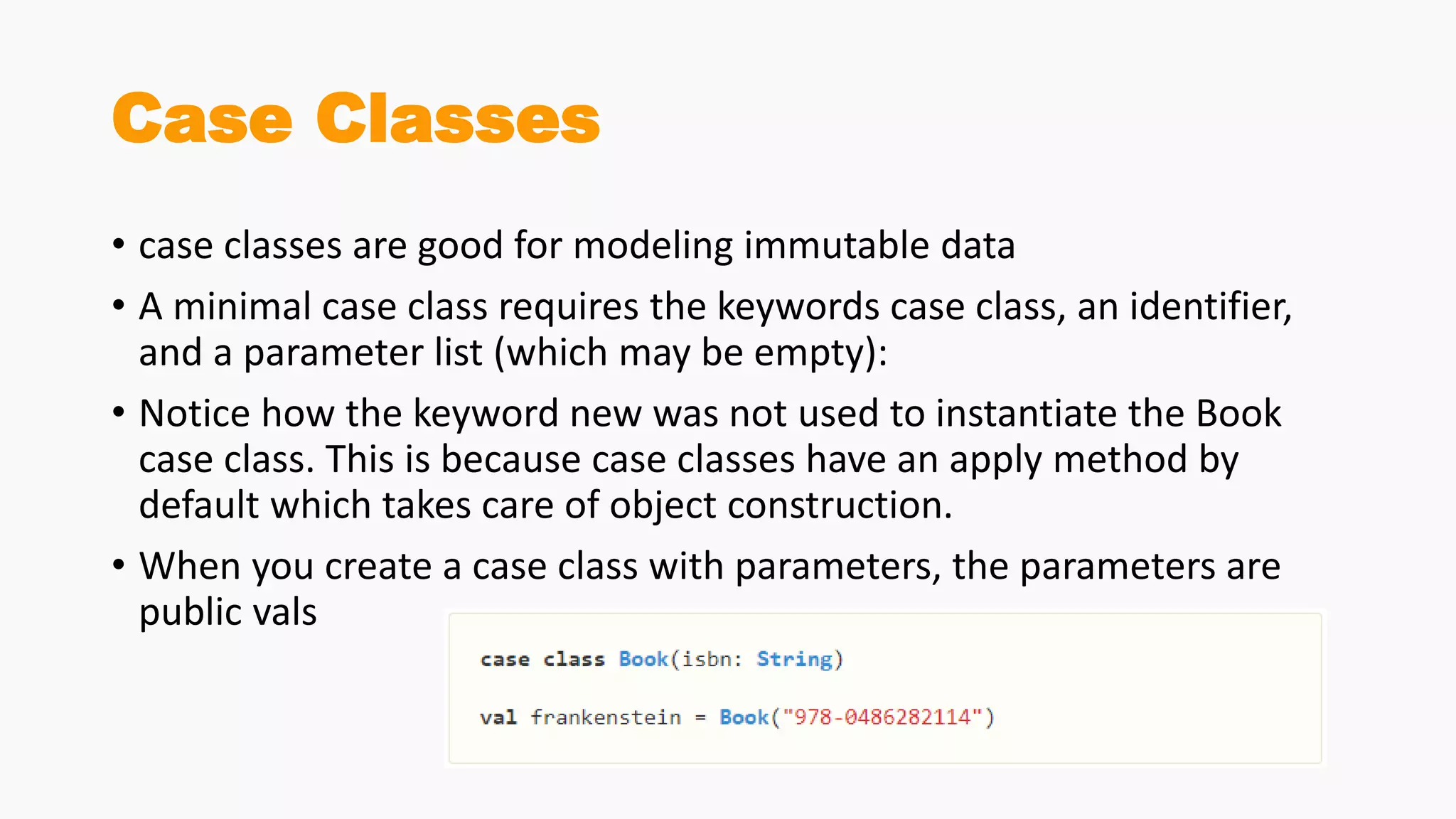
Case Classes
• case classes are good for modeling immutable data
• A minimal case class requires the keywords case class, an identifier,
and a parameter list (which may be empty):
• Notice how the keyword new was not used to instantiate the Book
case class. This is because case classes have an apply method by
default which takes care of object construction.
• When you create a case class with parameters, the parameters are
public vals
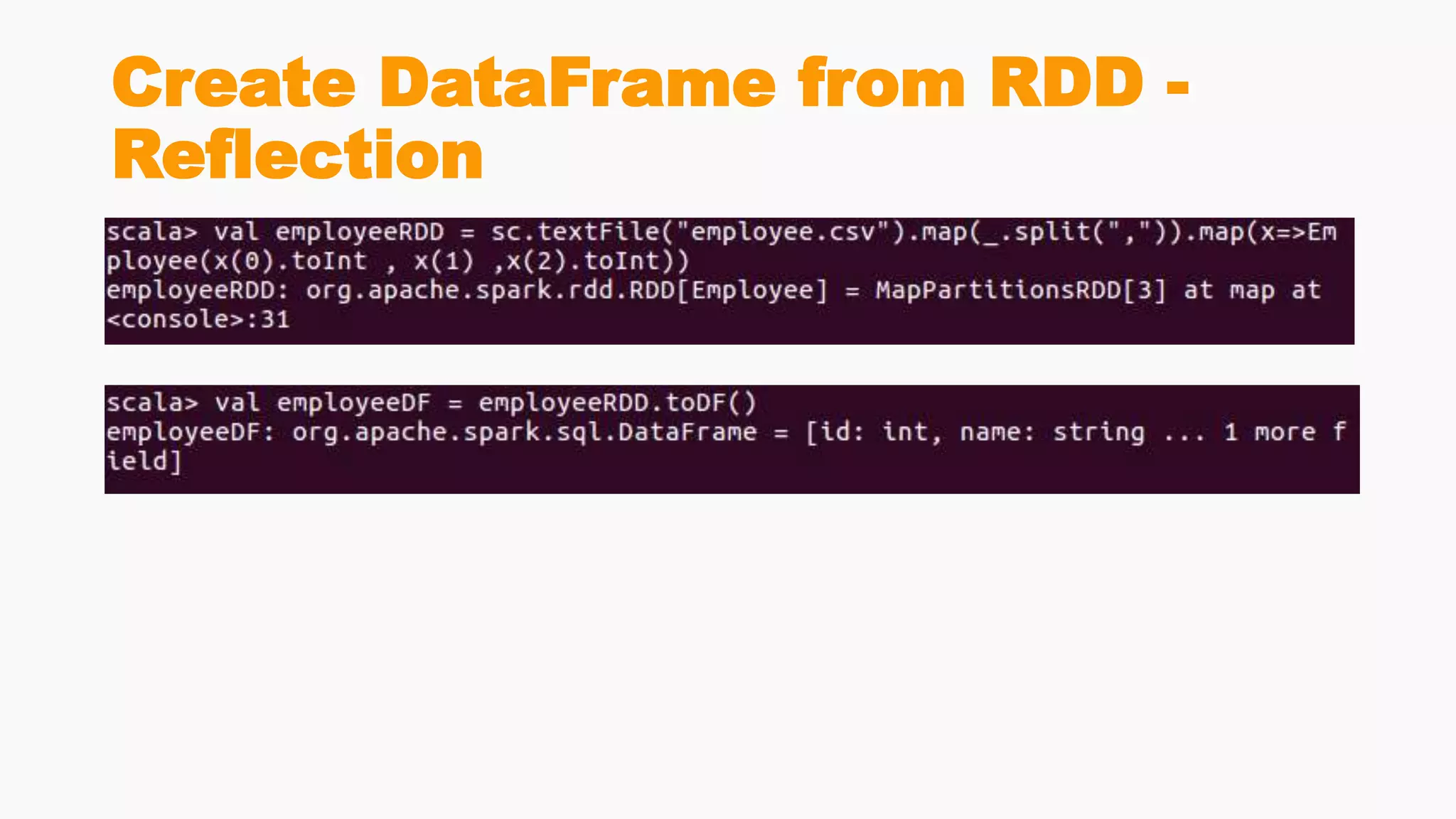
Create DataFrame from RDD -
Reflection
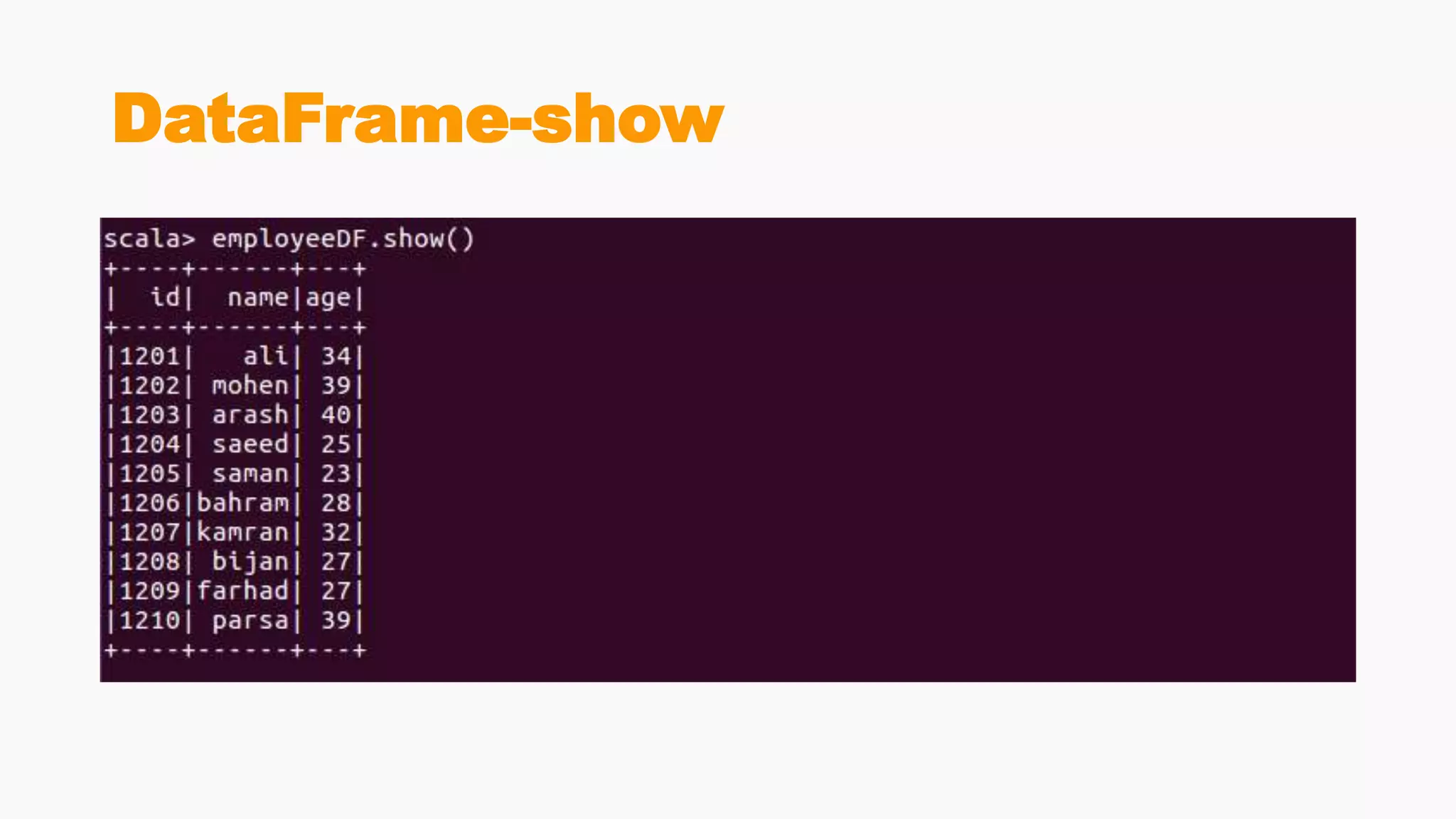
DataFrame-show
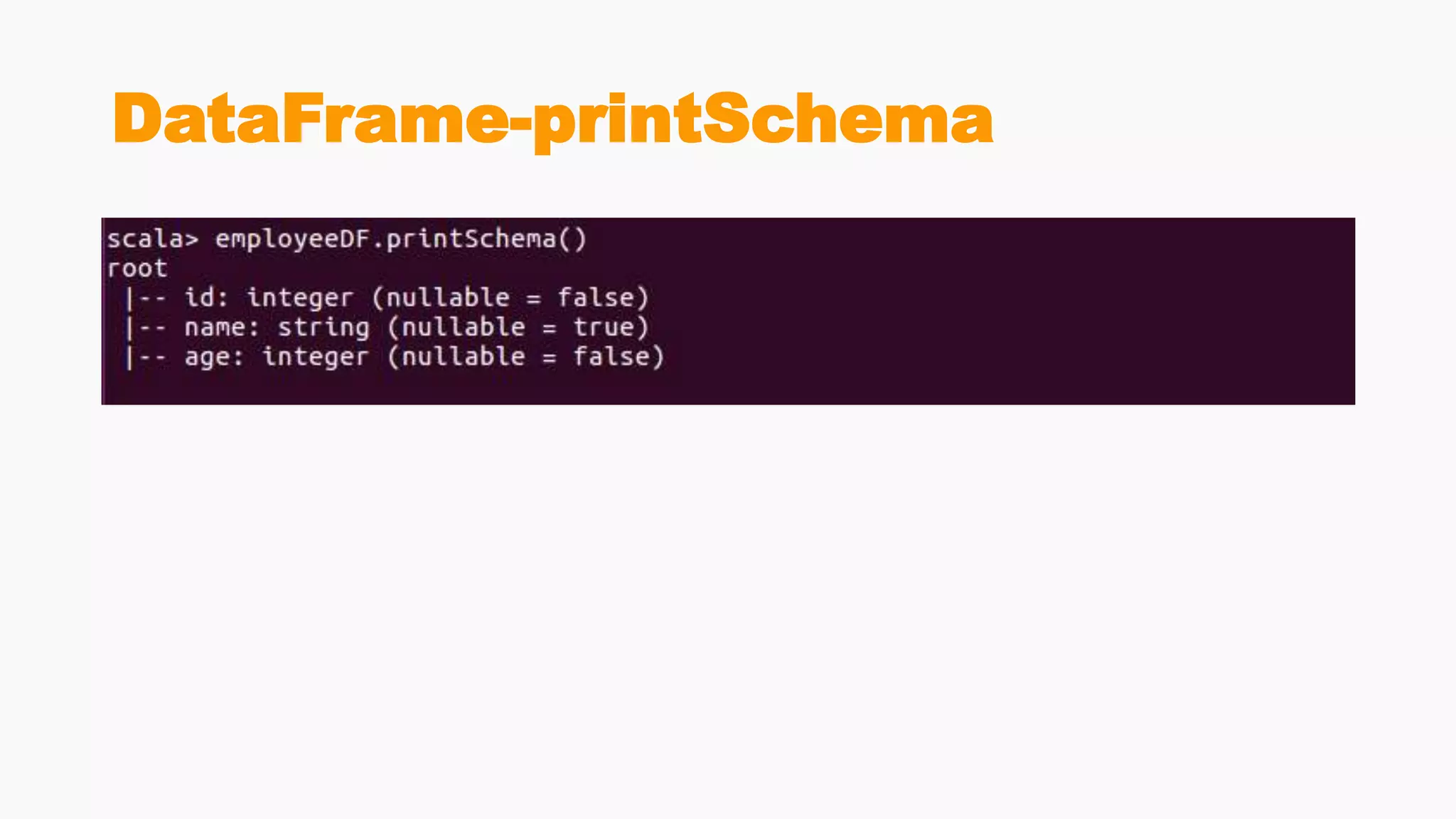
DataFrame-printSchema
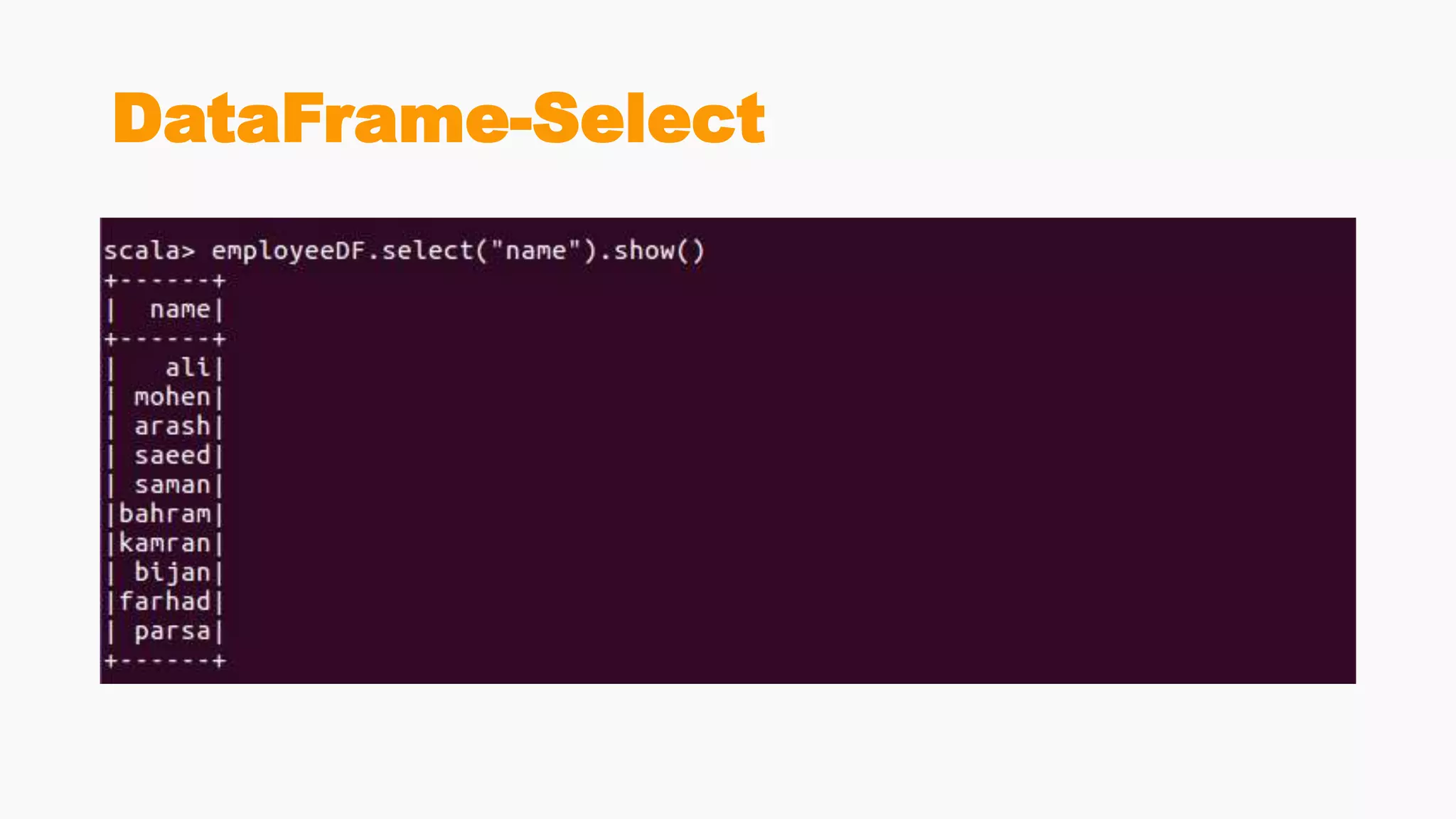
DataFrame-Select
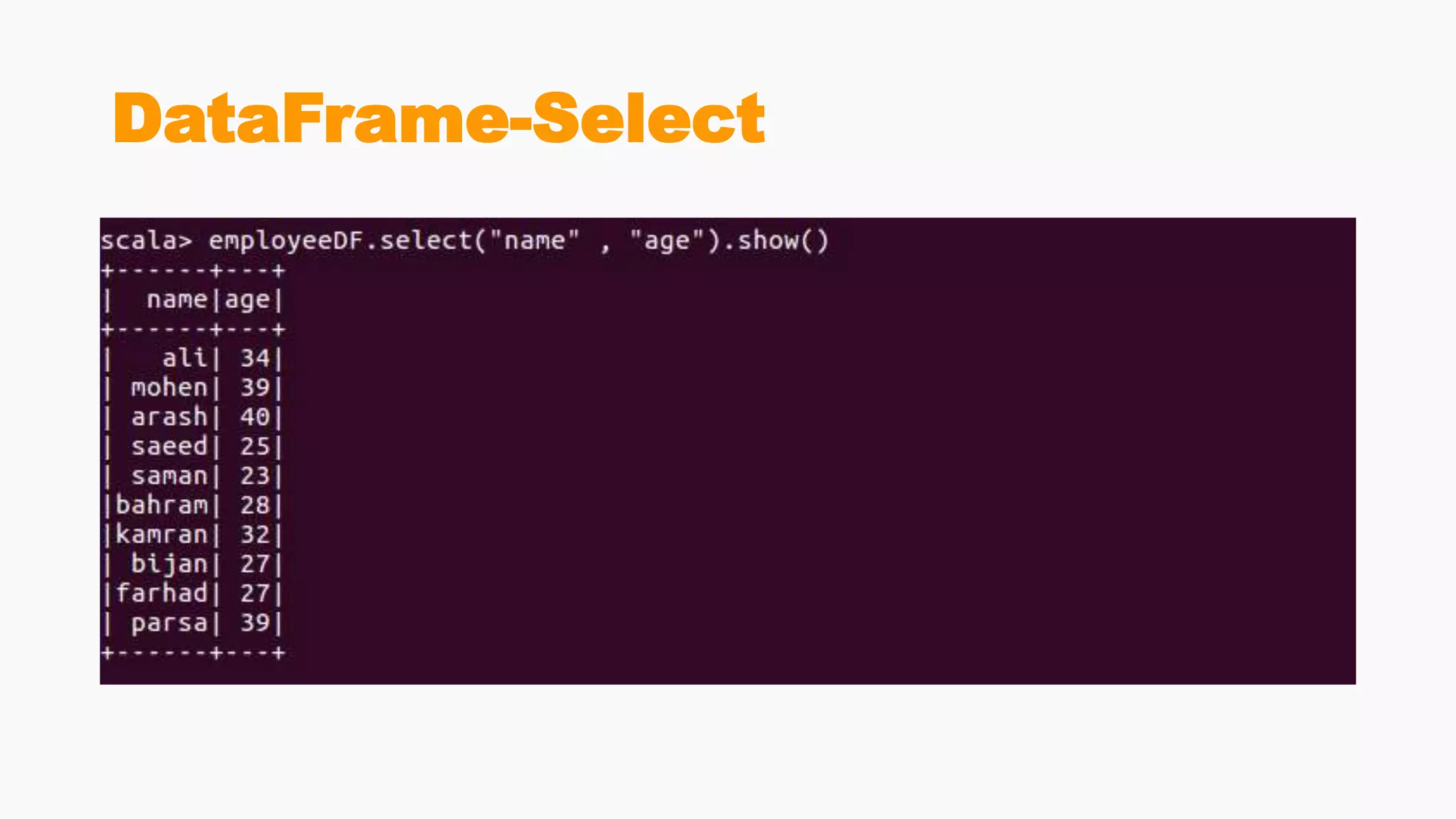
DataFrame-Select
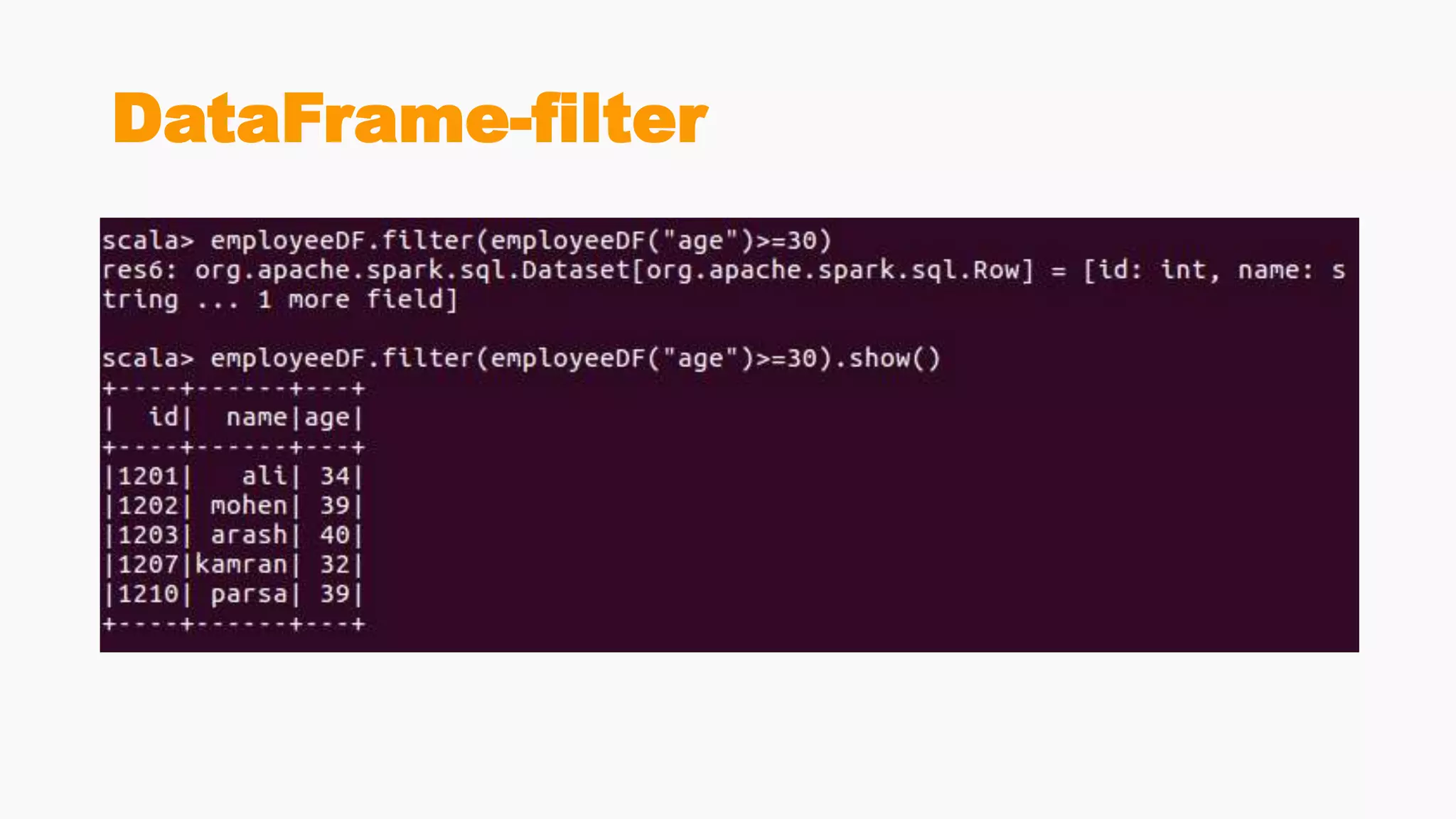
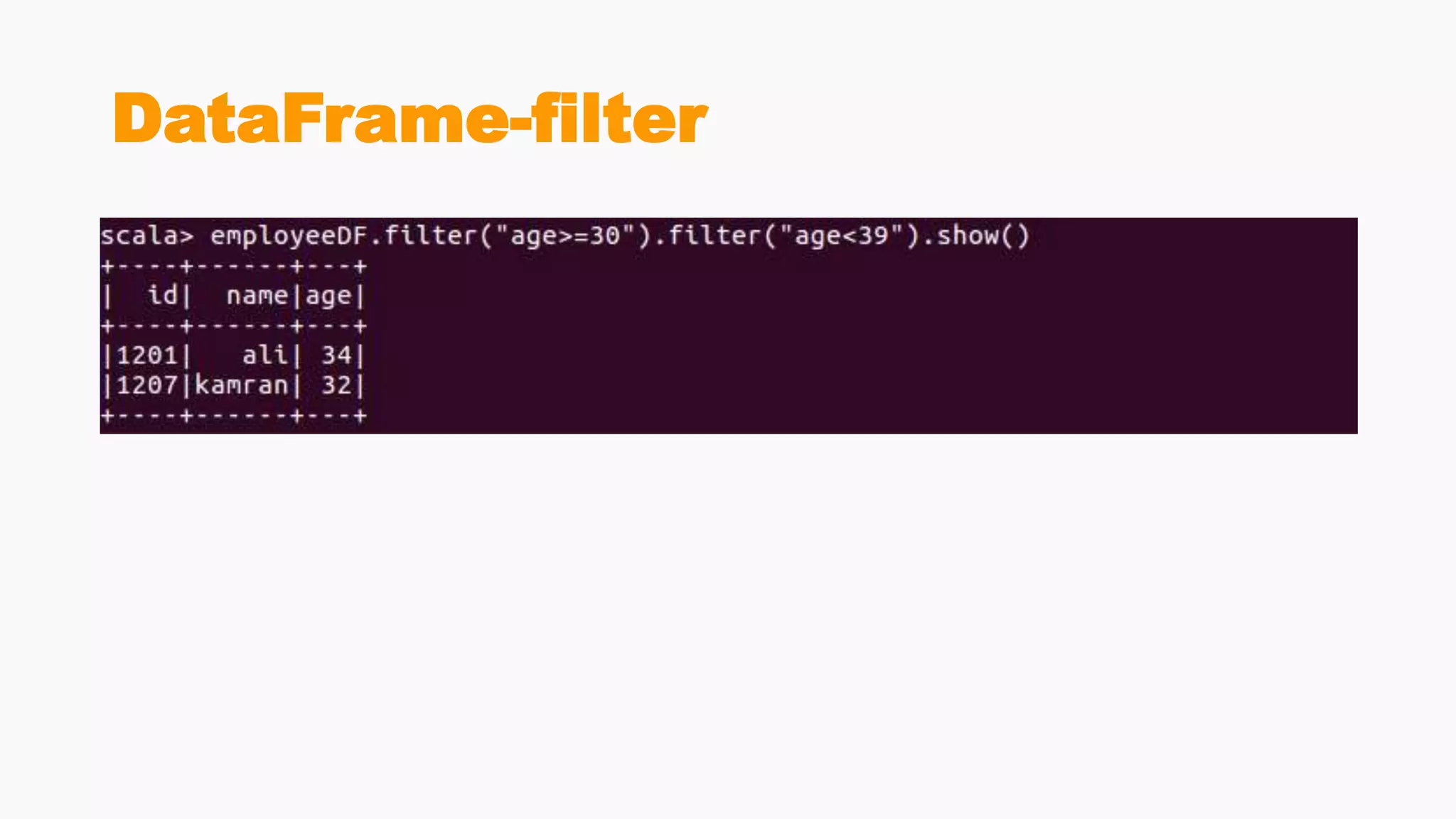
DataFrame-filter
DataFrame-filter
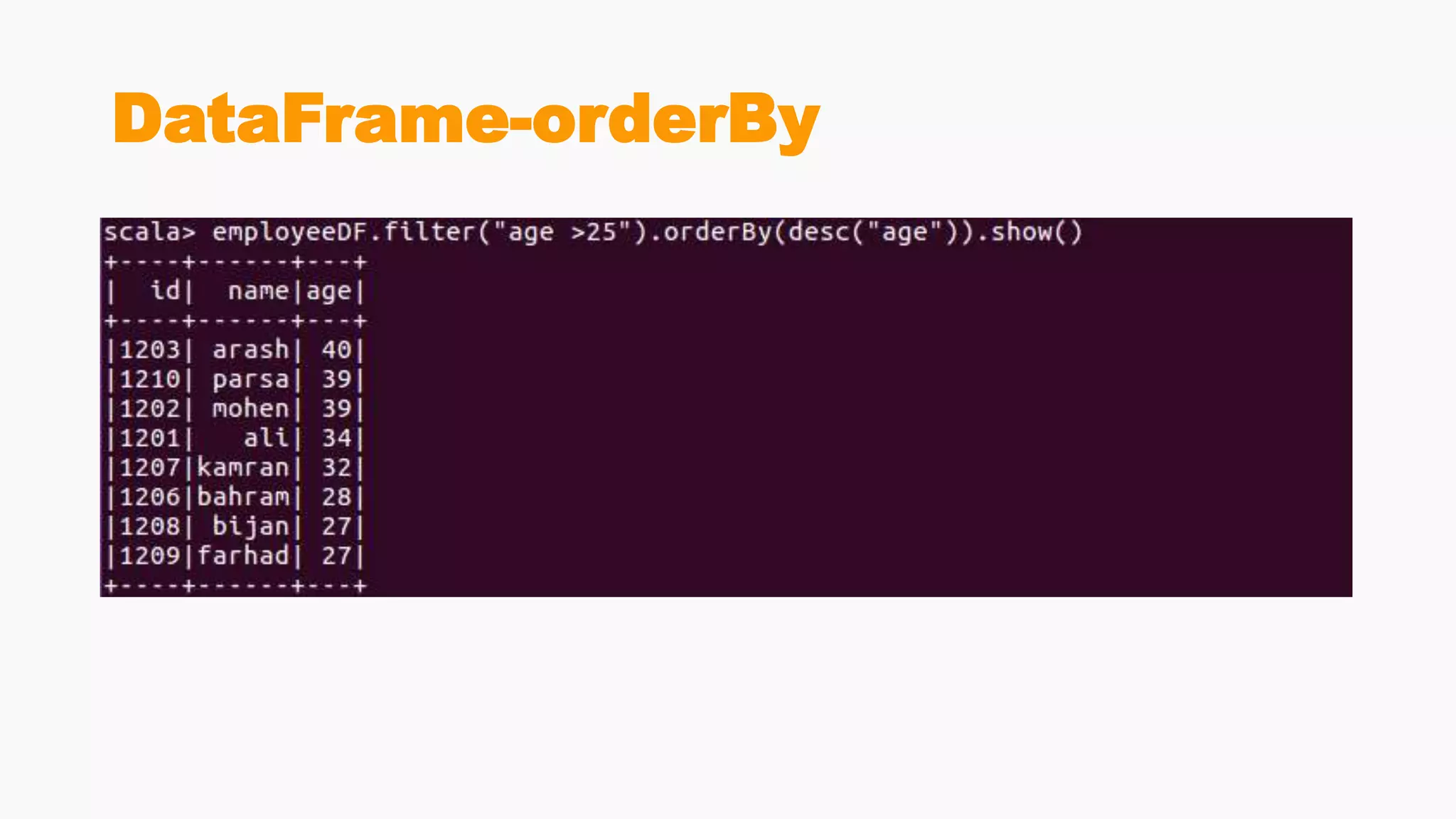
DataFrame-orderBy
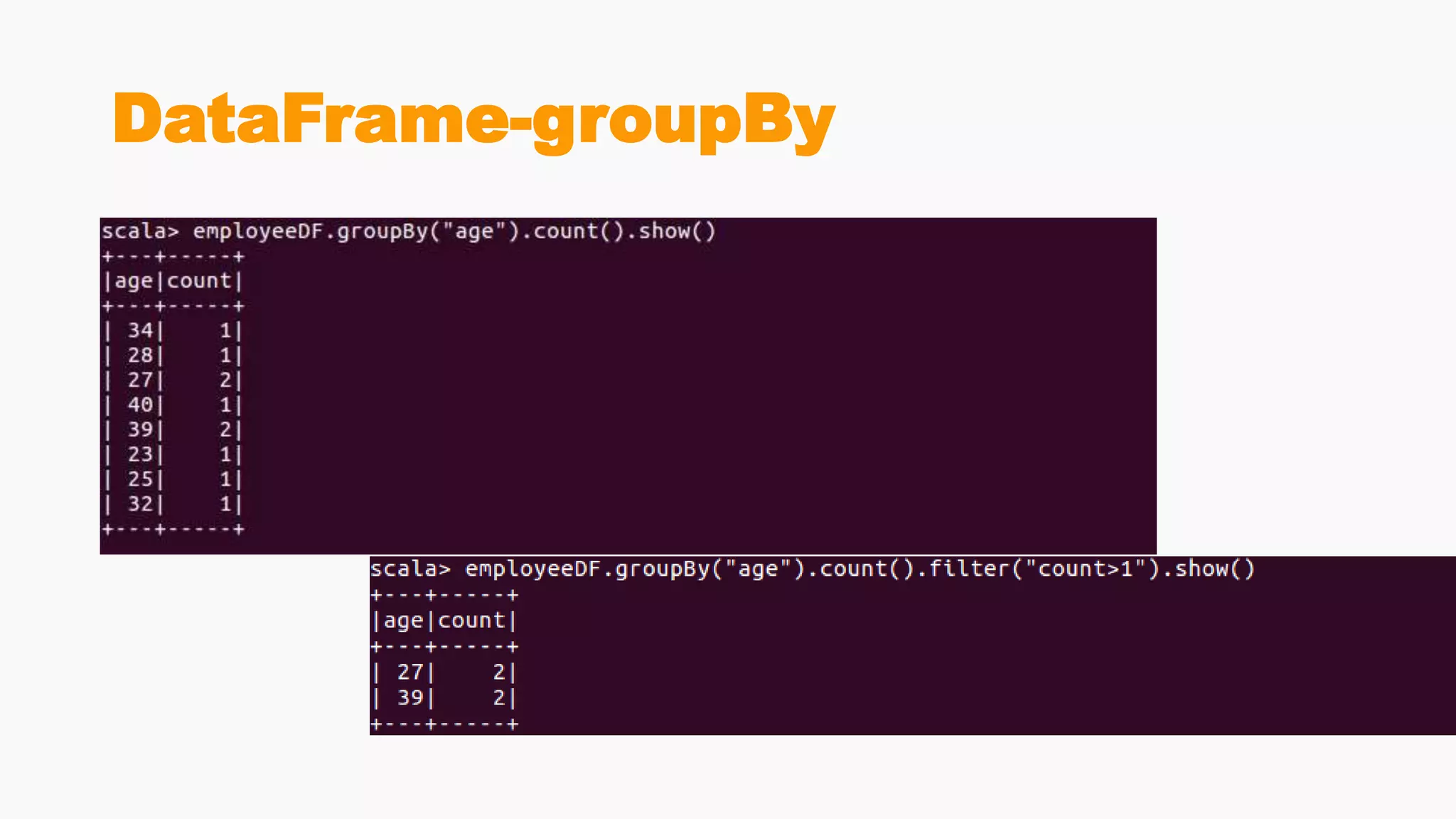
DataFrame-groupBy
DataFrame-groupBy
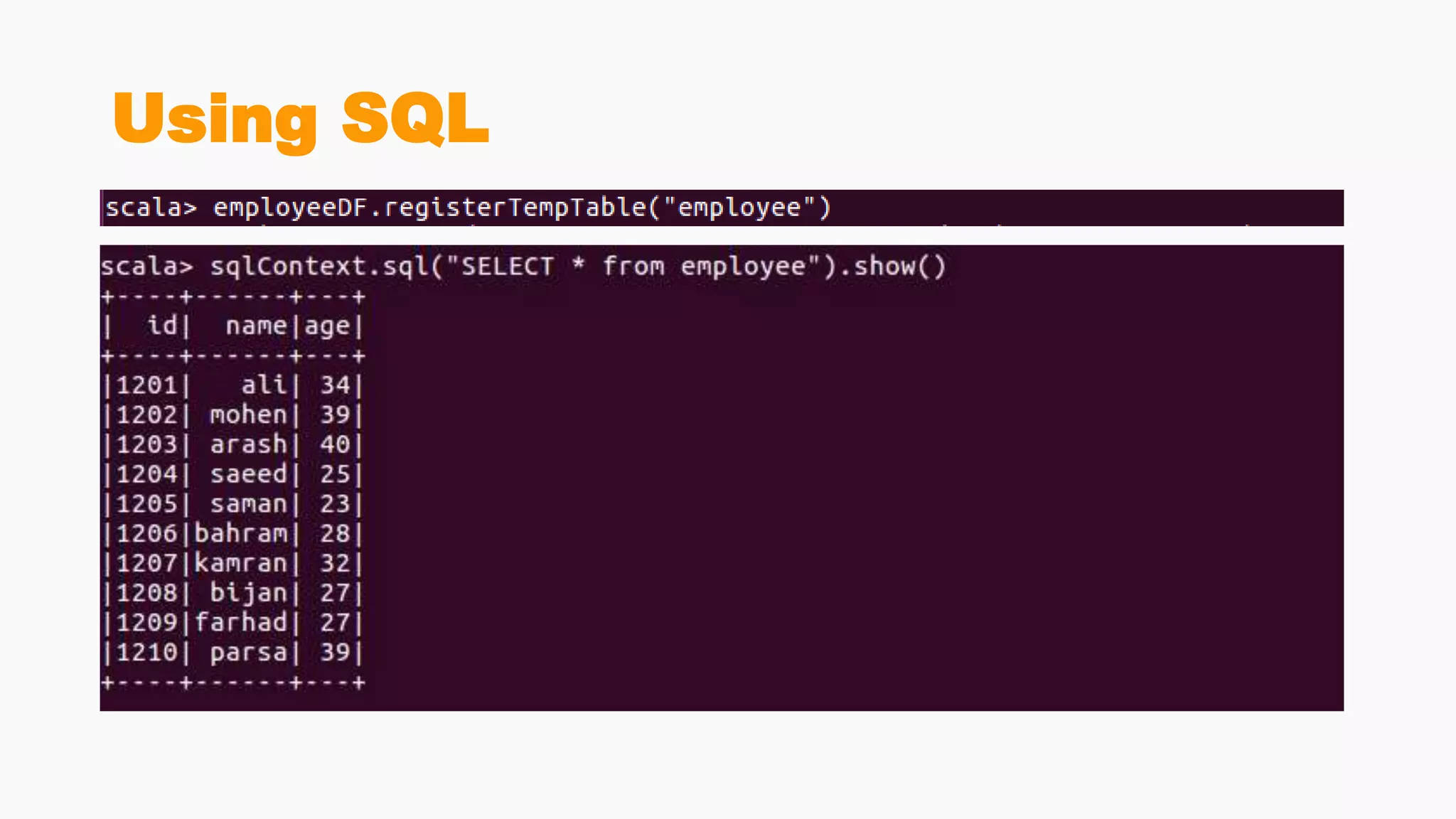
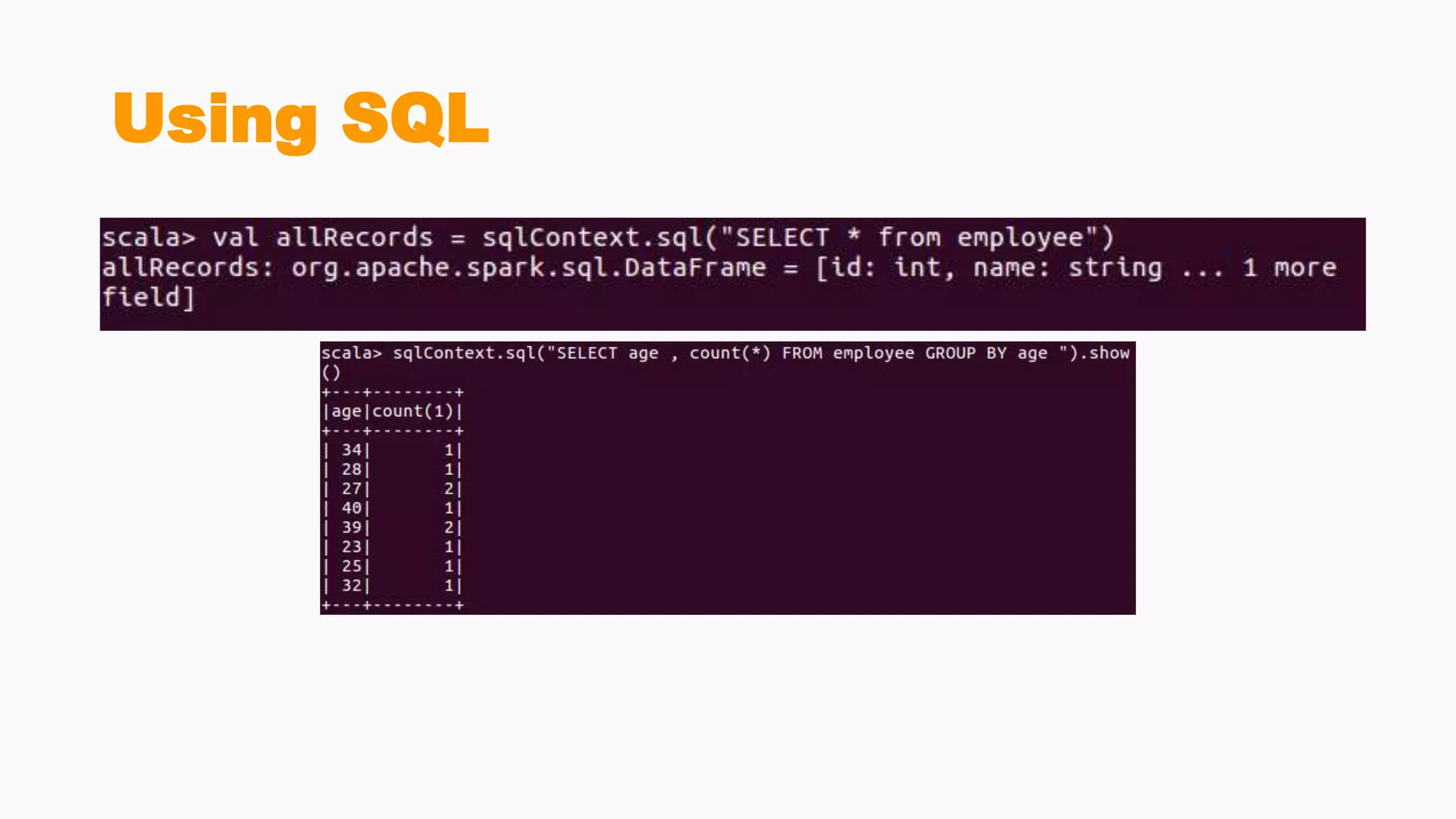
Using SQL
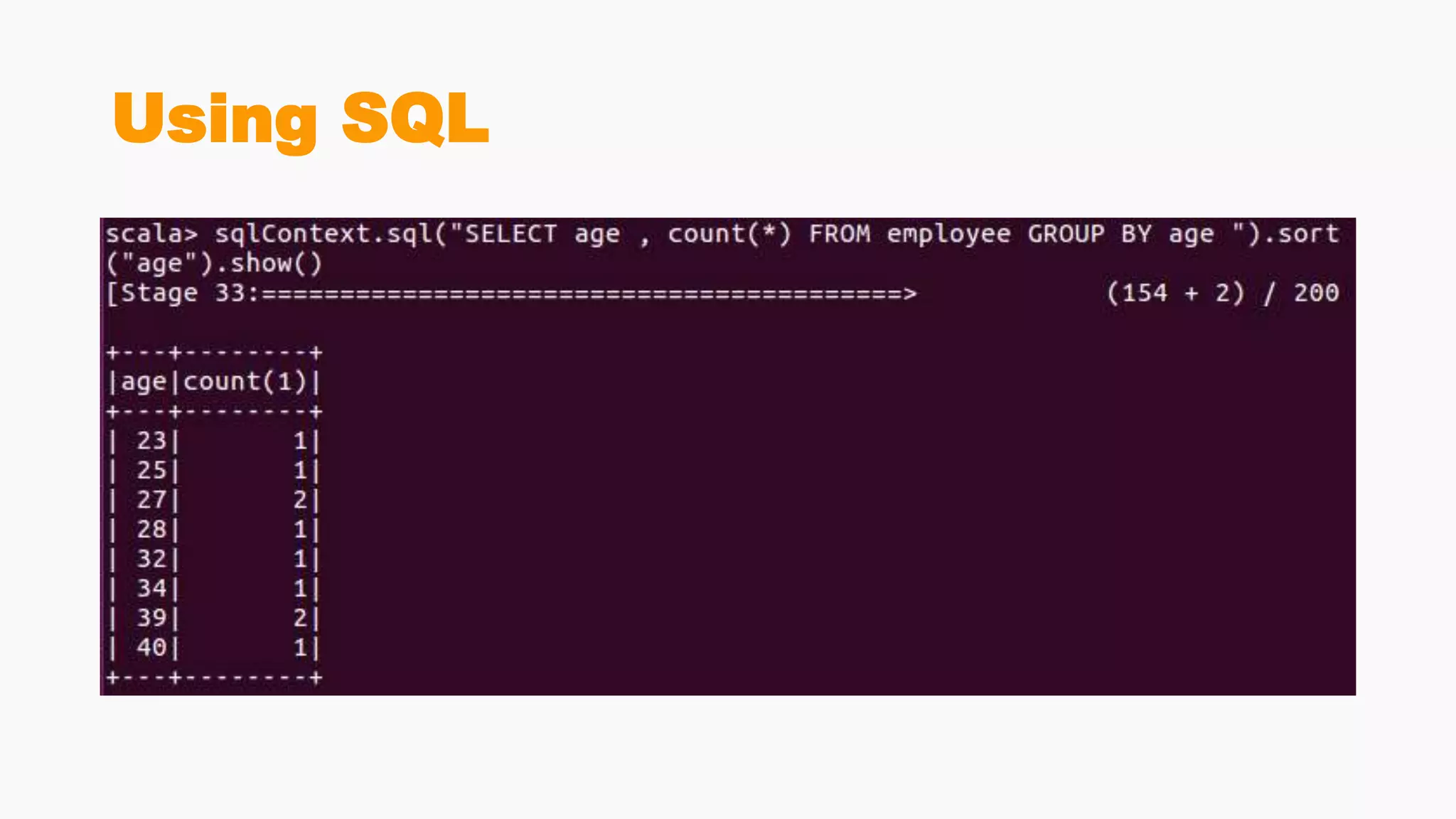
Using SQL
Using SQL
Using SQL
DataFrame-JOIN
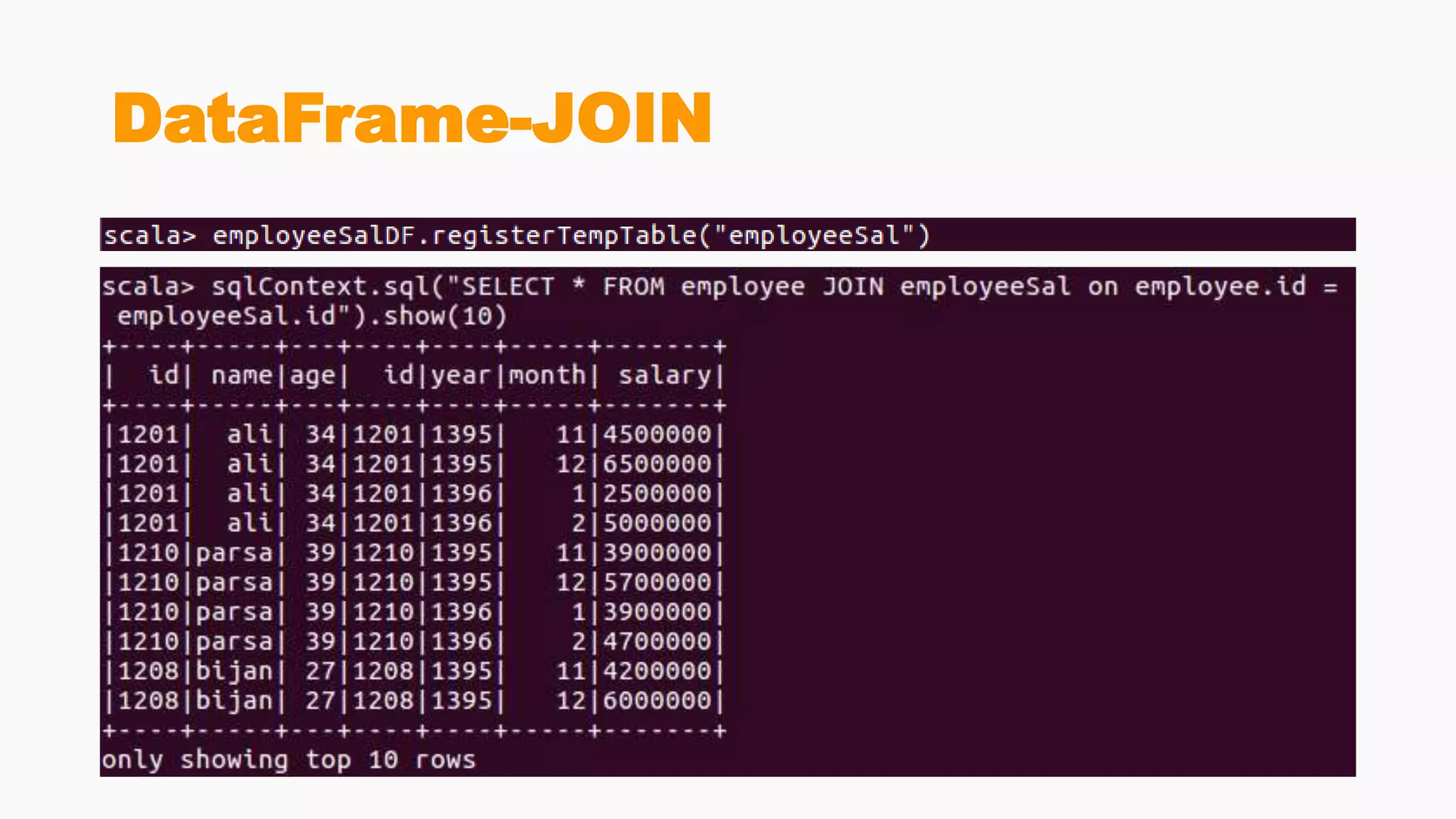
• A text file of employeeId , year , month , salary
• Join employeeDF with this data
DataFrame-JOIN
DataFrame-JOIN
DataFrame-JOIN
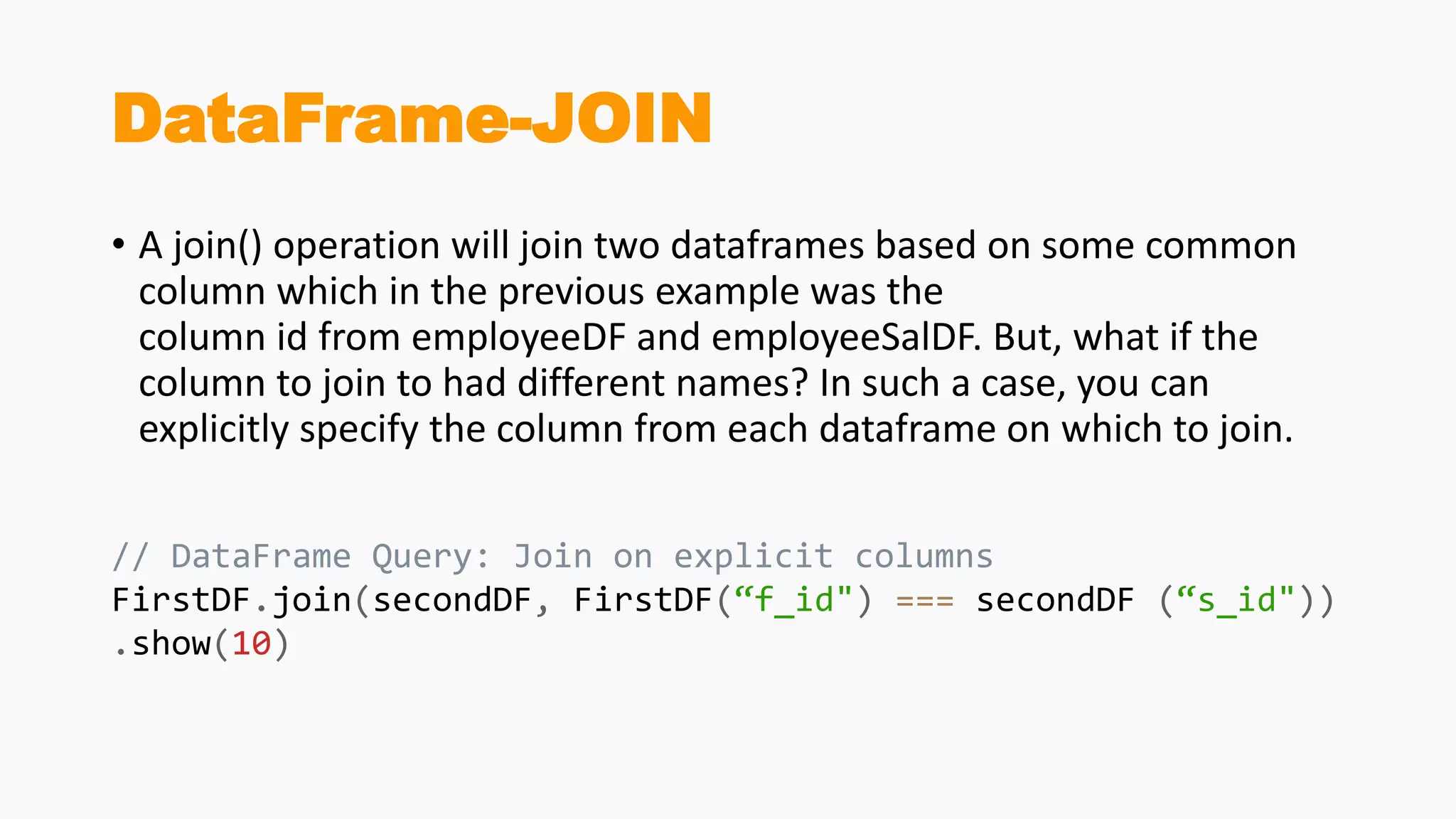
• A join() operation will join two dataframes based on some common
column which in the previous example was the
column id from employeeDF and employeeSalDF. But, what if the
column to join to had different names? In such a case, you can
explicitly specify the column from each dataframe on which to join.
// DataFrame Query: Join on explicit columns
FirstDF.join(secondDF, FirstDF(“f_id") === secondDF (“s_id"))
.show(10)
DataFrame-JOIN
DataFrame- lef outer Join , right
outer Join
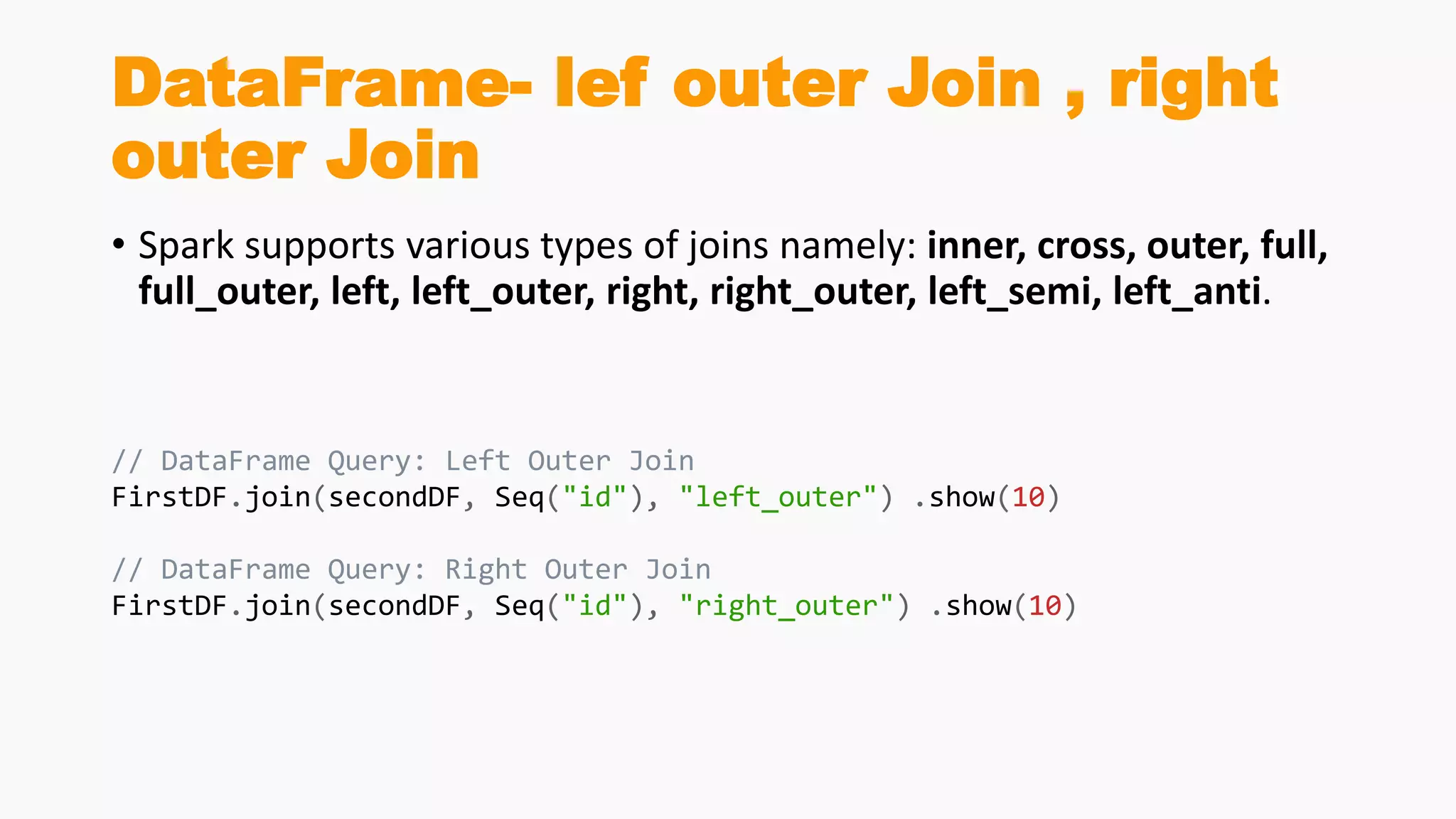
• Spark supports various types of joins namely: inner, cross, outer, full,
full_outer, left, left_outer, right, right_outer, left_semi, left_anti.
// DataFrame Query: Left Outer Join
FirstDF.join(secondDF, Seq("id"), "left_outer") .show(10)
// DataFrame Query: Right Outer Join
FirstDF.join(secondDF, Seq("id"), "right_outer") .show(10)
DataFrame-Union,Intersection
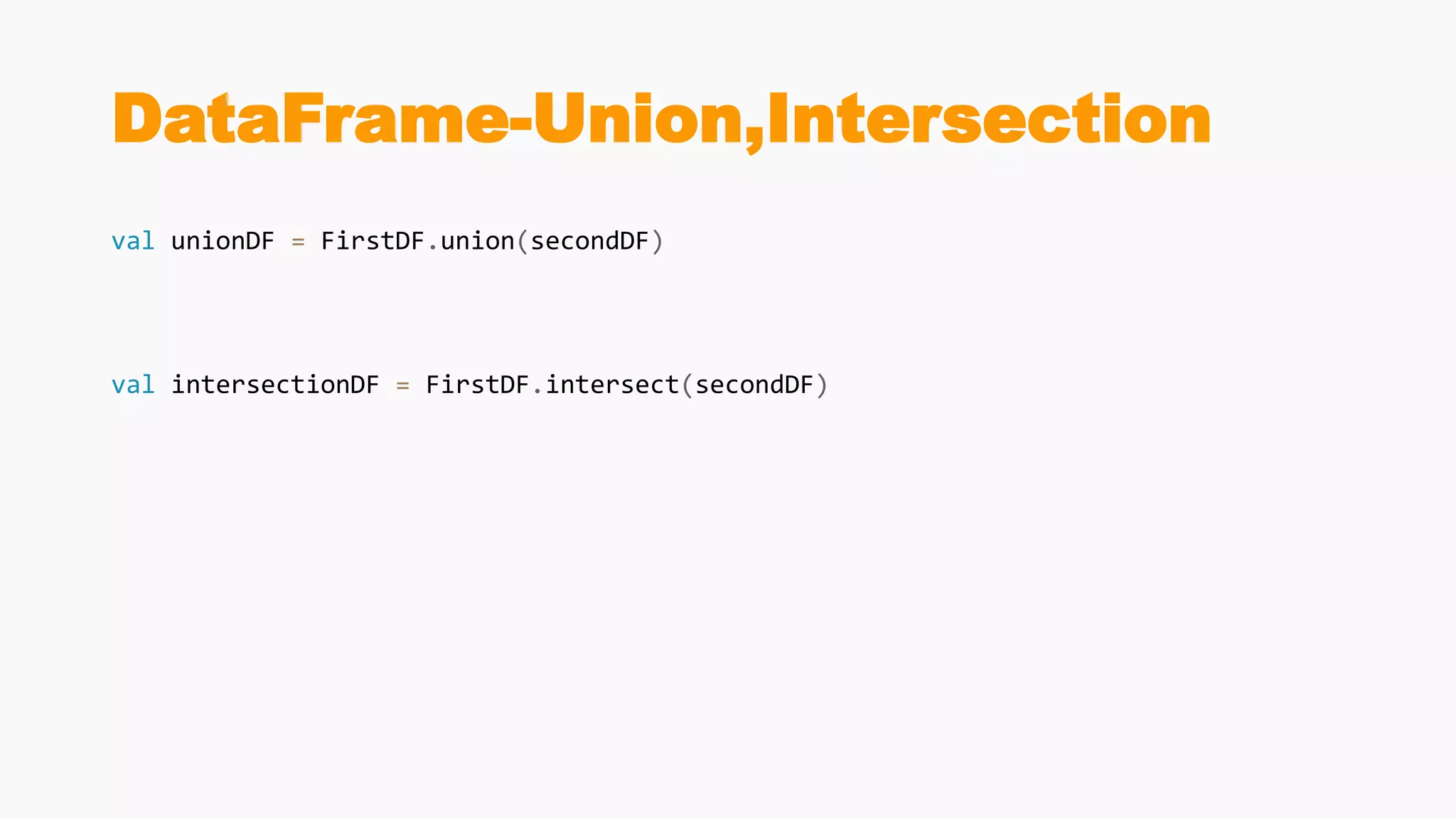
val unionDF = FirstDF.union(secondDF)
val intersectionDF = FirstDF.intersect(secondDF)
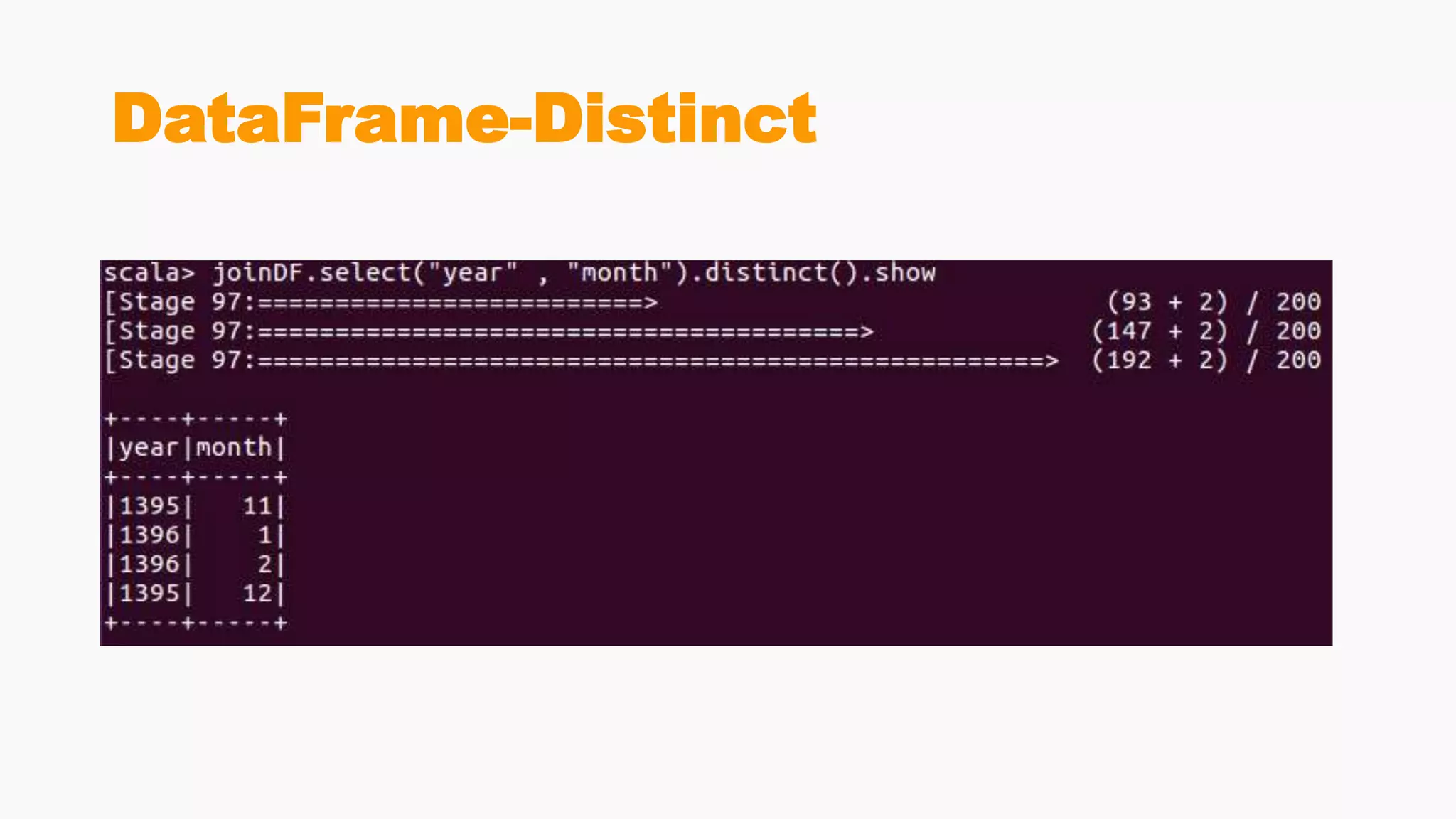
DataFrame-Distinct
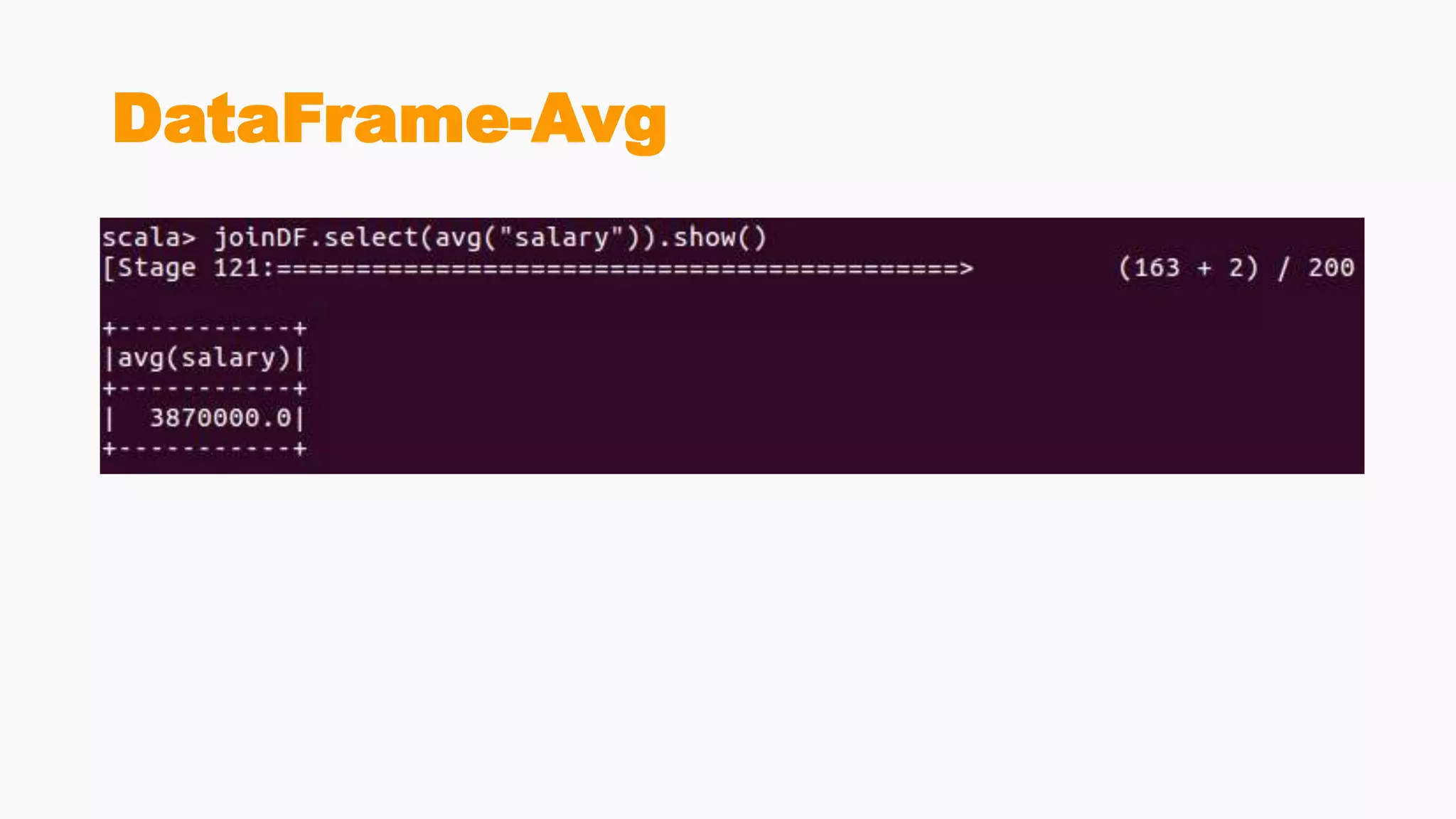
DataFrame-Avg
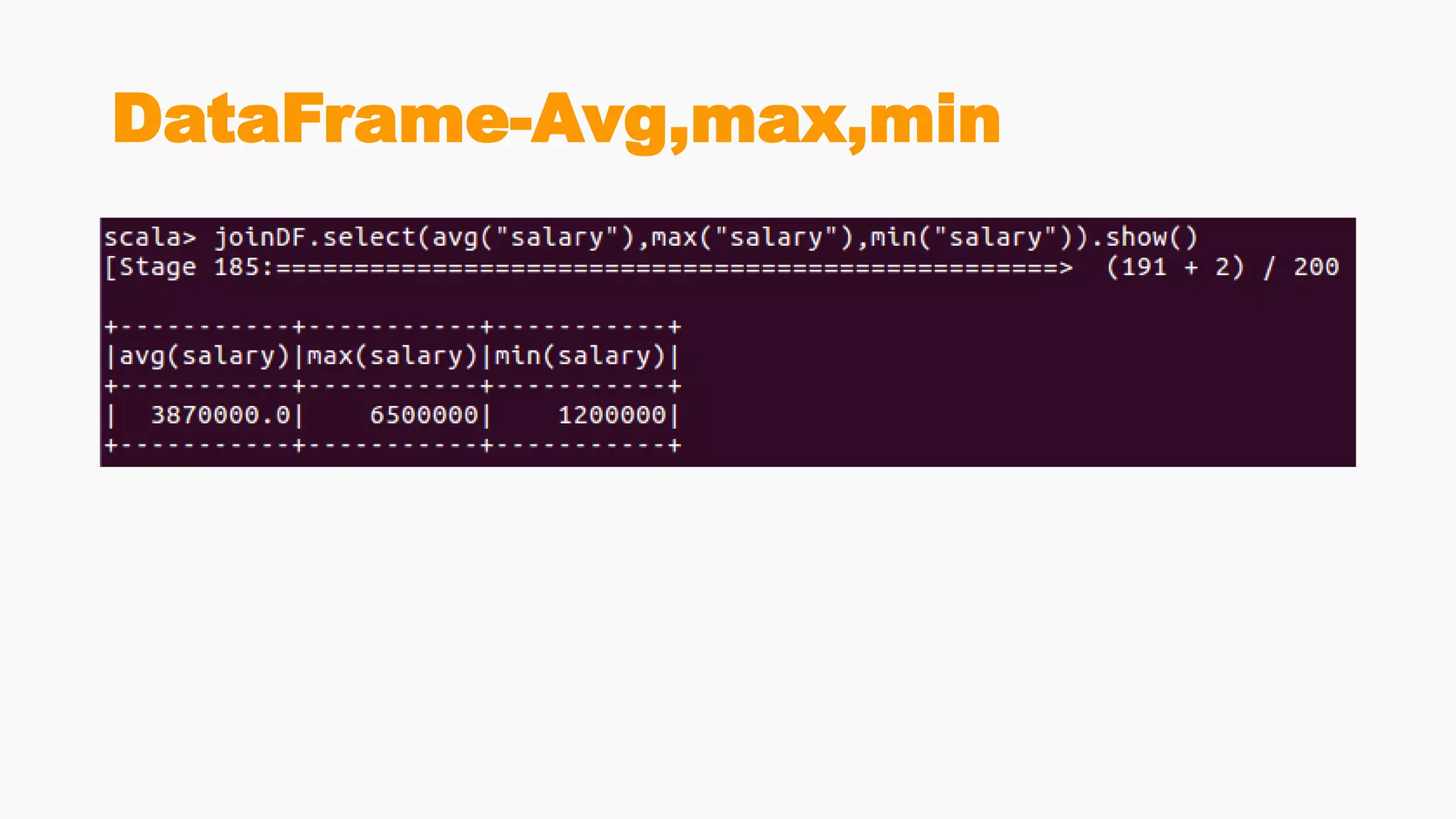
DataFrame-Avg,max,min
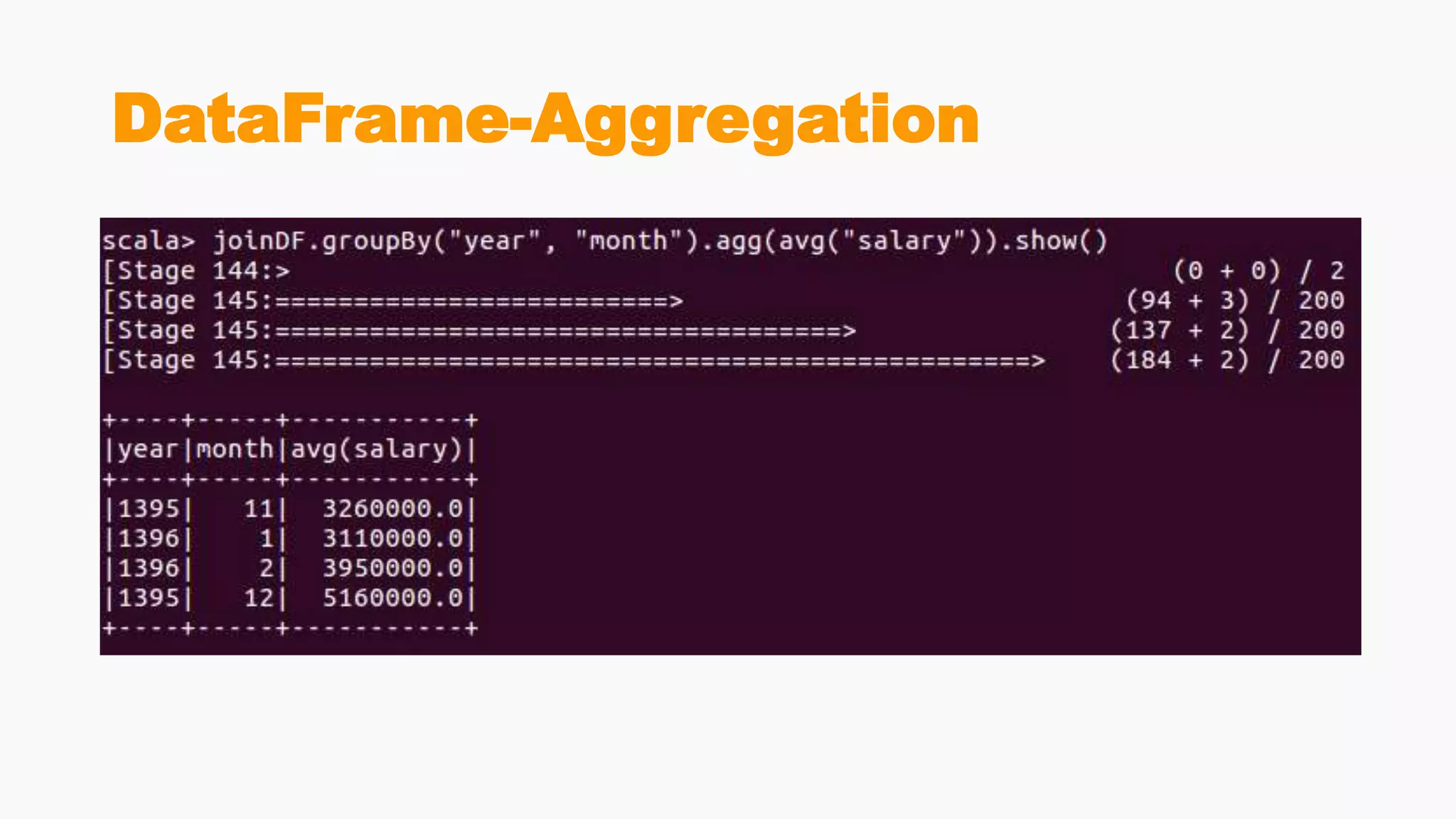
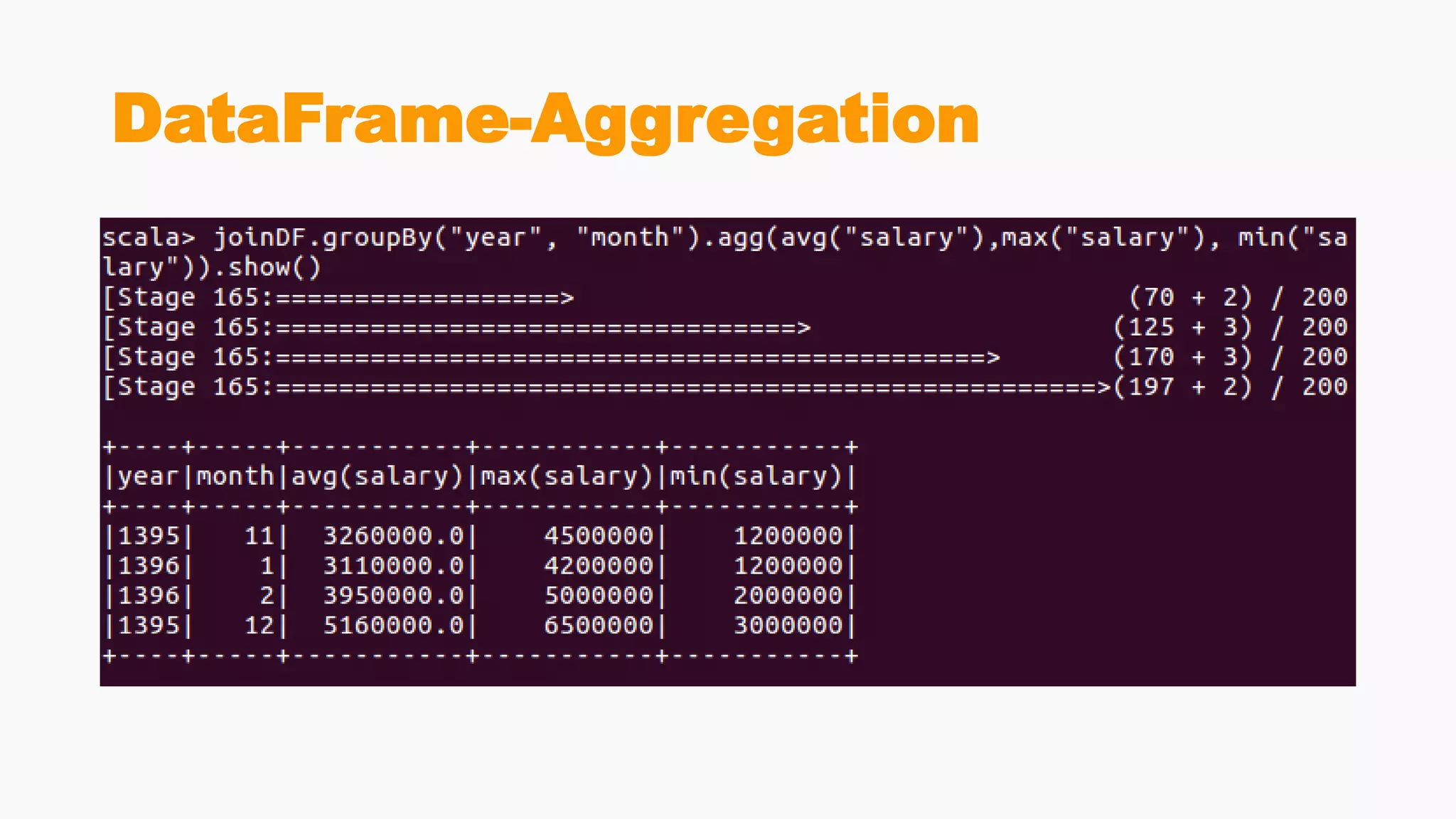
DataFrame-Aggregation
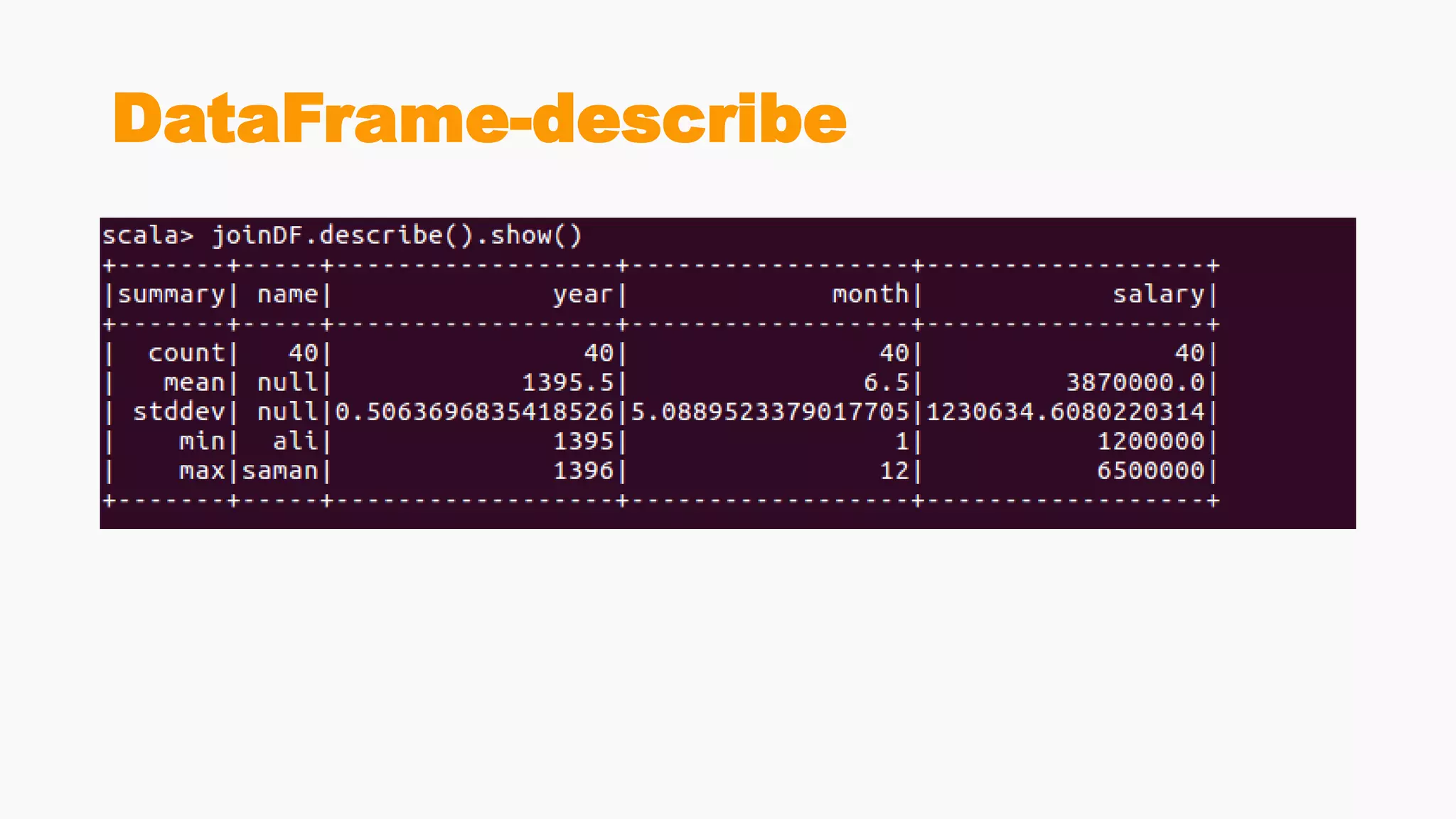
DataFrame-describe
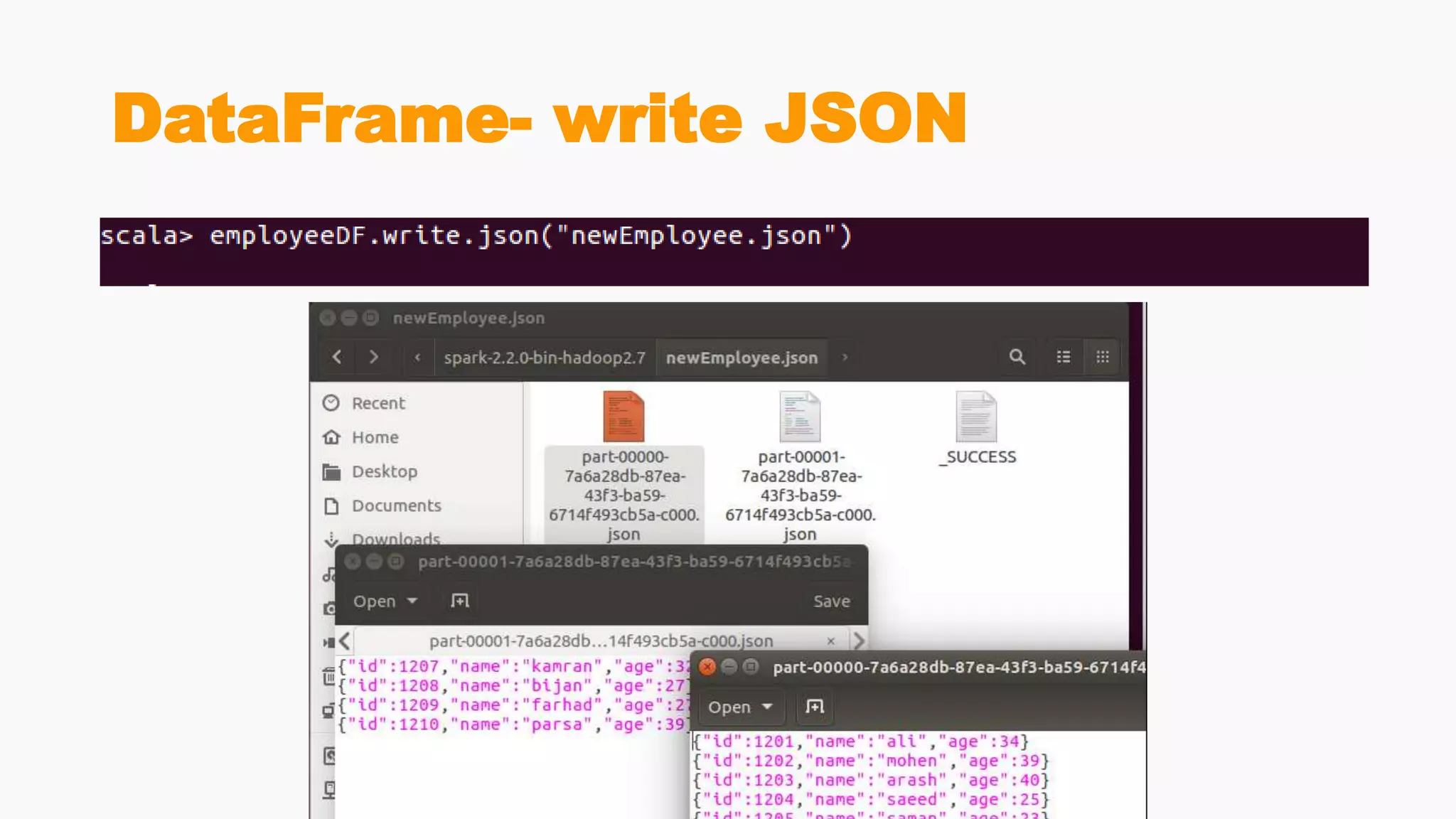
DataFrame- write JSON
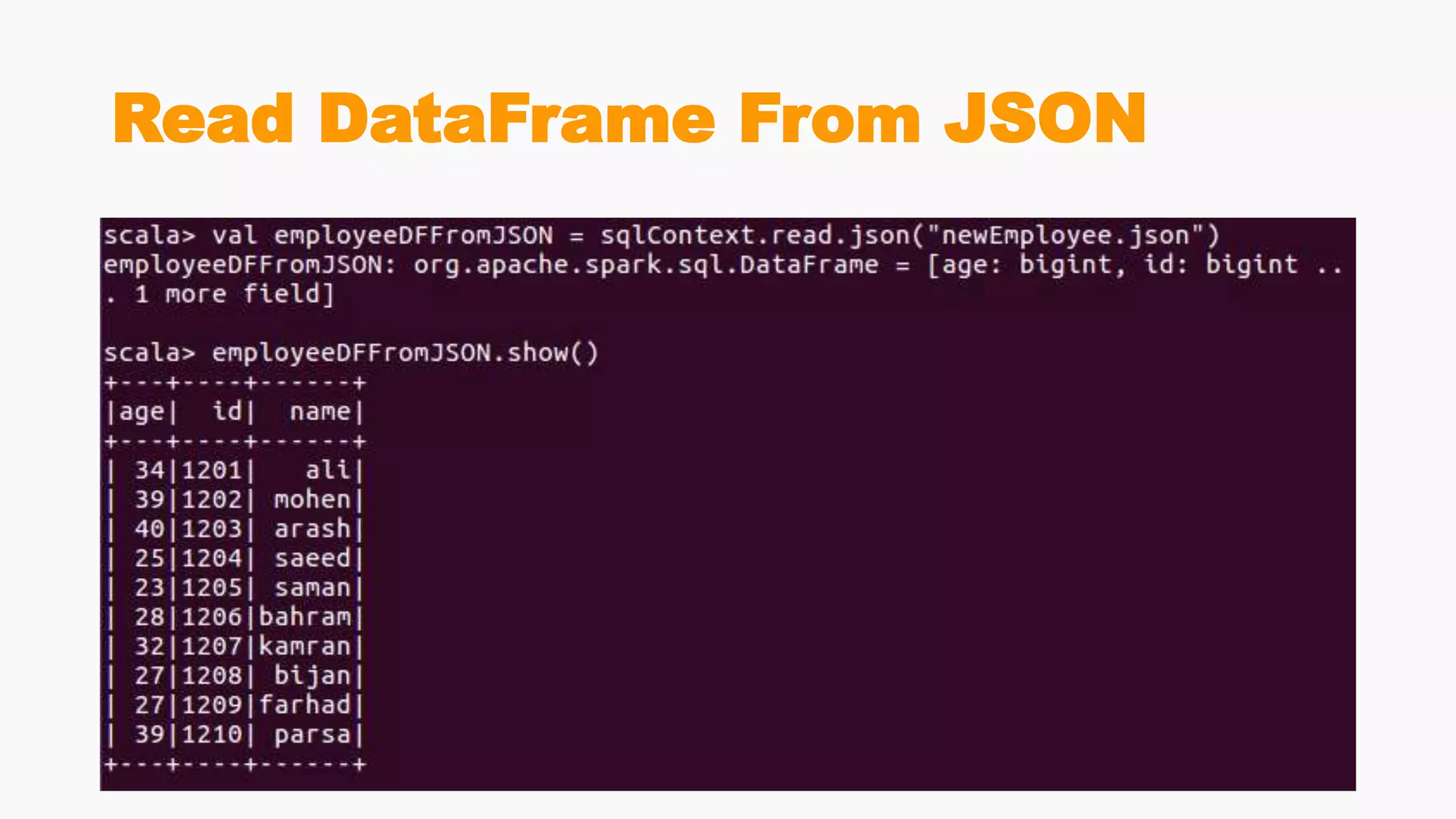
Read DataFrame From JSON
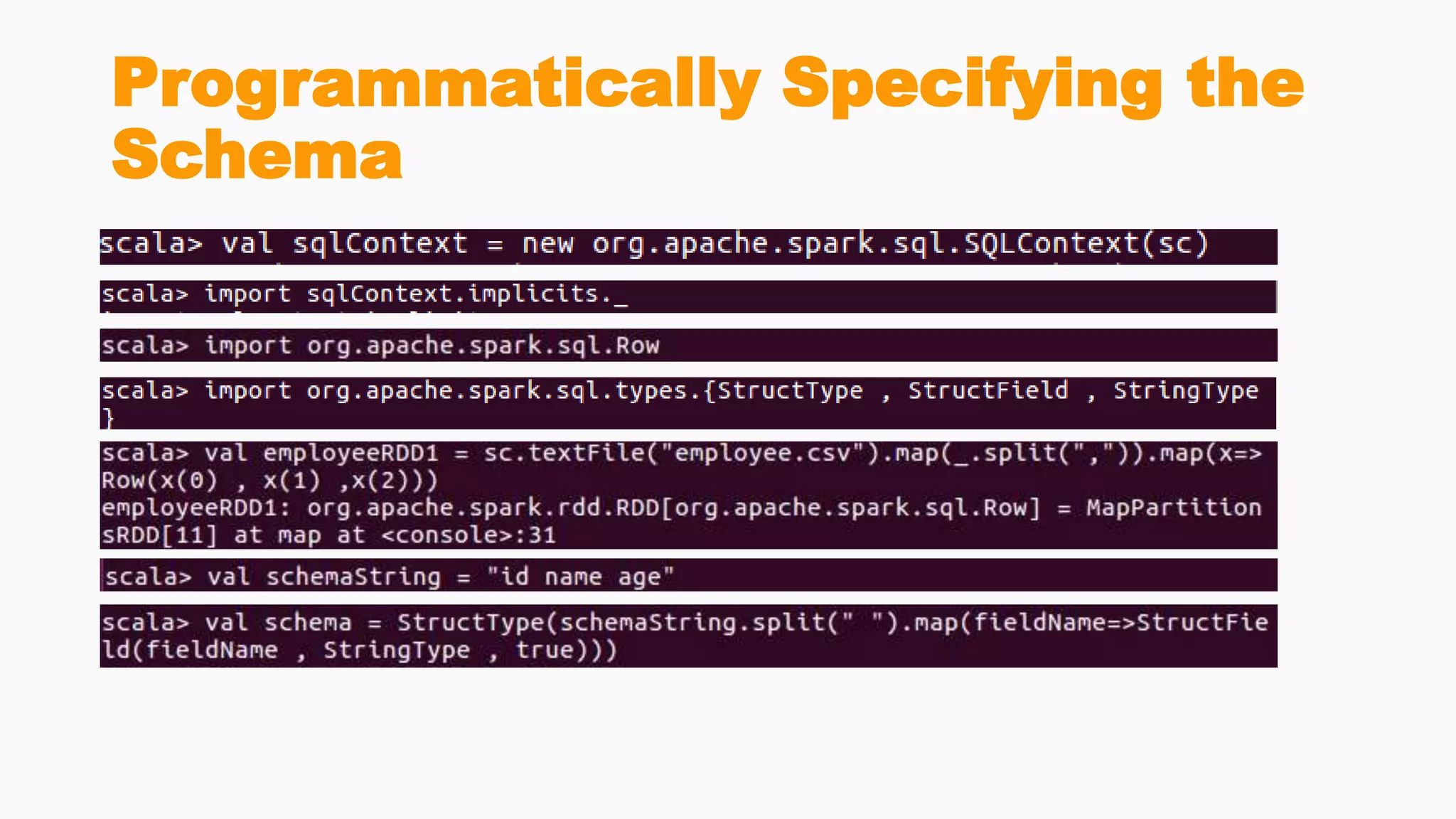
Programmatically Specifying the
Schema
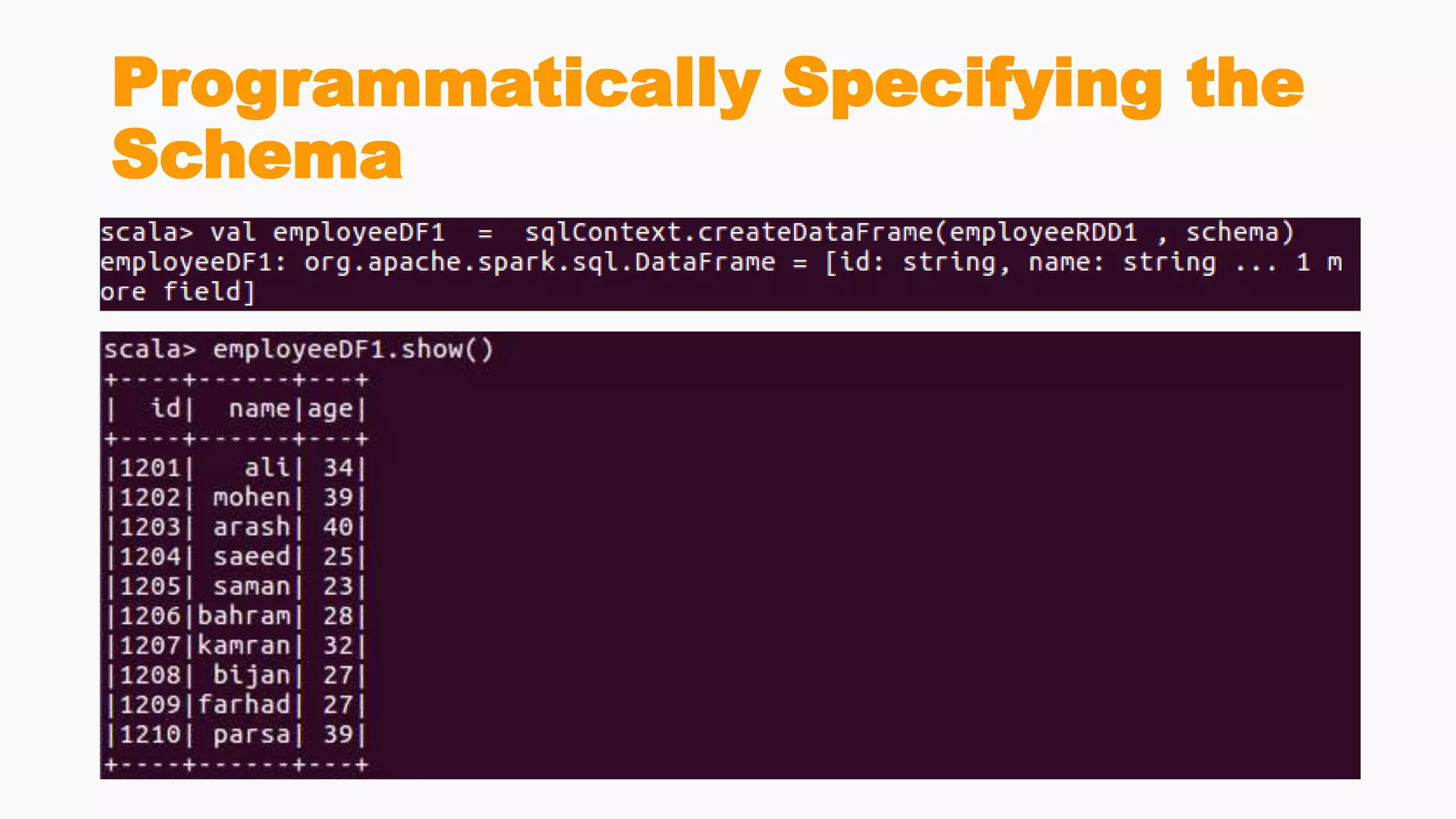
Programmatically Specifying the
Schema
Catalog
Spark SQL Data Sources
• A DataFrame interface allows different DataSources to work on Spark
SQL
• It is a temporary table and can be operated as a normal RDD
• different types of data sources available in SparkSQL
• JSON Datasets
• Parquet Files
• Hive Table
• …
Parquet Files
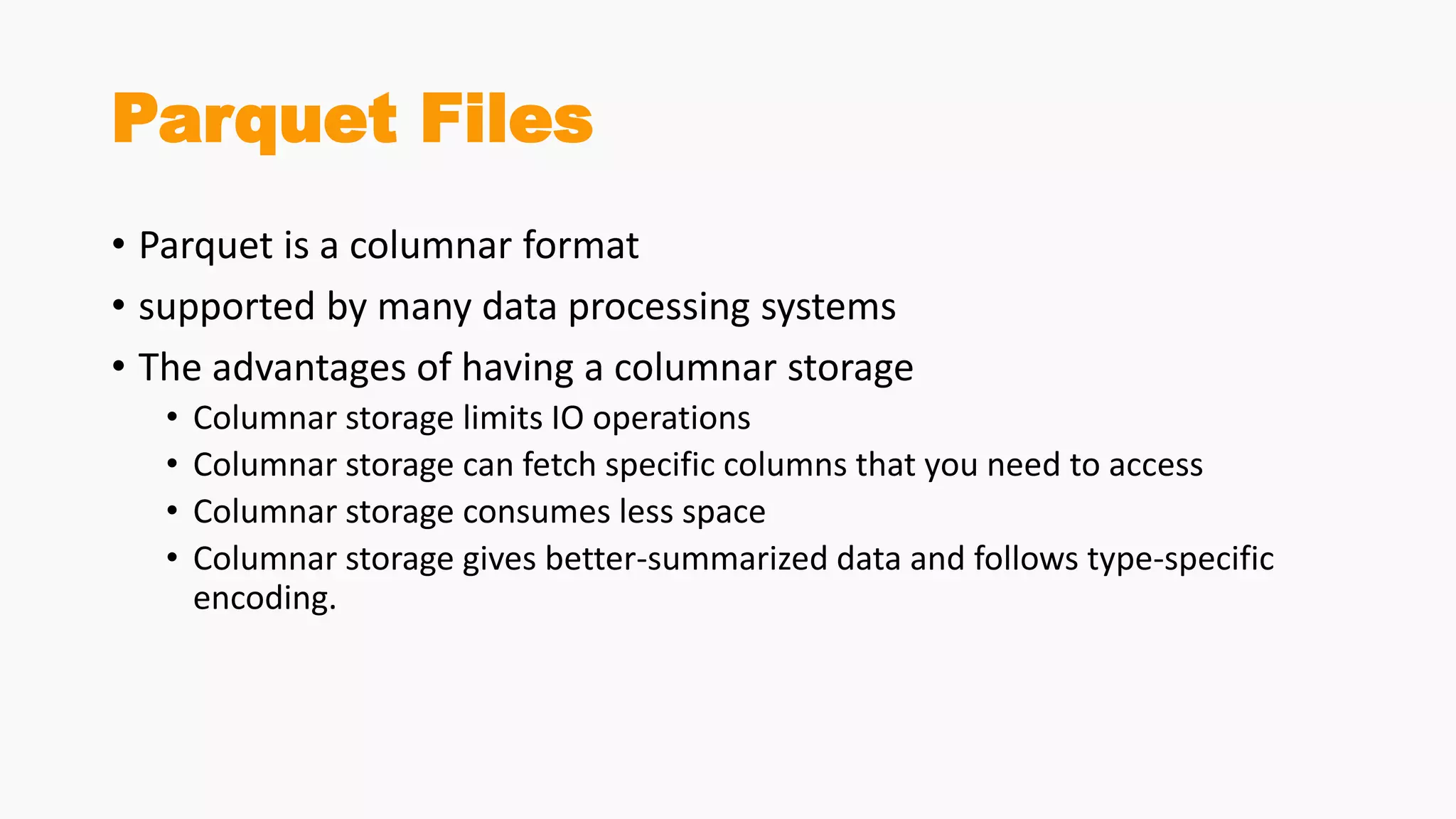
• Parquet is a columnar format
• supported by many data processing systems
• The advantages of having a columnar storage
• Columnar storage limits IO operations
• Columnar storage can fetch specific columns that you need to access
• Columnar storage consumes less space
• Columnar storage gives better-summarized data and follows type-specific
encoding.
Parquet Files
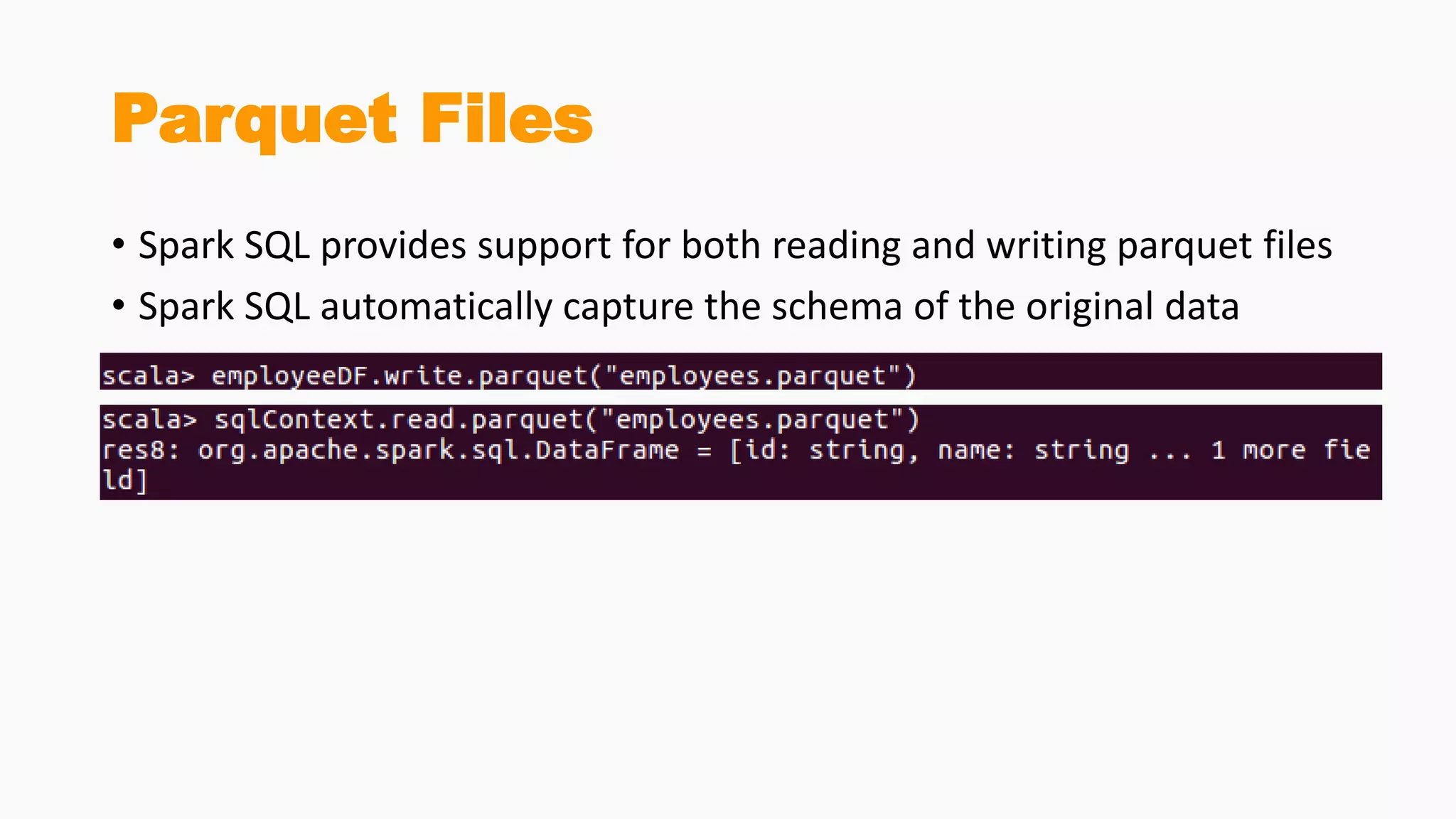
• Spark SQL provides support for both reading and writing parquet files
• Spark SQL automatically capture the schema of the original data
Hive
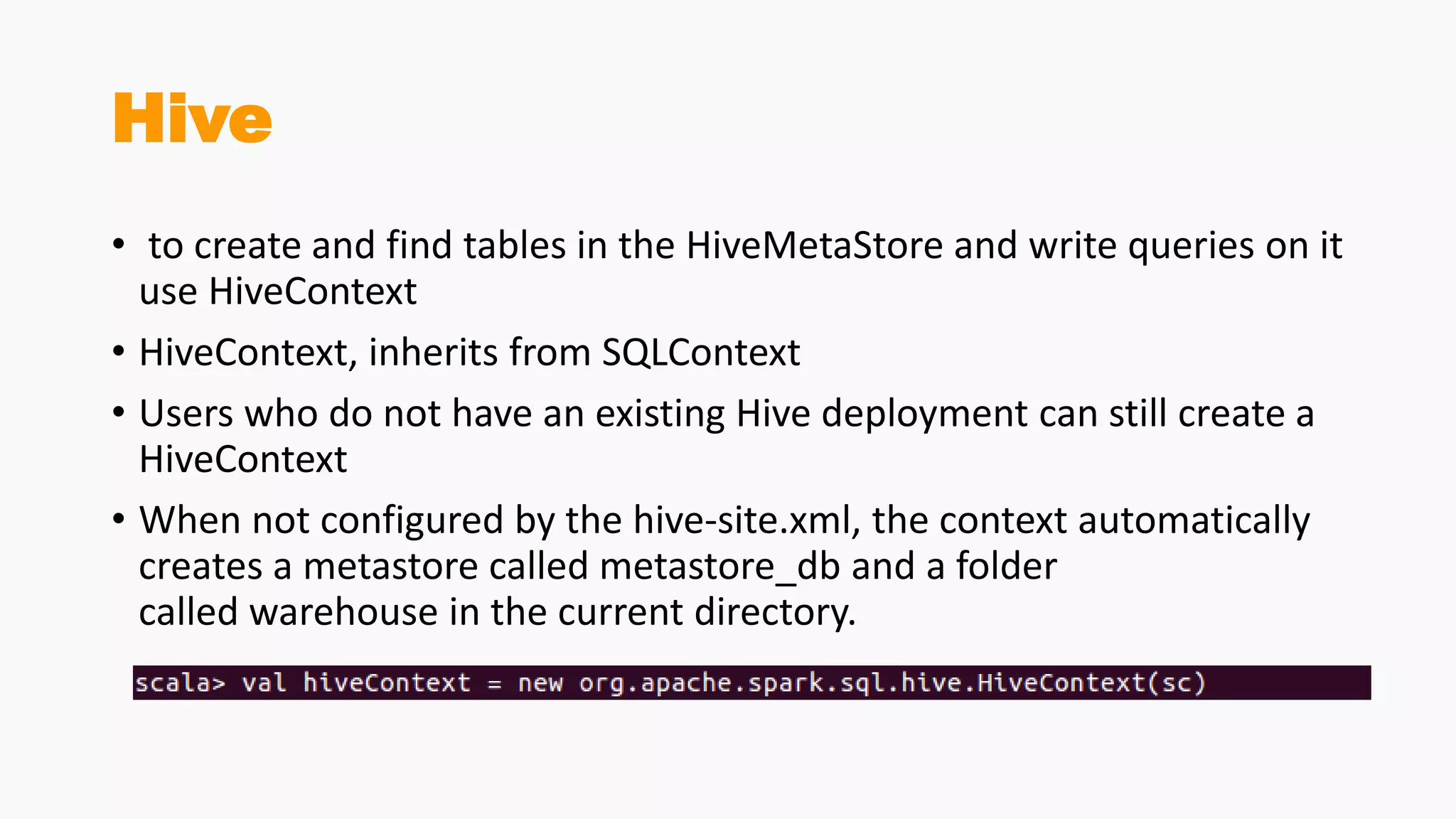
• to create and find tables in the HiveMetaStore and write queries on it
use HiveContext
• HiveContext, inherits from SQLContext
• Users who do not have an existing Hive deployment can still create a
HiveContext
• When not configured by the hive-site.xml, the context automatically
creates a metastore called metastore_db and a folder
called warehouse in the current directory.
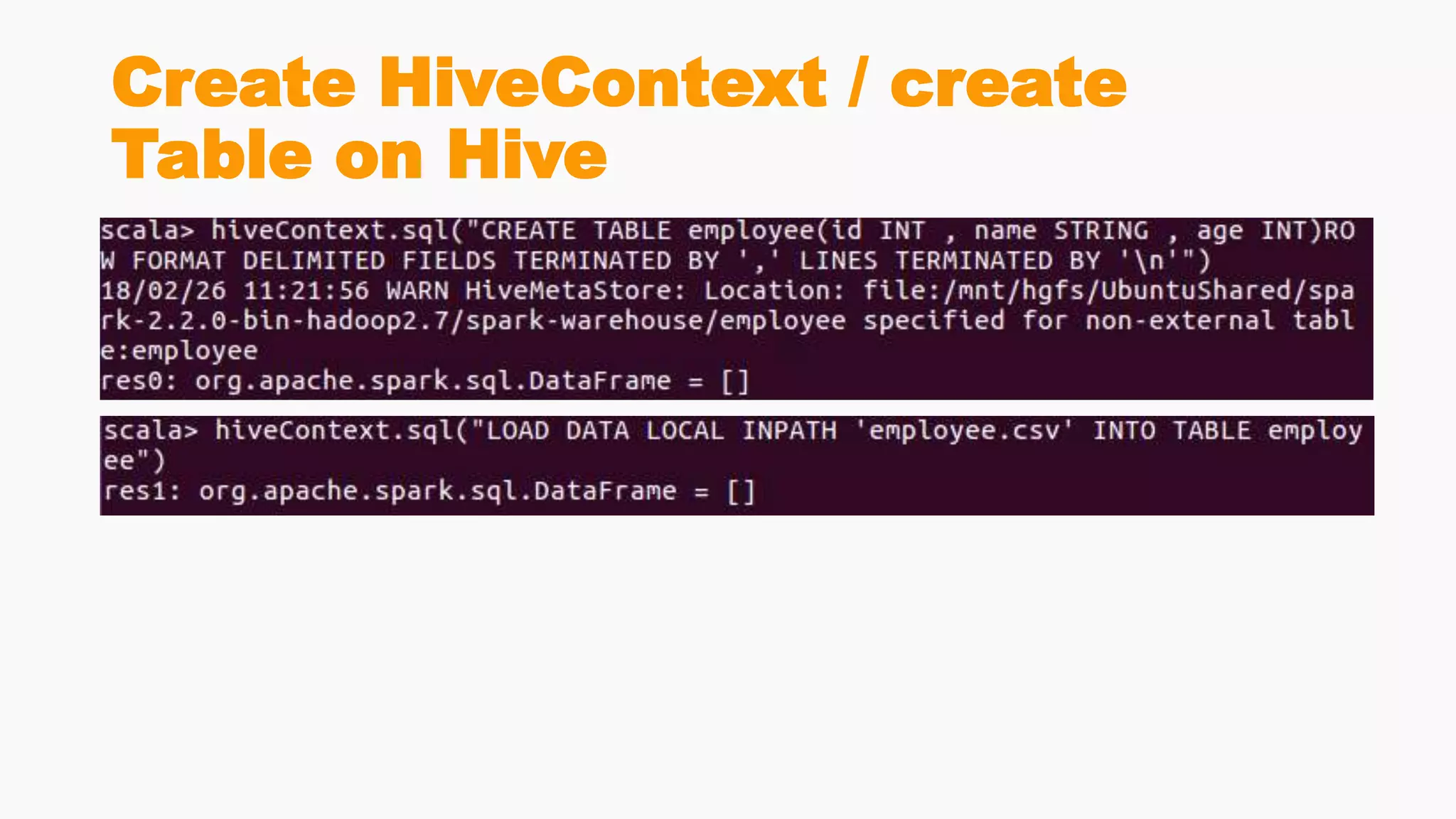
Create HiveContext / create
Table on Hive
SparkSession
SparkSession
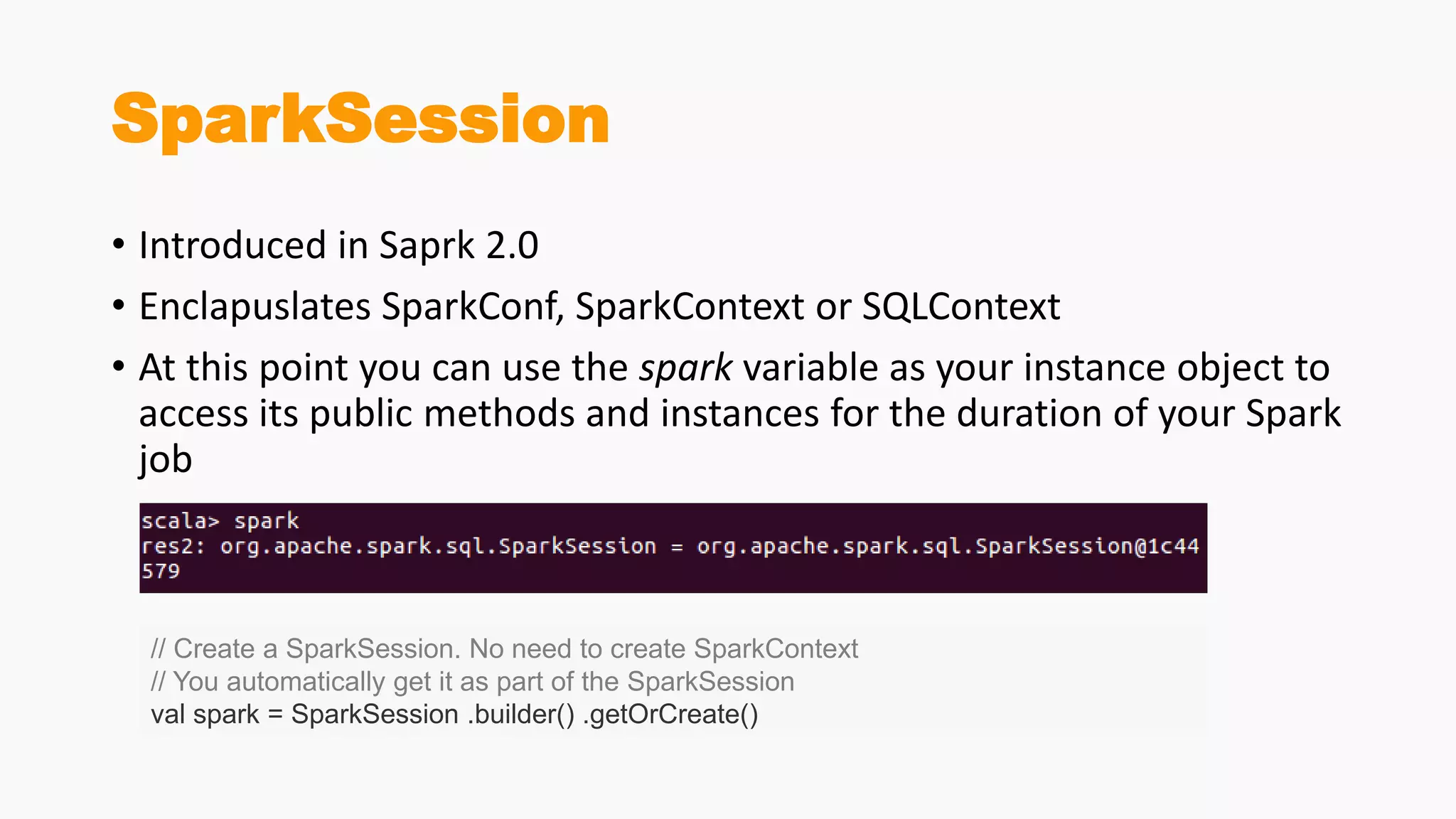
• Introduced in Saprk 2.0
• Enclapuslates SparkConf, SparkContext or SQLContext
• At this point you can use the spark variable as your instance object to
access its public methods and instances for the duration of your Spark
job
// Create a SparkSession. No need to create SparkContext
// You automatically get it as part of the SparkSession
val spark = SparkSession .builder() .getOrCreate()
Configuring Spark’s Runtime
Properties
• Once the SparkSession is instantiated, you can configure Spark’s
runtime config properties. For example, in this code snippet, we can
alter the existing runtime config options. Since configMap is a
collection, you can use all of Scala’s iterable methods to access the
data.
//set new runtime options
spark.conf.set("spark.sql.shuffle.partitions", 6)
spark.conf.set("spark.executor.memory", "2g")
//get all settings
val configMap:Map[String, String] = spark.conf.getAll()
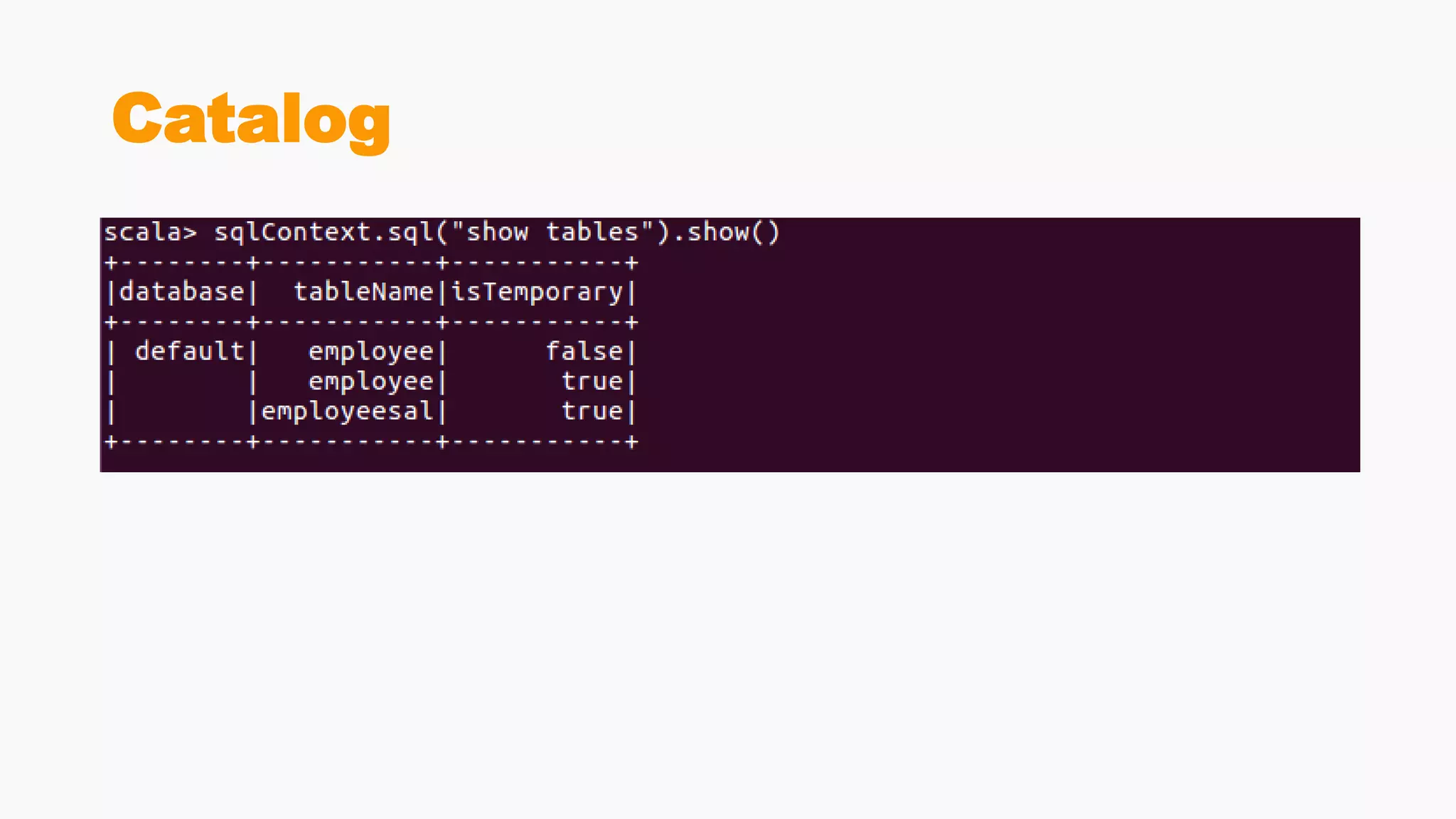
Accessing Catalog Metadata
through SparkSession
• Often, you may want to access and peruse the underlying catalog
metadata. SparkSession exposes “catalog” as a public instance that
contains methods that work with the metastore (i.e data catalog).
Since these methods return a Dataset, you can use Dataset API to
access or view data. In this snippet, we access table names and list of
databases
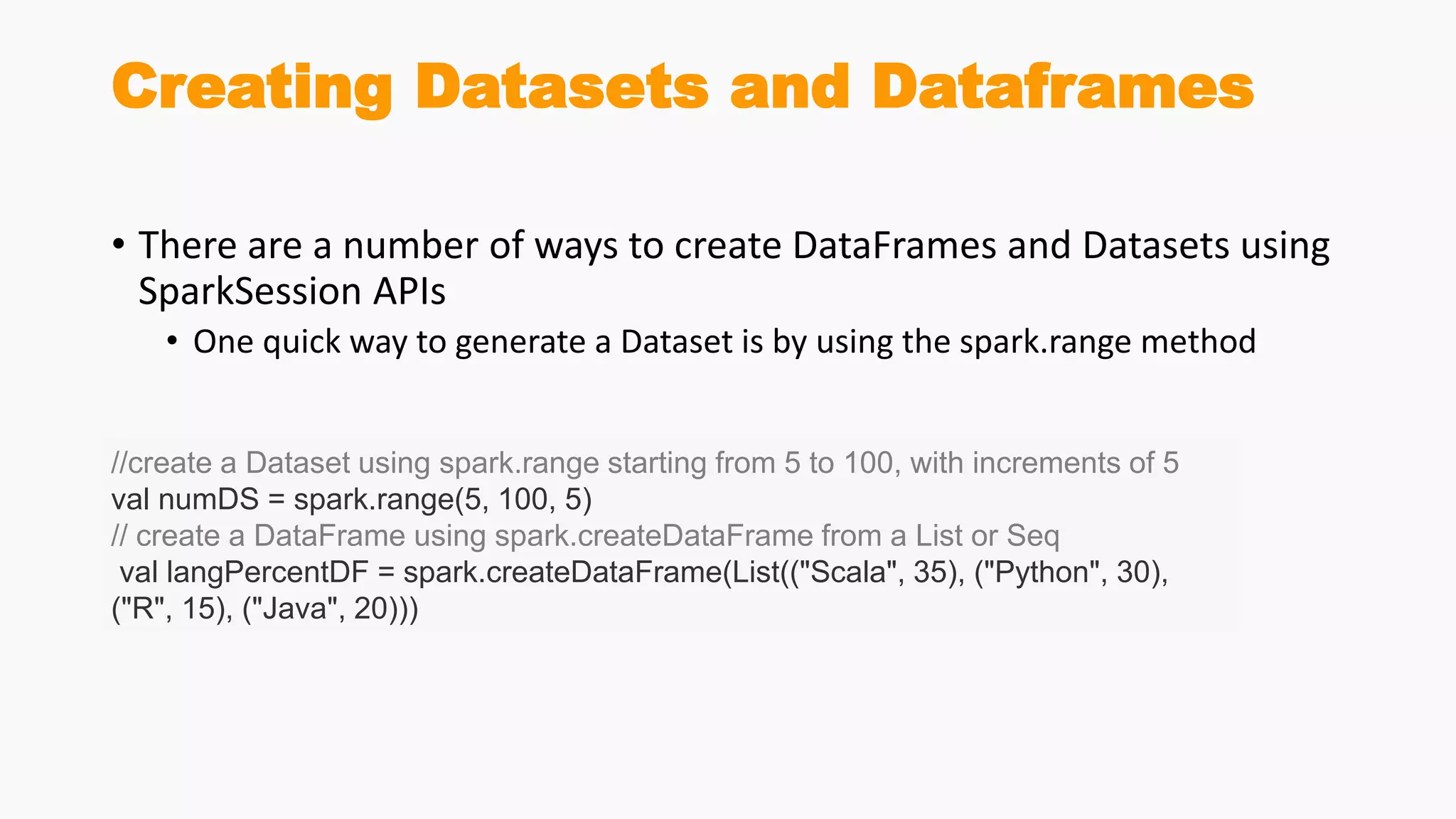
Creating Datasets and Dataframes
• There are a number of ways to create DataFrames and Datasets using
SparkSession APIs
• One quick way to generate a Dataset is by using the spark.range method
//create a Dataset using spark.range starting from 5 to 100, with increments of 5
val numDS = spark.range(5, 100, 5)
// create a DataFrame using spark.createDataFrame from a List or Seq
val langPercentDF = spark.createDataFrame(List(("Scala", 35), ("Python", 30),
("R", 15), ("Java", 20)))
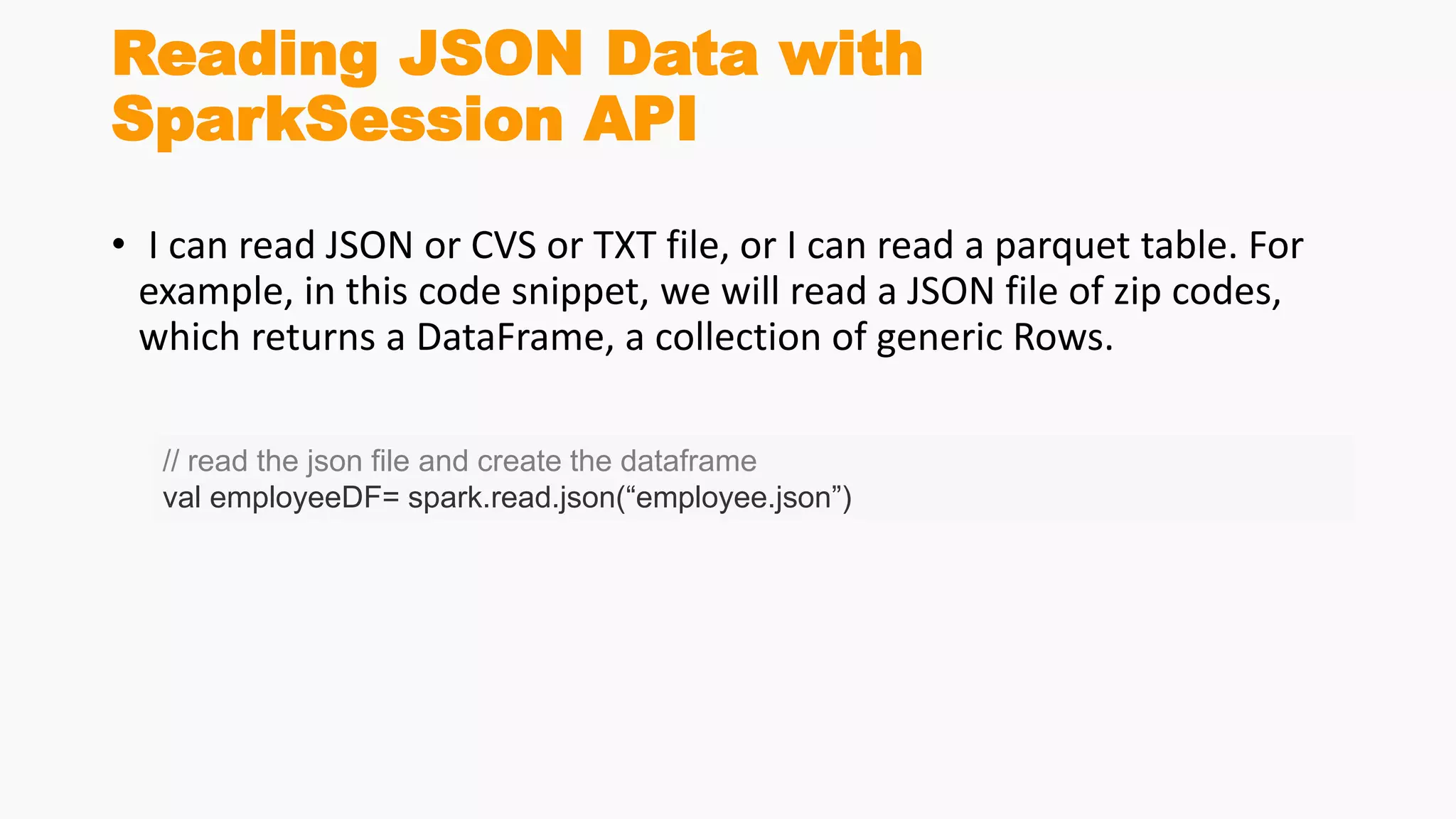
Reading JSON Data with
SparkSession API
• I can read JSON or CVS or TXT file, or I can read a parquet table. For
example, in this code snippet, we will read a JSON file of zip codes,
which returns a DataFrame, a collection of generic Rows.
// read the json file and create the dataframe
val employeeDF= spark.read.json(“employee.json”)
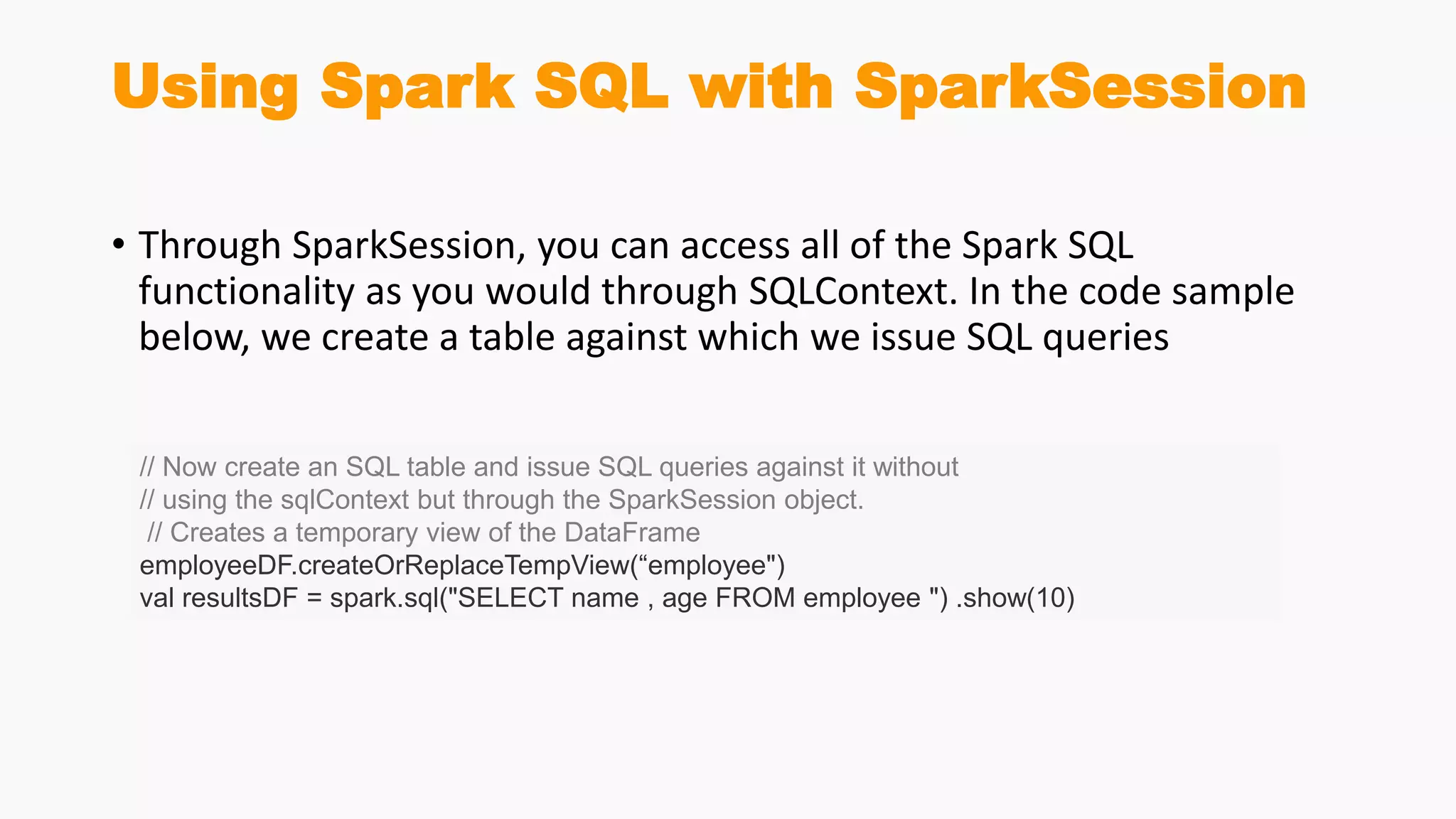
Using Spark SQL with SparkSession
• Through SparkSession, you can access all of the Spark SQL
functionality as you would through SQLContext. In the code sample
below, we create a table against which we issue SQL queries
// Now create an SQL table and issue SQL queries against it without
// using the sqlContext but through the SparkSession object.
// Creates a temporary view of the DataFrame
employeeDF.createOrReplaceTempView(“employee")
val resultsDF = spark.sql("SELECT name , age FROM employee ") .show(10)
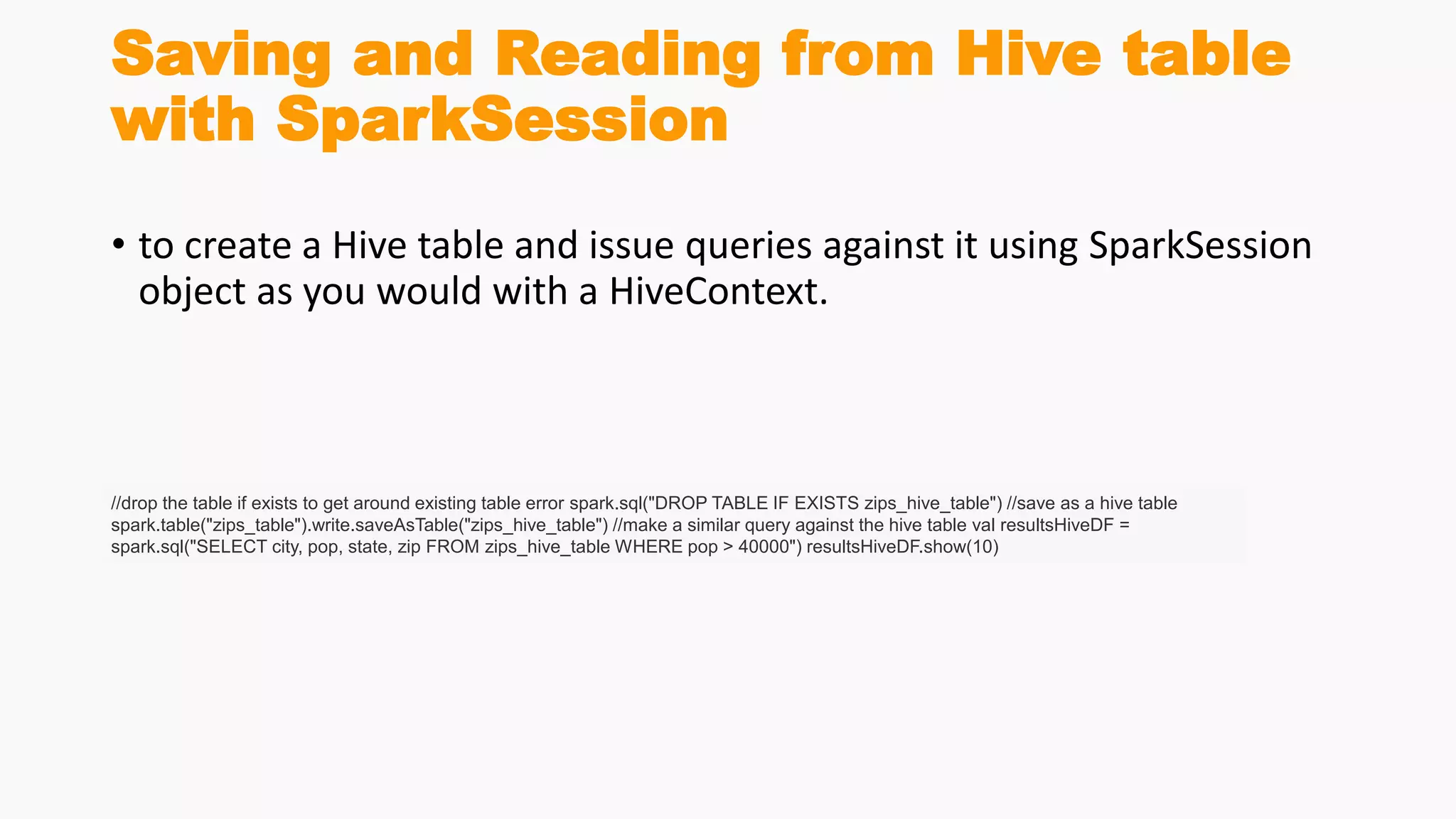
Saving and Reading from Hive table
with SparkSession
• to create a Hive table and issue queries against it using SparkSession
object as you would with a HiveContext.
//drop the table if exists to get around existing table error spark.sql("DROP TABLE IF EXISTS zips_hive_table") //save as a hive table
spark.table("zips_table").write.saveAsTable("zips_hive_table") //make a similar query against the hive table val resultsHiveDF =
spark.sql("SELECT city, pop, state, zip FROM zips_hive_table WHERE pop > 40000") resultsHiveDF.show(10)
User Defined Function
(UDF)
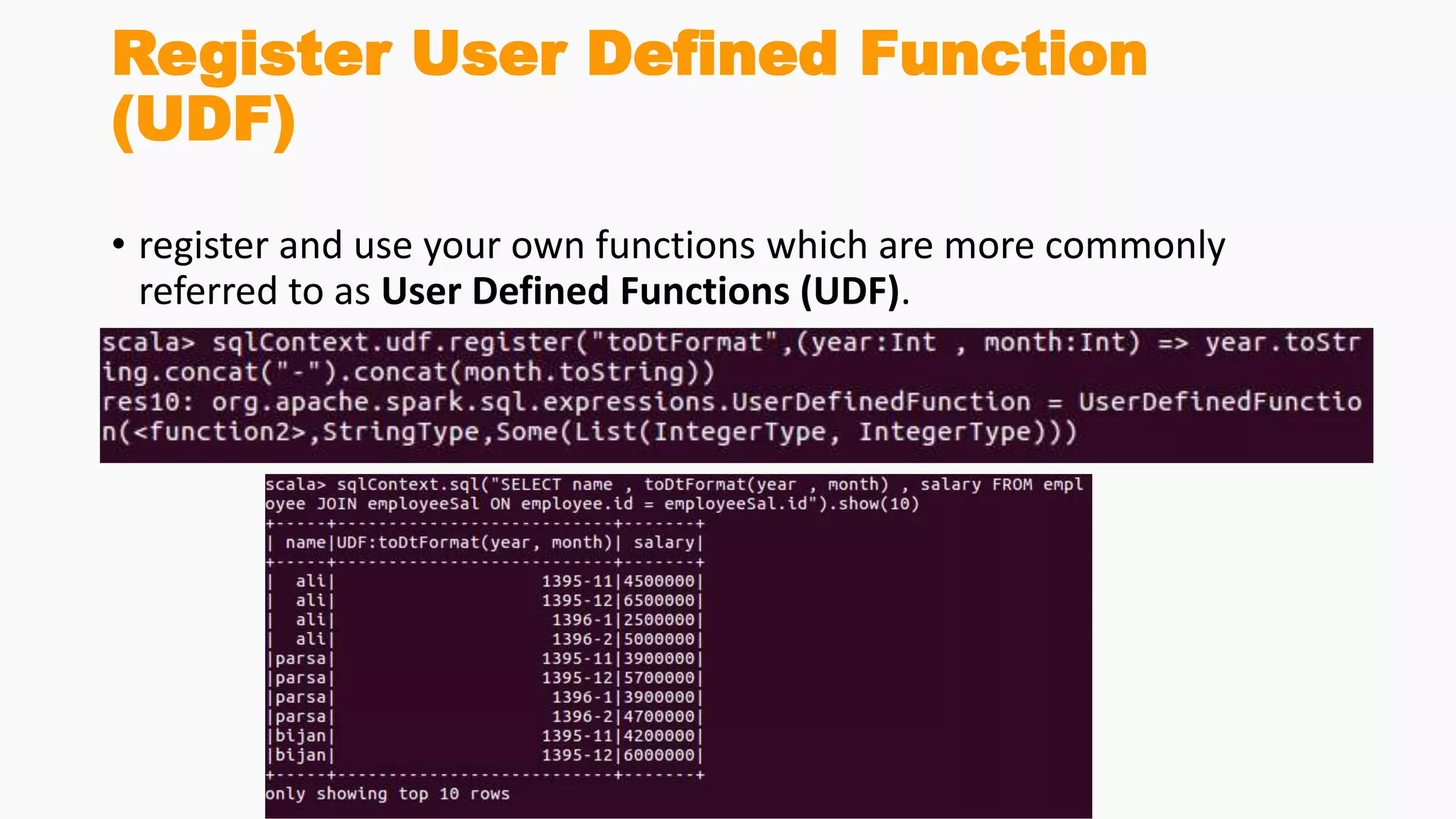
Register User Defined Function
(UDF)
• register and use your own functions which are more commonly
referred to as User Defined Functions (UDF).
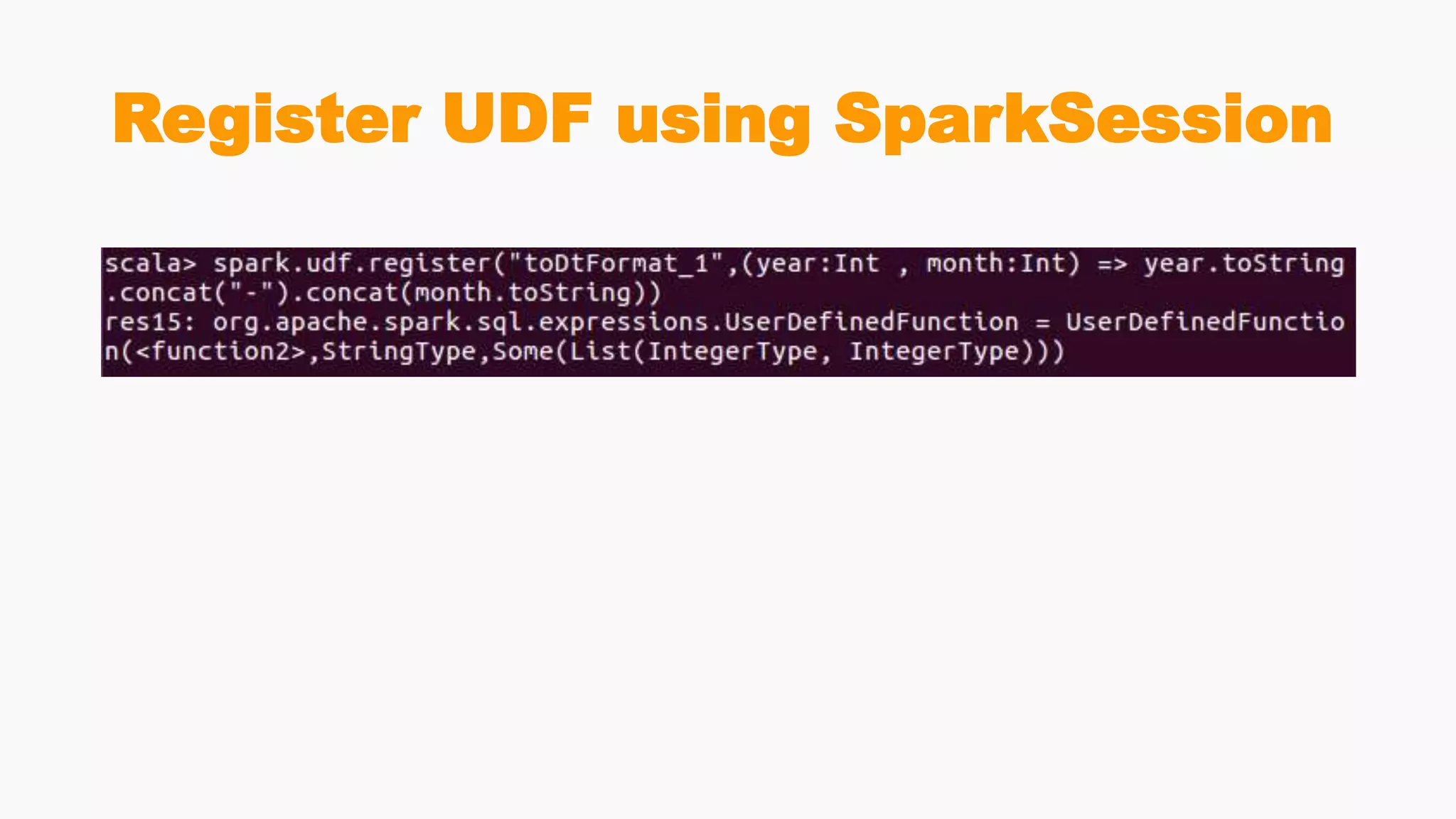
Register UDF using SparkSession
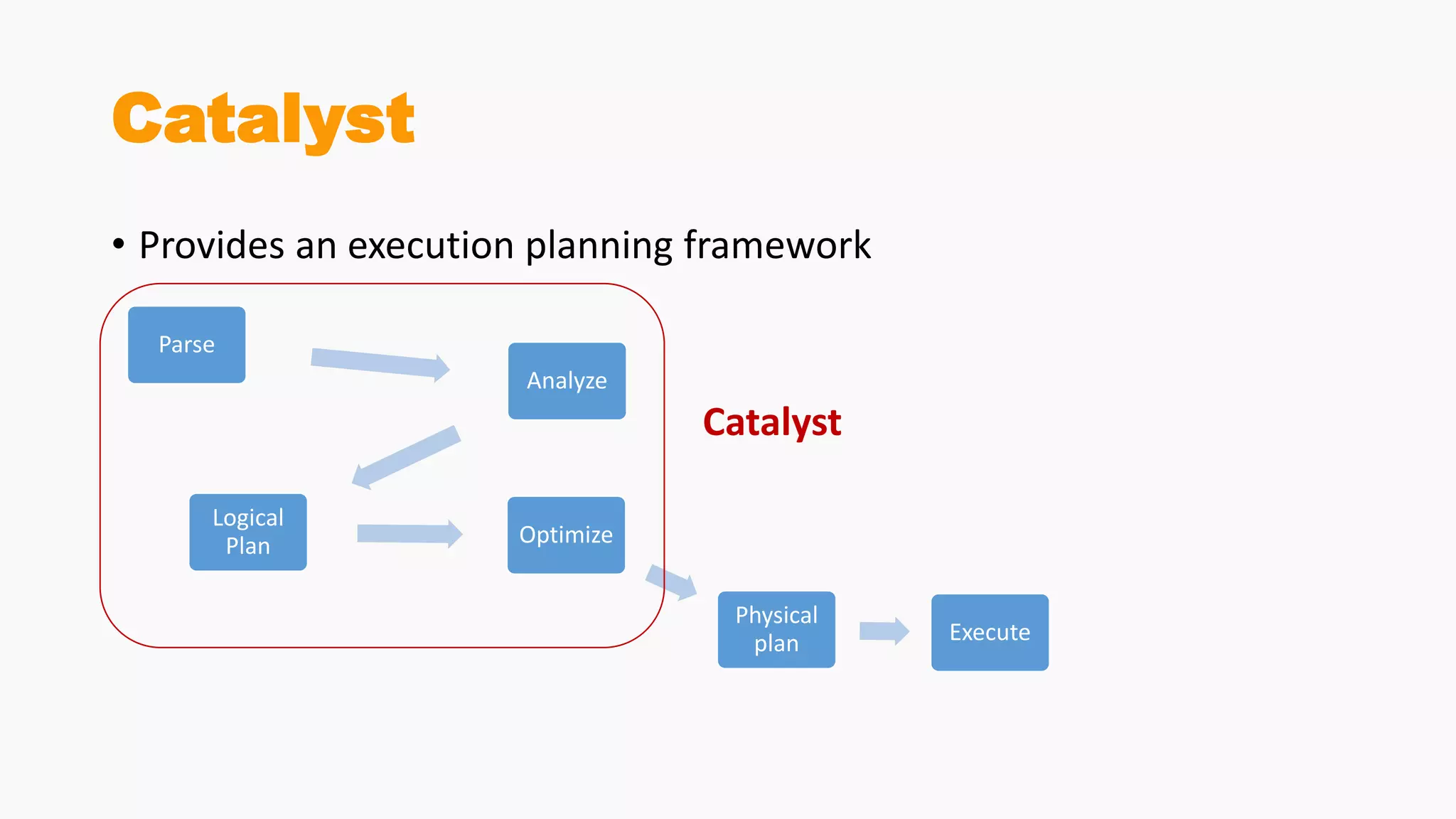
Spark Catalyst
Catalyst
• Provides an execution planning framework
Parse
Analyze
Logical
Plan Optimize
Physical
plan Execute
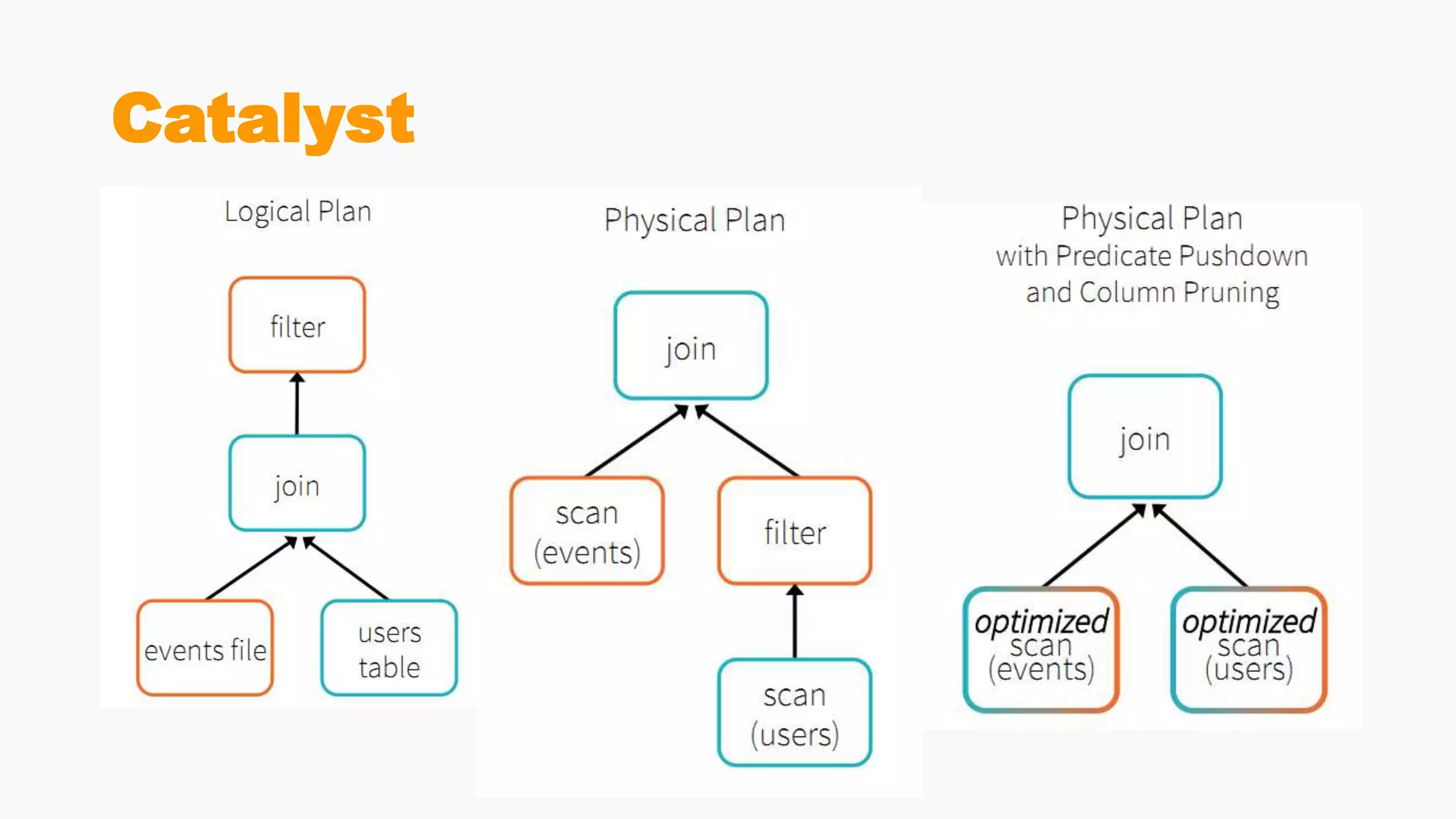
Catalyst
Catalyst
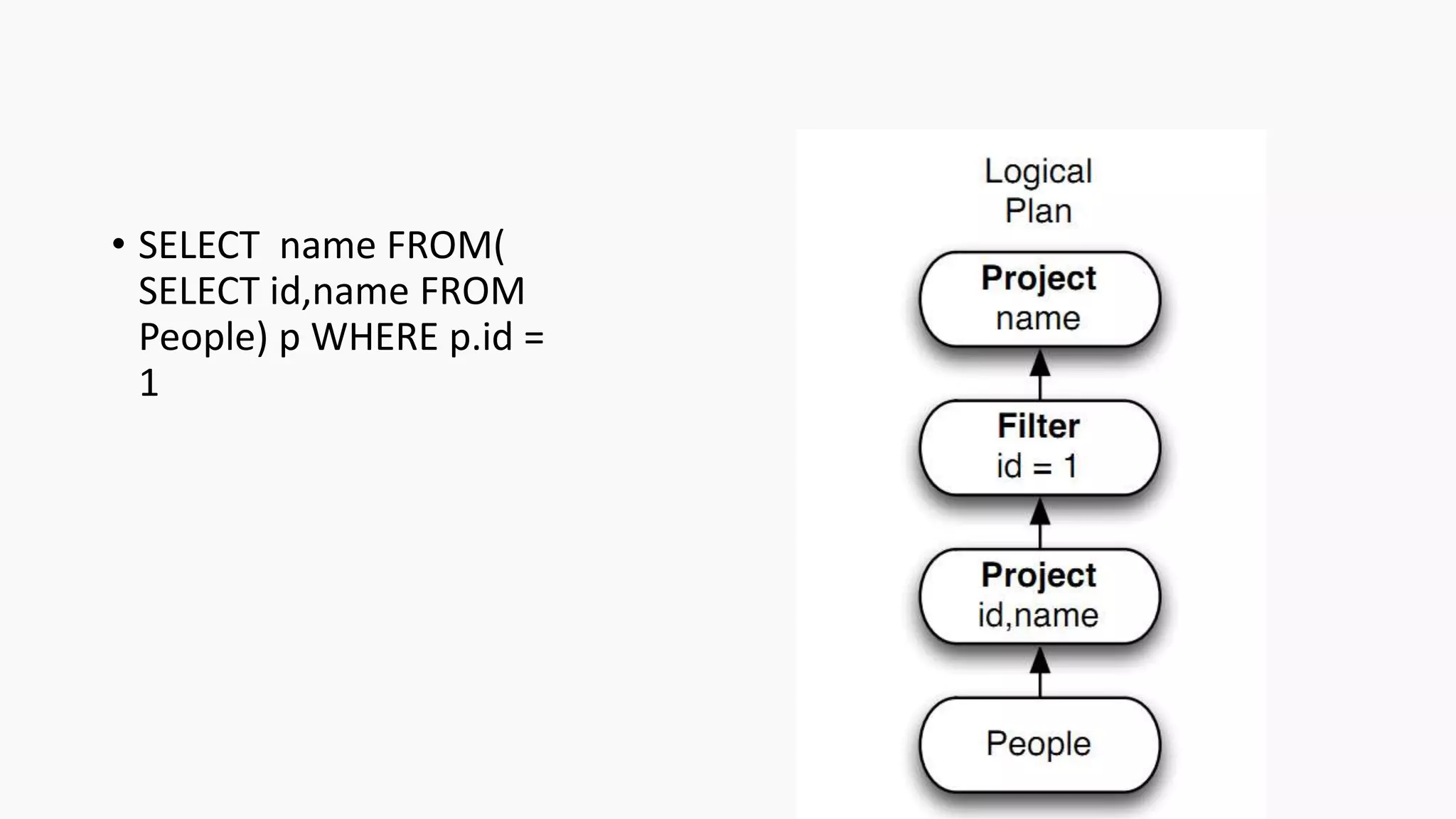
• SELECT name FROM(
SELECT id,name FROM
People) p WHERE p.id =
1
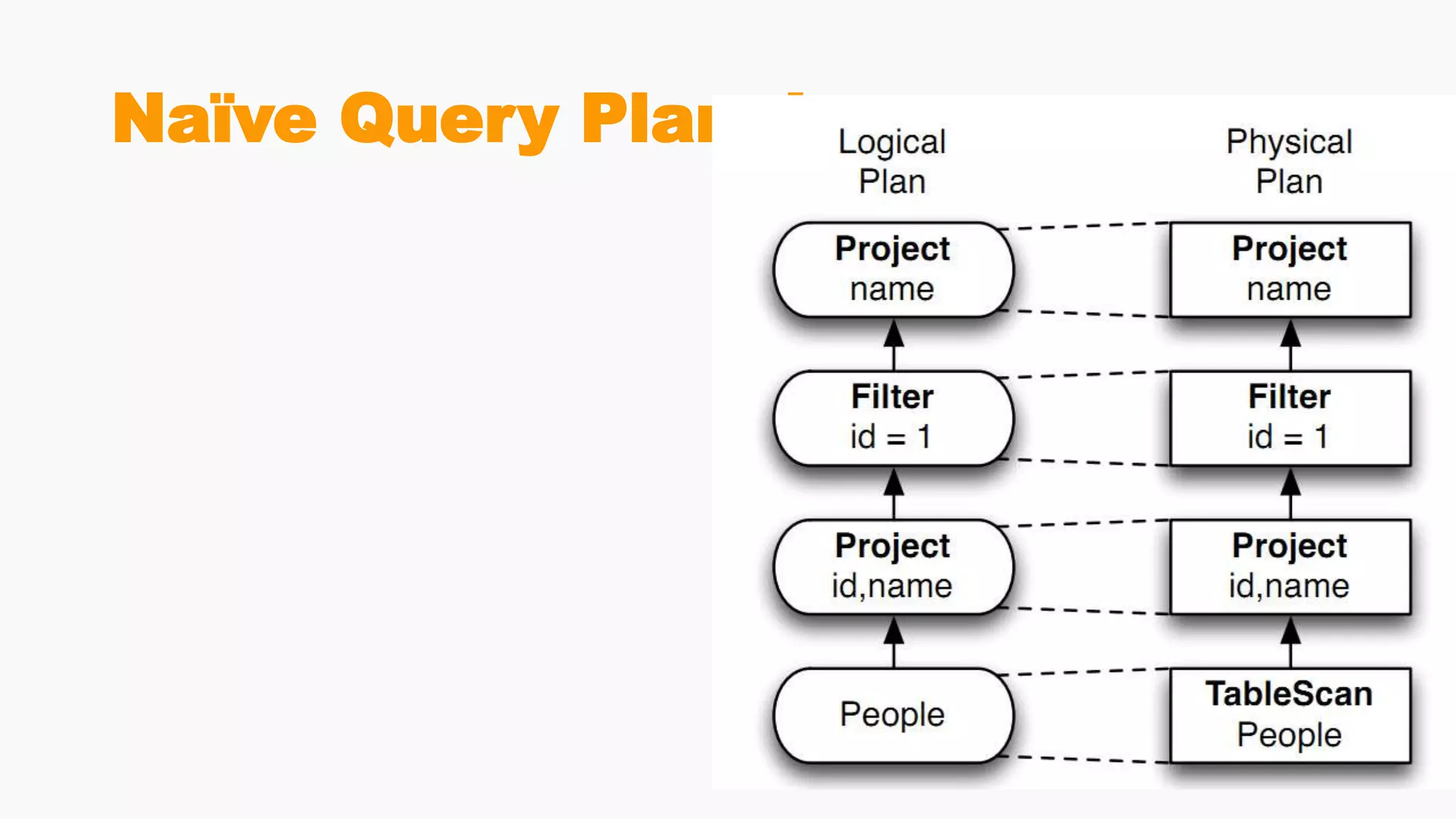
Naïve Query Planning
Optimized Query Plan
Hands On Code
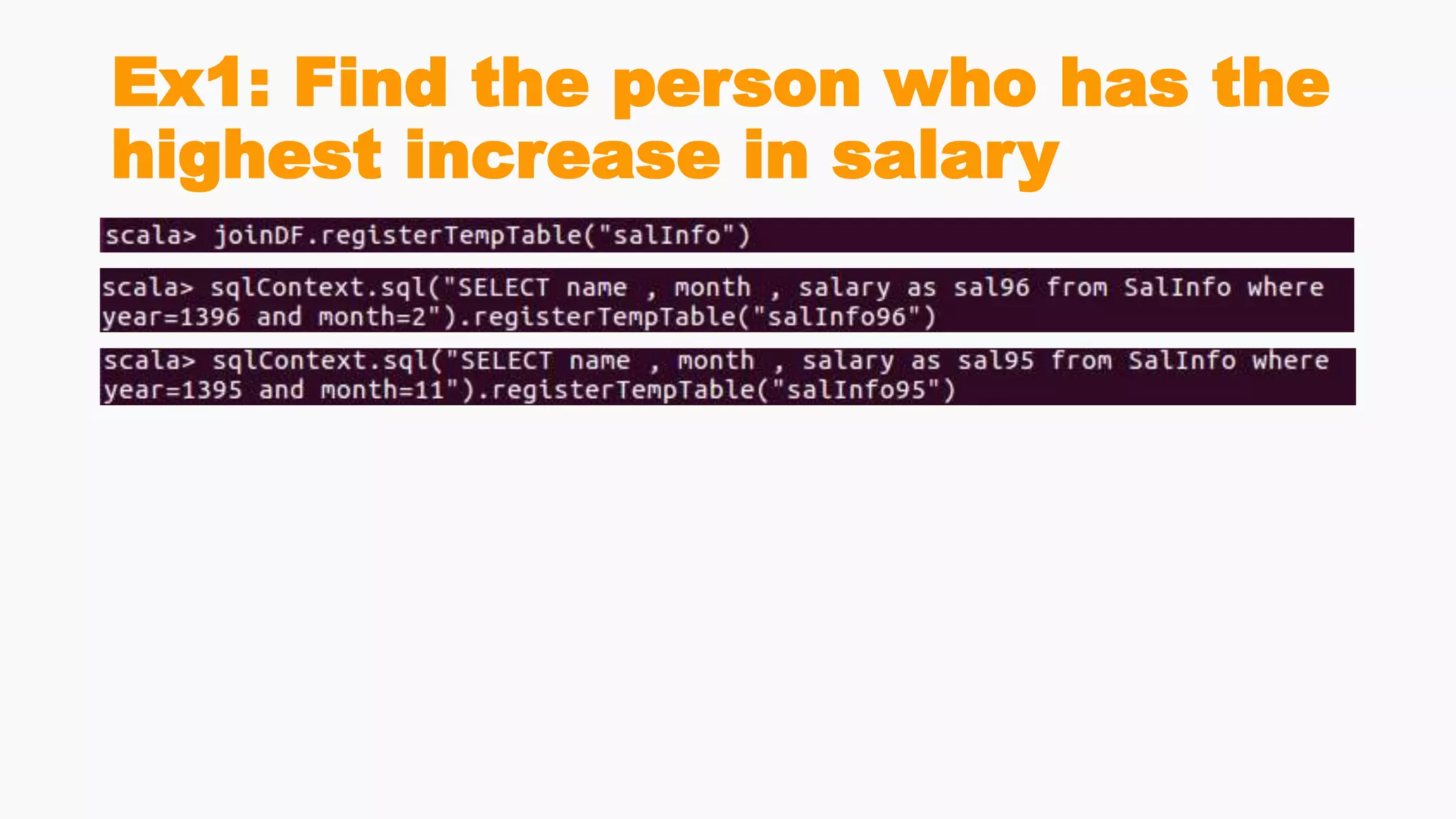
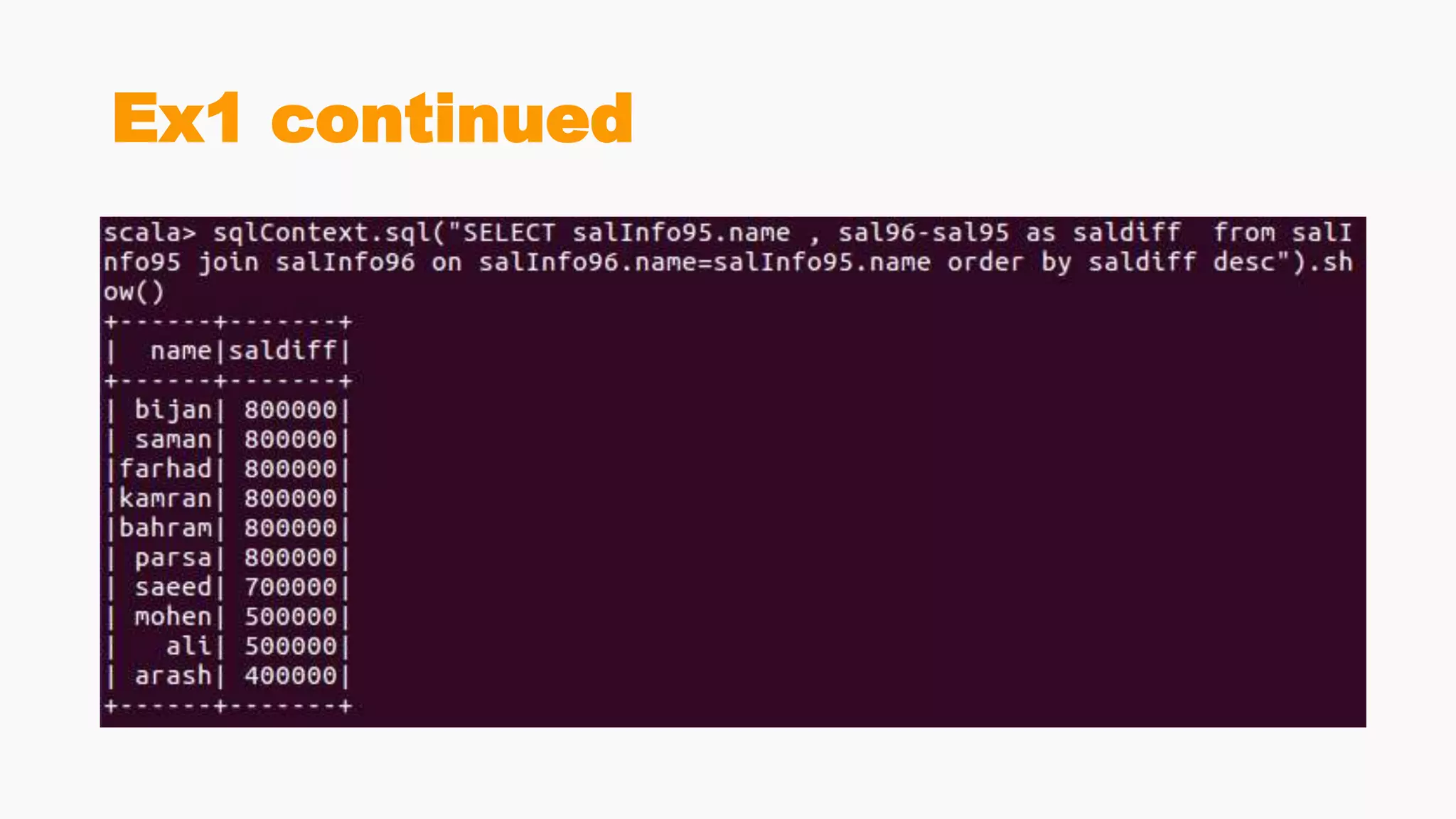
Ex1: Find the person who has the
highest increase in salary
Ex1 continued
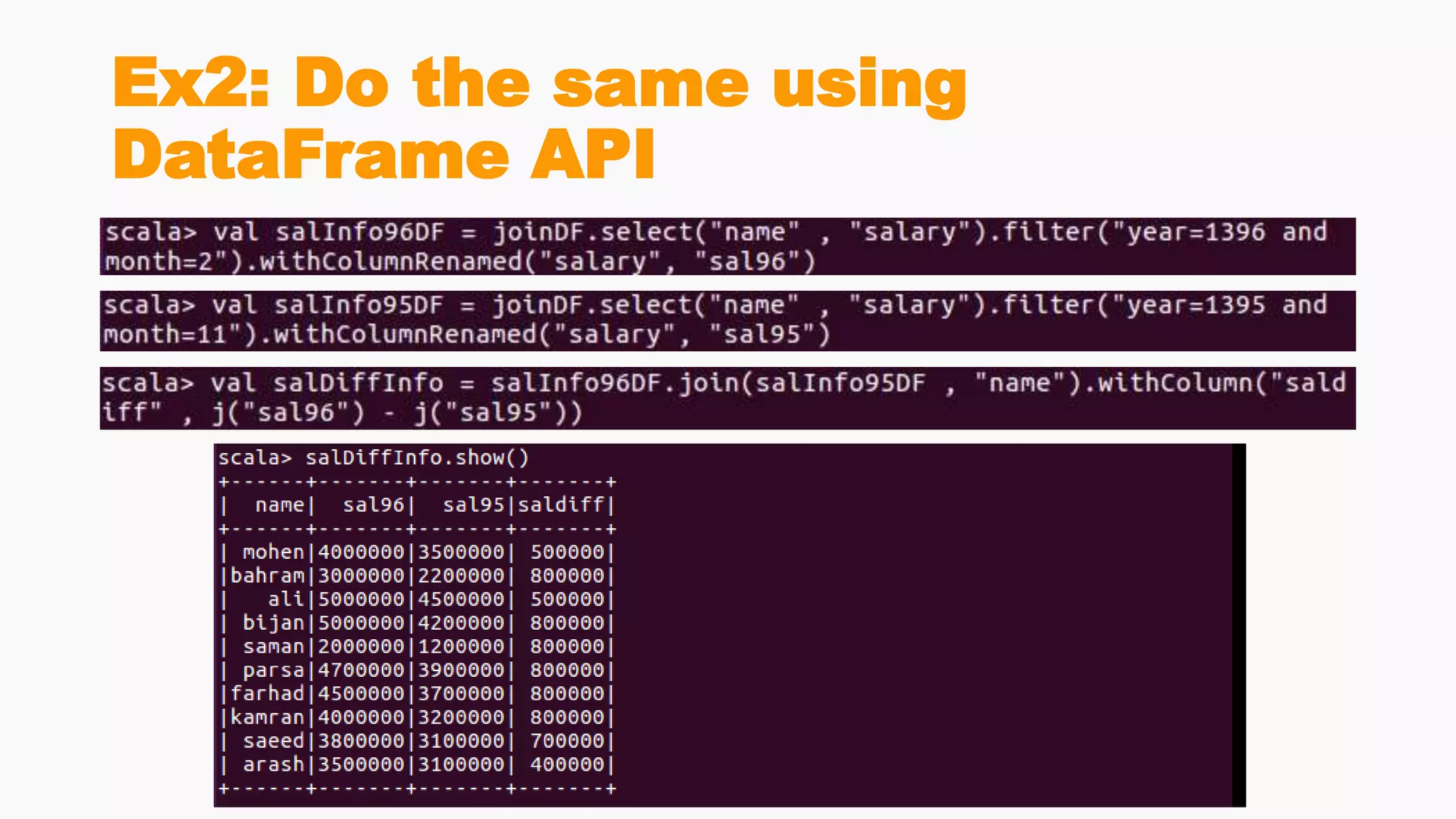
Ex2: Do the same using
DataFrame API
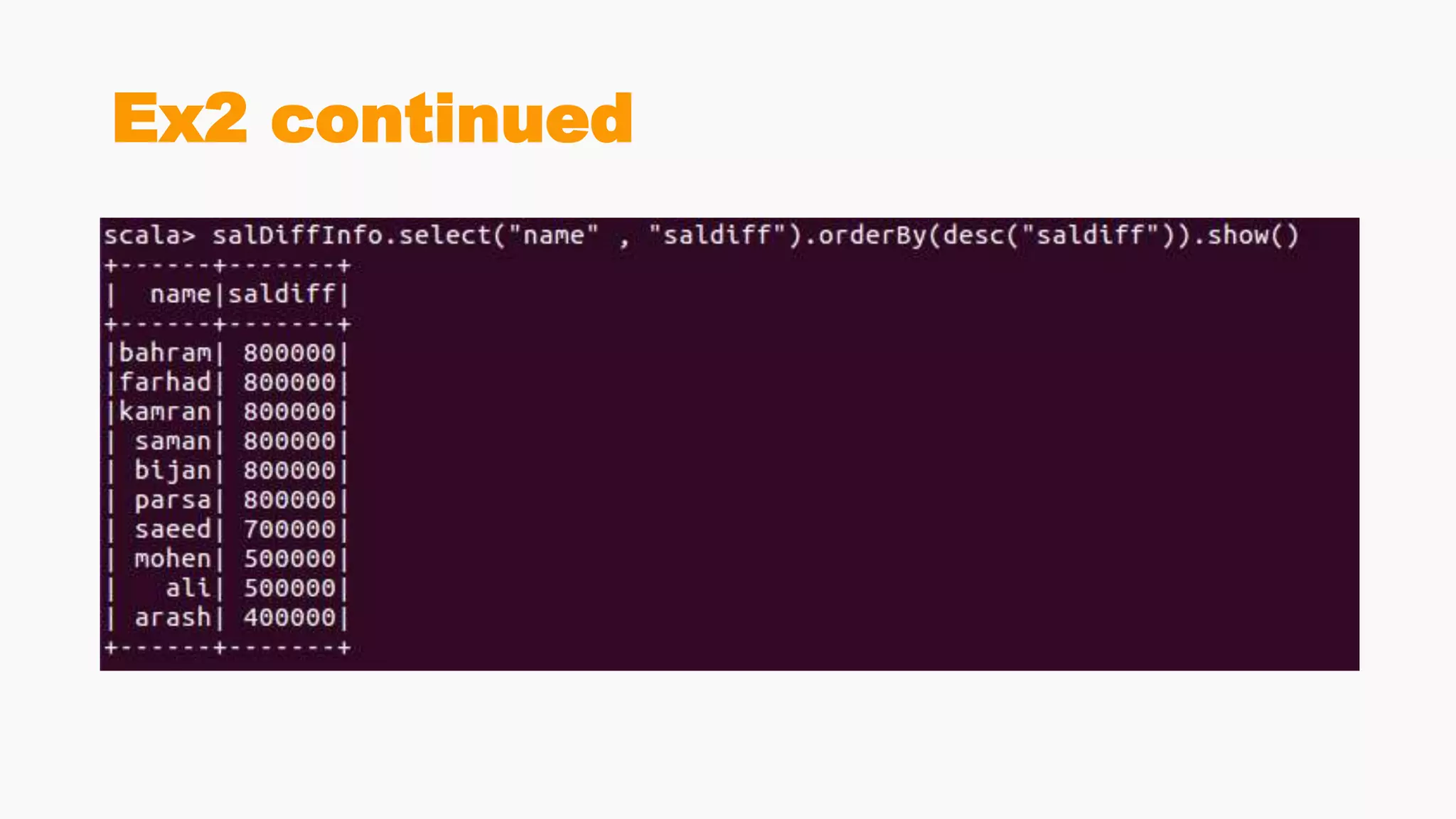
Ex2 continued
SQL or DataFrame API?
SQL or DataFrame?
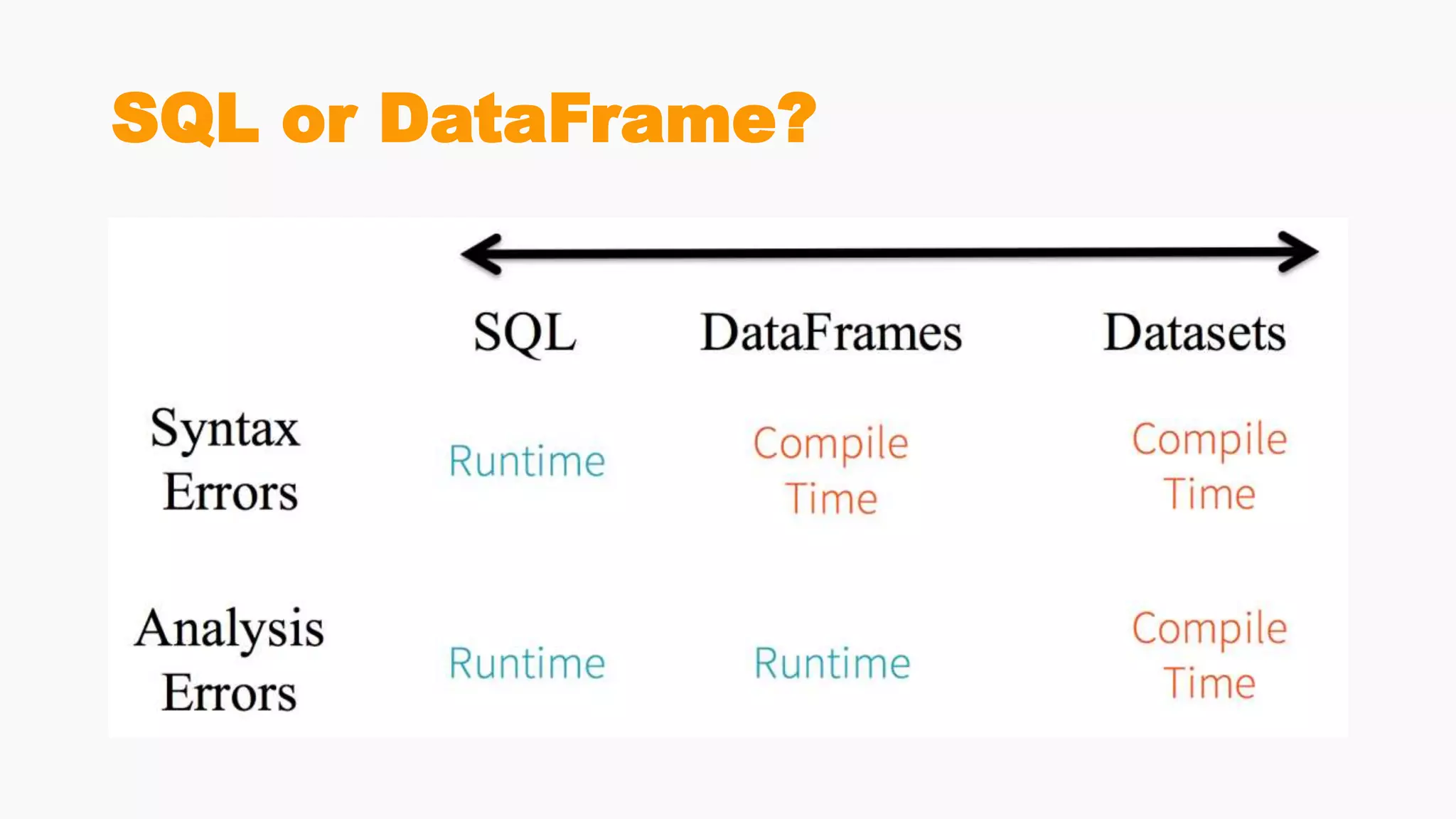
• In Spark SQL string queries, you won’t know a syntax error until
runtime
• which could be costly
• In DataFrames and Datasets you can catch errors at compile time
• which saves developer-time and costs
• That is, if you invoke a function in DataFrame that is not part of the API, the
compiler will catch it. However, it won’t detect a non-existing column name
until runtime.
SQL or DataFrame?
DataSet, DataFrame,
RDD
DataSets
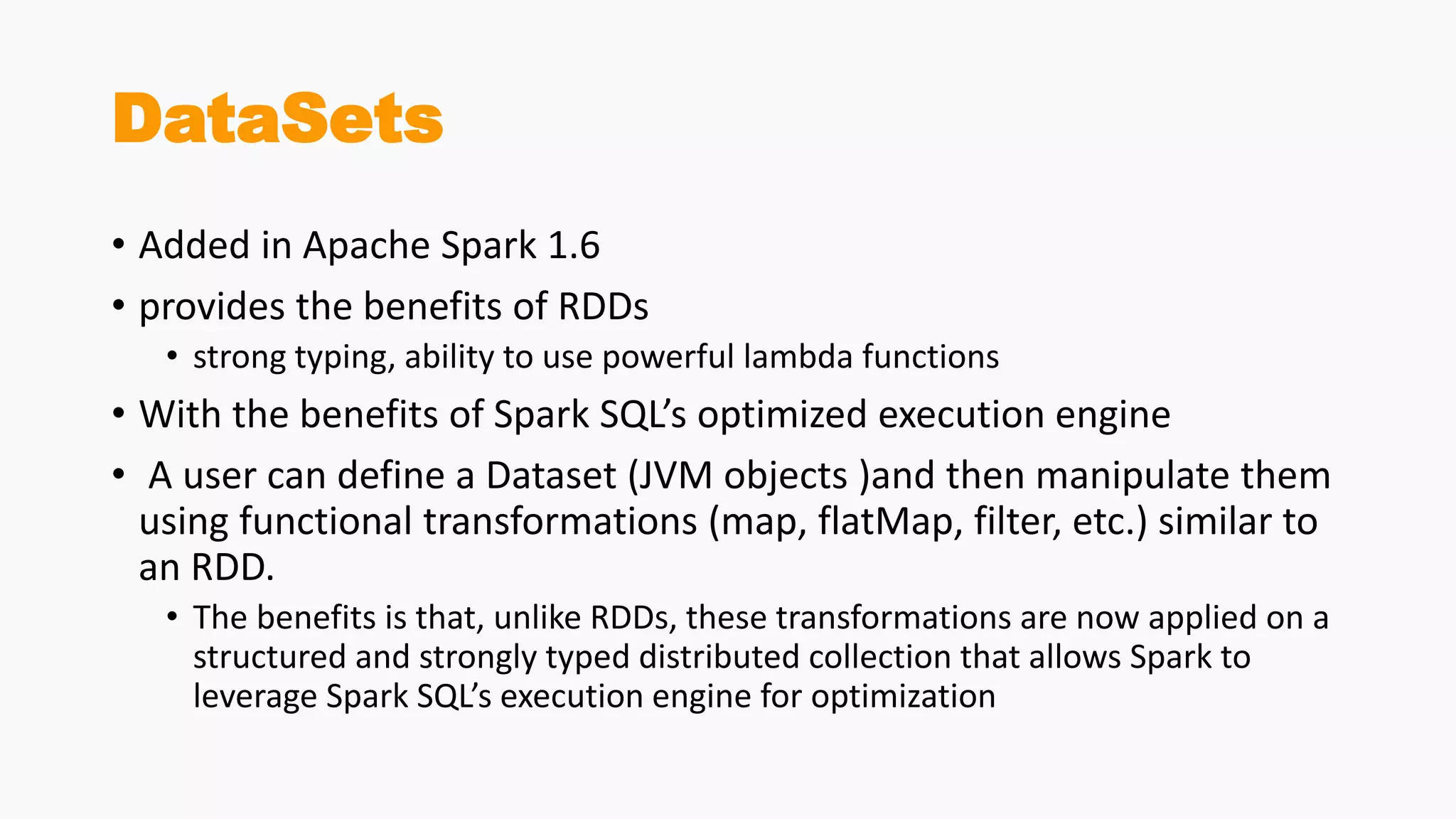
• Added in Apache Spark 1.6
• provides the benefits of RDDs
• strong typing, ability to use powerful lambda functions
• With the benefits of Spark SQL’s optimized execution engine
• A user can define a Dataset (JVM objects )and then manipulate them
using functional transformations (map, flatMap, filter, etc.) similar to
an RDD.
• The benefits is that, unlike RDDs, these transformations are now applied on a
structured and strongly typed distributed collection that allows Spark to
leverage Spark SQL’s execution engine for optimization
DataSets
• provide an API that allows users to easily perform transformations on
domain objects
• provide performance and robustness advantages of the Spark SQL
execution engine
• compete to RDDs as they have overlapping functions
• DataFrame is an alias to Dataset[Row].
• Datasets are optimized for typed engineering tasks, for which you
want types checking and object-oriented programming interface,
• while DataFrames are faster for interactive analytics and close to SQL
style
type-safety along syntax and
analysis error
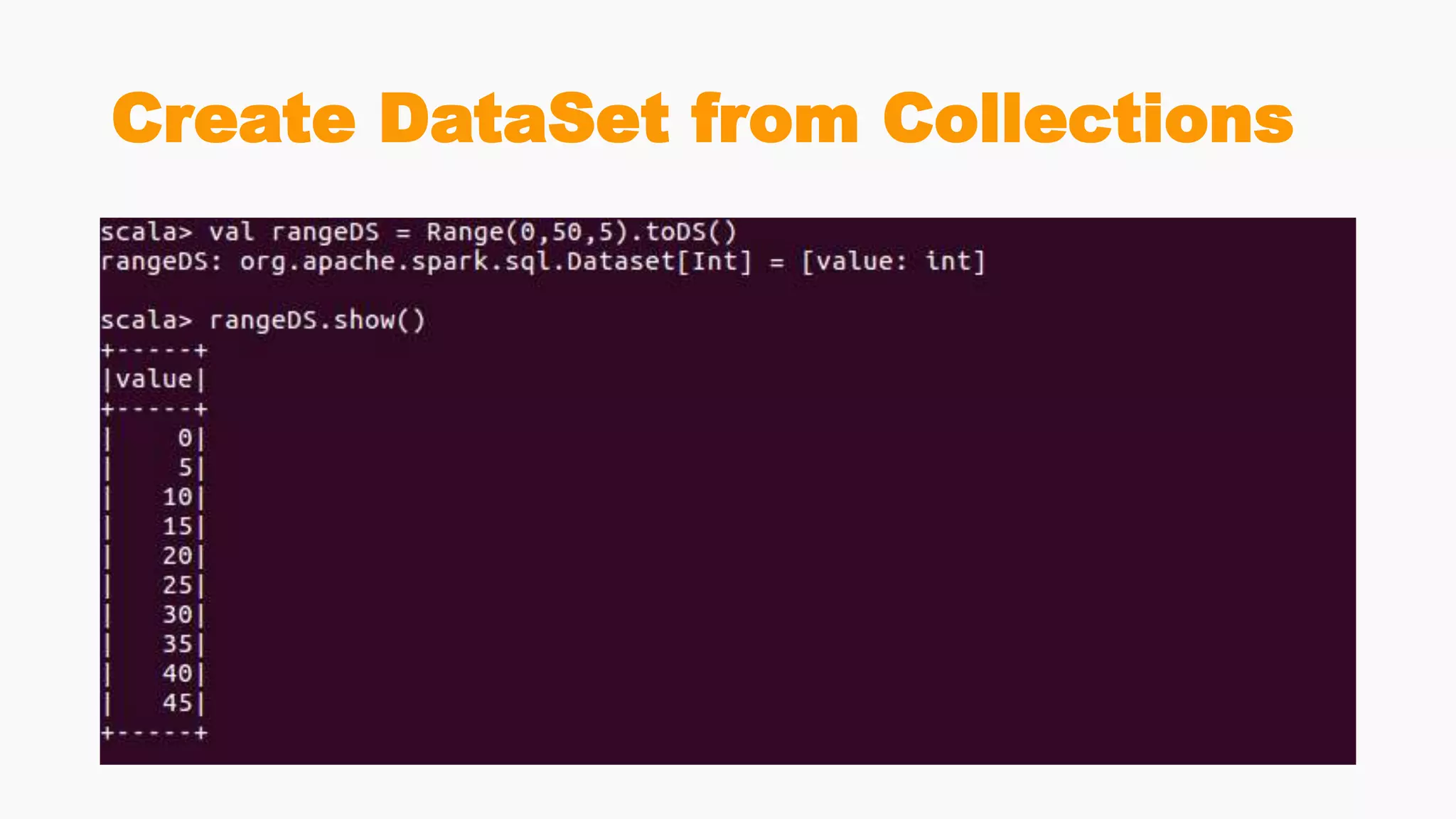
Create DataSet from Collections
Create DataSet from RDD
Create DataSet from DataFrame
RDDs, DataFrames and DataSets
• You can seamlessly move between DataFrame or Dataset and RDDs at
will—by simple API method calls—and DataFrames and Datasets are
built on top of RDDs.
RDDs
• the primary user-facing API in Spark since its inception
• At the core, an RDD is an immutable distributed collection of
elements of your data, partitioned across nodes in your cluster that
can be operated in parallel with a low-level API
• Offers
• Transformations
• Actions
When to use RDDs
• your data is unstructured, for example, binary (media) streams or text
streams
• you want to control your dataset and use low-level transformations and
actions
• your data types cannot be serialized with Encoders (an optimized
approach that uses runtime code generation to build custom bytecode for
serialization and deserialization)
• you are ok to miss optimizations for DataFrames and Datasets for
structured and semi-structured data that are available out of the box
• you don’t care about the schema, columnar format and ready to use
functional programming constructs
DataFrames
• Like an RDD, a DataFrame is an immutable distributed collection of
data
• Unlike an RDD, data is organized into named columns, like a table in a
relational database
• Designed to make large data sets processing even easier
• DataFrame allows developers to impose a structure onto a distributed
collection of data, allowing higher-level abstraction
• provides a domain specific language API to manipulate your
distributed data
When to use DataFrames
• your data is structured (RDBMS input) or semi-structured (json, csv)
• you want to get the best performance gained from SQL’s optimized
execution engine (Catalyst optimizer and Tungsten’s efficient code
generation)
• you need to run hive queries
• you appreciate domain specific language API (.groupBy, .agg,
.orderBy)
• you are using R or Python
Datasets
• Since Spark 2.0 DataFrame is an alias for a collection of generic
objects Dataset[Row], where a Row is a generic untyped JVM object
When should I use DataFrames or
Datasets?
• your data is structured or semi-structured
• you appreciate type-safety at a compile time and a strong-typed API
• you need good performance (mostly greater than RDD), but not the
best one (usually lower than DataFrames)
Caching
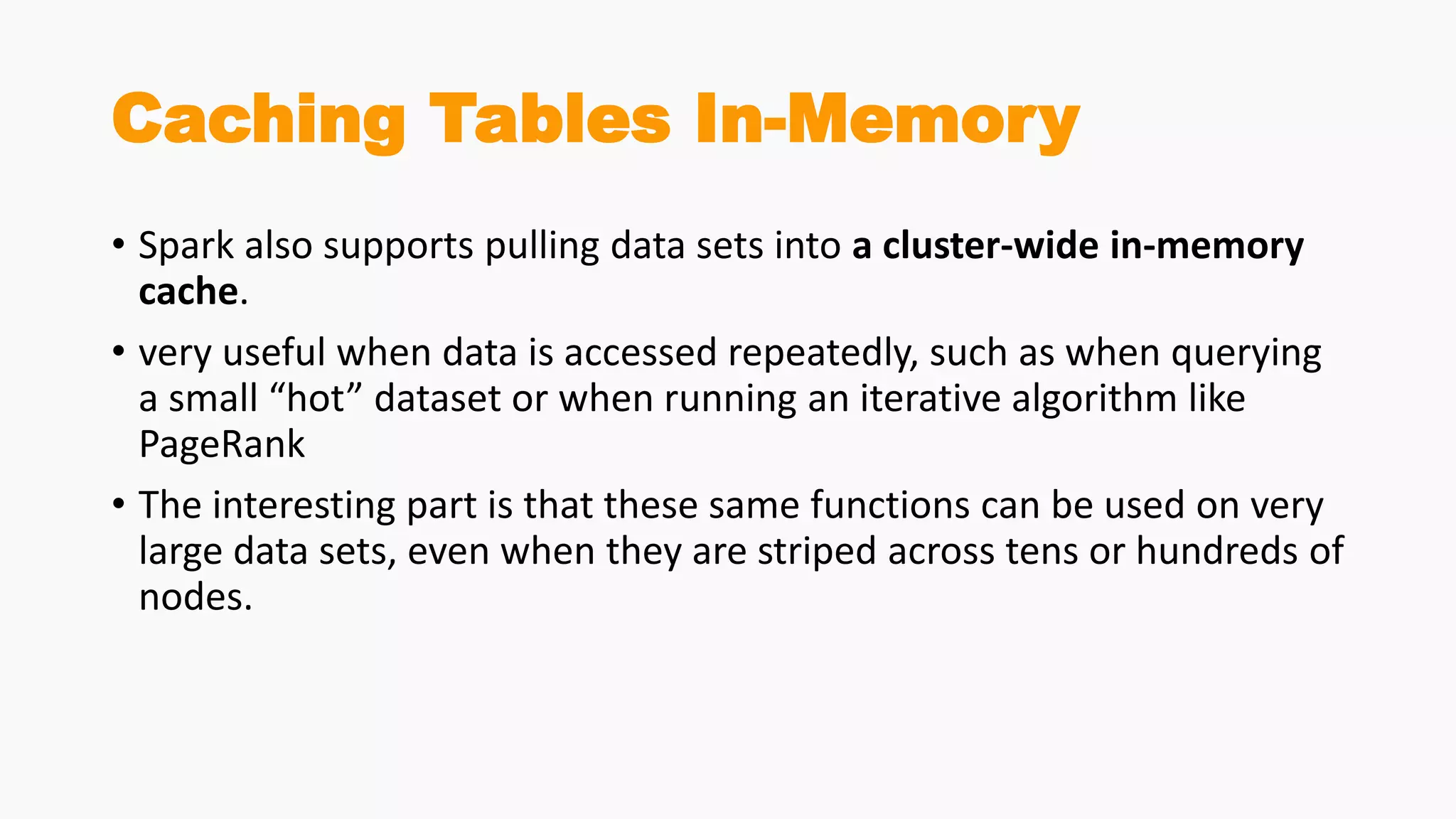
Caching Tables In-Memory
• Spark also supports pulling data sets into a cluster-wide in-memory
cache.
• very useful when data is accessed repeatedly, such as when querying
a small “hot” dataset or when running an iterative algorithm like
PageRank
• The interesting part is that these same functions can be used on very
large data sets, even when they are striped across tens or hundreds of
nodes.
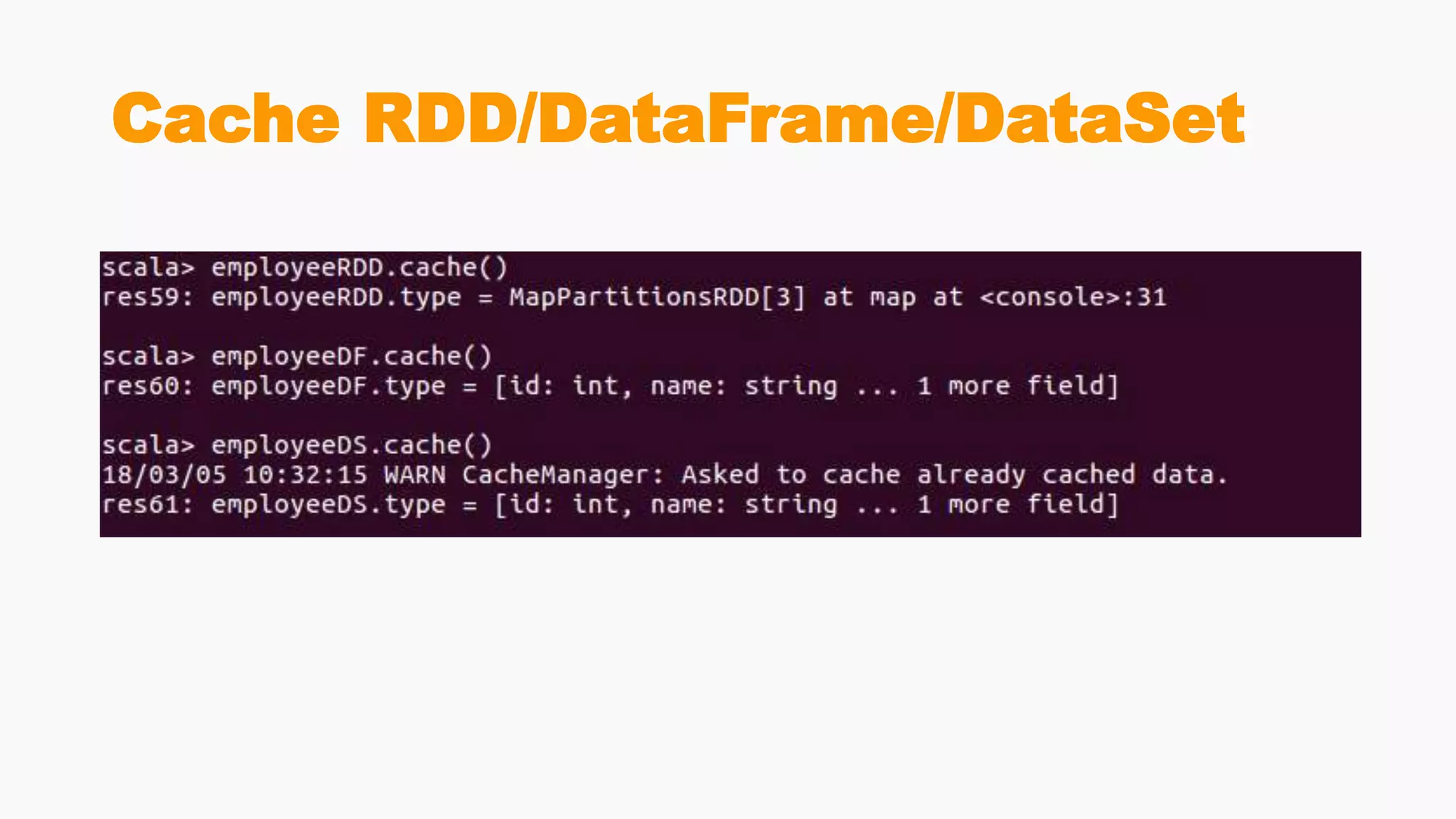
Cache RDD/DataFrame/DataSet
Self-Contained
Applications
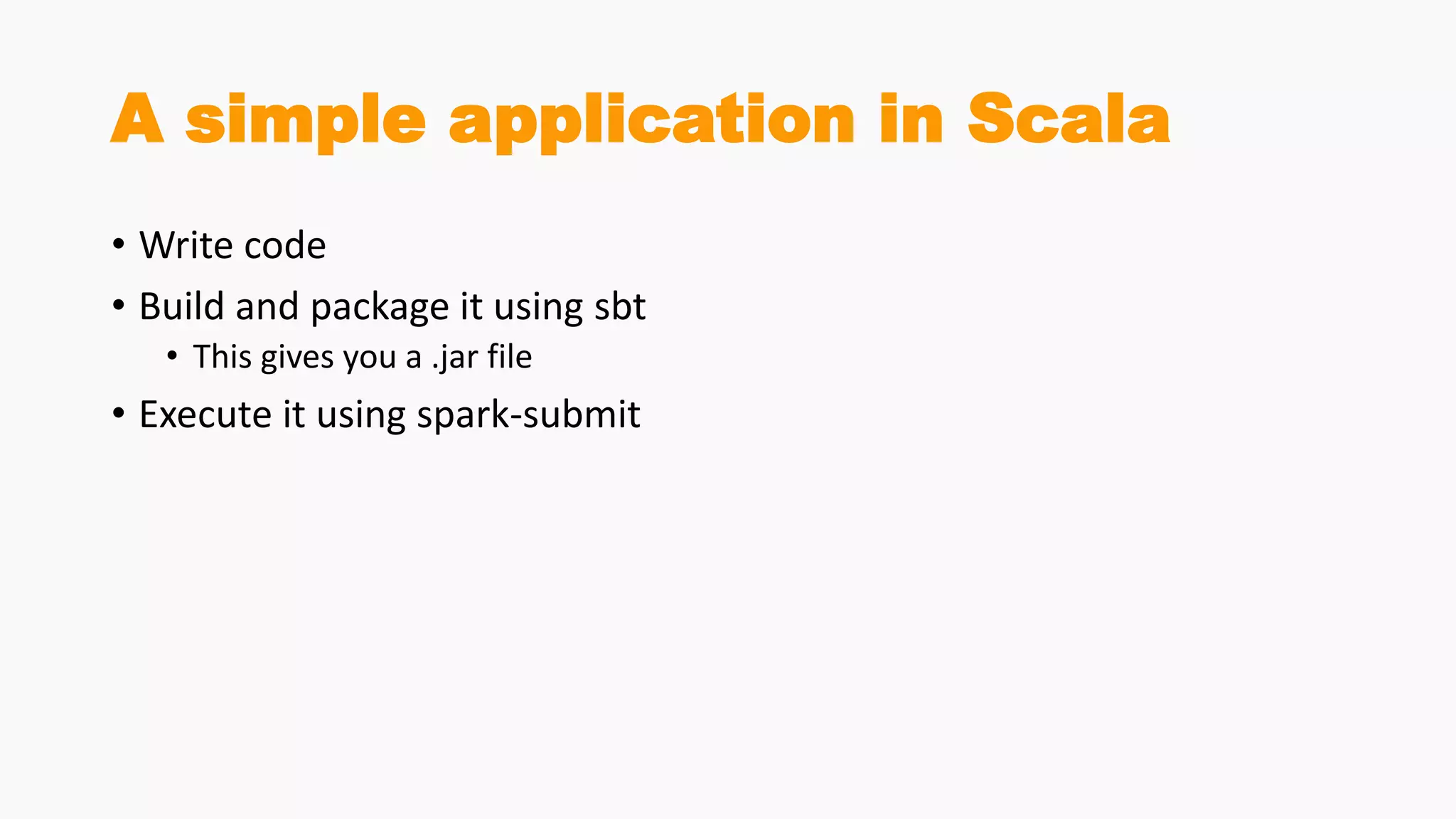
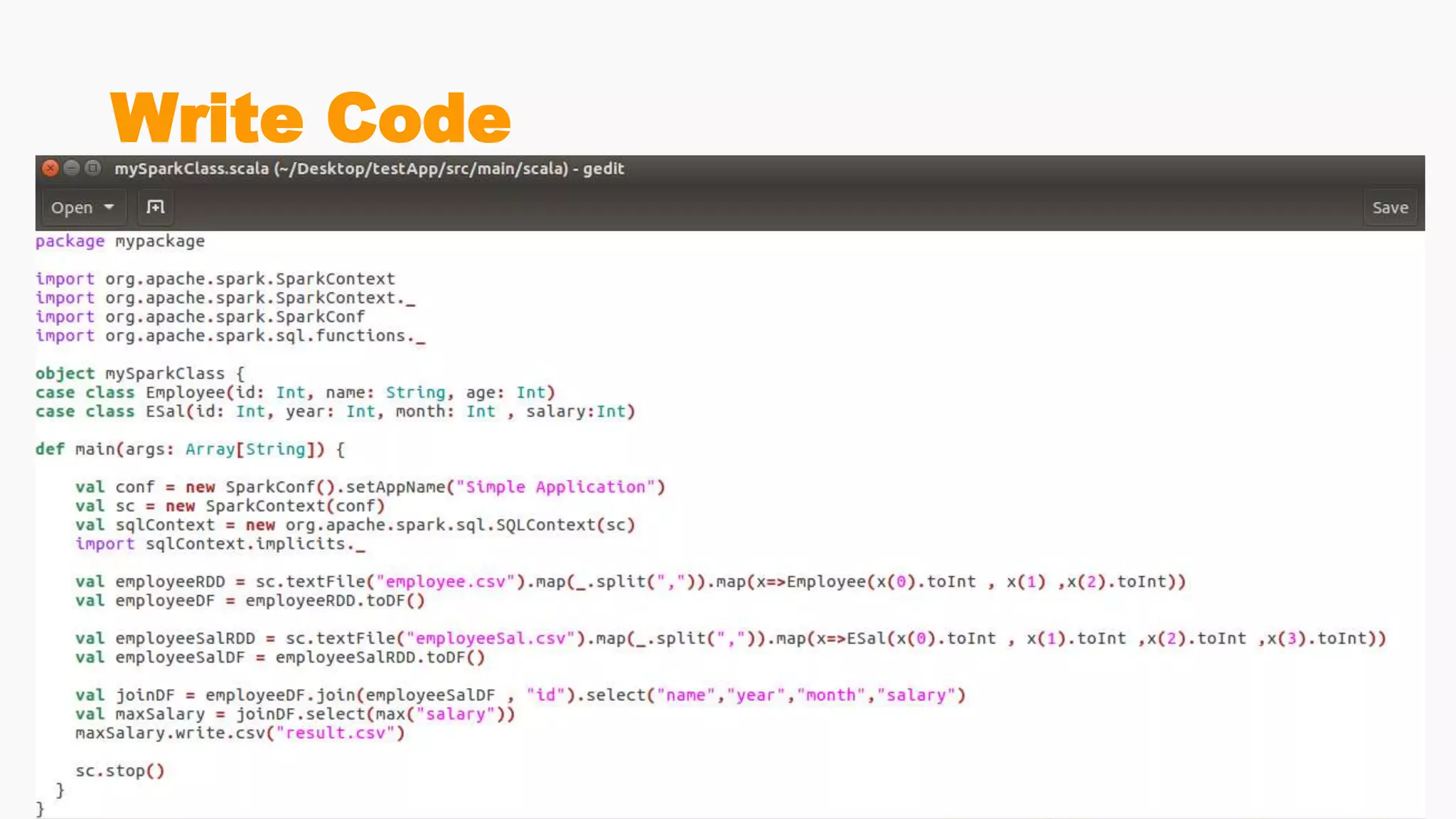
A simple application in Scala
• Write code
• Build and package it using sbt
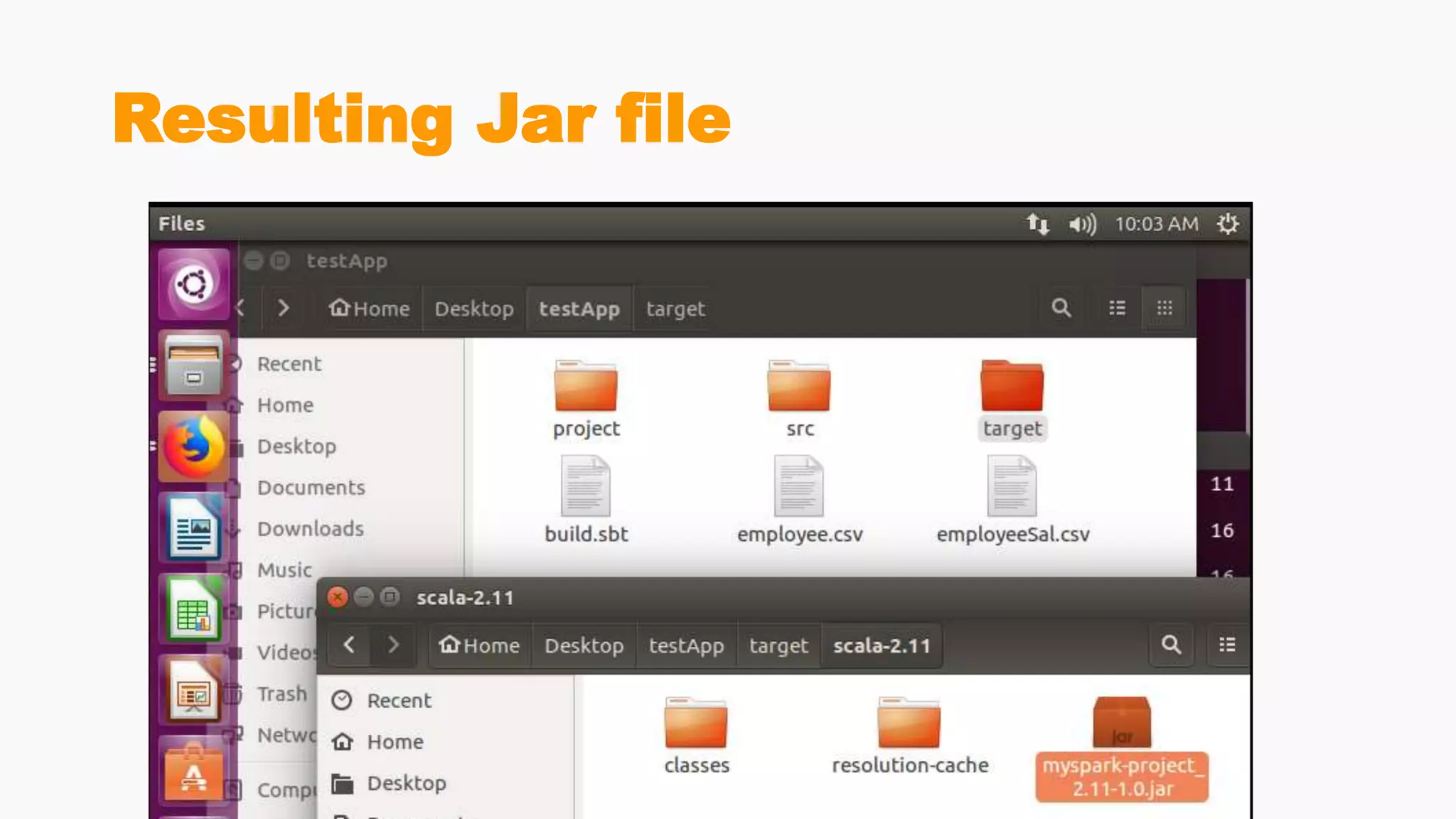
• This gives you a .jar file
• Execute it using spark-submit
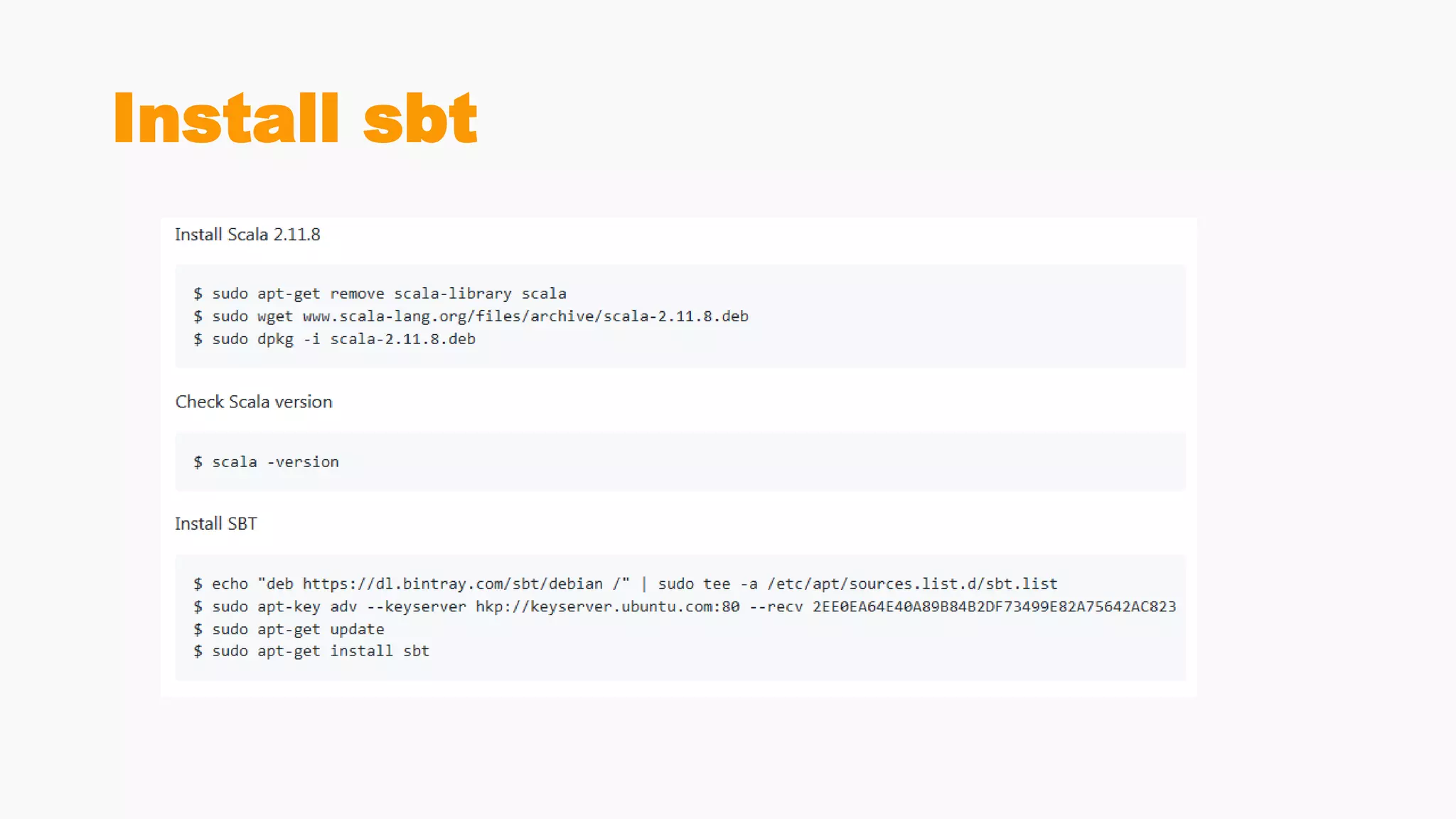
Install sbt
Write Code
Build a directory structure for
the application
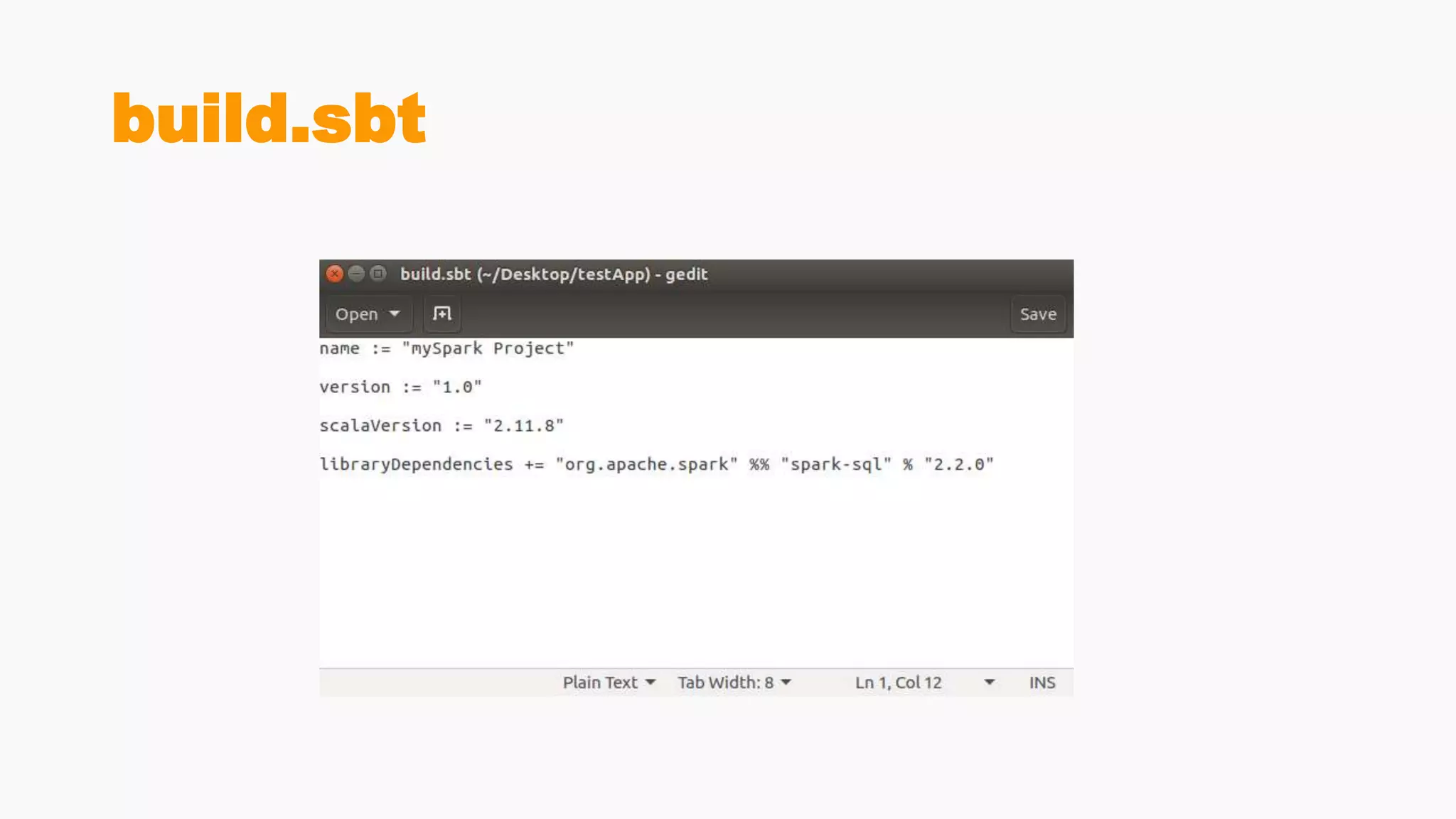
build.sbt
Use sbt to build and package the
application
Resulting Jar file
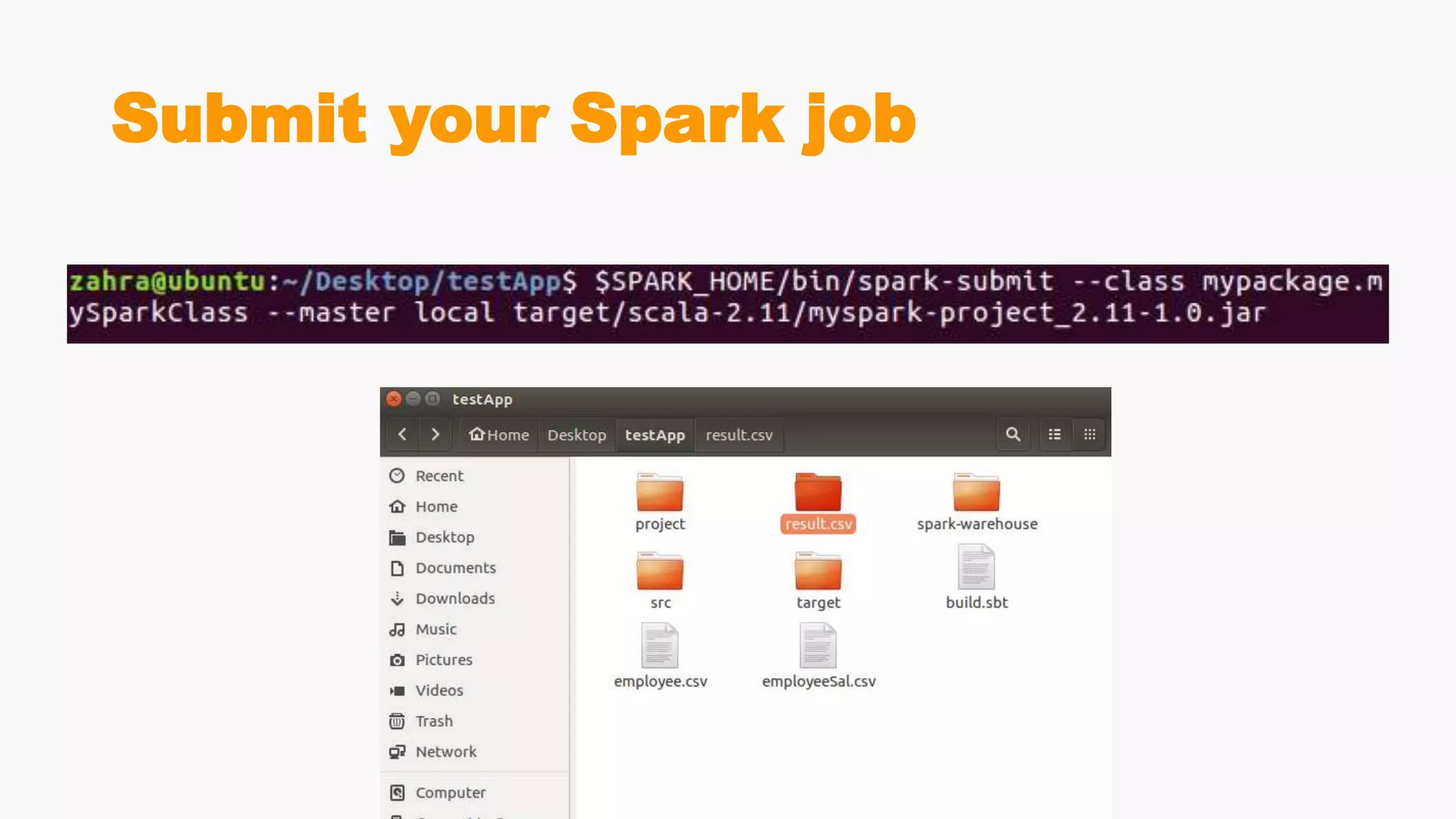
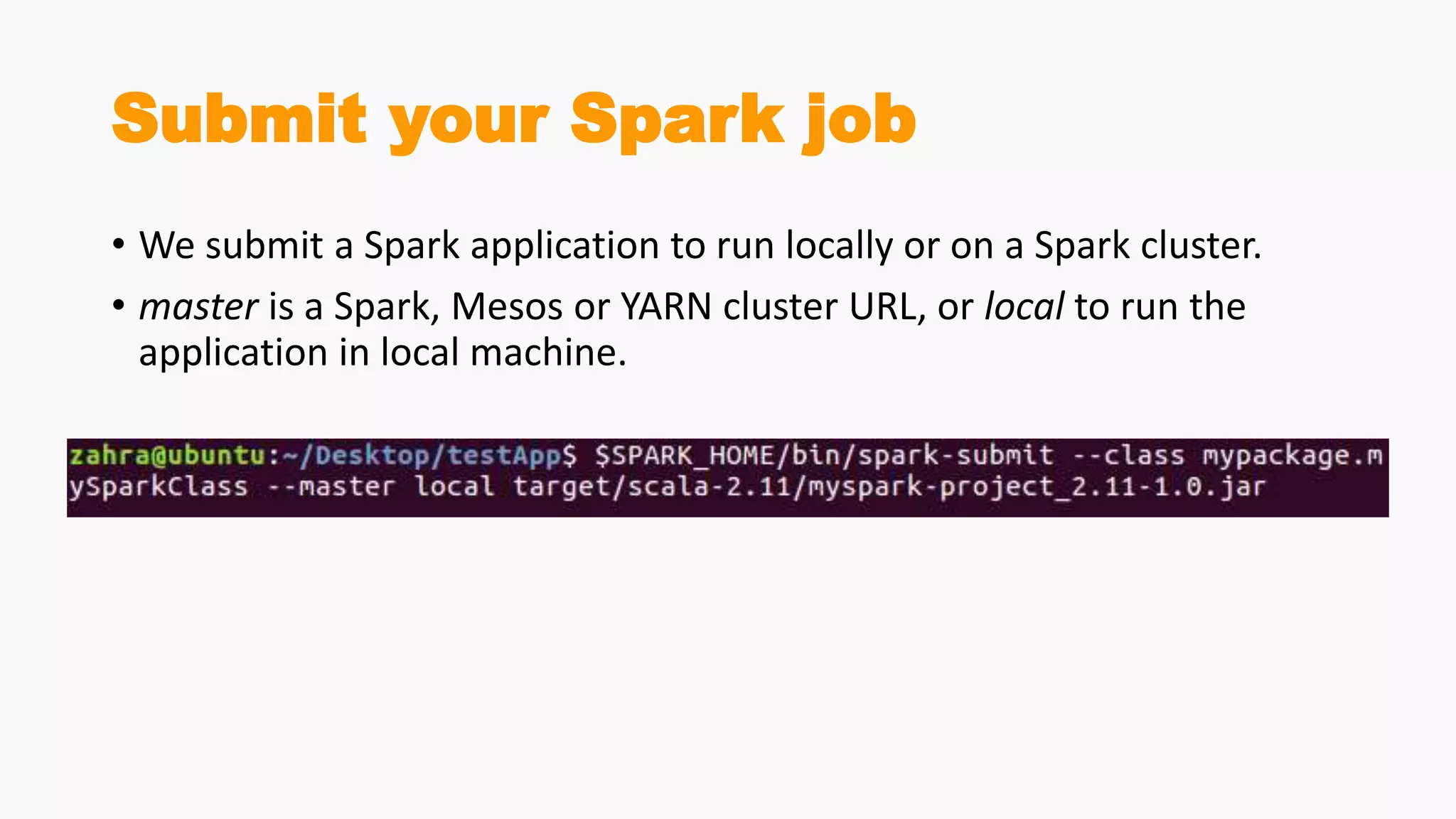
Submit your Spark job
• We submit a Spark application to run locally or on a Spark cluster.
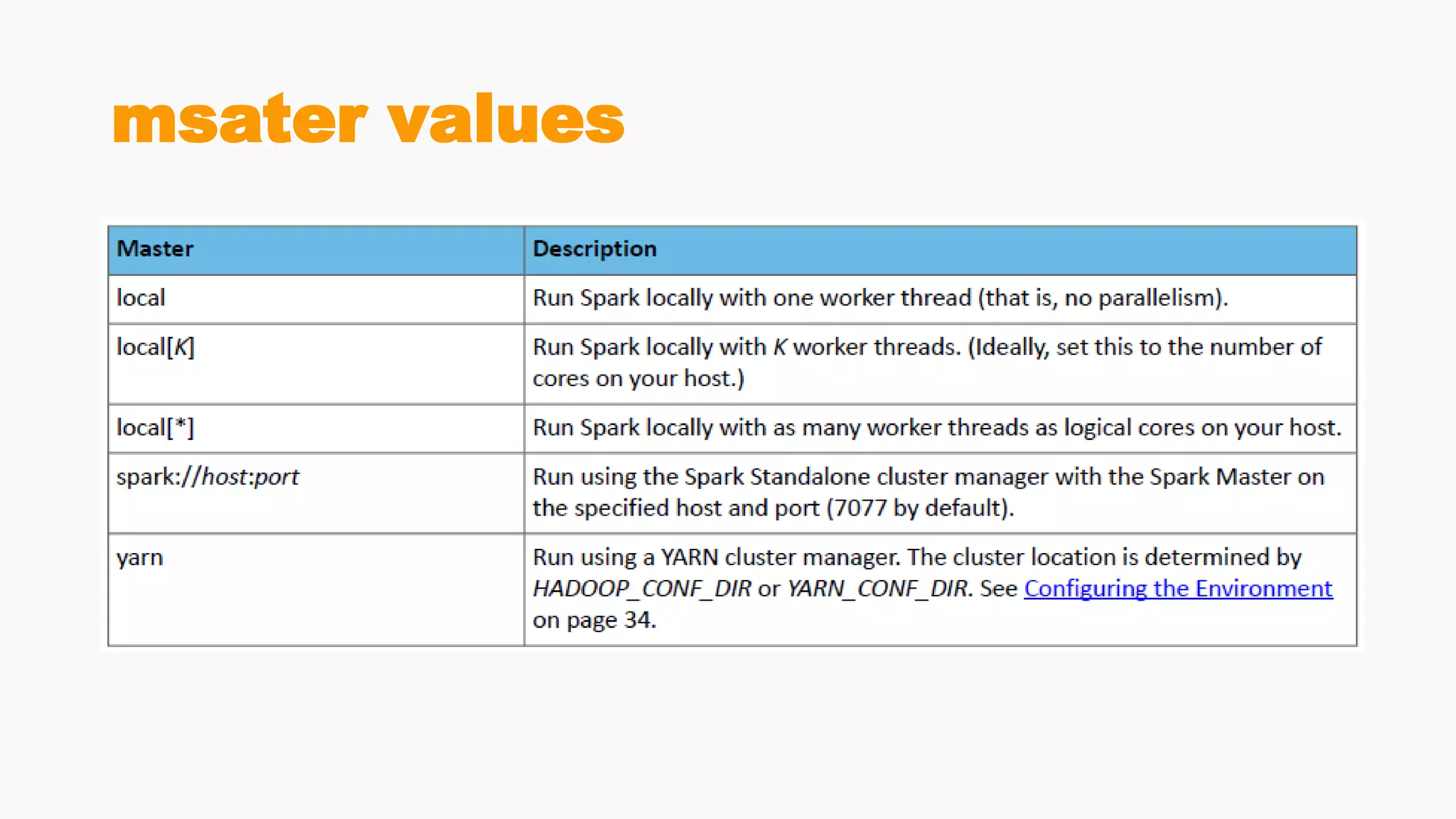
• master is a Spark, Mesos or YARN cluster URL, or local to run the
application in local machine.
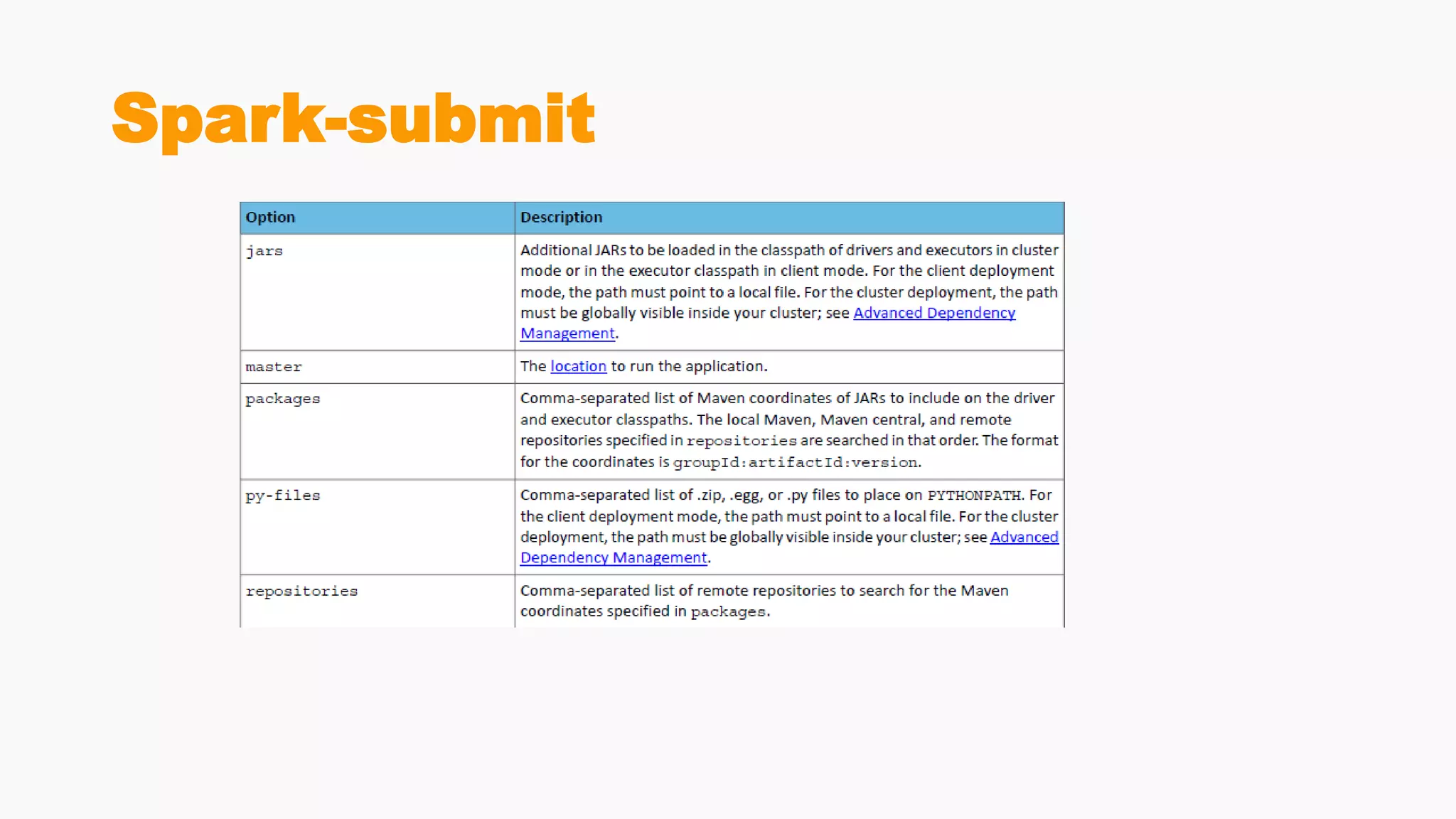
Spark-submit
Spark-submit
msater values
Finished 

Spark sql

  • 1.
  • 2.
    Course Agenda • SparkFundamentals • 1 session • Spark SQL • 1.5 session • Spark Streaming • 0.5 session • Spark MLlib & GraphX • 1 session
  • 3.
    Agenda • Introduction • SparkDataFrame • First Example • Spark SQL Data sources • SparkSession • User Defined Function • Spark Catalyst
  • 4.
  • 5.
    Spark SQL • aprogramming module for structured data processing • provides a programming abstraction called DataFrame (SchemaRDD) • act as distributed SQL query engine • Transform RDDs using SQL • Data source integration: Hive, Parquet, JSON, and more
  • 6.
    Spark SQL features •Integrated • Seamlessly mix SQL queries with Spark programs • Spark SQL lets you query structured data as a distributed dataset (RDD) in Spark • integrated APIs in Python, Scala and Java and R • Unified Data Access • Load and query data from a variety of sources • Schema-RDDs provide a single interface for efficiently working with structured data, including Apache Hive tables, parquet files and JSON files • Hive Compatibility • Run unmodified Hive queries on existing warehouses. • Spark SQL reuses the Hive frontend and MetaStore, giving you full compatibility with existing Hive data, queries, and UDFs. • Simply install it alongside Hive • Standard Connectivity • Connect through JDBC or ODBC • Spark SQL includes a server mode with industry standard JDBC and ODBC connectivity. • Scalability • Use the same engine for both interactive and long queries. Spark SQL takes advantage of the RDD model to support mid- query fault tolerance, letting it scale to large jobs too.
  • 7.
    Spark SQL Architecture •3 Layers • Language API • supported by these (python, scala, java, HiveQL). • Schema RDD • Generally, Spark SQL works on schemas, tables, and records. Therefore, we can use the Schema RDD as temporary table. We can call this Schema RDD as Data Frame. • Data Sources • Usually the Data source for spark-core is a text file, Avro file, etc. However, the Data Sources for Spark SQL is different. Those are Parquet file, JSON document, HIVE tables, and Cassandra database
  • 8.
  • 9.
    Adding Schema toRDDs Spark + RDDs Functional transformations on partitioned collections of opaque objects. SQL + SchemaRDDs Declarative transformations on partitioned collections of tuples.
  • 10.
  • 11.
    DataFrame • a distributedcollection of data • organized into named columns • Conceptually equivalent to relational tables • good optimization techniques • can be constructed from an array of different sources such as Hive tables, Structured Data files, external databases, or existing RDDs. • was designed for modern Big Data and data science applications taking inspiration from DataFrame in R Programming and Pandas in Python.
  • 12.
    Features Of DataFrame •Ability to process the data in the size of Kilobytes to Petabytes on a single node cluster to large cluster. • Supports different data formats (Avro, csv, elastic search, and Cassandra) and storage systems (HDFS, HIVE tables, mysql, etc). • State of art optimization and code generation through the Spark SQL Catalyst optimizer (tree transformation framework). • Optimization happens as late as possible, therefore Spark SQL can optimize across functions • Can be easily integrated with all Big Data tools and frameworks via Spark- Core. • Provides API for Python, Java, Scala, and R Programming.
  • 13.
  • 14.
  • 15.
    Example DataSet • Atext file filled with employee info
  • 16.
    SQLContext • initializing thefunctionalities of Spark SQL • SparkContext class object (sc) is required for initializing SQLContext class object • to create SQLContext :
  • 17.
  • 18.
    Create DataFrame fromRDD - Reflection • uses reflection to generate the schema of an RDD that contains specific types of objects
  • 19.
    Case Classes • caseclasses are good for modeling immutable data • A minimal case class requires the keywords case class, an identifier, and a parameter list (which may be empty): • Notice how the keyword new was not used to instantiate the Book case class. This is because case classes have an apply method by default which takes care of object construction. • When you create a case class with parameters, the parameters are public vals
  • 20.
    Create DataFrame fromRDD - Reflection
  • 21.
  • 22.
  • 23.
  • 24.
  • 25.
  • 26.
  • 27.
  • 28.
  • 29.
  • 30.
  • 31.
  • 32.
  • 33.
  • 34.
    DataFrame-JOIN • A textfile of employeeId , year , month , salary • Join employeeDF with this data
  • 35.
  • 36.
  • 37.
    DataFrame-JOIN • A join()operation will join two dataframes based on some common column which in the previous example was the column id from employeeDF and employeeSalDF. But, what if the column to join to had different names? In such a case, you can explicitly specify the column from each dataframe on which to join. // DataFrame Query: Join on explicit columns FirstDF.join(secondDF, FirstDF(“f_id") === secondDF (“s_id")) .show(10)
  • 38.
  • 39.
    DataFrame- lef outerJoin , right outer Join • Spark supports various types of joins namely: inner, cross, outer, full, full_outer, left, left_outer, right, right_outer, left_semi, left_anti. // DataFrame Query: Left Outer Join FirstDF.join(secondDF, Seq("id"), "left_outer") .show(10) // DataFrame Query: Right Outer Join FirstDF.join(secondDF, Seq("id"), "right_outer") .show(10)
  • 40.
    DataFrame-Union,Intersection val unionDF =FirstDF.union(secondDF) val intersectionDF = FirstDF.intersect(secondDF)
  • 41.
  • 42.
  • 43.
  • 44.
  • 45.
  • 46.
  • 47.
  • 48.
  • 49.
  • 50.
  • 51.
  • 52.
  • 53.
    • A DataFrameinterface allows different DataSources to work on Spark SQL • It is a temporary table and can be operated as a normal RDD • different types of data sources available in SparkSQL • JSON Datasets • Parquet Files • Hive Table • …
  • 54.
    Parquet Files • Parquetis a columnar format • supported by many data processing systems • The advantages of having a columnar storage • Columnar storage limits IO operations • Columnar storage can fetch specific columns that you need to access • Columnar storage consumes less space • Columnar storage gives better-summarized data and follows type-specific encoding.
  • 55.
    Parquet Files • SparkSQL provides support for both reading and writing parquet files • Spark SQL automatically capture the schema of the original data
  • 56.
    Hive • to createand find tables in the HiveMetaStore and write queries on it use HiveContext • HiveContext, inherits from SQLContext • Users who do not have an existing Hive deployment can still create a HiveContext • When not configured by the hive-site.xml, the context automatically creates a metastore called metastore_db and a folder called warehouse in the current directory.
  • 57.
    Create HiveContext /create Table on Hive
  • 59.
  • 60.
    SparkSession • Introduced inSaprk 2.0 • Enclapuslates SparkConf, SparkContext or SQLContext • At this point you can use the spark variable as your instance object to access its public methods and instances for the duration of your Spark job // Create a SparkSession. No need to create SparkContext // You automatically get it as part of the SparkSession val spark = SparkSession .builder() .getOrCreate()
  • 61.
    Configuring Spark’s Runtime Properties •Once the SparkSession is instantiated, you can configure Spark’s runtime config properties. For example, in this code snippet, we can alter the existing runtime config options. Since configMap is a collection, you can use all of Scala’s iterable methods to access the data. //set new runtime options spark.conf.set("spark.sql.shuffle.partitions", 6) spark.conf.set("spark.executor.memory", "2g") //get all settings val configMap:Map[String, String] = spark.conf.getAll()
  • 62.
    Accessing Catalog Metadata throughSparkSession • Often, you may want to access and peruse the underlying catalog metadata. SparkSession exposes “catalog” as a public instance that contains methods that work with the metastore (i.e data catalog). Since these methods return a Dataset, you can use Dataset API to access or view data. In this snippet, we access table names and list of databases
  • 63.
    Creating Datasets andDataframes • There are a number of ways to create DataFrames and Datasets using SparkSession APIs • One quick way to generate a Dataset is by using the spark.range method //create a Dataset using spark.range starting from 5 to 100, with increments of 5 val numDS = spark.range(5, 100, 5) // create a DataFrame using spark.createDataFrame from a List or Seq val langPercentDF = spark.createDataFrame(List(("Scala", 35), ("Python", 30), ("R", 15), ("Java", 20)))
  • 64.
    Reading JSON Datawith SparkSession API • I can read JSON or CVS or TXT file, or I can read a parquet table. For example, in this code snippet, we will read a JSON file of zip codes, which returns a DataFrame, a collection of generic Rows. // read the json file and create the dataframe val employeeDF= spark.read.json(“employee.json”)
  • 65.
    Using Spark SQLwith SparkSession • Through SparkSession, you can access all of the Spark SQL functionality as you would through SQLContext. In the code sample below, we create a table against which we issue SQL queries // Now create an SQL table and issue SQL queries against it without // using the sqlContext but through the SparkSession object. // Creates a temporary view of the DataFrame employeeDF.createOrReplaceTempView(“employee") val resultsDF = spark.sql("SELECT name , age FROM employee ") .show(10)
  • 66.
    Saving and Readingfrom Hive table with SparkSession • to create a Hive table and issue queries against it using SparkSession object as you would with a HiveContext. //drop the table if exists to get around existing table error spark.sql("DROP TABLE IF EXISTS zips_hive_table") //save as a hive table spark.table("zips_table").write.saveAsTable("zips_hive_table") //make a similar query against the hive table val resultsHiveDF = spark.sql("SELECT city, pop, state, zip FROM zips_hive_table WHERE pop > 40000") resultsHiveDF.show(10)
  • 67.
  • 68.
    Register User DefinedFunction (UDF) • register and use your own functions which are more commonly referred to as User Defined Functions (UDF).
  • 69.
    Register UDF usingSparkSession
  • 70.
  • 71.
    Catalyst • Provides anexecution planning framework Parse Analyze Logical Plan Optimize Physical plan Execute Catalyst
  • 72.
  • 73.
    • SELECT nameFROM( SELECT id,name FROM People) p WHERE p.id = 1
  • 74.
  • 75.
  • 76.
  • 77.
    Ex1: Find theperson who has the highest increase in salary
  • 78.
  • 79.
    Ex2: Do thesame using DataFrame API
  • 80.
  • 81.
  • 82.
    SQL or DataFrame? •In Spark SQL string queries, you won’t know a syntax error until runtime • which could be costly • In DataFrames and Datasets you can catch errors at compile time • which saves developer-time and costs • That is, if you invoke a function in DataFrame that is not part of the API, the compiler will catch it. However, it won’t detect a non-existing column name until runtime.
  • 83.
  • 84.
  • 85.
    DataSets • Added inApache Spark 1.6 • provides the benefits of RDDs • strong typing, ability to use powerful lambda functions • With the benefits of Spark SQL’s optimized execution engine • A user can define a Dataset (JVM objects )and then manipulate them using functional transformations (map, flatMap, filter, etc.) similar to an RDD. • The benefits is that, unlike RDDs, these transformations are now applied on a structured and strongly typed distributed collection that allows Spark to leverage Spark SQL’s execution engine for optimization
  • 86.
    DataSets • provide anAPI that allows users to easily perform transformations on domain objects • provide performance and robustness advantages of the Spark SQL execution engine • compete to RDDs as they have overlapping functions • DataFrame is an alias to Dataset[Row]. • Datasets are optimized for typed engineering tasks, for which you want types checking and object-oriented programming interface, • while DataFrames are faster for interactive analytics and close to SQL style
  • 87.
    type-safety along syntaxand analysis error
  • 88.
  • 89.
  • 90.
  • 91.
    RDDs, DataFrames andDataSets • You can seamlessly move between DataFrame or Dataset and RDDs at will—by simple API method calls—and DataFrames and Datasets are built on top of RDDs.
  • 92.
    RDDs • the primaryuser-facing API in Spark since its inception • At the core, an RDD is an immutable distributed collection of elements of your data, partitioned across nodes in your cluster that can be operated in parallel with a low-level API • Offers • Transformations • Actions
  • 93.
    When to useRDDs • your data is unstructured, for example, binary (media) streams or text streams • you want to control your dataset and use low-level transformations and actions • your data types cannot be serialized with Encoders (an optimized approach that uses runtime code generation to build custom bytecode for serialization and deserialization) • you are ok to miss optimizations for DataFrames and Datasets for structured and semi-structured data that are available out of the box • you don’t care about the schema, columnar format and ready to use functional programming constructs
  • 94.
    DataFrames • Like anRDD, a DataFrame is an immutable distributed collection of data • Unlike an RDD, data is organized into named columns, like a table in a relational database • Designed to make large data sets processing even easier • DataFrame allows developers to impose a structure onto a distributed collection of data, allowing higher-level abstraction • provides a domain specific language API to manipulate your distributed data
  • 95.
    When to useDataFrames • your data is structured (RDBMS input) or semi-structured (json, csv) • you want to get the best performance gained from SQL’s optimized execution engine (Catalyst optimizer and Tungsten’s efficient code generation) • you need to run hive queries • you appreciate domain specific language API (.groupBy, .agg, .orderBy) • you are using R or Python
  • 96.
    Datasets • Since Spark2.0 DataFrame is an alias for a collection of generic objects Dataset[Row], where a Row is a generic untyped JVM object
  • 97.
    When should Iuse DataFrames or Datasets? • your data is structured or semi-structured • you appreciate type-safety at a compile time and a strong-typed API • you need good performance (mostly greater than RDD), but not the best one (usually lower than DataFrames)
  • 98.
  • 99.
    Caching Tables In-Memory •Spark also supports pulling data sets into a cluster-wide in-memory cache. • very useful when data is accessed repeatedly, such as when querying a small “hot” dataset or when running an iterative algorithm like PageRank • The interesting part is that these same functions can be used on very large data sets, even when they are striped across tens or hundreds of nodes.
  • 100.
  • 101.
  • 102.
    A simple applicationin Scala • Write code • Build and package it using sbt • This gives you a .jar file • Execute it using spark-submit
  • 103.
  • 104.
  • 105.
    Build a directorystructure for the application
  • 106.
  • 107.
    Use sbt tobuild and package the application
  • 108.
  • 109.
  • 110.
    Submit your Sparkjob • We submit a Spark application to run locally or on a Spark cluster. • master is a Spark, Mesos or YARN cluster URL, or local to run the application in local machine.
  • 111.
  • 112.
  • 113.
  • 114.

Editor's Notes

  • #88 With Dataset as a collection of Dataset[ElementType] typed objects, you seamlessly get both compile-time safety and custom view for strongly-typed JVM objects. And your resulting strongly-typed Dataset[T] from above code can be easily displayed or processed with high-level methods
  • #89 You can simply call .toDS() on a sequence to convert the sequence to a Dataset.
  • #90 For creating Datasets from a RDD You can call rdd.toDS() to convert an RDD into a Dataset.
  • #91 For Creating Datasets from a DataFrame You can call df.as[SomeCaseClass] to convert the DataFrame to a Dataset.