Software Testing Types: A
Comprehensive Overview
Mobile applications and websites play a crucial role in helping organizations
connect with their customers; this makes it essential to build an application or
website that functions well. A critical aspect that makes this possible is
testing.
Testing helps ensure the application is stable, its code works well and meets
all the users' requirements. However, there are different software testing types
with their unique purpose. These software testing types affect various
aspects of the development process, from inception to production.
With so many different software testing types, it's essential to get a clear
understanding of each one. This blog will explore two fundamental software
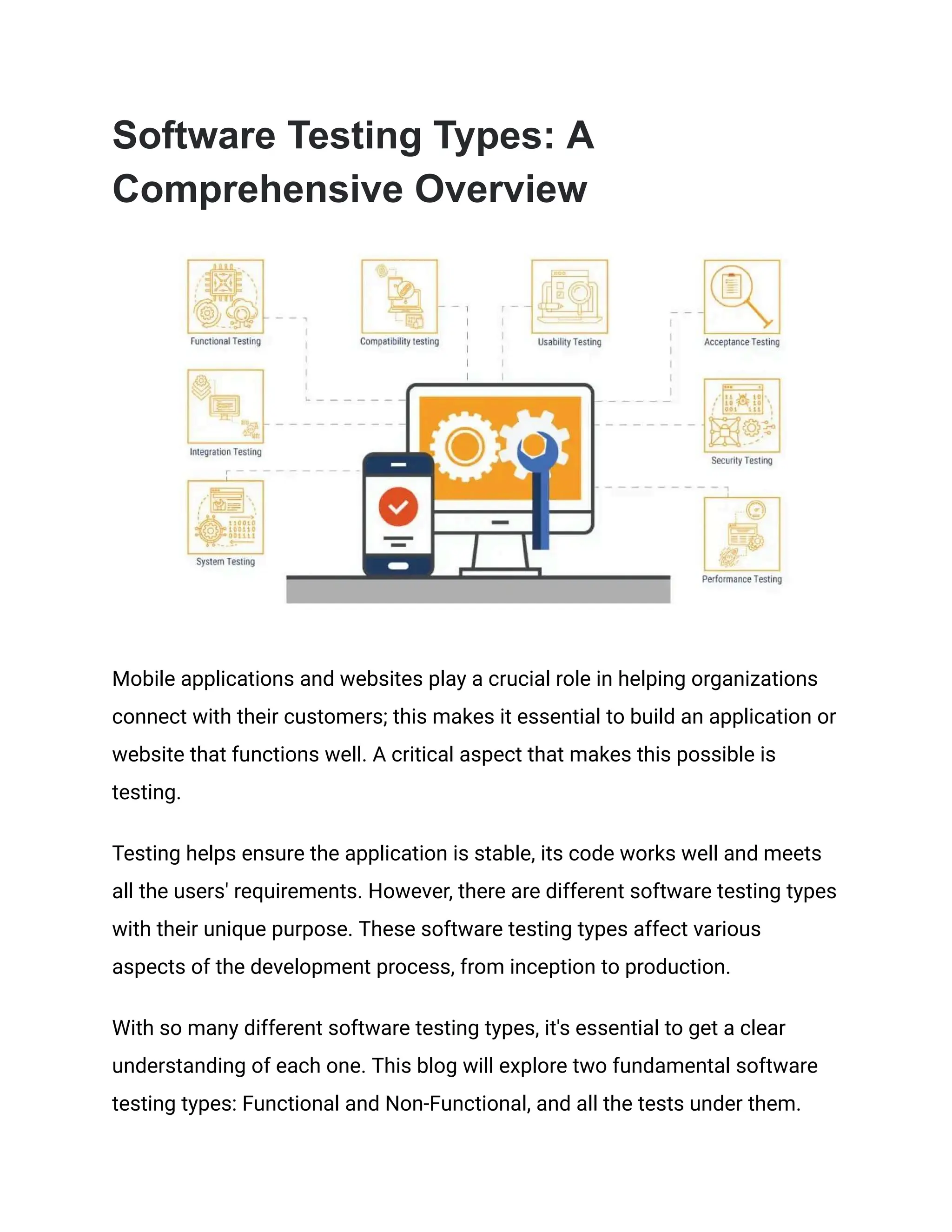
testing types: Functional and Non-Functional, and all the tests under them.
Functional Testing
Unit Testing
Developers run unit tests during the application's development phase to
ensure individual components or sections of code function well. This software
testing type helps developers catch bugs and uncover specific issues before
the app can go to the QA teams.
The simplest example of a unit test is when a developer runs a unit test on a
calculator app. The purpose of this test will show the developer if entering two
numbers produces the correct response. Two types of tests that come under
Unit testing are:
a) White Box Testing
White box tests help developers check the output of an action on an app and
the code that is responsible for the output. Developers run this test to check
for faults in the business logic and verify the code's integration with the app's
infrastructure.
b) Gorilla Testing
Developers run Gorilla tests to ensure the practical functionality of specific
modules within an application. The main objective is to check for faults in
module installation and address them. Developers run this test manually.
Integration Testing
Integration testing usually involves testing a group of modules of an
application. The goal of this software testing type is to check for any defects
or bugs in the interfaces between these modules. This type of testing adds
value to the Unit tests.
A test that comes under Integration testing is:
a) Gray box testing
Gray box testing is a testing technique developers use to test an application. It
involves having partial knowledge of the structure of the application. It helps
developers identify problems with code or the use of the application.
System Testing
System testing involves running tests on the entire system to check if it meets
specific requirements. System tests evaluate all the modules that have
passed the integration tests. System testing includes these software testing
types:
a) End to End Testing
Testers run end-to-end tests to check the app's capabilities in real-world
settings, like using network communications, interacting with a database,
applications, or other hardware. These test results help the tester validate an
app and its internal systems before launch.
b) Black Box Testing
Black box testing involves testing the functionalities of an app without
knowing the internal design, code, system, or structure. Its primary focus is on
the input and output of the app based on software specifications and
requirements.
c) Smoke Testing
Smoke testing ensures the stability of the deployed software build. It is a
confirmation to the QA teams that the build is ready for further testing. The
main goal is to check if the app's essential features work perfectly well and
that there aren't any bugs in the software.
d) Sanity Testing
Sanity testing, a subset of regression tests, is a software test that ensures
that bug fixes or newly added functionalities work fine. Testers run sanity
tests to confirm the stability of the build.
e) Happy path Testing
Happy path testing involves testing an application through a positive flow. The
tester runs scripted test scenarios that a user would perform to check if the
application generates expected outputs without breaking functionality.
f) Monkey Testing
Monkey tests run with the assumption that a monkey is using the app. If this
were the case, a monkey would use the app, entering random values and
inputs without understanding the application.
This test aims to check if the application crashes when testers provide it with
random values/inputs. Testers perform this test at random; they do not have
scripted test cases and do not have to be fully aware of the system
functionality.
Acceptance Testing
Acceptance testing helps check the app's functionality concerning business
requirements and assess if it's ready for delivery. The client can accept that
app if it meets specific acceptance criteria. User Acceptance Testing (UAT) is
the last software testing phase before production.
a) Alpha Testing
Alpha testing helps validate the functionality of a new app. The internal staff
carries out alpha tests early on in the development process. The goal is to
identify and eliminate defects before releasing the software.
b) Beta Testing
The clients/customers/users run beta tests. They perform these tests in real
environments before the organization officially releases the product into the
market. This test aims to ensure that no errors remain in the product and that
it meets all business requirements from the user's perspective.
An example of a beta test is when games are pre-released on the Play or App
Store. The developers release these games to get user feedback, identify
glitches, fix the errors, and release the app with all issues resolved.
c) Operational acceptance testing (OAT)
Operational acceptance testing, or OAT, helps system administrators ensure
their systems continue to work well. They test the backup and restore
features, user management, maintain the software, update recovery
processes, keep tabs on the installing and uninstalling aspects, and ensure
software upgrades.
Non-Functional Testing
Security Testing
Security testing involves identifying flaws in the security systems of an app or
website. This software testing type helps prevent security breaches and keeps
the software secure from viruses and malicious programs. It also helps check
the security and strength of the authentication and authorization processes.
a) Penetration Testing
Penetration testing, also called Pen testing, is the intentional authorization of
a cyberattack on the system. The idea behind this is to find out the system's
vulnerabilities regarding security.
Ethical hackers usually perform Pen testing, which is also called ethical
hacking. They perform URL manipulation, session expiry, SQL injection,
Privilege Elevation, and more.
Performance Testing
Performance testing tests an application's response time and stability under
load. Testers run performance tests to check app speed, reliability, and overall
health. This test aims to eliminate performance bottlenecks and ensure the
app meets the required service levels and a positive user experience.
a) Load testing
As the name suggests, load testing involves putting an application through a
specific load to check its stability and response time. This load helps identify
the app's behavior when multiple users simultaneously access it.
For example, if your application can handle 1000 users with a response time
of 3 seconds, you would run load testing to check if your app meets this
expectation or falls short.
b) Stress Testing
Stress testing tests an application's ability to maintain its level of
effectiveness under stress or load. With stress testing, testers run an
application through extreme conditions to check its functionality.
Continuing the earlier example of your application handling 1000 users at a
response time of 3 seconds, you would test your application's performance
with 10,000 users and track its stability and response time with stress testing.
c) Scalability Testing
As the name suggests, scalability testing tests the application's ability to scale
up or down in response to more users. To put it simply, it checks the
application's performance when the number of users drastically increases or
decreases.
If your application can handle 1000 users at a response time of 3 seconds,
what happens when you introduce 1500 or 5000 users? Would this affect the
response time? Scalability testing helps note under what load the application
crashed so that the team can work to fix it.
d) Volume testing
Volume testing subjects software to massive volumes of data to analyze the
system's performance. The goal is to check the impact on response time and
system stability.
e) Endurance Testing
Endurance testing tests an application's ability to endure heavy loads for long
periods. The goal is to check if the application's performance drops or if it
loses its stability.
Automobile companies run endurance tests to check if their users can use the
particular automobile without experiencing difficulties, continuously for hours.
Usability Testing
Usability testing helps testers check if their application is user-friendly and
easy to use. The test focuses on the users and if they can use the application
with ease.
a) Exploratory testing
Exploratory testing relies on an individual tester and his ability to explore the
application to identify otherwise not easily found defects. Testers will need to
use their business domain knowledge to explore the application.
This testing allows users to explore the user story by themselves. They can
add assertions, annotate defects, and create voice memos and
documentation to help QA teams better understand the faults in the
application.
b) Cross-browser testing
Testers running cross-browser tests use it to test their application on different
operating systems, browsers, and mobile devices. This test aims to check
how the application performs on various platforms. Cross-browser testing is
essential because users access apps and websites on different devices. If
your application has bugs on one platform, you can lose many users.
The HeadSpin Platform gives you access to real devices so you can connect
to different browsers and operating systems. It integrates into your CI/CD
workflows, enabling functional and performance testing pre and post-release.
It also fully supports all testing frameworks, including native Appium.
c) Accessibility Testing
Making applications accessible for ones with disabilities is very important.
Accessibility testing ensures that your application meets all the requirements
for accessibility.
It is essential to check if your application meets the disability requirements for
mental disability, visual impairment, deafness, and others.
Compatibility testing
As the name suggests, compatibility testing helps check if your application
runs well on different browsers, databases, configurations, network
environments, web servers, hardware, and more.
What are Software Testing Techniques
and How are They Different from Testing
Types?
Introduction to Software Testing Techniques
Testing techniques are specific procedures used to ensure that software
behaves as expected. Unlike testing types, which categorize tests based on
what they evaluate (like functionality, performance, or security), testing
techniques focus on how testing is conducted. Techniques can apply across
different testing types, optimizing tests' efficiency and effectiveness.
Overview of Various Techniques and Their Relation to
Testing Types
● Static vs. Dynamic Testing: Static testing involves reviewing the code
without executing it (e.g., walkthroughs, and inspections), whereas
dynamic testing involves executing the code and observing outputs.
● Black-box Testing: This technique focuses on the input and output of
software systems without knowing the application's internal
workings. It applies to most types, such as functional, integration, and
system testing.
● White-box Testing: Known as clear or glass box testing, it involves
looking inside the software structure and is based on coverage of
code statements, branches, paths, and conditions.
Examples of Technique Applications
● Equivalence Partitioning: Used in functional testing to reduce the
number of test cases by dividing inputs into groups expected to
exhibit similar behavior.
● Boundary Value Analysis: Often used in performance testing to
explore the limits of software capabilities by testing at the upper and
lower ends of input values.
Manual vs. Automated vs. Continuous
Testing
Definition and Differences
● Manual Testing: Testers manually operate and verify the software for
defects. It's flexible but time-consuming and can be prone to human
error.
● Automated Testing: Uses software tools to run tests automatically,
repeat them, and compare expected and actual outcomes. Ideal for
regression tests and large-scale tests but can be expensive to set up.
● Continuous Testing: Part of the Continuous Integration/Continuous
Delivery (CI/CD) pipeline, where tests are automatically triggered
every time a change is made to the codebase.
Pros and Cons
● Manual Testing: Pro: Allows for real user feedback; Con: Less
efficient.
● Automated Testing: Pro: Faster and more reliable over multiple
iterations; Con: High upfront cost.
● Continuous Testing: Pro: Immediate feedback on the impact of
changes; Con: Requires a mature development process.
Choosing the Right Approach
Selecting between these methods depends on several factors like: project
size, budget, criticality, and the stage of development. A combination of these
approaches is often used to leverage their benefits.
Seven Principles of Software Testing
Introduction to the Principles
The seven software testing principles are guidelines that help testers manage
the complexities of testing activities and improve testing effort quality.
Exploring Each Principle
1. Testing Shows Presence of Defects: Testing can show defects are
present but cannot prove that no defects exist.
2. Exhaustive Testing is Impossible: Instead of attempting to test
everything, prioritize tests based on risk and importance.
3. Early Testing: The earlier testing is started in the SDLC, the more
cost-effective it is to fix defects.
4. Defect Clustering: Defects are often grouped; identifying one defect
means more may be nearby.
5. Pesticide Paradox: Running the same tests repeatedly will stop finding
new bugs; tests must be reviewed and revised.
6. Testing is Context Dependent: Testing is influenced by the context in
which the software operates, like safety-critical software vs.
commercial software.
7. Absence-of-Errors Fallacy: Just because no defects are found doesn't
mean the software is ready for production.
Implications
Understanding these principles helps testers optimize their strategy, ensuring
thorough and effective testing practices that align with business goals and
project requirements.
Conclusion
Testing to check if your users can use your application smoothly is essential.
However, it is equally important to test your application's functionality in
unexpected scenarios. Anticipating human errors is fundamental to creating a
good user experience.
Remember, tests are code. So, it's essential to review them. Testing your
application's security is vital to building trust with the user. And finally, testing
your application beyond its limit will help you understand its actual capability.
The HeadSpin Platform provides you with a global device infrastructure that
can help you test your website & apps on real devices across the world.
And finally, tests are code too! So don't forget them during code review, as
they might be the final gate to production.
Article resource:
This article was originally published on:
https://www.headspin.io/blog/types-of-software-tests-and-what-you-need-to-kn
ow-about-them

Software Testing Types_ A Comprehensive Overview.pdf

  • 1.
    Software Testing Types:A Comprehensive Overview Mobile applications and websites play a crucial role in helping organizations connect with their customers; this makes it essential to build an application or website that functions well. A critical aspect that makes this possible is testing. Testing helps ensure the application is stable, its code works well and meets all the users' requirements. However, there are different software testing types with their unique purpose. These software testing types affect various aspects of the development process, from inception to production. With so many different software testing types, it's essential to get a clear understanding of each one. This blog will explore two fundamental software testing types: Functional and Non-Functional, and all the tests under them.
  • 2.
    Functional Testing Unit Testing Developersrun unit tests during the application's development phase to ensure individual components or sections of code function well. This software testing type helps developers catch bugs and uncover specific issues before the app can go to the QA teams. The simplest example of a unit test is when a developer runs a unit test on a calculator app. The purpose of this test will show the developer if entering two numbers produces the correct response. Two types of tests that come under Unit testing are: a) White Box Testing White box tests help developers check the output of an action on an app and the code that is responsible for the output. Developers run this test to check for faults in the business logic and verify the code's integration with the app's infrastructure. b) Gorilla Testing Developers run Gorilla tests to ensure the practical functionality of specific modules within an application. The main objective is to check for faults in module installation and address them. Developers run this test manually. Integration Testing
  • 3.
    Integration testing usuallyinvolves testing a group of modules of an application. The goal of this software testing type is to check for any defects or bugs in the interfaces between these modules. This type of testing adds value to the Unit tests. A test that comes under Integration testing is: a) Gray box testing Gray box testing is a testing technique developers use to test an application. It involves having partial knowledge of the structure of the application. It helps developers identify problems with code or the use of the application. System Testing System testing involves running tests on the entire system to check if it meets specific requirements. System tests evaluate all the modules that have passed the integration tests. System testing includes these software testing types: a) End to End Testing Testers run end-to-end tests to check the app's capabilities in real-world settings, like using network communications, interacting with a database, applications, or other hardware. These test results help the tester validate an app and its internal systems before launch. b) Black Box Testing
  • 4.
    Black box testinginvolves testing the functionalities of an app without knowing the internal design, code, system, or structure. Its primary focus is on the input and output of the app based on software specifications and requirements. c) Smoke Testing Smoke testing ensures the stability of the deployed software build. It is a confirmation to the QA teams that the build is ready for further testing. The main goal is to check if the app's essential features work perfectly well and that there aren't any bugs in the software. d) Sanity Testing Sanity testing, a subset of regression tests, is a software test that ensures that bug fixes or newly added functionalities work fine. Testers run sanity tests to confirm the stability of the build. e) Happy path Testing Happy path testing involves testing an application through a positive flow. The tester runs scripted test scenarios that a user would perform to check if the application generates expected outputs without breaking functionality. f) Monkey Testing Monkey tests run with the assumption that a monkey is using the app. If this were the case, a monkey would use the app, entering random values and inputs without understanding the application.
  • 5.
    This test aimsto check if the application crashes when testers provide it with random values/inputs. Testers perform this test at random; they do not have scripted test cases and do not have to be fully aware of the system functionality. Acceptance Testing Acceptance testing helps check the app's functionality concerning business requirements and assess if it's ready for delivery. The client can accept that app if it meets specific acceptance criteria. User Acceptance Testing (UAT) is the last software testing phase before production. a) Alpha Testing Alpha testing helps validate the functionality of a new app. The internal staff carries out alpha tests early on in the development process. The goal is to identify and eliminate defects before releasing the software. b) Beta Testing The clients/customers/users run beta tests. They perform these tests in real environments before the organization officially releases the product into the market. This test aims to ensure that no errors remain in the product and that it meets all business requirements from the user's perspective. An example of a beta test is when games are pre-released on the Play or App Store. The developers release these games to get user feedback, identify glitches, fix the errors, and release the app with all issues resolved.
  • 6.
    c) Operational acceptancetesting (OAT) Operational acceptance testing, or OAT, helps system administrators ensure their systems continue to work well. They test the backup and restore features, user management, maintain the software, update recovery processes, keep tabs on the installing and uninstalling aspects, and ensure software upgrades. Non-Functional Testing Security Testing Security testing involves identifying flaws in the security systems of an app or website. This software testing type helps prevent security breaches and keeps the software secure from viruses and malicious programs. It also helps check the security and strength of the authentication and authorization processes. a) Penetration Testing Penetration testing, also called Pen testing, is the intentional authorization of a cyberattack on the system. The idea behind this is to find out the system's vulnerabilities regarding security. Ethical hackers usually perform Pen testing, which is also called ethical hacking. They perform URL manipulation, session expiry, SQL injection, Privilege Elevation, and more. Performance Testing
  • 7.
    Performance testing testsan application's response time and stability under load. Testers run performance tests to check app speed, reliability, and overall health. This test aims to eliminate performance bottlenecks and ensure the app meets the required service levels and a positive user experience. a) Load testing As the name suggests, load testing involves putting an application through a specific load to check its stability and response time. This load helps identify the app's behavior when multiple users simultaneously access it. For example, if your application can handle 1000 users with a response time of 3 seconds, you would run load testing to check if your app meets this expectation or falls short. b) Stress Testing Stress testing tests an application's ability to maintain its level of effectiveness under stress or load. With stress testing, testers run an application through extreme conditions to check its functionality. Continuing the earlier example of your application handling 1000 users at a response time of 3 seconds, you would test your application's performance with 10,000 users and track its stability and response time with stress testing. c) Scalability Testing As the name suggests, scalability testing tests the application's ability to scale up or down in response to more users. To put it simply, it checks the
  • 8.
    application's performance whenthe number of users drastically increases or decreases. If your application can handle 1000 users at a response time of 3 seconds, what happens when you introduce 1500 or 5000 users? Would this affect the response time? Scalability testing helps note under what load the application crashed so that the team can work to fix it. d) Volume testing Volume testing subjects software to massive volumes of data to analyze the system's performance. The goal is to check the impact on response time and system stability. e) Endurance Testing Endurance testing tests an application's ability to endure heavy loads for long periods. The goal is to check if the application's performance drops or if it loses its stability. Automobile companies run endurance tests to check if their users can use the particular automobile without experiencing difficulties, continuously for hours. Usability Testing Usability testing helps testers check if their application is user-friendly and easy to use. The test focuses on the users and if they can use the application with ease. a) Exploratory testing
  • 9.
    Exploratory testing relieson an individual tester and his ability to explore the application to identify otherwise not easily found defects. Testers will need to use their business domain knowledge to explore the application. This testing allows users to explore the user story by themselves. They can add assertions, annotate defects, and create voice memos and documentation to help QA teams better understand the faults in the application. b) Cross-browser testing Testers running cross-browser tests use it to test their application on different operating systems, browsers, and mobile devices. This test aims to check how the application performs on various platforms. Cross-browser testing is essential because users access apps and websites on different devices. If your application has bugs on one platform, you can lose many users. The HeadSpin Platform gives you access to real devices so you can connect to different browsers and operating systems. It integrates into your CI/CD workflows, enabling functional and performance testing pre and post-release. It also fully supports all testing frameworks, including native Appium. c) Accessibility Testing Making applications accessible for ones with disabilities is very important. Accessibility testing ensures that your application meets all the requirements for accessibility.
  • 10.
    It is essentialto check if your application meets the disability requirements for mental disability, visual impairment, deafness, and others. Compatibility testing As the name suggests, compatibility testing helps check if your application runs well on different browsers, databases, configurations, network environments, web servers, hardware, and more. What are Software Testing Techniques and How are They Different from Testing Types? Introduction to Software Testing Techniques Testing techniques are specific procedures used to ensure that software behaves as expected. Unlike testing types, which categorize tests based on what they evaluate (like functionality, performance, or security), testing techniques focus on how testing is conducted. Techniques can apply across different testing types, optimizing tests' efficiency and effectiveness. Overview of Various Techniques and Their Relation to Testing Types ● Static vs. Dynamic Testing: Static testing involves reviewing the code without executing it (e.g., walkthroughs, and inspections), whereas dynamic testing involves executing the code and observing outputs.
  • 11.
    ● Black-box Testing:This technique focuses on the input and output of software systems without knowing the application's internal workings. It applies to most types, such as functional, integration, and system testing. ● White-box Testing: Known as clear or glass box testing, it involves looking inside the software structure and is based on coverage of code statements, branches, paths, and conditions. Examples of Technique Applications ● Equivalence Partitioning: Used in functional testing to reduce the number of test cases by dividing inputs into groups expected to exhibit similar behavior. ● Boundary Value Analysis: Often used in performance testing to explore the limits of software capabilities by testing at the upper and lower ends of input values. Manual vs. Automated vs. Continuous Testing Definition and Differences ● Manual Testing: Testers manually operate and verify the software for defects. It's flexible but time-consuming and can be prone to human error.
  • 12.
    ● Automated Testing:Uses software tools to run tests automatically, repeat them, and compare expected and actual outcomes. Ideal for regression tests and large-scale tests but can be expensive to set up. ● Continuous Testing: Part of the Continuous Integration/Continuous Delivery (CI/CD) pipeline, where tests are automatically triggered every time a change is made to the codebase. Pros and Cons ● Manual Testing: Pro: Allows for real user feedback; Con: Less efficient. ● Automated Testing: Pro: Faster and more reliable over multiple iterations; Con: High upfront cost. ● Continuous Testing: Pro: Immediate feedback on the impact of changes; Con: Requires a mature development process. Choosing the Right Approach Selecting between these methods depends on several factors like: project size, budget, criticality, and the stage of development. A combination of these approaches is often used to leverage their benefits. Seven Principles of Software Testing Introduction to the Principles The seven software testing principles are guidelines that help testers manage the complexities of testing activities and improve testing effort quality.
  • 13.
    Exploring Each Principle 1.Testing Shows Presence of Defects: Testing can show defects are present but cannot prove that no defects exist. 2. Exhaustive Testing is Impossible: Instead of attempting to test everything, prioritize tests based on risk and importance. 3. Early Testing: The earlier testing is started in the SDLC, the more cost-effective it is to fix defects. 4. Defect Clustering: Defects are often grouped; identifying one defect means more may be nearby. 5. Pesticide Paradox: Running the same tests repeatedly will stop finding new bugs; tests must be reviewed and revised. 6. Testing is Context Dependent: Testing is influenced by the context in which the software operates, like safety-critical software vs. commercial software. 7. Absence-of-Errors Fallacy: Just because no defects are found doesn't mean the software is ready for production. Implications Understanding these principles helps testers optimize their strategy, ensuring thorough and effective testing practices that align with business goals and project requirements. Conclusion Testing to check if your users can use your application smoothly is essential. However, it is equally important to test your application's functionality in
  • 14.
    unexpected scenarios. Anticipatinghuman errors is fundamental to creating a good user experience. Remember, tests are code. So, it's essential to review them. Testing your application's security is vital to building trust with the user. And finally, testing your application beyond its limit will help you understand its actual capability. The HeadSpin Platform provides you with a global device infrastructure that can help you test your website & apps on real devices across the world. And finally, tests are code too! So don't forget them during code review, as they might be the final gate to production. Article resource: This article was originally published on: https://www.headspin.io/blog/types-of-software-tests-and-what-you-need-to-kn ow-about-them