Un install SMP software :
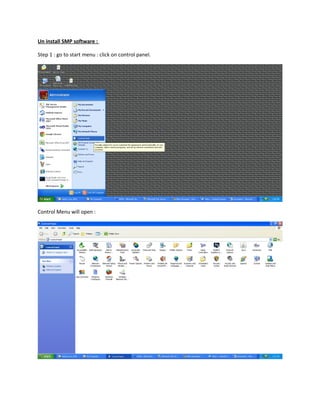
Step 1 : go to start menu : click on control panel.
Control Menu will open :
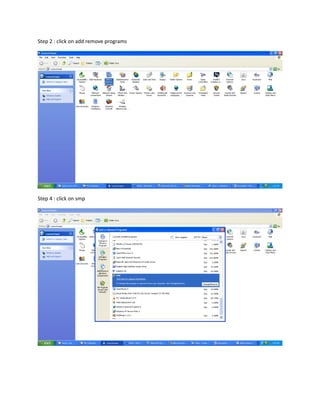
Step 2 : click on add remove programs
Step 4 : click on smp
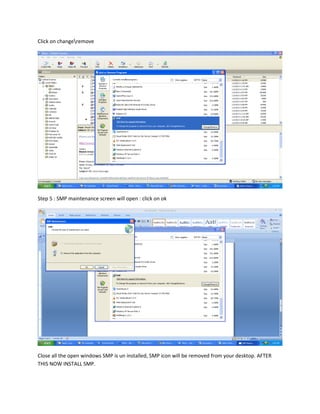
Click on changeremove
Step 5 : SMP maintenance screen will open : click on ok
Close all the open windows SMP is un installed, SMP icon will be removed from your desktop. AFTER
THIS NOW INSTALL SMP.
Install smp application
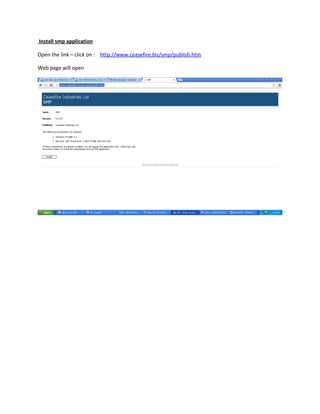
Open the link – click on : http://www.ceasefire.biz/smp/publish.htm
Web page will open
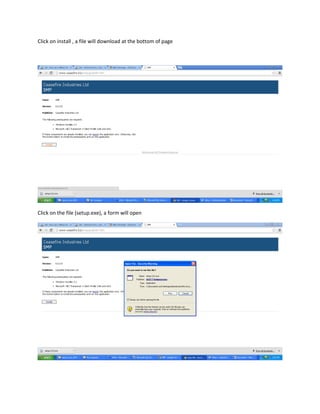
Click on install , a file will download at the bottom of page
Click on the file (setup.exe), a form will open
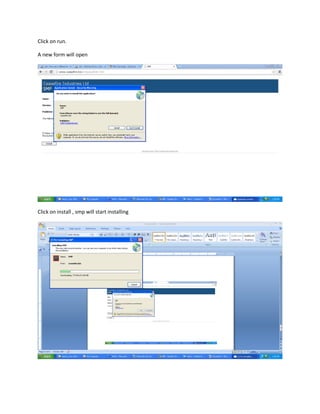
Click on run.
A new form will open
Click on install , smp will start installing
SMP is installed, SMP icon will appear on your desktop.

Smp new _installation__1_

  • 1.
    Un install SMPsoftware : Step 1 : go to start menu : click on control panel. Control Menu will open :
  • 2.
    Step 2 :click on add remove programs Step 4 : click on smp
  • 3.
    Click on changeremove Step5 : SMP maintenance screen will open : click on ok Close all the open windows SMP is un installed, SMP icon will be removed from your desktop. AFTER THIS NOW INSTALL SMP.
  • 4.
    Install smp application Openthe link – click on : http://www.ceasefire.biz/smp/publish.htm Web page will open
  • 5.
    Click on install, a file will download at the bottom of page Click on the file (setup.exe), a form will open
  • 6.
    Click on run. Anew form will open Click on install , smp will start installing
  • 7.
    SMP is installed,SMP icon will appear on your desktop.