Simple.
......
tips, tricks & tools
A brief history of R & R
1976: S language developed at Bell Laboratories.
2
A brief history of R & R
1976: S language developed at Bell Laboratories.
1980: S first used outside Bell.
2
A brief history of R & R
1976: S language developed at Bell Laboratories.
1980: S first used outside Bell.
1987: I first used an implementation of S (called
Ace) distributed by CSIRO.
2
A brief history of R & R
1976: S language developed at Bell Laboratories.
1980: S first used outside Bell.
1987: I first used an implementation of S (called
Ace) distributed by CSIRO.
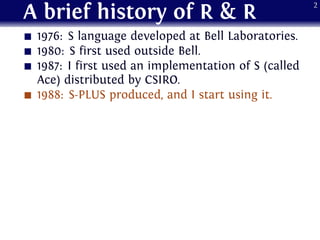
1988: S-PLUS produced, and I start using it.
2
A brief history of R & R
1976: S language developed at Bell Laboratories.
1980: S first used outside Bell.
1987: I first used an implementation of S (called
Ace) distributed by CSIRO.
1988: S-PLUS produced, and I start using it.
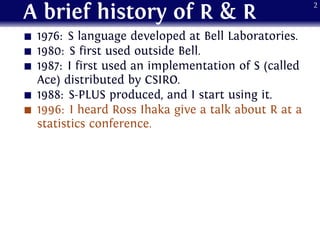
1996: I heard Ross Ihaka give a talk about R at a
statistics conference.
2
A brief history of R & R
1976: S language developed at Bell Laboratories.
1980: S first used outside Bell.
1987: I first used an implementation of S (called
Ace) distributed by CSIRO.
1988: S-PLUS produced, and I start using it.
1996: I heard Ross Ihaka give a talk about R at a
statistics conference.
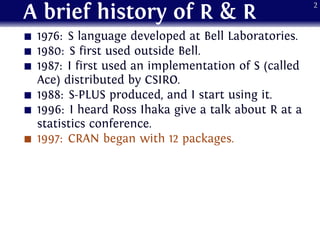
1997: CRAN began with 12 packages.
2
A brief history of R & R
1976: S language developed at Bell Laboratories.
1980: S first used outside Bell.
1987: I first used an implementation of S (called
Ace) distributed by CSIRO.
1988: S-PLUS produced, and I start using it.
1996: I heard Ross Ihaka give a talk about R at a
statistics conference.
1997: CRAN began with 12 packages.
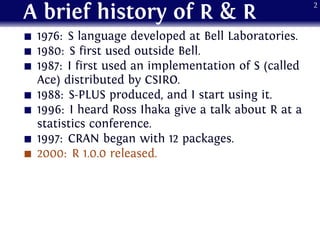
2000: R 1.0.0 released.
2
A brief history of R & R
1976: S language developed at Bell Laboratories.
1980: S first used outside Bell.
1987: I first used an implementation of S (called
Ace) distributed by CSIRO.
1988: S-PLUS produced, and I start using it.
1996: I heard Ross Ihaka give a talk about R at a
statistics conference.
1997: CRAN began with 12 packages.
2000: R 1.0.0 released.
2001: I stopped using S-PLUS and switch to R.
2
A brief history of R & R
1976: S language developed at Bell Laboratories.
1980: S first used outside Bell.
1987: I first used an implementation of S (called
Ace) distributed by CSIRO.
1988: S-PLUS produced, and I start using it.
1996: I heard Ross Ihaka give a talk about R at a
statistics conference.
1997: CRAN began with 12 packages.
2000: R 1.0.0 released.
2001: I stopped using S-PLUS and switch to R.
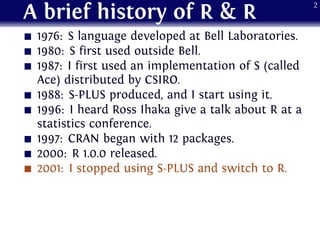
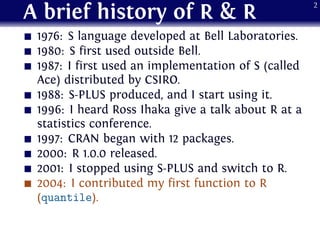
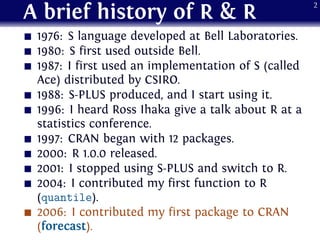
2004: I contributed my first function to R
(quantile).
2
A brief history of R & R
1976: S language developed at Bell Laboratories.
1980: S first used outside Bell.
1987: I first used an implementation of S (called
Ace) distributed by CSIRO.
1988: S-PLUS produced, and I start using it.
1996: I heard Ross Ihaka give a talk about R at a
statistics conference.
1997: CRAN began with 12 packages.
2000: R 1.0.0 released.
2001: I stopped using S-PLUS and switch to R.
2004: I contributed my first function to R
(quantile).
2006: I contributed my first package to CRAN
(forecast).
2
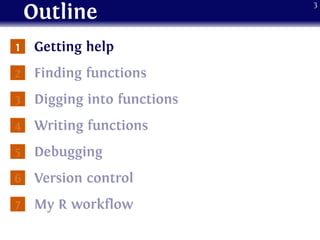
Outline
1 Getting help
2 Finding functions
3 Digging into functions
4 Writing functions
5 Debugging
6 Version control
7 My R workflow
3
Getting help
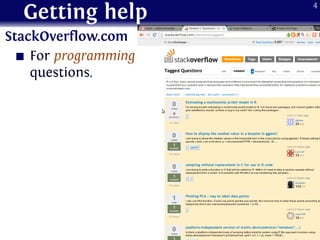
StackOverflow.com
For programming
questions.
4
Getting help
StackOverflow.com
For programming
questions.
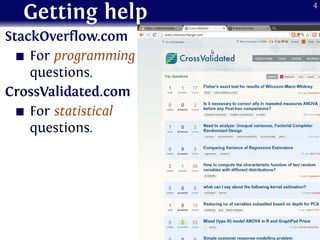
CrossValidated.com
For statistical
questions.
4
Getting help
StackOverflow.com
For programming
questions.
CrossValidated.com
For statistical
questions.
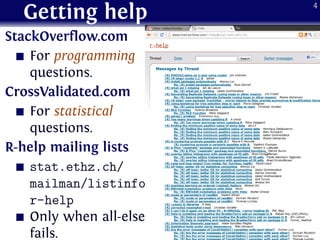
R-help mailing lists
stat.ethz.ch/
mailman/listinfo/
r-help
Only when all-else
fails.
4
Outline
1 Getting help
2 Finding functions
3 Digging into functions
4 Writing functions
5 Debugging
6 Version control
7 My R workflow
5
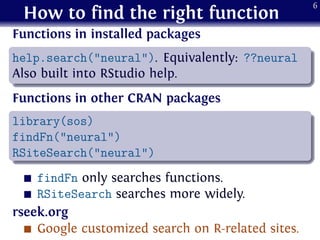
How to find the right function
Functions in installed packages
.
......
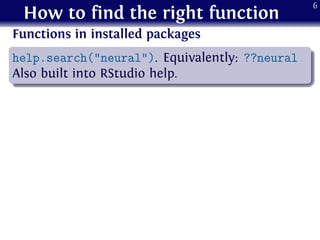
help.search("neural"). Equivalently: ??neural
Also built into RStudio help.
6
How to find the right function
Functions in installed packages
.
......
help.search("neural"). Equivalently: ??neural
Also built into RStudio help.
Functions in other CRAN packages
.
......
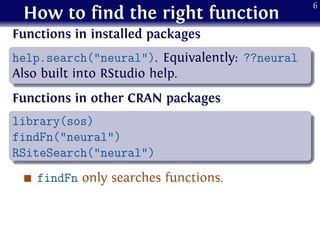
library(sos)
findFn("neural")
RSiteSearch("neural")
findFn only searches functions.
6
How to find the right function
Functions in installed packages
.
......
help.search("neural"). Equivalently: ??neural
Also built into RStudio help.
Functions in other CRAN packages
.
......
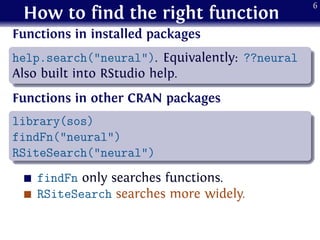
library(sos)
findFn("neural")
RSiteSearch("neural")
findFn only searches functions.
RSiteSearch searches more widely.
6
How to find the right function
Functions in installed packages
.
......
help.search("neural"). Equivalently: ??neural
Also built into RStudio help.
Functions in other CRAN packages
.
......
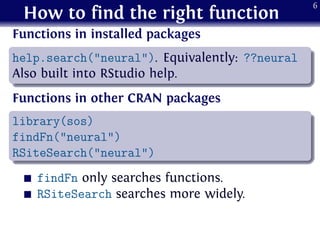
library(sos)
findFn("neural")
RSiteSearch("neural")
findFn only searches functions.
RSiteSearch searches more widely.
6
How to find the right function
Functions in installed packages
.
......
help.search("neural"). Equivalently: ??neural
Also built into RStudio help.
Functions in other CRAN packages
.
......
library(sos)
findFn("neural")
RSiteSearch("neural")
findFn only searches functions.
RSiteSearch searches more widely.
rseek.org
Google customized search on R-related sites.
6
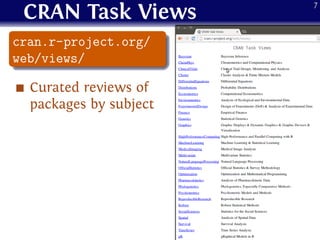
CRAN Task Views
.
......
cran.r-project.org/
web/views/
Curated reviews of
packages by subject
7
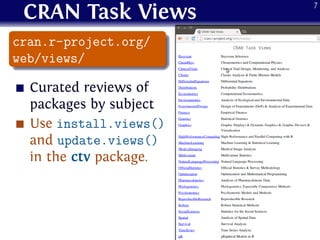
CRAN Task Views
.
......
cran.r-project.org/
web/views/
Curated reviews of
packages by subject
Use install.views()
and update.views()
in the ctv package.
7
Outline
1 Getting help
2 Finding functions
3 Digging into functions
4 Writing functions
5 Debugging
6 Version control
7 My R workflow
8
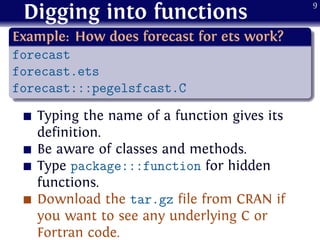
Digging into functions
.
Example: How does forecast for ets work?
..
......
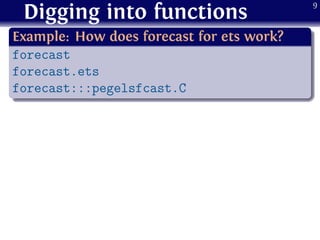
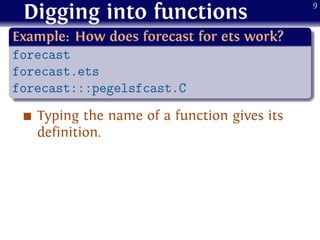
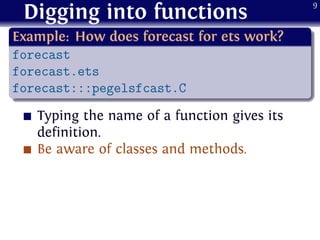
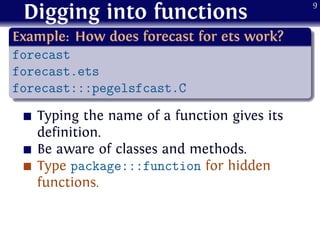
forecast
forecast.ets
forecast:::pegelsfcast.C
9
Digging into functions
.
Example: How does forecast for ets work?
..
......
forecast
forecast.ets
forecast:::pegelsfcast.C
Typing the name of a function gives its
definition.
9
Digging into functions
.
Example: How does forecast for ets work?
..
......
forecast
forecast.ets
forecast:::pegelsfcast.C
Typing the name of a function gives its
definition.
Be aware of classes and methods.
9
Digging into functions
.
Example: How does forecast for ets work?
..
......
forecast
forecast.ets
forecast:::pegelsfcast.C
Typing the name of a function gives its
definition.
Be aware of classes and methods.
Type package:::function for hidden
functions.
9
Digging into functions
.
Example: How does forecast for ets work?
..
......
forecast
forecast.ets
forecast:::pegelsfcast.C
Typing the name of a function gives its
definition.
Be aware of classes and methods.
Type package:::function for hidden
functions.
Download the tar.gz file from CRAN if
you want to see any underlying C or
Fortran code.
9
Outline
1 Getting help
2 Finding functions
3 Digging into functions
4 Writing functions
5 Debugging
6 Version control
7 My R workflow
10
Good habits
indenting and commenting.
11
Good habits
indenting and commenting.
Reindenting using RStudio.
11
Good habits
indenting and commenting.
Reindenting using RStudio.
formatR package: I run tidy.dir() before
reading student code!
11
Good habits
indenting and commenting.
Reindenting using RStudio.
formatR package: I run tidy.dir() before
reading student code!
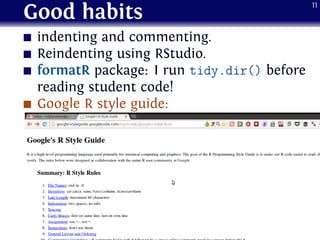
Google R style guide:
11
Good habits
indenting and commenting.
Reindenting using RStudio.
formatR package: I run tidy.dir() before
reading student code!
Google R style guide:
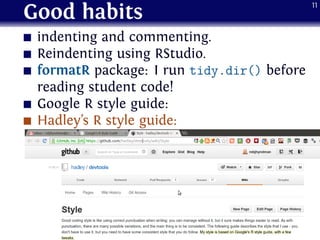
Hadley’s R style guide:
11
Outline
1 Getting help
2 Finding functions
3 Digging into functions
4 Writing functions
5 Debugging
6 Version control
7 My R workflow
12
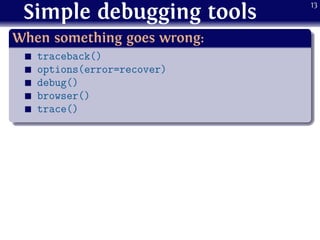
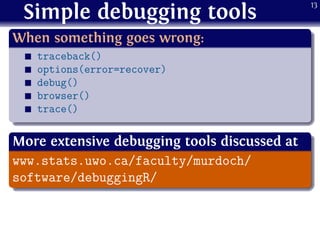
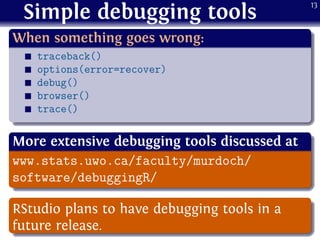
Simple debugging tools
.
When something goes wrong:
..
......
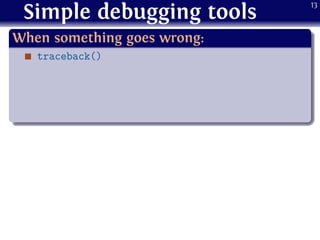
traceback()
13
Simple debugging tools
.
When something goes wrong:
..
......
traceback()
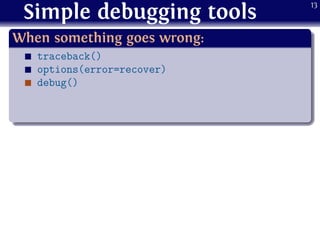
options(error=recover)
13
Simple debugging tools
.
When something goes wrong:
..
......
traceback()
options(error=recover)
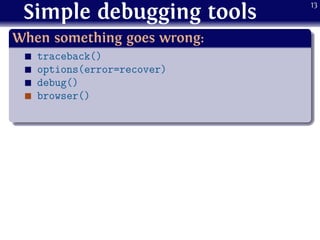
debug()
13
Simple debugging tools
.
When something goes wrong:
..
......
traceback()
options(error=recover)
debug()
browser()
13
Simple debugging tools
.
When something goes wrong:
..
......
traceback()
options(error=recover)
debug()
browser()
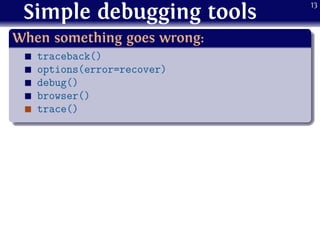
trace()
13
Simple debugging tools
.
When something goes wrong:
..
......
traceback()
options(error=recover)
debug()
browser()
trace()
13
Simple debugging tools
.
When something goes wrong:
..
......
traceback()
options(error=recover)
debug()
browser()
trace()
.
More extensive debugging tools discussed at
..
......
www.stats.uwo.ca/faculty/murdoch/
software/debuggingR/
13
Simple debugging tools
.
When something goes wrong:
..
......
traceback()
options(error=recover)
debug()
browser()
trace()
.
More extensive debugging tools discussed at
..
......
www.stats.uwo.ca/faculty/murdoch/
software/debuggingR/
.
......
RStudio plans to have debugging tools in a
future release.
13
Outline
1 Getting help
2 Finding functions
3 Digging into functions
4 Writing functions
5 Debugging
6 Version control
7 My R workflow
14
Version control
.
......
In any non-trivial project, it is important to keep
track of versions of R code and documents.
15
Version control
.
......
In any non-trivial project, it is important to keep
track of versions of R code and documents.
Dropbox
Every version of your files for the last 30 days
(or longer if you buy Packrat).
15
Version control
.
......
In any non-trivial project, it is important to keep
track of versions of R code and documents.
Dropbox
Every version of your files for the last 30 days
(or longer if you buy Packrat).
But no built-in diff facilities or changelog.
15
Version control
.
......
In any non-trivial project, it is important to keep
track of versions of R code and documents.
Dropbox
Every version of your files for the last 30 days
(or longer if you buy Packrat).
But no built-in diff facilities or changelog.
15
Version control
.
......
In any non-trivial project, it is important to keep
track of versions of R code and documents.
Dropbox
Every version of your files for the last 30 days
(or longer if you buy Packrat).
But no built-in diff facilities or changelog.
Git
Free version control system.
15
Version control
.
......
In any non-trivial project, it is important to keep
track of versions of R code and documents.
Dropbox
Every version of your files for the last 30 days
(or longer if you buy Packrat).
But no built-in diff facilities or changelog.
Git
Free version control system.
Easy to fork or roll back.
15
Version control
.
......
In any non-trivial project, it is important to keep
track of versions of R code and documents.
Dropbox
Every version of your files for the last 30 days
(or longer if you buy Packrat).
But no built-in diff facilities or changelog.
Git
Free version control system.
Easy to fork or roll back.
Install git software on your local computer.
15
Version control
.
......
In any non-trivial project, it is important to keep
track of versions of R code and documents.
Dropbox
Every version of your files for the last 30 days
(or longer if you buy Packrat).
But no built-in diff facilities or changelog.
Git
Free version control system.
Easy to fork or roll back.
Install git software on your local computer.
Manage via RStudio.
15
Outline
1 Getting help
2 Finding functions
3 Digging into functions
4 Writing functions
5 Debugging
6 Version control
7 My R workflow
16
R projects
Basic idea
Every paper, book or consulting report is a
“project”.
17
R projects
Basic idea
Every paper, book or consulting report is a
“project”.
Every project has its own folder and R
workspace.
17
R projects
Basic idea
Every paper, book or consulting report is a
“project”.
Every project has its own folder and R
workspace.
Every project is entirely scripted. That is, all
analysis, graphs and tables must be able to be
generated by running one R script. The final
report must be able to be generated by
processing one LATEX file.
17
R projects
functions.R contains all non-packaged
functions used in the project.
18
R projects
functions.R contains all non-packaged
functions used in the project.
main.R sources all other R files in the correct
order.
18
R projects
functions.R contains all non-packaged
functions used in the project.
main.R sources all other R files in the correct
order.
Data files provided by the client (or
downloaded from a website) are never edited.
All data manipulation is scripted in R (or
some other language).
18
R projects
functions.R contains all non-packaged
functions used in the project.
main.R sources all other R files in the correct
order.
Data files provided by the client (or
downloaded from a website) are never edited.
All data manipulation is scripted in R (or
some other language).
Tables generated via xtable or texreg
packages.
18
R projects
functions.R contains all non-packaged
functions used in the project.
main.R sources all other R files in the correct
order.
Data files provided by the client (or
downloaded from a website) are never edited.
All data manipulation is scripted in R (or
some other language).
Tables generated via xtable or texreg
packages.
Graphics in pdf format.
18
R projects
functions.R contains all non-packaged
functions used in the project.
main.R sources all other R files in the correct
order.
Data files provided by the client (or
downloaded from a website) are never edited.
All data manipulation is scripted in R (or
some other language).
Tables generated via xtable or texreg
packages.
Graphics in pdf format.
Report or paper in LATEX pulls in the tables and
graphics.
18
R projects
.
Advantages over Sweave and knitR
..
......
¯ Keeps R and LATEX files separate.
19
R projects
.
Advantages over Sweave and knitR
..
......
¯ Keeps R and LATEX files separate.
¯ Multiple R files that can be run
separately.
19
R projects
.
Advantages over Sweave and knitR
..
......
¯ Keeps R and LATEX files separate.
¯ Multiple R files that can be run
separately.
¯ Easier to rebuild sections (e.g., only
some R files).
19
R projects
.
Advantages over Sweave and knitR
..
......
¯ Keeps R and LATEX files separate.
¯ Multiple R files that can be run
separately.
¯ Easier to rebuild sections (e.g., only
some R files).
¯ Easier to collaborate.
19
Figures without whitespace
R graphics have too much surrounding white
space for inclusion in reports.
20
Figures without whitespace
R graphics have too much surrounding white
space for inclusion in reports.
The following function fixes the problem.
20
Figures without whitespace
R graphics have too much surrounding white
space for inclusion in reports.
The following function fixes the problem.
20
Figures without whitespace
R graphics have too much surrounding white
space for inclusion in reports.
The following function fixes the problem.
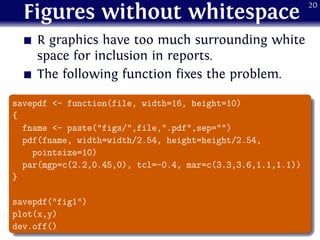
.
......
savepdf <- function(file, width=16, height=10)
{
fname <- paste("figs/",file,".pdf",sep="")
pdf(fname, width=width/2.54, height=height/2.54,
pointsize=10)
par(mgp=c(2.2,0.45,0), tcl=-0.4, mar=c(3.3,3.6,1.1,1.1))
}
savepdf("fig1")
plot(x,y)
dev.off()
20
R with Makefiles
.
......
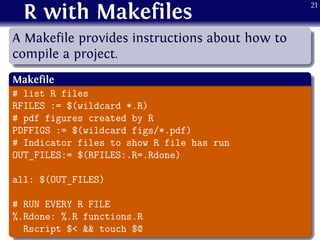
A Makefile provides instructions about how to
compile a project.
.
Makefile
..
......
# list R files
RFILES := $(wildcard *.R)
# pdf figures created by R
PDFFIGS := $(wildcard figs/*.pdf)
# Indicator files to show R file has run
OUT_FILES:= $(RFILES:.R=.Rdone)
all: $(OUT_FILES)
# RUN EVERY R FILE
%.Rdone: %.R functions.R
Rscript $< && touch $@
21
Makefiles for R & LATEX
.
Makefile
..
......
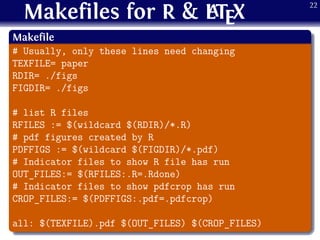
# Usually, only these lines need changing
TEXFILE= paper
RDIR= ./figs
FIGDIR= ./figs
# list R files
RFILES := $(wildcard $(RDIR)/*.R)
# pdf figures created by R
PDFFIGS := $(wildcard $(FIGDIR)/*.pdf)
# Indicator files to show R file has run
OUT_FILES:= $(RFILES:.R=.Rdone)
# Indicator files to show pdfcrop has run
CROP_FILES:= $(PDFFIGS:.pdf=.pdfcrop)
all: $(TEXFILE).pdf $(OUT_FILES) $(CROP_FILES)
22
Makefiles for R & LATEX
.
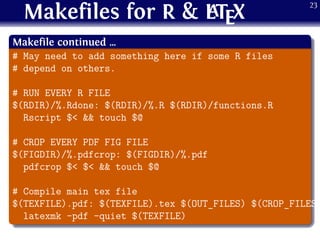
Makefile continued …
..
......
# May need to add something here if some R files
# depend on others.
# RUN EVERY R FILE
$(RDIR)/%.Rdone: $(RDIR)/%.R $(RDIR)/functions.R
Rscript $< && touch $@
# CROP EVERY PDF FIG FILE
$(FIGDIR)/%.pdfcrop: $(FIGDIR)/%.pdf
pdfcrop $< $< && touch $@
# Compile main tex file
$(TEXFILE).pdf: $(TEXFILE).tex $(OUT_FILES) $(CROP_FILES)
latexmk -pdf -quiet $(TEXFILE)
23
The magic of RStudio
An RStudio project
can have an
associated Makefile.
Then building and
cleaning can be done
from within RStudio..
...... rstudio.com
24
Keep up-to-date
RStudio blog:
25
Keep up-to-date
RStudio blog:
.
...... blog.rstudio.org
25
Keep up-to-date
RStudio blog:
.
...... blog.rstudio.org
I blog about R (and other things):
25
Keep up-to-date
RStudio blog:
.
...... blog.rstudio.org
I blog about R (and other things):
.
...... robjhyndman.com/researchtips
25
Keep up-to-date
RStudio blog:
.
...... blog.rstudio.org
I blog about R (and other things):
.
...... robjhyndman.com/researchtips
R-bloggers:
25
Keep up-to-date
RStudio blog:
.
...... blog.rstudio.org
I blog about R (and other things):
.
...... robjhyndman.com/researchtips
R-bloggers:
.
...... www.r-bloggers.com
25

SimpleR: tips, tricks & tools

  • 1.
  • 2.
    A brief historyof R & R 1976: S language developed at Bell Laboratories. 2
  • 3.
    A brief historyof R & R 1976: S language developed at Bell Laboratories. 1980: S first used outside Bell. 2
  • 4.
    A brief historyof R & R 1976: S language developed at Bell Laboratories. 1980: S first used outside Bell. 1987: I first used an implementation of S (called Ace) distributed by CSIRO. 2
  • 5.
    A brief historyof R & R 1976: S language developed at Bell Laboratories. 1980: S first used outside Bell. 1987: I first used an implementation of S (called Ace) distributed by CSIRO. 1988: S-PLUS produced, and I start using it. 2
  • 6.
    A brief historyof R & R 1976: S language developed at Bell Laboratories. 1980: S first used outside Bell. 1987: I first used an implementation of S (called Ace) distributed by CSIRO. 1988: S-PLUS produced, and I start using it. 1996: I heard Ross Ihaka give a talk about R at a statistics conference. 2
  • 7.
    A brief historyof R & R 1976: S language developed at Bell Laboratories. 1980: S first used outside Bell. 1987: I first used an implementation of S (called Ace) distributed by CSIRO. 1988: S-PLUS produced, and I start using it. 1996: I heard Ross Ihaka give a talk about R at a statistics conference. 1997: CRAN began with 12 packages. 2
  • 8.
    A brief historyof R & R 1976: S language developed at Bell Laboratories. 1980: S first used outside Bell. 1987: I first used an implementation of S (called Ace) distributed by CSIRO. 1988: S-PLUS produced, and I start using it. 1996: I heard Ross Ihaka give a talk about R at a statistics conference. 1997: CRAN began with 12 packages. 2000: R 1.0.0 released. 2
  • 9.
    A brief historyof R & R 1976: S language developed at Bell Laboratories. 1980: S first used outside Bell. 1987: I first used an implementation of S (called Ace) distributed by CSIRO. 1988: S-PLUS produced, and I start using it. 1996: I heard Ross Ihaka give a talk about R at a statistics conference. 1997: CRAN began with 12 packages. 2000: R 1.0.0 released. 2001: I stopped using S-PLUS and switch to R. 2
  • 10.
    A brief historyof R & R 1976: S language developed at Bell Laboratories. 1980: S first used outside Bell. 1987: I first used an implementation of S (called Ace) distributed by CSIRO. 1988: S-PLUS produced, and I start using it. 1996: I heard Ross Ihaka give a talk about R at a statistics conference. 1997: CRAN began with 12 packages. 2000: R 1.0.0 released. 2001: I stopped using S-PLUS and switch to R. 2004: I contributed my first function to R (quantile). 2
  • 11.
    A brief historyof R & R 1976: S language developed at Bell Laboratories. 1980: S first used outside Bell. 1987: I first used an implementation of S (called Ace) distributed by CSIRO. 1988: S-PLUS produced, and I start using it. 1996: I heard Ross Ihaka give a talk about R at a statistics conference. 1997: CRAN began with 12 packages. 2000: R 1.0.0 released. 2001: I stopped using S-PLUS and switch to R. 2004: I contributed my first function to R (quantile). 2006: I contributed my first package to CRAN (forecast). 2
  • 12.
    Outline 1 Getting help 2Finding functions 3 Digging into functions 4 Writing functions 5 Debugging 6 Version control 7 My R workflow 3
  • 13.
  • 14.
  • 15.
    Getting help StackOverflow.com For programming questions. CrossValidated.com Forstatistical questions. R-help mailing lists stat.ethz.ch/ mailman/listinfo/ r-help Only when all-else fails. 4
  • 16.
    Outline 1 Getting help 2Finding functions 3 Digging into functions 4 Writing functions 5 Debugging 6 Version control 7 My R workflow 5
  • 17.
    How to findthe right function Functions in installed packages . ...... help.search("neural"). Equivalently: ??neural Also built into RStudio help. 6
  • 18.
    How to findthe right function Functions in installed packages . ...... help.search("neural"). Equivalently: ??neural Also built into RStudio help. Functions in other CRAN packages . ...... library(sos) findFn("neural") RSiteSearch("neural") findFn only searches functions. 6
  • 19.
    How to findthe right function Functions in installed packages . ...... help.search("neural"). Equivalently: ??neural Also built into RStudio help. Functions in other CRAN packages . ...... library(sos) findFn("neural") RSiteSearch("neural") findFn only searches functions. RSiteSearch searches more widely. 6
  • 20.
    How to findthe right function Functions in installed packages . ...... help.search("neural"). Equivalently: ??neural Also built into RStudio help. Functions in other CRAN packages . ...... library(sos) findFn("neural") RSiteSearch("neural") findFn only searches functions. RSiteSearch searches more widely. 6
  • 21.
    How to findthe right function Functions in installed packages . ...... help.search("neural"). Equivalently: ??neural Also built into RStudio help. Functions in other CRAN packages . ...... library(sos) findFn("neural") RSiteSearch("neural") findFn only searches functions. RSiteSearch searches more widely. rseek.org Google customized search on R-related sites. 6
  • 22.
  • 23.
    CRAN Task Views . ...... cran.r-project.org/ web/views/ Curatedreviews of packages by subject Use install.views() and update.views() in the ctv package. 7
  • 24.
    Outline 1 Getting help 2Finding functions 3 Digging into functions 4 Writing functions 5 Debugging 6 Version control 7 My R workflow 8
  • 25.
    Digging into functions . Example:How does forecast for ets work? .. ...... forecast forecast.ets forecast:::pegelsfcast.C 9
  • 26.
    Digging into functions . Example:How does forecast for ets work? .. ...... forecast forecast.ets forecast:::pegelsfcast.C Typing the name of a function gives its definition. 9
  • 27.
    Digging into functions . Example:How does forecast for ets work? .. ...... forecast forecast.ets forecast:::pegelsfcast.C Typing the name of a function gives its definition. Be aware of classes and methods. 9
  • 28.
    Digging into functions . Example:How does forecast for ets work? .. ...... forecast forecast.ets forecast:::pegelsfcast.C Typing the name of a function gives its definition. Be aware of classes and methods. Type package:::function for hidden functions. 9
  • 29.
    Digging into functions . Example:How does forecast for ets work? .. ...... forecast forecast.ets forecast:::pegelsfcast.C Typing the name of a function gives its definition. Be aware of classes and methods. Type package:::function for hidden functions. Download the tar.gz file from CRAN if you want to see any underlying C or Fortran code. 9
  • 30.
    Outline 1 Getting help 2Finding functions 3 Digging into functions 4 Writing functions 5 Debugging 6 Version control 7 My R workflow 10
  • 31.
  • 32.
    Good habits indenting andcommenting. Reindenting using RStudio. 11
  • 33.
    Good habits indenting andcommenting. Reindenting using RStudio. formatR package: I run tidy.dir() before reading student code! 11
  • 34.
    Good habits indenting andcommenting. Reindenting using RStudio. formatR package: I run tidy.dir() before reading student code! Google R style guide: 11
  • 35.
    Good habits indenting andcommenting. Reindenting using RStudio. formatR package: I run tidy.dir() before reading student code! Google R style guide: Hadley’s R style guide: 11
  • 36.
    Outline 1 Getting help 2Finding functions 3 Digging into functions 4 Writing functions 5 Debugging 6 Version control 7 My R workflow 12
  • 37.
    Simple debugging tools . Whensomething goes wrong: .. ...... traceback() 13
  • 38.
    Simple debugging tools . Whensomething goes wrong: .. ...... traceback() options(error=recover) 13
  • 39.
    Simple debugging tools . Whensomething goes wrong: .. ...... traceback() options(error=recover) debug() 13
  • 40.
    Simple debugging tools . Whensomething goes wrong: .. ...... traceback() options(error=recover) debug() browser() 13
  • 41.
    Simple debugging tools . Whensomething goes wrong: .. ...... traceback() options(error=recover) debug() browser() trace() 13
  • 42.
    Simple debugging tools . Whensomething goes wrong: .. ...... traceback() options(error=recover) debug() browser() trace() 13
  • 43.
    Simple debugging tools . Whensomething goes wrong: .. ...... traceback() options(error=recover) debug() browser() trace() . More extensive debugging tools discussed at .. ...... www.stats.uwo.ca/faculty/murdoch/ software/debuggingR/ 13
  • 44.
    Simple debugging tools . Whensomething goes wrong: .. ...... traceback() options(error=recover) debug() browser() trace() . More extensive debugging tools discussed at .. ...... www.stats.uwo.ca/faculty/murdoch/ software/debuggingR/ . ...... RStudio plans to have debugging tools in a future release. 13
  • 45.
    Outline 1 Getting help 2Finding functions 3 Digging into functions 4 Writing functions 5 Debugging 6 Version control 7 My R workflow 14
  • 46.
    Version control . ...... In anynon-trivial project, it is important to keep track of versions of R code and documents. 15
  • 47.
    Version control . ...... In anynon-trivial project, it is important to keep track of versions of R code and documents. Dropbox Every version of your files for the last 30 days (or longer if you buy Packrat). 15
  • 48.
    Version control . ...... In anynon-trivial project, it is important to keep track of versions of R code and documents. Dropbox Every version of your files for the last 30 days (or longer if you buy Packrat). But no built-in diff facilities or changelog. 15
  • 49.
    Version control . ...... In anynon-trivial project, it is important to keep track of versions of R code and documents. Dropbox Every version of your files for the last 30 days (or longer if you buy Packrat). But no built-in diff facilities or changelog. 15
  • 50.
    Version control . ...... In anynon-trivial project, it is important to keep track of versions of R code and documents. Dropbox Every version of your files for the last 30 days (or longer if you buy Packrat). But no built-in diff facilities or changelog. Git Free version control system. 15
  • 51.
    Version control . ...... In anynon-trivial project, it is important to keep track of versions of R code and documents. Dropbox Every version of your files for the last 30 days (or longer if you buy Packrat). But no built-in diff facilities or changelog. Git Free version control system. Easy to fork or roll back. 15
  • 52.
    Version control . ...... In anynon-trivial project, it is important to keep track of versions of R code and documents. Dropbox Every version of your files for the last 30 days (or longer if you buy Packrat). But no built-in diff facilities or changelog. Git Free version control system. Easy to fork or roll back. Install git software on your local computer. 15
  • 53.
    Version control . ...... In anynon-trivial project, it is important to keep track of versions of R code and documents. Dropbox Every version of your files for the last 30 days (or longer if you buy Packrat). But no built-in diff facilities or changelog. Git Free version control system. Easy to fork or roll back. Install git software on your local computer. Manage via RStudio. 15
  • 54.
    Outline 1 Getting help 2Finding functions 3 Digging into functions 4 Writing functions 5 Debugging 6 Version control 7 My R workflow 16
  • 55.
    R projects Basic idea Everypaper, book or consulting report is a “project”. 17
  • 56.
    R projects Basic idea Everypaper, book or consulting report is a “project”. Every project has its own folder and R workspace. 17
  • 57.
    R projects Basic idea Everypaper, book or consulting report is a “project”. Every project has its own folder and R workspace. Every project is entirely scripted. That is, all analysis, graphs and tables must be able to be generated by running one R script. The final report must be able to be generated by processing one LATEX file. 17
  • 58.
    R projects functions.R containsall non-packaged functions used in the project. 18
  • 59.
    R projects functions.R containsall non-packaged functions used in the project. main.R sources all other R files in the correct order. 18
  • 60.
    R projects functions.R containsall non-packaged functions used in the project. main.R sources all other R files in the correct order. Data files provided by the client (or downloaded from a website) are never edited. All data manipulation is scripted in R (or some other language). 18
  • 61.
    R projects functions.R containsall non-packaged functions used in the project. main.R sources all other R files in the correct order. Data files provided by the client (or downloaded from a website) are never edited. All data manipulation is scripted in R (or some other language). Tables generated via xtable or texreg packages. 18
  • 62.
    R projects functions.R containsall non-packaged functions used in the project. main.R sources all other R files in the correct order. Data files provided by the client (or downloaded from a website) are never edited. All data manipulation is scripted in R (or some other language). Tables generated via xtable or texreg packages. Graphics in pdf format. 18
  • 63.
    R projects functions.R containsall non-packaged functions used in the project. main.R sources all other R files in the correct order. Data files provided by the client (or downloaded from a website) are never edited. All data manipulation is scripted in R (or some other language). Tables generated via xtable or texreg packages. Graphics in pdf format. Report or paper in LATEX pulls in the tables and graphics. 18
  • 64.
    R projects . Advantages overSweave and knitR .. ...... ¯ Keeps R and LATEX files separate. 19
  • 65.
    R projects . Advantages overSweave and knitR .. ...... ¯ Keeps R and LATEX files separate. ¯ Multiple R files that can be run separately. 19
  • 66.
    R projects . Advantages overSweave and knitR .. ...... ¯ Keeps R and LATEX files separate. ¯ Multiple R files that can be run separately. ¯ Easier to rebuild sections (e.g., only some R files). 19
  • 67.
    R projects . Advantages overSweave and knitR .. ...... ¯ Keeps R and LATEX files separate. ¯ Multiple R files that can be run separately. ¯ Easier to rebuild sections (e.g., only some R files). ¯ Easier to collaborate. 19
  • 68.
    Figures without whitespace Rgraphics have too much surrounding white space for inclusion in reports. 20
  • 69.
    Figures without whitespace Rgraphics have too much surrounding white space for inclusion in reports. The following function fixes the problem. 20
  • 70.
    Figures without whitespace Rgraphics have too much surrounding white space for inclusion in reports. The following function fixes the problem. 20
  • 71.
    Figures without whitespace Rgraphics have too much surrounding white space for inclusion in reports. The following function fixes the problem. . ...... savepdf <- function(file, width=16, height=10) { fname <- paste("figs/",file,".pdf",sep="") pdf(fname, width=width/2.54, height=height/2.54, pointsize=10) par(mgp=c(2.2,0.45,0), tcl=-0.4, mar=c(3.3,3.6,1.1,1.1)) } savepdf("fig1") plot(x,y) dev.off() 20
  • 72.
    R with Makefiles . ...... AMakefile provides instructions about how to compile a project. . Makefile .. ...... # list R files RFILES := $(wildcard *.R) # pdf figures created by R PDFFIGS := $(wildcard figs/*.pdf) # Indicator files to show R file has run OUT_FILES:= $(RFILES:.R=.Rdone) all: $(OUT_FILES) # RUN EVERY R FILE %.Rdone: %.R functions.R Rscript $< && touch $@ 21
  • 73.
    Makefiles for R& LATEX . Makefile .. ...... # Usually, only these lines need changing TEXFILE= paper RDIR= ./figs FIGDIR= ./figs # list R files RFILES := $(wildcard $(RDIR)/*.R) # pdf figures created by R PDFFIGS := $(wildcard $(FIGDIR)/*.pdf) # Indicator files to show R file has run OUT_FILES:= $(RFILES:.R=.Rdone) # Indicator files to show pdfcrop has run CROP_FILES:= $(PDFFIGS:.pdf=.pdfcrop) all: $(TEXFILE).pdf $(OUT_FILES) $(CROP_FILES) 22
  • 74.
    Makefiles for R& LATEX . Makefile continued … .. ...... # May need to add something here if some R files # depend on others. # RUN EVERY R FILE $(RDIR)/%.Rdone: $(RDIR)/%.R $(RDIR)/functions.R Rscript $< && touch $@ # CROP EVERY PDF FIG FILE $(FIGDIR)/%.pdfcrop: $(FIGDIR)/%.pdf pdfcrop $< $< && touch $@ # Compile main tex file $(TEXFILE).pdf: $(TEXFILE).tex $(OUT_FILES) $(CROP_FILES) latexmk -pdf -quiet $(TEXFILE) 23
  • 75.
    The magic ofRStudio An RStudio project can have an associated Makefile. Then building and cleaning can be done from within RStudio.. ...... rstudio.com 24
  • 76.
  • 77.
  • 78.
    Keep up-to-date RStudio blog: . ......blog.rstudio.org I blog about R (and other things): 25
  • 79.
    Keep up-to-date RStudio blog: . ......blog.rstudio.org I blog about R (and other things): . ...... robjhyndman.com/researchtips 25
  • 80.
    Keep up-to-date RStudio blog: . ......blog.rstudio.org I blog about R (and other things): . ...... robjhyndman.com/researchtips R-bloggers: 25
  • 81.
    Keep up-to-date RStudio blog: . ......blog.rstudio.org I blog about R (and other things): . ...... robjhyndman.com/researchtips R-bloggers: . ...... www.r-bloggers.com 25