SHOW DOCUMENT

Document sharing and web meeting
(YouTube)


          Created by: Hasna Khamis & Shaikha Mohammed
                       200911128      200911145
Content
                              (1 of 2)


Introduction
    •Definition and History
    •Type of videos
    •Advantage
    •Type of users and why

Ways of using and searching
    • Way of using
    •Way of searching

Ways of adding and downloading videos
    •To upload
    •To download
Content  (2 of 2)


 Problems faced with YouTube
    • Community policy
    • Copyrighted material

 List of examples „Tutorials‟
    • How to use new programs and materials

 Quiz

 Bibliography
Introduction
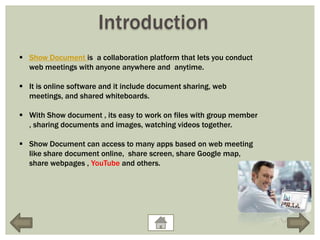
 Show Document is a collaboration platform that lets you conduct
  web meetings with anyone anywhere and anytime.

 It is online software and it include document sharing, web
  meetings, and shared whiteboards.

 With Show document , its easy to work on files with group member
  , sharing documents and images, watching videos together.

 Show Document can access to many apps based on web meeting
  like share document online, share screen, share Google map,
  share webpages , YouTube and others.
Definition and History

 YouTube is a video sharing website which is created by
  three PayPal employees in February 2005.

 It uses Adobe Flash Video and HTML5 technology to
  display a wide variety of videos, including movie clips,
  music videos and TV clips.

 It was founded by Chad Hurley, Steve Chen and Jawed
  Karim, who were early employees PayPal.
Type of videos
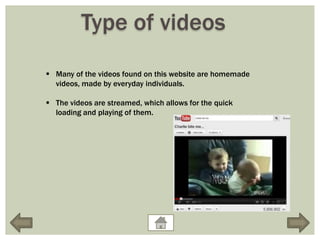
 Many of the videos found on this website are homemade
  videos, made by everyday individuals.

 The videos are streamed, which allows for the quick
  loading and playing of them.
Advantage
 Free service

    • Some of video website charge to be a member and
      not able to see all of videos, just some of them.
      However, YouTube is free of charge, and there is no
      limit of uploading videos.

 Accepting many different file format

    • YouTube accept many file format like
       MPEG(MPG), AVI, MOV, WMV and others.
Type of user
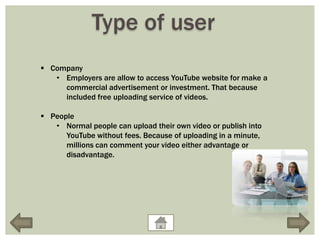
 Company
   • Employers are allow to access YouTube website for make a
     commercial advertisement or investment. That because
     included free uploading service of videos.

 People
   • Normal people can upload their own video or publish into
      YouTube without fees. Because of uploading in a minute,
      millions can comment your video either advantage or
      disadvantage.
Ways of using and searching

 Way of using
   • If you are interested in just seeing, what YouTube has to
      offer, you can easily do by visiting their online website
      and searching for videos.

 Way of searching
   • When it comes to finding videos to watch on YouTube,
      you will find that it is not difficult at all. Write the
      keyword in search, you should be provided with videos
      matching the keywords that you searched.
Ways of adding and downloading videos

To upload
     All YouTube users can upload videos up to 15 minutes in
       duration.
     When YouTube was launched in 2005, it was possible to
       upload long videos, but a ten-minute limit was introduced in
       March 2006 .
     YouTube found that the majority of videos exceeding this
       length were unauthorized uploads of television shows and
       films.
     Then 10-minute limit was increased to 15 minutes in July
       2010. File size is limited to 2 GB for uploads from YouTube
       web page, and to 20 GB if up to date browser versions are
       used.

To download
      when you find a video, click on downloading above the video.
Problem faced with YouTube

 Community Policy
   • YouTube has a set of community guidelines to reduce abuse of the
     site's features.
   • Generally prohibited material includes sexually explicit content,
     videos of animal abuse, shock videos, spam, and predatory
     behavior.

 Copyrighted materials
   • there are still many unauthorized clips of copyrighted material on
      YouTube.
   • YouTube does not view videos before they are posted online, and it
      is left to copyright holders to issue a takedown notice pursuant to
      the terms of the Digital Millennium Copyright Act.
List of examples “Tutorials”
 In YouTube, you can find millions of videos (Tutorials) which can help you
  learning and understanding new things.

 Some example of tutorial videos which show how to use new programs or
  materials are:
   • Learning how to mail merge.
   • Learning how to edit on photo change it totally.
   • Learning how to design logo.
   • Learning new information from lecture of university in another
      country.
   • Learning about types of healthy food by programs in many channels.
Show Document
  “Tutorials”
How to upload a video
   From You Tube
Quiz

 Click on the picture to make sure that you understand the
  presentation.
Bibliography
Kelsey, Todd (2010). Social Networking Spaces: From Facebook to Twitter and
    Everything In Between. Springer-Verlag. ISBN 9781430225966.

Lacy, Sarah (2008). The Stories of Facebook, YouTube and MySpace: The People,
    the Hype and the Deals Behind the Giants of Web 2.0. Richmond: Crimson.
    ISBN 9781854584533.

Lawrence, A. K. (n.d.). What Is YouTube-Introduction. Ezinea News. Retrieved
   from http://ezinearticles.com/?What-Is-YouTube---Introduction&id=774963

Make a quiz. (2012). Retrieved from
   http://www.makeaquiz.net/quiz.php?quiz=37713&k=4936dd2369071459
   7ed39fa176d30cb9

Media College. YouTube Video Formats. Retrieved
   fromhttp://www.mediacollege.com/video/internet/youtube/formats.html

YouTube. (2010). From Wikipedia The free Encyclopedia. Retrieved from
    http://en.wikipedia.org/wiki/YouTube

Show document 1

  • 1.
    SHOW DOCUMENT Document sharingand web meeting (YouTube) Created by: Hasna Khamis & Shaikha Mohammed 200911128 200911145
  • 2.
    Content (1 of 2) Introduction •Definition and History •Type of videos •Advantage •Type of users and why Ways of using and searching • Way of using •Way of searching Ways of adding and downloading videos •To upload •To download
  • 3.
    Content (2of 2)  Problems faced with YouTube • Community policy • Copyrighted material  List of examples „Tutorials‟ • How to use new programs and materials  Quiz  Bibliography
  • 4.
    Introduction  Show Documentis a collaboration platform that lets you conduct web meetings with anyone anywhere and anytime.  It is online software and it include document sharing, web meetings, and shared whiteboards.  With Show document , its easy to work on files with group member , sharing documents and images, watching videos together.  Show Document can access to many apps based on web meeting like share document online, share screen, share Google map, share webpages , YouTube and others.
  • 5.
    Definition and History YouTube is a video sharing website which is created by three PayPal employees in February 2005.  It uses Adobe Flash Video and HTML5 technology to display a wide variety of videos, including movie clips, music videos and TV clips.  It was founded by Chad Hurley, Steve Chen and Jawed Karim, who were early employees PayPal.
  • 6.
    Type of videos Many of the videos found on this website are homemade videos, made by everyday individuals.  The videos are streamed, which allows for the quick loading and playing of them.
  • 7.
    Advantage  Free service • Some of video website charge to be a member and not able to see all of videos, just some of them. However, YouTube is free of charge, and there is no limit of uploading videos.  Accepting many different file format • YouTube accept many file format like MPEG(MPG), AVI, MOV, WMV and others.
  • 8.
    Type of user Company • Employers are allow to access YouTube website for make a commercial advertisement or investment. That because included free uploading service of videos.  People • Normal people can upload their own video or publish into YouTube without fees. Because of uploading in a minute, millions can comment your video either advantage or disadvantage.
  • 9.
    Ways of usingand searching  Way of using • If you are interested in just seeing, what YouTube has to offer, you can easily do by visiting their online website and searching for videos.  Way of searching • When it comes to finding videos to watch on YouTube, you will find that it is not difficult at all. Write the keyword in search, you should be provided with videos matching the keywords that you searched.
  • 10.
    Ways of addingand downloading videos To upload  All YouTube users can upload videos up to 15 minutes in duration.  When YouTube was launched in 2005, it was possible to upload long videos, but a ten-minute limit was introduced in March 2006 .  YouTube found that the majority of videos exceeding this length were unauthorized uploads of television shows and films.  Then 10-minute limit was increased to 15 minutes in July 2010. File size is limited to 2 GB for uploads from YouTube web page, and to 20 GB if up to date browser versions are used. To download  when you find a video, click on downloading above the video.
  • 11.
    Problem faced withYouTube  Community Policy • YouTube has a set of community guidelines to reduce abuse of the site's features. • Generally prohibited material includes sexually explicit content, videos of animal abuse, shock videos, spam, and predatory behavior.  Copyrighted materials • there are still many unauthorized clips of copyrighted material on YouTube. • YouTube does not view videos before they are posted online, and it is left to copyright holders to issue a takedown notice pursuant to the terms of the Digital Millennium Copyright Act.
  • 12.
    List of examples“Tutorials”  In YouTube, you can find millions of videos (Tutorials) which can help you learning and understanding new things.  Some example of tutorial videos which show how to use new programs or materials are: • Learning how to mail merge. • Learning how to edit on photo change it totally. • Learning how to design logo. • Learning new information from lecture of university in another country. • Learning about types of healthy food by programs in many channels.
  • 13.
    Show Document “Tutorials”
  • 14.
    How to uploada video From You Tube
  • 15.
    Quiz  Click onthe picture to make sure that you understand the presentation.
  • 16.
    Bibliography Kelsey, Todd (2010).Social Networking Spaces: From Facebook to Twitter and Everything In Between. Springer-Verlag. ISBN 9781430225966. Lacy, Sarah (2008). The Stories of Facebook, YouTube and MySpace: The People, the Hype and the Deals Behind the Giants of Web 2.0. Richmond: Crimson. ISBN 9781854584533. Lawrence, A. K. (n.d.). What Is YouTube-Introduction. Ezinea News. Retrieved from http://ezinearticles.com/?What-Is-YouTube---Introduction&id=774963 Make a quiz. (2012). Retrieved from http://www.makeaquiz.net/quiz.php?quiz=37713&k=4936dd2369071459 7ed39fa176d30cb9 Media College. YouTube Video Formats. Retrieved fromhttp://www.mediacollege.com/video/internet/youtube/formats.html YouTube. (2010). From Wikipedia The free Encyclopedia. Retrieved from http://en.wikipedia.org/wiki/YouTube