Exp:Write a program in servlet for
session tracking using cookies
Session Tracking in Servlets
 Session simply means a particular interval of
time.
 Session Tracking is a way to maintain state
(data) of an user. It is also known as session
management in servlet.
 Http protocol is a stateless so we need to
maintain state using session tracking techniques.
Each time user requests to the server, server
treats the request as the new request. So we
need to maintain the state of an user to recognize
to particular user.
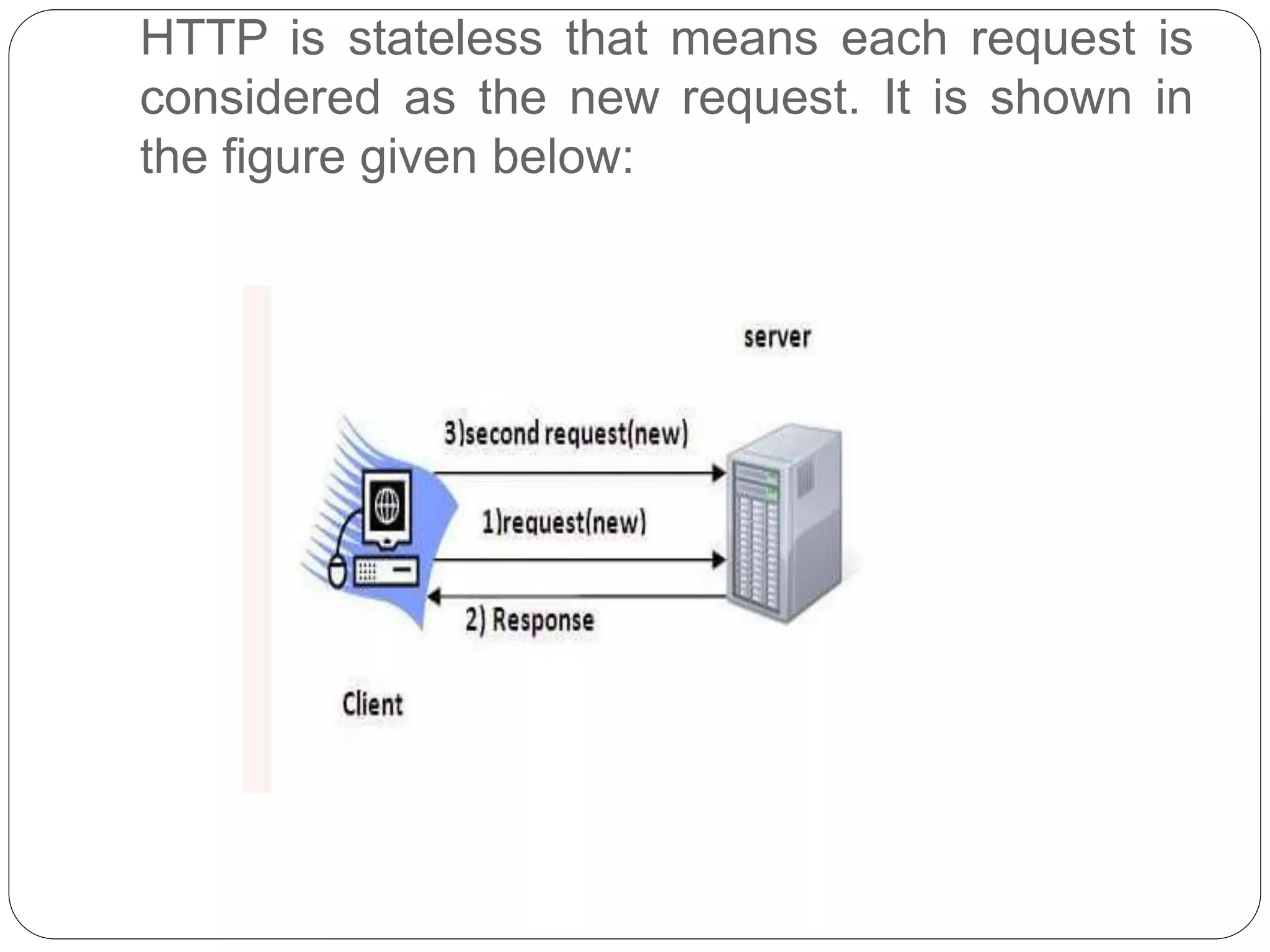
HTTP is stateless that means each request is
considered as the new request. It is shown in
the figure given below:
Why use Session Tracking?
 To recognize the user It is used to recognize the
particular user.
Session Tracking Techniques
There are four techniques used in Session tracking:
 Cookies
 Hidden Form Field
 URL Rewriting
 HttpSession
Cookies in Servlet
 A cookie is a small piece of information that is
persisted between the multiple client requests.
 A cookie has a name, a single value, and optional
attributes such as a comment, path and domain
qualifiers, a maximum age, and a version
number.
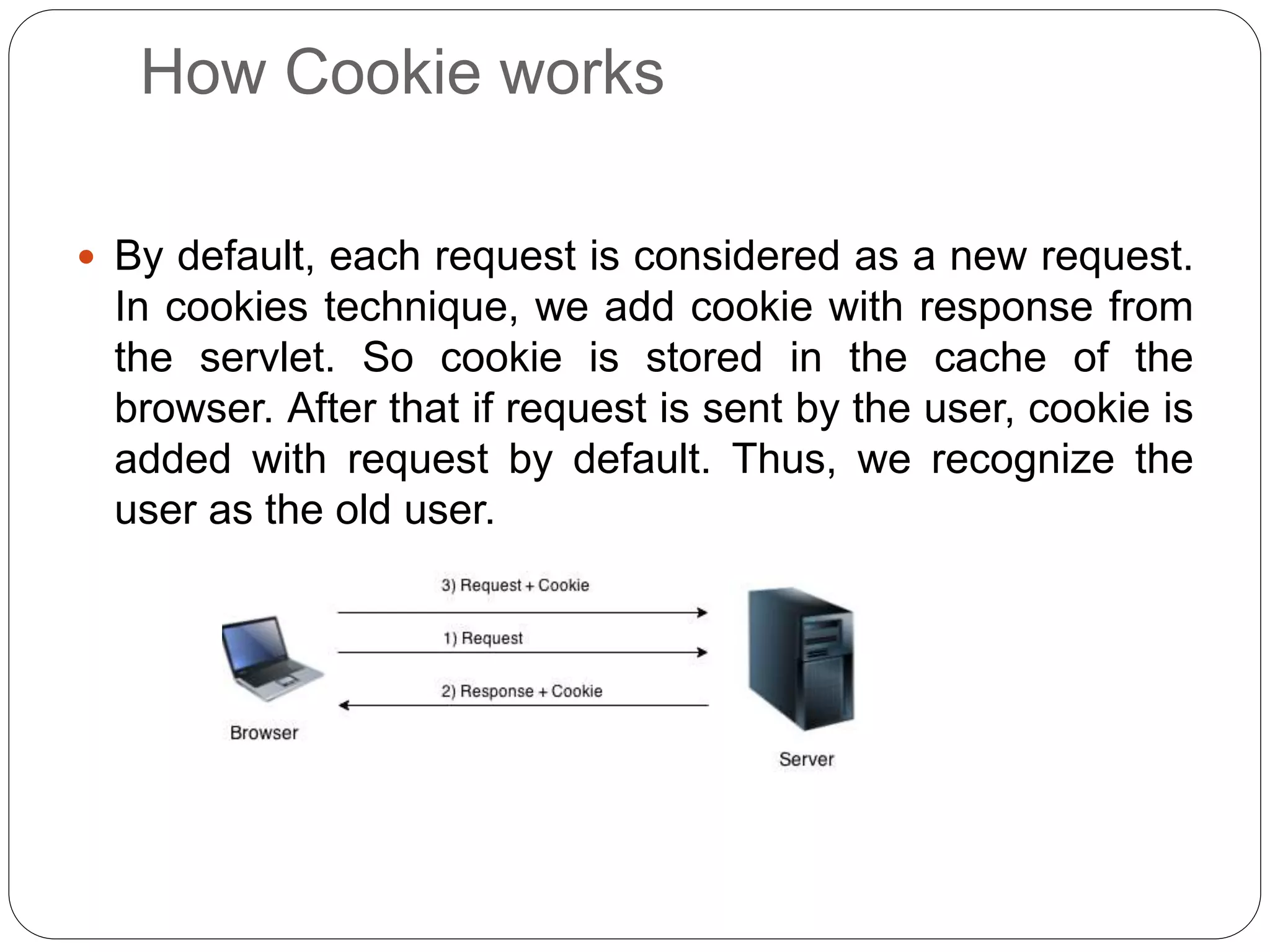
How Cookie works
 By default, each request is considered as a new request.
In cookies technique, we add cookie with response from
the servlet. So cookie is stored in the cache of the
browser. After that if request is sent by the user, cookie is
added with request by default. Thus, we recognize the
user as the old user.
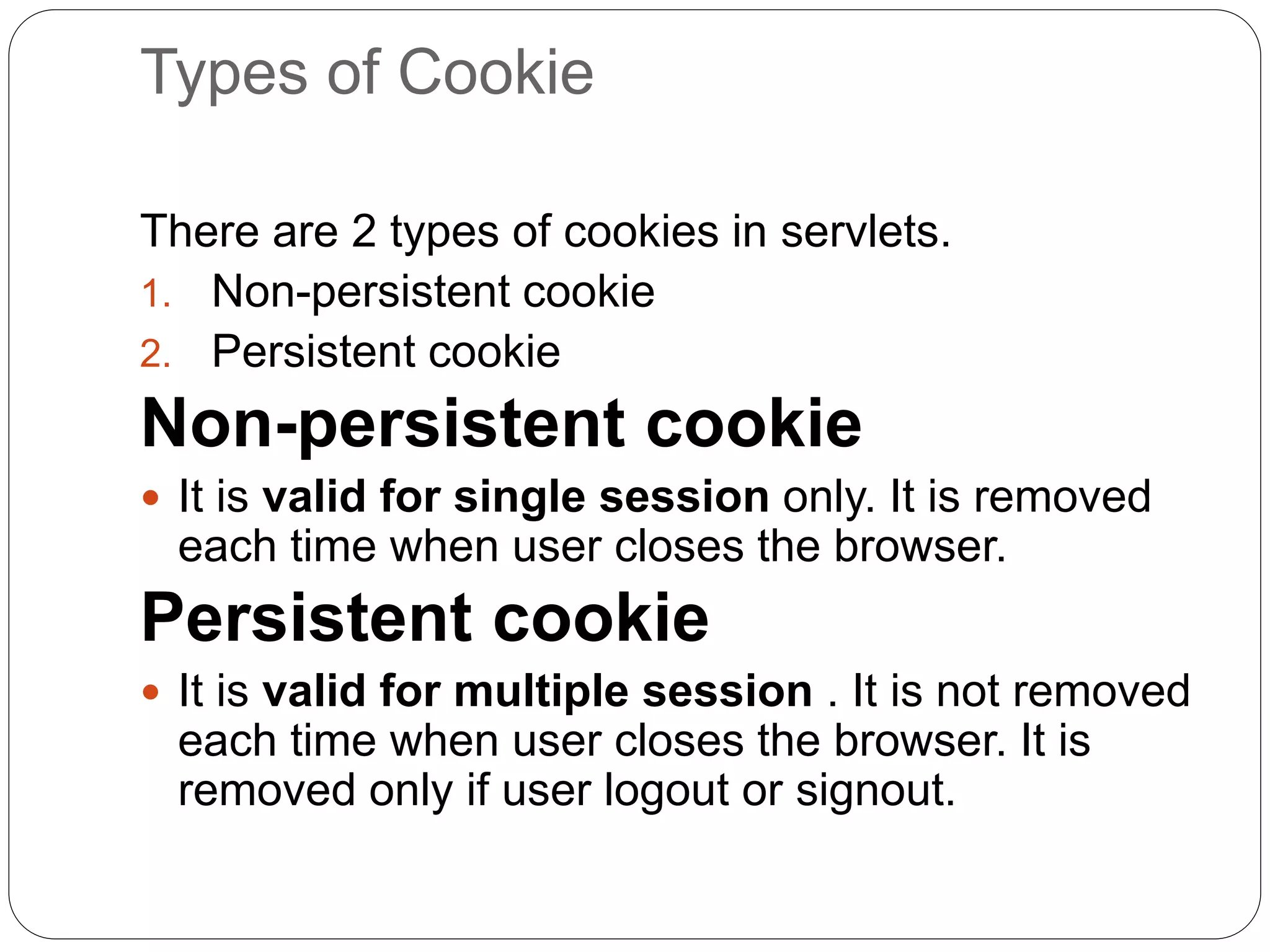
Types of Cookie
There are 2 types of cookies in servlets.
1. Non-persistent cookie
2. Persistent cookie
Non-persistent cookie
 It is valid for single session only. It is removed
each time when user closes the browser.
Persistent cookie
 It is valid for multiple session . It is not removed
each time when user closes the browser. It is
removed only if user logout or signout.
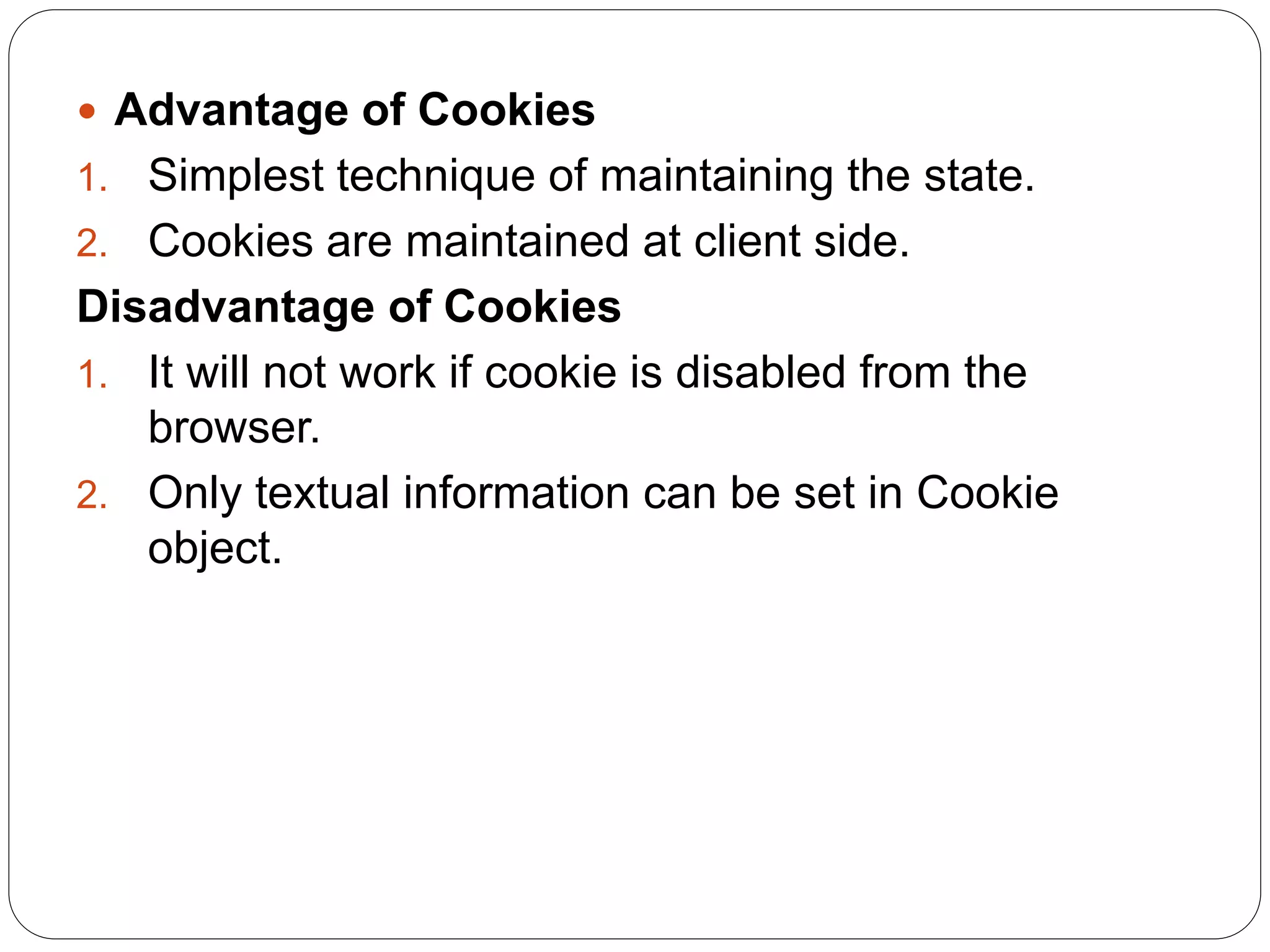
 Advantage of Cookies
1. Simplest technique of maintaining the state.
2. Cookies are maintained at client side.
Disadvantage of Cookies
1. It will not work if cookie is disabled from the
browser.
2. Only textual information can be set in Cookie
object.
Cookie class
 javax.servlet.http.Cookie class provides the
functionality of using cookies. It provides a lot of
useful methods for cookies.
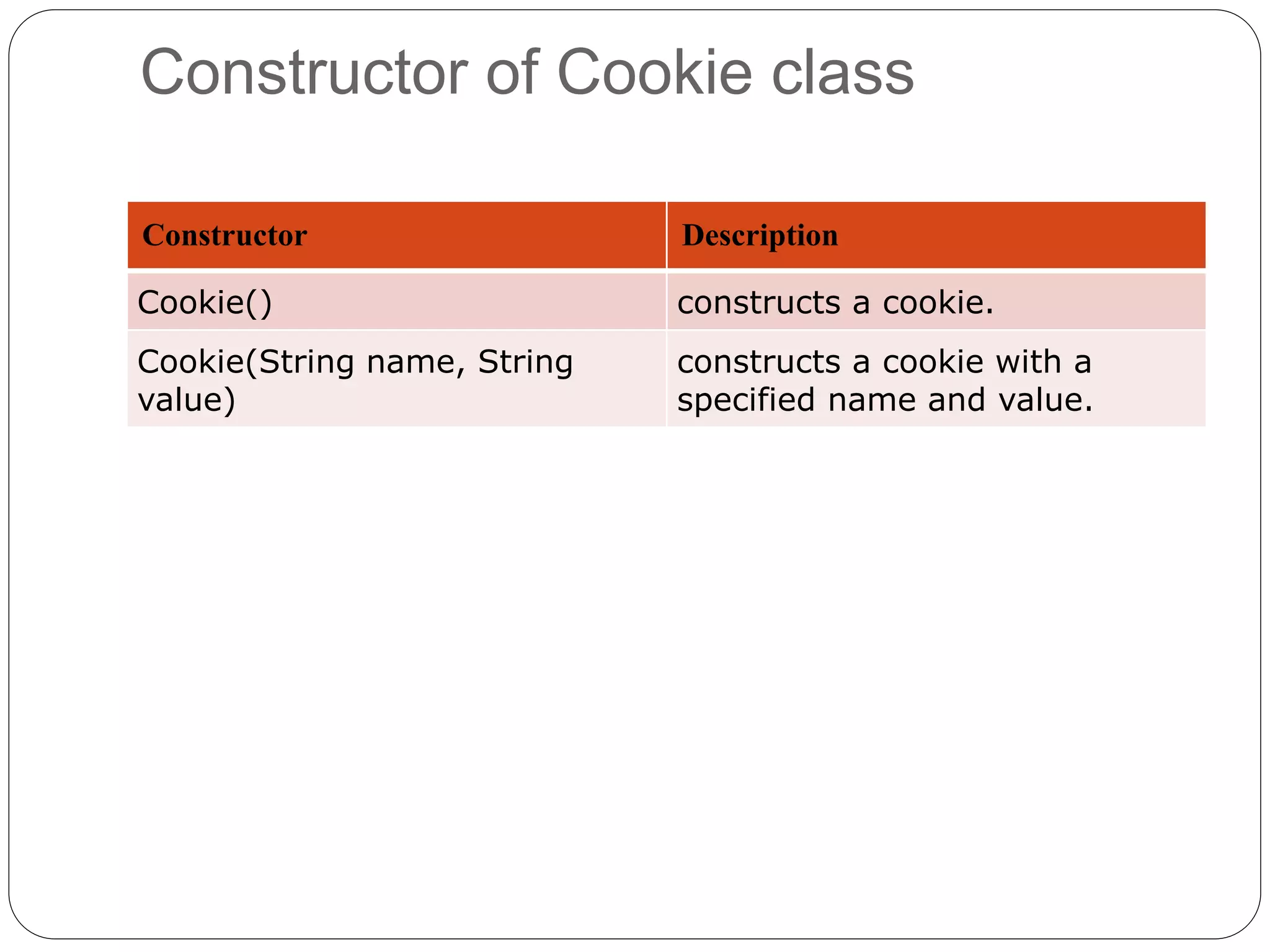
Constructor of Cookie class
Constructor Description
Cookie() constructs a cookie.
Cookie(String name, String
value)
constructs a cookie with a
specified name and value.
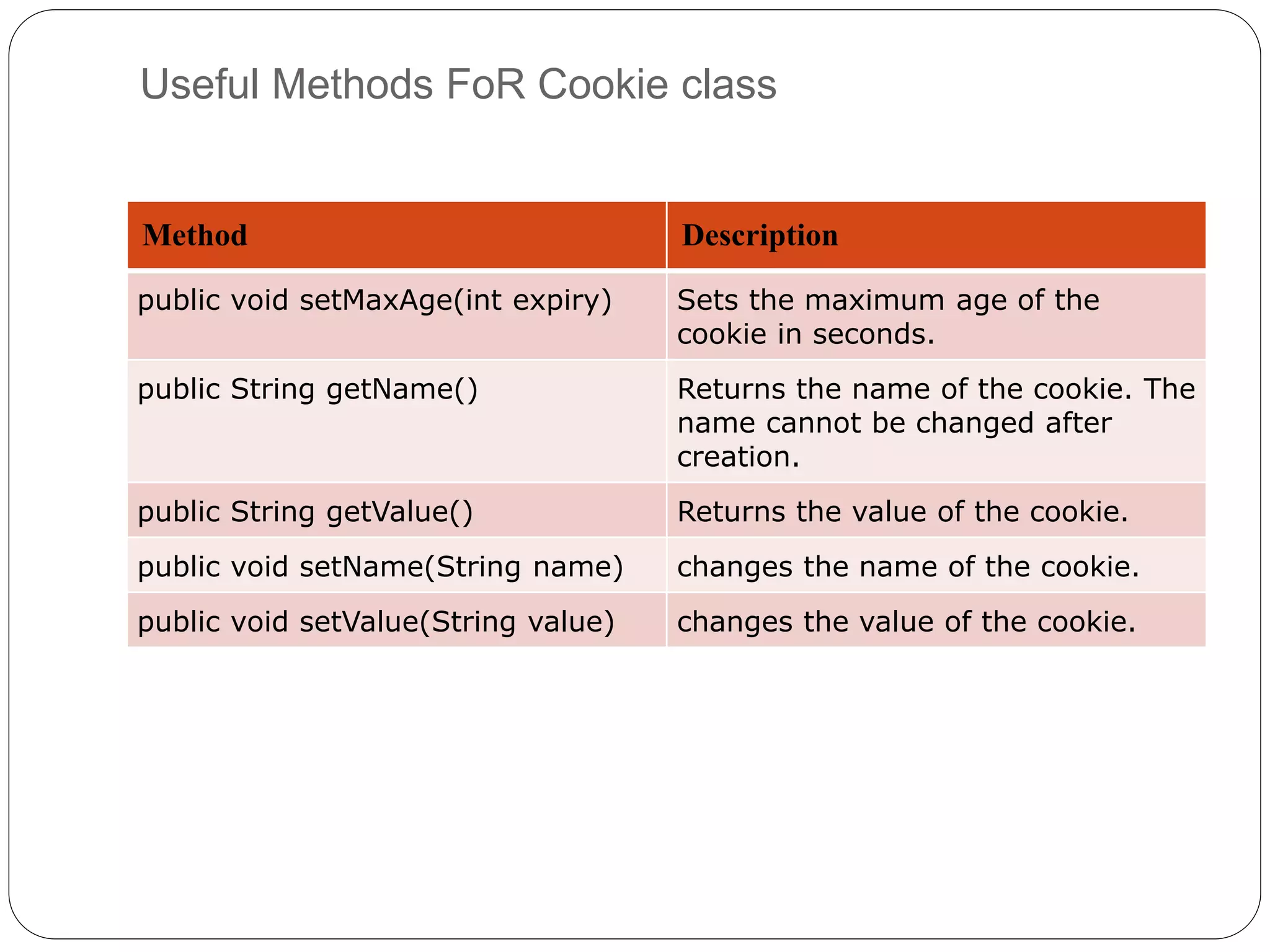
Useful Methods FoR Cookie class
Method Description
public void setMaxAge(int expiry) Sets the maximum age of the
cookie in seconds.
public String getName() Returns the name of the cookie. The
name cannot be changed after
creation.
public String getValue() Returns the value of the cookie.
public void setName(String name) changes the name of the cookie.
public void setValue(String value) changes the value of the cookie.
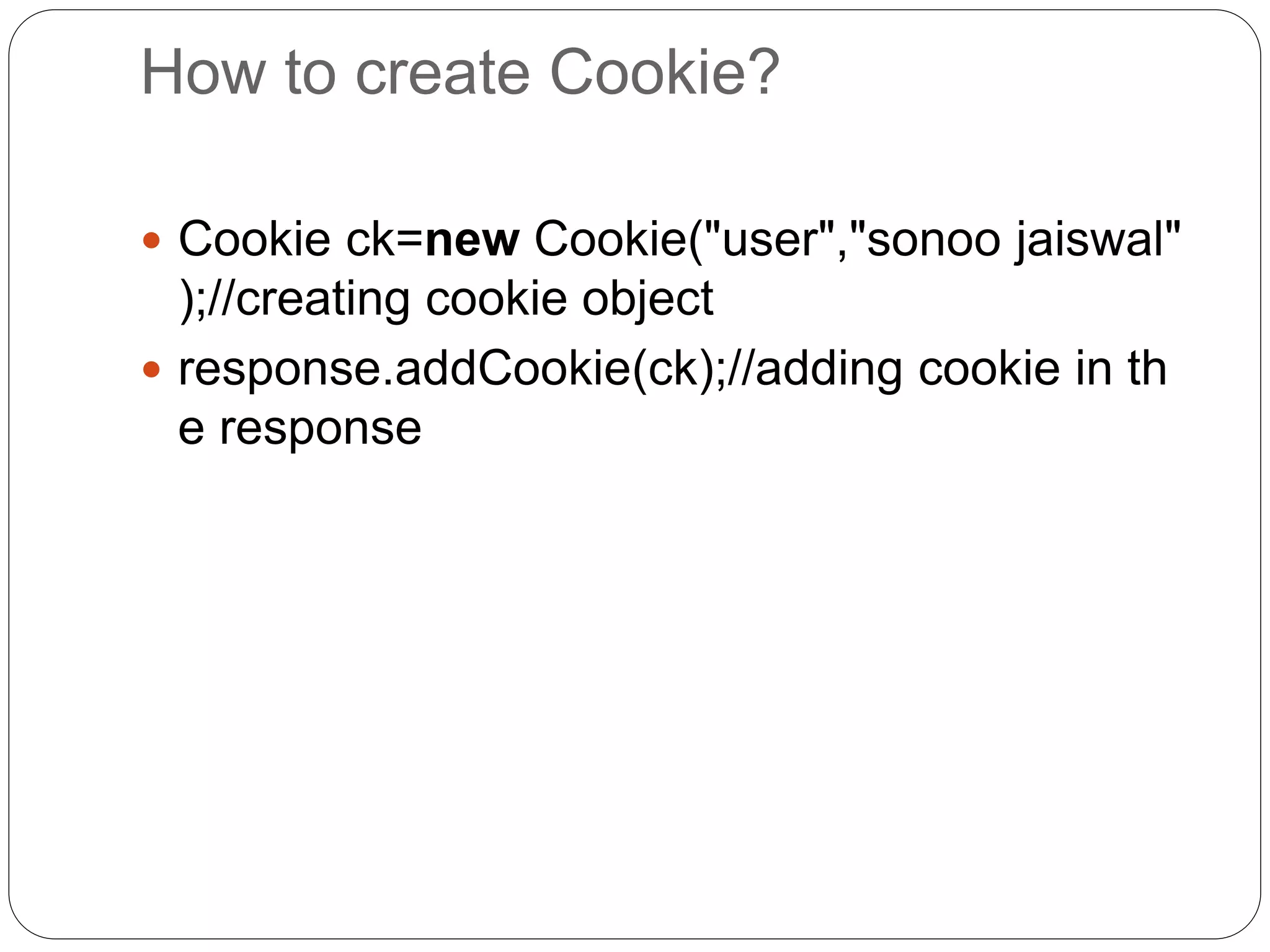
How to create Cookie?
 Cookie ck=new Cookie("user","sonoo jaiswal"
);//creating cookie object
 response.addCookie(ck);//adding cookie in th
e response
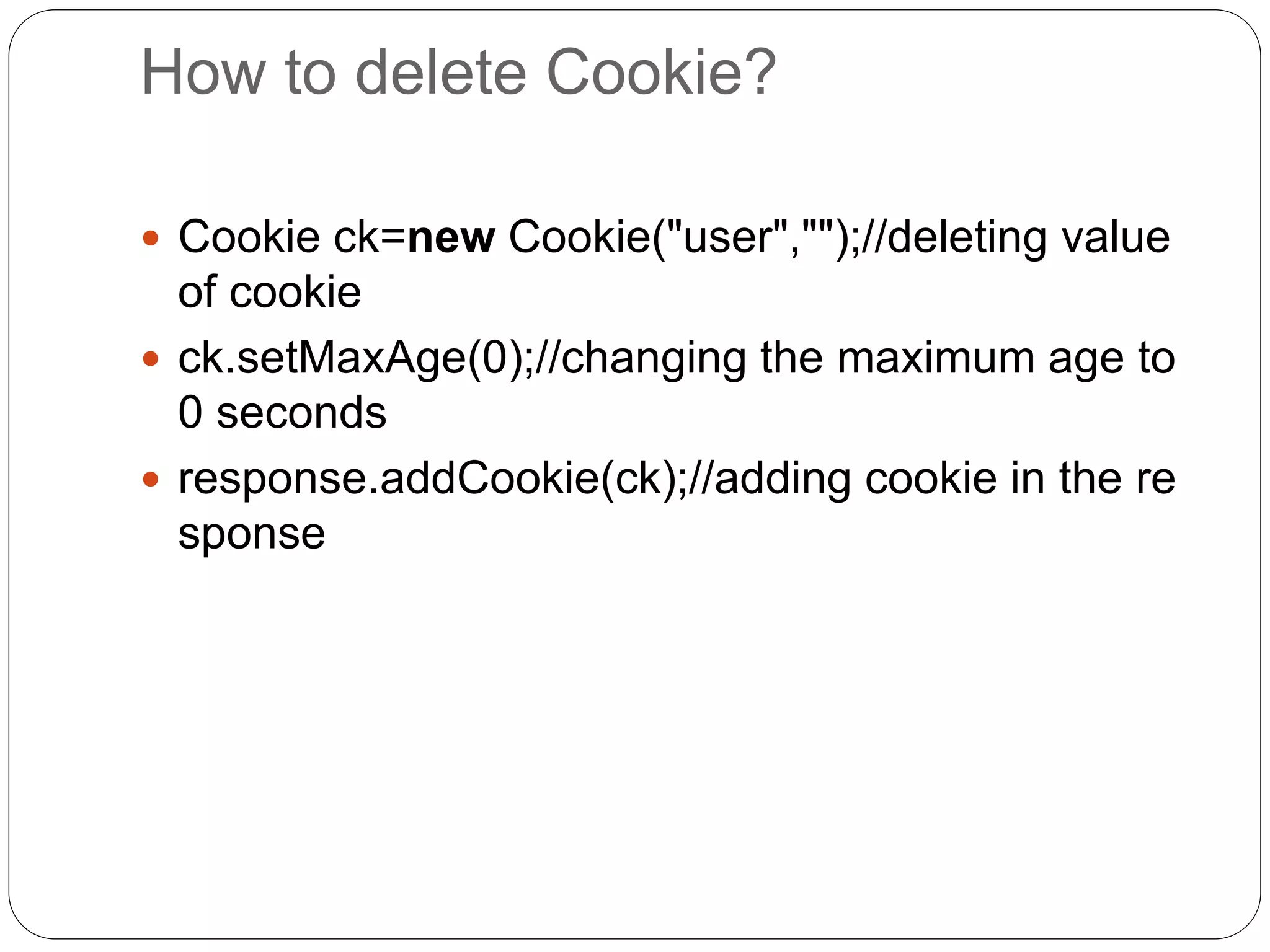
How to delete Cookie?
 Cookie ck=new Cookie("user","");//deleting value
of cookie
 ck.setMaxAge(0);//changing the maximum age to
0 seconds
 response.addCookie(ck);//adding cookie in the re
sponse
How to get Cookies?
 Cookie ck[]=request.getCookies();
 for(int i=0;i<ck.length;i++){
 out.print("<br>"+ck[i].getName()+" "+ck[i].get
Value());//printing name and value of cookie
}
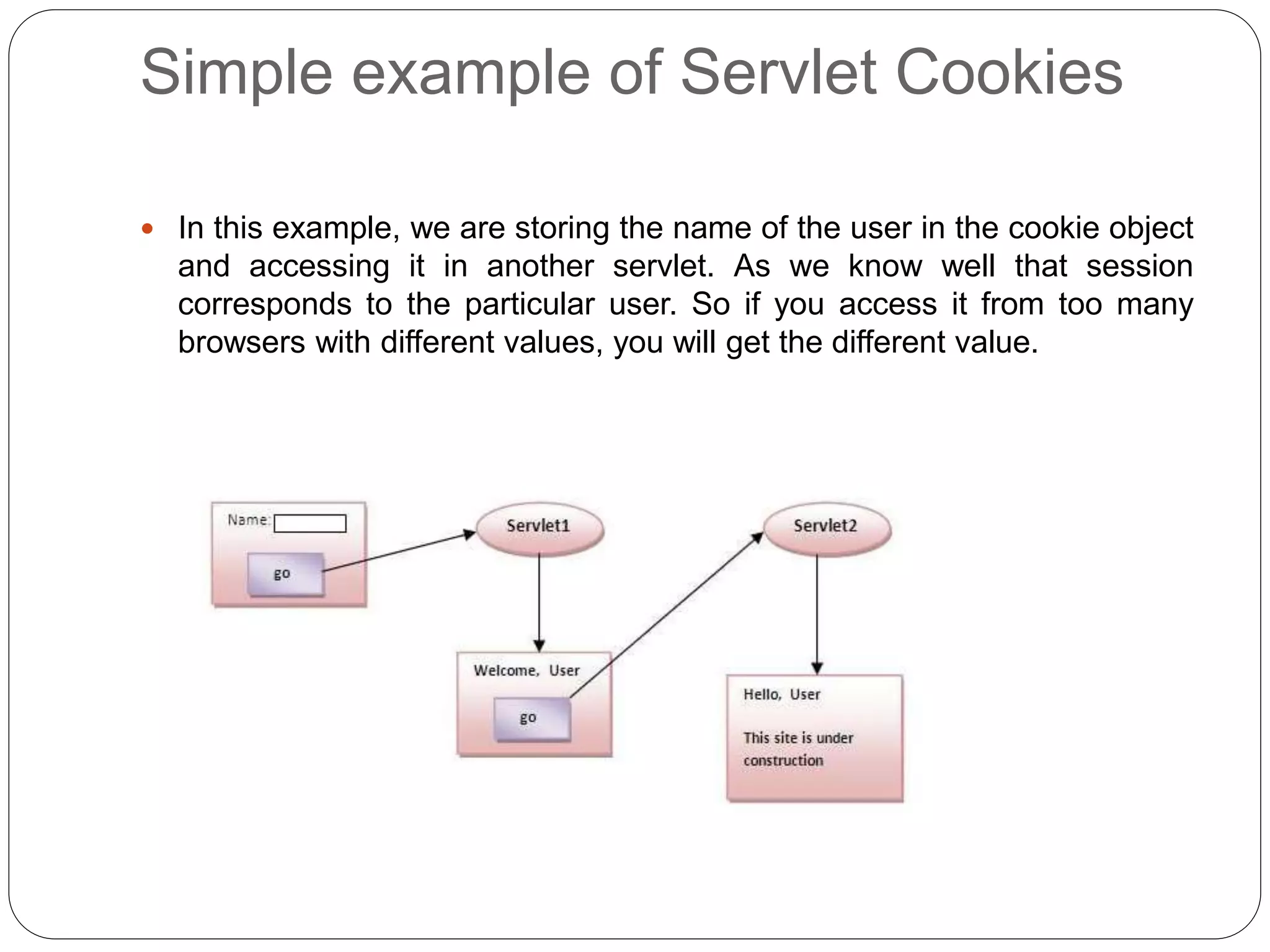
Simple example of Servlet Cookies
 In this example, we are storing the name of the user in the cookie object
and accessing it in another servlet. As we know well that session
corresponds to the particular user. So if you access it from too many
browsers with different values, you will get the different value.
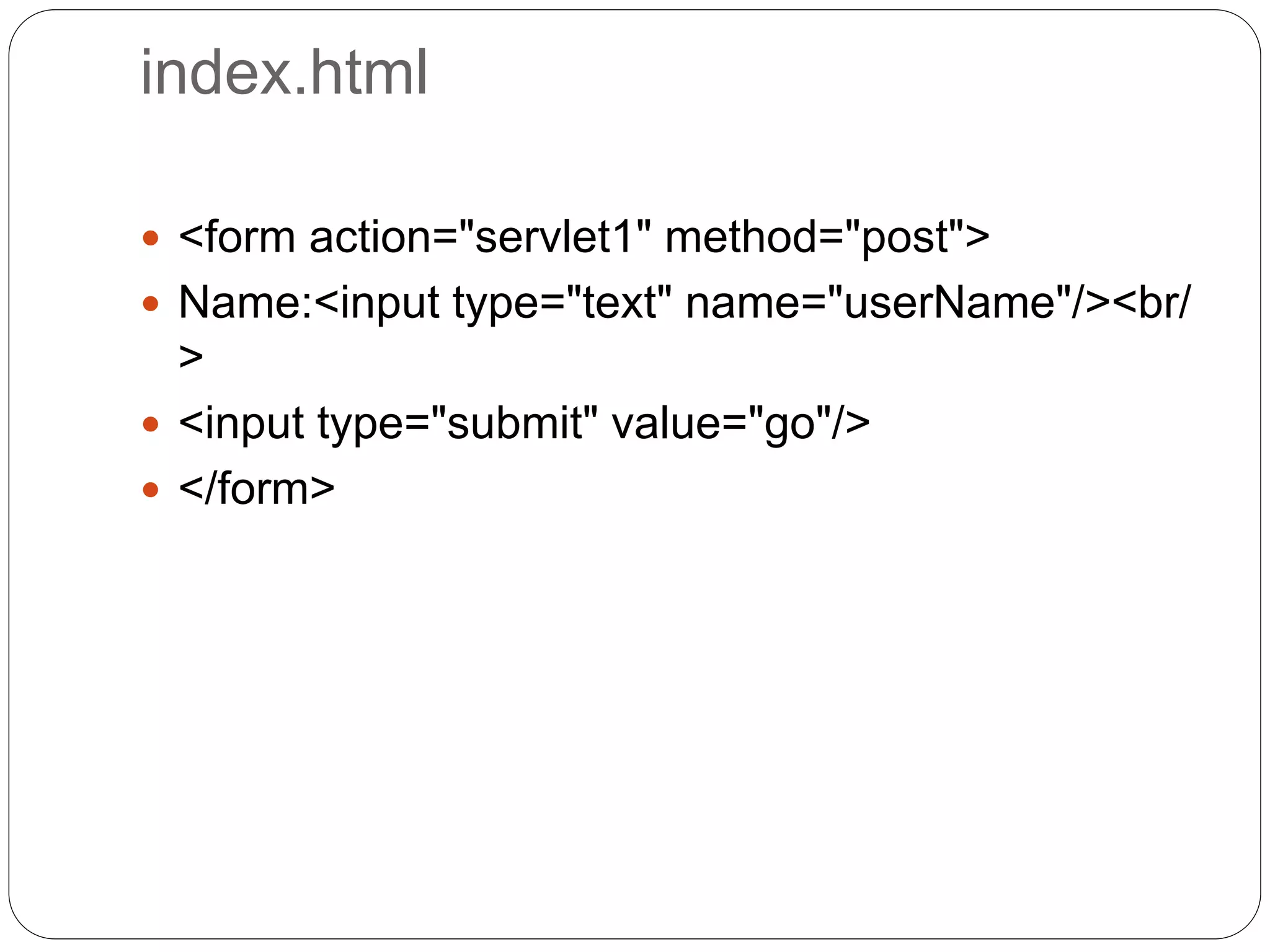
index.html
 <form action="servlet1" method="post">
 Name:<input type="text" name="userName"/><br/
>
 <input type="submit" value="go"/>
 </form>
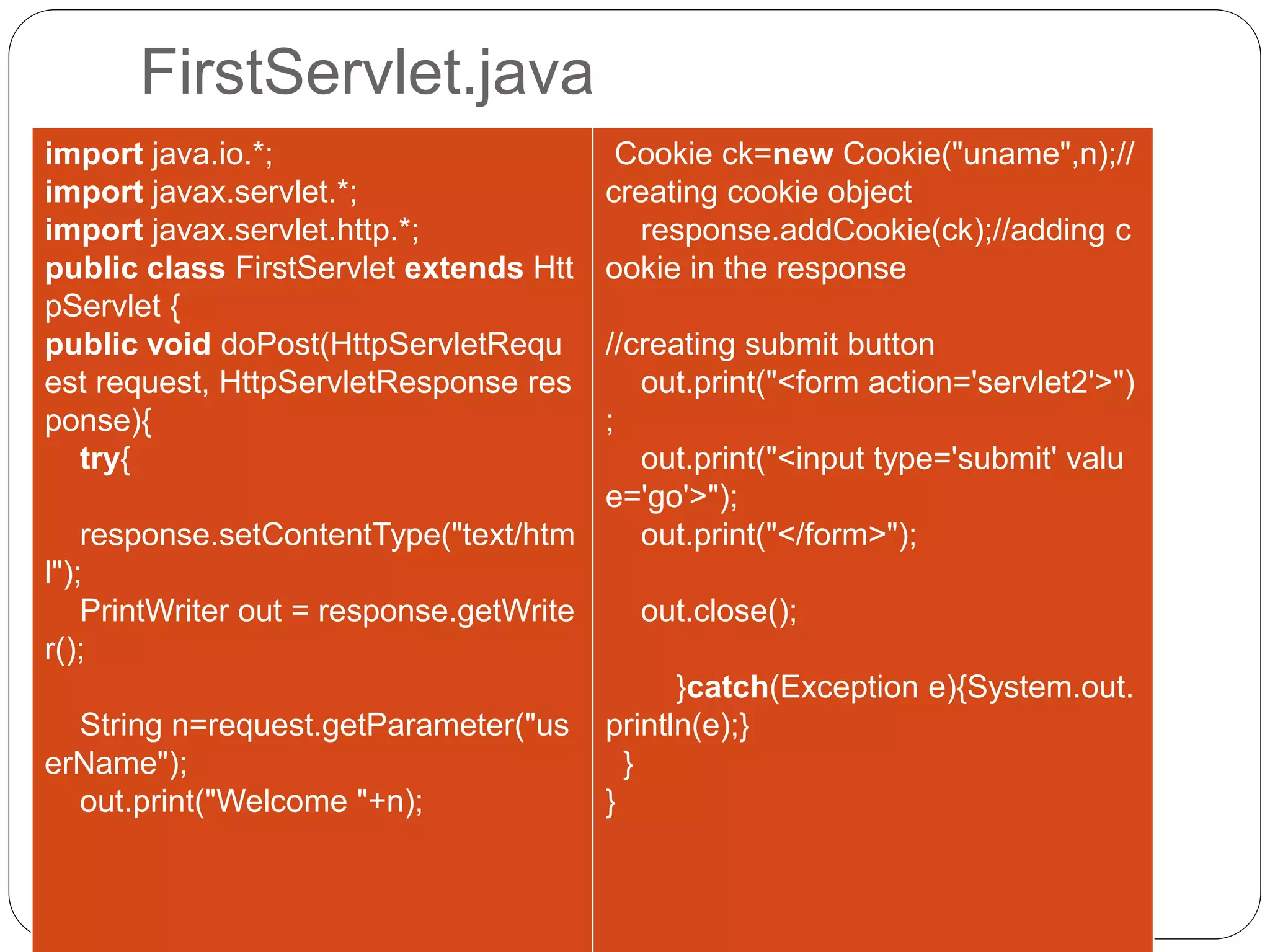
FirstServlet.java
import java.io.*;
import javax.servlet.*;
import javax.servlet.http.*;
public class FirstServlet extends Htt
pServlet {
public void doPost(HttpServletRequ
est request, HttpServletResponse res
ponse){
try{
response.setContentType("text/htm
l");
PrintWriter out = response.getWrite
r();
String n=request.getParameter("us
erName");
out.print("Welcome "+n);
Cookie ck=new Cookie("uname",n);//
creating cookie object
response.addCookie(ck);//adding c
ookie in the response
//creating submit button
out.print("<form action='servlet2'>")
;
out.print("<input type='submit' valu
e='go'>");
out.print("</form>");
out.close();
}catch(Exception e){System.out.
println(e);}
}
}
SecondServlet.java
import java.io.*;
import javax.servlet.*;
import javax.servlet.http.*;
public class SecondServlet extends HttpServlet {
public void doPost(HttpServletRequest request, HttpServletResponse response){
try{
response.setContentType("text/html");
PrintWriter out = response.getWriter();
Cookie ck[]=request.getCookies();
out.print("Hello "+ck[0].getValue());
out.close();
}catch(Exception e){System.out.println(e);}
}
}
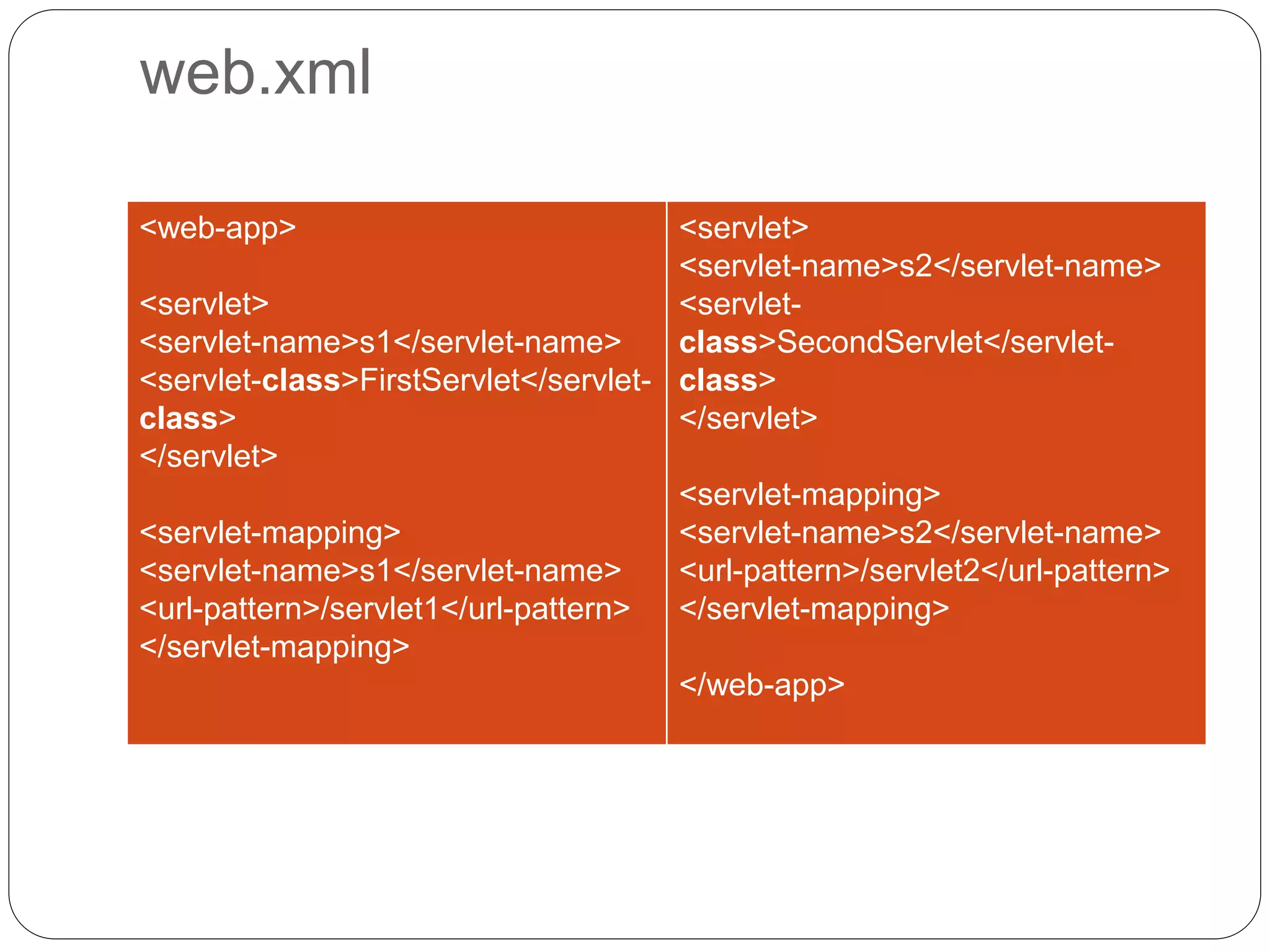
web.xml
<web-app>
<servlet>
<servlet-name>s1</servlet-name>
<servlet-class>FirstServlet</servlet-
class>
</servlet>
<servlet-mapping>
<servlet-name>s1</servlet-name>
<url-pattern>/servlet1</url-pattern>
</servlet-mapping>
<servlet>
<servlet-name>s2</servlet-name>
<servlet-
class>SecondServlet</servlet-
class>
</servlet>
<servlet-mapping>
<servlet-name>s2</servlet-name>
<url-pattern>/servlet2</url-pattern>
</servlet-mapping>
</web-app>

Session tracking in servlets

  • 1.
    Exp:Write a programin servlet for session tracking using cookies Session Tracking in Servlets
  • 2.
     Session simplymeans a particular interval of time.  Session Tracking is a way to maintain state (data) of an user. It is also known as session management in servlet.  Http protocol is a stateless so we need to maintain state using session tracking techniques. Each time user requests to the server, server treats the request as the new request. So we need to maintain the state of an user to recognize to particular user.
  • 3.
    HTTP is statelessthat means each request is considered as the new request. It is shown in the figure given below:
  • 4.
    Why use SessionTracking?  To recognize the user It is used to recognize the particular user. Session Tracking Techniques There are four techniques used in Session tracking:  Cookies  Hidden Form Field  URL Rewriting  HttpSession
  • 5.
    Cookies in Servlet A cookie is a small piece of information that is persisted between the multiple client requests.  A cookie has a name, a single value, and optional attributes such as a comment, path and domain qualifiers, a maximum age, and a version number.
  • 6.
    How Cookie works By default, each request is considered as a new request. In cookies technique, we add cookie with response from the servlet. So cookie is stored in the cache of the browser. After that if request is sent by the user, cookie is added with request by default. Thus, we recognize the user as the old user.
  • 7.
    Types of Cookie Thereare 2 types of cookies in servlets. 1. Non-persistent cookie 2. Persistent cookie Non-persistent cookie  It is valid for single session only. It is removed each time when user closes the browser. Persistent cookie  It is valid for multiple session . It is not removed each time when user closes the browser. It is removed only if user logout or signout.
  • 8.
     Advantage ofCookies 1. Simplest technique of maintaining the state. 2. Cookies are maintained at client side. Disadvantage of Cookies 1. It will not work if cookie is disabled from the browser. 2. Only textual information can be set in Cookie object.
  • 9.
    Cookie class  javax.servlet.http.Cookieclass provides the functionality of using cookies. It provides a lot of useful methods for cookies.
  • 10.
    Constructor of Cookieclass Constructor Description Cookie() constructs a cookie. Cookie(String name, String value) constructs a cookie with a specified name and value.
  • 11.
    Useful Methods FoRCookie class Method Description public void setMaxAge(int expiry) Sets the maximum age of the cookie in seconds. public String getName() Returns the name of the cookie. The name cannot be changed after creation. public String getValue() Returns the value of the cookie. public void setName(String name) changes the name of the cookie. public void setValue(String value) changes the value of the cookie.
  • 12.
    How to createCookie?  Cookie ck=new Cookie("user","sonoo jaiswal" );//creating cookie object  response.addCookie(ck);//adding cookie in th e response
  • 13.
    How to deleteCookie?  Cookie ck=new Cookie("user","");//deleting value of cookie  ck.setMaxAge(0);//changing the maximum age to 0 seconds  response.addCookie(ck);//adding cookie in the re sponse
  • 14.
    How to getCookies?  Cookie ck[]=request.getCookies();  for(int i=0;i<ck.length;i++){  out.print("<br>"+ck[i].getName()+" "+ck[i].get Value());//printing name and value of cookie }
  • 15.
    Simple example ofServlet Cookies  In this example, we are storing the name of the user in the cookie object and accessing it in another servlet. As we know well that session corresponds to the particular user. So if you access it from too many browsers with different values, you will get the different value.
  • 16.
    index.html  <form action="servlet1"method="post">  Name:<input type="text" name="userName"/><br/ >  <input type="submit" value="go"/>  </form>
  • 17.
    FirstServlet.java import java.io.*; import javax.servlet.*; importjavax.servlet.http.*; public class FirstServlet extends Htt pServlet { public void doPost(HttpServletRequ est request, HttpServletResponse res ponse){ try{ response.setContentType("text/htm l"); PrintWriter out = response.getWrite r(); String n=request.getParameter("us erName"); out.print("Welcome "+n); Cookie ck=new Cookie("uname",n);// creating cookie object response.addCookie(ck);//adding c ookie in the response //creating submit button out.print("<form action='servlet2'>") ; out.print("<input type='submit' valu e='go'>"); out.print("</form>"); out.close(); }catch(Exception e){System.out. println(e);} } }
  • 18.
    SecondServlet.java import java.io.*; import javax.servlet.*; importjavax.servlet.http.*; public class SecondServlet extends HttpServlet { public void doPost(HttpServletRequest request, HttpServletResponse response){ try{ response.setContentType("text/html"); PrintWriter out = response.getWriter(); Cookie ck[]=request.getCookies(); out.print("Hello "+ck[0].getValue()); out.close(); }catch(Exception e){System.out.println(e);} } }
  • 19.