Downloaded 18 times




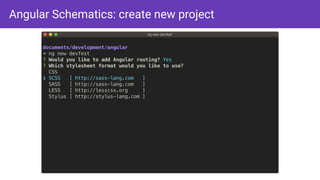
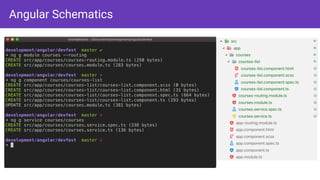
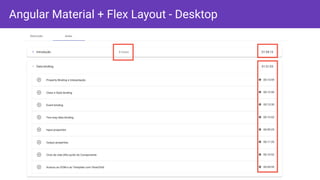
![Angular Material + Flex Layout
<mat-expansion-panel-header>
<mat-panel-title>
{{ module.name }}
"</mat-panel-title>
<mat-panel-description fxHide [fxHide.gt-md]=“false" >
{{ module.lessons.length}} Lessons"</mat-panel-description>
<span class="panel-title-time" fxShow [fxShow.xs]="false">{{ module.duration }}"</span>
"</mat-expansion-panel-header>
<mat-list dense *ngIf="module.lessons">
<ng-template ngFor let-lesson [ngForOf]="module.lessons">
<mat-list-item>
<mat-icon mat-list-avatar …>"</mat-icon>
<span mat-line>{{ lesson.name }}"</span>
<p mat-line fxHide [fxHide.xs]="false">{{ lesson.duration }} min"</p>
<div fxShow [fxShow.xs]="false" fxLayout="row">
<mat-icon fontSet="mdi" fontIcon=“mdi-clock" >"</mat-icon>{{ lesson.duration }}
"</div>
"</mat-list-item>
"</ng-template>
"</mat-list>](https://image.slidesharecdn.com/devfestfl2019loianegroner-190119232459/85/Serverless-Angular-Material-Firebase-and-Google-Cloud-applications-15-320.jpg)
![Angular Material + Flex Layout: Tablet
<mat-expansion-panel-header>
<mat-panel-title>
{{ module.name }}
"</mat-panel-title>
<mat-panel-description
fxHide [fxHide.gt-md]=“false" >
{{ module.lessons.length}} Lessons
"</mat-panel-description>
<span class="panel-title-time"
fxShow [fxShow.xs]=“false">
{{ module.duration }}
"</span>
"</mat-expansion-panel-header>](https://image.slidesharecdn.com/devfestfl2019loianegroner-190119232459/85/Serverless-Angular-Material-Firebase-and-Google-Cloud-applications-16-320.jpg)
![Angular Material + Flex Layout: Phone
<mat-expansion-panel-header>
<mat-panel-title>
{{ module.name }}
"</mat-panel-title>
<mat-panel-description
fxHide [fxHide.gt-md]=“false" >
{{ module.lessons.length}} Lessons
"</mat-panel-description>
<span class="panel-title-time"
fxShow [fxShow.xs]=“false">
{{ module.duration }}
"</span>
"</mat-expansion-panel-header>](https://image.slidesharecdn.com/devfestfl2019loianegroner-190119232459/85/Serverless-Angular-Material-Firebase-and-Google-Cloud-applications-17-320.jpg)
![Angular: AppModule
…
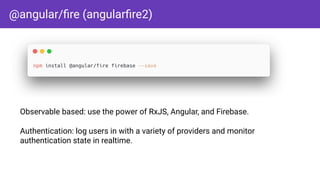
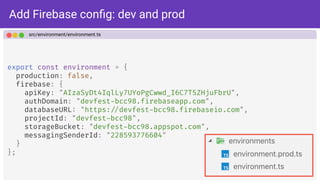
import { AngularFireModule } from '@angular/fire';
import { environment } from '"../environments/environment';
@NgModule({
imports: [
…,
AngularFireModule.initializeApp(environment.firebase)
],
bootstrap: [AppComponent]
})
export class AppModule { }
src/app/app.module.ts](https://image.slidesharecdn.com/devfestfl2019loianegroner-190119232459/85/Serverless-Angular-Material-Firebase-and-Google-Cloud-applications-38-320.jpg)
![Firebase modules
import { NgModule } from '@angular/core';
import { AngularFireModule } from '@angular/fire';
import { AngularFireAuthModule } from '@angular/fire/auth';
import { AngularFirestoreModule } from '@angular/fire/firestore';
import { AngularFireStorageModule } from '@angular/fire/storage';
@NgModule({
exports: [
AngularFireModule, "// needed for everything
AngularFirestoreModule, "// only needed for database features
AngularFireAuthModule, "// only needed for auth features
AngularFireStorageModule "// only needed for storage features
]
})
export class AppFirebaseModule { }](https://image.slidesharecdn.com/devfestfl2019loianegroner-190119232459/85/Serverless-Angular-Material-Firebase-and-Google-Cloud-applications-39-320.jpg)
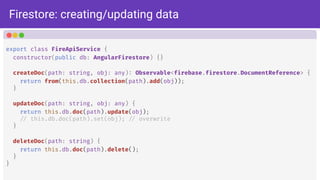
![Firestore: retrieving collections / documents
export class FireApiService {
constructor(public db: AngularFirestore) {}
getCollection<T>(collectionName: string): Observable<T[]> {
return this.db.collection<T>(collectionName).valueChanges();
}
getCollectionItem<T>(collection: string, property: string, searchItem: string) {
return this.db
.collection<T>(collection, ref "=> ref.where(property, '"==', searchItem))
.valueChanges();
}
getDocument(path: string) {
"// path: /courses/XF40vxTSoSMNFXUndKaw
return this.db.doc(path).valueChanges();
}
}](https://image.slidesharecdn.com/devfestfl2019loianegroner-190119232459/85/Serverless-Angular-Material-Firebase-and-Google-Cloud-applications-41-320.jpg)
![Angular async pipe
@Component({
selector: 'app-courses-list',
template: `
<ul>
<li *ngFor="let course of courses$ | async">
{{ course.name }}
"</li>
"</ul>
`
})
export class CoursesListComponent {
courses$: Observable<any[]>;
constructor(db: AngularFirestore) {
this.courses$ = db.collection('courses').valueChanges();
}
}](https://image.slidesharecdn.com/devfestfl2019loianegroner-190119232459/85/Serverless-Angular-Material-Firebase-and-Google-Cloud-applications-42-320.jpg)
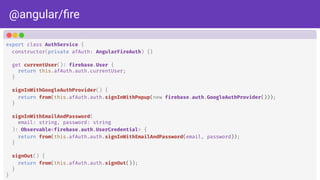
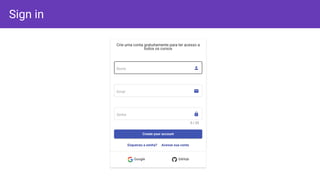
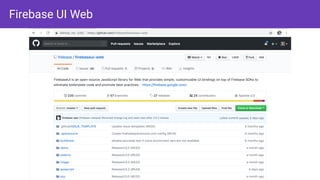
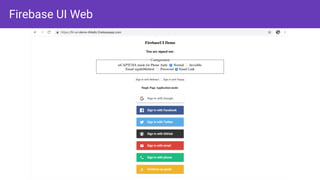
![Angular route guards
export class AuthGuard implements CanActivate {
constructor(private auth: AuthService, private router: Router) {}
canActivate(
next: ActivatedRouteSnapshot,
state: RouterStateSnapshot): Observable<boolean> | boolean {
if (!this.auth.currentUser) {
this.router.navigate(['/login']);
return false;
}
return true;
}
}](https://image.slidesharecdn.com/devfestfl2019loianegroner-190119232459/85/Serverless-Angular-Material-Firebase-and-Google-Cloud-applications-48-320.jpg)
![Avoiding templates changes: pipes for the rescue
export class UserEnrolledPipe implements PipeTransform {
constructor(priva: UserService) {}
transform(user: any, course: Course): Observable<boolean> {
if (user "&& course) {
return this.userService.isUserEnrolled(course);
}
return of(false);
}
} <button
*ngIf="(user | userEnrolled:course | async); else: enroll"
[routerLink]="['/continue-course/', course.slug]"
>
Continue Course
"</button>](https://image.slidesharecdn.com/devfestfl2019loianegroner-190119232459/85/Serverless-Angular-Material-Firebase-and-Google-Cloud-applications-66-320.jpg)
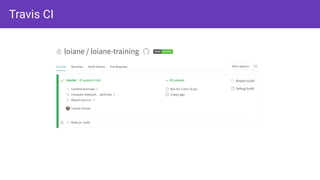
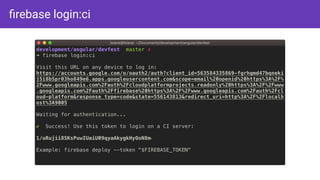
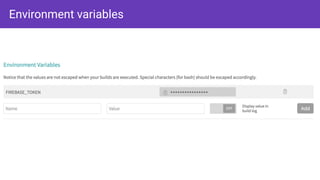
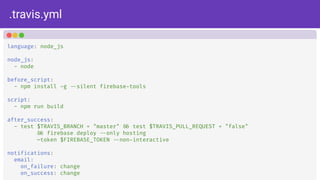
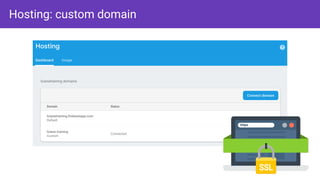


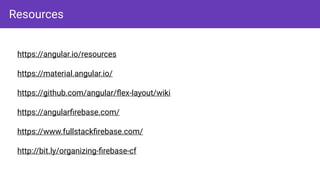

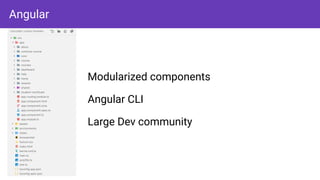
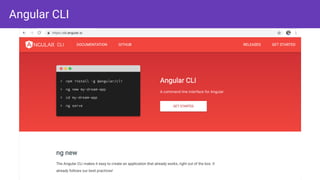
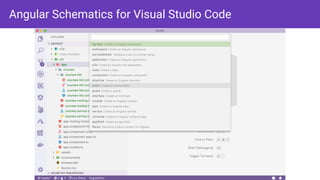
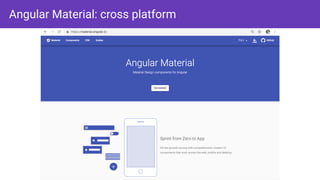
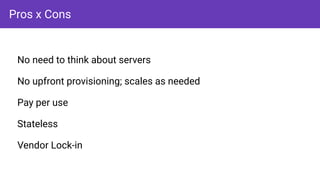
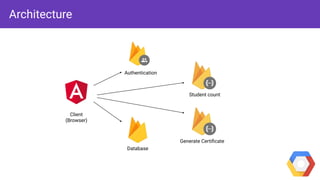
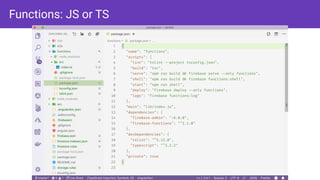
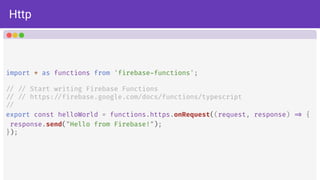
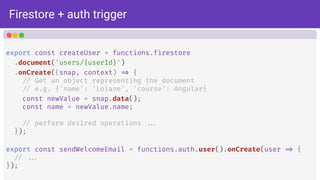
The document provides a comprehensive guide on building serverless applications using Angular, Material, and Firebase, addressing essential components like UI design, API development, and real-time database setup. It covers topics such as Angular CLI, Firebase authentication, and deployment practices, along with specific code examples for effective implementation. Additionally, the resource section includes links for further learning and exploration of the technologies involved.


