Script to PyPi to Github


               @__mharrison__
            http://hairysun.com
About Me

● 12 years Python
● Worked in HA, Search, Open Source, BI

  and Storage
● Author of multiple Python Books
Continuums


More like perl-TMTOWTDI
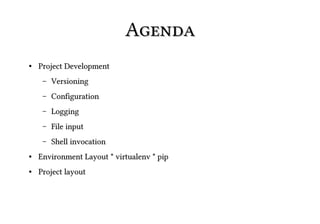
Agenda
●   Project Development
     –   Versioning
     –   Configuration
     –   Logging
     –   File input
     –   Shell invocation
●   Environment Layout * virtualenv * pip
●   Project layout
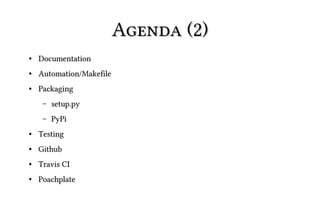
Agenda (2)
●   Documentation
●   Automation/Makefile
●   Packaging
     –   setup.py
     –   PyPi
●   Testing
●   Github
●   Travis CI
●   Poachplate
Begin
Warning
● Starting from basic Python knowledge
● Hands on


    – (short) lecture

    – (short) code

    – repeat until time is gone
Project


Create pycat. Pythonic implementation of
cat
Scripting
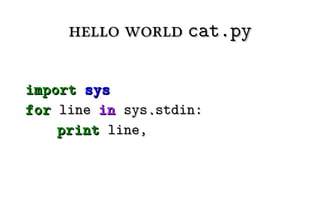
hello world cat.py

import sys
for line in sys.stdin:
    print line,
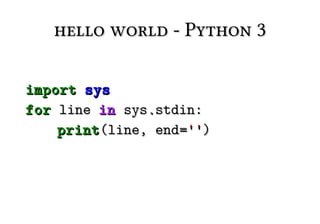
hello world - Python 3

import sys
for line in sys.stdin:
    print (line, end='')
2 or 3?
2 or 3?


● Better legacy/library support for 2
● Possible to support both
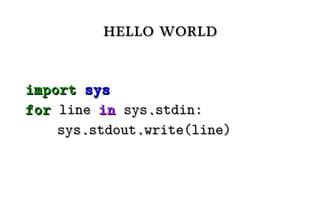
hello world

import sys
for line in sys.stdin:
    sys.stdout.write(line)
Assignment


create cat.py
Single File or Project?
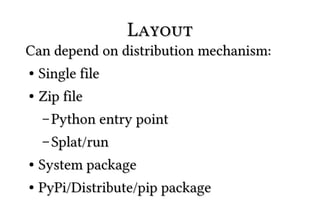
Layout
Can depend on distribution mechanism:
● Single file


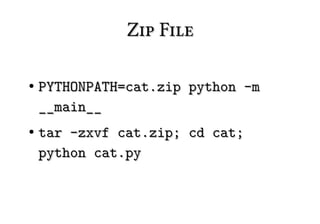
●   Zip file
    – Python entry point

    – Splat/run
● System package
● PyPi/Distribute/pip package
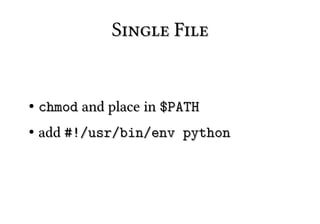
Single File


●   chmod and place in $PATH
●   add #!/usr/bin/env python
Single File (2)


●   No reuse
Zip File

●   PYTHONPATH=cat.zip python -m
    __main__
●   tar -zxvf cat.zip; cd cat;
    python cat.py
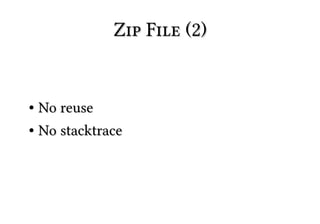
Zip File (2)


● No reuse
● No stacktrace
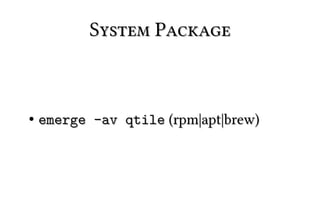
System Package


●   emerge -av qtile (rpm|apt|brew)
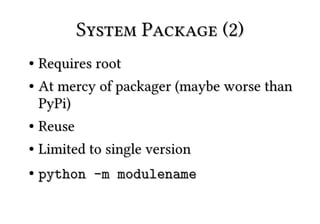
System Package (2)
● Requires root
● At mercy of packager (maybe worse than

  PyPi)
● Reuse


●   Limited to single version
●   python -m modulename
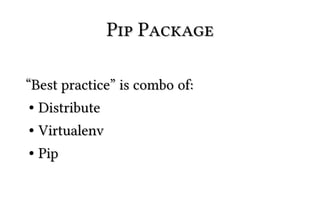
Pip Package

“Best practice” is combo of:
 ● Distribute


● Virtualenv
● Pip
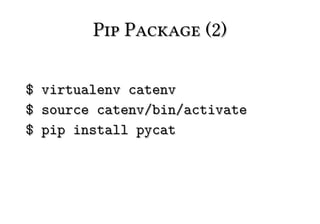
Pip Package (2)

$   virtualenv catenv
$   source catenv/bin/activate
$   pip install pycat
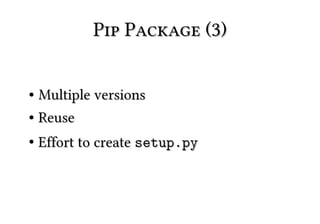
Pip Package (3)

● Multiple versions
● Reuse


●   Effort to create setup.py
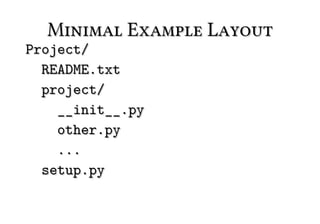
Minimal Example Layout
Project/
  README.txt
  project/
    __init__.py
    other.py
    ...
  setup.py
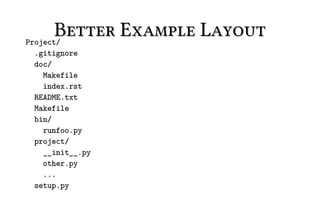
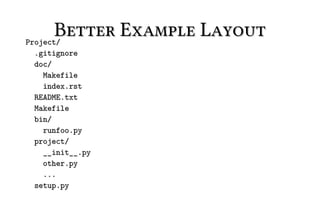
Better Example Layout
Project/
 .gitignore
 doc/
   Makefile
   index.rst
 README.txt
 Makefile
 bin/
   runfoo.py
 project/
   __init__.py
   other.py
   ...
 setup.py
Assignment


create layout for
     cat.py
Semantic Versioning
Versioning


http://semver.org
Formal spec for versioning projects
Python Versioning


PEP 386
N.N[.n]+[{a|b|c}N[.N]+][.postN][.devN]
1.0a1 < 1.0a2 < 1.0b2.post345
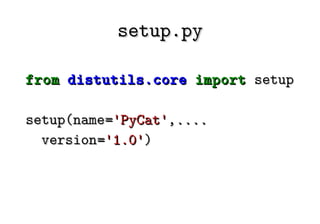
setup.py

from distutils.core import setup

setup(name='PyCat',....
  version='1.0')
Where to store version?


In module.__version__ (might cause
importing issues)
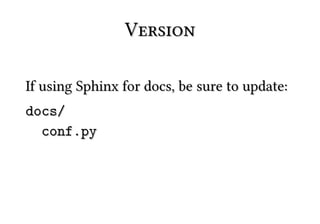
Version

If using Sphinx for docs, be sure to update:
docs/
  conf.py
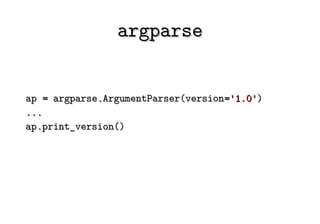
argparse


ap = argparse.ArgumentParser(version='1.0')
...
ap.print_version()
Assignment


Add version to project
Configuration
●   Python               Configuration
     –   Django (settings.py)

     –   Python (site.py, setup.py)
●   JSON/YAML
     –   Google App Engine
●   Environment Variables
     –   Python (PYTHONPATH)
●   .ini (ConfigParser, ConfigObj)
     –   matplotlib
     –   ipython
●   Command line options (argparse)
●   Sqlite blob
●   Shelve/pickle blob
Configuration (2)


Are not mutually exclusive
Configuration (3)
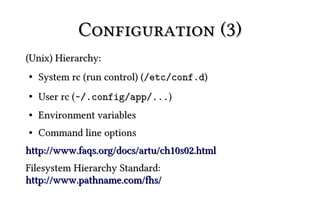
(Unix) Hierarchy:
●   System rc (run control) (/etc/conf.d)
●   User rc (~/.config/app/...)
●   Environment variables
●   Command line options
http://www.faqs.org/docs/artu/ch10s02.html
Filesystem Hierarchy Standard:
http://www.pathname.com/fhs/
Configuration (4)


● Plain text config is easily approachable
● Careful with Python config on process

  run by root
Assignment


Add configuration -n to
  show line numbers
Logging
Logging


logging module provides feature-rich
logging
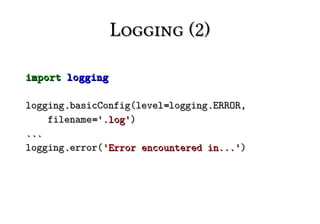
Logging (2)

import logging

logging.basicConfig(level=logging.ERROR,
    filename='.log')
...
logging.error('Error encountered in...')
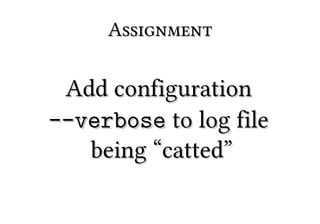
Assignment

 Add configuration
--verbose to log file
   being “catted”
Dealing with File Input
“Files”

Dealing with?
● Filename


● file object
● string data
Filename

Somewhat analogous to an Iterable.
● Can open/iterate many times


● Implementation depends on file
● Need to manage closing file
File Object

Somewhat analogous to an Iterator.
●   Can iterate once (unless seeked)
● Can accept file, StringIO, socket,
  generator, etc
● Memory friendly - scalable
String Data


No iterator analogy.
● Memory hog - less scalable
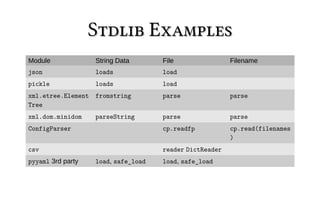
Stdlib Examples
Module             String Data       File                Filename
json               loads             load
pickle             loads             load
xml.etree.Element fromstring         parse               parse
Tree
xml.dom.minidom    parseString       parse               parse
ConfigParser                         cp.readfp           cp.read(filenames
                                                         )
csv                                  reader DictReader
pyyaml 3rd party   load, safe_load   load, safe_load
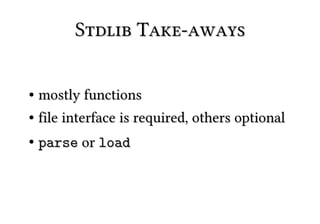
Stdlib Take-aways

● mostly functions
● file interface is required, others optional


●   parse or load
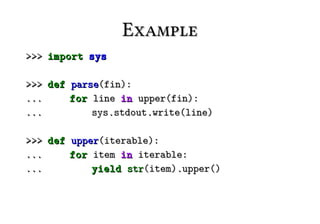
Example
>>> import sys

>>> def parse(fin):
...     for line in upper(fin):
...         sys.stdout.write(line)

>>> def upper(iterable):
...     for item in iterable:
...         yield str(item).upper()
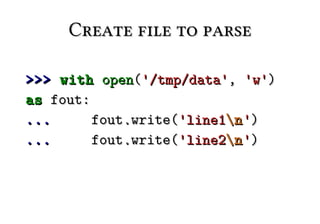
Create file to parse

>>> with open('/tmp/data', 'w')
as fout:
...      fout.write('line1n ')
...      fout.write('line2n ')
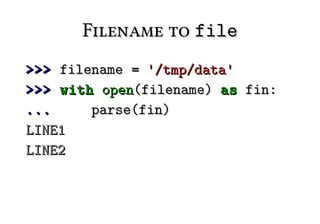
Filename to file
>>> filename = '/tmp/data'
>>> with open(filename) as fin:
...     parse(fin)
LINE1
LINE2
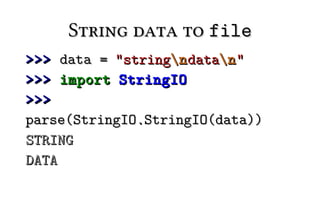
String data to file
>>> data = "stringn datan "
>>> import StringIO
>>>
parse(StringIO.StringIO(data))
STRING
DATA
Parse Iterable

>>> data = ['foon ', 'barn ']
>>> parse(data)
FOO
BAR
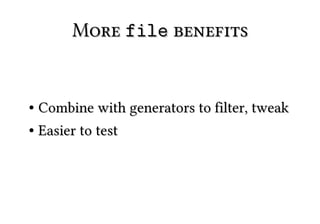
More file benefits


● Combine with generators to filter, tweak
● Easier to test
Assignment


Add a parse function
Invoking Shell
  Commands
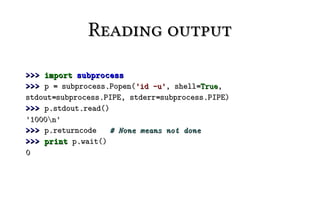
Reading output

>>> import subprocess
>>> p = subprocess.Popen('id -u', shell=True,
stdout=subprocess.PIPE, stderr=subprocess.PIPE)
>>> p.stdout.read()
'1000n'
>>> p.returncode   # None means not done
>>> print p.wait()
0
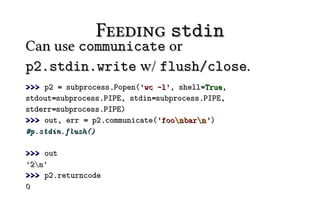
Feeding stdin
Can use communicate or
p2.stdin.write w/ flush/close.
>>> p2 = subprocess.Popen('wc -l', shell=True,
stdout=subprocess.PIPE, stdin=subprocess.PIPE,
stderr=subprocess.PIPE)
>>> out, err = p2.communicate('foon barn ')
#p.stdin.flush()

>>> out
'2n'
>>> p2.returncode
0
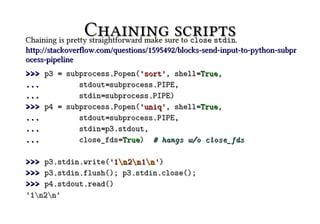
Chaining scripts.
Chaining is pretty straightforward make sure to close stdin
http://stackoverflow.com/questions/1595492/blocks-send-input-to-python-subpr
ocess-pipeline
>>> p3 = subprocess.Popen('sort', shell=True,
...         stdout=subprocess.PIPE,
...         stdin=subprocess.PIPE)
>>> p4 = subprocess.Popen('uniq', shell=True,
...         stdout=subprocess.PIPE,
...         stdin=p3.stdout,
...         close_fds=True) # hangs w/o close_fds

>>> p3.stdin.write('1n 2n 1n ')
>>> p3.stdin.flush(); p3.stdin.close();
>>> p4.stdout.read()
'1n2n'
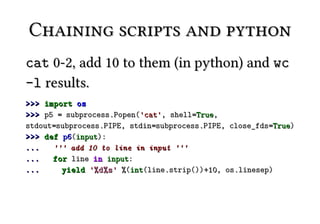
Chaining scripts and python
cat 0-2, add 10 to them (in python) and wc
-l results.
>>> import os
>>> p5 = subprocess.Popen('cat', shell=True,
stdout=subprocess.PIPE, stdin=subprocess.PIPE, close_fds=True)
>>> def p6(input):
...   ''' add 10 to line in input '''
...   for line in input:
...     yield '%d%s ' %(int(line.strip())+10, os.linesep)
Chaining scripts and python
             (2)
>>> p7 = subprocess.Popen('wc -l', shell=True,
stdout=subprocess.PIPE, stdin=subprocess.PIPE, close_fds=True)
>>> [p5.stdin.write(str(x)+os.linesep) for x in xrange(3)]
>>> p5.stdin.close()
>>> [p7.stdin.write(x) for x in p6(p5.stdout.xreadlines())]
>>> p7.stdin.close()
>>> p7.stdout.read()
'3n'
Environment
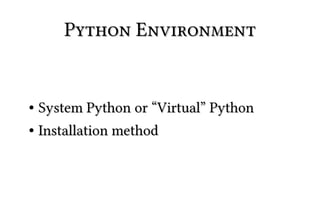
Python Environment


● System Python or “Virtual” Python
● Installation method
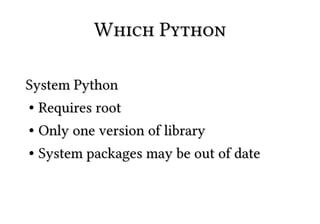
Which Python

System Python
● Requires root


● Only one version of library
● System packages may be out of date
Which Python (2)

“Virtual” Python
 ● Runs as user


● Specify version
● Sandboxed from system


●   Create multiple sandboxes
Which Python (3)


Install virtualenv
virtualenv
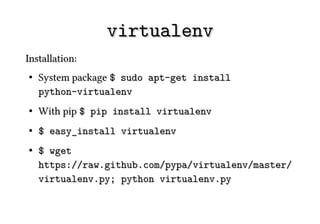
Installation:
●   System package $ sudo apt-get install
    python-virtualenv
●   With pip $ pip install virtualenv
●   $ easy_install virtualenv
●   $ wget
    https://raw.github.com/pypa/virtualenv/master/
    virtualenv.py; python virtualenv.py
virtualenv (2)


Create virtual environment:
$ virtualenv env_name
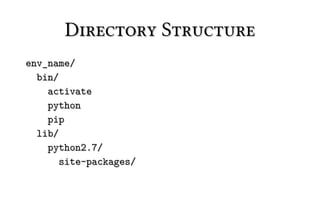
Directory Structure
env_name/
  bin/
    activate
    python
    pip
  lib/
    python2.7/
       site-packages/
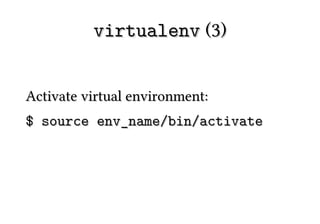
virtualenv (3)


Activate virtual environment:
$ source env_name/bin/activate
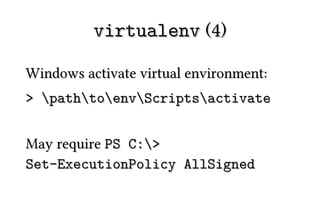
virtualenv (4)

Windows activate virtual environment:
> pathtoenvScriptsactivate


May require PS C:>
Set-ExecutionPolicy AllSigned
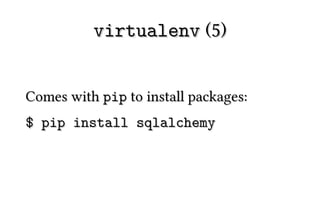
virtualenv (5)


Comes with pip to install packages:
$ pip install sqlalchemy
virtualenv (6)


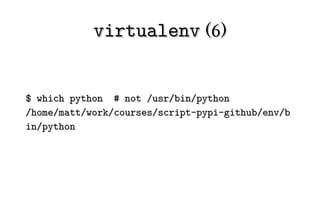
$ which python # not /usr/bin/python
/home/matt/work/courses/script-pypi-github/env/b
in/python
virtualenv (7)
>>> sys.path
['', ...,
'/home/matt/work/courses/script-py
pi-github/env/lib/python2.7/site-p
ackages']
virtualenv (8)

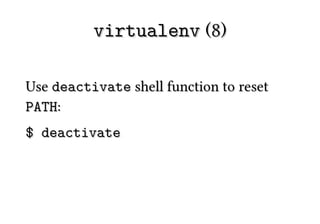
Use deactivate shell function to reset
PATH:
$ deactivate
Assignment


create virtualenv env
pip
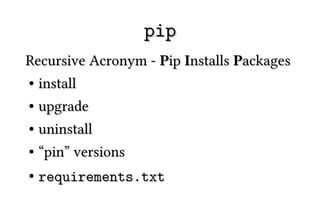
pip
Recursive Acronym - Pip Installs Packages
● install


● upgrade
● uninstall


●   “pin” versions
●   requirements.txt
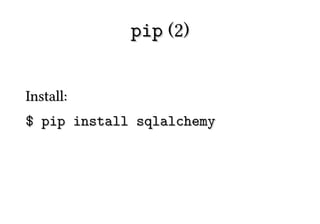
pip (2)


Install:
$ pip install sqlalchemy
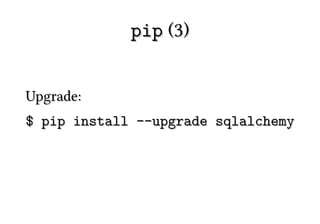
pip (3)


Upgrade:
$ pip install --upgrade sqlalchemy
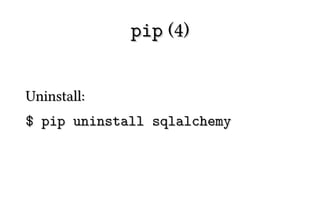
pip (4)


Uninstall:
$ pip uninstall sqlalchemy
pip (5)


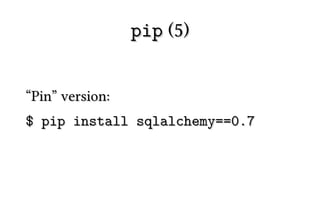
“Pin” version:
$ pip install sqlalchemy==0.7
pip (6)


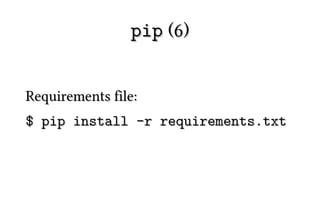
Requirements file:
$ pip install -r requirements.txt
pip (7)

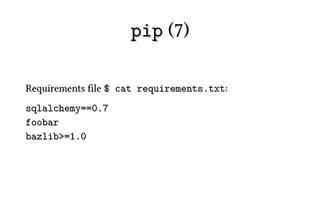
Requirements file $ cat requirements.txt:
sqlalchemy==0.7
foobar
bazlib>=1.0
pip (8)


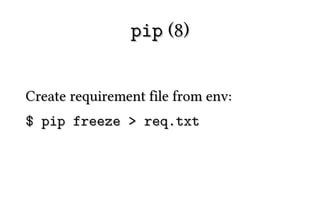
Create requirement file from env:
$ pip freeze > req.txt
pip (9)


● pip docs say to install from virtualenv
● virtualenv docs say to install from pip
pip (10)
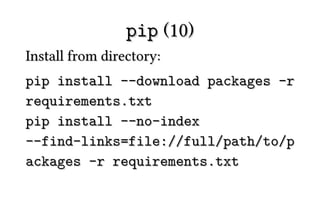
Install from directory:
pip install --download packages -r
requirements.txt
pip install --no-index
--find-links=file://full/path/to/p
ackages -r requirements.txt
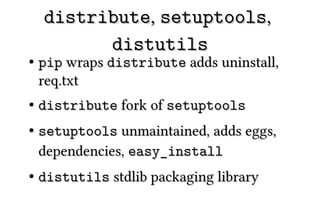
distribute, setuptools,
          distutils
●   pip wraps distribute adds uninstall,
    req.txt
●   distribute fork of setuptools
●   setuptools unmaintained, adds eggs,
    dependencies, easy_install
●   distutils stdlib packaging library
Assignment


  use pip to install
package from internet
More Layout
Better Example Layout
Project/
 .gitignore
 doc/
   Makefile
   index.rst
 README.txt
 Makefile
 bin/
   runfoo.py
 project/
   __init__.py
   other.py
   ...
 setup.py
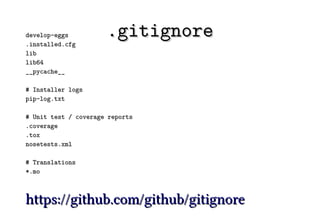
.gitignore
*.py[cod]

# C extensions
*.so

# Packages
*.egg
*.egg-info
dist
build
eggs
parts
bin
var
sdist
develop-eggs
.installed.cfg
                      .gitignore
lib
lib64
__pycache__

# Installer logs
pip-log.txt

# Unit test / coverage reports
.coverage
.tox
nosetests.xml

# Translations
*.mo


https://github.com/github/gitignore
.gitignore (2)


See blaze-core for example of C and
Docs.
https://github.com/ContinuumIO/blaze-cor
e
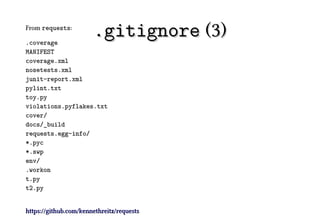
From requests:

.coverage
                       .gitignore (3)
MANIFEST
coverage.xml
nosetests.xml
junit-report.xml
pylint.txt
toy.py
violations.pyflakes.txt
cover/
docs/_build
requests.egg-info/
*.pyc
*.swp
env/
.workon
t.py
t2.py


https://github.com/kennethreitz/requests
●
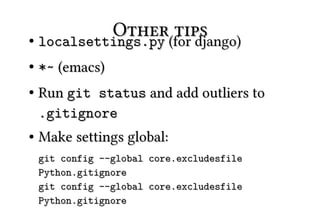
             Other(for django)
    localsettings.py
                     tips
●   *~ (emacs)
●   Run git status and add outliers to
    .gitignore
●   Make settings global:
    git config --global core.excludesfile
    Python.gitignore
    git config --global core.excludesfile
    Python.gitignore
Assignment


add (premptive)
  .gitignore
Documentation
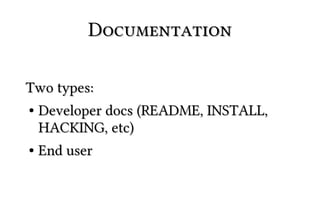
Documentation

Two types:
● Developer docs (README, INSTALL,

  HACKING, etc)
● End user
Developer

README - main entry point for project
● Brief intro
● Links/Contact


●   License
README


For github integration name it README.rst
or README.md
LICENSE


Include text of license. Templates at
http://opensource.org/licenses/index.html
Licensing
Some include dunder meta in project docstring (requests
__init__.py):
:copyright: (c) 2013 by Kenneth Reitz.
:license: Apache 2.0, see LICENSE for more
details.


(note IANAL)
Licensing (2)
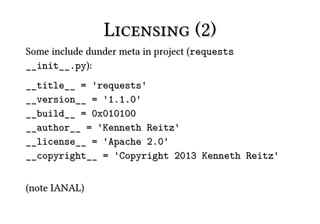
Some include dunder meta in project (requests
__init__.py):
__title__ = 'requests'
__version__ = '1.1.0'
__build__ = 0x010100
__author__ = 'Kenneth Reitz'
__license__ = 'Apache 2.0'
__copyright__ = 'Copyright 2013 Kenneth Reitz'


(note IANAL)
Other files


● AUTHORS
● HISTORY/CHANGELOG


●   TODO
Assignment


create simple README
End User Docs

Sphinx is a tool that makes it easy to create
intelligent and beautiful documentation,
written by Georg Brandl and licensed
under the BSD license.
http://sphinx-doc.org
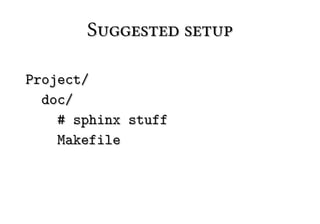
Suggested setup

Project/
  doc/
    # sphinx stuff
    Makefile
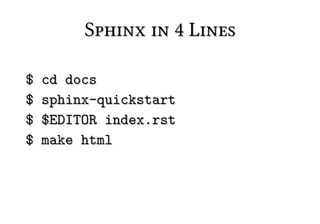
Sphinx in 4 Lines

$   cd docs
$   sphinx-quickstart
$   $EDITOR index.rst
$   make html
Assignment


write docs at a later
       time :)
Makefile
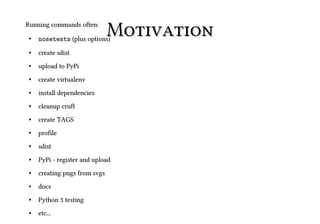
Running commands often:
 ●   nosetests (plus options)
                               Motivation
 ●   create sdist
 ●   upload to PyPi
 ●   create virtualenv
 ●   install dependencies
 ●   cleanup cruft
 ●   create TAGS
 ●   profile
 ●   sdist
 ●   PyPi - register and upload
 ●   creating pngs from svgs
 ●   docs
 ●   Python 3 testing
 ●   etc...
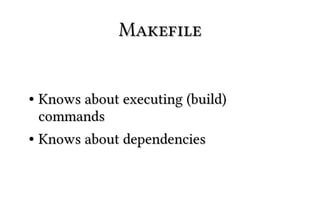
Makefile


● Knows about executing (build)
  commands
● Knows about dependencies
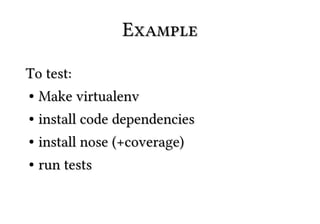
Example

To test:
● Make virtualenv


● install code dependencies
● install nose (+coverage)


●   run tests
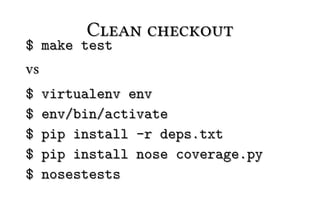
Clean checkout
$ make test
vs
$    virtualenv env
$    env/bin/activate
$    pip install -r deps.txt
$    pip install nose coverage.py
$    nosestests
Enough make
knowledge to be
   dangerous
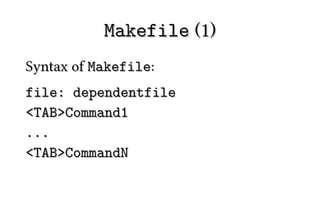
Makefile (1)
Syntax of Makefile:
file: dependentfile
<TAB>Command1
...
<TAB>CommandN
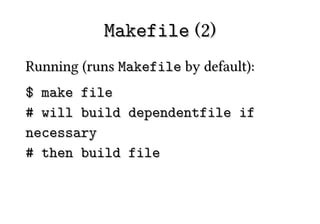
Makefile (2)
Running (runs Makefile by default):
$ make file
# will build dependentfile if
necessary
# then build file
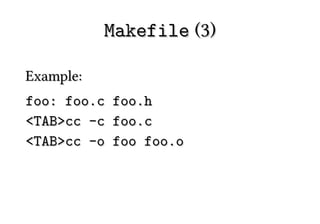
Makefile (3)

Example:
foo: foo.c   foo.h
<TAB>cc -c   foo.c
<TAB>cc -o   foo foo.o
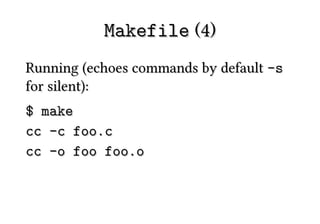
Makefile (4)
Running (echoes commands by default -s
for silent):
$ make
cc -c foo.c
cc -o foo foo.o
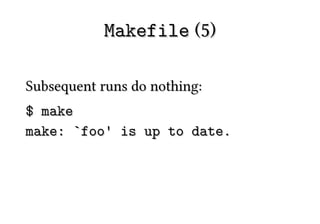
Makefile (5)

Subsequent runs do nothing:
$ make
make: `foo' is up to date.
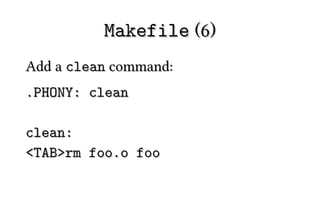
Makefile (6)
Add a clean command:
.PHONY: clean

clean:
<TAB>rm foo.o foo
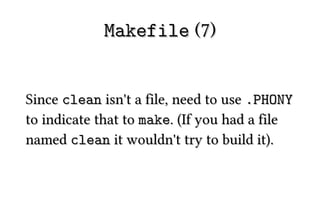
Makefile (7)


Since clean isn't a file, need to use .PHONY
to indicate that to make. (If you had a file
named clean it wouldn't try to build it).
Makefile (8)
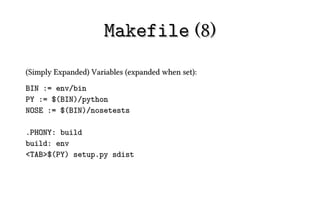
(Simply Expanded) Variables (expanded when set):
BIN := env/bin
PY := $(BIN)/python
NOSE := $(BIN)/nosetests

.PHONY: build
build: env
<TAB>$(PY) setup.py sdist
Makefile (9)
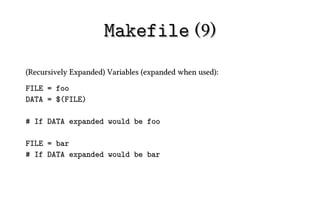
(Recursively Expanded) Variables (expanded when used):
FILE = foo
DATA = $(FILE)

# If DATA expanded would be foo

FILE = bar
# If DATA expanded would be bar
Makefile (10)

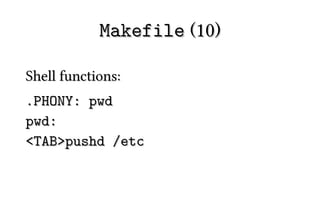
Shell functions:
.PHONY: pwd
pwd:
<TAB>pushd /etc
Makefile (11)
Invoking:
$ make pwd
pushd /etc
make: pushd: Command not found
make: *** [pwd] Error 127


(pushd is a bash function)
Makefile (12)
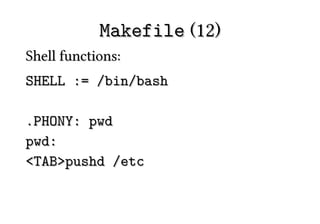
Shell functions:
SHELL := /bin/bash

.PHONY: pwd
pwd:
<TAB>pushd /etc
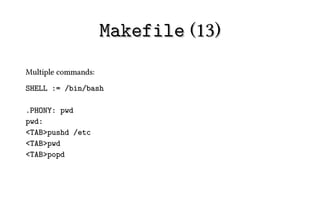
Makefile (13)
Multiple commands:
SHELL := /bin/bash

.PHONY: pwd
pwd:
<TAB>pushd /etc
<TAB>pwd
<TAB>popd
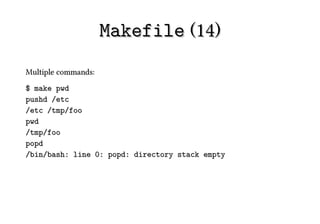
Makefile (14)
Multiple commands:
$ make pwd
pushd /etc
/etc /tmp/foo
pwd
/tmp/foo
popd
/bin/bash: line 0: popd: directory stack empty
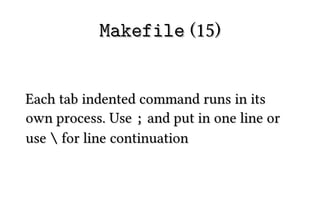
Makefile (15)


Each tab indented command runs in its
own process. Use ; and put in one line or
use  for line continuation
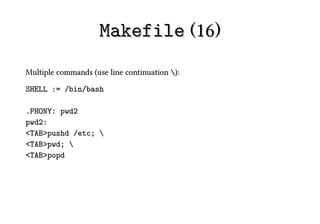
Makefile (16)
Multiple commands (use line continuation ):

SHELL := /bin/bash

.PHONY: pwd2
pwd2:
<TAB>pushd /etc; 
<TAB>pwd; 
<TAB>popd
Makefile (17)

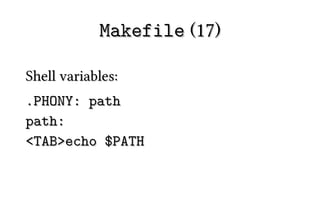
Shell variables:
.PHONY: path
path:
<TAB>echo $PATH
Makefile (18)

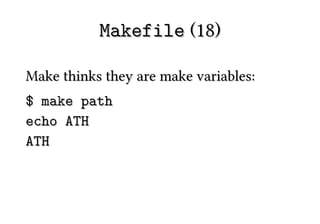
Make thinks they are make variables:
$ make path
echo ATH
ATH
Makefile (19)

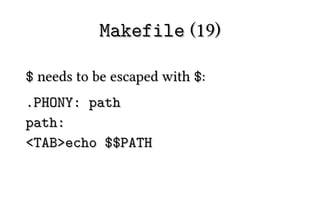
$ needs to be escaped with $:
.PHONY: path
path:
<TAB>echo $$PATH
Makefile (18)

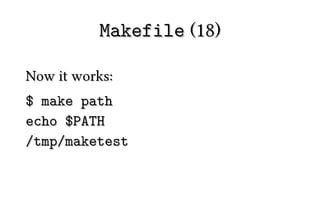
Now it works:
$ make path
echo $PATH
/tmp/maketest
Makefiles for Python
      Projects
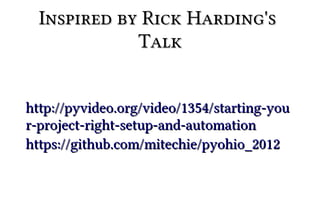
Inspired by Rick Harding's
             Talk


http://pyvideo.org/video/1354/starting-you
r-project-right-setup-and-automation
https://github.com/mitechie/pyohio_2012
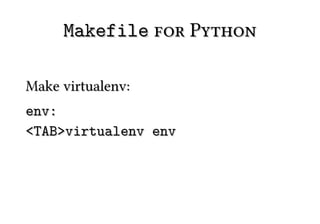
Makefile for Python

Make virtualenv:
env:
<TAB>virtualenv env
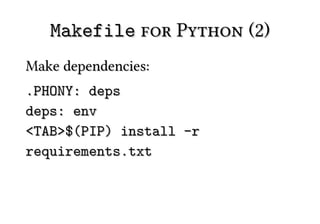
Makefile for Python (2)
Make dependencies:
.PHONY: deps
deps: env
<TAB>$(PIP) install -r
requirements.txt
Makefile for Python (3)
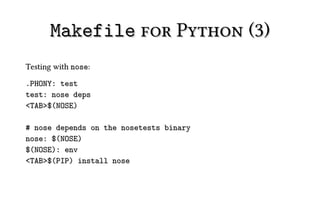
Testing with nose:

.PHONY: test
test: nose deps
<TAB>$(NOSE)

# nose depends on the nosetests binary
nose: $(NOSE)
$(NOSE): env
<TAB>$(PIP) install nose
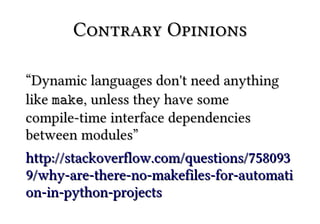
Contrary Opinions

“Dynamic languages don't need anything
like make, unless they have some
compile-time interface dependencies
between modules”
http://stackoverflow.com/questions/758093
9/why-are-there-no-makefiles-for-automati
on-in-python-projects
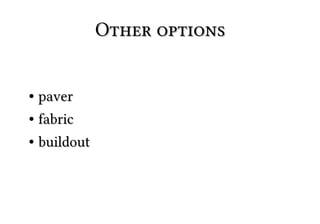
Other options


● paver
● fabric


●   buildout
Packaging
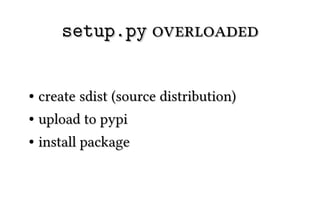
setup.py overloaded


● create sdist (source distribution)
● upload to pypi


●   install package
setup.py wart


require keyword of distutils doesn't
download reqs only documents them. Use
requirements.txt in combo with pip.
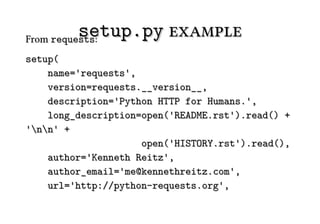
setup.py example
From requests:
setup(
    name='requests',
    version=requests.__version__,
    description='Python HTTP for Humans.',
    long_description=open('README.rst').read() +
'nn' +
                     open('HISTORY.rst').read(),
    author='Kenneth Reitz',
    author_email='me@kennethreitz.com',
    url='http://python-requests.org',
setup.py example (2)
packages=packages,
package_data={'': ['LICENSE', 'NOTICE'],
'requests': ['*.pem']},
package_dir={'requests': 'requests'},
include_package_data=True,
install_requires=requires,
license=open('LICENSE').read(),
zip_safe=False,
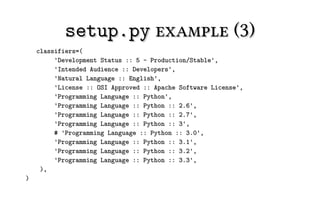
setup.py example (3)
    classifiers=(
         'Development Status :: 5 - Production/Stable',
         'Intended Audience :: Developers',
         'Natural Language :: English',
         'License :: OSI Approved :: Apache Software License',
         'Programming Language :: Python',
         'Programming Language :: Python :: 2.6',
         'Programming Language :: Python :: 2.7',
         'Programming Language :: Python :: 3',
         # 'Programming Language :: Python :: 3.0',
         'Programming Language :: Python :: 3.1',
         'Programming Language :: Python :: 3.2',
         'Programming Language :: Python :: 3.3',
     ),
)
setup.py modules


If project consists of a few modules this
may be easiest
setup.py packages


Need to explicitly list all packages, not just
root
setup.py scripts


Add executable Python files here
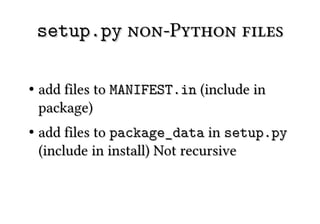
setup.py non-Python files

●   add files to MANIFEST.in (include in
    package)
●   add files to package_data in setup.py
    (include in install) Not recursive
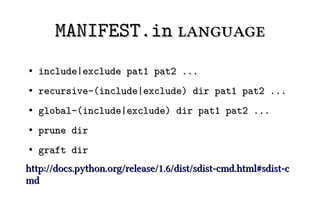
MANIFEST.in language
●   include|exclude pat1 pat2 ...
●   recursive-(include|exclude) dir pat1 pat2 ...
●   global-(include|exclude) dir pat1 pat2 ...
●   prune dir
●   graft dir
http://docs.python.org/release/1.6/dist/sdist-cmd.html#sdist-c
md
setup.py classifiers


Almost 600 different classifiers.
Not used by pip to enforce versions. For UI
only
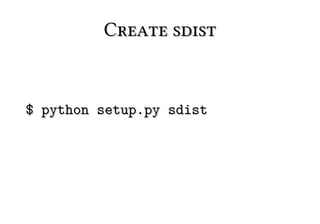
Create sdist


$ python setup.py sdist
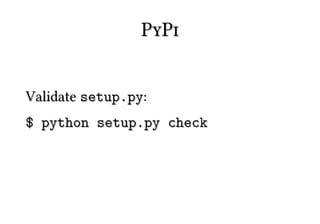
PyPi


Validate setup.py:
$ python setup.py check
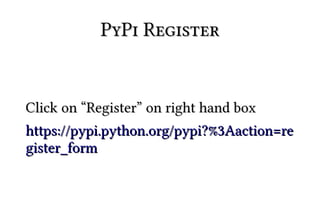
PyPi Register


Click on “Register” on right hand box
https://pypi.python.org/pypi?%3Aaction=re
gister_form
PyPi Upload


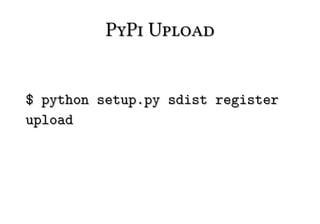
$ python setup.py sdist register
upload
PyPi Upload (2)
$ python setup.py sdist register upload
...
Creating tar archive
removing 'rst2odp-0.2.4' (and everything under it)
running register
running check
We need to know who you are, so please choose either:
  1. use your existing login,
  2. register as a new user,
  3. have the server generate a new password for you (and email it to you),
or
  4. quit
Your selection [default 1]:
1
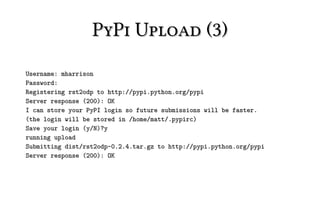
PyPi Upload (3)
Username: mharrison
Password:
Registering rst2odp to http://pypi.python.org/pypi
Server response (200): OK
I can store your PyPI login so future submissions will be faster.
(the login will be stored in /home/matt/.pypirc)
Save your login (y/N)?y
running upload
Submitting dist/rst2odp-0.2.4.tar.gz to http://pypi.python.org/pypi
Server response (200): OK
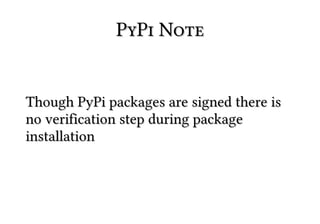
PyPi Note


Though PyPi packages are signed there is
no verification step during package
installation
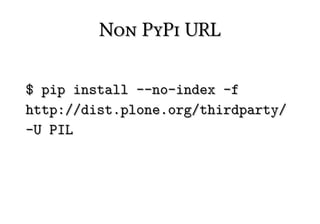
Non PyPi URL

$ pip install --no-index -f
http://dist.plone.org/thirdparty/
-U PIL
Personal PyPi


https://github.com/benliles/djangopypi
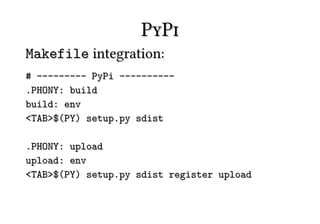
PyPi
Makefile integration:
# --------- PyPi ----------
.PHONY: build
build: env
<TAB>$(PY) setup.py sdist

.PHONY: upload
upload: env
<TAB>$(PY) setup.py sdist register upload
Testing
Testing


Add tests to your project
Testing (2)


●   use doctest or unittest
Testing (3)
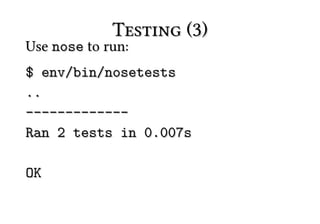
Use nose to run:
$ env/bin/nosetests
..
-------------
Ran 2 tests in 0.007s

OK
Testing (4)
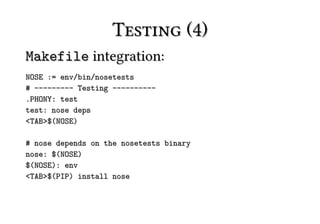
Makefile integration:
NOSE := env/bin/nosetests
# --------- Testing ----------
.PHONY: test
test: nose deps
<TAB>$(NOSE)

# nose depends on the nosetests binary
nose: $(NOSE)
$(NOSE): env
<TAB>$(PIP) install nose
Github
Github


Just a satisfied user
Why Github?


Not bazaar nor mercurial
Why Github? (2)


Code is a first class object
Github


Don't check in keys/passwords!
http://ejohn.org/blog/keeping-passwords-i
n-source-control/#postcomment
A Branching Strategy


http://github.com/nvie/gitflow
Travis CI
Travis CI


CI (continuous integration) for Github
Travis CI (2)


Illustrates power of (web) hooks
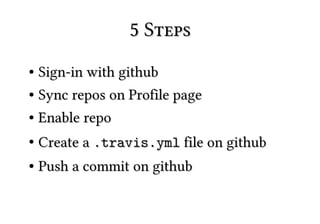
5 Steps
● Sign-in with github
● Sync repos on Profile page


●   Enable repo
●   Create a .travis.yml file on github
●   Push a commit on github
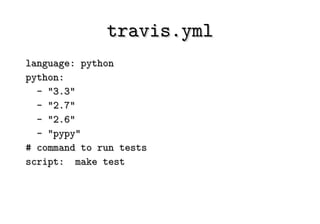
travis.yml
language: python
python:
  - "3.3"
  - "2.7"
  - "2.6"
  - "pypy"
# command to run tests
script: make test
More Info


http://about.travis-ci.org/
Poachplate
poachplate


Example of most of what we have talked
about today
https://github.com/mattharrison/poachplat
e
That's all


Questions? Tweet or email me
                   matthewharrison@gmail.com
                              @__mharrison__
                           http://hairysun.com

PyCon 2013 : Scripting to PyPi to GitHub and More