Download as PDF, PPTX
![Mutable
>>> b = []
>>> id(b)
140675605442000
>>> b.append(3)
>>> b
[3]
>>> id(b)
140675605442000
# SAME!](https://image.slidesharecdn.com/90-131104080125-phpapp02/85/Learn-90-of-Python-in-90-Minutes-25-320.jpg)
![dir
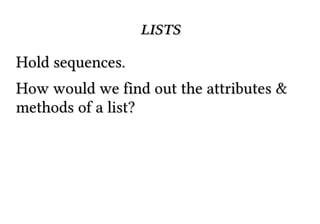
Lists attributes and methods:
>>> dir("a string")
['__add__', '__class__', ... 'startswith',
'swapcase', 'title', 'translate', 'upper',
'strip',
'zfill']](https://image.slidesharecdn.com/90-131104080125-phpapp02/85/Learn-90-of-Python-in-90-Minutes-43-320.jpg)
![help
>>> help("a string".startswith)
Help on built-in function startswith:
startswith(...)
S.startswith(prefix[, start[, end]]) -> bool
Return True if S starts with the specified prefix, False
otherwise.
With optional start, test S beginning at that position.
With optional end, stop comparing S at that position.
prefix can also be a tuple of strings to try.](https://image.slidesharecdn.com/90-131104080125-phpapp02/85/Learn-90-of-Python-in-90-Minutes-46-320.jpg)
![lists
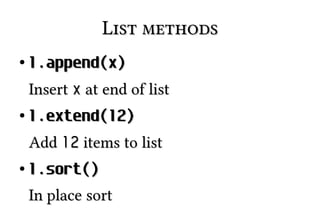
>>> dir([])
['__add__', '__class__', '__contains__',...
'__iter__',... '__len__',... , 'append', 'count',
'extend', 'index', 'insert', 'pop', 'remove',
'reverse', 'sort']](https://image.slidesharecdn.com/90-131104080125-phpapp02/85/Learn-90-of-Python-in-90-Minutes-57-320.jpg)
![lists
>>>
>>>
>>>
>>>
>>>
>>>
[1,
a = []
a.append(4)
a.append('hello')
a.append(1)
a.sort() # in place
print a
4, 'hello']](https://image.slidesharecdn.com/90-131104080125-phpapp02/85/Learn-90-of-Python-in-90-Minutes-58-320.jpg)
![lists
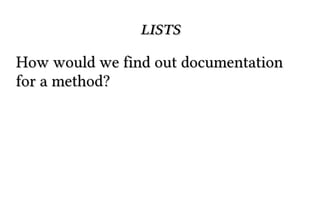
help function:
>>> help([].append)
Help on built-in function append:
append(...)
L.append(object) -- append object to end](https://image.slidesharecdn.com/90-131104080125-phpapp02/85/Learn-90-of-Python-in-90-Minutes-60-320.jpg)
![dictionaries
Also called hashmap or associative array
elsewhere
>>>
>>>
>>>
>>>
>>>
10
age = {}
age['george'] = 10
age['fred'] = 12
age['henry'] = 10
print age['george']](https://image.slidesharecdn.com/90-131104080125-phpapp02/85/Learn-90-of-Python-in-90-Minutes-64-320.jpg)
![.get
>>> print age['charles']
Traceback (most recent call last):
File "<stdin>", line 1, in <module>
KeyError: 'charles'
>>> print age.get('charles', 'Not found')
Not found](https://image.slidesharecdn.com/90-131104080125-phpapp02/85/Learn-90-of-Python-in-90-Minutes-67-320.jpg)
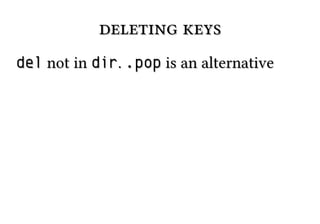
![deleting keys
Removing 'charles' from age
>>> del age['charles']](https://image.slidesharecdn.com/90-131104080125-phpapp02/85/Learn-90-of-Python-in-90-Minutes-68-320.jpg)



![iteration
for number in [1,2,3,4,5,6]:
print number
for number in range(1, 7):
print number](https://image.slidesharecdn.com/90-131104080125-phpapp02/85/Learn-90-of-Python-in-90-Minutes-88-320.jpg)

![iteration (2)
Java/C-esque style of object in array
access (BAD):
animals = ["cat", "dog", "bird"]
for index in range(len(animals)):
print index, animals[index]](https://image.slidesharecdn.com/90-131104080125-phpapp02/85/Learn-90-of-Python-in-90-Minutes-90-320.jpg)
![iteration (3)
If you need indices, use enumerate
animals = ["cat", "dog", "bird"]
for index, value in enumerate(animals):
print index, value](https://image.slidesharecdn.com/90-131104080125-phpapp02/85/Learn-90-of-Python-in-90-Minutes-91-320.jpg)
![Slicing
Sequences (lists, tuples, strings, etc) can
be sliced to pull out a single item
my_pets = ["dog", "cat", "bird"]
favorite = my_pets[0]
bird = my_pets[-1]](https://image.slidesharecdn.com/90-131104080125-phpapp02/85/Learn-90-of-Python-in-90-Minutes-98-320.jpg)
![Negative Indexing
Proper way to think of [negative
indexing] is to reinterpret a[-X] as
a[len(a)-X]
@gvanrossum](https://image.slidesharecdn.com/90-131104080125-phpapp02/85/Learn-90-of-Python-in-90-Minutes-99-320.jpg)
![Slicing (2)
Slices can take an end index, to pull out a
list of items
my_pets = ["dog", "cat", "bird"]
# a list
cat_and_dog = my_pets[0:2]
cat_and_dog2 = my_pets[:2]
cat_and_bird = my_pets[1:3]
cat_and_bird2 = my_pets[1:]](https://image.slidesharecdn.com/90-131104080125-phpapp02/85/Learn-90-of-Python-in-90-Minutes-100-320.jpg)
![Slicing (3)
Slices can take a stride
my_pets = ["dog", "cat", "bird"]
# a list
dog_and_bird = [0:3:2]
zero_three_etc = range(0,10)
[::3]](https://image.slidesharecdn.com/90-131104080125-phpapp02/85/Learn-90-of-Python-in-90-Minutes-101-320.jpg)
![Slicing (4)
Just to beat it in
veg = "tomatoe"
correct = veg[:-1]
tmte = veg[::2]
eotamot = veg[::-1]](https://image.slidesharecdn.com/90-131104080125-phpapp02/85/Learn-90-of-Python-in-90-Minutes-102-320.jpg)


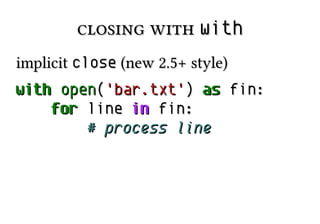
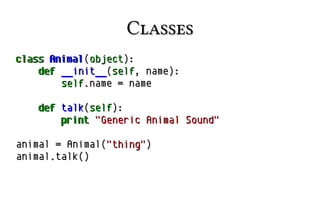
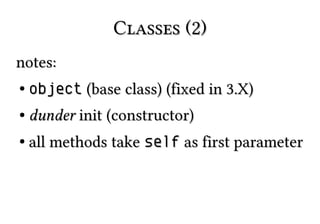

The document provides a comprehensive introduction to Python programming, covering fundamentals such as syntax, data types, control flow, and functions, while emphasizing hands-on learning and practical examples. It touches on object-oriented concepts, file handling, and debugging techniques, guiding readers through various aspects of the language in a clear format. The author encourages readers to explore further through additional resources, particularly referencing a book titled 'Treading on Python Volume 1'.


