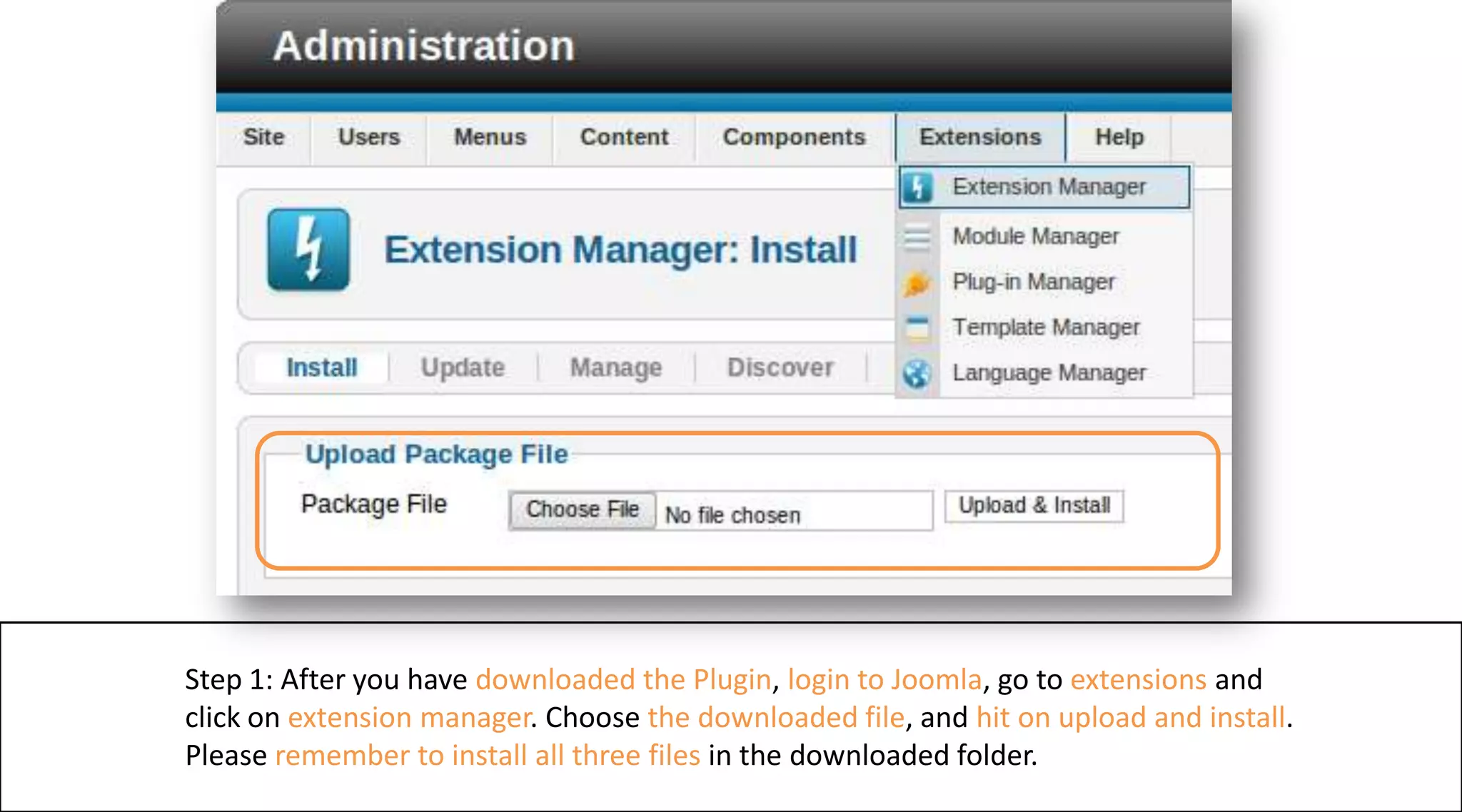
Step 1: After you have downloaded the Plugin, login to Joomla, go to extensions and click on extension manager. Choose the downloaded file, and hiton upload and install.Please remember to install all three files in the downloaded folder.
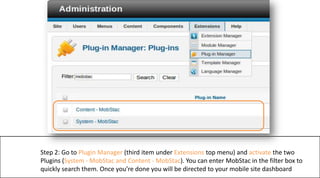
Step 2: Go to Plugin Manager (third item under Extensions top menu) and activate the two Plugins (System - MobStac and Content - MobStac). You can enter MobStac in the filter box to quickly search them. Once you’re done you will be directed to your mobile site dashboard

Screenshotsfor Joomla

  • 1.
    Step 1: Afteryou have downloaded the Plugin, login to Joomla, go to extensions and click on extension manager. Choose the downloaded file, and hiton upload and install.Please remember to install all three files in the downloaded folder.
  • 2.
    Step 2: Goto Plugin Manager (third item under Extensions top menu) and activate the two Plugins (System - MobStac and Content - MobStac). You can enter MobStac in the filter box to quickly search them. Once you’re done you will be directed to your mobile site dashboard