Screen Sharing on Raspberry Pi 5 Using VNC in
Weston and Wayland with the Yocto Project and
OpenEmbedded
Leon Anavi
Konsulko Group
leon.anavi@konsulko.com
leon@anavi.org
FOSDEM 2024
FOSDEM 2024, Leon Anavi
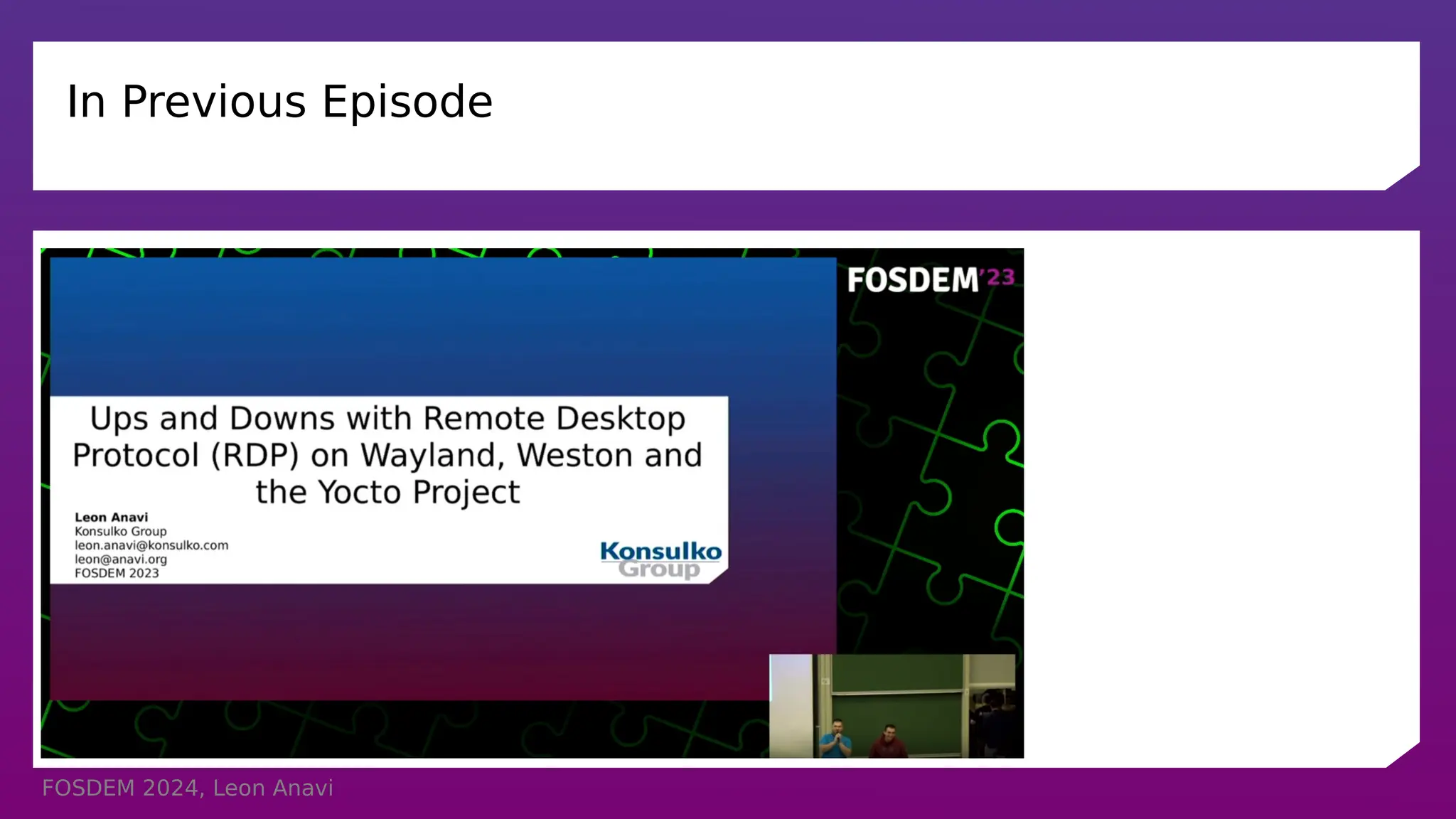
In Previous Episode
FOSDEM 2024, Leon Anavi
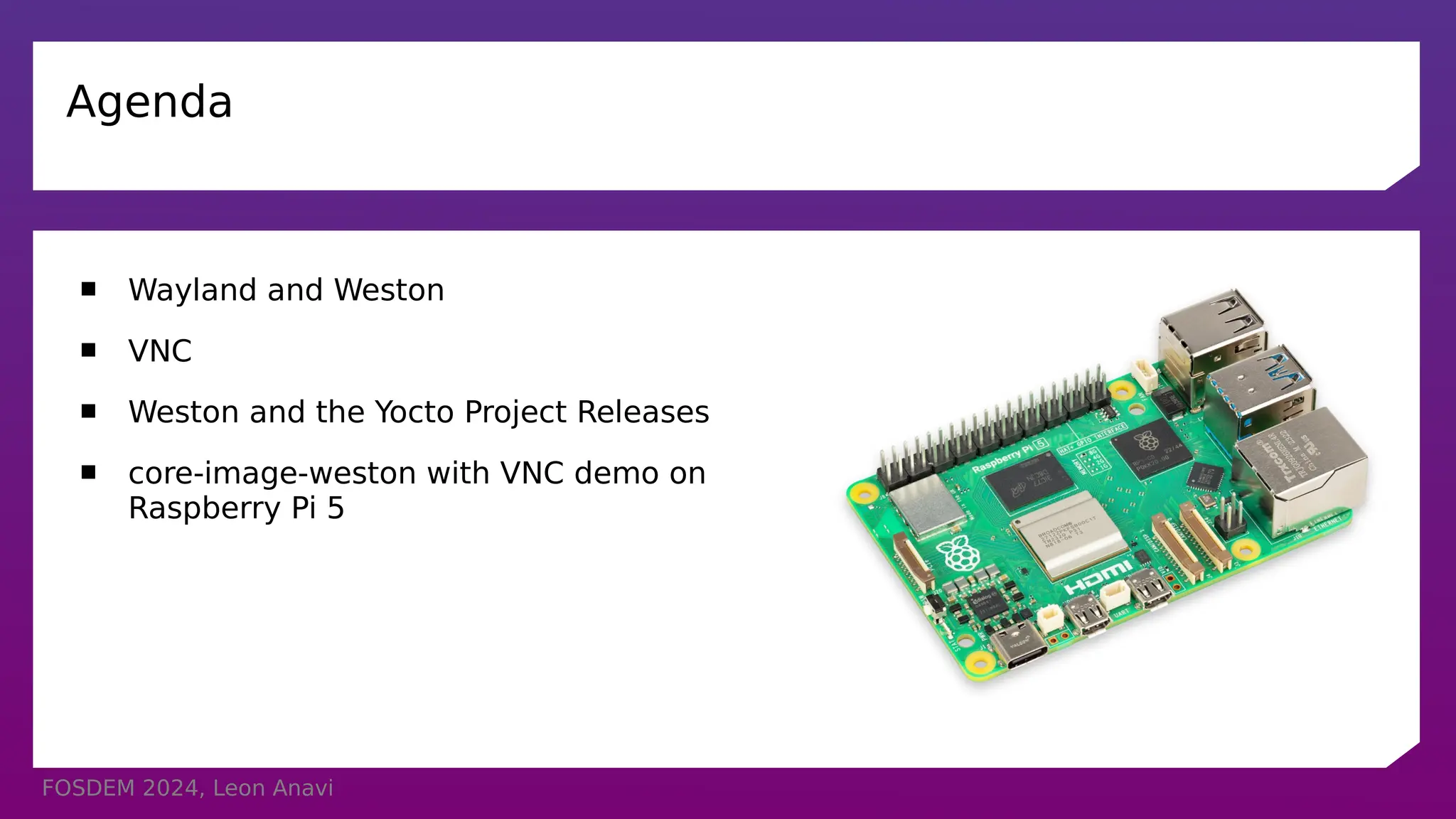
Agenda
 Wayland and Weston
 VNC
 Weston and the Yocto Project Releases
 core-image-weston with VNC demo on
Raspberry Pi 5
FOSDEM 2024, Leon Anavi
Wayland & Weston
 Wayland is a display protocol that specifies the communication between a display
server and its clients
 Started in 2008 with the aim to replace the X Window System in GNU/Linux and
Unix-based distributions
 Security by design through isolation of the input and output of every window
 Weston is the reference Wayland compositor, there are many other compositors
 Weston 13.0 was released on November 27, 2023
FOSDEM 2024, Leon Anavi
Remote Desktop Options in Weston and Wayland
 Remote Desktop Protocol (RDP)
 Virtual Network Computing (VNC)
FOSDEM 2024, Leon Anavi
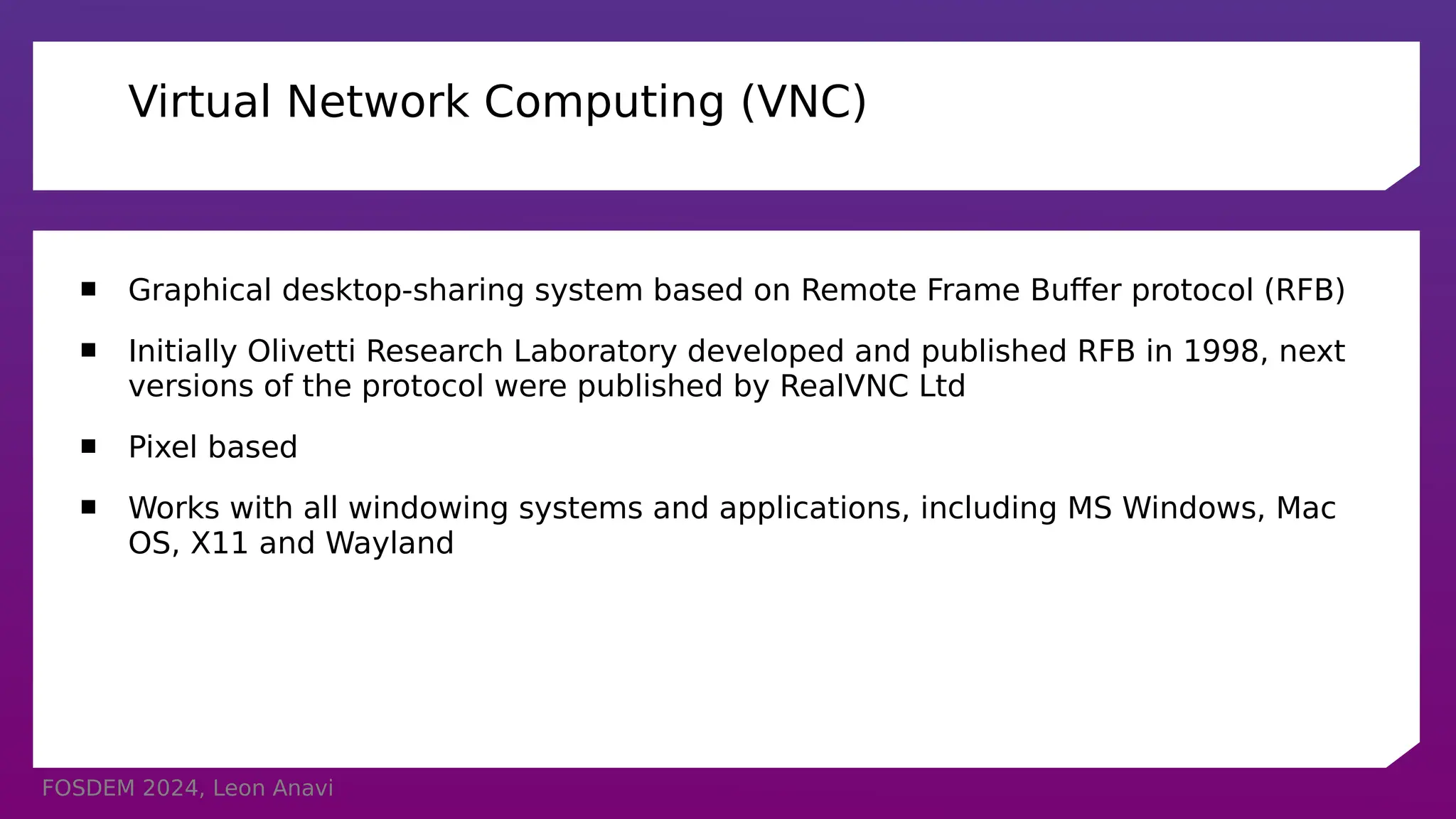
Virtual Network Computing (VNC)
 Graphical desktop-sharing system based on Remote Frame Buffer protocol (RFB)
 Initially Olivetti Research Laboratory developed and published RFB in 1998, next
versions of the protocol were published by RealVNC Ltd
 Pixel based
 Works with all windowing systems and applications, including MS Windows, Mac
OS, X11 and Wayland
FOSDEM 2024, Leon Anavi
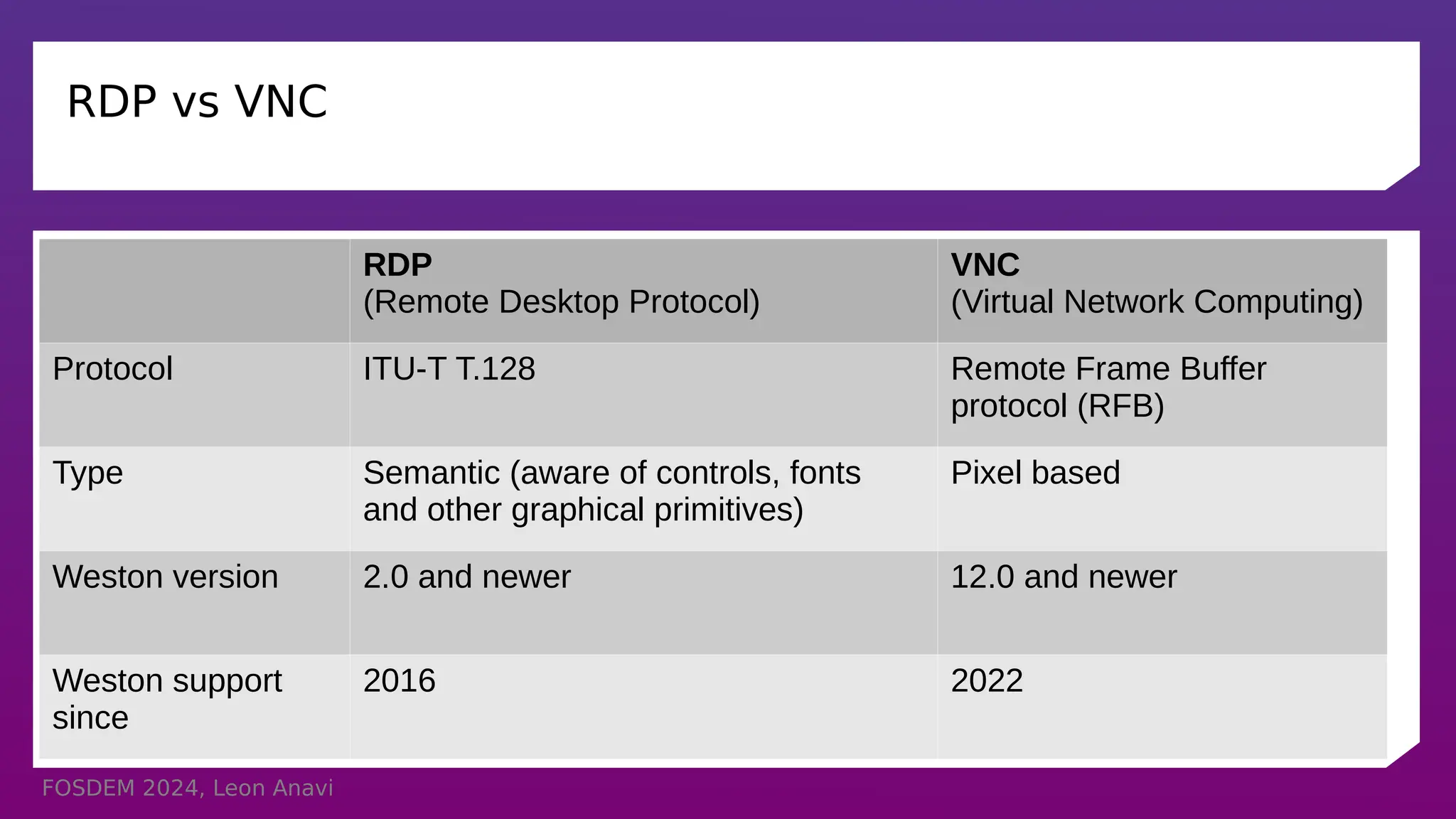
RDP vs VNC
RDP
(Remote Desktop Protocol)
VNC
(Virtual Network Computing)
Protocol ITU-T T.128 Remote Frame Buffer
protocol (RFB)
Type Semantic (aware of controls, fonts
and other graphical primitives)
Pixel based
Weston version 2.0 and newer 12.0 and newer
Weston support
since
2016 2022
FOSDEM 2024, Leon Anavi
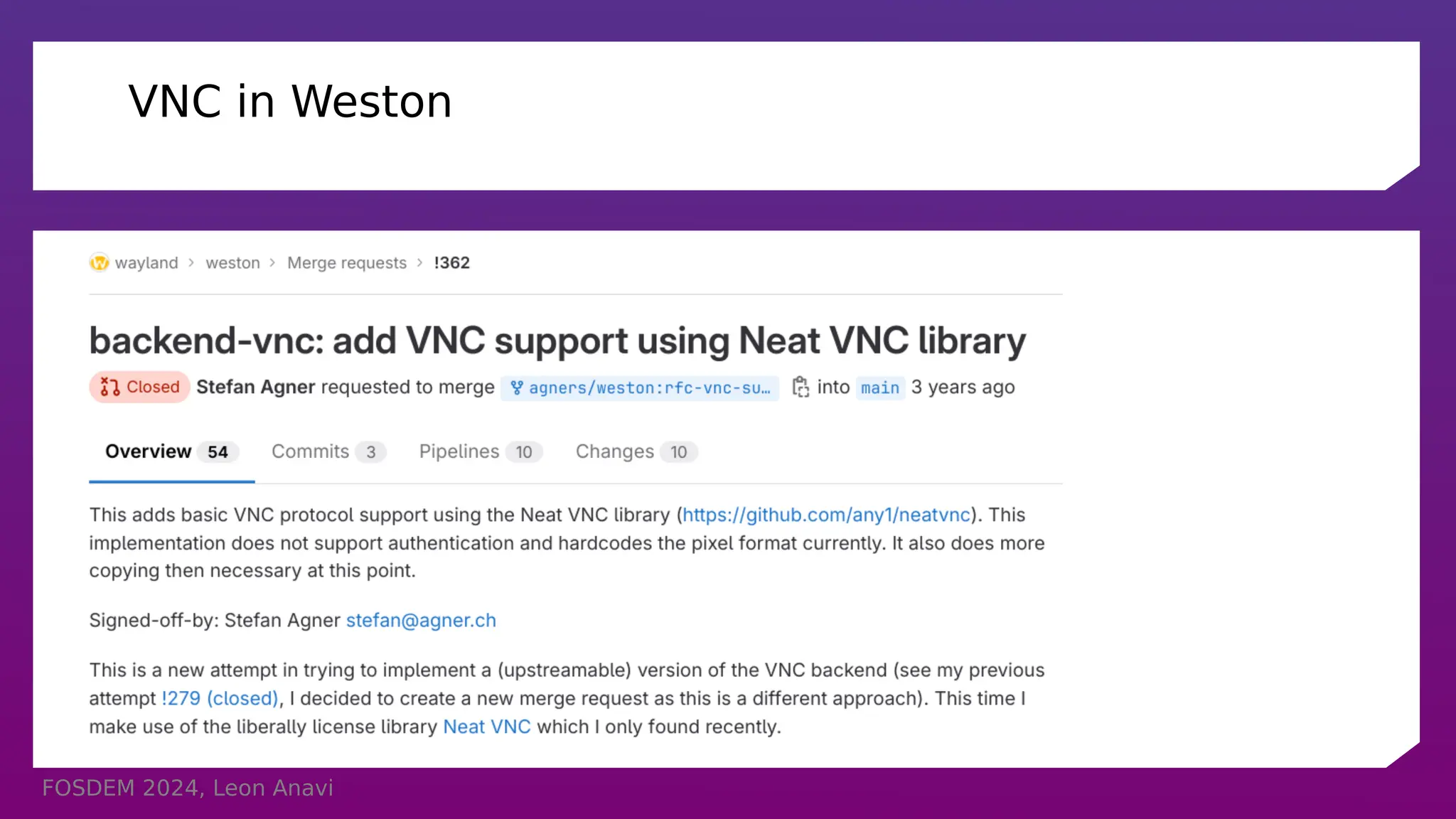
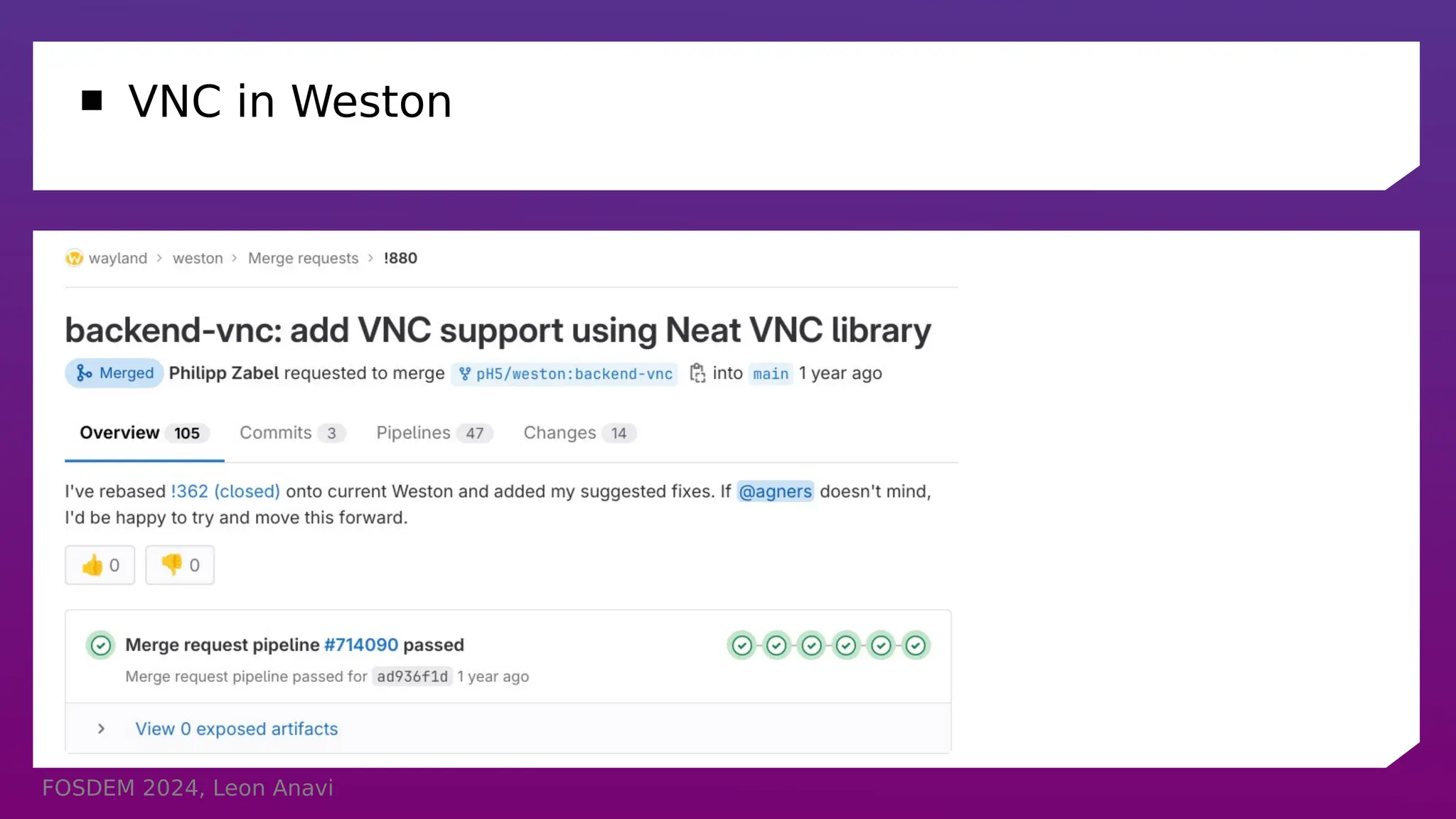
VNC in Weston
FOSDEM 2024, Leon Anavi
 VNC in Weston
FOSDEM 2024, Leon Anavi
VNC in Weston
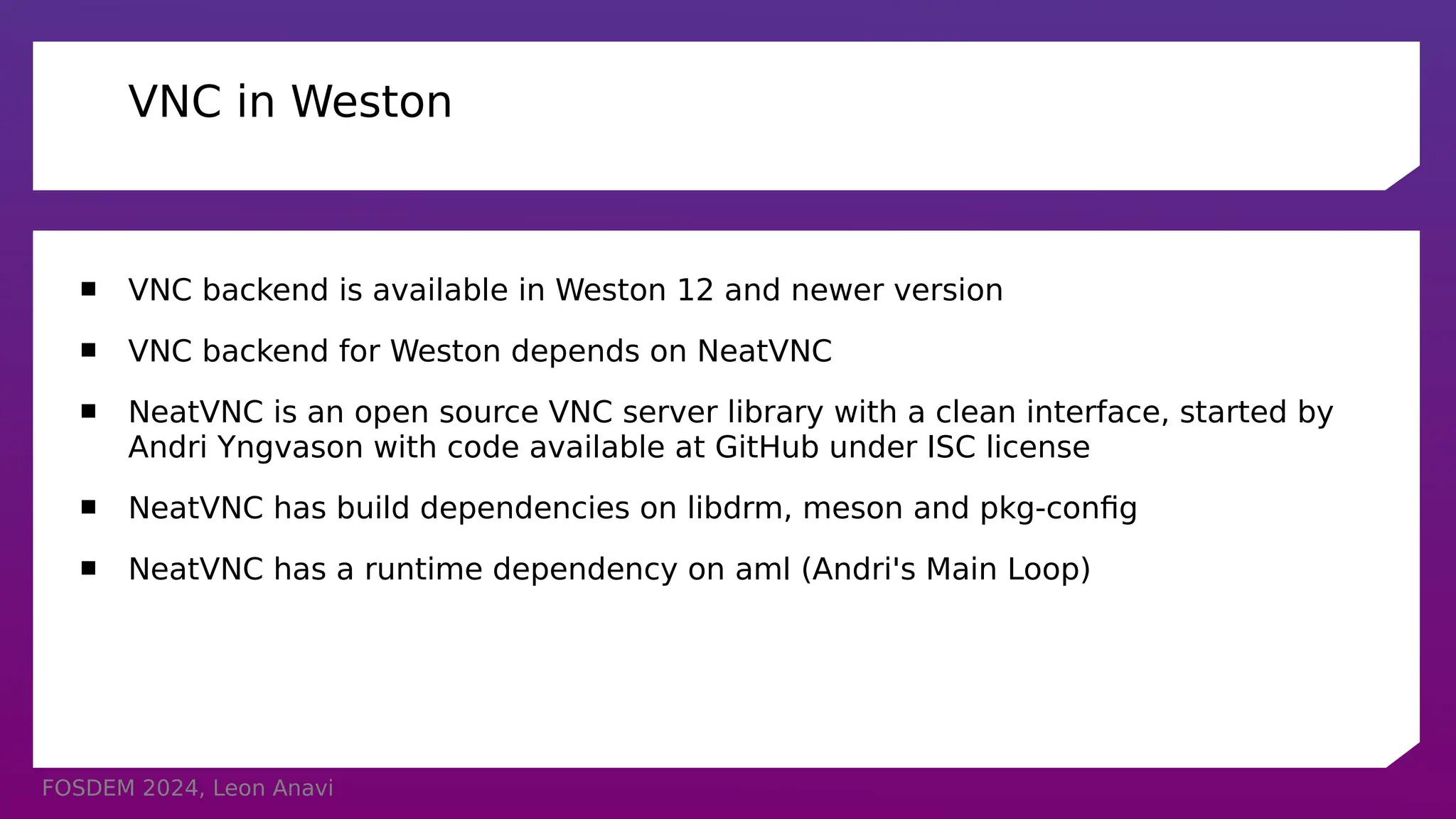
 VNC backend is available in Weston 12 and newer version
 VNC backend for Weston depends on NeatVNC
 NeatVNC is an open source VNC server library with a clean interface, started by
Andri Yngvason with code available at GitHub under ISC license
 NeatVNC has build dependencies on libdrm, meson and pkg-config
 NeatVNC has a runtime dependency on aml (Andri's Main Loop)
FOSDEM 2024, Leon Anavi
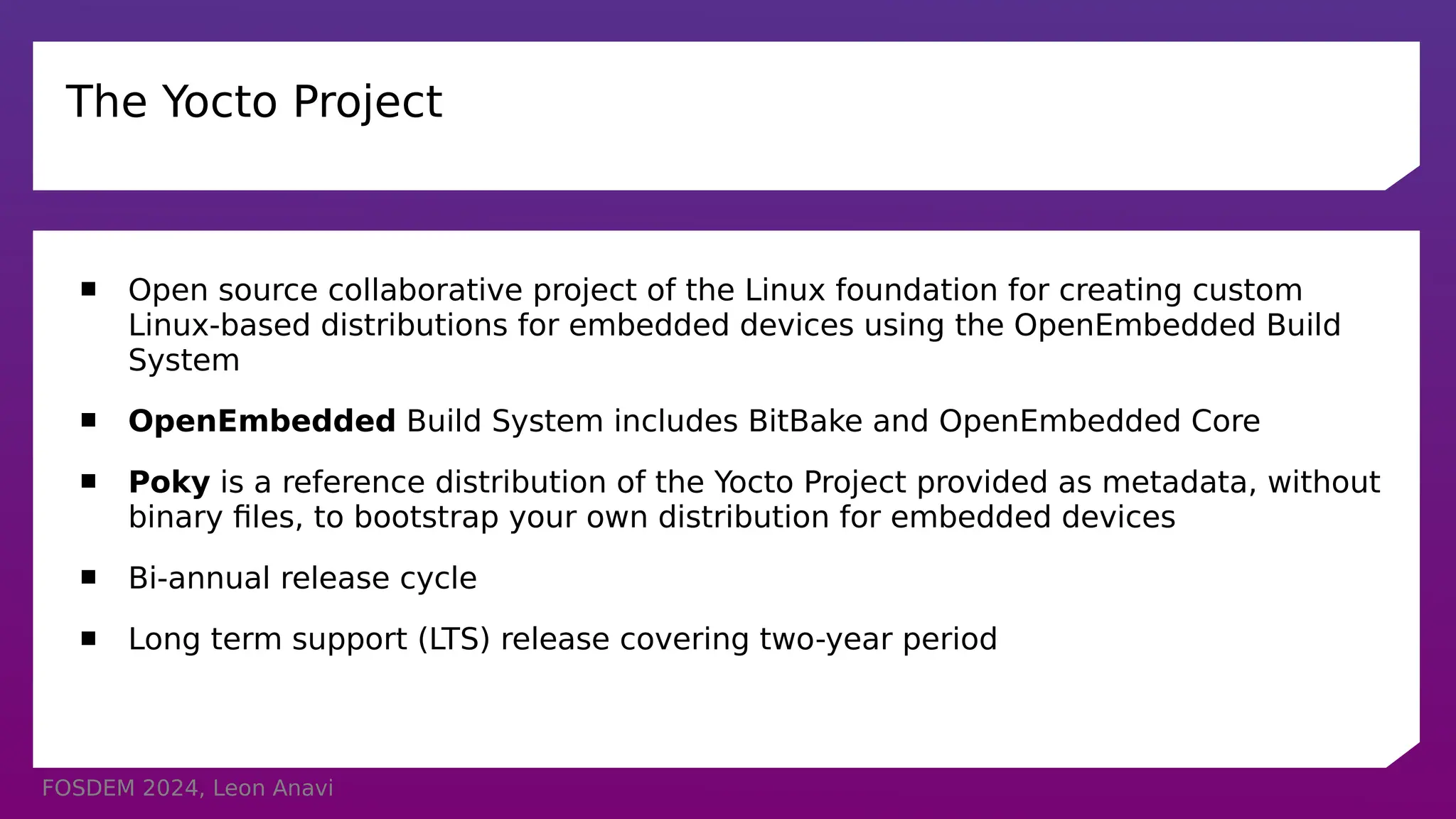
The Yocto Project
 Open source collaborative project of the Linux foundation for creating custom
Linux-based distributions for embedded devices using the OpenEmbedded Build
System
 OpenEmbedded Build System includes BitBake and OpenEmbedded Core
 Poky is a reference distribution of the Yocto Project provided as metadata, without
binary files, to bootstrap your own distribution for embedded devices
 Bi-annual release cycle
 Long term support (LTS) release covering two-year period
FOSDEM 2024, Leon Anavi
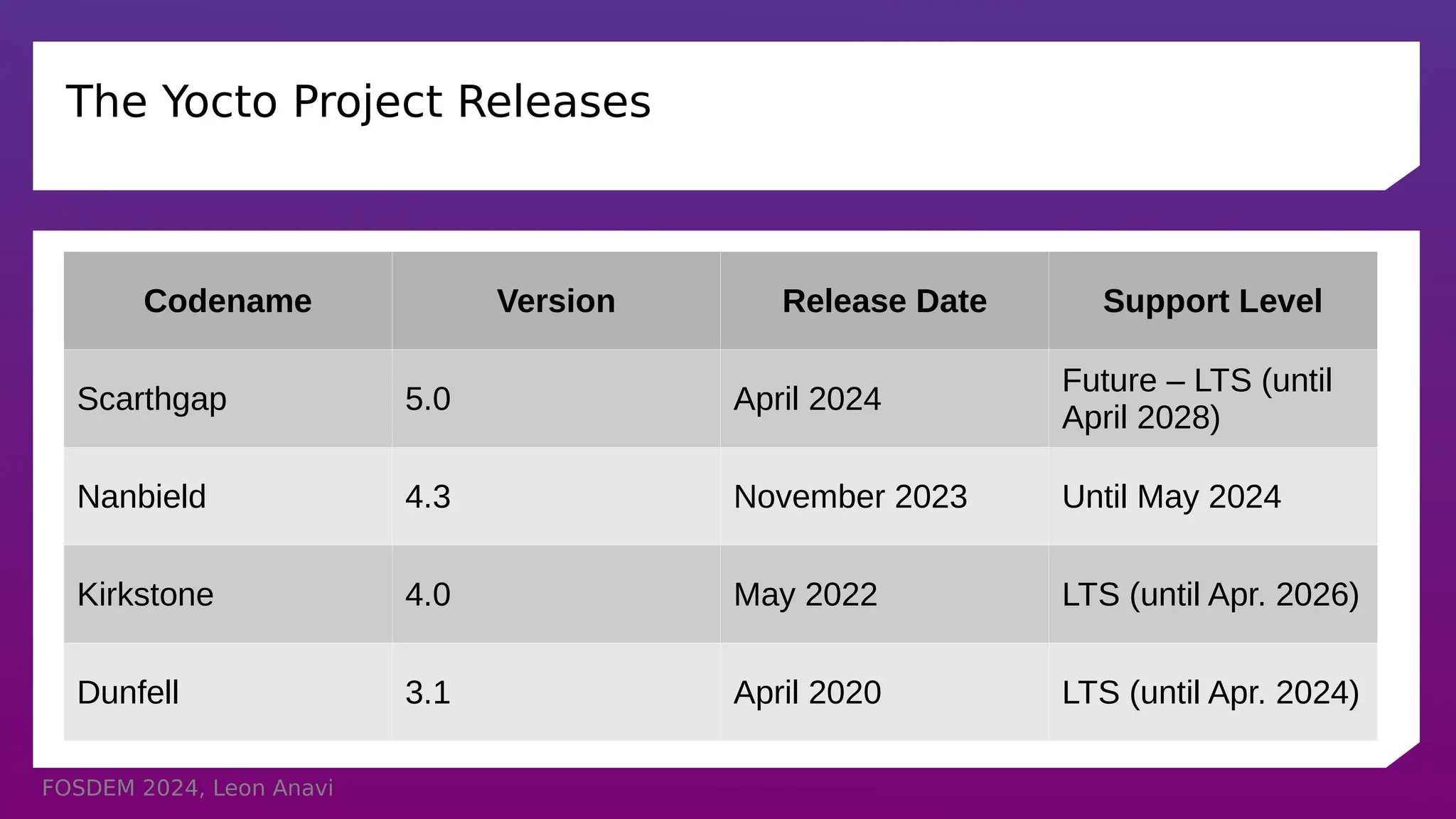
The Yocto Project Releases
Codename Version Release Date Support Level
Scarthgap 5.0 April 2024
Future – LTS (until
April 2028)
Nanbield 4.3 November 2023 Until May 2024
Kirkstone 4.0 May 2022 LTS (until Apr. 2026)
Dunfell 3.1 April 2020 LTS (until Apr. 2024)
FOSDEM 2024, Leon Anavi
Wayland and Weston in Yocto and OpenEmbedded
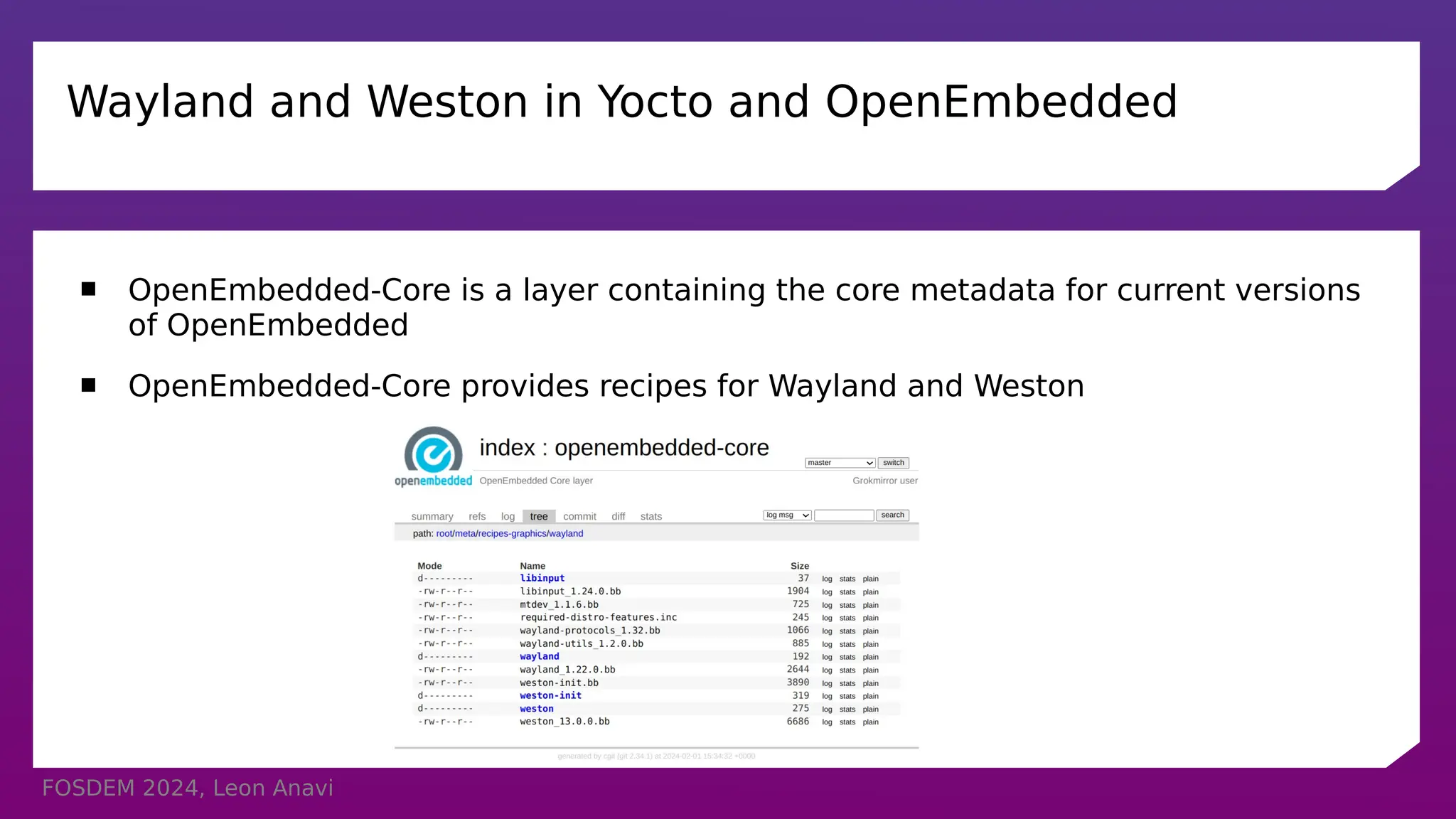
 OpenEmbedded-Core is a layer containing the core metadata for current versions
of OpenEmbedded
 OpenEmbedded-Core provides recipes for Wayland and Weston
FOSDEM 2024, Leon Anavi
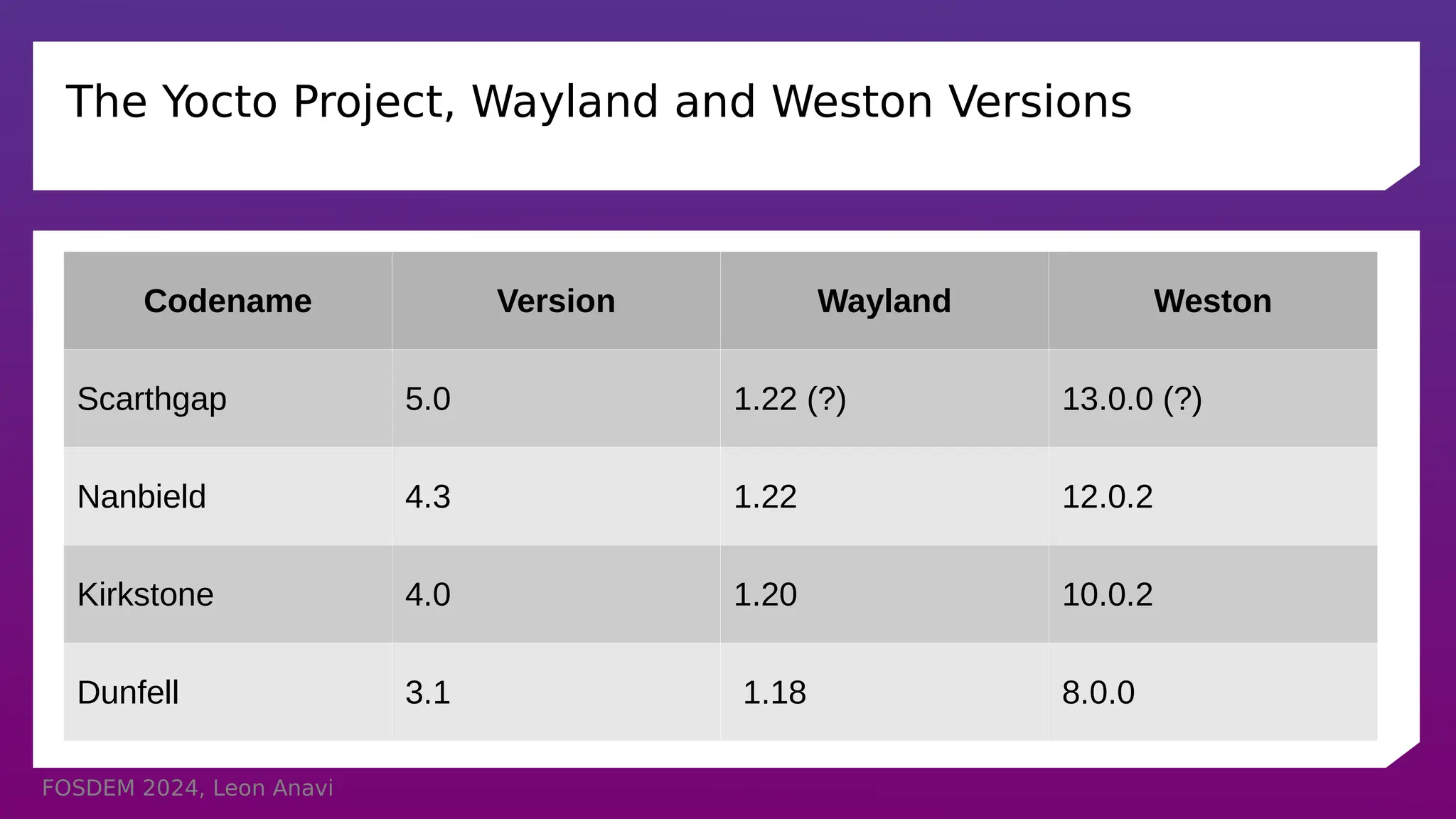
The Yocto Project, Wayland and Weston Versions
Codename Version Wayland Weston
Scarthgap 5.0 1.22 (?) 13.0.0 (?)
Nanbield 4.3 1.22 12.0.2
Kirkstone 4.0 1.20 10.0.2
Dunfell 3.1 1.18 8.0.0
FOSDEM 2024, Leon Anavi
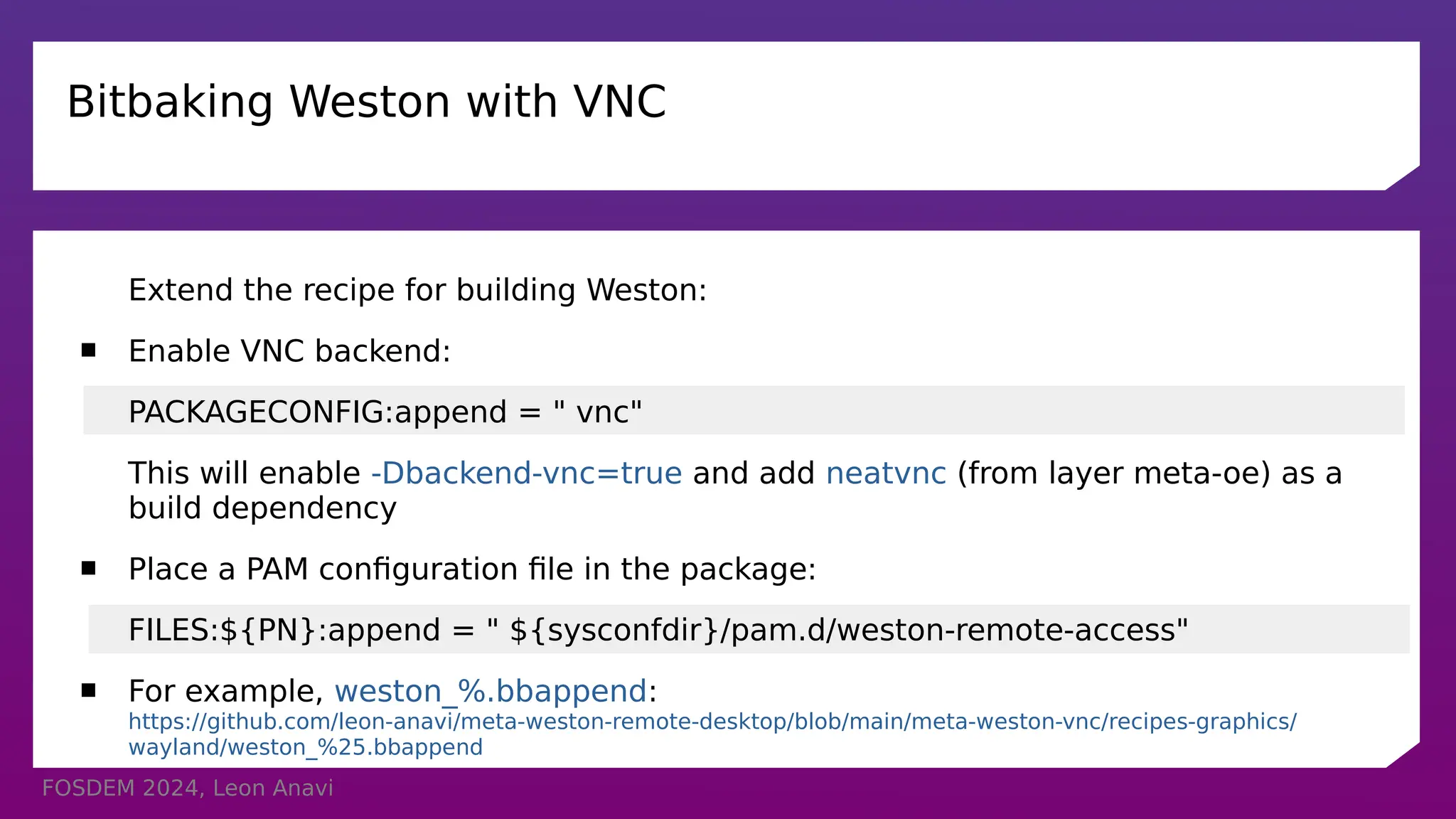
Bitbaking Weston with VNC
Extend the recipe for building Weston:
 Enable VNC backend:
PACKAGECONFIG:append = " vnc"
This will enable -Dbackend-vnc=true and add neatvnc (from layer meta-oe) as a
build dependency
 Place a PAM configuration file in the package:
FILES:${PN}:append = " ${sysconfdir}/pam.d/weston-remote-access"
 For example, weston_%.bbappend:
https://github.com/leon-anavi/meta-weston-remote-desktop/blob/main/meta-weston-vnc/recipes-graphics/
wayland/weston_%25.bbappend
FOSDEM 2024, Leon Anavi
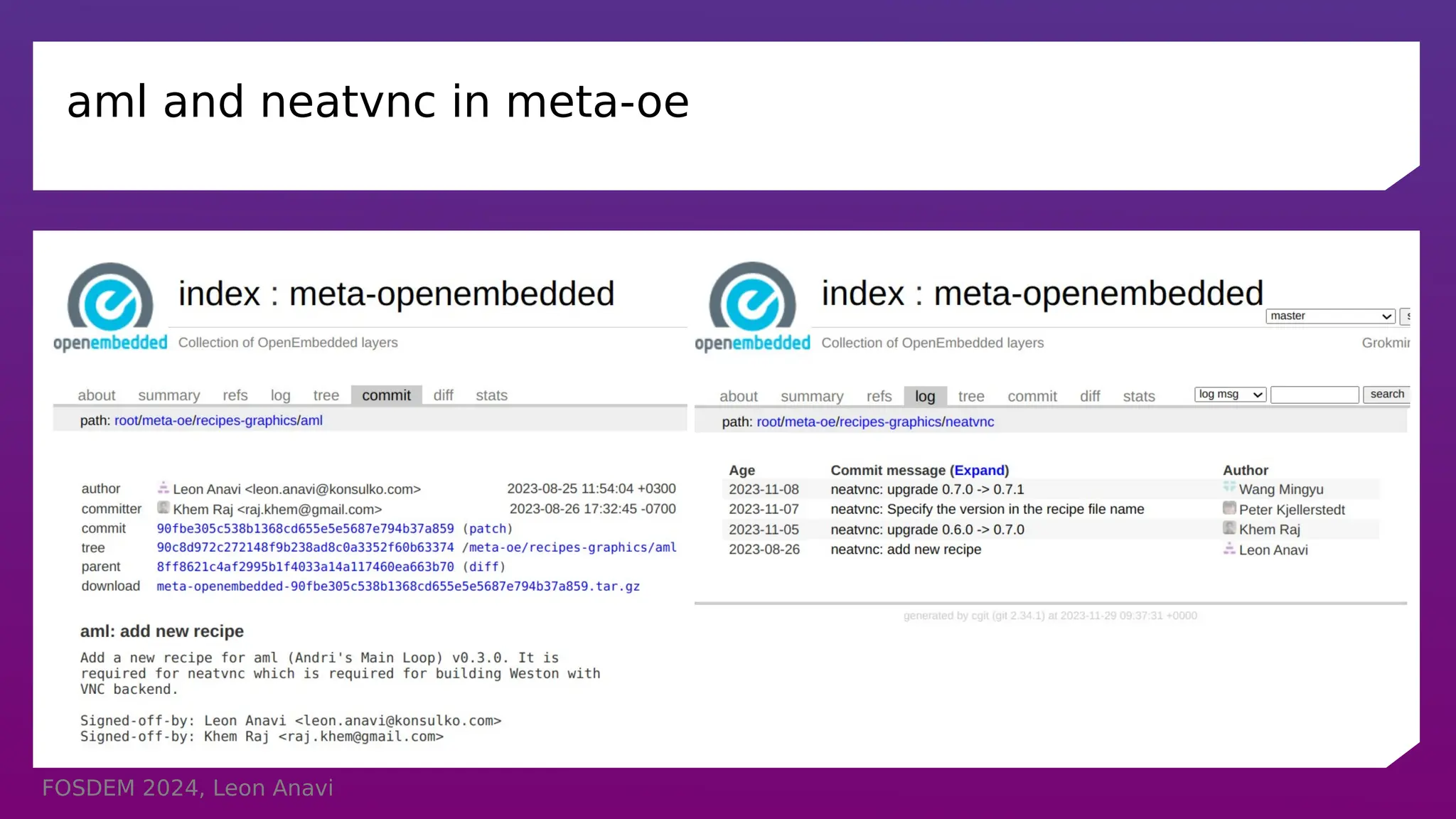
aml and neatvnc in meta-oe
FOSDEM 2024, Leon Anavi
Bitbaking NeatVNC for Weston with VNC
 Enable TLS:
PACKAGECONFIG:append = " tls"
 libweston/backend-vnc/meson.build from Weston 12 and 13:
dep_neatvnc = dependency('neatvnc', version: ['>= 0.6.0', '< 0.7.0'], required: false, fallback: ['neatvnc', 'neatvnc_dep'])
 libweston/backend-vnc/meson.build from Weston branch main:
dep_neatvnc = dependency('neatvnc', version: ['>= 0.7.0', '< 0.8.0'], required: false, fallback: ['neatvnc', 'neatvnc_dep'])
 Select NeatVNC matching Weston requirements, for example:
PREFERRED_VERSION_neatvnc = "git"
FOSDEM 2024, Leon Anavi
weston-init.bbappend
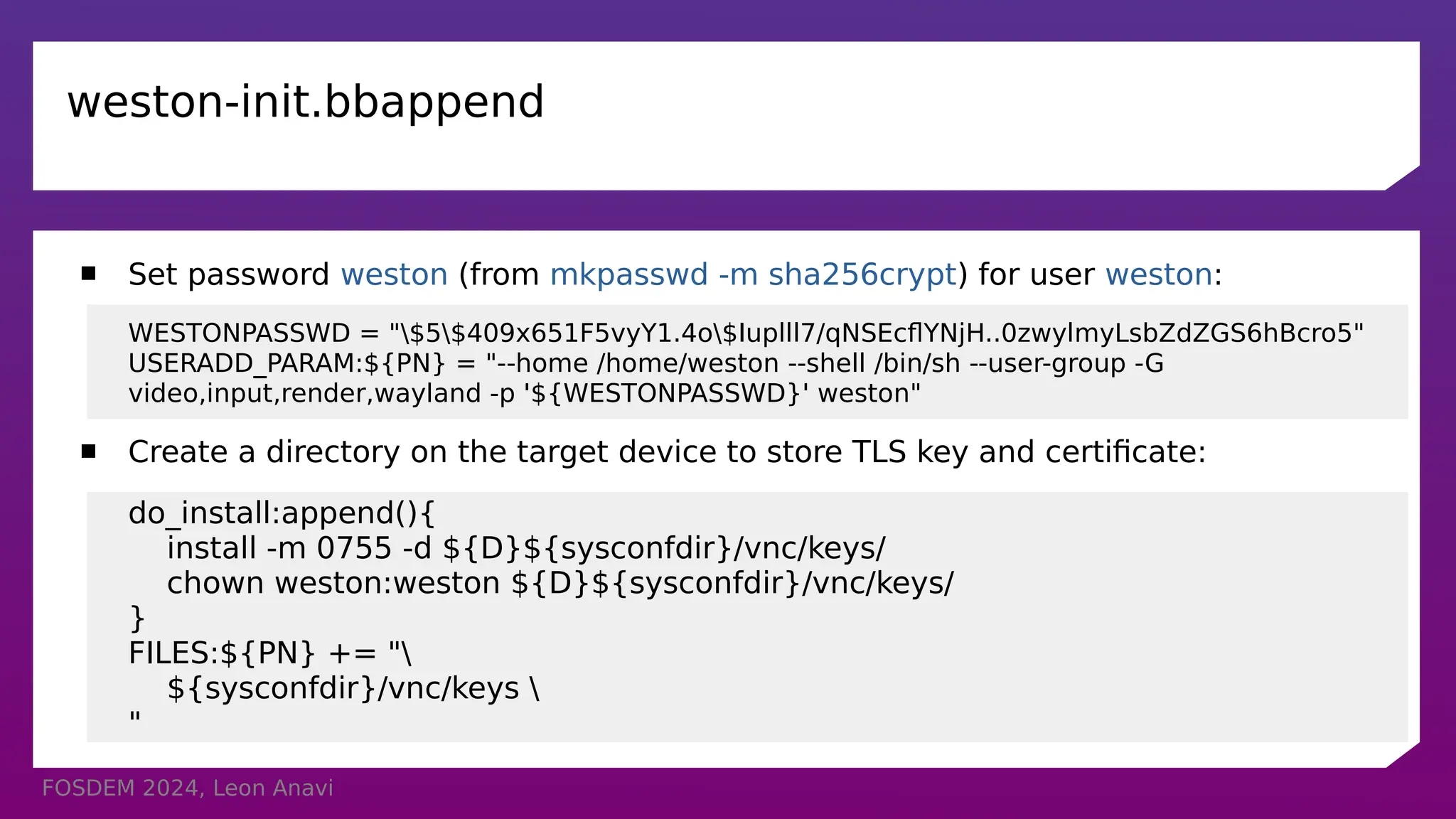
 Set password weston (from mkpasswd -m sha256crypt) for user weston:
WESTONPASSWD = "$5$409x651F5vyY1.4o$Iuplll7/qNSEcflYNjH..0zwylmyLsbZdZGS6hBcro5"
USERADD_PARAM:${PN} = "--home /home/weston --shell /bin/sh --user-group -G
video,input,render,wayland -p '${WESTONPASSWD}' weston"
 Create a directory on the target device to store TLS key and certificate:
do_install:append(){
install -m 0755 -d ${D}${sysconfdir}/vnc/keys/
chown weston:weston ${D}${sysconfdir}/vnc/keys/
}
FILES:${PN} += "
${sysconfdir}/vnc/keys 
"
FOSDEM 2024, Leon Anavi
TLS security
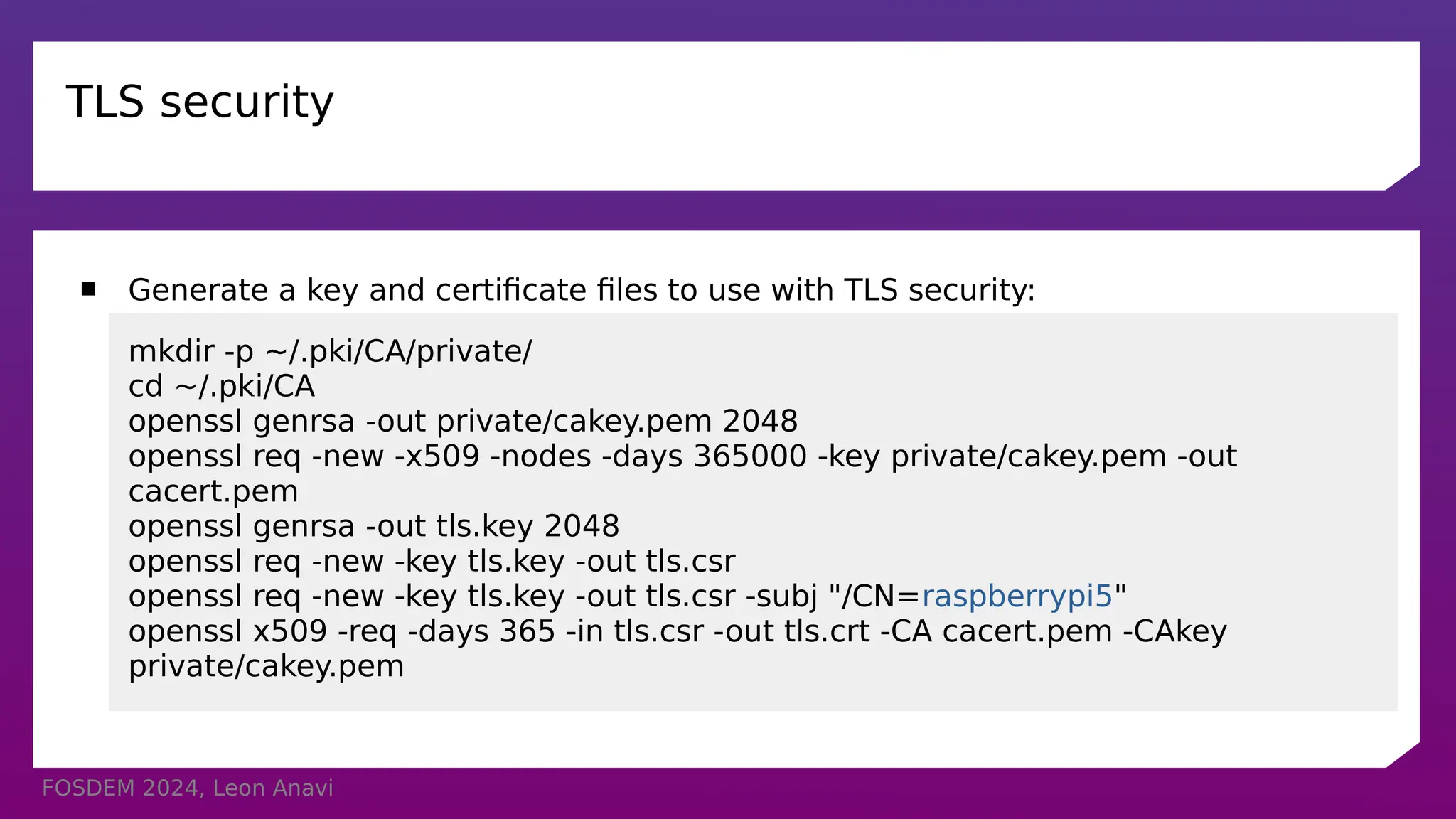
 Generate a key and certificate files to use with TLS security:
mkdir -p ~/.pki/CA/private/
cd ~/.pki/CA
openssl genrsa -out private/cakey.pem 2048
openssl req -new -x509 -nodes -days 365000 -key private/cakey.pem -out
cacert.pem
openssl genrsa -out tls.key 2048
openssl req -new -key tls.key -out tls.csr
openssl req -new -key tls.key -out tls.csr -subj "/CN=raspberrypi5"
openssl x509 -req -days 365 -in tls.csr -out tls.crt -CA cacert.pem -CAkey
private/cakey.pem
FOSDEM 2024, Leon Anavi
Using VNC on Weston
 Copy tls.crt and tls.key to /etc/vnc/keys on the target device, e.g. Raspberry Pi 5
 Enable VNC screen sharing in /etc/xdg/weston/weston.ini:
[screen-share]
command=/usr/bin/weston --backend=vnc-backend.so
--vnc-tls-cert=/etc/vnc/keys/tls.crt --vnc-tls-key=/etc/vnc/keys/tls.key --
shell=fullscreen-shell.so
 After loading Weston, press ctrl+alt+s to launch screen sharing
FOSDEM 2024, Leon Anavi
VNC Automatic Startup
 Launch Weston with screen-share.so, for example in Weston systemd service:
ExecStart=/usr/bin/weston --modules=systemd-notify.so,screen-share.so
 Add start-on-startup=true to section [screen-share] in weston.ini:
[screen-share]
command=/usr/bin/weston --backend=vnc-backend.so
--vnc-tls-cert=/etc/vnc/keys/tls.crt --vnc-tls-key=/etc/vnc/keys/tls.key --
shell=fullscreen-shell.so
start-on-startup=true
FOSDEM 2024, Leon Anavi
Remote Connection
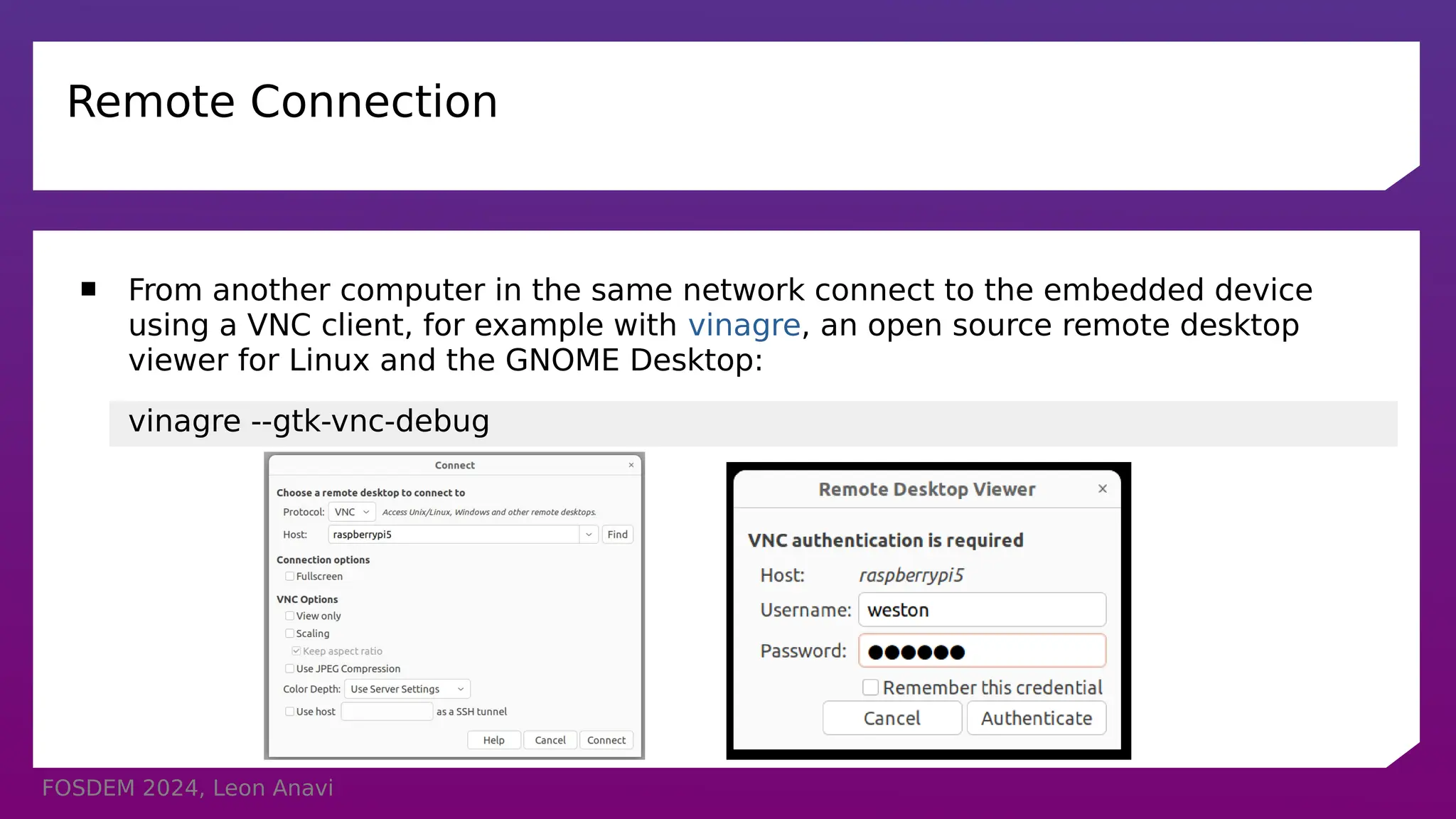
 From another computer in the same network connect to the embedded device
using a VNC client, for example with vinagre, an open source remote desktop
viewer for Linux and the GNOME Desktop:
vinagre --gtk-vnc-debug
FOSDEM 2024, Leon Anavi
VNC Demo
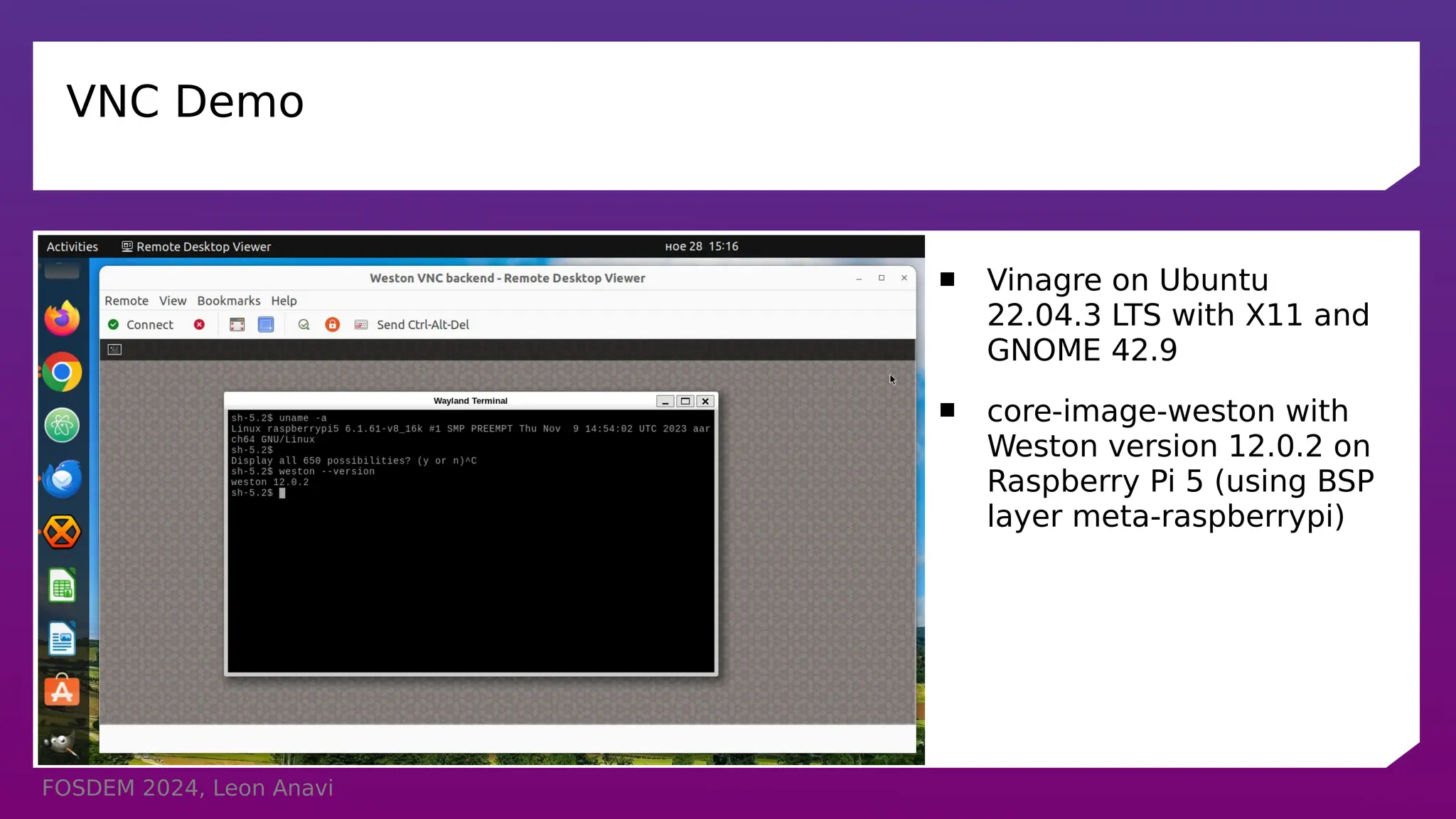
 Vinagre on Ubuntu
22.04.3 LTS with X11 and
GNOME 42.9
 core-image-weston with
Weston version 12.0.2 on
Raspberry Pi 5 (using BSP
layer meta-raspberrypi)
FOSDEM 2024, Leon Anavi
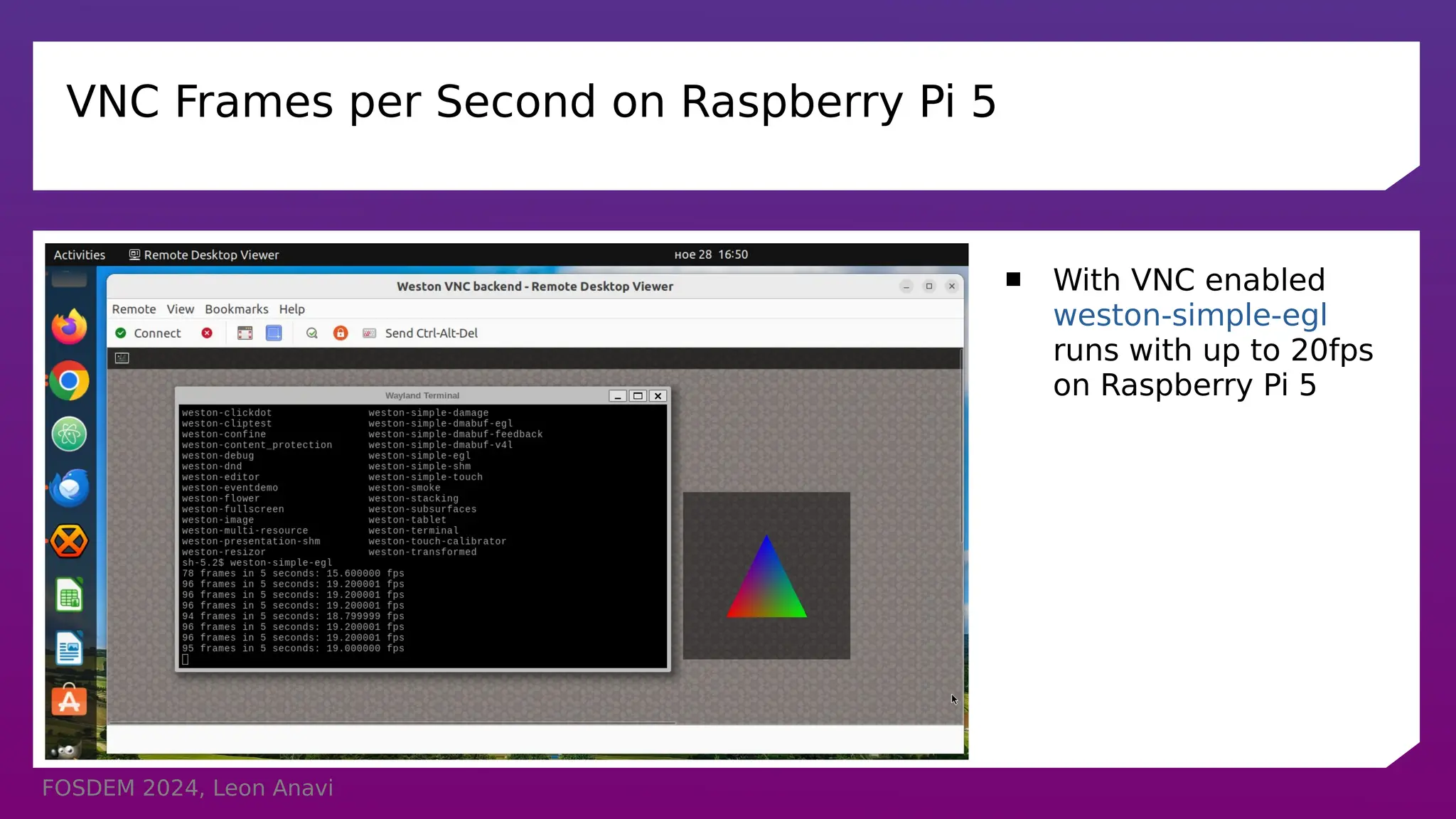
VNC Frames per Second on Raspberry Pi 5
 With VNC enabled
weston-simple-egl
runs with up to 20fps
on Raspberry Pi 5
FOSDEM 2024, Leon Anavi
QA
 Raspberry Pi 5
 Raspberry Pi 4
 ROCK Pi 4
 Toradex Verdin i.MX8M Plus SoM
 Notes:
As of the moment Weston 12 (or newer) with etnaviv open source driver should
be used on NXP i.MX6, i.MX7, i.MX8, etc.
The fork weston-imx for Vivante proprietary GPU driver hasn’t been upgraded to
Weston 12 yet. Therefore VNC backend is still not available in weston-imx.
FOSDEM 2024, Leon Anavi
Conclusions
 VNC is a pixel based graphical desktop-sharing system
 VNC backend was added in Weston version 12
 VNC backend in Weston depends on NeatVNC and aml
 Generate appropriate key and certificate files for TLS encryption
 The latest versions of the Yocto Project and OpenEmbedded provide the
necessary tools and dependencies to build core-image-weston and to enable VNC
 Layer meta-weston-remote-desktop provides example integrations of both VNC
and RDP in Weston
FOSDEM 2024, Leon Anavi
Thank You!
Useful links
 Wayland
https://wayland.freedesktop.org/
 Weston source code
https://gitlab.freedesktop.org/wayland/weston
 The Yocto Project
https://www.yoctoproject.org/
 The Yocto Project releases
https://wiki.yoctoproject.org/wiki/Releases
 Simple example Yocto/OE layer for VNC and RDP on Weston:
https://github.com/leon-anavi/meta-weston-remote-desktop/tree/main

Screen Sharing on Raspberry Pi 5 Using VNC in Weston and Wayland with the Yocto Project and OpenEmbedded

  • 1.
    Screen Sharing onRaspberry Pi 5 Using VNC in Weston and Wayland with the Yocto Project and OpenEmbedded Leon Anavi Konsulko Group leon.anavi@konsulko.com leon@anavi.org FOSDEM 2024
  • 2.
    FOSDEM 2024, LeonAnavi In Previous Episode
  • 3.
    FOSDEM 2024, LeonAnavi Agenda  Wayland and Weston  VNC  Weston and the Yocto Project Releases  core-image-weston with VNC demo on Raspberry Pi 5
  • 4.
    FOSDEM 2024, LeonAnavi Wayland & Weston  Wayland is a display protocol that specifies the communication between a display server and its clients  Started in 2008 with the aim to replace the X Window System in GNU/Linux and Unix-based distributions  Security by design through isolation of the input and output of every window  Weston is the reference Wayland compositor, there are many other compositors  Weston 13.0 was released on November 27, 2023
  • 5.
    FOSDEM 2024, LeonAnavi Remote Desktop Options in Weston and Wayland  Remote Desktop Protocol (RDP)  Virtual Network Computing (VNC)
  • 6.
    FOSDEM 2024, LeonAnavi Virtual Network Computing (VNC)  Graphical desktop-sharing system based on Remote Frame Buffer protocol (RFB)  Initially Olivetti Research Laboratory developed and published RFB in 1998, next versions of the protocol were published by RealVNC Ltd  Pixel based  Works with all windowing systems and applications, including MS Windows, Mac OS, X11 and Wayland
  • 7.
    FOSDEM 2024, LeonAnavi RDP vs VNC RDP (Remote Desktop Protocol) VNC (Virtual Network Computing) Protocol ITU-T T.128 Remote Frame Buffer protocol (RFB) Type Semantic (aware of controls, fonts and other graphical primitives) Pixel based Weston version 2.0 and newer 12.0 and newer Weston support since 2016 2022
  • 8.
    FOSDEM 2024, LeonAnavi VNC in Weston
  • 9.
    FOSDEM 2024, LeonAnavi  VNC in Weston
  • 10.
    FOSDEM 2024, LeonAnavi VNC in Weston  VNC backend is available in Weston 12 and newer version  VNC backend for Weston depends on NeatVNC  NeatVNC is an open source VNC server library with a clean interface, started by Andri Yngvason with code available at GitHub under ISC license  NeatVNC has build dependencies on libdrm, meson and pkg-config  NeatVNC has a runtime dependency on aml (Andri's Main Loop)
  • 11.
    FOSDEM 2024, LeonAnavi The Yocto Project  Open source collaborative project of the Linux foundation for creating custom Linux-based distributions for embedded devices using the OpenEmbedded Build System  OpenEmbedded Build System includes BitBake and OpenEmbedded Core  Poky is a reference distribution of the Yocto Project provided as metadata, without binary files, to bootstrap your own distribution for embedded devices  Bi-annual release cycle  Long term support (LTS) release covering two-year period
  • 12.
    FOSDEM 2024, LeonAnavi The Yocto Project Releases Codename Version Release Date Support Level Scarthgap 5.0 April 2024 Future – LTS (until April 2028) Nanbield 4.3 November 2023 Until May 2024 Kirkstone 4.0 May 2022 LTS (until Apr. 2026) Dunfell 3.1 April 2020 LTS (until Apr. 2024)
  • 13.
    FOSDEM 2024, LeonAnavi Wayland and Weston in Yocto and OpenEmbedded  OpenEmbedded-Core is a layer containing the core metadata for current versions of OpenEmbedded  OpenEmbedded-Core provides recipes for Wayland and Weston
  • 14.
    FOSDEM 2024, LeonAnavi The Yocto Project, Wayland and Weston Versions Codename Version Wayland Weston Scarthgap 5.0 1.22 (?) 13.0.0 (?) Nanbield 4.3 1.22 12.0.2 Kirkstone 4.0 1.20 10.0.2 Dunfell 3.1 1.18 8.0.0
  • 15.
    FOSDEM 2024, LeonAnavi Bitbaking Weston with VNC Extend the recipe for building Weston:  Enable VNC backend: PACKAGECONFIG:append = " vnc" This will enable -Dbackend-vnc=true and add neatvnc (from layer meta-oe) as a build dependency  Place a PAM configuration file in the package: FILES:${PN}:append = " ${sysconfdir}/pam.d/weston-remote-access"  For example, weston_%.bbappend: https://github.com/leon-anavi/meta-weston-remote-desktop/blob/main/meta-weston-vnc/recipes-graphics/ wayland/weston_%25.bbappend
  • 16.
    FOSDEM 2024, LeonAnavi aml and neatvnc in meta-oe
  • 17.
    FOSDEM 2024, LeonAnavi Bitbaking NeatVNC for Weston with VNC  Enable TLS: PACKAGECONFIG:append = " tls"  libweston/backend-vnc/meson.build from Weston 12 and 13: dep_neatvnc = dependency('neatvnc', version: ['>= 0.6.0', '< 0.7.0'], required: false, fallback: ['neatvnc', 'neatvnc_dep'])  libweston/backend-vnc/meson.build from Weston branch main: dep_neatvnc = dependency('neatvnc', version: ['>= 0.7.0', '< 0.8.0'], required: false, fallback: ['neatvnc', 'neatvnc_dep'])  Select NeatVNC matching Weston requirements, for example: PREFERRED_VERSION_neatvnc = "git"
  • 18.
    FOSDEM 2024, LeonAnavi weston-init.bbappend  Set password weston (from mkpasswd -m sha256crypt) for user weston: WESTONPASSWD = "$5$409x651F5vyY1.4o$Iuplll7/qNSEcflYNjH..0zwylmyLsbZdZGS6hBcro5" USERADD_PARAM:${PN} = "--home /home/weston --shell /bin/sh --user-group -G video,input,render,wayland -p '${WESTONPASSWD}' weston"  Create a directory on the target device to store TLS key and certificate: do_install:append(){ install -m 0755 -d ${D}${sysconfdir}/vnc/keys/ chown weston:weston ${D}${sysconfdir}/vnc/keys/ } FILES:${PN} += " ${sysconfdir}/vnc/keys "
  • 19.
    FOSDEM 2024, LeonAnavi TLS security  Generate a key and certificate files to use with TLS security: mkdir -p ~/.pki/CA/private/ cd ~/.pki/CA openssl genrsa -out private/cakey.pem 2048 openssl req -new -x509 -nodes -days 365000 -key private/cakey.pem -out cacert.pem openssl genrsa -out tls.key 2048 openssl req -new -key tls.key -out tls.csr openssl req -new -key tls.key -out tls.csr -subj "/CN=raspberrypi5" openssl x509 -req -days 365 -in tls.csr -out tls.crt -CA cacert.pem -CAkey private/cakey.pem
  • 20.
    FOSDEM 2024, LeonAnavi Using VNC on Weston  Copy tls.crt and tls.key to /etc/vnc/keys on the target device, e.g. Raspberry Pi 5  Enable VNC screen sharing in /etc/xdg/weston/weston.ini: [screen-share] command=/usr/bin/weston --backend=vnc-backend.so --vnc-tls-cert=/etc/vnc/keys/tls.crt --vnc-tls-key=/etc/vnc/keys/tls.key -- shell=fullscreen-shell.so  After loading Weston, press ctrl+alt+s to launch screen sharing
  • 21.
    FOSDEM 2024, LeonAnavi VNC Automatic Startup  Launch Weston with screen-share.so, for example in Weston systemd service: ExecStart=/usr/bin/weston --modules=systemd-notify.so,screen-share.so  Add start-on-startup=true to section [screen-share] in weston.ini: [screen-share] command=/usr/bin/weston --backend=vnc-backend.so --vnc-tls-cert=/etc/vnc/keys/tls.crt --vnc-tls-key=/etc/vnc/keys/tls.key -- shell=fullscreen-shell.so start-on-startup=true
  • 22.
    FOSDEM 2024, LeonAnavi Remote Connection  From another computer in the same network connect to the embedded device using a VNC client, for example with vinagre, an open source remote desktop viewer for Linux and the GNOME Desktop: vinagre --gtk-vnc-debug
  • 23.
    FOSDEM 2024, LeonAnavi VNC Demo  Vinagre on Ubuntu 22.04.3 LTS with X11 and GNOME 42.9  core-image-weston with Weston version 12.0.2 on Raspberry Pi 5 (using BSP layer meta-raspberrypi)
  • 24.
    FOSDEM 2024, LeonAnavi VNC Frames per Second on Raspberry Pi 5  With VNC enabled weston-simple-egl runs with up to 20fps on Raspberry Pi 5
  • 25.
    FOSDEM 2024, LeonAnavi QA  Raspberry Pi 5  Raspberry Pi 4  ROCK Pi 4  Toradex Verdin i.MX8M Plus SoM  Notes: As of the moment Weston 12 (or newer) with etnaviv open source driver should be used on NXP i.MX6, i.MX7, i.MX8, etc. The fork weston-imx for Vivante proprietary GPU driver hasn’t been upgraded to Weston 12 yet. Therefore VNC backend is still not available in weston-imx.
  • 26.
    FOSDEM 2024, LeonAnavi Conclusions  VNC is a pixel based graphical desktop-sharing system  VNC backend was added in Weston version 12  VNC backend in Weston depends on NeatVNC and aml  Generate appropriate key and certificate files for TLS encryption  The latest versions of the Yocto Project and OpenEmbedded provide the necessary tools and dependencies to build core-image-weston and to enable VNC  Layer meta-weston-remote-desktop provides example integrations of both VNC and RDP in Weston
  • 27.
    FOSDEM 2024, LeonAnavi Thank You! Useful links  Wayland https://wayland.freedesktop.org/  Weston source code https://gitlab.freedesktop.org/wayland/weston  The Yocto Project https://www.yoctoproject.org/  The Yocto Project releases https://wiki.yoctoproject.org/wiki/Releases  Simple example Yocto/OE layer for VNC and RDP on Weston: https://github.com/leon-anavi/meta-weston-remote-desktop/tree/main