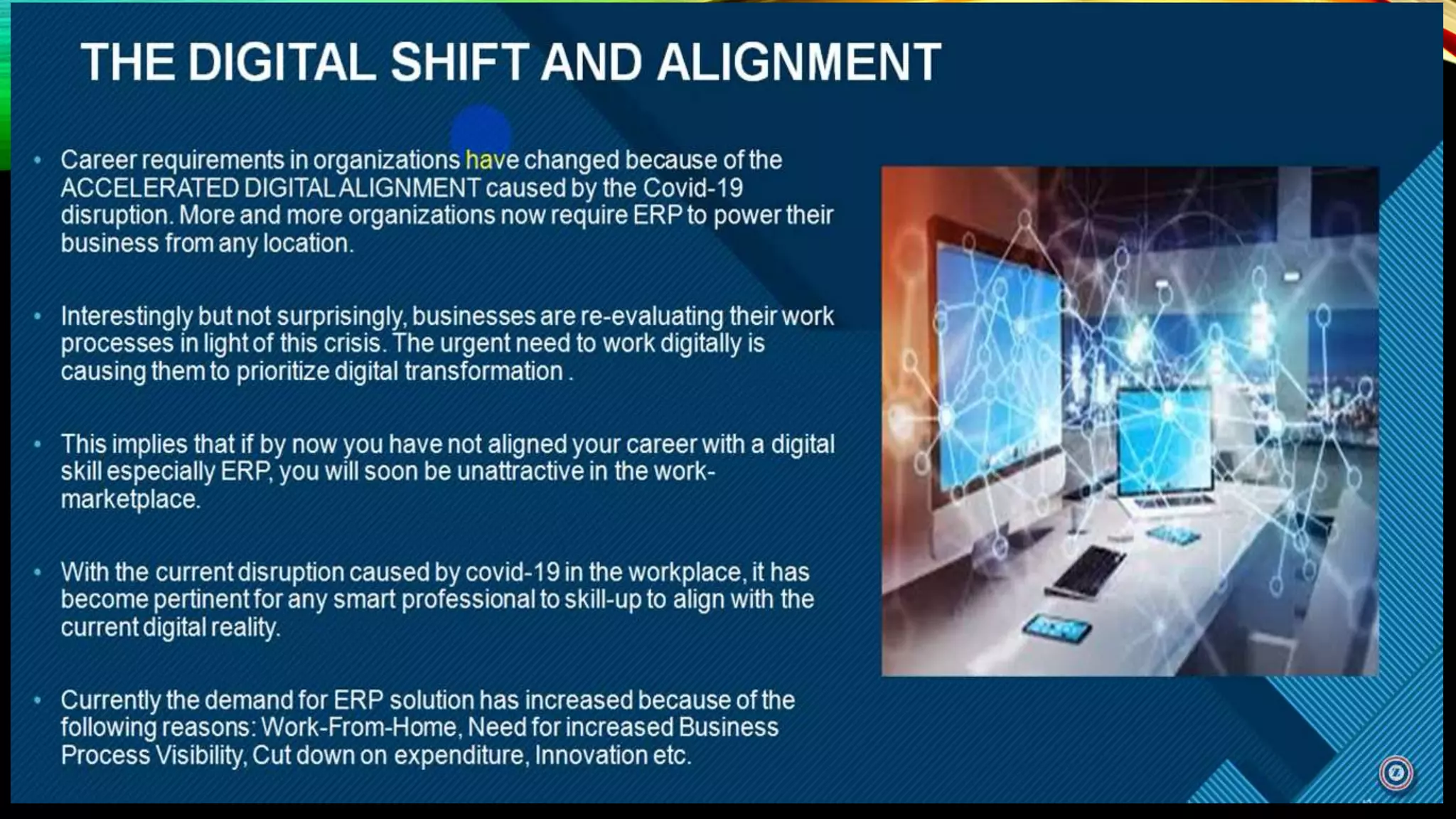
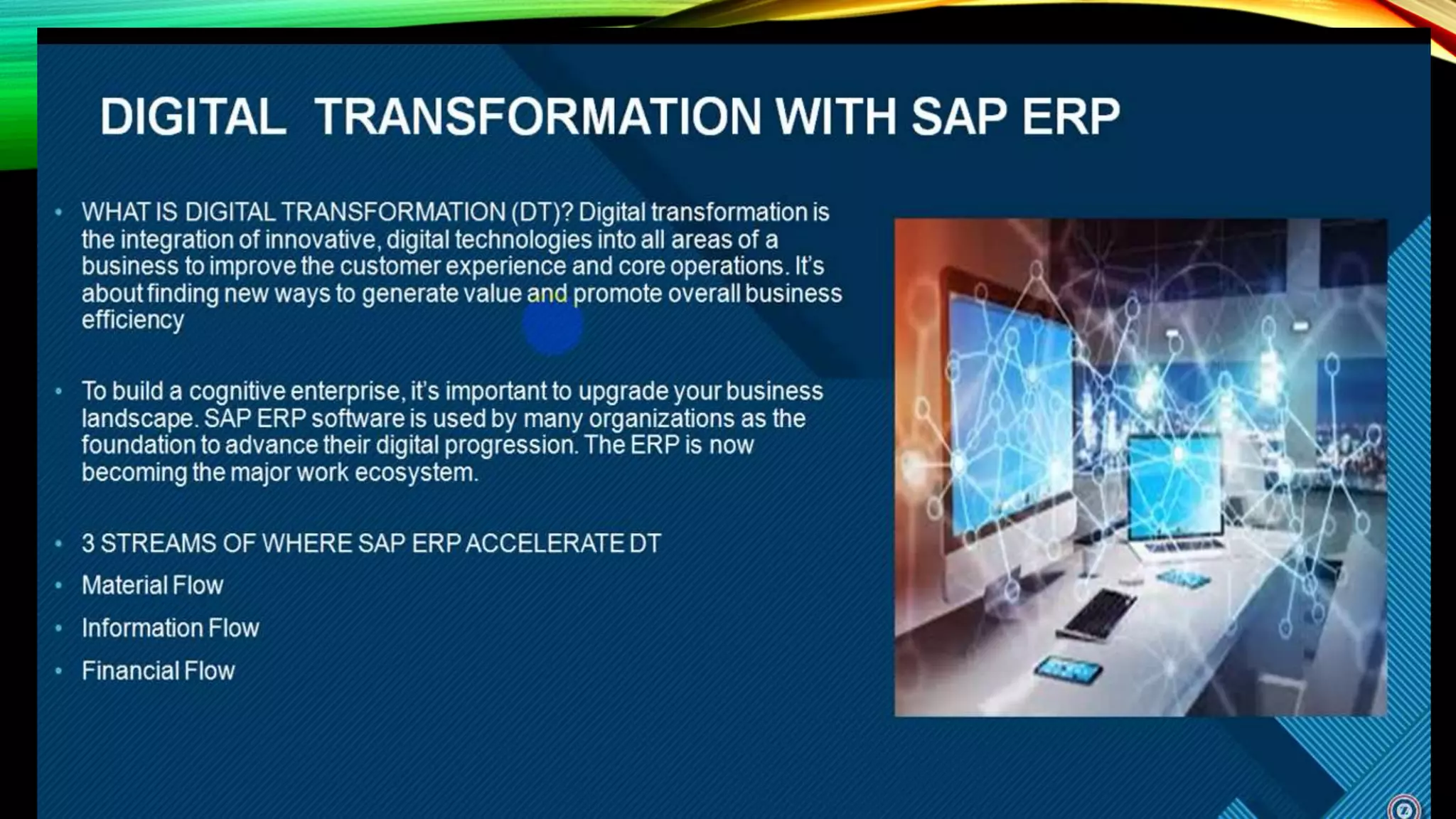
SAP ERP
Systems, Applications, and Products in Data Processing,
Enterprise Resource Planning
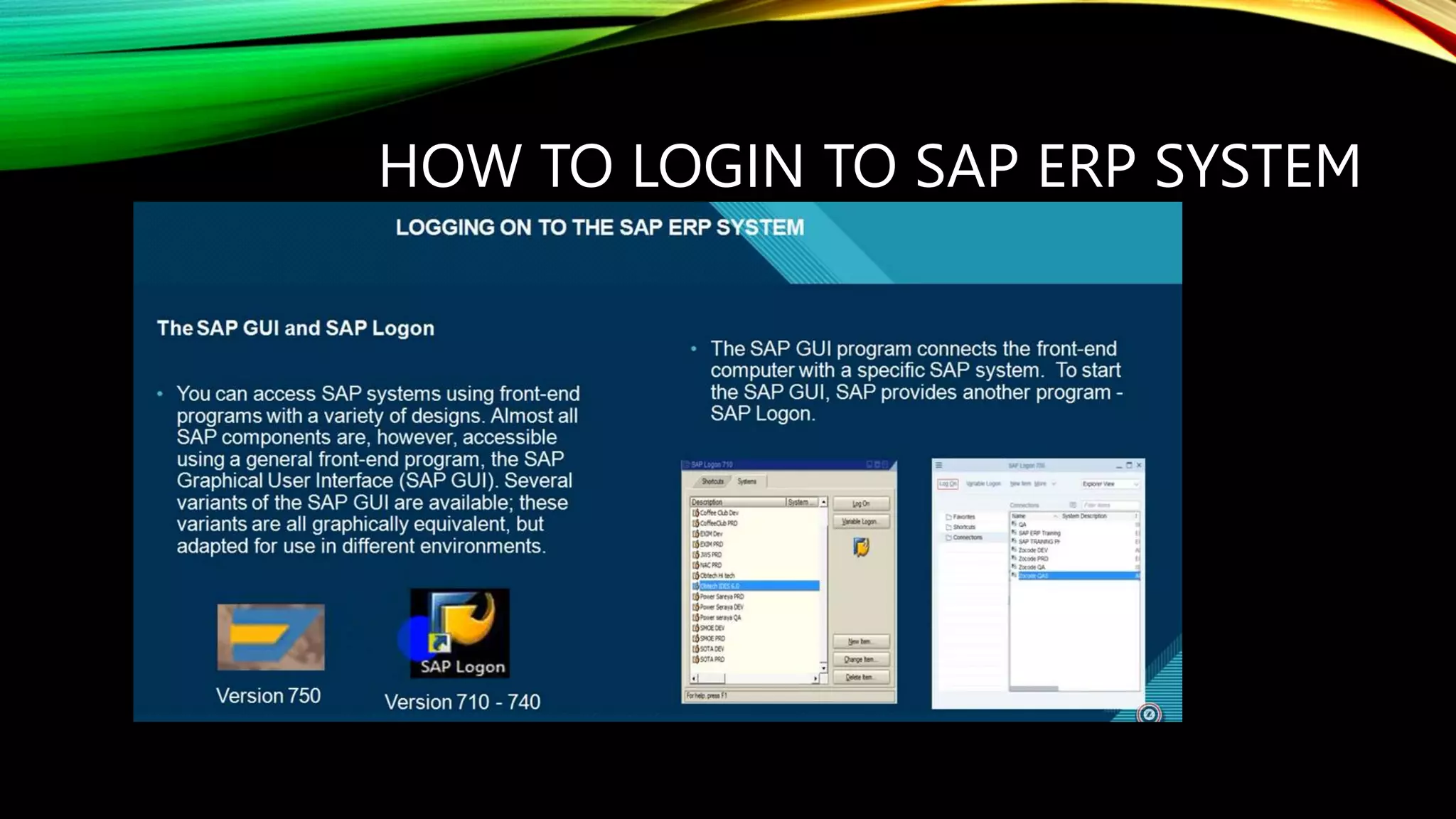
HOW TO LOGIN TO SAP ERP SYSTEM
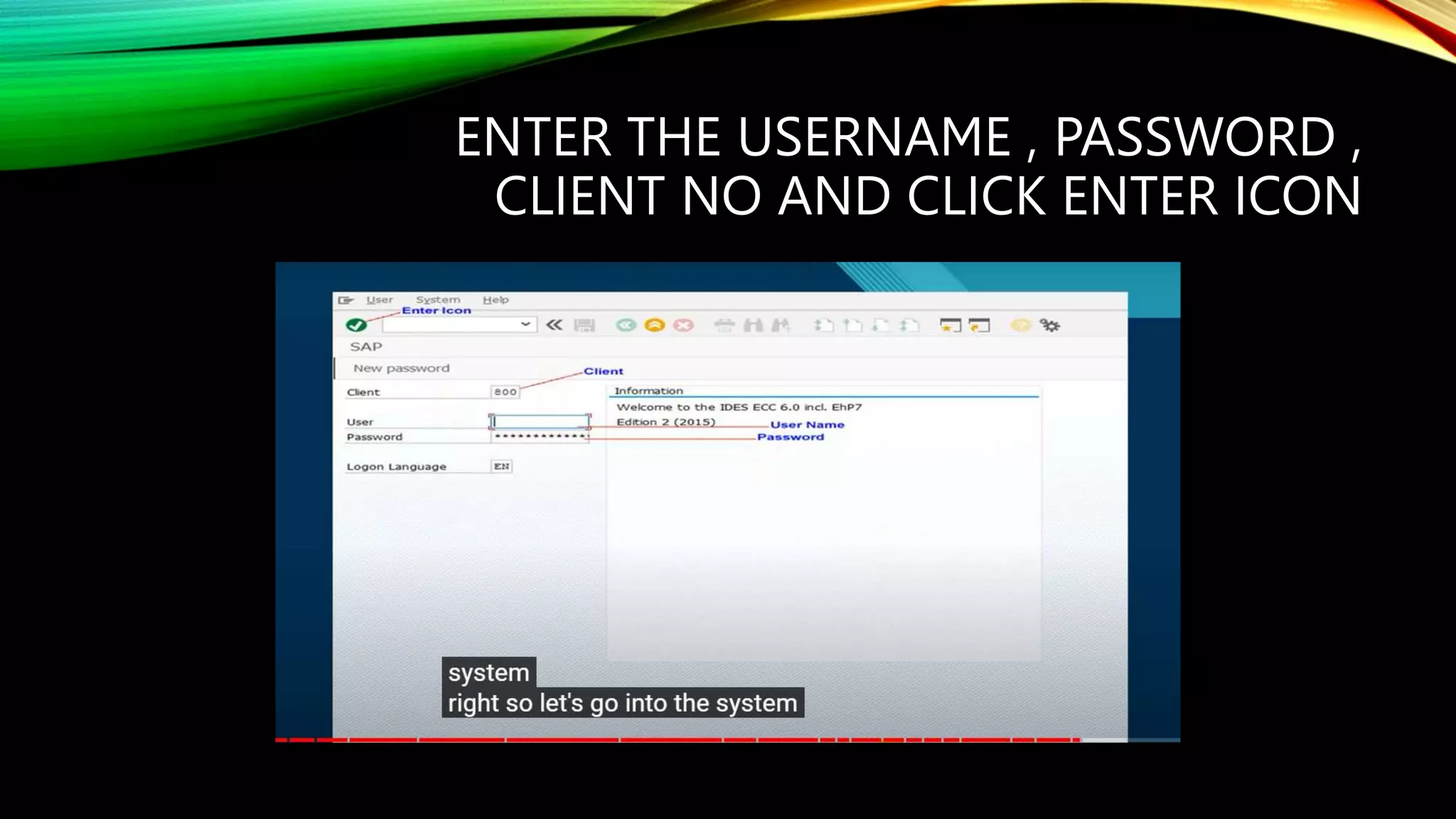
ENTER THE USERNAME , PASSWORD ,
CLIENT NO AND CLICK ENTER ICON
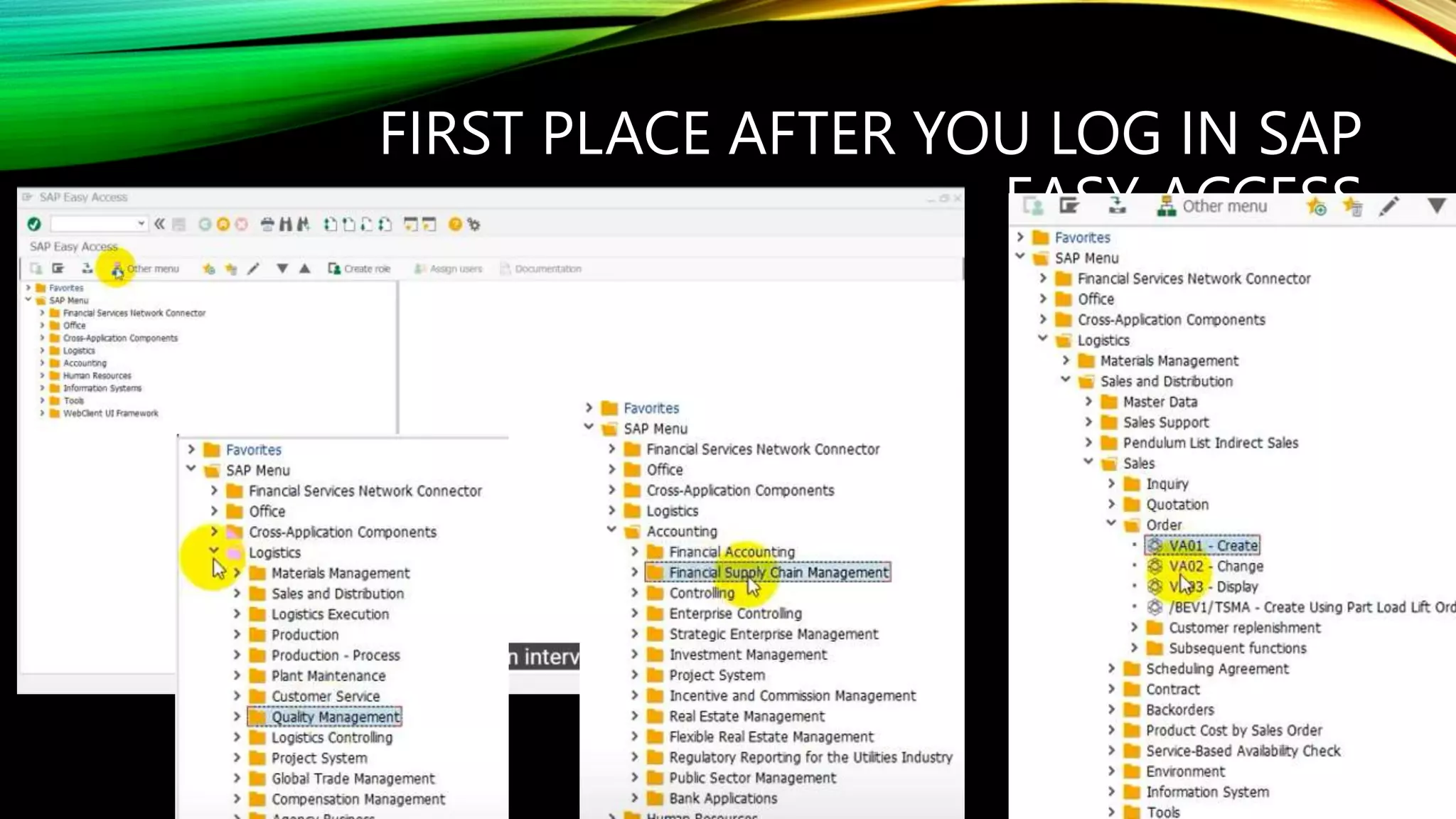
FIRST PLACE AFTER YOU LOG IN SAP
EASY ACCESS
SAP MODULES
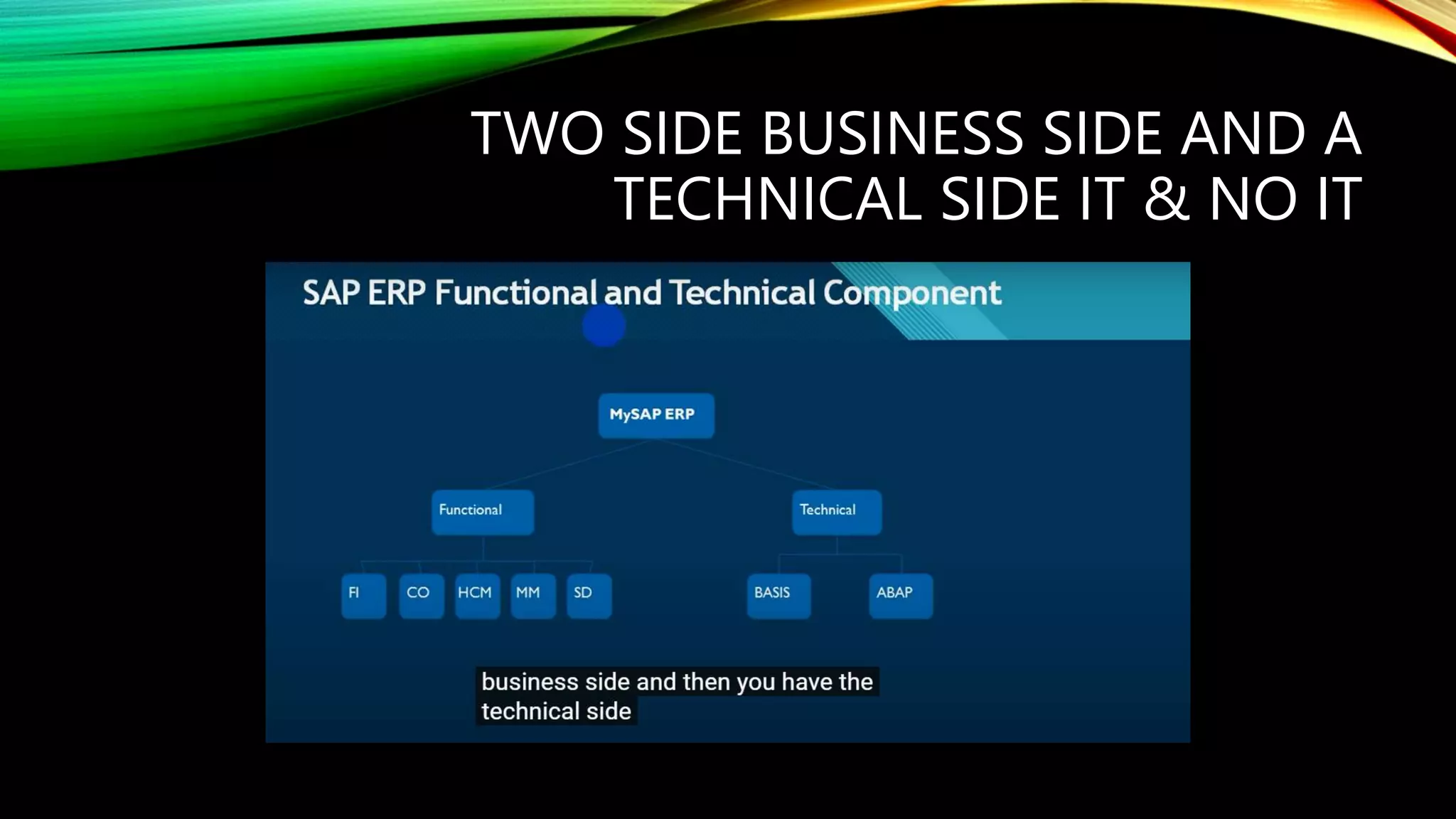
TWO SIDE BUSINESS SIDE AND A
TECHNICAL SIDE IT & NO IT
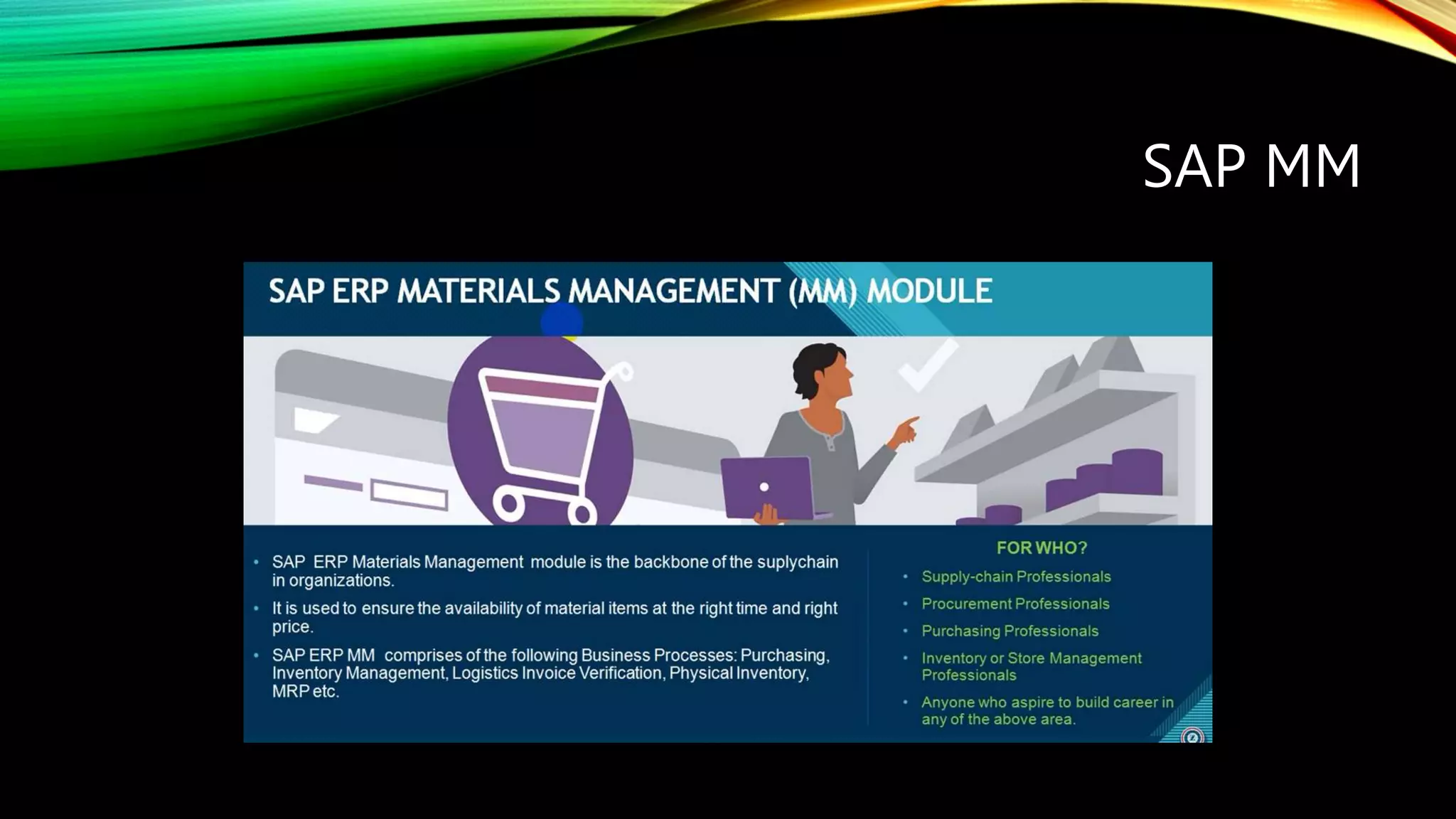
SAP MM
SAP FI
SAP PM
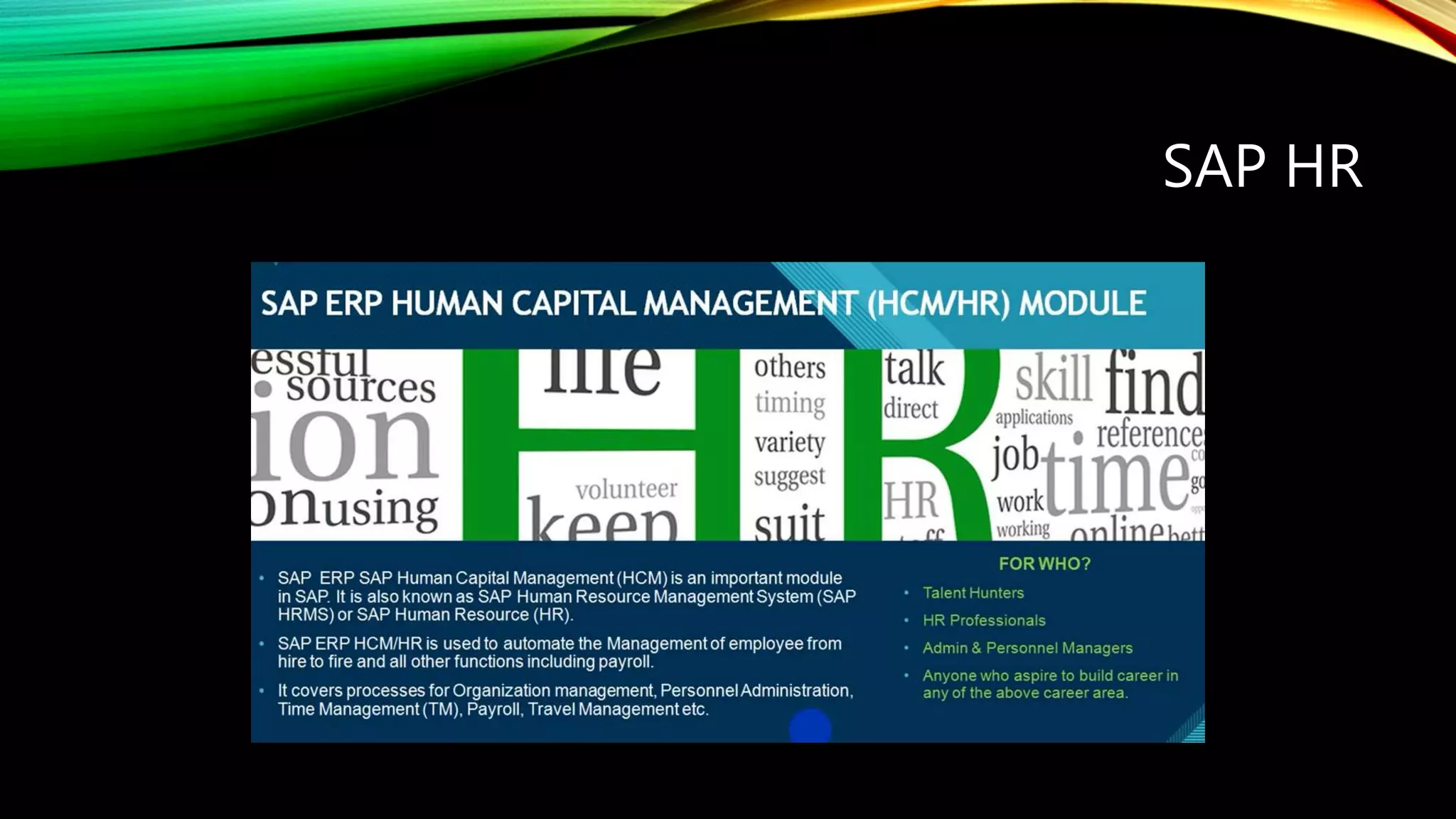
SAP HR
SAP SD
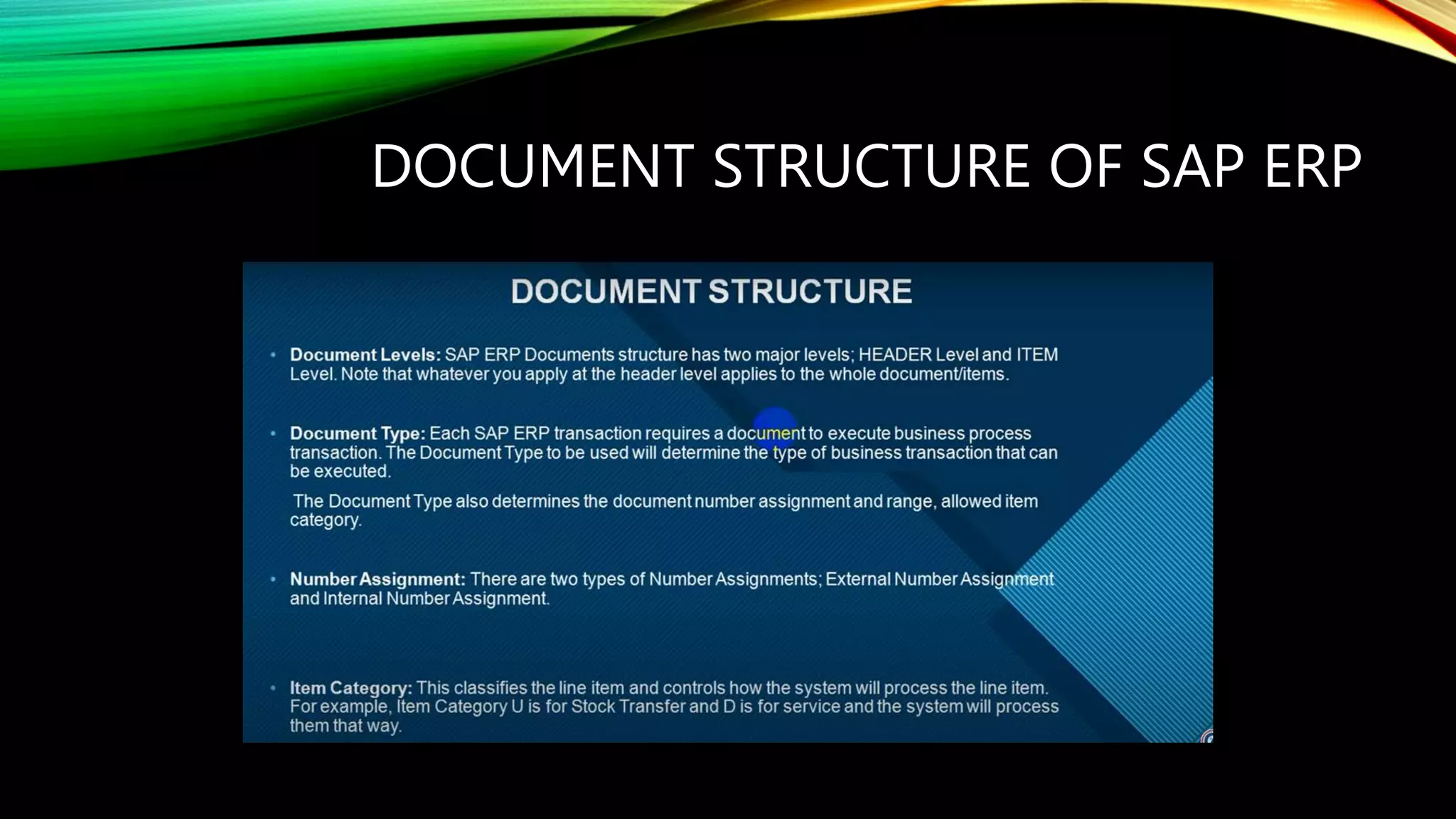
DOCUMENT STRUCTURE OF SAP ERP
HEADER, DOCUMENT TYPE
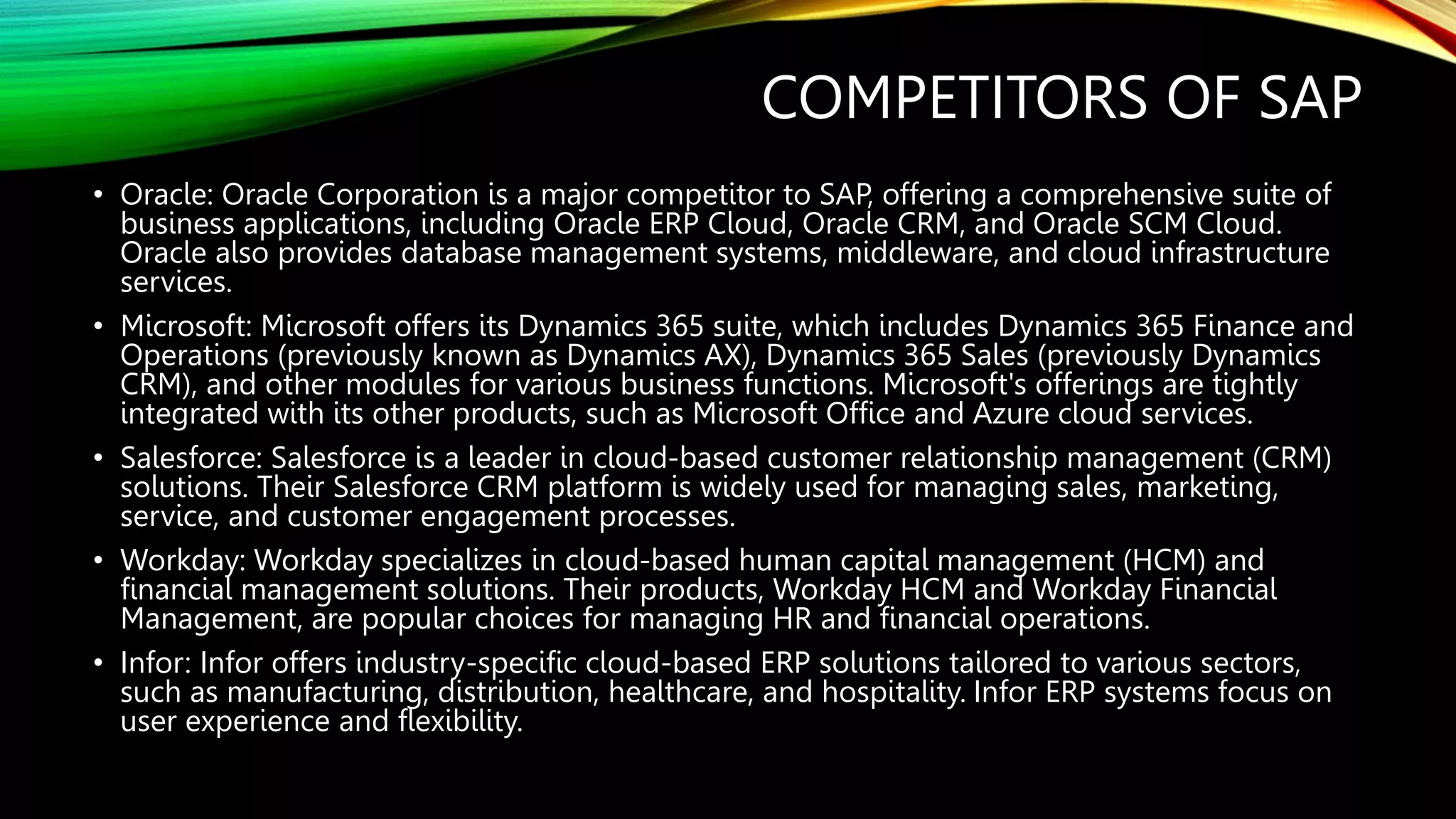
COMPETITORS OF SAP
‱ Oracle: Oracle Corporation is a major competitor to SAP, offering a comprehensive suite of
business applications, including Oracle ERP Cloud, Oracle CRM, and Oracle SCM Cloud.
Oracle also provides database management systems, middleware, and cloud infrastructure
services.
‱ Microsoft: Microsoft offers its Dynamics 365 suite, which includes Dynamics 365 Finance and
Operations (previously known as Dynamics AX), Dynamics 365 Sales (previously Dynamics
CRM), and other modules for various business functions. Microsoft's offerings are tightly
integrated with its other products, such as Microsoft Office and Azure cloud services.
‱ Salesforce: Salesforce is a leader in cloud-based customer relationship management (CRM)
solutions. Their Salesforce CRM platform is widely used for managing sales, marketing,
service, and customer engagement processes.
‱ Workday: Workday specializes in cloud-based human capital management (HCM) and
financial management solutions. Their products, Workday HCM and Workday Financial
Management, are popular choices for managing HR and financial operations.
‱ Infor: Infor offers industry-specific cloud-based ERP solutions tailored to various sectors,
such as manufacturing, distribution, healthcare, and hospitality. Infor ERP systems focus on
user experience and flexibility.
‱ Question: Have you been involved in any SAP implementation projects? Can you
describe your role and contributions?
‱ Answer: Yes, I have actively participated in an SAP implementation project. As a key
team member, I was responsible for assisting in the system configuration, mapping
business processes to SAP modules, performing data migration, and conducting
end-user training. Additionally, I collaborated with cross-functional teams to ensure
successful integration and smooth transition during the go-live phase.
‱ How do you handle SAP system errors or issues that may arise during daily
operations?
‱ Answer: When dealing with SAP system errors, my first approach is to analyze the
issue and identify the root cause. I would consult SAP documentation, knowledge
base, and community forums for potential solutions. If necessary, I would escalate
the problem to the appropriate support team. During critical incidents, I prioritize
communication with stakeholders, ensuring transparency and updates on the
progress toward resolution.
‱ Can you explain the difference between SAP ECC (ERP Central Component) and SAP
S/4HANA?
‱ Answer: SAP ECC, also known as SAP ERP, is the traditional ERP system, while SAP S/4HANA
is the next-generation ERP suite built on the SAP HANA in-memory platform. The main
differences include:
‱ Data Storage: SAP ECC uses a traditional relational database, while SAP S/4HANA utilizes an
in-memory database, offering faster data processing and real-time analytics.
‱ User Experience: SAP S/4HANA provides a modern and simplified user interface compared
to SAP ECC, enhancing usability and productivity.
‱ Data Models: SAP S/4HANA simplifies data models, reducing data redundancy and
improving system performance.
‱ Reporting: SAP S/4HANA offers enhanced reporting capabilities with embedded analytics,
providing instant insights and predictive analysis.
‱ How do you ensure data security and integrity within the SAP system?
‱ Answer: To maintain data security and integrity, I follow best practices such as
implementing role-based access controls, regularly monitoring user activities and
system logs, and ensuring regular backups and disaster recovery plans. Additionally,
I stay updated with SAP security notes and patches to address potential
vulnerabilities promptly.

SAP ERP.pptx

  • 1.
    SAP ERP Systems, Applications,and Products in Data Processing, Enterprise Resource Planning
  • 2.
    HOW TO LOGINTO SAP ERP SYSTEM
  • 3.
    ENTER THE USERNAME, PASSWORD , CLIENT NO AND CLICK ENTER ICON
  • 4.
    FIRST PLACE AFTERYOU LOG IN SAP EASY ACCESS
  • 5.
  • 6.
    TWO SIDE BUSINESSSIDE AND A TECHNICAL SIDE IT & NO IT
  • 7.
  • 8.
  • 9.
  • 10.
  • 11.
  • 16.
  • 17.
  • 18.
    COMPETITORS OF SAP ‱Oracle: Oracle Corporation is a major competitor to SAP, offering a comprehensive suite of business applications, including Oracle ERP Cloud, Oracle CRM, and Oracle SCM Cloud. Oracle also provides database management systems, middleware, and cloud infrastructure services. ‱ Microsoft: Microsoft offers its Dynamics 365 suite, which includes Dynamics 365 Finance and Operations (previously known as Dynamics AX), Dynamics 365 Sales (previously Dynamics CRM), and other modules for various business functions. Microsoft's offerings are tightly integrated with its other products, such as Microsoft Office and Azure cloud services. ‱ Salesforce: Salesforce is a leader in cloud-based customer relationship management (CRM) solutions. Their Salesforce CRM platform is widely used for managing sales, marketing, service, and customer engagement processes. ‱ Workday: Workday specializes in cloud-based human capital management (HCM) and financial management solutions. Their products, Workday HCM and Workday Financial Management, are popular choices for managing HR and financial operations. ‱ Infor: Infor offers industry-specific cloud-based ERP solutions tailored to various sectors, such as manufacturing, distribution, healthcare, and hospitality. Infor ERP systems focus on user experience and flexibility.
  • 19.
    ‱ Question: Haveyou been involved in any SAP implementation projects? Can you describe your role and contributions? ‱ Answer: Yes, I have actively participated in an SAP implementation project. As a key team member, I was responsible for assisting in the system configuration, mapping business processes to SAP modules, performing data migration, and conducting end-user training. Additionally, I collaborated with cross-functional teams to ensure successful integration and smooth transition during the go-live phase.
  • 20.
    ‱ How doyou handle SAP system errors or issues that may arise during daily operations? ‱ Answer: When dealing with SAP system errors, my first approach is to analyze the issue and identify the root cause. I would consult SAP documentation, knowledge base, and community forums for potential solutions. If necessary, I would escalate the problem to the appropriate support team. During critical incidents, I prioritize communication with stakeholders, ensuring transparency and updates on the progress toward resolution.
  • 21.
    ‱ Can youexplain the difference between SAP ECC (ERP Central Component) and SAP S/4HANA? ‱ Answer: SAP ECC, also known as SAP ERP, is the traditional ERP system, while SAP S/4HANA is the next-generation ERP suite built on the SAP HANA in-memory platform. The main differences include: ‱ Data Storage: SAP ECC uses a traditional relational database, while SAP S/4HANA utilizes an in-memory database, offering faster data processing and real-time analytics. ‱ User Experience: SAP S/4HANA provides a modern and simplified user interface compared to SAP ECC, enhancing usability and productivity. ‱ Data Models: SAP S/4HANA simplifies data models, reducing data redundancy and improving system performance. ‱ Reporting: SAP S/4HANA offers enhanced reporting capabilities with embedded analytics, providing instant insights and predictive analysis.
  • 22.
    ‱ How doyou ensure data security and integrity within the SAP system? ‱ Answer: To maintain data security and integrity, I follow best practices such as implementing role-based access controls, regularly monitoring user activities and system logs, and ensuring regular backups and disaster recovery plans. Additionally, I stay updated with SAP security notes and patches to address potential vulnerabilities promptly.