MULTI-FACTOR 

AUTHENTICATION 

IN SALESFORCE
How to enable 2-factor authentication in Salesforce
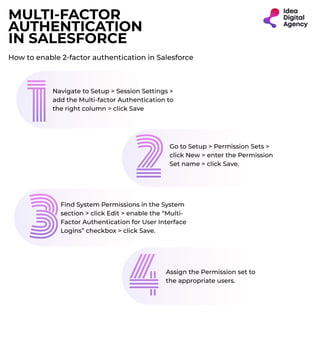
Navigate to Setup > Session Settings >
add the Multi-factor Authentication to
the right column > click Save
Go to Setup > Permission Sets >
click New > enter the Permission
Set name > click Save.
Find System Permissions in the System
section > click Edit > enable the “Multi-
Factor Authentication for User Interface
Logins” checkbox > click Save.
Assign the Permission set to
the appropriate users.

Salesforce mfa authentication

  • 1.
    MULTI-FACTOR AUTHENTICATION INSALESFORCE How to enable 2-factor authentication in Salesforce Navigate to Setup > Session Settings > add the Multi-factor Authentication to the right column > click Save Go to Setup > Permission Sets > click New > enter the Permission Set name > click Save. Find System Permissions in the System section > click Edit > enable the “Multi- Factor Authentication for User Interface Logins” checkbox > click Save. Assign the Permission set to the appropriate users.