
SahanaEden :
Deployment
4 November 2010, Sahana Camp
Fran Boon
fran@sahanafoundation.org
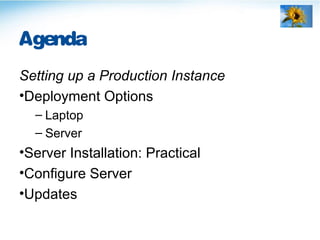
Agenda
Setting up a Production Instance
•Deployment Options
– Laptop
– Server
•Server Installation: Practical
•Configure Server
•Updates
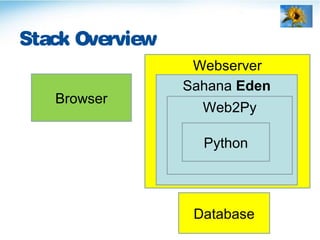
Webserver
Stack Overview
Sahana Eden
Web2Py
Python
Browser
Database
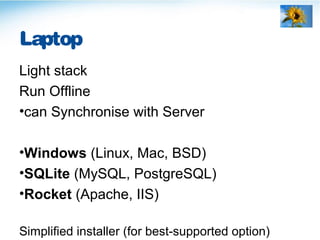
Laptop
Light stack
Run Offline
•can Synchronise with Server
•Windows (Linux, Mac, BSD)
•SQLite (MySQL, PostgreSQL)
•Rocket (Apache, IIS)
Simplified installer (for best-supported option)
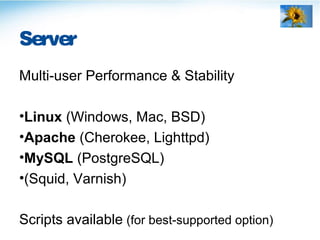
Server
Multi-user Performance & Stability
•Linux (Windows, Mac, BSD)
•Apache (Cherokee, Lighttpd)
•MySQL (PostgreSQL)
•(Squid, Varnish)
Scripts available (for best-supported option)
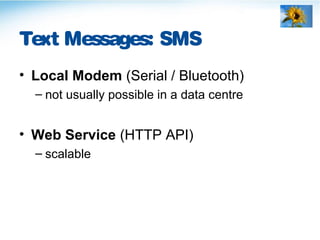
Text Messages: SMS
• Local Modem (Serial / Bluetooth)
– not usually possible in a data centre
• Web Service (HTTP API)
– scalable
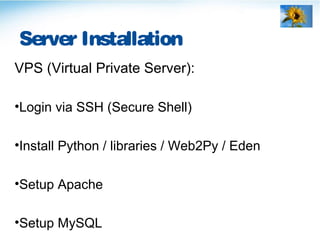
Server Installation
VPS (Virtual Private Server):
•Login via SSH (Secure Shell)
•Install Python / libraries / Web2Py / Eden
•Setup Apache
•Setup MySQL
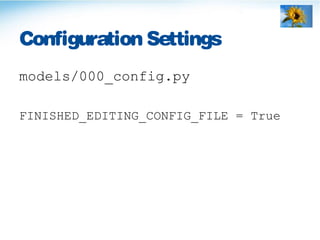
Configuration Settings
models/000_config.py
FINISHED_EDITING_CONFIG_FILE = True
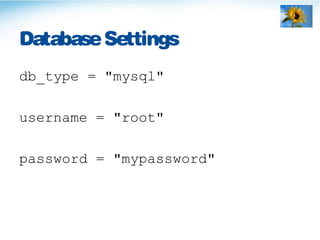
DatabaseSettings
db_type = "mysql"
username = "root"
password = "mypassword"
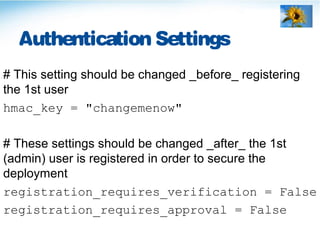
Authentication Settings
# This setting should be changed _before_ registering
the 1st user
hmac_key = "changemenow"
# These settings should be changed _after_ the 1st
(admin) user is registered in order to secure the
deployment
registration_requires_verification = False
registration_requires_approval = False
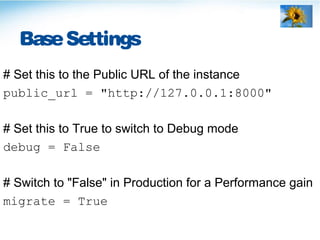
BaseSettings
# Set this to the Public URL of the instance
public_url = "http://127.0.0.1:8000"
# Set this to True to switch to Debug mode
debug = False
# Switch to "False" in Production for a Performance gain
migrate = True
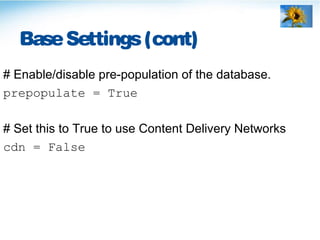
BaseSettings(cont)
# Enable/disable pre-population of the database.
prepopulate = True
# Set this to True to use Content Delivery Networks
cdn = False
L10n (Locale) Settings
# Hardcode the country in the Location Selector
countries = ["VN"]
# Languages selectable
languages = {
"en":T("English"),
"vi":T("Vietnamese")
}
GIS (Map) Settings
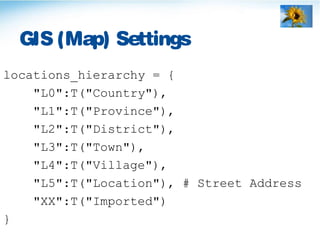
locations_hierarchy = {
"L0":T("Country"),
"L1":T("Province"),
"L2":T("District"),
"L3":T("Town"),
"L4":T("Village"),
"L5":T("Location"), # Street Address
"XX":T("Imported")
}
GIS (Map) Settings(cont)
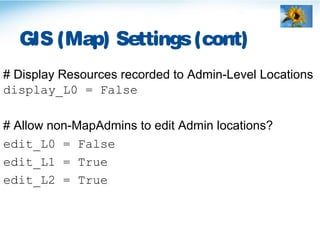
# Display Resources recorded to Admin-Level Locations
display_L0 = False
# Allow non-MapAdmins to edit Admin locations?
edit_L0 = False
edit_L1 = True
edit_L2 = True
Security Policy Settings
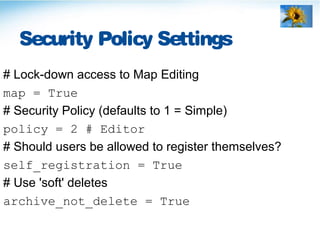
# Lock-down access to Map Editing
map = True
# Security Policy (defaults to 1 = Simple)
policy = 2 # Editor
# Should users be allowed to register themselves?
self_registration = True
# Use 'soft' deletes
archive_not_delete = True
Applications(menu)
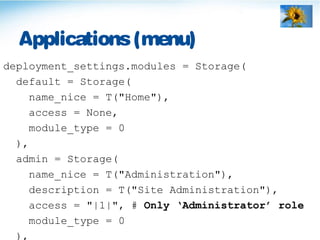
deployment_settings.modules = Storage(
default = Storage(
name_nice = T("Home"),
access = None,
module_type = 0
),
admin = Storage(
name_nice = T("Administration"),
description = T("Site Administration"),
access = "|1|", # Only ‘Administrator’ role
module_type = 0
),
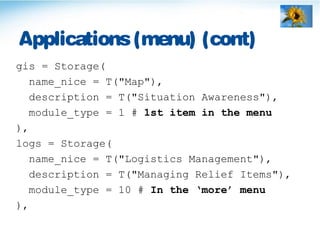
Applications(menu) (cont)
gis = Storage(
name_nice = T("Map"),
description = T("Situation Awareness"),
module_type = 1 # 1st item in the menu
),
logs = Storage(
name_nice = T("Logistics Management"),
description = T("Managing Relief Items"),
module_type = 10 # In the ‘more’ menu
),
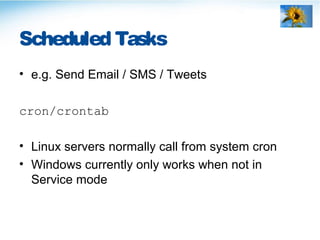
Scheduled Tasks
• e.g. Send Email / SMS / Tweets
cron/crontab
• Linux servers normally call from system cron
• Windows currently only works when not in
Service mode
Compileapplication
• Once configuration complete
• Recompile when changing settings
Instances: Production & Test
Production
•High stability & availability
Test / UAT: User Acceptance Testing
•Testers check for issues & file bugs
•Deployers practise upgrades
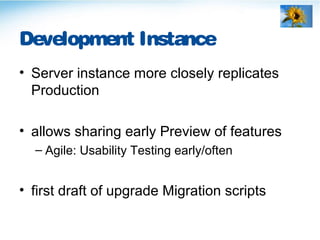
Development Instance
• Server instance more closely replicates
Production
• allows sharing early Preview of features
– Agile: Usability Testing early/often
• first draft of upgrade Migration scripts
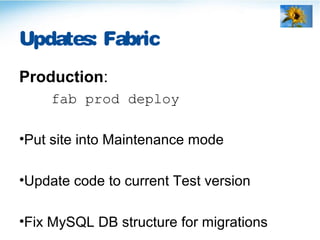
Updates: Fabric
Production:
fab prod deploy
•Put site into Maintenance mode
•Update code to current Test version
•Fix MySQL DB structure for migrations
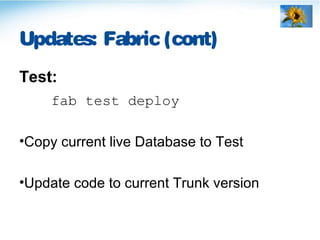
Updates: Fabric (cont)
Test:
fab test deploy
•Copy current live Database to Test
•Update code to current Trunk version
End

Sahana Eden : Deployment (SahanaCamp 1.2)

Editor's Notes

  • #4 Sahana Eden is a web-based application accessed via a Browser. It is developed as a Web2Py application using Python. An optional Webserver &/or Database can be used. All browsers are supported although we generally recommend Mozilla Firefox as the best-supported. (IE 6 is no longer supported)
  • #5 The best-supported environment for a Laptop is Windows using the default Sqlite database, however there’s no reason why the other options cannot be used (just that you can’t expect simplified installers to be available & may not be able to get as good support from the community). Rocket is the webserver built-in to Web2Py.
  • #6 The best-supported environment for a Server is Debian Linux using the MySQL database and Apache webserver, however there’s no reason why the other options cannot be used (just that you can’t expect simplified installers to be available & may not be able to get as good support from the community). Scripts for the best-supported option are available for both Installation & Maintenance.
  • #7 Text Messages can be sent/received using a locally-attached GSM phone or by using an online Web Service, such as Clickatell.com
  • #8 You can use the freely-downloadable puTTY as an SSH client for Windows. For Linux or Mac: ssh eden@campX.sahanafoundation.org (Where X is the number from 1-10 assigned to your group) Password: vietnam Run the installation script: sudo sh eden_debian_install.sh Make a note of the MySQL password that you choose! The script is described here: http://eden.sahanafoundation.org/wiki/InstallationGuidelinesLinuxScript#Ubuntu Apache configuration: sudo nano /etc/apache2/sites-available/eden # copy contents of apache_site.txt into this file, then edit the campx server name to the right x for your server sudo a2ensite eden sudo apache2ctl restart Background docs: http://eden.sahanafoundation.org/wiki/InstallationGuidelinesApacheModWSGI#DebianorUbuntu If you have time, configure the Ticket Viewer by editing web2py/routes.py: http://eden.sahanafoundation.org/wiki/ConfigurationGuidelines#TicketViewer
  • #9 Visit your site with a web browser http://campX.sahanafoundation.org This file is copied from the deployment_template upon 1st run (so that the file in the repository doesn’t need to be cleaned of sesnitvie information when committing)
  • #10 Create MySQL database: mysqladmin –u root –p create sahana Background docs: http://eden.sahanafoundation.org/wiki/InstallationGuidelinesMySQL For databases like MySQL & PostgreSQL it is more secure to provide the application with an account with minimal privileges. For Web2Py, this normally includes ALTER TABLE to support Live Migrations. The Pool Size allows tuning of the number of open connections which can be reused.
  • #11 The hmac_key should be unique per-deployment to enhance security Verification on means that new users need to confirm their email addresses before they can login Approval on means that new users need to be manually approved before they can login (It is possible to enable Either or Both of these options) Be sure to set this option to receive the approval requests: deployment_settings.mail.approver = "useradmin@your.org" OpenID can be used to authenticate users (e.g. the general public) via their existing accounts, such as Google
  • #12 The Public URL is used e.g. in email messages. It cannot be safely determined from the HTTP headers since these may be modified by proxies. Debug mode means that uncompressed CSS/JS files are loaded. - can also load an individual page in debug mode by appending URL with ?debug=1 Web2Py supports automatic Database Migrations, but these have a significant negative impact on performance when enabled, so only enable when necessary
  • #13 Should be True on 1st_run to pre-populate the database - unless doing a manual DB migration Then set to False in Production (to save 1x DAL hit every page) NOTE: the web UI will not be accessible while the DB is empty, instead run: python web2py.py -N -S eden -M to create the db structure, then exit and re-import the data. CDNs should only be used on Internet-facing sites.
  • #15 These Admin levels can have localised names per-country (see later session) We use ‘XX’ as a filter for locations which have been imported from sources which may contain many duplicates, such as Ushahidi
  • #16 By default we only show resources on the map if they are coded to a more accurate level than simply ‘country’. By default normal users cannot edit countries but can edit other levels of hierarchy. Once we have imported data into the instance, then we can lock-down these levels to avoid duplicates. The ‘MapAdmin’ role can be given to users allowed to edit these data but whom we don’t wish to give full ‘Administrator’ rights.
  • #17 By default any registered user can edit map settings for all users. Setting this 1st option, restricts this to just users with the ‘MapAdmin’ role (individual users can still adjust some settings in their personal profile) By default any registered user can create/edit/delete any data (other than user logins). Enabling the editor policy means that normal users can only create data & edit records that they created. Users need to be given the ‘Editor’ role in order to be able to edit/delete data. By default, deleted data is simply hidden from normal view, but is still available to administrators in the underlying database.
  • #18 The Applications menu is built up automatically from the list of enabled Modules. Some applications can be made accessible only to members of a certain group (only these will see the menu item & also be able to access if the URL is typed manually)
  • #19 To disable a module, can simply comment it out from here ‘module_type = 10’ means that it appears on the ‘More’ menu
  • #20 http://web2py.com/book/default/chapter/04#Cron http://eden.sahanafoundation.org/wiki/InstallationGuidelinesApacheModWSGI#Cron
  • #21 Compiling the application provides a noticeable speedup Need to recompile application when changing settings manually in the text files (changing settings in the web interface don’t need this as they are done in the database) To compile the application: cd ~web2py python web2py.py -S eden -M -R applications/eden/static/scripts/tools/compile.py
  • #22 Need to ensure clear communications to Stakeholders when doing upgrades of either environment.
  • #23 Very useful to have a 3rd environment where Developers can preview their work without having to worry about Stability – for either end-Users or Testers. However this is far less critical than splitting Test from Production (Test/Dev can share an instance if-required)
  • #24 The Fabric script is: static/scripts/tools/fabfile.py General documentation for Fabric: http://fabfile.org The MySQL database structure migrations is done using: static/scripts/tools/dbstruct.py (this is called from the fabfile) There is a maintenance site configured in Apache for the period when upgrades are done: http://eden.sahanafoundation.org/wiki/InstallationGuidelinesApacheModWSGI#MaintenanceSite
  • #25 The database is copied from Production to: Provide real data for Testers to work with Reset the database from any bad data that Testers have managed to enter through poor validation