Recommended
PDF
PDF
PDF
PDF
大阪Node学園八時限目 「expressで作るWebアプリ」
PPT
Ruby on Rails Tutorial Chapter5-7
PPT
PDF
PDF
PDF
Head First XML Layout on Android
PDF
PDF
jQuery Performance Tips – jQueryにおける高速化 -
PPT
PDF
Componentization with Gilgamesh
KEY
Rails and twitter #twtr_hack
PDF
concrete5デザインカスタマイズに必要なPHPの知識
KEY
PDF
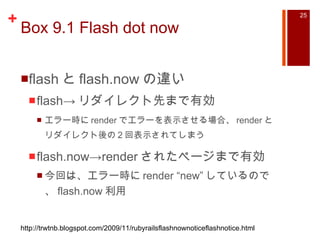
KEY
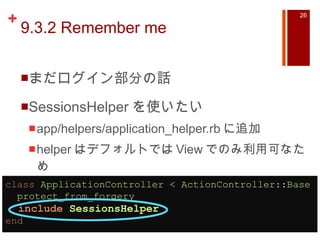
PPTX
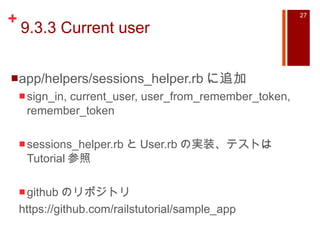
Magento meet up Tokyo#1 for Design
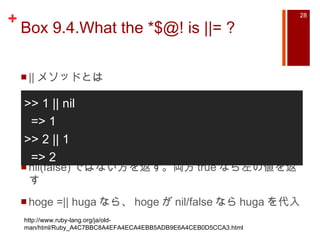
PDF
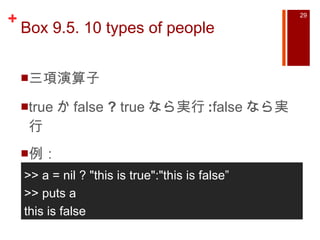
PDF
PPTX
PDF
PPTX
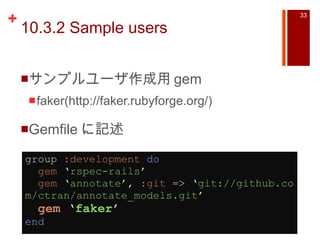
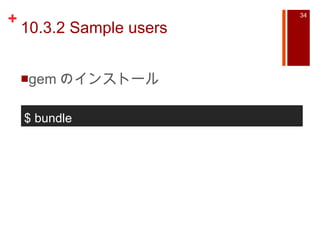
Open Source System Administration Framework - Func
PDF
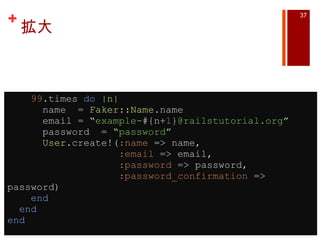
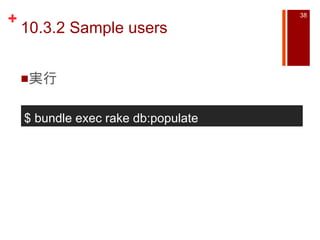
PPTX
ODP
CakePHP Kansai 2008-12-12
PDF
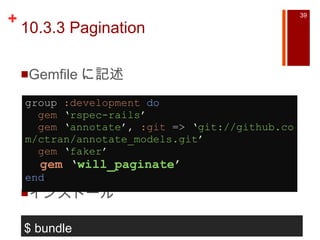
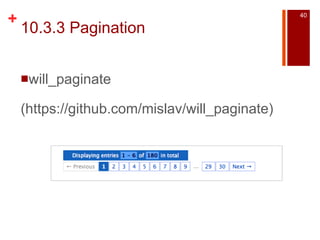
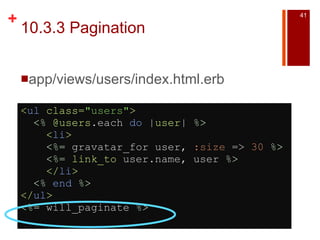
プロダクトに 1 から Vue.js を導入した話
PPT
Ruby on Rails3 Tutorial Chapter2
PDF
Rails Controller Fundamentals
More Related Content
PDF
PDF
PDF
PDF
大阪Node学園八時限目 「expressで作るWebアプリ」
PPT
Ruby on Rails Tutorial Chapter5-7
PPT
PDF
PDF
What's hot
PDF
Head First XML Layout on Android
PDF
PDF
jQuery Performance Tips – jQueryにおける高速化 -
PPT
PDF
Componentization with Gilgamesh
KEY
Rails and twitter #twtr_hack
PDF
concrete5デザインカスタマイズに必要なPHPの知識
KEY
PDF
KEY
PPTX
Magento meet up Tokyo#1 for Design
PDF
PDF
PPTX
PDF
PPTX
Open Source System Administration Framework - Func
PDF
PPTX
ODP
CakePHP Kansai 2008-12-12
PDF
プロダクトに 1 から Vue.js を導入した話
Similar to Ruby on Rails Tutorial Chapter8-10
PPT
Ruby on Rails3 Tutorial Chapter2
PDF
Rails Controller Fundamentals
PDF
PDF
Rails初心者レッスン lesson4 2edition
PPT
Ruby on Rails Tutorial Chapter11-13
PDF
PDF
PDF
Rails解説セミナー: Railsアプリケーションのデバッグ
PDF
Rails初心者レッスン lesson2 3edition
PDF
deviseを利用した認証について@Minamirb
KEY
PPTX
PDF
PPTX
PPTX
フレームワーク品評会 Ruby on Rails #crossjp
PPT
Ruby on Rails3 Tutorial Chapter3
PDF
PDF
nomlab_okayamaruby_subslide
PDF
Next-L Enju 開発WS #03 Ruby on Railsの使い方
PDF
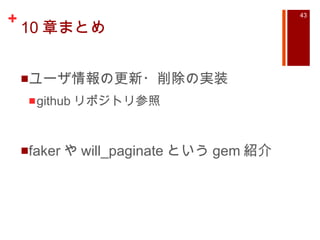
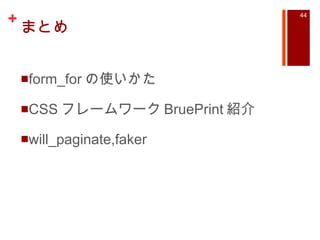
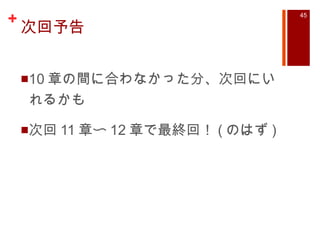
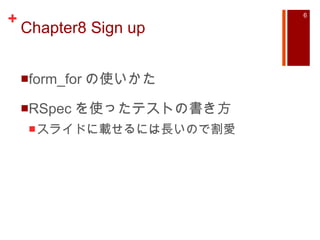
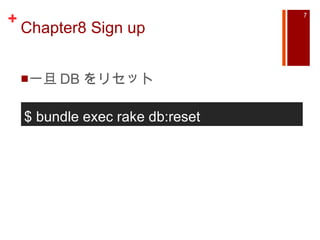
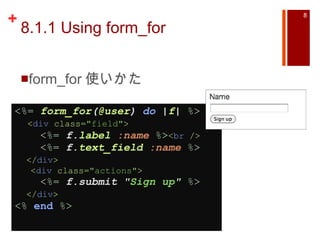
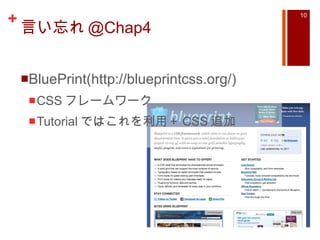
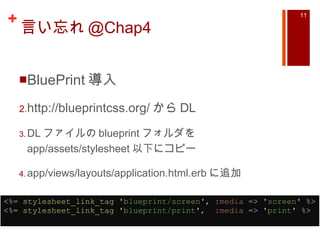
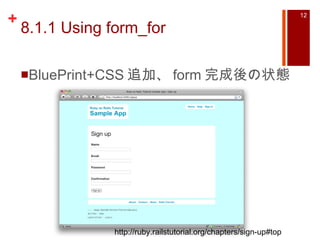
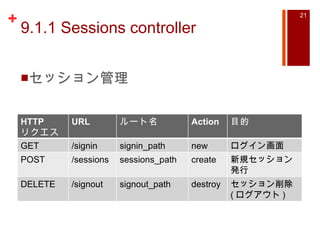
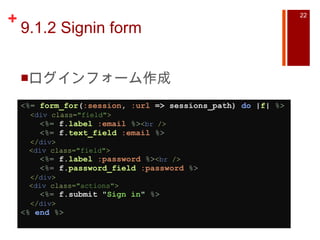
Ruby on Rails Tutorial Chapter8-10 1. 2. Ruby on Rails Tutorial とは 前に LT したときに紹介したサイト http://ruby.railstutorial.org/ruby-on-rails-tutorial-book 3. 4. 目次 Chapter1 Rails 導入からデプロイ Chapter2 デモアプリ (scaffold 使用 ) Chapter3 Web アプリケーション Chapter4 Rails 風 Ruby Chapter5 スタイルを追加する Chapter6 User Model と View その 1 Chapter7 User Model と View その 2 5. 目次 Chapter8 ユーザ登録 Chapter9 ログイン・ログアウト Chapter10 ユーザデータの更新・編集・追加 Chapter11 ミニブログ ( ツイート ) Chapter12 ユーザのフォロー 6. 7. 8. 8.1.1 Using form_for form_for 使いかた <%= form_for ( @user ) do | f | %> < div class= "field" > <%= f. label :name %> < br /> <%= f. text_field :name %> </ div > < div class= "actions" > <%= f.submit " Sign up " %> </ div > <% end %> 9. 8.1.1 Using form_for controller 側で @user = User.new 必要 f.label や f.text_field のように使う Rails2.x -> <% form_for …%> Rails3.x -> <% = form_for …%> 10. 11. 言い忘れ @Chap4 BluePrint 導入 http://blueprintcss.org/ から DL DL ファイルの blueprint フォルダを app/assets/stylesheet 以下にコピー app/views/layouts/application.html.erb に追加 <%= stylesheet_link_tag ' blueprint/screen ' , :media => ' screen ' %> <%= stylesheet_link_tag ' blueprint/print ' , :media => ' print ' %> 12. 8.1.1 Using form_for BluePrint+CSS 追加、 form 完成後の状態 http://ruby.railstutorial.org/chapters/sign-up#top 13. 14. 8.2.3 Signup Error Messages errors.full_messages これを利用して、エラー画面を出せる $ rails console >> user = User.new(… 省略… , :email => “invalid”) >> user.save => false >> user.errors.full_messages => [“Email is invalid”] 15. 16. 17. 8.4.1 Integration Tests with Style spec ファイル作成 signin に失敗 / 成功用のテスト Tutorial 参照 visit signin_path や fill_in “name”, :with => “unagi” $ rake generage integration_test users 18. 目次 Chapter8 ユーザ登録 Chapter9 ログイン・ログアウト Chapter10 ユーザデータの更新・編集・追加 Chapter11 ミニブログ ( ツイート ) Chapter12 ユーザのフォロー 19. 20. 9.1.1 Sessions controller config/routes.rb に追加 SampleApp :: Application .routes.draw do resources :users resources :sessions , :only => [ :new , :create , :destroy ] match ' /signup ' , :to => ' users#new ' match ' /signin ' , :to => ' sessions#new ' match ' /signout ' , :to => ' sessions#destroy ’ # 省略 end 21. 9.1.1 Sessions controller セッション管理 HTTP リクエスト URL ルート名 Action 目的 GET /signin signin_path new ログイン画面 POST /sessions sessions_path create 新規セッション発行 DELETE /signout signout_path destroy セッション削除 ( ログアウト ) 22. 9.1.2 Signin form ログインフォーム作成 <%= form_for ( :session , :url => sessions_path) do | f | %> < div class= "field" > <%= f. label :email %> < br /> <%= f. text_field :email %> </ div > < div class= "field" > <%= f. label :password %> < br /> <%= f. password_field :password %> </ div > < div class= "actions" > <%= f.submit " Sign in " %> </ div > <% end %> 23. 9.2.2 Failed signin(test and code) SessionsController の create 作成 def create user = User .authenticate( params [ :session ][ :email ], params [ :session ][ :password ]) if user.nil? flash .now[ :error ] = " Invalid email/password combination. " @title = " Sign in " render ' new ' else # Sign the user in and redirect to the user's show page. end end 24. 25. Box 9.1 Flash dot now flash と flash.now の違い flash-> リダイレクト先まで有効 エラー時に render でエラーを表示させる場合、 render とリダイレクト後の 2 回表示されてしまう flash.now->render されたページまで有効 今回は、エラー時に render “new” しているので、 flash.now 利用 http://trwtnb.blogspot.com/2009/11/rubyrailsflashnownoticeflashnotice.html 26. 9.3.2 Remember me まだログイン部分の話 SessionsHelper を使いたい app/helpers/application_helper.rb に追加 helper はデフォルトでは View でのみ利用可なため class ApplicationController < ActionController :: Base protect_from_forgery include SessionsHelper end 27. 9.3.3 Current user app/helpers/sessions_helper.rb に追加 sign_in, current_user, user_from_remember_token, remember_token sessions_helper.rb と User.rb の実装、テストは Tutorial 参照 github のリポジトリ https://github.com/railstutorial/sample_app 28. Box 9.4.What the *$@! is ||= ? || メソッドとは nil(false) ではない方を返す。両方 true なら左の値を返す hoge =|| huga なら、 hoge が nil/false なら huga を代入 >> 1 || nil => 1 >> 2 || 1 => 2 http://www.ruby-lang.org/ja/old-man/html/Ruby_A4C7BBC8A4EFA4ECA4EBB5ADB9E6A4CEB0D5CCA3.html 29. Box 9.5. 10 types of people 三項演算子 true か false ? true なら実行 : false なら実行 例: >> a = nil ? "this is true":"this is false” >> puts a this is false 30. 9 章まとめ ログイン画面 (form_for の使いかた ) セッション実装 コードが多いので、だいぶ割愛しました。ぜひ Tutorial or github のリポジトリ ( https://github.com/railstutorial/sample_app ) 参照下さい! 31. 目次 Chapter8 ユーザ登録 Chapter9 ログイン・ログアウト Chapter10 ユーザデータの更新・編集・追加 Chapter11 ミニブログ ( ツイート ) Chapter12 ユーザのフォロー 32. Chapter10 Updating, showing, and deleting users ユーザ情報の更新・削除 Chapter9 と同様、実装とテストコード多め 今回は gem の紹介のみ 33. 10.3.2 Sample users サンプルユーザ作成用 gem faker(http://faker.rubyforge.org/) Gemfile に記述 group :development do gem ‘ rspec-rails ’ gem ‘ annotate ’ , :git => ‘ git://github.com/ctran/annotate_models.git ’ gem ‘ faker ’ end a 34. 35. 10.3.2 Sample users lib/tasks/sample_data.rake を作成 namespace :db do desc " Fill database with sample data " task :populate => :environment do Rake :: Task [ ' db:reset ' ].invoke User .create!( :name => " Example User " , :email => " [email_address] " , :password => " foobar " , :password_confirmation => " foobar " ) 99 .times do | n | name = Faker :: Name .name email = " example- #{ n+ 1 } @railstutorial.org " password = " password " User .create!( :name => name, :email => email, :password => password, :password_confirmation => password) end end end 36. 拡大 namespace :db do desc “ Fill database with sample data ” task :populate => :environment do Rake :: Task [ ‘ db:reset ’ ].invoke User .create!( :name => “ Example User ” , :email => “ [email_address] ” , :password => “ foobar ” , :password_confirmation => “ foobar ” ) 37. 拡大 99 .times do | n | name = Faker :: Name .name email = “ example- #{ n+ 1 } @railstutorial.org ” password = “ password ” User .create!( :name => name, :email => email, :password => password, :password_confirmation => password) end end end 38. 39. 10.3.3 Pagination Gemfile に記述 インストール group :development do gem ‘ rspec-rails ’ gem ‘ annotate ’ , :git => ‘ git://github.com/ctran/annotate_models.git ’ gem ‘ faker ’ gem ‘ will_paginate ’ end a $ bundle 40. 41. 42. 43. 44. 45. Editor's Notes #14 どのようにテストを書くのか ユーザを作成できないとき、 new ページを表示するとき等のテストが書かれている #16 ここでテストツールの話 #24 authenticate は渡された値のユーザが存在したときそのユーザ自身を返して、無かったときは nil を返すメソッドとして、 app/models/user.rb に定義されている

![8.2.3 Signup Error Messages errors.full_messages これを利用して、エラー画面を出せる $ rails console >> user = User.new(… 省略… , :email => “invalid”) >> user.save => false >> user.errors.full_messages => [“Email is invalid”]](https://image.slidesharecdn.com/rubyonrailstutorial8-10-111208100919-phpapp02/85/Ruby-on-Rails-Tutorial-Chapter8-10-14-320.jpg)
![9.1.1 Sessions controller config/routes.rb に追加 SampleApp :: Application .routes.draw do resources :users resources :sessions , :only => [ :new , :create , :destroy ] match ' /signup ' , :to => ' users#new ' match ' /signin ' , :to => ' sessions#new ' match ' /signout ' , :to => ' sessions#destroy ’ # 省略 end](https://image.slidesharecdn.com/rubyonrailstutorial8-10-111208100919-phpapp02/85/Ruby-on-Rails-Tutorial-Chapter8-10-20-320.jpg)
![9.2.2 Failed signin(test and code) SessionsController の create 作成 def create user = User .authenticate( params [ :session ][ :email ], params [ :session ][ :password ]) if user.nil? flash .now[ :error ] = " Invalid email/password combination. " @title = " Sign in " render ' new ' else # Sign the user in and redirect to the user's show page. end end](https://image.slidesharecdn.com/rubyonrailstutorial8-10-111208100919-phpapp02/85/Ruby-on-Rails-Tutorial-Chapter8-10-23-320.jpg)
![9.2.2 Failed signin(test and code) authenticate() は User モデルに定義済み 認証失敗なら nil 、成功ならその user を返す flash[:error] にエラーメッセージを追加](https://image.slidesharecdn.com/rubyonrailstutorial8-10-111208100919-phpapp02/85/Ruby-on-Rails-Tutorial-Chapter8-10-24-320.jpg)
![10.3.2 Sample users lib/tasks/sample_data.rake を作成 namespace :db do desc " Fill database with sample data " task :populate => :environment do Rake :: Task [ ' db:reset ' ].invoke User .create!( :name => " Example User " , :email => " [email_address] " , :password => " foobar " , :password_confirmation => " foobar " ) 99 .times do | n | name = Faker :: Name .name email = " example- #{ n+ 1 } @railstutorial.org " password = " password " User .create!( :name => name, :email => email, :password => password, :password_confirmation => password) end end end](https://image.slidesharecdn.com/rubyonrailstutorial8-10-111208100919-phpapp02/85/Ruby-on-Rails-Tutorial-Chapter8-10-35-320.jpg)
![拡大 namespace :db do desc “ Fill database with sample data ” task :populate => :environment do Rake :: Task [ ‘ db:reset ’ ].invoke User .create!( :name => “ Example User ” , :email => “ [email_address] ” , :password => “ foobar ” , :password_confirmation => “ foobar ” )](https://image.slidesharecdn.com/rubyonrailstutorial8-10-111208100919-phpapp02/85/Ruby-on-Rails-Tutorial-Chapter8-10-36-320.jpg)
![10.3.3 Pagination app/controllers/users_controller.rb def index @title = “ All users ” @users = User .paginate( :page => params [ :page ]) end](https://image.slidesharecdn.com/rubyonrailstutorial8-10-111208100919-phpapp02/85/Ruby-on-Rails-Tutorial-Chapter8-10-42-320.jpg)