



REVEAL.JS
HTML PRESENTATIONS MADE EASY
Createdby /HakimElHattab @hakimel
HEADS UP
reveal.js is aframework for easilycreatingbeautiful
presentations usingHTML. You'llneed abrowser with support
for CSS 3D transforms to see itin its fullglory.
VERTICAL SLIDES
Slides can be nested inside of other slides, trypressing .down
BASEMENT LEVEL 1
Press down or up to navigate.
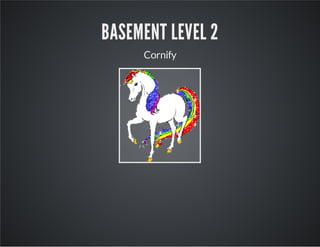
BASEMENT LEVEL 2
Cornify
BASEMENT LEVEL 3
That's it, time to go back up.
SLIDES
Notacoder?No problem. There's afully-featured visualeditor
for authoringthese, tryitoutat .http://slid.es
POINT OF VIEW
Press ESC to enter the slide overview.
Hold down altand click on anyelementto zoom in on itusing
. Alt+ click anywhere to zoom back out.zoom.js
WORKS IN MOBILE SAFARI
Tryitout!You can swipe through the slides and pinch your way
to the overview.
MARVELOUS UNORDERED LIST
No order here
Or here
Or here
Or here
FANTASTIC ORDERED LIST
1. One is smaller than...
2. Two is smaller than...
3. Three!
MARKDOWN SUPPORT
For those of you who like thatsortof thing. Instructions and abit
more info available .here
<sectiondata-markdown>
##Markdownsupport
Forthoseofyouwholikethatsortofthing.
Instructionsandabitmoreinfoavailable[here](https://github.com/hakimel/reveal.js#
</section>
TRANSITION STYLES
You can selectfrom differenttransitions, like:
- - - - - - -Cube Page Concave Zoom Linear Fade None Default
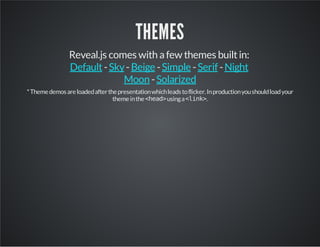
THEMES
Reveal.js comes with afew themes builtin:
- - - - -
-
Default Sky Beige Simple Serif Night
Moon Solarized
*Themedemosareloadedafterthepresentationwhichleadstoflicker.Inproductionyoushouldloadyour
themeinthe<head>usinga<link>.
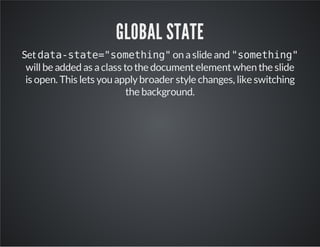
GLOBAL STATE
Setdata-state="something"on aslide and "something"
willbe added as aclass to the documentelementwhen the slide
is open. This lets you applybroader style changes, like switching
the background.
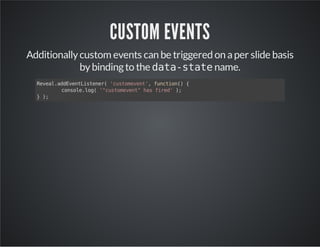
CUSTOM EVENTS
Additionallycustom events can be triggered on aper slide basis
bybindingto the data-statename.
Reveal.addEventListener('customevent',function(){
console.log('"customevent"hasfired');
});
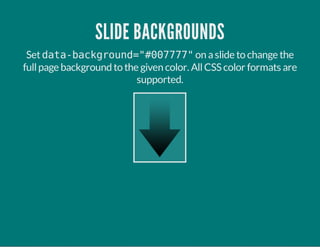
SLIDE BACKGROUNDS
Setdata-background="#007777"on aslide to change the
fullpage background to the given color. AllCSS color formats are
supported.
IMAGE BACKGROUNDS
<sectiondata-background="image.png">
REPEATED IMAGE BACKGROUNDS
<sectiondata-background="image.png"data-background-repeat="repeat"data-ba
ckground-size="100px">
BACKGROUND TRANSITIONS
Pass reveal.js the backgroundTransition: 'slide'
configargumentto make backgrounds slide rather than fade.
BACKGROUND TRANSITION OVERRIDE
You can override background transitions per slide byusing
data-background-transition="slide".
CLEVER QUOTES
These guys come in two forms, inline: “The nice thing about
standards is thatthere are so many to choose from”and block:
“For years there has been atheory thatmillions
of monkeys typing atrandomon millions of
typewriters would reproduce the entire works of
Shakespeare. The Internethas proven this
theory to be untrue.”
PRETTY CODE
functionlinkify(selector){
if(supports3DTransforms){
varnodes=document.querySelectorAll(selector);
for(vari=0,len=nodes.length;i<len;i++){
varnode=nodes[i];
if(!node.className){
node.className+='roll';
}
}
}
}
Courtesyof .highlight.js
INTERGALACTIC INTERCONNECTIONS
You can link between slides internally, .like this
FRAGMENTED VIEWS
Hitthe nextarrow...
... to step through ...
1. any type
2. of view
3. fragments
FRAGMENT STYLES
There's afew styles of fragments, like:
grow
shrink
roll-in
fade-out
highlight-red
highlight-green
highlight-blue
current-visible
highlight-current-blue
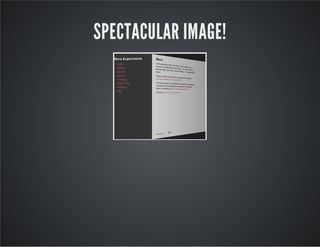
SPECTACULAR IMAGE!
EXPORT TO PDF
Presentations can be , below is an example
that's been uploaded to SlideShare.
exported to PDF
TAKE A MOMENT
Press b or period on your keyboard to enter the 'paused'mode.
This mode is helpfulwhen you wantto take distractingslides off
the screen duringapresentation.
STELLAR LINKS
Trythe online editor
Source code on GitHub
Follow me on Twitter
THE END
BY HAKIM EL HATTAB / HAKIM.SE

Revealjs sample