Resource Management:
Thumb rules:

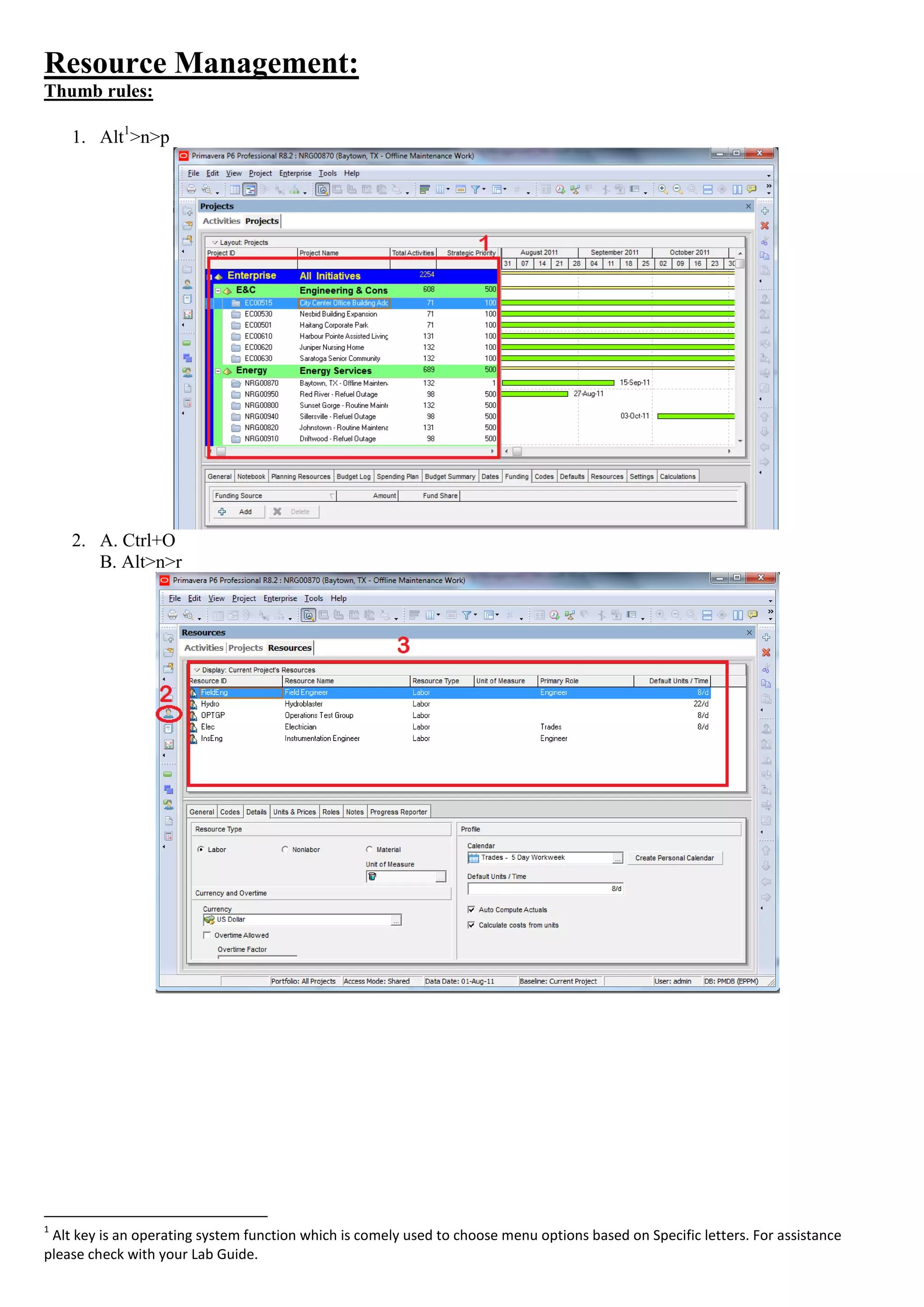
    1. Alt1>n>p


    2. A. Ctrl+O
       B. Alt>n>r


1
 Alt key is an operating system function which is comely used to choose menu options based on Specific letters. For assistance
please check with your Lab Guide.
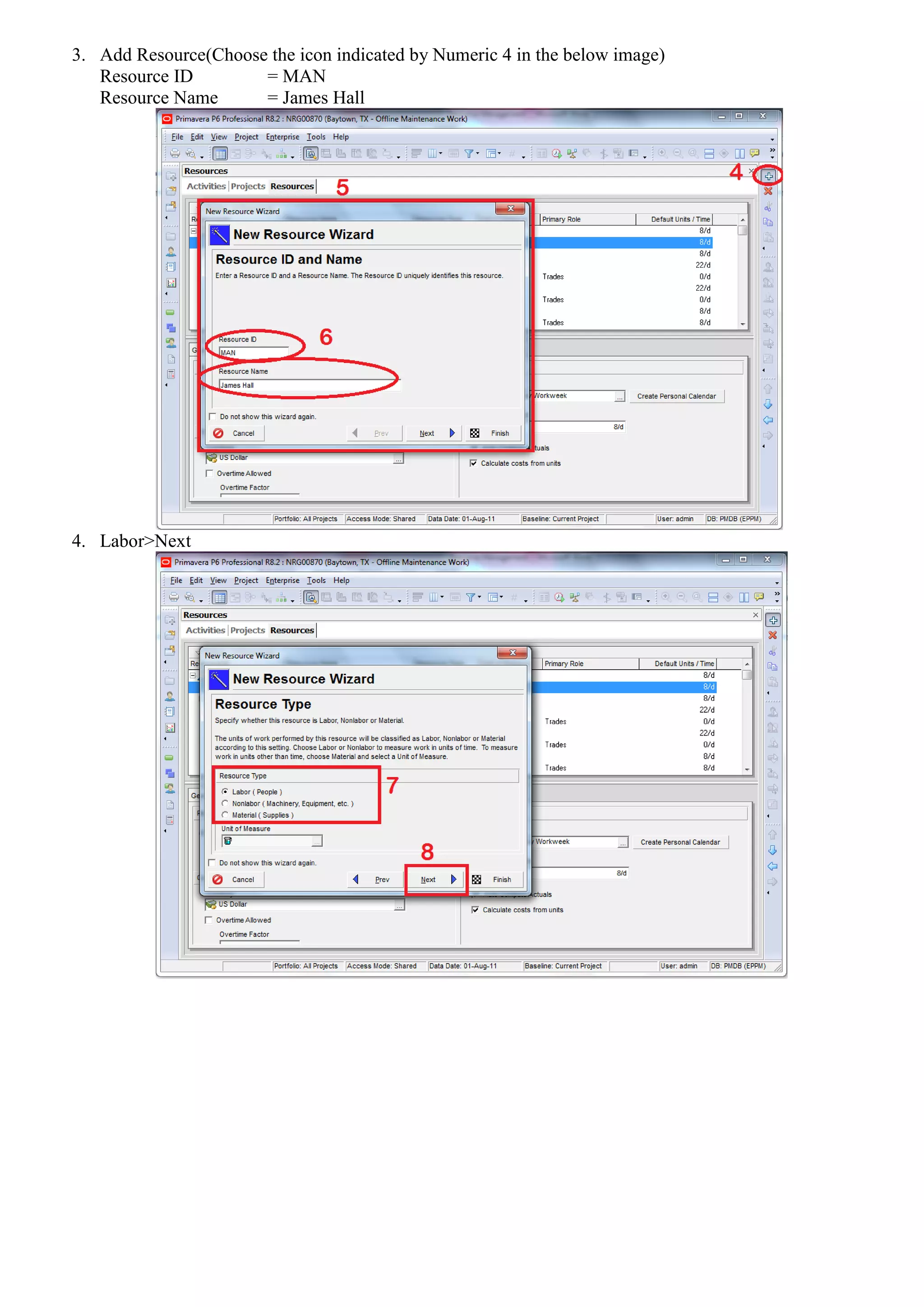
3. Add Resource(Choose the icon indicated by Numeric 4 in the below image)
   Resource ID        = MAN
   Resource Name      = James Hall


4. Labor>Next
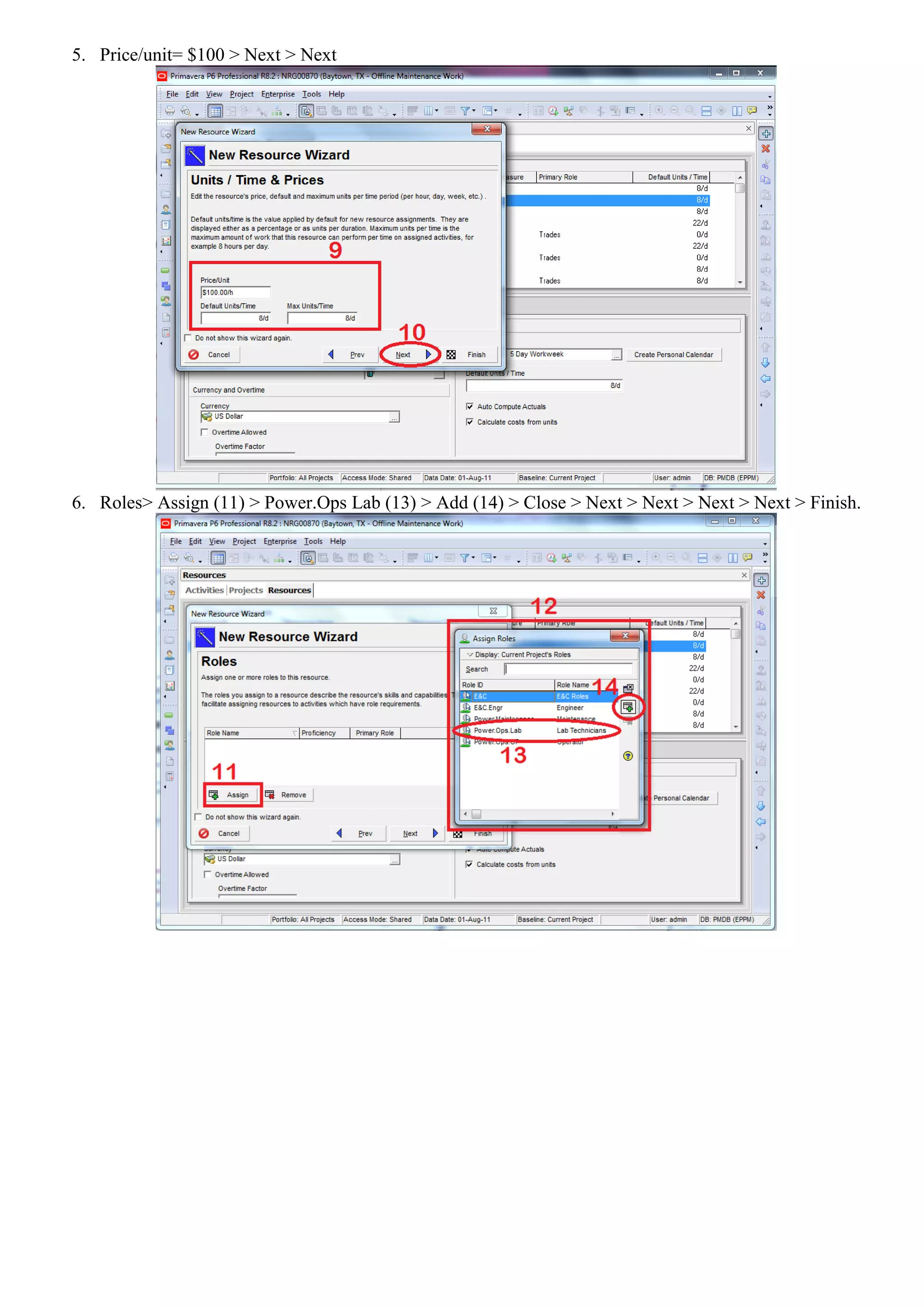
5. Price/unit= $100 > Next > Next


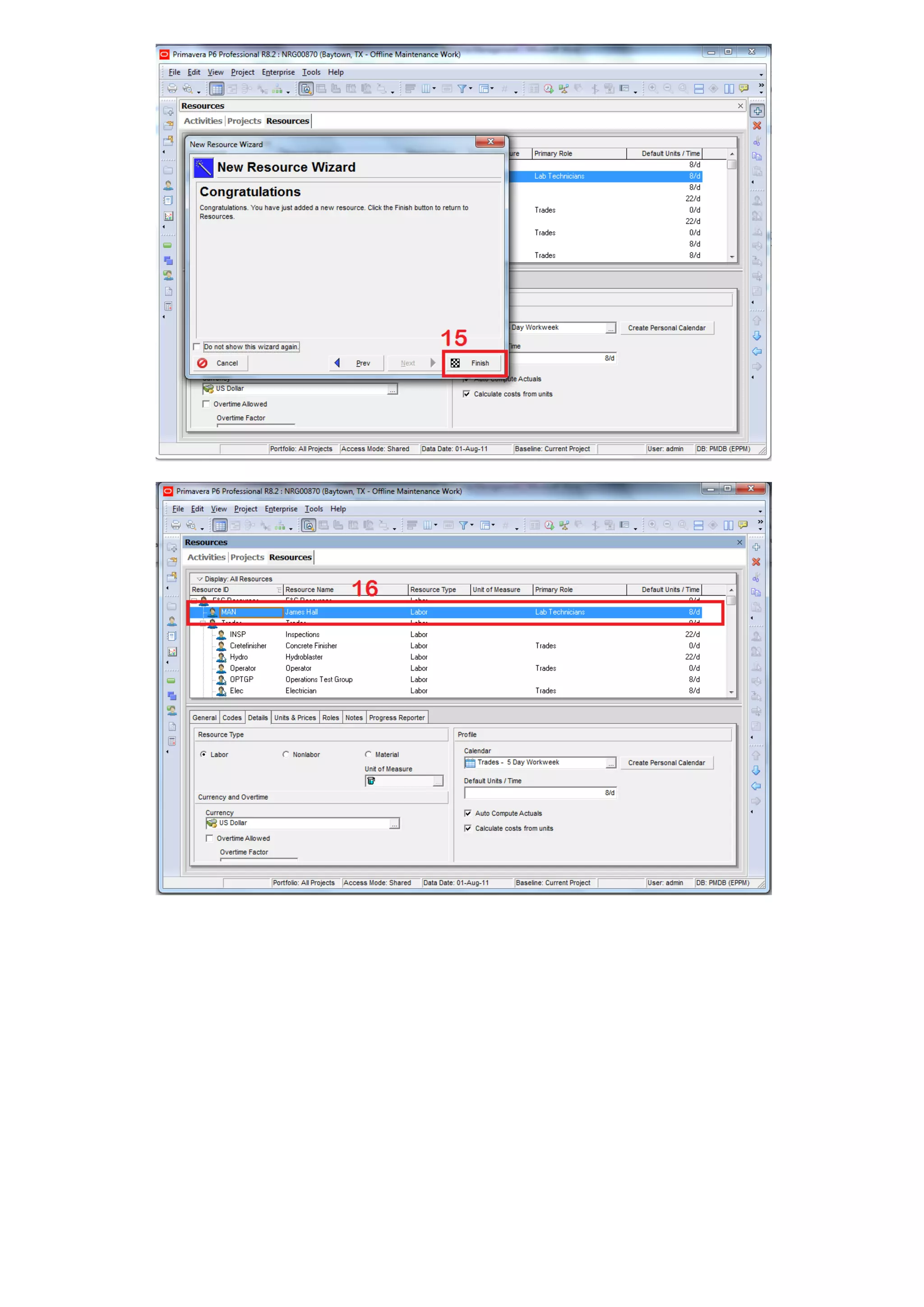
6. Roles> Assign (11) > Power.Ops Lab (13) > Add (14) > Close > Next > Next > Next > Next > Finish.
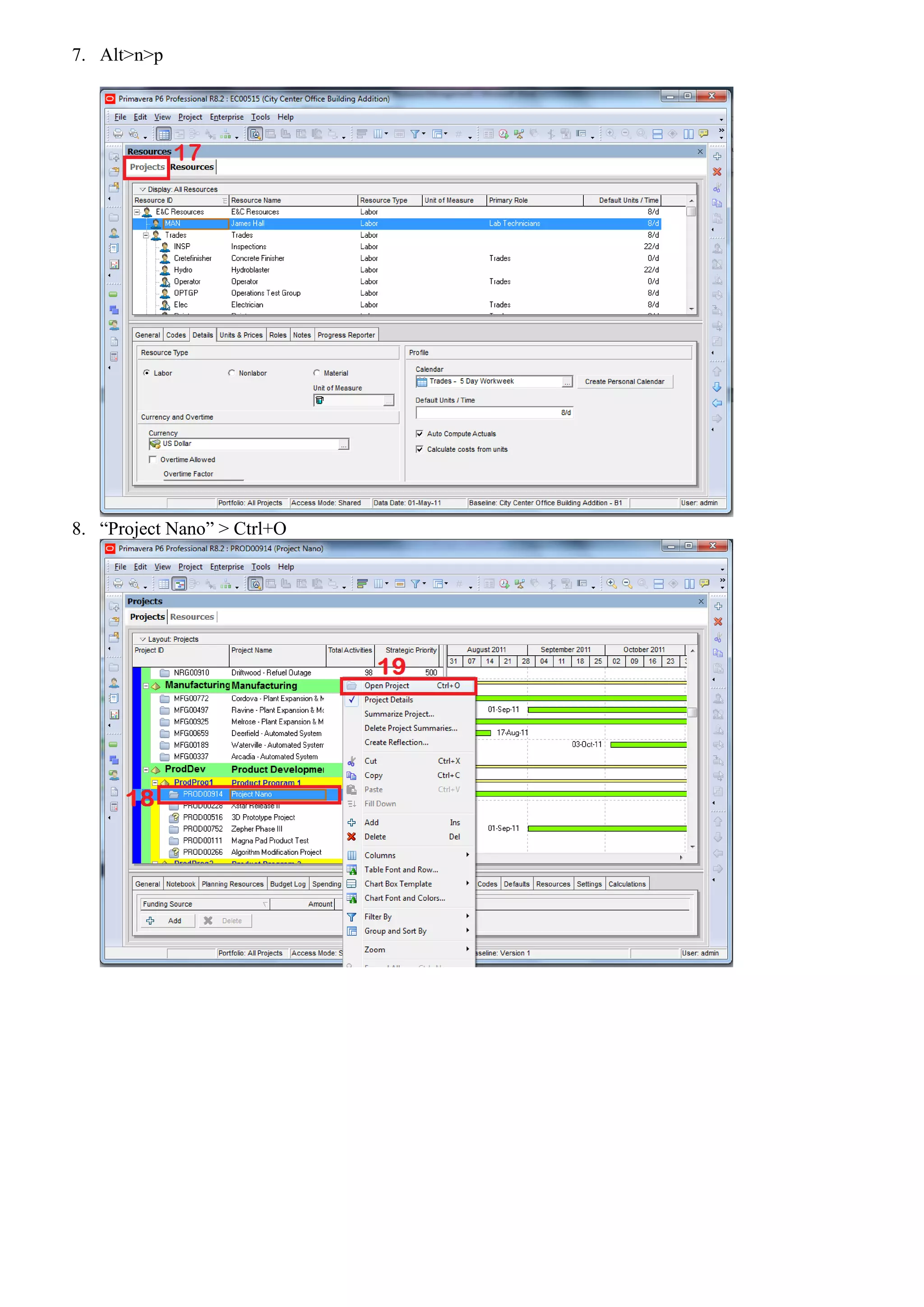
7. Alt>n>p


8. “Project Nano” > Ctrl+O
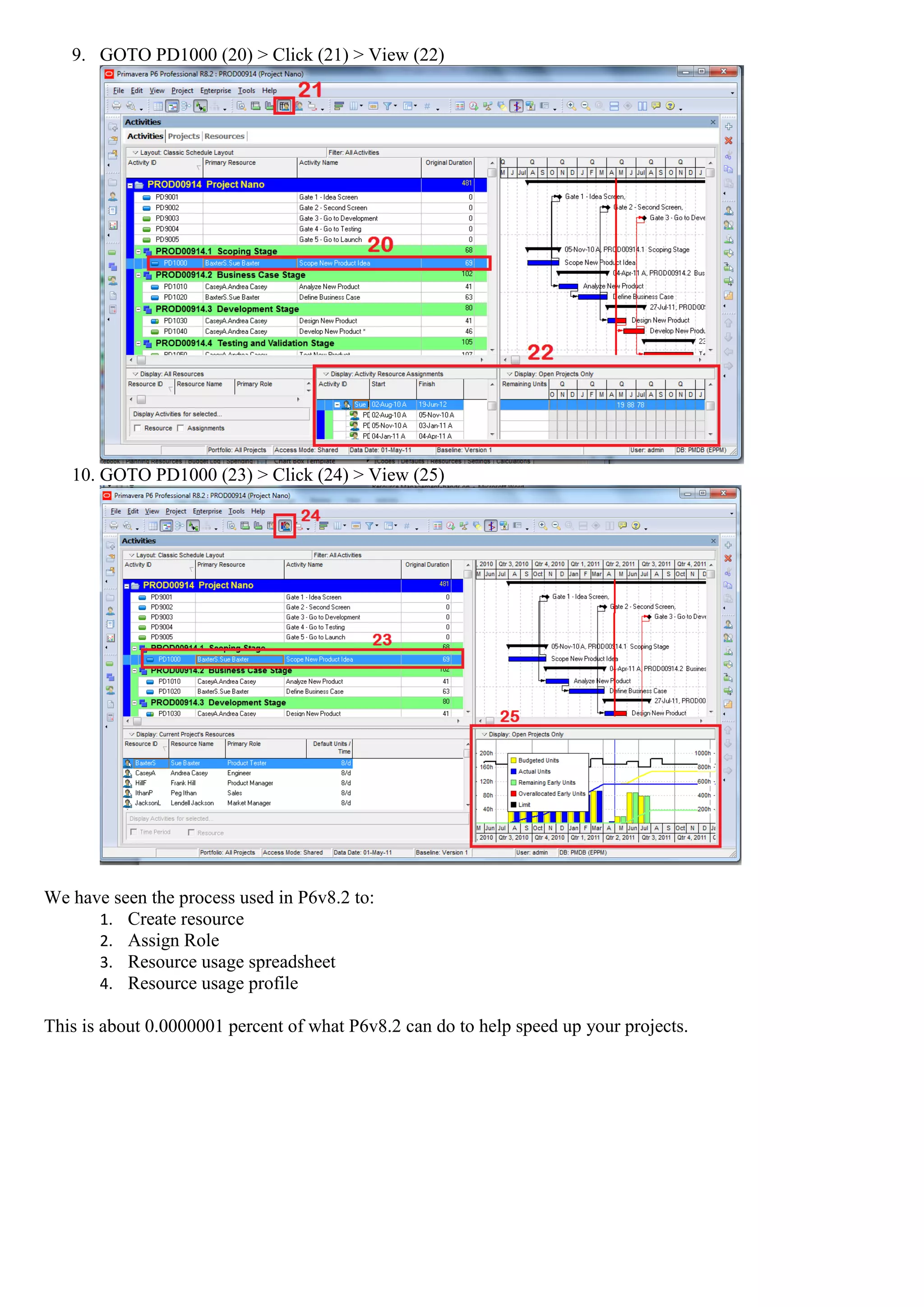
9. GOTO PD1000 (20) > Click (21) > View (22)


   10. GOTO PD1000 (23) > Click (24) > View (25)


We have seen the process used in P6v8.2 to:
      1. Create resource
      2. Assign Role
      3. Resource usage spreadsheet
      4. Resource usage profile

This is about 0.0000001 percent of what P6v8.2 can do to help speed up your projects.

Resource management hands on

  • 1.
    Resource Management: Thumb rules: 1. Alt1>n>p 2. A. Ctrl+O B. Alt>n>r 1 Alt key is an operating system function which is comely used to choose menu options based on Specific letters. For assistance please check with your Lab Guide.
  • 2.
    3. Add Resource(Choosethe icon indicated by Numeric 4 in the below image) Resource ID = MAN Resource Name = James Hall 4. Labor>Next
  • 3.
    5. Price/unit= $100> Next > Next 6. Roles> Assign (11) > Power.Ops Lab (13) > Add (14) > Close > Next > Next > Next > Next > Finish.
  • 5.
    7. Alt>n>p 8. “ProjectNano” > Ctrl+O
  • 6.
    9. GOTO PD1000(20) > Click (21) > View (22) 10. GOTO PD1000 (23) > Click (24) > View (25) We have seen the process used in P6v8.2 to: 1. Create resource 2. Assign Role 3. Resource usage spreadsheet 4. Resource usage profile This is about 0.0000001 percent of what P6v8.2 can do to help speed up your projects.